

Description
Chiseiko Essential Swatches turns plain WooCommerce variation dropdowns into beautiful, clickable color, image, text, and button swatches — on single product pages and shop, category, and tag archives. Shoppers see their options at a glance, pick the right variation in one click, and add to cart faster.
Built from the ground up with a vanilla-first JavaScript architecture, conditional asset loading, and full accessibility. It works with any WooCommerce-compatible theme — Classic, FSE block themes, and page builders (Elementor, Divi, Beaver Builder) — with no template edits and no shortcodes.
The problem with default WooCommerce variations
Out of the box, WooCommerce hides every product variation behind a generic <select> dropdown. That quietly costs you sales:
- Customers can’t see the colors or styles you sell — they have to open a menu and read text.
- Available options stay hidden until the dropdown is opened, so shoppers miss variants.
- There’s no visual feedback on mobile, where dropdowns are slow and fiddly.
- Shop and category pages show no variation choices at all, so every selection means an extra page load.
What Chiseiko Essential Swatches solves
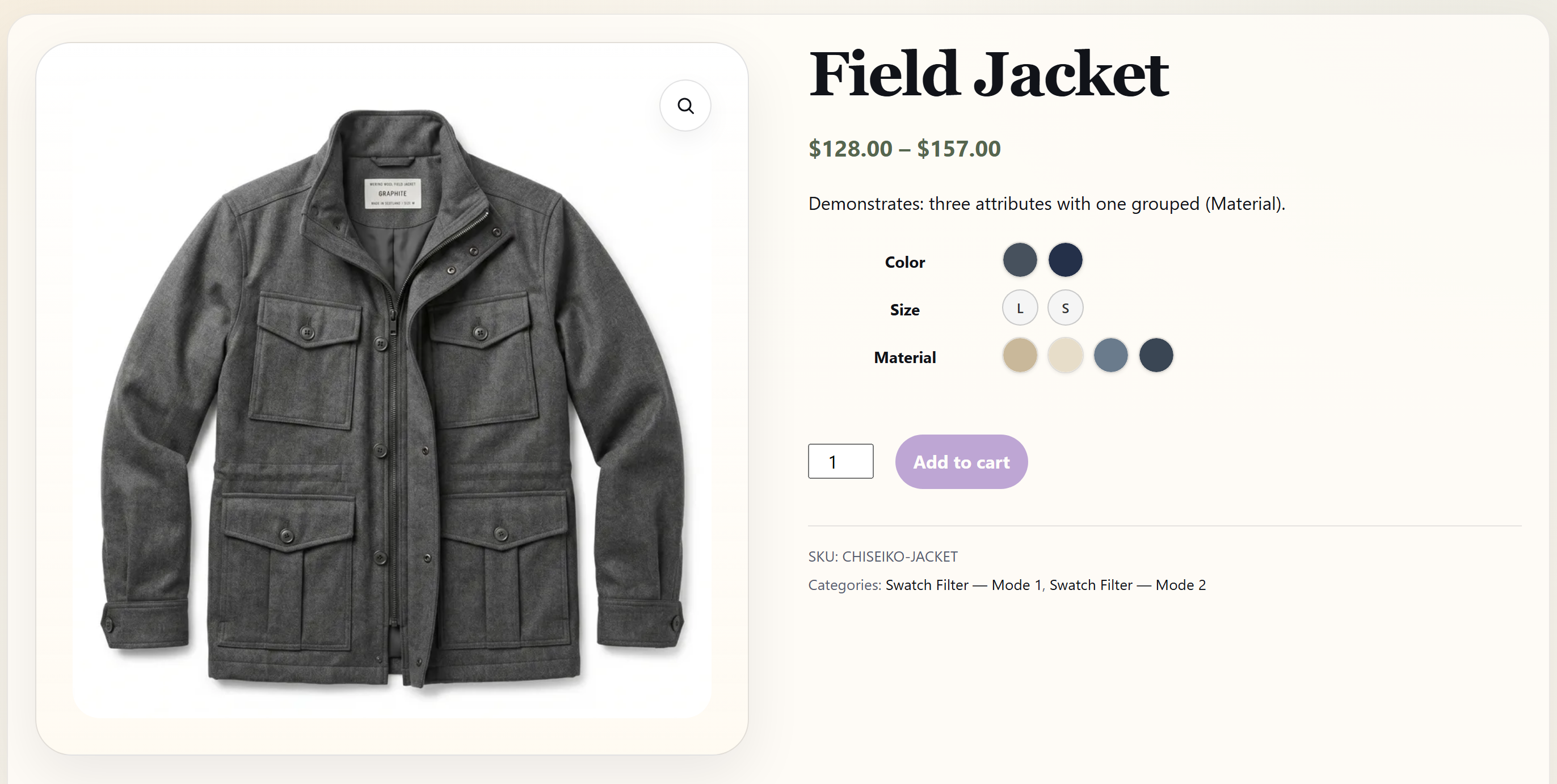
- Makes choices visual and instant. Real color circles, product photos, and styled labels replace text dropdowns, so shoppers recognize what they want immediately.
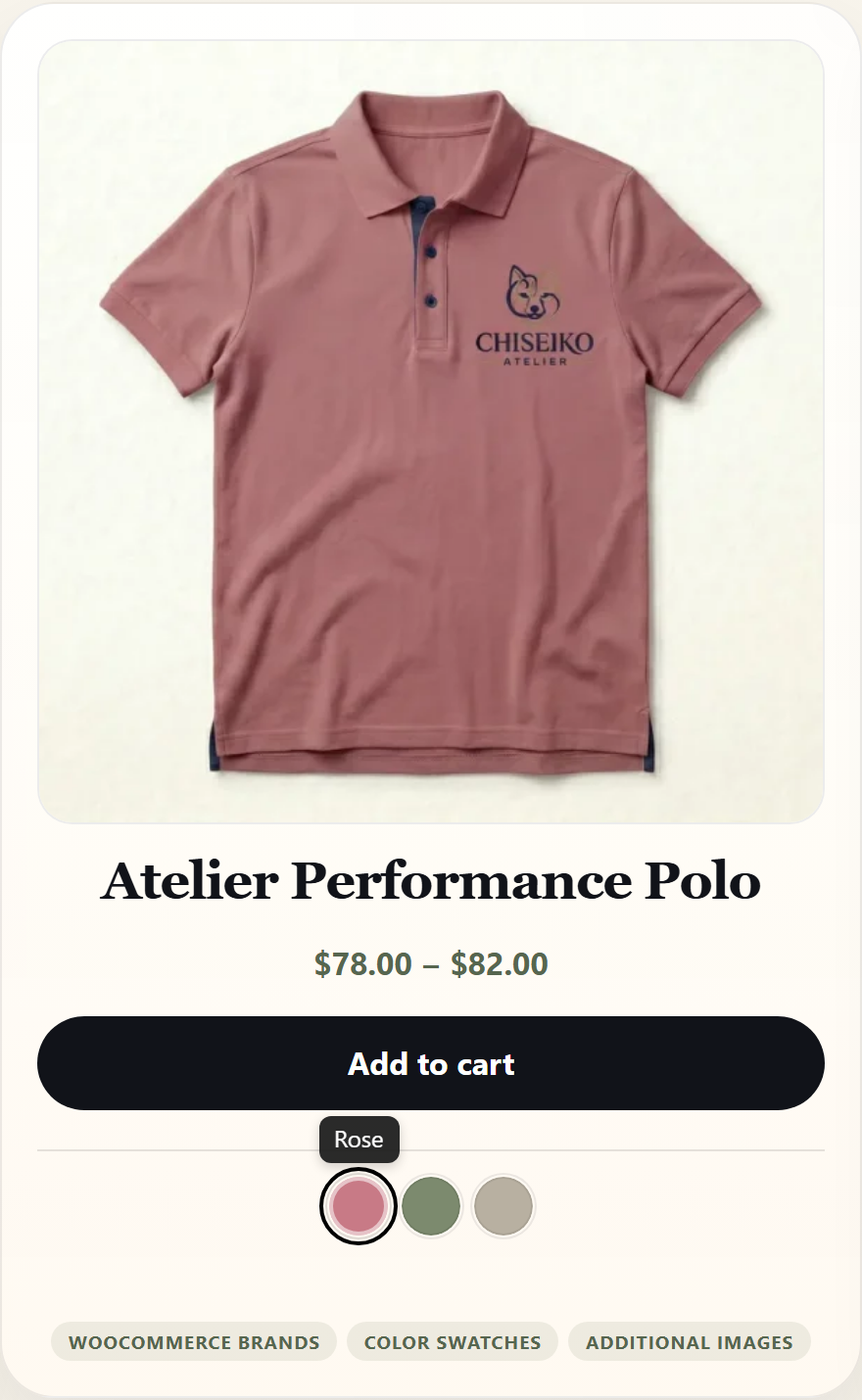
- Shows options on the shop page, not just the product page. Interactive archive swatches let customers preview and even add a variant to the cart straight from the product card.
- Reduces “out of stock” frustration. Unavailable variants are dimmed (not hidden), so customers always see the full range and what’s available.
- Speeds up the path to purchase. Instant gallery preview, mobile auto-scroll, and one-click selection shorten the distance between landing and buying.
- Keeps your store fast. Assets load only on the pages that need them, and archive data is fetched in a single batched request — not one request per product.
Swatch types (all four included free)
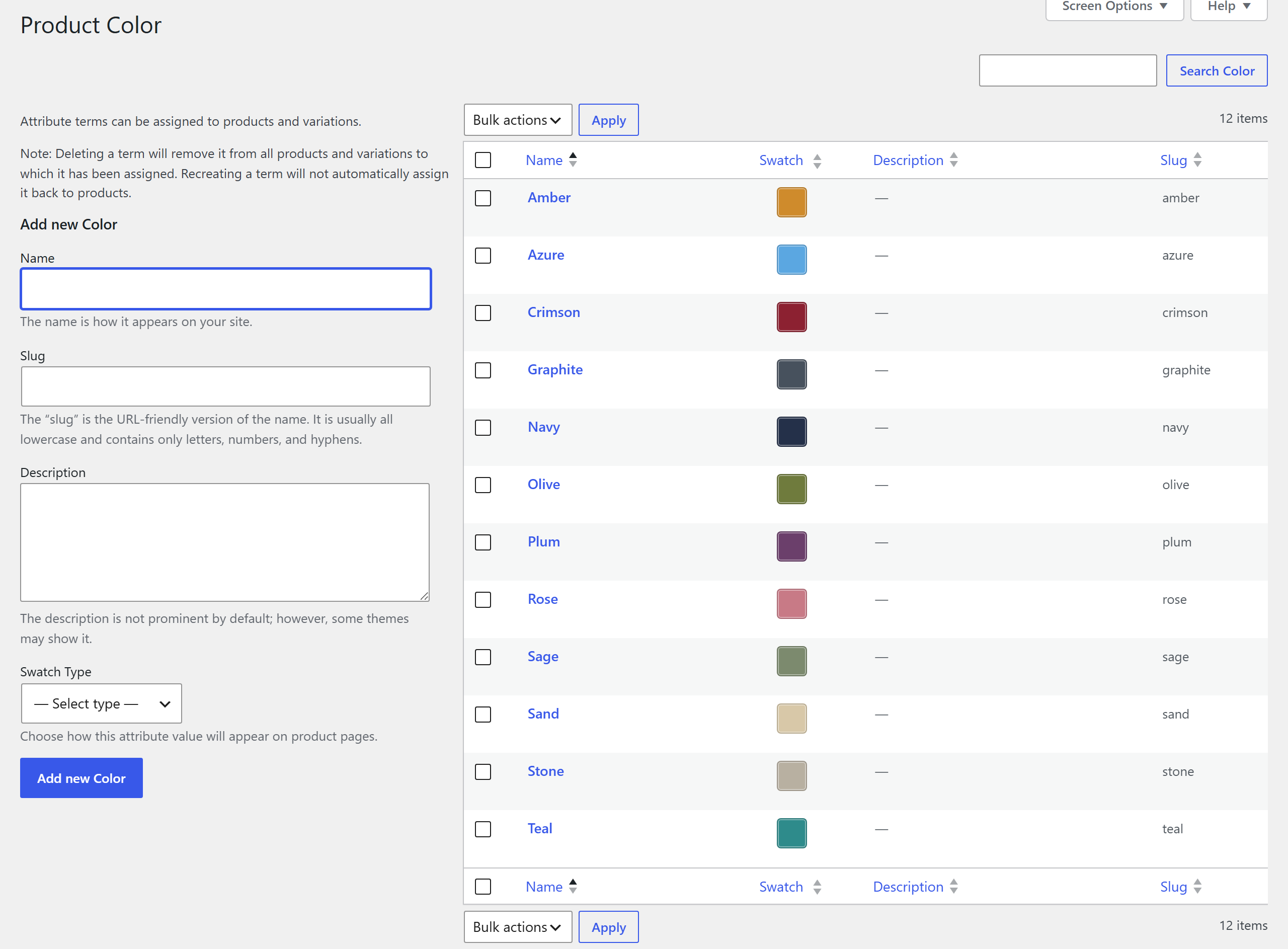
- Color Swatches — Pick any hex color for each attribute term.
- Image Swatches — Upload a thumbnail from the Media Library.
- Text Pills — Styled labels for attributes without a visual representation.
- Radio Buttons — Round radio indicators with label text for simple selections.
Single product page
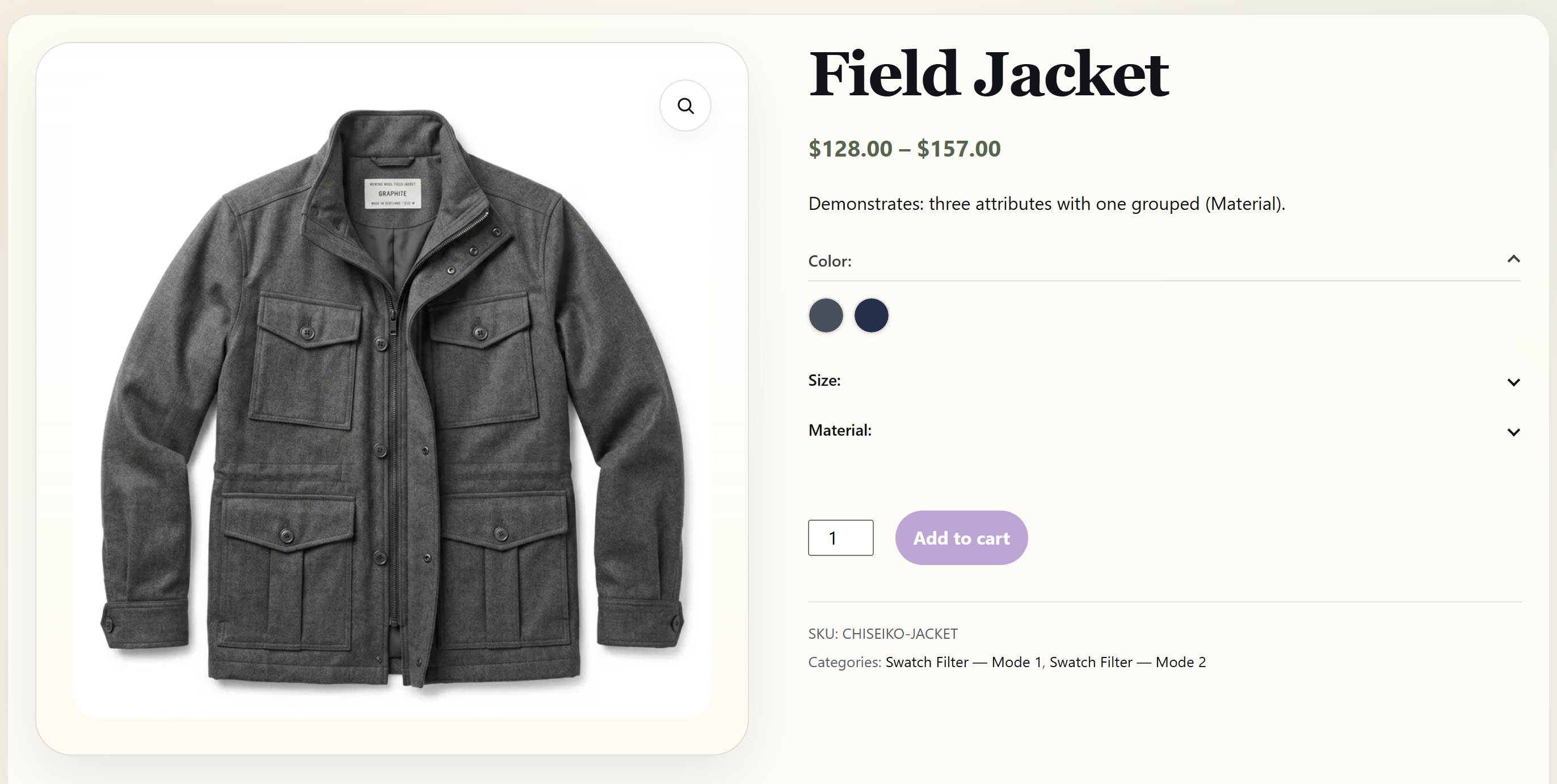
- Instant Gallery Preview — The product gallery updates the moment a swatch is clicked, before all attributes are selected (Amazon/AliExpress-style image preview).
- Smart Inventory UX — Out-of-stock swatches are visually dimmed (not hidden), so customers always see available options. The last viable variant is auto-selected.
- Layout Options — Inline, accordion (collapsible), overflow (“Show more”), or slider layouts for products with many swatches. Accordion can be set to mobile-only.
- Mobile Auto-Scroll — After selecting a variant on mobile, the viewport scrolls to the gallery so the customer sees the updated image. Configurable breakpoint and offset.
- Accessible — Full ARIA support with
role="radiogroup",aria-checked,aria-disabled,aria-label, and roving-tabindex keyboard navigation.
Shop & archive pages
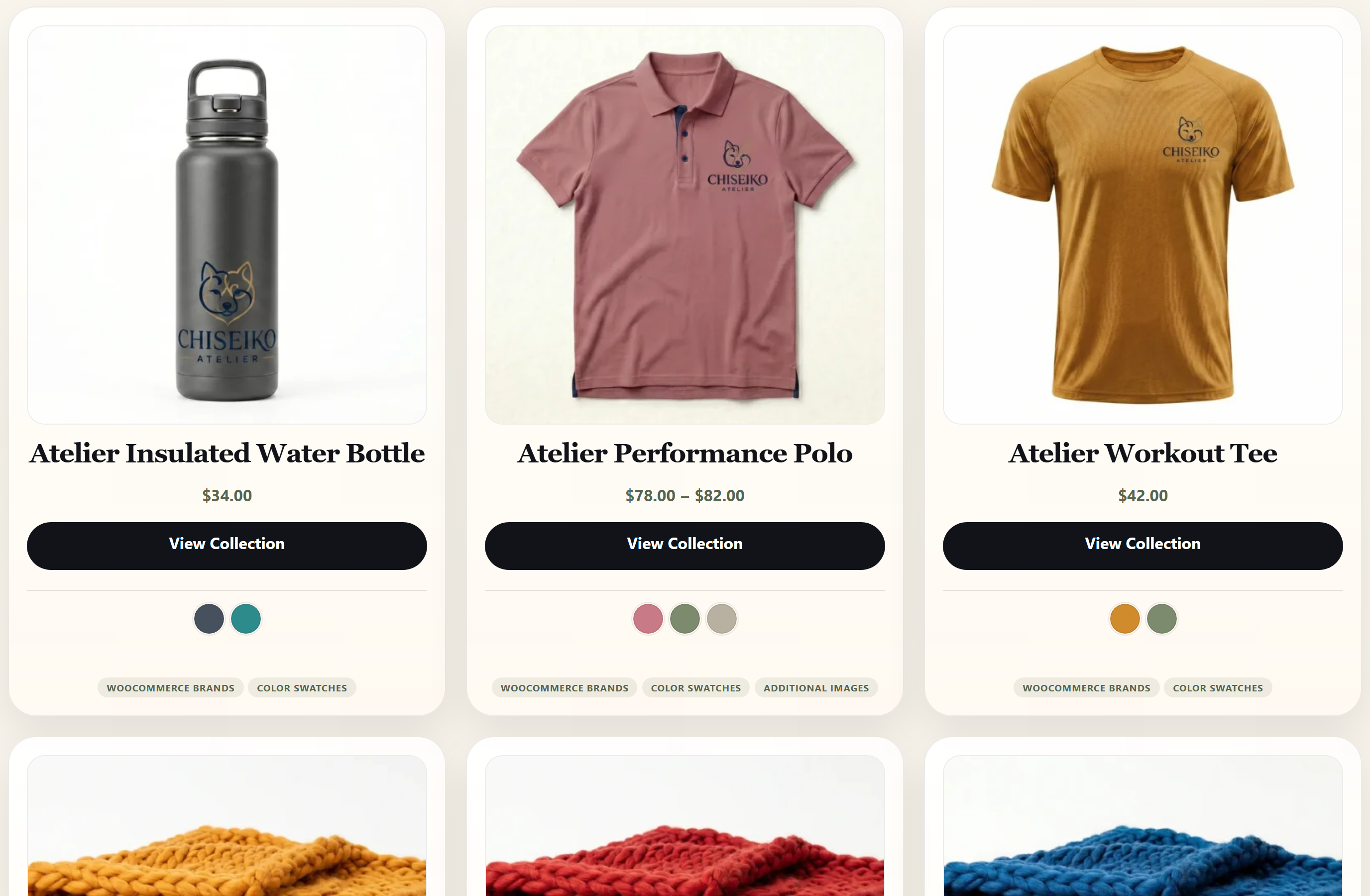
- Archive Swatch Strip — Compact swatch previews on shop, category, and tag pages.
- Interactive Archive Swatches — Clickable swatches on product cards so customers can preview variants without leaving the listing.
- AJAX Add to Cart — After selecting a swatch on an archive page, an “Add to Cart” button appears on the card — no need to open the product page.
- Catalog Mode — Show only one attribute on archive pages for a cleaner layout.
Performance & compatibility
- Vanilla-first JavaScript — plugin-owned behavior stays native. Any jQuery that remains is limited to unavoidable WooCommerce or WordPress bridge contracts.
- Conditional Loading — CSS and JS load only on product and shop pages. Nothing loads on cart, checkout, or account pages.
- Batch AJAX — Archive swatch data is fetched via a single batched request per page (up to 50 products), then cached.
- Theme-agnostic — Uses WooCommerce’s standard variation form hooks; no template overrides.
How it works
- Go to Products > Attributes and edit any global attribute.
- For each term, choose a swatch type (color, image, label, or radio) and configure it.
- Swatches appear automatically on every product that uses that attribute — no shortcodes or template edits required.
Local (custom per-product) attributes render as text pills automatically.
Free vs Pro — which problems does each solve?
Chiseiko Essential Swatches (free) is a complete swatch solution. If your goal is to replace variation dropdowns with visual swatches on product and shop pages, add interactive archive selection with AJAX add-to-cart, control layout, and keep everything fast and accessible — the free plugin does that, with no limits on the number of swatches, attributes, or products.
Upgrade to Chiseiko Essential Swatches Pro when you outgrow the basics and need to solve store-growth problems the free plugin intentionally leaves out:
- “My ‘variations’ are actually separate products and I don’t want to lose their SEO.” Linked Simple Products ties standalone simple products together into one swatch strip while preserving an individual, indexable URL per variant — plus canonical consolidation, linked archive swatches, a multi-attribute matrix (e.g. color + size), an in-place product-page swap (no full reload), and a shared review collection with a combined rating across the group.
- “My swatches look generic and off-brand.” Advanced Styling adds per-swatch shapes, a multi-stop gradient builder, custom radius, out-of-stock display modes (cross-out / blur / hide), and one-click style presets — plus configurable tooltips.
- “Shoppers can’t filter by color or brand.” A visual Swatch Filter Widget and WooCommerce Brands swatches (including on shop-archive cards).
- “I need to manage hundreds of products without clicking through every term.” CSV Import/Export, Auto-Assign Images by slug, and a Variable Simple migration tool that copies brands, custom fields, taxonomies, galleries, and reviews.
- “I want to lift average order value and mobile conversions.” Dynamic Price Sync, Attribute-Based Extra Fees, and a mobile Sticky Add-to-Cart Bar.
- “My big variable products are slow, and quick-view breaks my swatches.” AJAX Variation Override (raise the inline-variation limit), Additional Variation Images, Swatch Grouping, and Quick View Compatibility.
- “I run a multilingual store.” Multilingual Sync keeps swatch metadata aligned across WPML and Polylang.
Every Pro module is individually toggleable, loads conditionally, and follows the same vanilla-first architecture as the free plugin.
Screenshots
Installation
- Upload the
chiseiko-essential-swatchesfolder towp-content/plugins/, or install directly from the WordPress plugin screen. - Activate the plugin.
- Ensure WooCommerce 8.0 or later is active.
- Go to Products > Attributes, edit an attribute, and configure swatch types for each term.
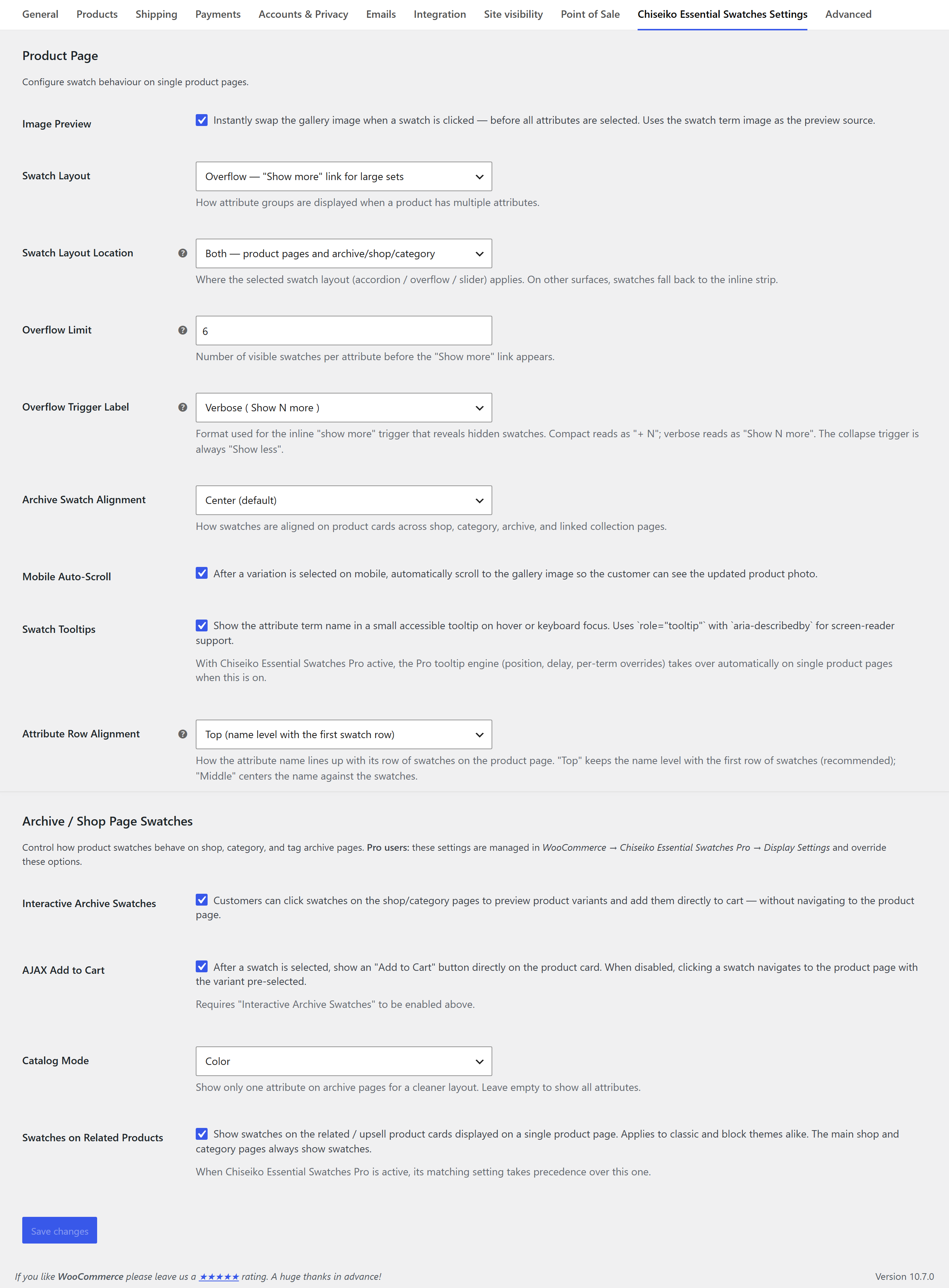
- Optionally configure settings at WooCommerce > Settings > Chiseiko Essential Swatches Settings (image preview, archive swatches, AJAX add-to-cart, layout mode, catalog mode, mobile auto-scroll).
FAQ
-
Do I need WooCommerce?
-
Yes. Chiseiko Essential Swatches requires WooCommerce 8.0 or later (tested up to WooCommerce 10.5).
-
Is it really free?
-
Yes. The free plugin includes all four swatch types, single-product and archive swatches, interactive archive swatches with AJAX add-to-cart, every layout mode, catalog mode, and mobile auto-scroll — with no caps on swatches, attributes, or products. Pro is an optional add-on for advanced features.
-
Will it work with my theme?
-
Chiseiko Essential Swatches uses WooCommerce’s standard variation form hooks and does not override templates, so it is compatible with any properly built WooCommerce theme — including Classic themes, FSE block themes, and page builders (Elementor, Divi, Beaver Builder).
-
Does it work with custom (local) product attributes?
-
Yes. Local attributes automatically render as text-pill swatches. To use color or image swatches, convert them to global attributes under Products > Attributes.
-
Does the plugin slow down my site?
-
No. All plugin-owned JavaScript is vanilla (no jQuery runtime dependency). Assets load only on product and shop pages. Archive swatch data is cached and served via a single batched AJAX endpoint, and frontend scripts use the WP 6.3+
deferstrategy for non-blocking loading. -
What swatch types are available?
-
Four: Color (hex picker), Image (Media Library thumbnail), Label (text pill), and Radio Button. All four are in the free version.
-
Can I control the layout for products with many swatches?
-
Yes. Choose inline (default), accordion (collapsible panels per attribute), overflow (“Show N more” toggle), or slider. Accordion can be set to mobile-only, and the overflow limit is configurable.
-
Can I show swatches on the shop and category pages?
-
Yes. Enable archive swatches in settings. You can also make them interactive so customers preview variants and add to cart directly from product cards, or use Catalog Mode to show a single attribute for a cleaner grid.
-
Can I hide swatches on archive pages?
-
Yes. Disable archive swatches in settings, or return
falsefrom thechiseikoessw_render_loop_swatchesfilter to suppress per-product. -
Is the plugin translatable?
-
Yes. All strings use the
chiseiko-essential-swatchestext domain and are translation-ready. -
What is the difference between Free and Pro?
-
The free plugin is a complete swatch solution: four swatch types, instant gallery preview, interactive archive swatches with AJAX add-to-cart, layout options (inline / accordion / overflow / slider), catalog mode, and mobile auto-scroll. Chiseiko Essential Swatches Pro adds linked simple products (SEO-friendly swatches across separate listings) with grouping, canonical shield, archive swatches, multi-attribute matrix, in-place product-page swap, and shared reviews; advanced styling (gradients, shapes, tooltips, style presets, OOS display modes); a swatch filter widget; WooCommerce Brands swatches; variation-threshold management; additional variation images; swatch grouping; CSV bulk operations; auto-assign images; multilingual sync; quick-view compatibility; dynamic price sync; attribute-based extra fees; a sticky mobile add-to-cart bar; gallery zoom alignment; and a Variable Simple migration tool. See the Free vs Pro section above for the specific problems each solves.
Reviews
There are no reviews for this plugin.
Contributors & Developers
“Chiseiko Essential Swatches for WooCommerce” is open source software. The following people have contributed to this plugin.
Contributors
Translate “Chiseiko Essential Swatches for WooCommerce” into your language.
Interested in development?
Browse the code, check out the SVN repository, or subscribe to the development log by RSS.
Changelog
1.0.0
- Initial release.
- Four swatch types: Color, Image, Label, Radio Button.
- Instant gallery preview (single attribute image preview).
- Interactive archive swatches with AJAX add-to-cart.
- Batch AJAX endpoint for archive variation data.
- Catalog Mode for clean archive layouts.
- Accordion, overflow, and slider swatch layouts.
- Mobile auto-scroll to gallery on variant selection.
- Smart Inventory UX with out-of-stock dimming and auto-select.
- Conditional asset loading (product and shop pages only).
- Full ARIA accessibility support.
- Variation direct links (URL query parameter pre-selection).
- Developer hooks:
chiseikoessw_swatch_types,chiseikoessw_swatch_button_classes,chiseikoessw_swatch_button_html,chiseikoessw_swatch_group_html,chiseikoessw_render_loop_swatches, plus action hooks.