
Description
AI Chatbot Free Models is a fully self-contained AI chatbot platform for WordPress. It provides everything you need to run professional live chat, customer support and virtual-assistant experiences on your website while leaving the choice of the AI model entirely in your hands.
There is no paid SaaS behind this plugin. No mandatory subscription, no premium gateway, no external dashboard, no account required with the plugin developer. The only thing you need is access to an AI model: a hosted provider (many of which offer generous free tiers) or a self-hosted, local inference server. Every other component – interface, conversations, knowledge base, notifications, styling – runs on your own WordPress installation and your own database.
Bring your own model, keep control of your data
- Connect OpenRouter, OpenAI, Anthropic, Google or any OpenAI-compatible endpoint.
- Run completely free with free-tier models or a local server (llama.cpp, Ollama, LM Studio, vLLM, gateways and proxies).
- Conversations are stored only if you enable it, in dedicated tables inside your own database.
- The knowledge base is built from your own published posts and pages – no external crawling, no third-party index.
Core features
- Provider-agnostic AI connection with configurable endpoint, API key and model
- Dynamic model selection where the provider supports model discovery
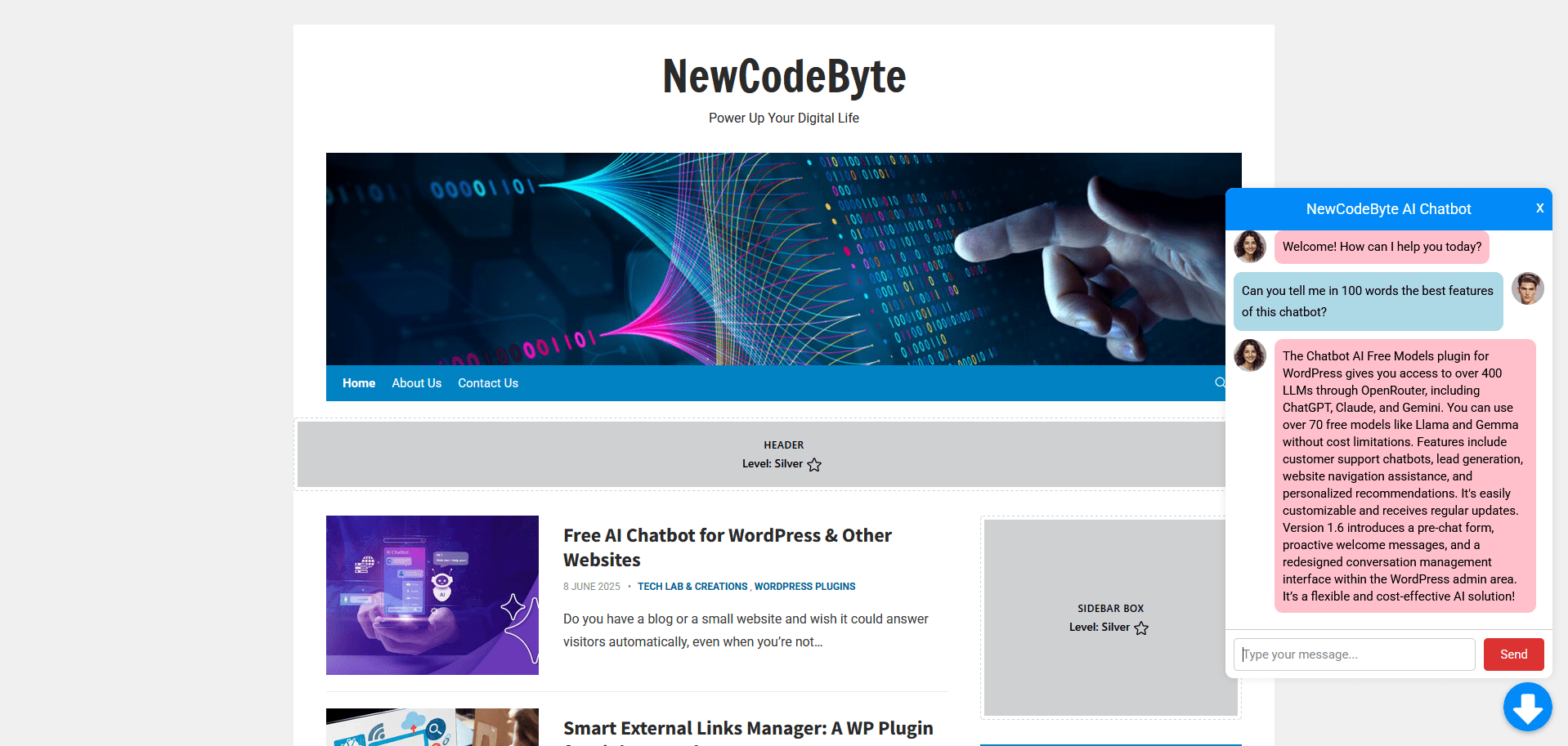
- Streaming responses with live typing indicator
- Stop generation at any time while a response is being streamed
- Retry failed responses and start a new conversation without reloading the page
- Configurable maximum response tokens and streaming timeout with inactivity watchdog
- Conversation context maintained with a configurable token budget
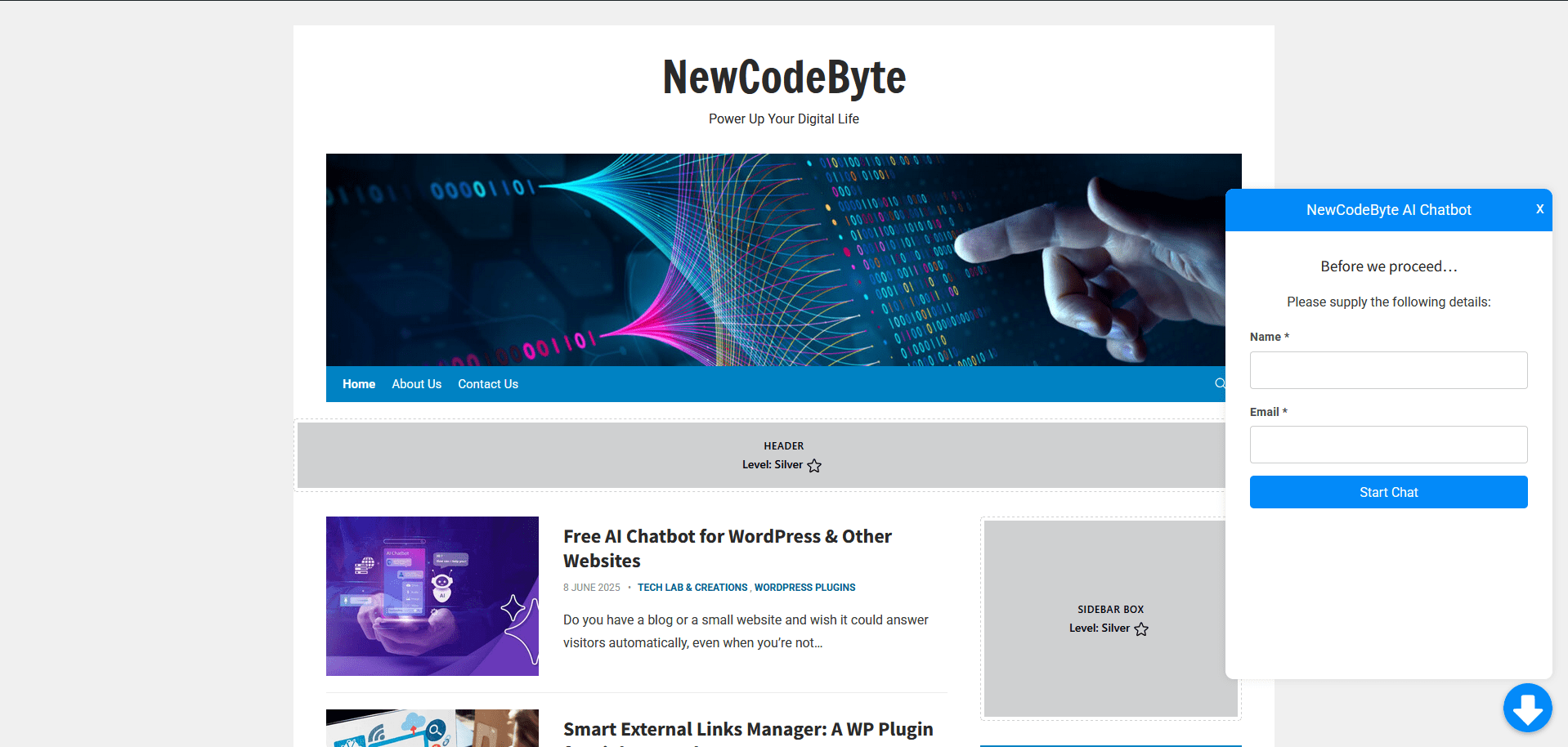
- Optional pre-chat form to collect name and email for support and lead generation
- Live knowledge base with FULLTEXT-indexed search over titles and content, response caching and clickable source citations in answers
- Per-IP rate limiting and server-side sanitization of conversation history
- Dedicated database storage with optional message and IP retention (disabled by default)
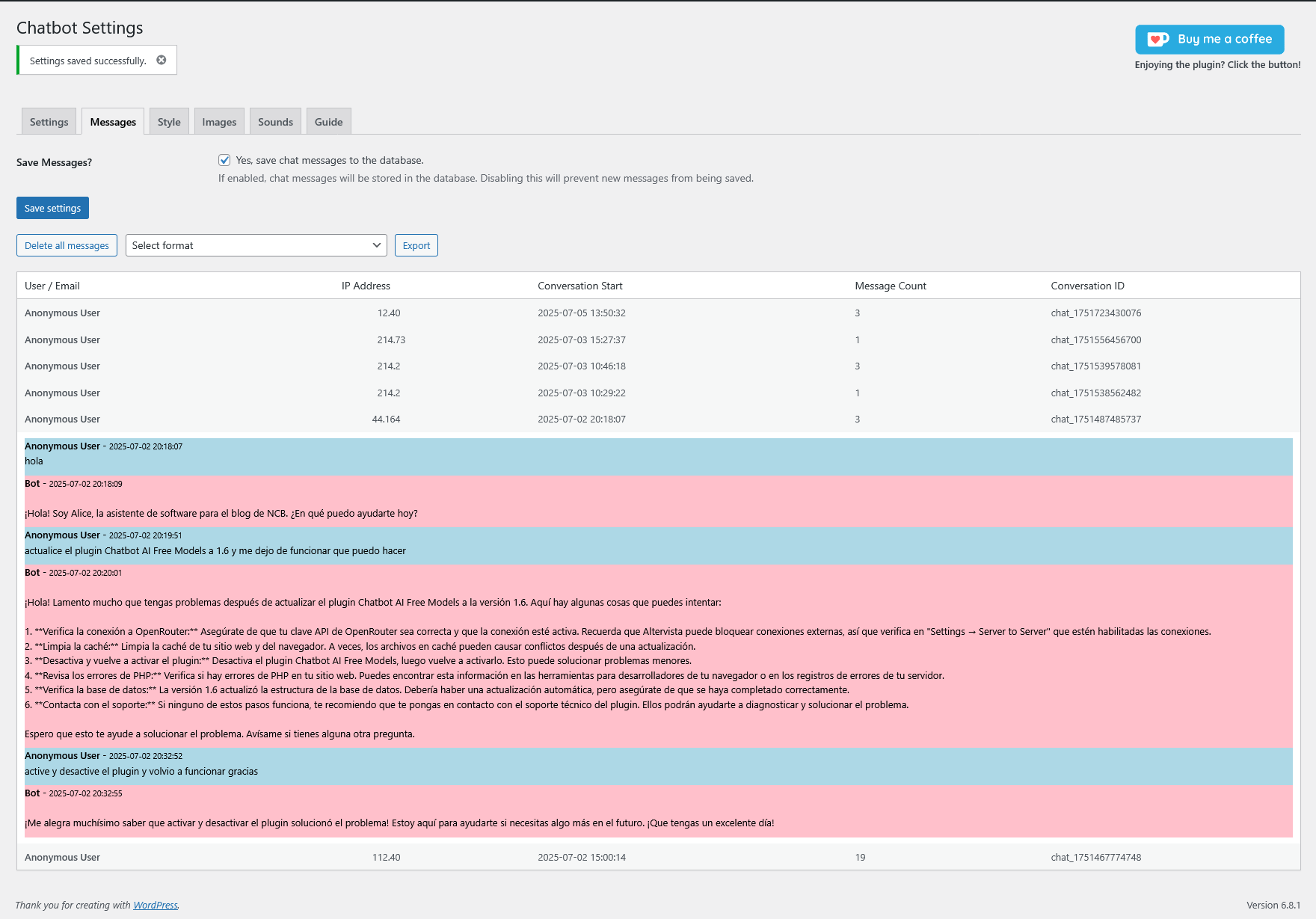
- Unread conversation notifications, search and conversation management in the WordPress admin
- Floating widget (bottom-left or bottom-right) or embedded chat via the [newcodebyte_chatbot] shortcode
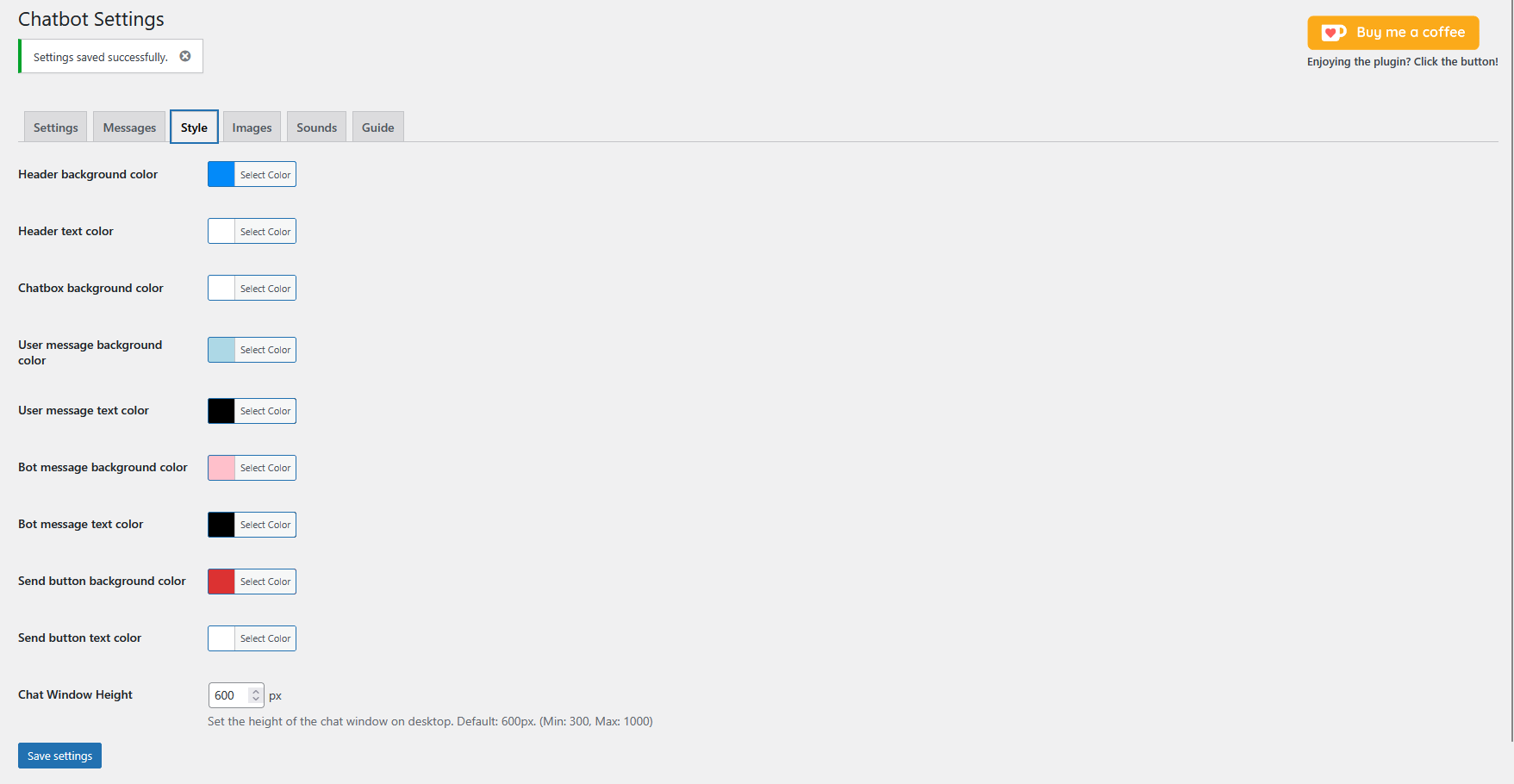
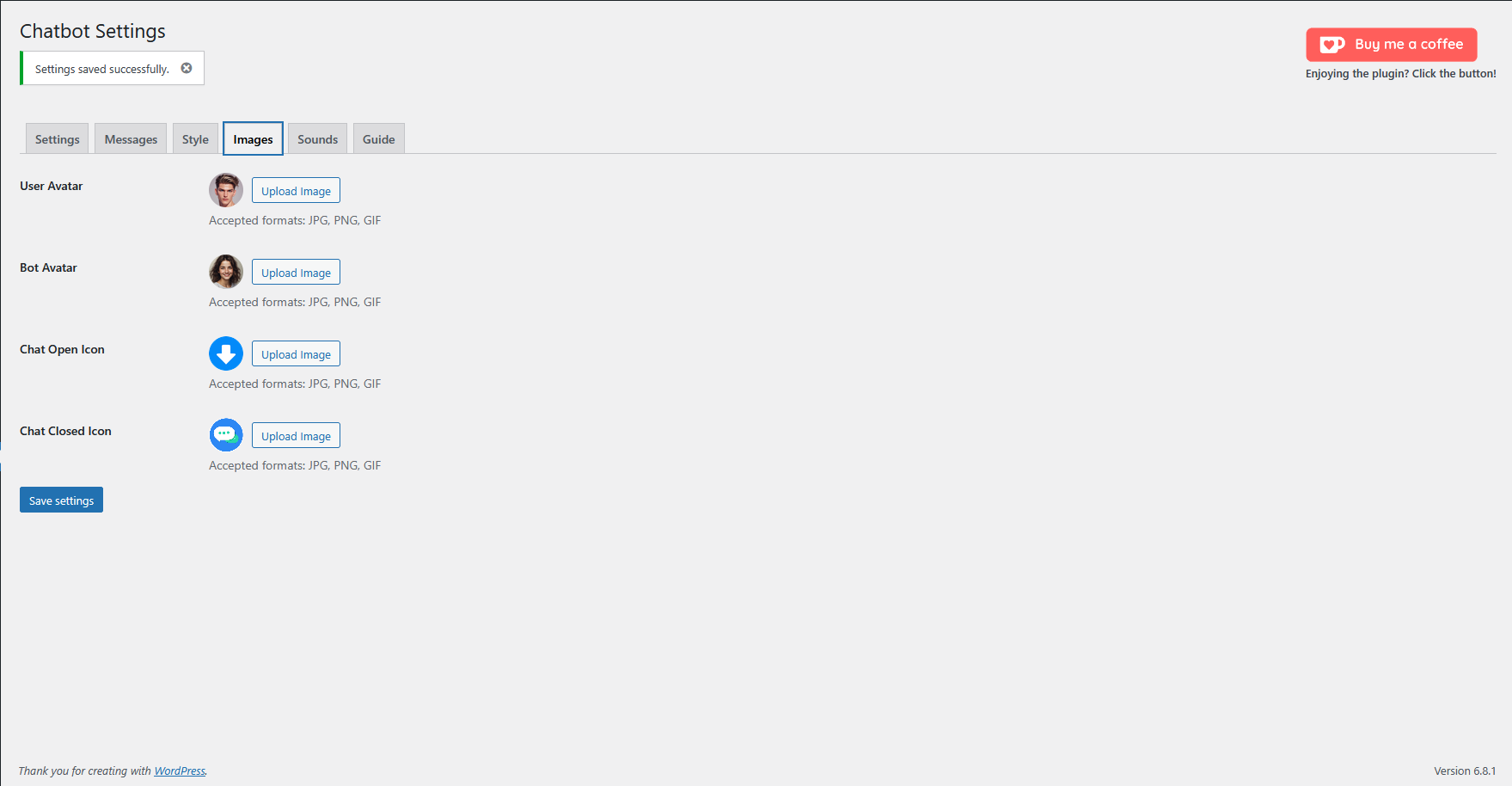
- Extensive appearance customization: colors, images, sounds, widget position
- Translatable frontend interface, responsive layout, multilingual AI support
- Modern object-oriented codebase following current WordPress standards
Requirements
- WordPress 5.0 or later (tested up to 7.1)
- PHP 7.4 or later (compatible with current PHP 8.x releases)
- MySQL 5.6 or later / MariaDB 10.0 or later (required by the FULLTEXT knowledge base index)
- An API key for the provider you choose – or none at all, if you use a local OpenAI-compatible server
How it works
- A visitor sends a message from the floating widget or the embedded chat.
- WordPress receives the request and the plugin prepares the conversation context.
- The configured provider or endpoint is selected and the request is sent.
- The response is streamed back to the visitor when streaming is supported.
- The conversation can optionally be stored in your own database for review.
A note on costs
The plugin is free and adds no usage fees of its own. AI costs depend exclusively on the provider and model you configure: free models and free quotas are fully supported, and a self-hosted server removes usage costs entirely.
Looking for a platform-independent version? A standalone build for non-WordPress websites (HTML, PHP and more) is available on GitHub: https://github.com/NewCodeByte/chatbot-ai-free-models
Configuration
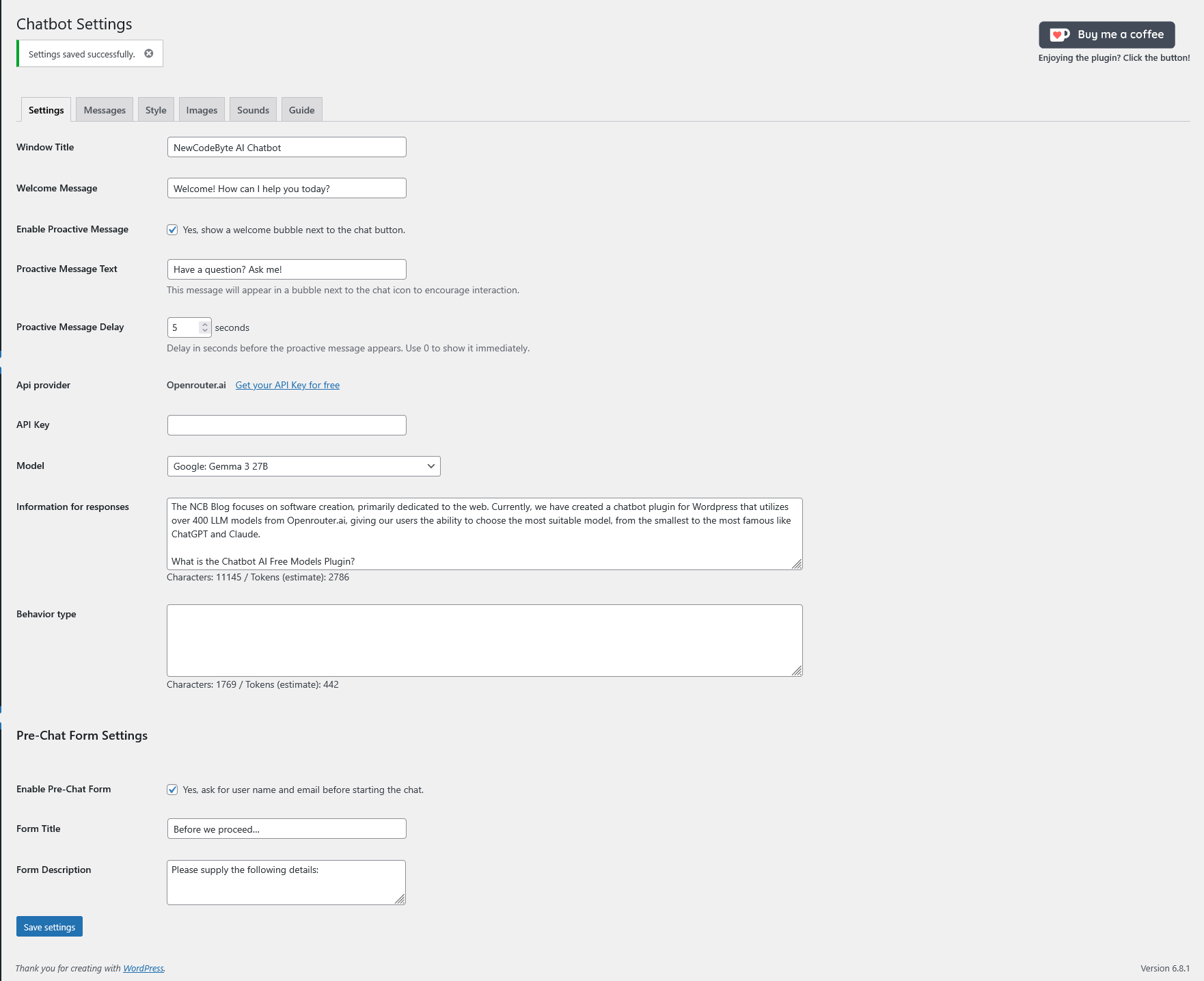
Open the Chatbot settings page. Depending on the selected provider you can configure:
- Provider (OpenRouter, OpenAI, Anthropic, Google or OpenAI-compatible endpoint)
- API endpoint and API key
- Model, selected from discovery or entered manually
- Maximum response tokens and streaming timeout
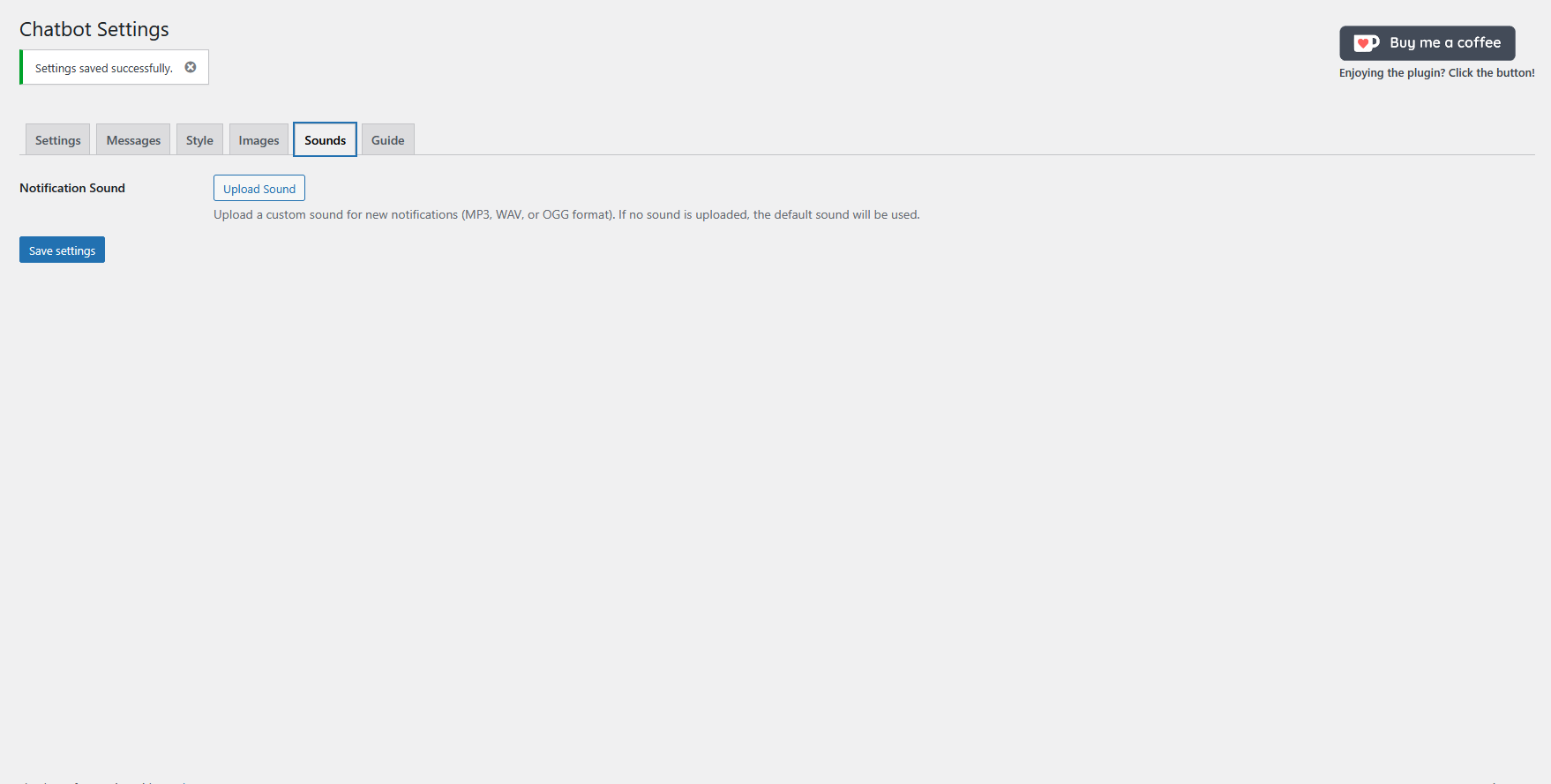
- Knowledge base, pre-chat form, storage options, appearance and sounds
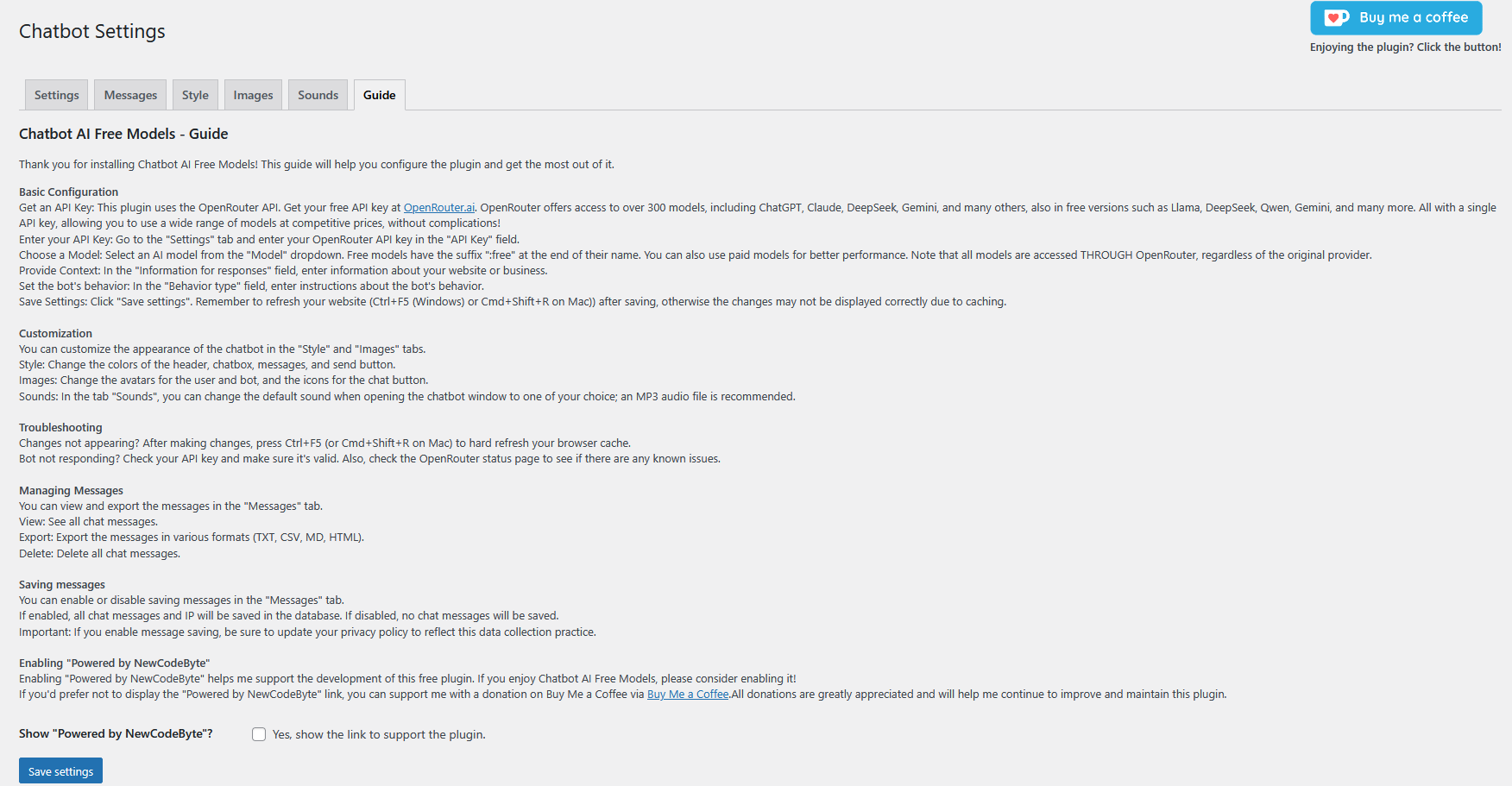
Free models on OpenRouter are identified by the :free suffix. When using a local or self-hosted OpenAI-compatible server, simply point the endpoint to your server (for example http://localhost:8080/v1): no external account is required and your traffic never leaves your infrastructure.
External Services
The plugin can transmit the content of a visitor’s message to the AI provider you configure (OpenRouter, OpenAI, Anthropic, Google or a custom endpoint) in order to generate a response. The terms of service and privacy policy of the selected provider apply to that processing. The plugin developer does not control and is not responsible for external providers’ pricing, availability, retention policies or data processing.
Privacy
- Message and IP storage are optional and disabled by default.
- When enabled, data is stored in dedicated tables inside your own database and can be reviewed, exported or deleted from the admin area.
- The plugin itself sets no cookies.
- If you enable storage or the pre-chat form, update your privacy policy to describe the processing. You are responsible for compliance with applicable data-protection laws, including GDPR.
Disclaimer
AI-generated content can be inaccurate. The plugin developer is not responsible for AI responses, decisions made based on them, provider outages, pricing or API changes, or data processing performed by external providers. Always verify important information independently.
Supporting the project
AI Chatbot Free Models is developed and maintained as an independent free project. If you find it useful, consider keeping the optional “Powered by NewCodeByte” attribution enabled or supporting development with a donation. Contributions fund development, maintenance, testing and infrastructure.
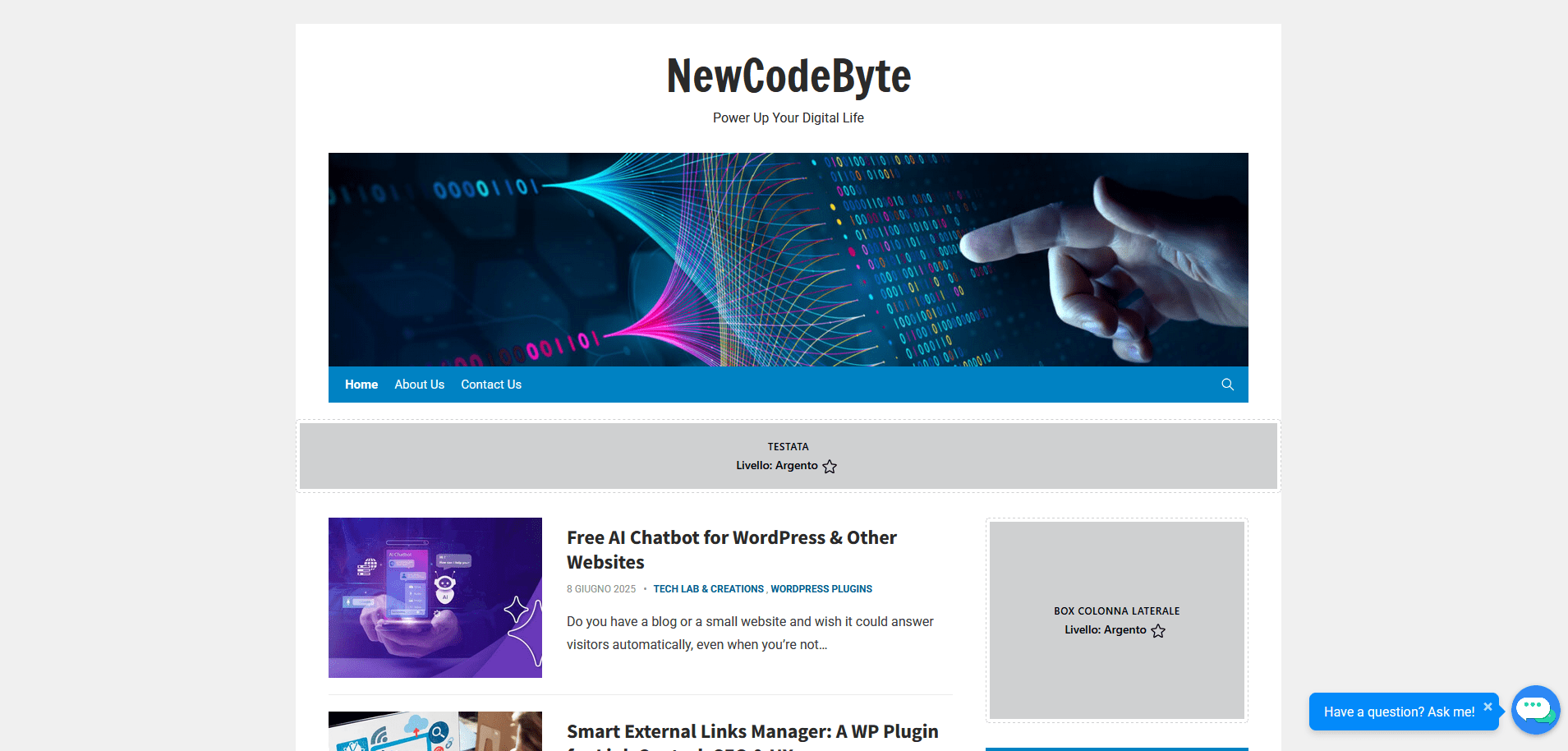
Screenshots
Installation
- Log in to your WordPress administration area.
- Open Plugins > Add New and search for AI Chatbot Free Models.
- Install and activate the plugin.
- Open the Chatbot settings page in the admin menu.
- Choose your provider, enter the API credentials (if required) and select or type the model identifier.
- Adjust behaviour, appearance and privacy options to your needs.
- Save the settings and test the chatbot on your website.
After an update
If the chatbot does not respond immediately after an update, deactivate and reactivate the plugin. This forces WordPress to run the activation and database migration routines again.
FAQ
-
Does the plugin require a paid subscription or a SaaS account?
-
No. The plugin is completely free and self-contained: there is no mandatory subscription, no premium tier required for core features and no account with the plugin developer. You only need access to an AI model – a hosted provider (many have free tiers) or a local, self-hosted server.
-
Can I use local or self-hosted models?
-
Yes. Any service that exposes an OpenAI-compatible API can be used, including self-hosted inference servers such as llama.cpp, Ollama, LM Studio and vLLM. In this setup your visitors’ messages are processed only by your own infrastructure.
-
The chatbot is not working or responding after an update. What should I do?
-
In rare cases WordPress does not fully execute the database migration routines during an update (this happened with the 1.6 schema change). The fix is simple: manually deactivate and reactivate the plugin from Plugins > Installed Plugins. This forces all activation and update scripts, including database migrations, to run again. If the problem persists, open a support request with a detailed description of the issue and the steps you already tried.
-
Where do I get an API key?
-
From the provider you choose. OpenRouter offers a large catalogue of models, including free ones (names ending in :free). OpenAI, Anthropic and Google provide keys from their developer consoles. If you run a local OpenAI-compatible server, no key is required at all.
-
The chatbot is not responding. How do I troubleshoot?
-
Check, in order: the selected provider, the API endpoint, the API key, the model identifier, the model’s availability and the provider’s status page, and whether the provider has applied a rate limit. Free hosted models can experience high traffic; trying another model or endpoint often resolves the issue.
-
How do I change the look of the chatbot?
-
Use the Style and Images sections of the settings page: colors, button and widget position, stop button, messages and other interface elements. Remember to hard-refresh (Ctrl+F5 on Windows/Linux, Cmd+Shift+R on Mac) or purge your caching plugin after saving.
-
How do I know if there are new messages?
-
A red notification badge appears next to the Chatbot menu item showing the number of conversations containing unread messages (not individual messages). A tooltip provides details on hover, unread conversations are highlighted in the Messages list, and opening a conversation marks it as read.
-
Where is my data stored and who can see it?
-
Conversations and IP addresses are stored only if you explicitly enable those options, in dedicated tables of your own database. Message content is transmitted only to the AI provider you configured, whose terms of service and privacy policy apply. If you enable storage or the pre-chat form, update your privacy policy accordingly.
-
Which database versions are supported?
-
The knowledge base relies on InnoDB FULLTEXT indexes, which require MySQL 5.6+ or MariaDB 10.0+. All other features work on standard WordPress requirements.
Reviews


Contributors & Developers
“AI Chatbot Free Models – Customer Support, Live Chat, Virtual Assistant” is open source software. The following people have contributed to this plugin.
Contributors
“AI Chatbot Free Models – Customer Support, Live Chat, Virtual Assistant” has been translated into 2 locales. Thank you to the translators for their contributions.
Interested in development?
Browse the code, check out the SVN repository, or subscribe to the development log by RSS.
Changelog
2.0
- New: Pre-chat form for collecting user name/email before the conversation.
- New: Live typing indicator while the bot is generating a response.
- New: Source links are clickable URLs in bot responses.
- New: Frontend-facing strings are translatable.
- Performance: Knowledge base uses FULLTEXT index and caching.
- New: Configurable streaming timeout.
- Fixed: Stop button alignment.
- Fixed: Textarea height.
1.7.8
- Fixed: Chat no longer remains stuck with a blinking cursor when the model is slow.
- Added inactivity watchdog.
- Added Retry button after failed requests.
1.7.6
- New: Live knowledge base.
- The chatbot can search published WordPress posts and pages.
- Search covers titles and content.
- Relevant sources can be cited in responses.
1.7.5
- New: Maximum response token setting.
- Maximum output length is applied to supported providers.
1.7.4
- New: Configurable Stop button colors.
- Fixed: Trailing empty lines in bot messages.
1.7.3
- New: Multi-line message input.
- New: Stop button for streaming responses.
- New: Retry button after failed responses.
- New: New Conversation button.
- New: Unread message counter.
- New: Search and conversation management in the admin Messages section.
- New: Clear model cache button.
- New: Conversation context token budget.
1.7.2
- Improved database migration system.
- Added sound preview.
1.7.1
- Added per-IP rate limiting.
- Added server-side sanitization of conversation history.
- Improved model cache handling.
- Improved proactive message handling.
1.6.7
- Enhancement: Conversation history is now managed via sessionStorage, making it more robust and independent from PHP sessions.
- Enhancement: Session storage keys are now unique to each site, preventing chat history from being shared across different sites on the same domain.
- Enhancement: Improved CSS for chat bubbles to ensure consistent height and layout across browsers and themes.
- Fix: Corrected a critical caching issue that prevented styles and scripts from loading for non-logged-in users on sites with aggressive server-side caching.
- Fix: Resolved a bug where the first message of a new conversation would not appear in the admin panel until a second message was sent.
- Fix: Corrected all remaining incorrect asset paths (images, sounds) following the code refactoring.
- Fix: The chatbot widget button and proactive message no longer appear when the shortcode display mode is active.
1.6.6
- Security Fix: Hardened the CSV export function to prevent formula injection. All fields are now sanitized to neutralize potentially malicious input. Props to Wordfence for the responsible disclosure.
- Dev: Complete code refactoring for better performance, maintainability, and scalability. The plugin is now fully object-oriented and follows modern WordPress standards.
- Enhancement: The CSS for the embedded shortcode view has been completely redesigned for a more professional and integrated look.
- Fix: The chatbot widget button no longer appears incorrectly when the shortcode display mode is selected.
- Fix: Resolved a critical bug that prevented new conversations from being displayed in the admin panel after updating from a previous version.
- Fix: The unread message notification counter is now correctly cleared upon plugin uninstallation.
- Fix: Corrected all asset paths (CSS, JS, images) to work with the new modular file structure.
- Tweak: Separated frontend and backend CSS files to ensure only necessary styles are loaded.
1.6.4
- New: Unread conversation notifications with a red badge on the Chatbot admin menu item.
- New: Conversation IDs are now clean and sequential (e.g., Chat_1, Chat_2).
- Enhancement: Unread conversations are highlighted in bold in the admin message list.
- Enhancement: Descriptive tooltip on the admin menu badge showing the exact number of unread conversations.
- Dev: Major refactor of the database schema with a new conversations table.
1.6.3
- New: Display Mode option: floating widget or embedded via the [newcodebyte_chatbot] shortcode.
- Tweak: CSS hardened to prevent layout issues caused by aggressive themes or other plugins.
1.6.2
- Feature: Chatbot position configurable (bottom-left or bottom-right).
- Feature: API Key field now masks the input with a show/hide toggle.
- Tweak: API Key input dynamically resizes to fit the entire key.
- Tweak: Admin conversation view restyled for better readability.
- Fix: Conversations failing to save on certain hosting environments due to session handling conflicts.
- Fix: CSS conflict that prevented the chat button from moving to the selected position.
- Fix: Mobile layout bug where the chat window was partially cut off.
- Fix: JavaScript error displaying an [object Object] alert after deleting messages.
1.6.1
- Tweak: Proactive message bubble automatically resizes to fit the text content.
- Tweak: Line breaks in the proactive message are now correctly displayed.
- Fix: CSS issue that could distort the chat button on some themes.
- Added a “NewCodeByte Plugins” tab listing other plugins by NewCodeByte.
1.6
- New: Optional pre-chat form to collect the user’s name and email.
- New: Proactive welcome message bubble with customizable text and delay.
- Major improvement: Messages tab redesigned; messages grouped by conversation.
- Improvement: Conversation view shows the user’s name or email instead of “User”.
- Improvement: Admin conversation view uses the frontend custom colors.
- Improvement: Database schema updated with unique conversation IDs and user details, with automatic migration.
- Improvement: Conversation export grouped by conversation (TXT, CSV, MD, HTML).
- Tweak: Simpler file naming for exported conversations.
- Tweak: cursor pointer added to the admin conversation list.
- Tweak: Chat window height customizable in the Style tab.
- Fix: Complete uninstall process removing all plugin options and data.
- Under the hood: Refactored code for security, stability and WordPress best practices.
1.5
- Upgraded: Conversation history for a context-aware chatbot experience.
1.4
- Fixed: Mobile chat window display issues on different screen sizes.
1.3
- Fixed: Bug fix release: various bugs and security fixes.
1.2
- Fixed: Bug fix release: security fix for message exporting.
1.1
- Fixed: Checkbox settings for “Show Powered by NewCodeByte” and “Save Messages” could not be toggled off after being enabled.
1.0
- Initial release of AI Chatbot Free Models.
- Basic chatbot functionality using OpenRouter.ai.
- Settings page for configuration.
- Options for customizing the chatbot’s appearance.
- Message and IP saving functionality.
- “Powered by NewCodeByte” attribution.