
Description
Turn a variable product’s one-at-a-time dropdowns into a single bulk order form. Customers set quantities for every size, color, or style they want and add them all to the cart in one click, instead of adding a variation, going back, and adding the next. Fewer clicks, bigger carts, and a far smoother experience on mobile, where 70 to 80% of shoppers browse.
It works with the variable products and attributes you already have. No rebuild, no new product type, and no external script libraries.
Live demos
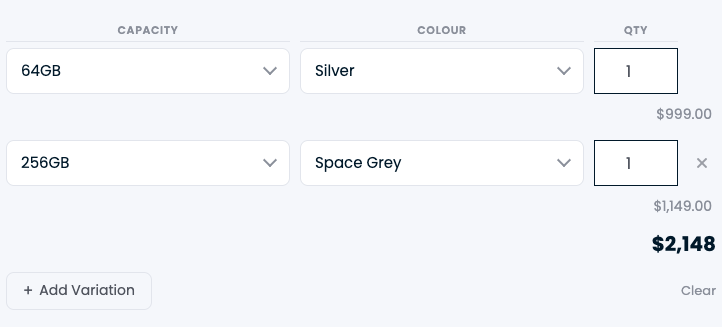
- iPhone – bulk-order variations by capacity and colour with a live running total
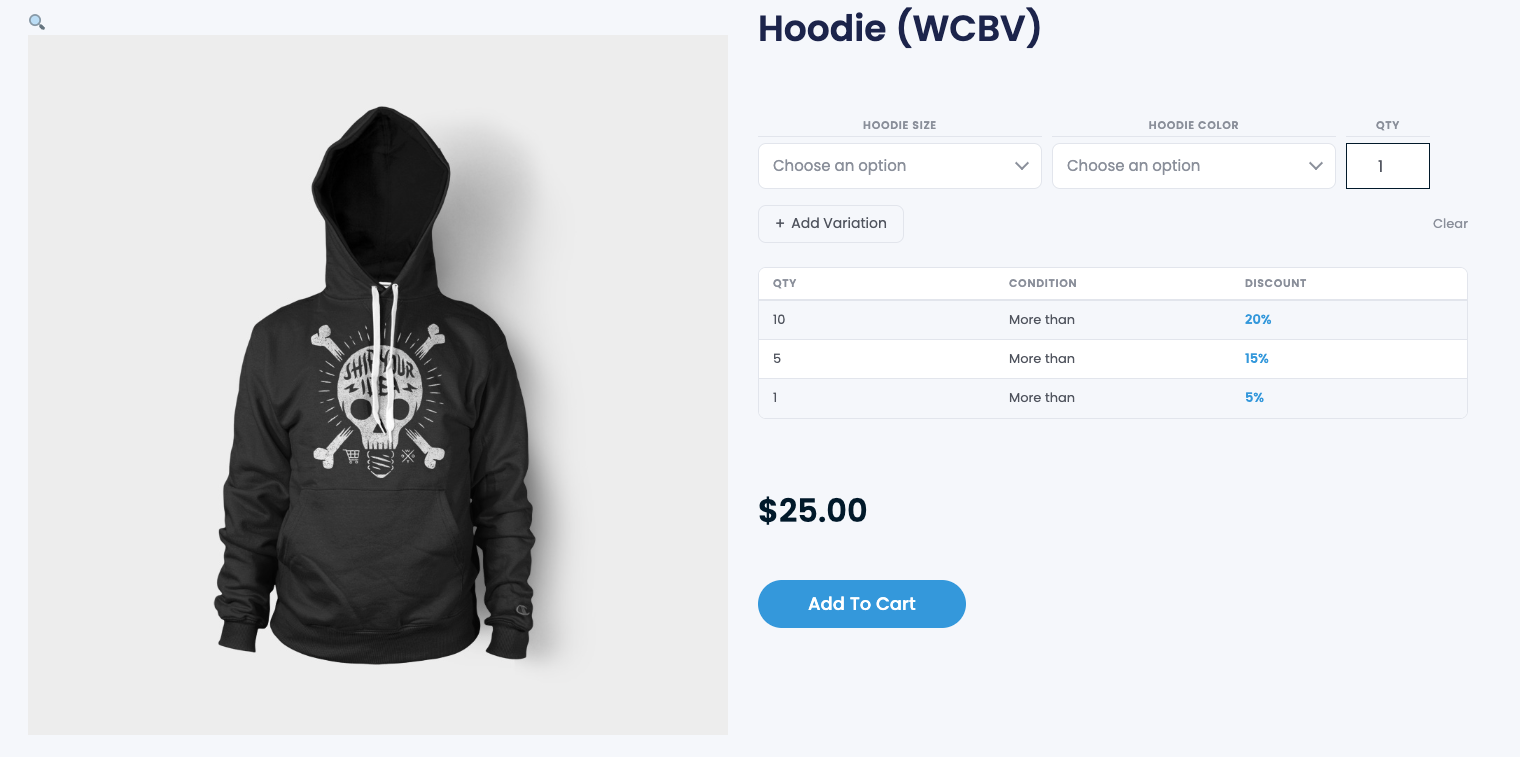
- Hoodie – apparel variations with per-quantity discount tiers
- Shopping bag – simple variation bulk ordering
Key features
- Add every variation at once – one quantity field per variation, one “Add to cart”
- Eight layout styles to match any product: a compact attributes-head row, a row without the head, and one to six columns of searchable selects
- Built-in searchable dropdowns with no Select2 or third-party dependency to load
- Per-variation quantity discounts – reward customers for ordering more of a variation, with an optional discount table
- Flexible placement – after the title, short description, or product summary, or anywhere via the
[wcbv]shortcode - Live running total that updates as quantities change, including any active discounts
- WPML ready with separate label fields for every active language
- WooCommerce HPOS (High-Performance Order Storage) and Cart & Checkout Blocks compatible
- Per-product control – enable the bulk form only on the products that need it
Great for wholesale and B2B ordering, apparel and packs sold by size or color, and any variable product customers buy several of at a time.
Add a visual product customizer with Chamevo
Chamevo Bulk Variations works on its own, and it also connects natively to Chamevo, the visual product customizer trusted by 20,000+ stores in 40+ countries. When Chamevo is active, the bulk form folds each variation’s per-unit design price into the running total automatically, so customers can personalize a product and still order it in bulk. Connect your store to add:
- A drag-and-drop visual product customizer for text, artwork, and uploads
- 3D visualization that can lift conversion rates by up to 30%
- AI tools for background removal, upscaling, and image generation
- Print-ready file exports (PDF, PNG, SVG) with custom bleed zones, so there is no manual file fixing before production
- Workflow automation that reduces manual production work by up to 80%
Start a 14-day free trial, no credit card required, or see how the WooCommerce integration works.
Perfect for
- Wholesale and B2B stores where orders span many variations
- Apparel, drinkware, and packs sold by size, color, or style
- Made-to-order and personalized products (paired with Chamevo)
- Any variable product customers buy several of at once
How it works
- Install and activate the plugin (WooCommerce required)
- Edit a variable product and enable Bulk Variations
- Pick a position and one of the eight layout styles
- Optionally set per-variation quantity discounts and where the discount table appears
- Customers set quantities and add all selected variations to the cart in one step
Requirements
- WordPress 5.8 or higher
- WooCommerce 6.0 or higher
- PHP 7.4 or higher
Screenshots
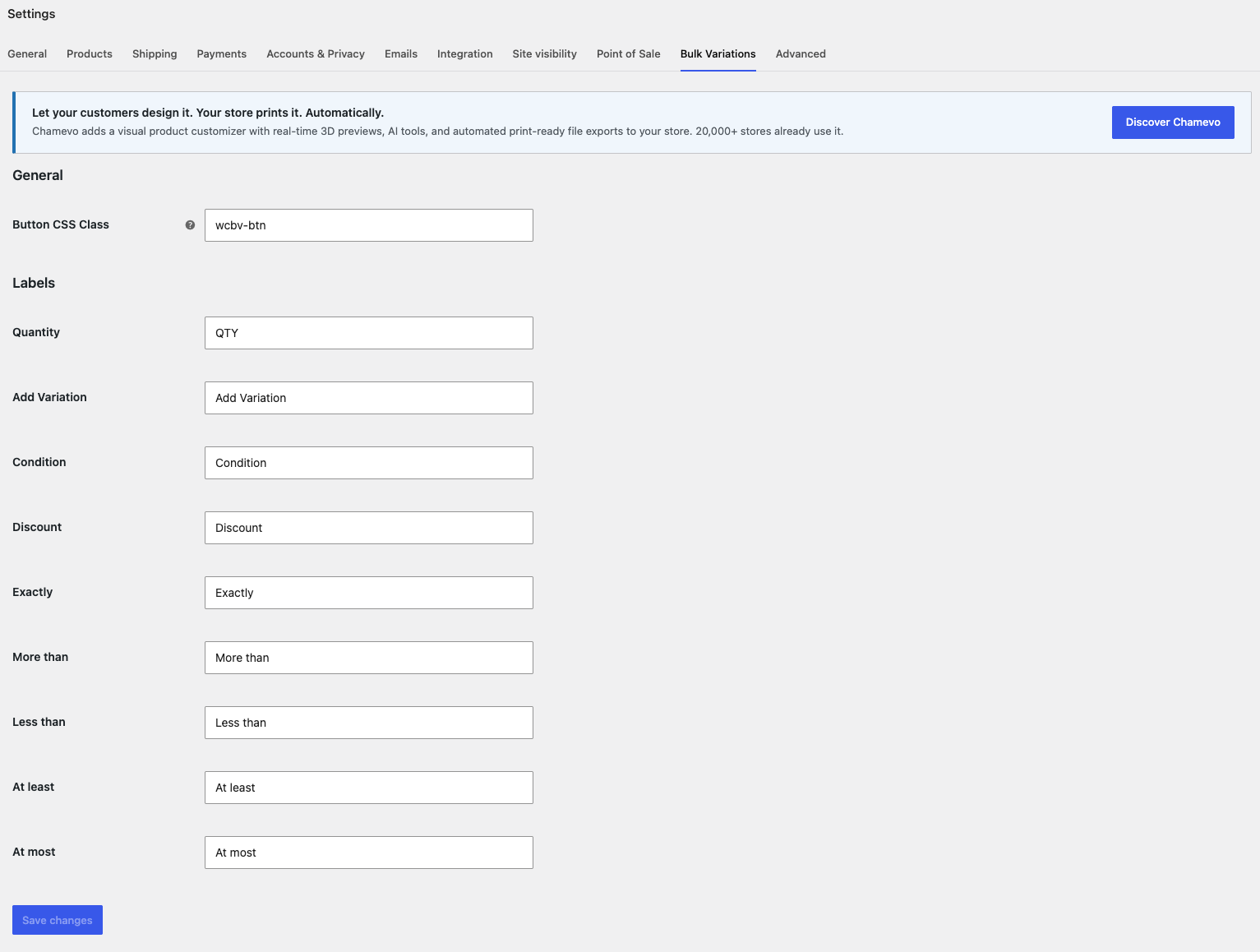
Installation
Automatic Installation
- Log in to your WordPress dashboard
- Navigate to Plugins > Add New
- Search for “Chamevo Bulk Variations”
- Click “Install Now” and then “Activate”
Manual Installation
- Download the plugin zip file
- Log in to your WordPress dashboard
- Navigate to Plugins > Add New > Upload Plugin
- Choose the downloaded zip file and click “Install Now”
- Activate the plugin through the ‘Plugins’ menu
Alternative Manual Installation
- Download and extract the plugin zip file
- Upload the
chamevo-bulk-variationsfolder to the/wp-content/plugins/directory - Activate the plugin through the ‘Plugins’ menu in WordPress
Configuration
- Make sure WooCommerce is installed and active
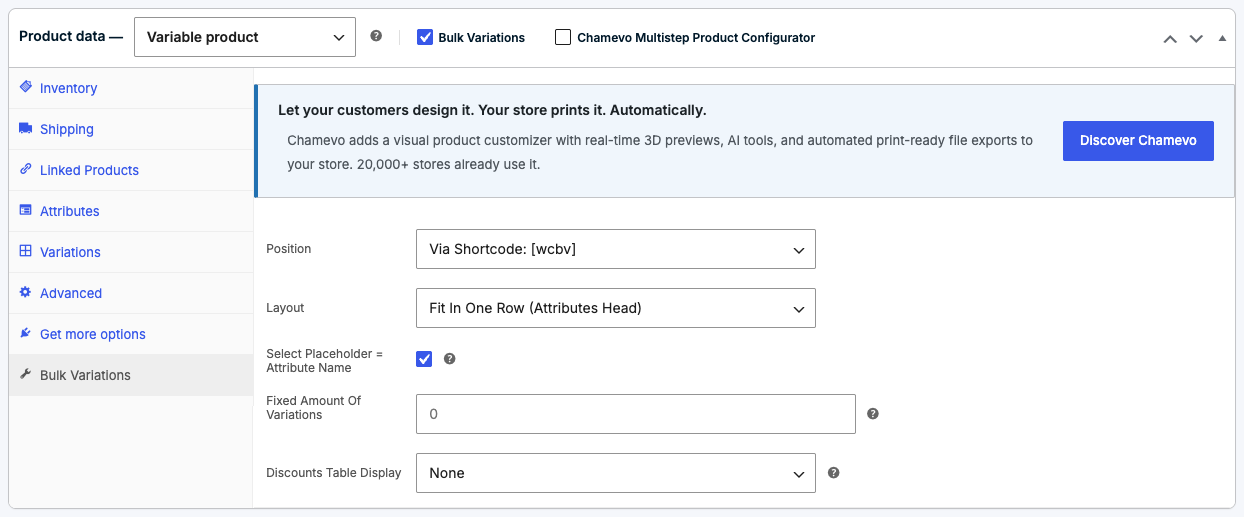
- Edit a variable product and open the Bulk Variations data tab
- Enable the bulk form, then choose a Position and Layout
- Optionally add per-variation quantity discounts and choose where the discount table shows
- Save the product
Global defaults live under WooCommerce > Settings > Bulk Variations.
FAQ
-
Does this plugin work with WooCommerce?
-
Yes. It is built for WooCommerce and requires WooCommerce to be installed and active. It only shows on variable products that have attributes and variations set up.
-
Where do I configure the settings?
-
Store-wide defaults are under WooCommerce > Settings > Bulk Variations. Per-product settings, including position, layout, and discounts, are in the product editor under the Bulk Variations data tab.
-
Can I place the bulk form with a shortcode?
-
Yes. Set the position to “Via Shortcode: [wcbv]” and drop
[wcbv]into the product description or your page builder. You can also place the discount table separately with[wcbv_discounts]. -
How do the quantity discounts work?
-
You can set per-variation rules that apply a discount once a customer orders enough of that variation. An optional discount table shows the tiers to customers, and the running total reflects any discount as quantities change.
-
Does it work with WPML?
-
Yes. When WPML is active, the plugin detects it and provides a separate label field for each active language, so the bulk form reads correctly in every store language.
-
Is it compatible with HPOS and the Cart & Checkout Blocks?
-
Yes. The plugin declares compatibility with WooCommerce High-Performance Order Storage and the Cart & Checkout Blocks.
-
Can customers personalize a product and still order in bulk?
-
Yes, with Chamevo connected. The bulk form recognizes the Chamevo customizer and folds each variation’s per-unit design price into the total. Start a free trial to enable visual customization, 3D, AI tools, and print-ready exports.
Reviews
There are no reviews for this plugin.
Contributors & Developers
“Chamevo Bulk Variations” is open source software. The following people have contributed to this plugin.
Contributors
Translate “Chamevo Bulk Variations” into your language.
Interested in development?
Browse the code, check out the SVN repository, or subscribe to the development log by RSS.
Changelog
1.0.0
- Initial release.