

Description
CartQuill is a standalone WooCommerce email-automation plugin for store owners who want proven, revenue-driving flows without wiring up a heavyweight marketing suite.
What it does
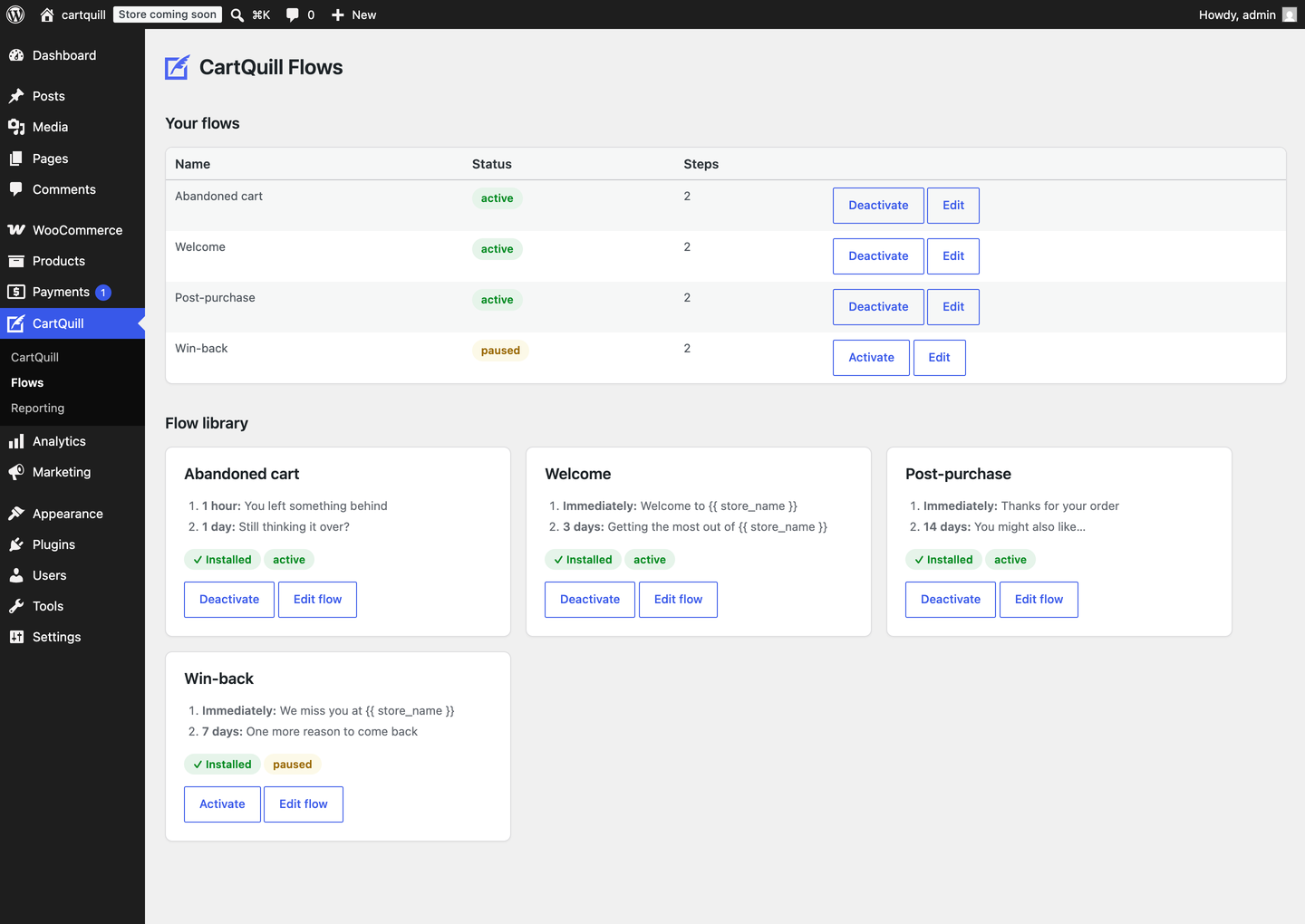
- Install ready-made flows — welcome, post-purchase, abandoned cart, and win-back — from a built-in library, in one click.
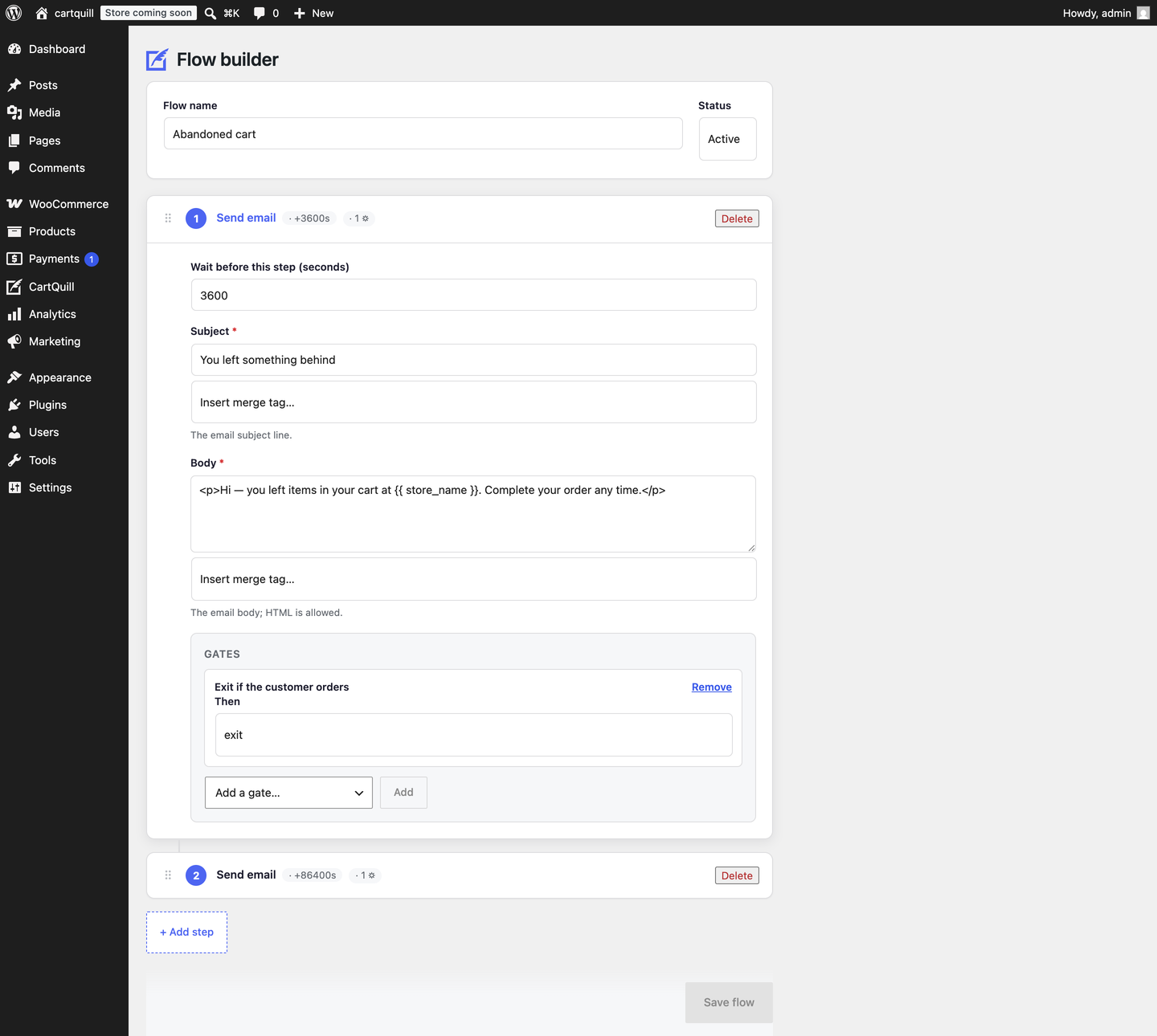
- Build your own in a drag-and-drop step builder: an ordered list of step cards you reorder by dragging, each with its own copy, its own delay, and its own condition gates.
- Gate any step on your store’s data — first-time customer, cart value over an amount, marketing opt-in given, phone number on file, or exit the flow entirely when the customer orders. Every gate is available on every step.
- Start sending straight away. Emails go out through your site’s existing mail setup — no sending account to open, no API key to paste, nothing to sign up for.
- Track opens and clicks on your own domain — a self-hosted pixel and wrapped links, with no external tracking service involved.
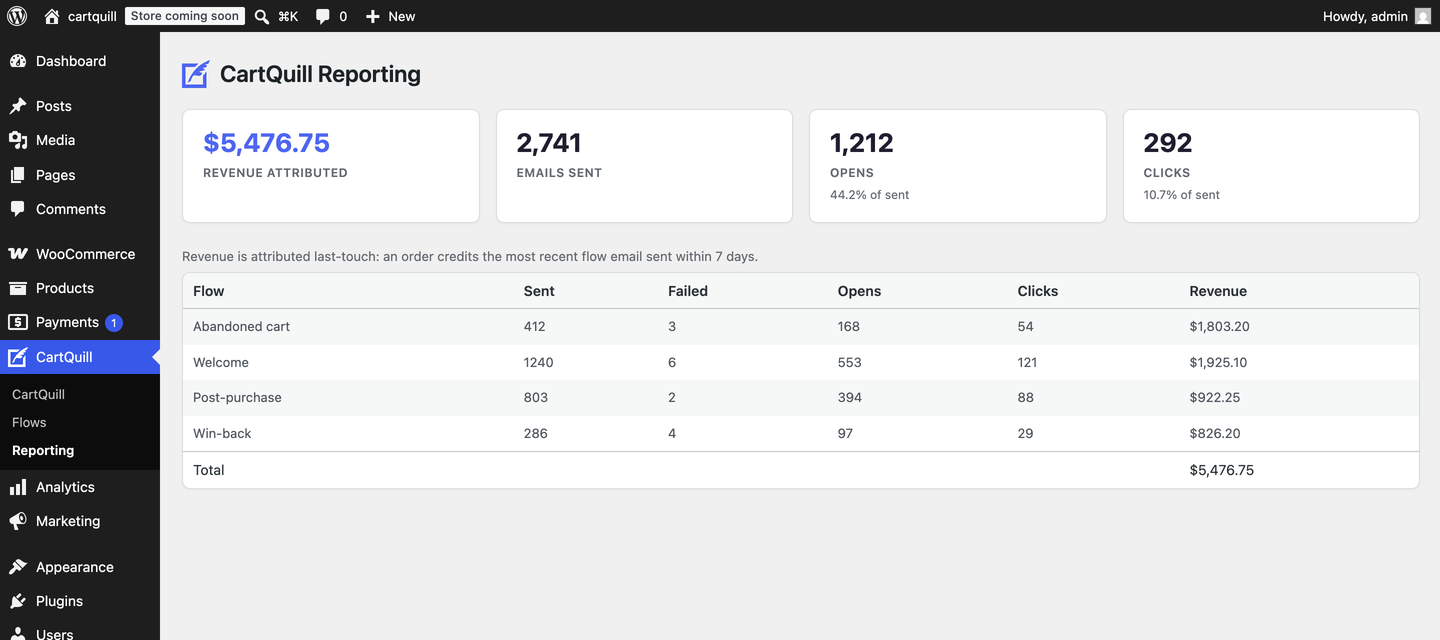
- See the revenue each flow drove. Attribution is last-touch: an order credits the most recent flow email sent to that customer inside an attribution window you control (7 days by default).
- Unlimited flows, unlimited steps, unlimited sends. The plugin imposes no limit of its own on how many flows you run or how many emails they send.
Compliance is built in, not bolted on
- A one-click unsubscribe link on every email (RFC 8058), honoured by a global suppression list that is checked before every single send.
- The consent source is recorded on every enrollment.
- WordPress’ privacy export and erase tools are wired up, so a personal-data request returns and removes CartQuill’s data along with everything else.
A note on deliverability
CartQuill hands each email to WordPress to send, so inbox placement follows however your site already sends mail. If you send in volume, pair it with a dedicated SMTP plugin (such as WP Mail SMTP) pointed at your own provider — that is where deliverability is actually won, and CartQuill deliberately stays out of it rather than reselling sending of its own.
Requires WooCommerce
CartQuill builds on WooCommerce 8.0 or newer for its order, customer, and checkout events, and is compatible with High-Performance Order Storage.
External services
This plugin does not connect to, or send any data to, any external service. Email is sent by your own WordPress installation through wp_mail(), and open and click tracking is served from your own domain.
Development
The step builder’s JavaScript is compiled with @wordpress/scripts. The plugin ships both the compiled bundle (assets/builder/build/) and its complete, human-readable source (assets/builder/src/); the shipped bundle is built from exactly the shipped source. To rebuild it: install Node dependencies with npm install, then run npm run build (or npm run start for a watching dev build). The full source is also available at https://github.com/rawdreeg/cartquill.
Screenshots
FAQ
Does CartQuill require WooCommerce?
Yes. It builds on WooCommerce 8.0 or newer for its order, customer, and checkout events, and will not activate without an active, compatible WooCommerce install.
Does it send any of my data, or my customers’ data, to third parties?
No. Emails go out through your site’s own
wp_mail(), and opens and clicks are tracked on your own domain. The plugin makes no outbound requests to any service.Is anything limited, locked, or time-restricted?
No. Every feature listed above works in full, indefinitely, with no licence key or account. There is no cap on flows, steps, or emails sent.
How is revenue attributed to a flow?
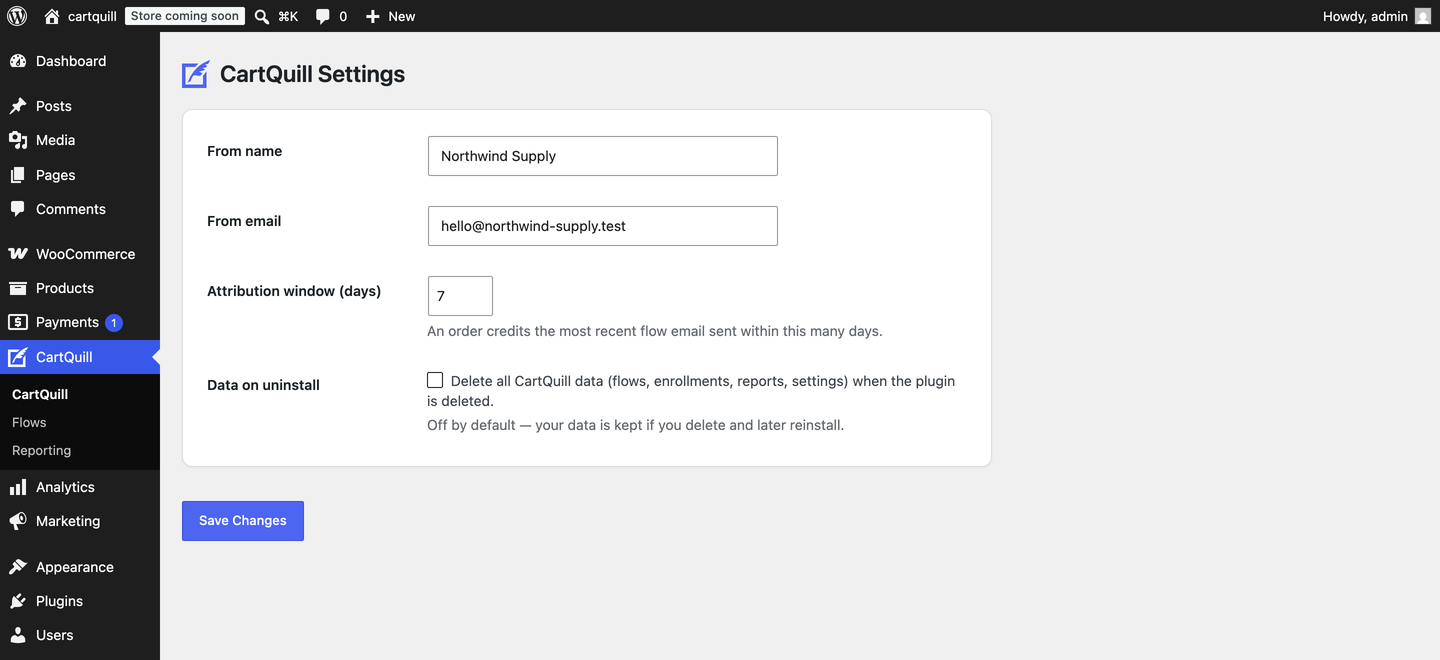
Attribution is last-touch: when an order is placed, CartQuill matches the buyer to the most recent flow email sent to them within the attribution window (7 days by default, configurable in Settings). No multi-touch claims are made.
What happens to my data if I delete the plugin?
Nothing, by default — your flows, enrollments, and reports are kept, so you can reinstall without losing anything. If you would rather have it all removed on deletion, tick “Delete all CartQuill data” in Settings first.
Do I need to configure anything to get started?
Only who your emails come from. After activating, CartQuill walks you through setting a from-name and from-address, then points you at the flow library.
Reviews
There are no reviews for this plugin.
Contributors & Developers
“CartQuill – Abandoned Cart Recovery & Email Automation for WooCommerce” is open source software. The following people have contributed to this plugin.
Contributors
Interested in development?
Browse the code, check out the SVN repository, or subscribe to the development log by RSS.
Changelog
0.1.0
- Initial release: flow library and a drag-and-drop step builder,
wp_mailsending, self-hosted open/click tracking, last-touch revenue attribution and reporting, one-click unsubscribe with global suppression, and WordPress privacy export/erase integration.