

Description
Captain Advance Filter lets you build AJAX-powered filter and search experiences for any post type. Create custom queries and filter sets — then embed them via shortcodes, Gutenberg blocks, or Elementor widgets. No coding required.
Whether you are filtering standard blog posts, portfolios, custom post types, or WooCommerce products, the plugin handles queries dynamically and retrieves results via AJAX without reloading the page.
Core Features
- AJAX Filtering & Pagination: Seamless filter updates and page navigations without page reload.
- Visual Query Builder: Pick post types, configure ordering, set post status, and query content visually.
- Filter Set Builder: Combine multiple filter fields and link them directly to a query.
- Multiple Filter Types: Checkbox, Radio, Dropdown (Select), Range Slider, Live Text Search, A-Z Alphabetical, Date Picker, and WooCommerce Rating (average star rating).
- Option Display Styles: Style your checkbox and radio filter options as lists, pill-style buttons, color swatches, image swatches, or category switcher tabs.
- Dynamic Data Sources: Filter by post taxonomy (categories, tags, custom taxonomies) or post meta fields (WooCommerce price, stock status, custom meta).
- Pre-Designed Layout Cards: Use pre-set card themes like Classic (image/title/excerpt), Minimal (compact image/title), Shop Card (WooCommerce-specific price, sale badge, add to cart), or Dark Overlay.
- Custom HTML Card Templates: Write custom layouts with dynamic tokens like
{{title}},{{permalink}},{{thumbnail}},{{excerpt}},{{price}},{{sale_badge}}, and{{add_to_cart}}. - Frontend Columns & View Switcher: Control grid columns for Desktop, Tablet, and Mobile separately, with custom gap spacing and view switchers.
- Navigation Styles: Choose from standard Numbered Pagination, “Load More” buttons, or Infinite Scroll.
- URL Shareability: Enable URL syncing to share pre-filtered lists directly with a simple copy-paste of the browser URL.
- Performance Caching: Optional results caching using WordPress transients to speed up repeat search queries.
- Modern React Dashboard: Sleek and fully localized React-powered admin dashboard with translation readiness (
wp.i18n) and Dark Mode support.
Shortcodes
[captaf-filter id="1"]— render a complete filter set.[captaf-filter id="1" only="search,category"]— render only specific filters by key, allowing you to split a single filter set across different pages or columns (e.g., search in header, tags in sidebar).[captaf-grid query="your_query_key"]— render the filtered query results grid.[captaf-pagination query="your_query_key"]— render the pagination controls.[captaf-count query="your_query_key"]— render the live total results count.
Page Builder Integrations
- Elementor: Native widgets for Captain Filter, Captain Grid, and Captain Pagination, fully customizable and stylable inside the Elementor editor interface.
- Gutenberg: Native block editor support with Gutenberg blocks for Filter, Grid, and Pagination.
- Bricks Builder: Dedicated integration support coming soon!
Screenshots
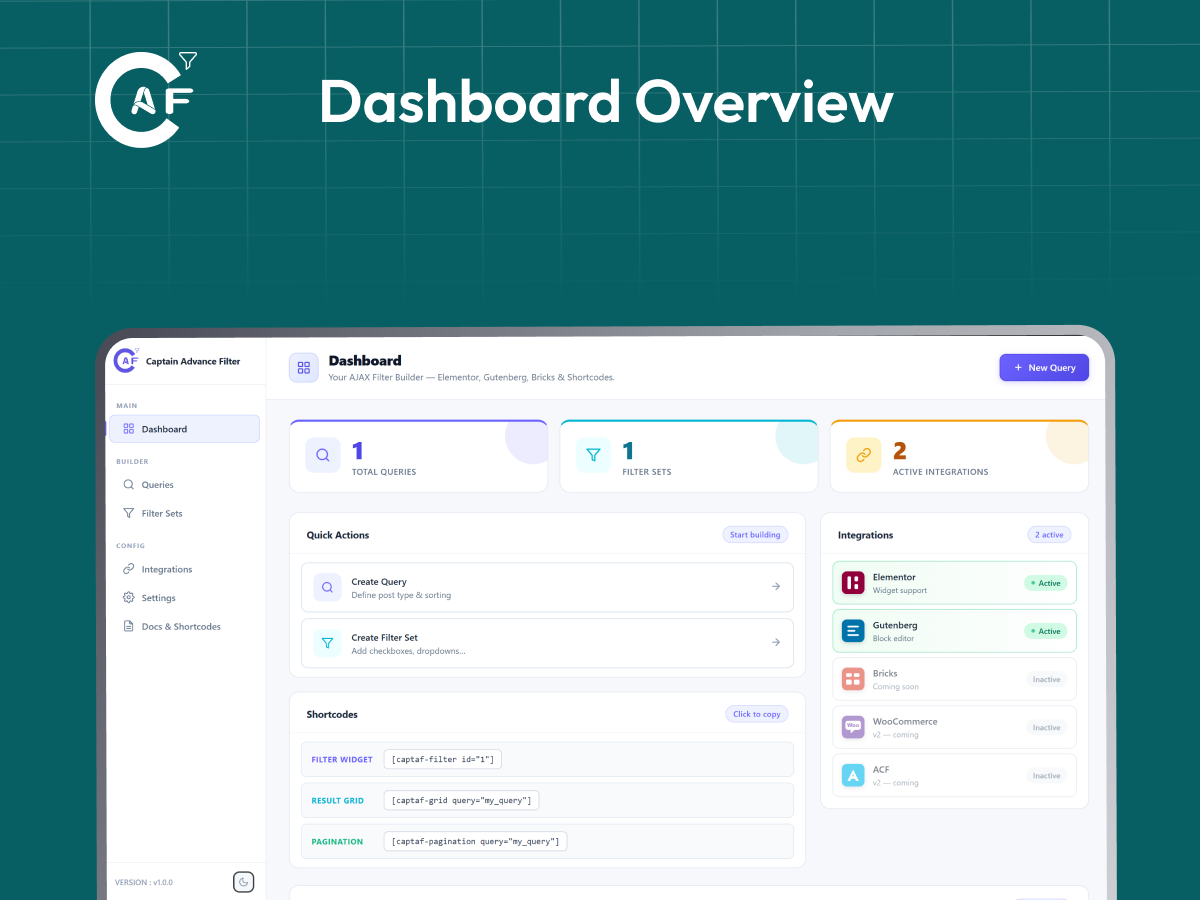
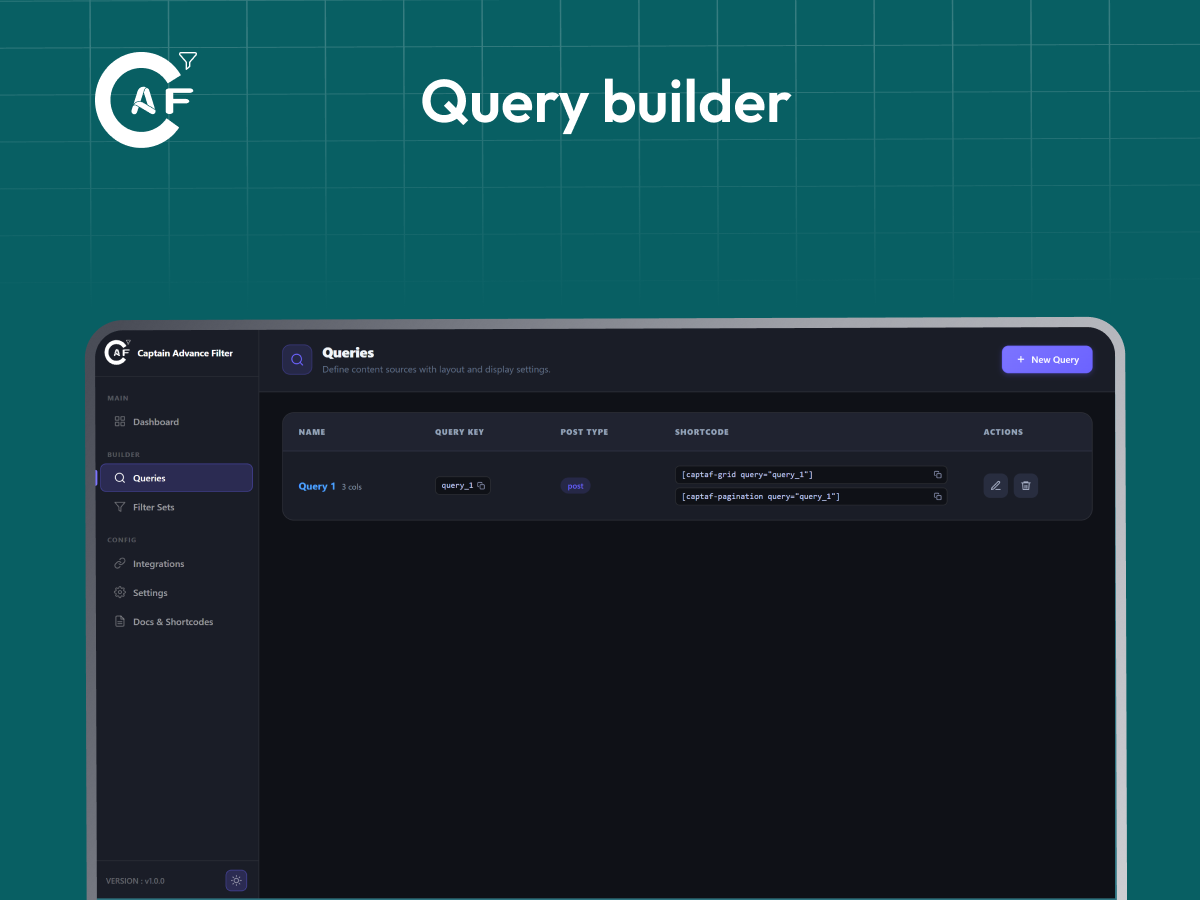
Blocks
This plugin provides 3 blocks.
- Filter
- Grid
- Pagination
Installation
- Upload the
captain-advance-filterfolder to the/wp-content/plugins/directory. - Activate the plugin from the Plugins screen in your WordPress Admin.
- Go to Captain Advance Filter in your admin sidebar.
- Create a new Query under the Queries tab (copy the query key).
- Create a new Filter Set under the Filter Sets tab, link it to your Query, and add your fields.
- Add components to your page using Shortcodes, Gutenberg Blocks, or Elementor widgets.
FAQ
-
Does it work without Elementor?
-
Yes. Native Gutenberg blocks and shortcodes are fully supported out of the box. Elementor is an optional, fully-integrated page builder helper.
-
Does it work with WooCommerce?
-
Yes. You can filter products by taxonomy terms (categories, tags, attributes), price ranges using the Range slider filter, stock status using meta fields, and star ratings using the Woo Rating filter. Product grids can render price, sale badges, and Add to Cart buttons using the “Shop Card” style or custom template tokens.
-
Can I filter custom post types?
-
Yes. Any publicly queryable post type registered on your WordPress site (e.g., portfolios, events, testimonials, books) is supported and selectable in the Visual Query Builder.
-
Can I split a filter set across different areas of a page?
-
Yes! You can use the
onlyattribute on the filter shortcode (e.g.only="search,color") or set the “Only These Filters” field in Elementor/Gutenberg. All split filters linked to the same query key will automatically update the exact same results grid. -
Are the REST endpoints secure?
-
Yes. The plugin uses WP REST API endpoints secure checks (
/filterand/filter-options) that verify the queried post type or taxonomy is publicly viewable before rendering results. -
Does it support URL sharing?
-
Yes. When “Shareable Filter URLs” is enabled, any checked filter values are added as URL parameters, allowing visitors to bookmark or share the exact filtered list.
Reviews
There are no reviews for this plugin.
Contributors & Developers
“Captain Advance Filter” is open source software. The following people have contributed to this plugin.
Contributors
“Captain Advance Filter” has been translated into 9 locales. Thank you to the translators for their contributions.
Translate “Captain Advance Filter” into your language.
Interested in development?
Browse the code, check out the SVN repository, or subscribe to the development log by RSS.
Changelog
1.3.0
WooCommerce meta-field filtering, Integrations page fix, and release housekeeping.
Added: Checkbox, Radio, Dropdown, and Range filters can now use values from post meta fields, such as WooCommerce _price and _stock_status, enabling Price Range and Stock Status filtering.
Added: New “Tabs” Display Style for Checkbox and Radio filters, allowing options to appear as a single-row category switcher for both Taxonomy and Meta Field sources.
Added: New Shareable Filter URLs option, allowing selected filter values to be added to the page URL and restored when the shared URL is opened.
Added: New Help page with FAQs, support, documentation, and review links, along with an Our Products page for other plugins from the same team.
Improved: Simplified the Dashboard by removing the Quick Actions and Shortcodes sections, keeping the stat cards and Getting Started guide.
Improved: Moved “Shareable Filter URLs” to individual filters, giving each filter its own “Shareable URL” option.
Improved: Simplified the Filter editor with a cleaner 3-column layout and more consistent field spacing.
Improved: Replaced the separate Desktop, Tablet, and Mobile Columns sections with a compact Columns picker and device switcher.
Improved: Combined the Query editor’s “Card Style” and “Card Template” into a single “Card Design” section with Preset Style and Custom Template options.
Improved: Combined “Layout & Display” into “Query Settings” and renamed “Card Design” to “Layout & Design”, reducing the Query editor to two tabs.
Improved: Redesigned the sidebar navigation with Dashboard, Queries, and Filter Sets as top-level links, while moving additional options into a collapsible “Extra Options” section.
Improved: Redesigned the Documentation page with a two-panel guide layout and individual detail pages.
Improved: Moved “Loader Style” from global Settings to individual Query settings.
Improved: Placed Columns and Frontend View Switcher side by side for a cleaner layout.
Improved: Replaced the Taxonomy/Meta Field toggle with a dropdown, making it easier to add future data source integrations.
Improved: Renamed “Docs & Shortcodes” to “Documentation” and updated the sidebar order for easier navigation.
Fixed: WooCommerce Price Range and Stock Status filtering could not be configured because the Data Source only supported taxonomies. WooCommerce now shows as “v1 — Ready” and is enabled by default.
Fixed: WordPress.org plugin directory Short Description exceeded the 150-character limit and was shortened to fit.
Fixed: Taxonomy/Meta Field source controls used fixed colors that did not work correctly in Dark Mode.
Fixed: Filter shortcode previews were limited to 300px wide and now use the available container width.
Fixed: Color Swatches and Image Swatches were available for Meta Field sources even though they require taxonomy term data. They are now hidden for Meta Field sources.
Fixed: The Taxonomy dropdown showed taxonomies that were not available for the connected post type. It now only shows relevant taxonomies.
Fixed: Duplicate taxonomy labels are now easier to identify by showing the taxonomy slug when labels are the same.
Fixed: “Shareable Filter URLs” label text had low contrast in Dark Mode and now uses the correct theme styling.
Removed: The “New Query” button from the Dashboard header, as the Queries page already provides this option.
Removed: The “Integrations” admin page and Dashboard summary, as its settings did not control whether integrations were loaded and could be misleading.
1.2.0
New filter types, WooCommerce compatibility, and Dark Mode fixes.
- Added: New “Date Picker” filter type — start/end date range filtering against the publish date.
- Added: New “Woo Rating” filter type — “N stars & up” filtering against WooCommerce’s stored product average rating (requires WooCommerce).
- Added: New “Display Style” option for Checkbox and Radio filters — render the same taxonomy options as a plain List (default), pill-style Buttons, Color Swatches, or Image Swatches, instead of adding separate filter types for each. Color/Image swatches automatically pick up swatch data from common WooCommerce attribute-swatch plugin term meta, with a graceful fallback (auto-generated color, or label text) when none is set.
- Fixed: Range filter’s Min/Max values were never actually sent to the results query — the values you typed had no effect. They’re now correctly applied, and only sent once you actually narrow the range away from its full bounds.
- Fixed: Admin dashboard toggle switches (e.g. Settings Enable Query Cache) used a hardcoded light-gray track color, so they still looked washed-out/white in Dark Mode instead of adapting to the theme.
- Fixed: Disabled fields (e.g. “Cache TTL” when “Enable Query Cache” is off) had no disabled styling at all — no dimming, no “not-allowed” cursor — so they looked editable even though clicking/typing did nothing.
- Fixed: The active tab indicator on Settings and Docs pages (e.g. “General” vs “Performance”) relied on a drop shadow to show which tab was selected — invisible in Dark Mode, making it unclear which tab was active. Active tabs now get a clearly visible tinted background and border in Dark Mode.
- Fixed: The divider line under toggle rows was hardcoded to a near-white color, showing as a bright white line in Dark Mode instead of a subtle divider.
- Fixed: Tab hover state in Dark Mode showed a bright white flash (inherited from the Light Mode hover style) instead of a subtle highlight.
- Fixed: Toggle row description text didn’t have a Dark Mode color override.
- Fixed (frontend result cards — Classic, Minimal, Shop Card, Dark Overlay): card title, excerpt, and meta text colors were hardcoded instead of using the theme-aware card tokens, so they could become unreadable (dark text on a dark card) when a visitor’s OS/browser was in Dark Mode.
- Fixed (frontend result cards): posts with no featured image rendered a completely unstyled, invisible placeholder box, making the grid look broken. Now shows a proper icon placeholder tile.
- Fixed (frontend result cards): the meta separator dot’s CSS class didn’t match the class actually rendered by the JS, so it was never styled.
- Fixed (frontend result cards): the card border color was set but no border width/style was ever defined, so it had no visible effect.
- Improved: Completed translation-readiness (
wp.i18n) coverage across the admin dashboard — previously only partially applied to one screen, now covers every page, component, and error message. - Improved (frontend result cards): new cards appended via Load More / Infinite Scroll now fade and rise into place instead of popping in abruptly.
- Improved (frontend result cards): general visual polish across all four card styles — refined shadows, sale badge, price layout, buttons, and Dark Overlay gradient.
- Improved: Button/Color/Image display styles track their selected state via both CSS and JS, so the highlight still works correctly on older browsers without
:has()support.
1.1.0
WooCommerce-aware card styles, split filters across the page, and a mobile-friendly admin dashboard.
- Added: New “Card Style” tab in the Query editor — choose between Classic, Minimal, Shop Card (WooCommerce-aware, with price/sale badge/Add to Cart), and Dark Overlay layouts per query.
- Added: WooCommerce product data (price, sale status, Add to Cart) is now available to grid cards and custom card templates when the connected query targets Products.
- Added:
{{price}},{{sale_badge}}, and{{add_to_cart}}tokens for custom card templates. - Added:
onlyattribute on[captaf-filter](and matching “Only These Filters” fields in the Elementor widget and Gutenberg block) — show just specific filter(s) from a Filter Set. Place pieces of one filter set independently anywhere on the page (e.g. a dropdown in the header, checkboxes in the sidebar) — every piece still updates the same results grid. - Added: Filter Sets list now has a “Split into N individual shortcodes” toggle per row — expands to show each filter’s own ready-made shortcode (with
only=already filled in) plus a Copy button, so you don’t need to remember or type filter keys by hand. The same per-filter shortcode also shows inline in the Filter Set editor, next to each filter’s Label/Key fields. - Added: Responsive mobile navigation for the admin dashboard — a hamburger menu opens an off-canvas sidebar on small screens.
- Changed: Filter Sets editor is now an inline page (matching Queries) instead of a popup modal — title swaps to “Edit Filter Set”, action button becomes “Back”.
- Fixed: Elementor widgets and Gutenberg blocks did not load their CSS/JS on the live frontend — only shortcode usage was detected before, so filters rendered unstyled and without AJAX on pages built with the Elementor widgets or Gutenberg blocks. Asset loading now also detects Gutenberg blocks and Elementor widget data correctly.
- Fixed: Plugin description referenced Bricks Builder as a supported integration without qualification. Updated to clearly state Bricks support is coming soon, matching the Builder Integrations section.
- Removed: Unused “Layouts” feature (database table, REST endpoint, and related Layout ID fields in the Elementor widget and Gutenberg block) that had no admin UI to create layouts and could never be used.
- Improved: All admin dashboard, block editor, and frontend JS strings are now translation-ready via
wp.i18n. - Improved: Deduplicated the compiled admin dashboard stylesheet, cutting its size by roughly 30% and fixing a broken CSS selector left over from a previous patch.
- Improved: Redesigned the per-filter shortcode callout to be properly theme-aware (fixes it looking broken/mismatched in dark mode) and visually clearer.
- Improved: Cleaned up redundant code in admin menu registration.
1.0.0
Initial stable release.
- Added six filter types: Checkbox, Radio, Dropdown, Range Slider, Search, A–Z Alphabetical
- Added three pagination modes: Numbered Pagination, Load More, Infinite Scroll
- Added Elementor widgets.
- Added Gutenberg blocks.
- Added Visual Query Builder for creating reusable post queries.
- Added Filter Set Builder with support for multiple filters.
- Added customizable grid layouts with column switcher support.
- Added AJAX filtering with live result updates.
- Added live result count shortcode.
- Added four frontend shortcodes:
[captaf-filter],[captaf-grid],[captaf-pagination],[captaf-count] - Added caching support for improved performance.
- Added React-powered admin dashboard.
- Added integrations page and plugin settings.
- Added REST API for frontend filtering and admin management.
- Added conditional asset loading for better frontend performance.
- Added security hardening and input sanitization.
- Added dark and light theme groundwork for the admin dashboard (theme switcher UI present, coming soon).