

Description
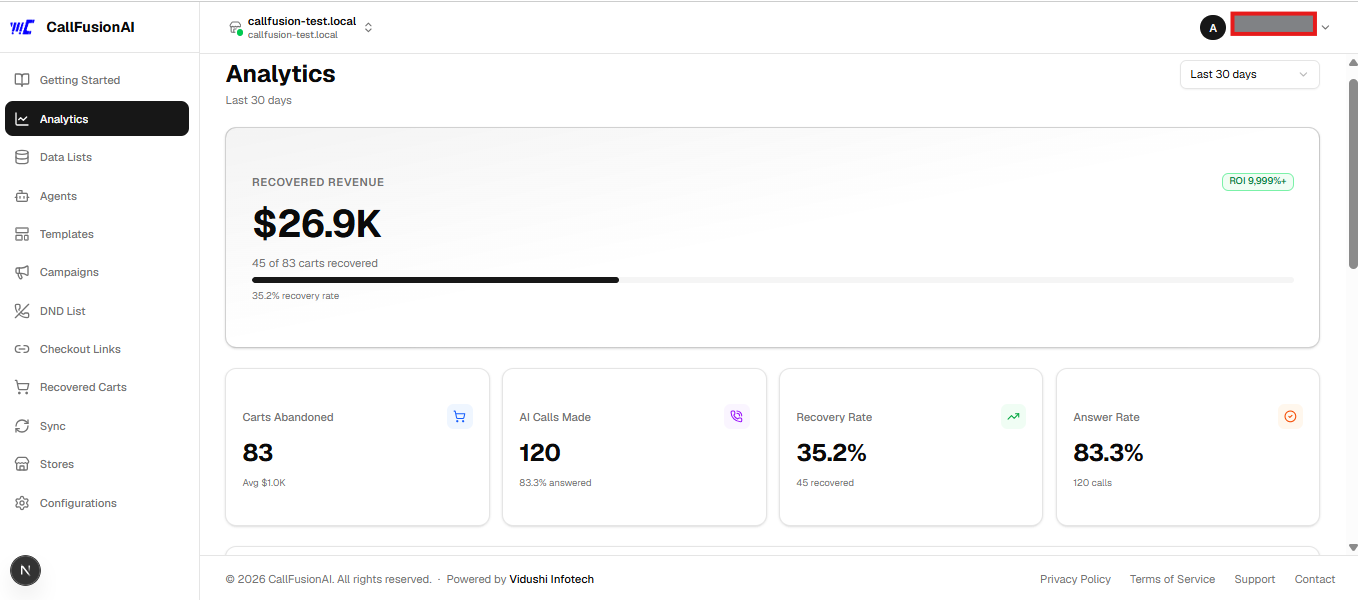
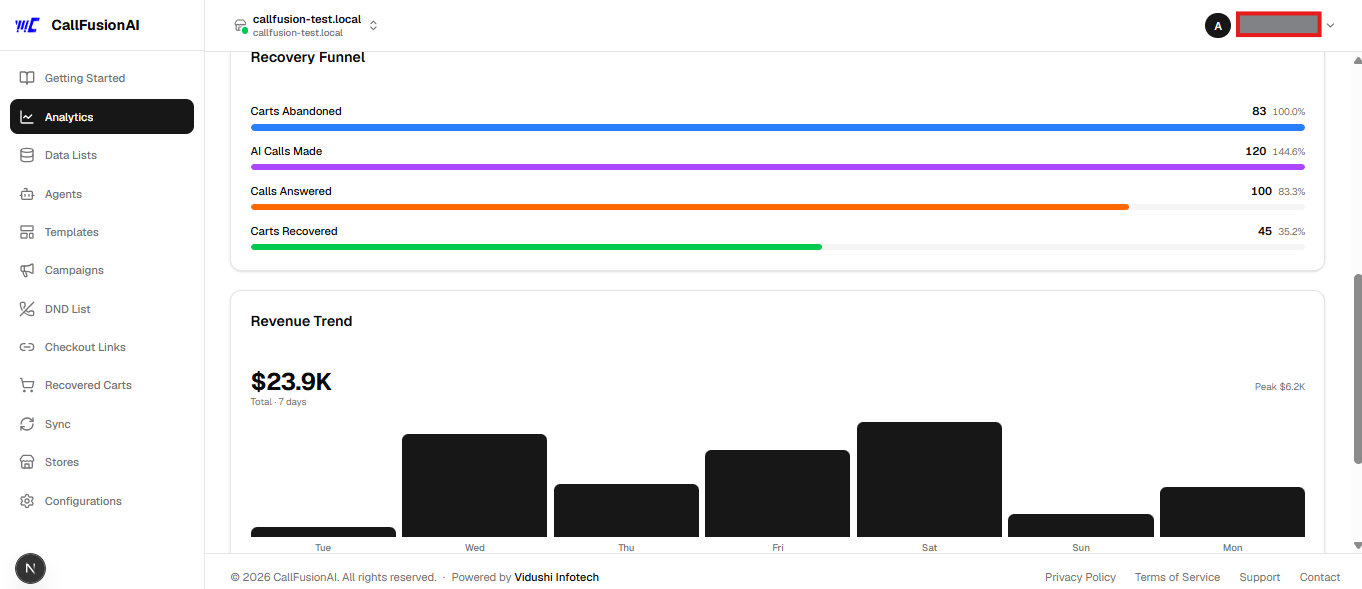
CallFusionAI Abandoned Cart connects your WooCommerce store to CallFusionAI — an AI-powered abandoned cart recovery platform that calls customers back via phone to help them complete their purchase.
How it works:
- A customer visits your checkout page and enters their email/phone
- If they leave without placing an order, this plugin captures the cart data
- The cart data is securely sent to CallFusionAI
- CallFusionAI’s AI agent calls the customer, offers assistance, and can send a discount code or checkout link via SMS
Features:
- Captures checkout abandonment in real-time (on email blur, tab close via sendBeacon, and periodic polling)
- Stores captured checkouts locally in a custom DB table as a fallback
- Retries failed webhook deliveries automatically via WP Cron (every 15 minutes)
- Marks carts as recovered automatically when the customer places an order
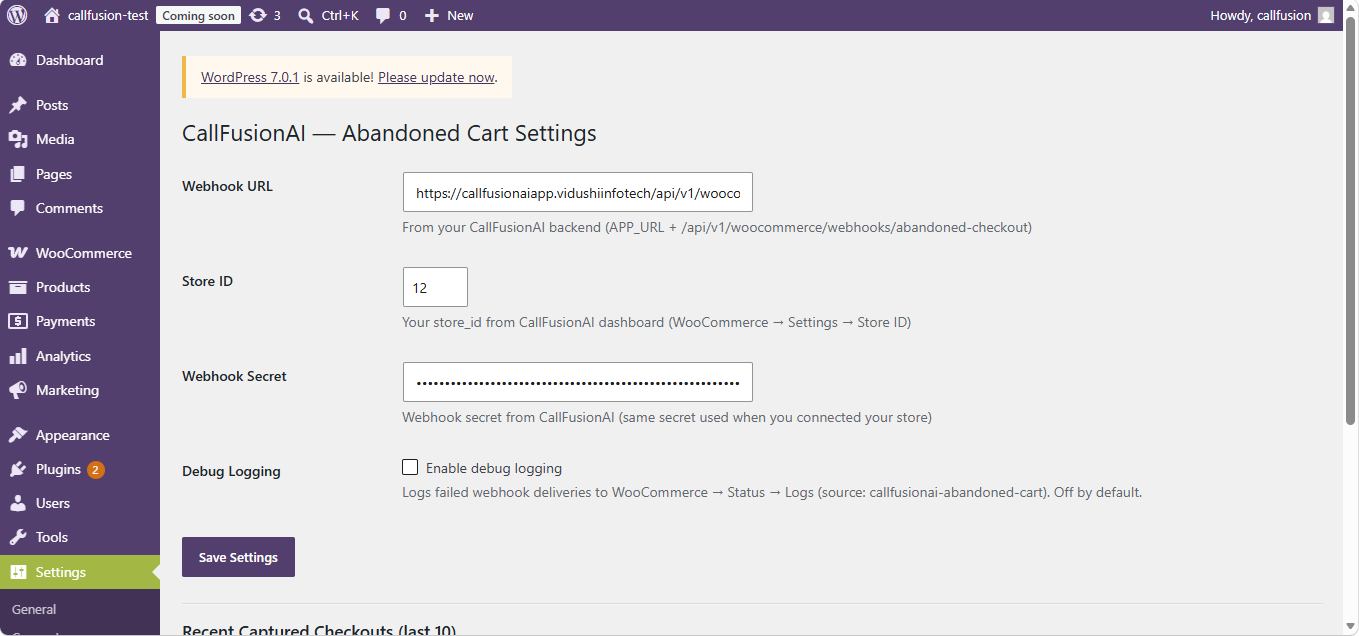
- Admin settings page to configure webhook URL, store ID, and secret
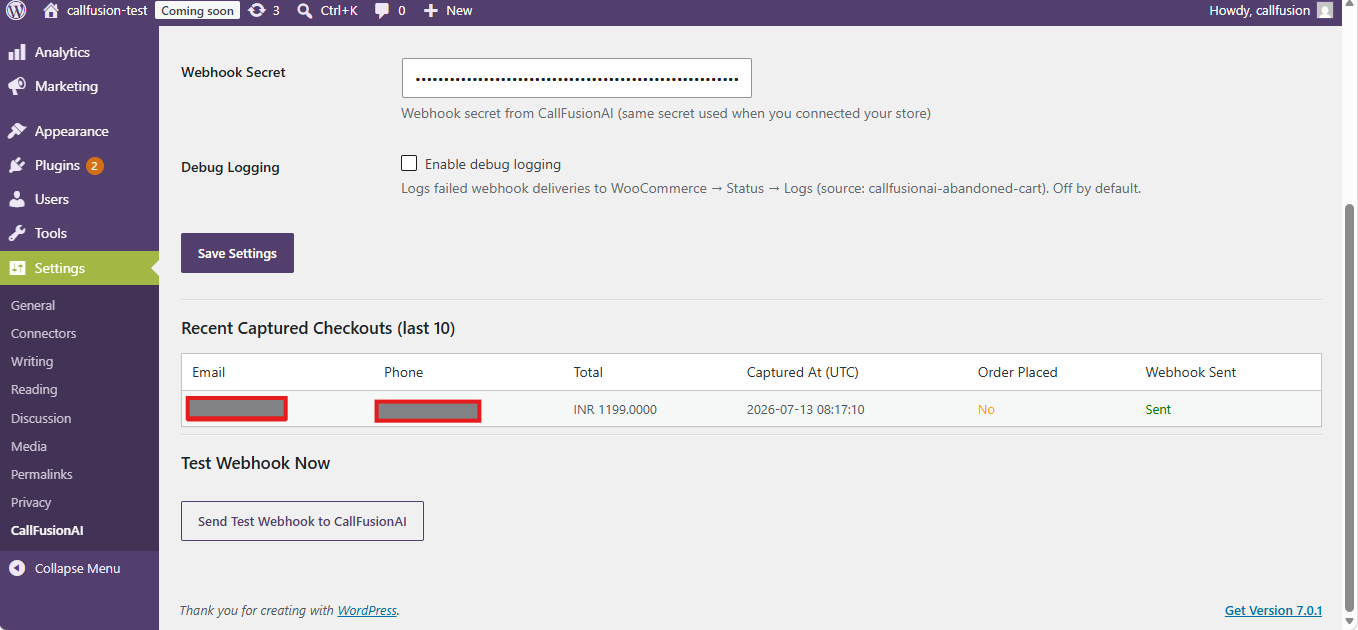
- Test webhook button to verify connectivity from your WordPress admin
- Debug table showing last 10 captured checkouts with webhook status
Requirements:
- A CallFusionAI account — sign up free at callfusionaiapp.vidushiinfotech.com
- WooCommerce 5.0 or later
- WordPress 6.0 or later
External Services
This plugin sends checkout data to the CallFusionAI service (https://callfusionaiapp.vidushiinfotech.com) when a customer abandons their cart on your WooCommerce checkout page.
What data is sent:
* Customer email address
* Customer phone number (if entered)
* Customer first and last name (if entered)
* Cart total and currency
* Cart items (product name, quantity, price)
* Checkout URL
* A session token (hashed — no personally identifiable raw session ID)
When data is sent:
* Immediately when a customer enters a valid email on the checkout page and leaves without placing an order
* Retried every 15 minutes via WP Cron if the initial send fails
Why data is sent:
* To enable CallFusionAI’s AI agents to contact the customer and help them complete their purchase
CallFusionAI service links:
* Website: https://callfusionaiapp.vidushiinfotech.com
* Terms of Service: https://callfusionaiapp.vidushiinfotech.com/terms
* Privacy Policy: https://callfusionaiapp.vidushiinfotech.com/privacy
No data is sent to any other third party.
Screenshots
Installation
Recommended — Auto-configure via CallFusionAI dashboard
- In WordPress, go to Plugins Add New and search for “CallFusionAI Abandoned Cart”
- Click Install Now then Activate
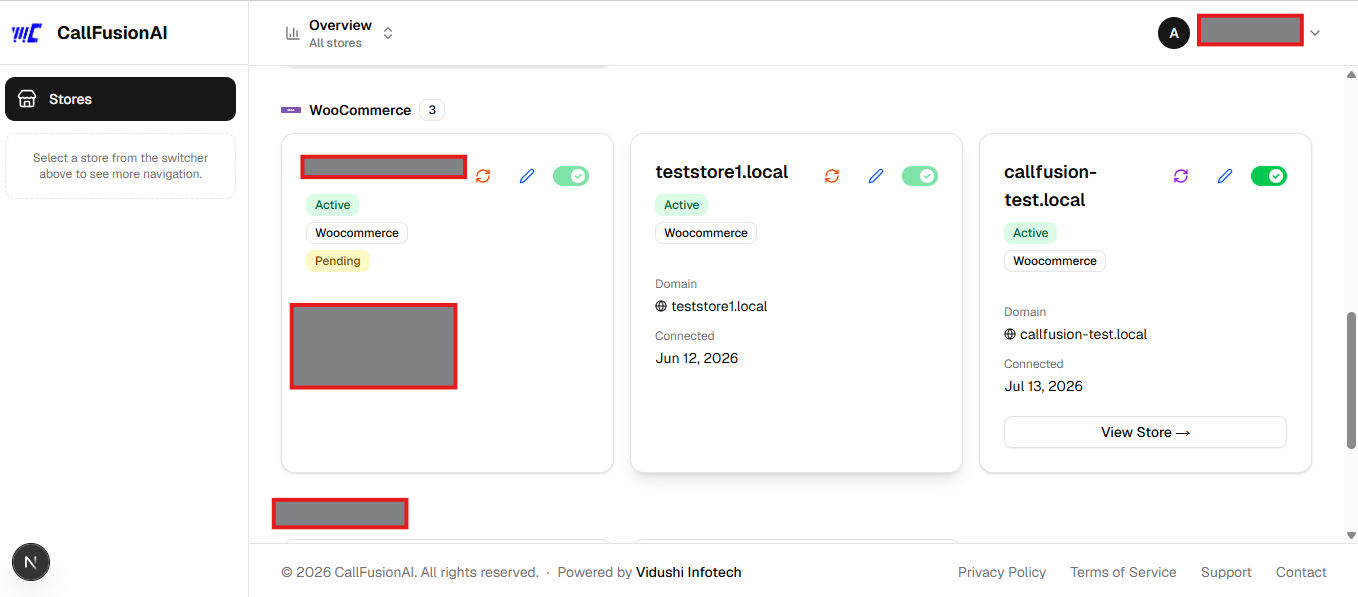
- Log in to your CallFusionAI dashboard and connect your WooCommerce store — CallFusionAI will automatically push the webhook URL, store ID, and secret to the plugin. No manual settings entry needed.
Manual configuration (optional fallback)
- Install and activate the plugin as above
- Go to Settings CallFusionAI
- Enter your Webhook URL, Store ID, and Webhook Secret from your CallFusionAI dashboard
- Click Save Settings
- Click Send Test Webhook to verify the connection
FAQ
-
Do I need a CallFusionAI account?
-
Yes. This plugin is the WooCommerce connector for the CallFusionAI platform. You need an active account at callfusionaiapp.vidushiinfotech.com to use it.
-
Where do I find my Webhook URL, Store ID, and Secret?
-
Log in to CallFusionAI go to Stores click your WooCommerce store click Plugin Setup Info. All three values are shown there.
-
Does the plugin work with WooCommerce Blocks checkout?
-
Yes. The plugin uses multiple capture methods (event listeners, polling, and sendBeacon on tab close) to handle both classic and Blocks checkout.
-
Is customer data stored locally?
-
Yes. Captured checkouts are stored in a custom database table (
wp_callfusion_abandoned_checkouts) as a fallback in case the webhook delivery fails. Data is retried and marked as sent once delivered. On plugin uninstall, this table is removed. -
Is the data transfer secure?
-
Yes. Every webhook request is signed with HMAC-SHA256 using a secret key unique to your store. CallFusionAI verifies this signature before processing the data.
-
What happens when a customer places an order?
-
The plugin listens for the
woocommerce_checkout_order_createdhook and marks the matching cart as converted, preventing any recovery attempt. -
Can I test the connection without a real customer?
-
Yes. Go to Settings CallFusionAI and click Send Test Webhook to fire a test payload to your CallFusionAI backend.
-
Can I see why a webhook delivery failed?
-
Yes. Turn on Enable debug logging on the Settings CallFusionAI page, then check WooCommerce Status Logs for entries from source
callfusionai-abandoned-cart. Off by default — nothing is logged unless you opt in.
Reviews
There are no reviews for this plugin.
Contributors & Developers
“CallFusionAI Abandoned Cart” is open source software. The following people have contributed to this plugin.
Contributors
Translate “CallFusionAI Abandoned Cart” into your language.
Interested in development?
Browse the code, check out the SVN repository, or subscribe to the development log by RSS.
Changelog
1.0.6
- Text domain corrected to
callfusionai-abandoned-cartto match the plugin slug, per WordPress.org plugin review - The
/callfusion/v1/configureREST endpoint now also verifies the WooCommerce API key has write permission and that its owning user can manage WooCommerce, instead of only checking the key/secret pair exists, per WordPress.org plugin review
1.0.5
- Fixed a fatal-error risk: checkout-script enqueue and AJAX capture handler now check WooCommerce is active before calling WooCommerce functions, instead of assuming it always is
- Added
Requires Plugins: woocommerceheader so WordPress blocks activation without WooCommerce installed - Added full internationalization support (text domain
callfusion-abandoned-cart, all admin-facing strings translatable) - Added opt-in debug logging (via WC_Logger) for failed webhook deliveries — off by default, toggle on the settings page
- All
$_POSTvalues now unslashed withwp_unslash()before sanitization, per WordPress coding standards - Custom-table queries now use
$wpdb->prepare()‘s%iidentifier placeholder instead of interpolating the table name directly (bumpedRequires at leastto 6.2, which added%isupport)
1.0.4
- Moved checkout-capture JavaScript out of an inline
wp_footerscript tag into a properly enqueued file (wp_enqueue_script()+wp_localize_script()), per WordPress.org plugin review guidelines
1.0.3
- Auto-configure support: added REST endpoint
/wp-json/callfusion/v1/configureso CallFusionAI can push webhook credentials to the plugin automatically after OAuth — no manual settings entry needed - Removed hardcoded default constants — all configuration now comes exclusively from
wp_options(WordPress.org compliance) - Removed external HTTP call on plugin activation
1.0.2
- Remove debug console.log that logged customer PII to browser console
- Use $wpdb->prepare() for all direct database queries
1.0.1
- Capture customer first/last name during checkout abandonment (previously only email/phone were sent)
1.0.0
- Initial release
- Real-time checkout capture via JS (blur, polling, sendBeacon)
- Immediate webhook delivery with 15-minute cron retry fallback
- Order placed detection to prevent calling converted customers
- Admin settings page with test webhook button
- Debug table showing last 10 captured checkouts