

Description
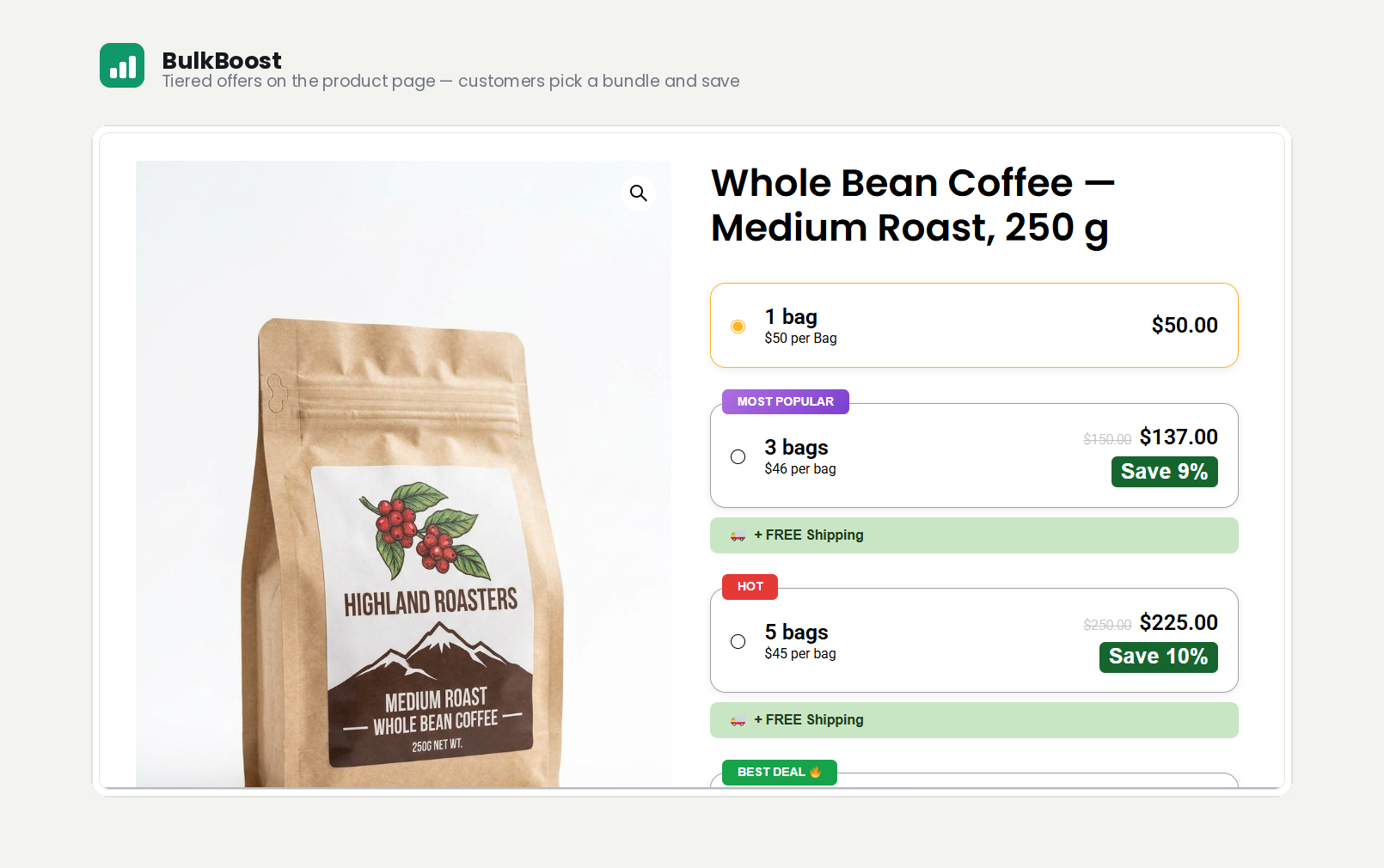
BulkBoost adds eye-catching quantity-break offers to your WooCommerce product pages, encouraging customers to buy more and increasing your average order value (AOV).
Set up tiered pricing per product, style it to match your brand, and watch every change update instantly in the live preview.
Features
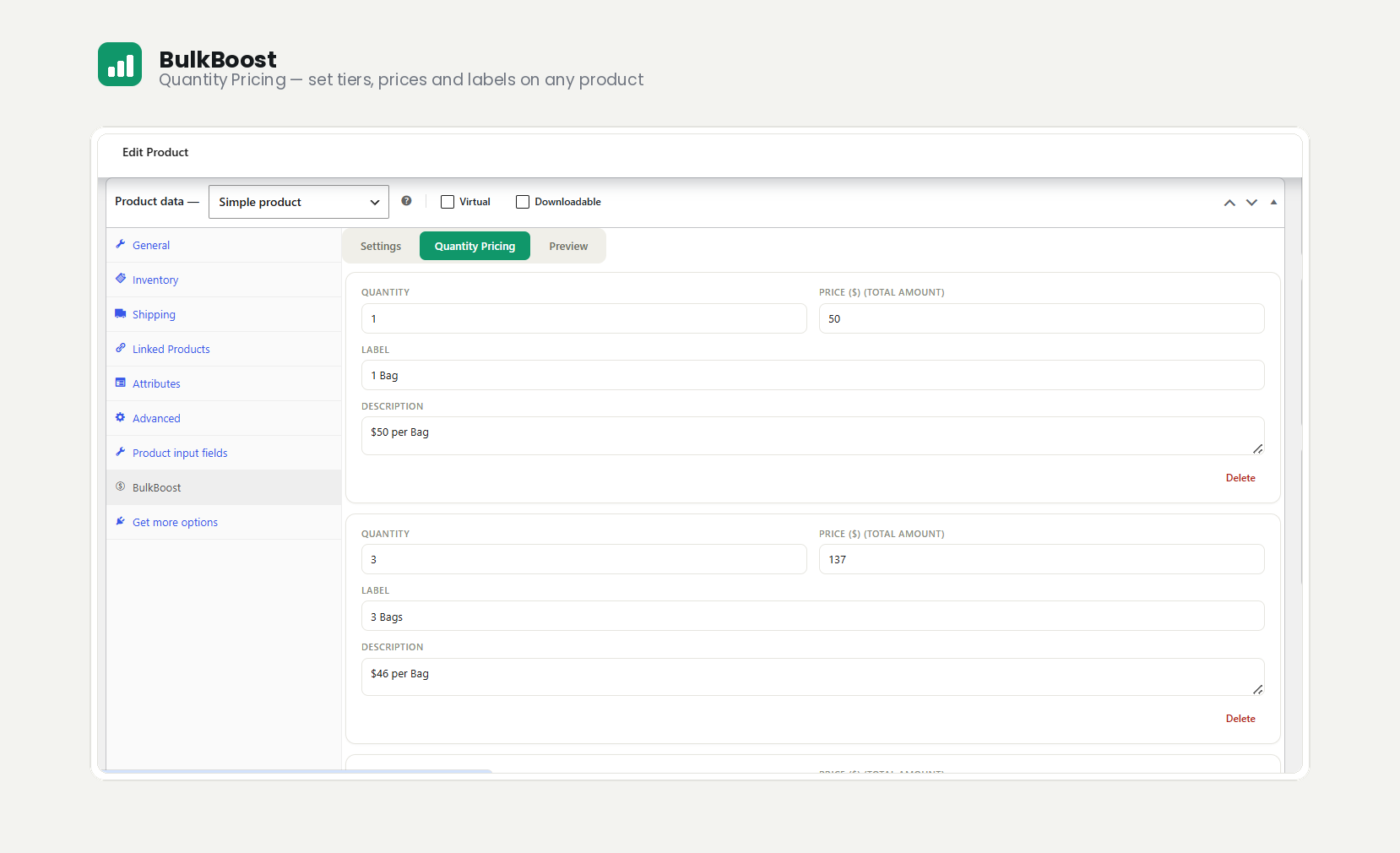
- Quantity breaks per product — offer “buy more, save more” pricing tiers on any simple product.
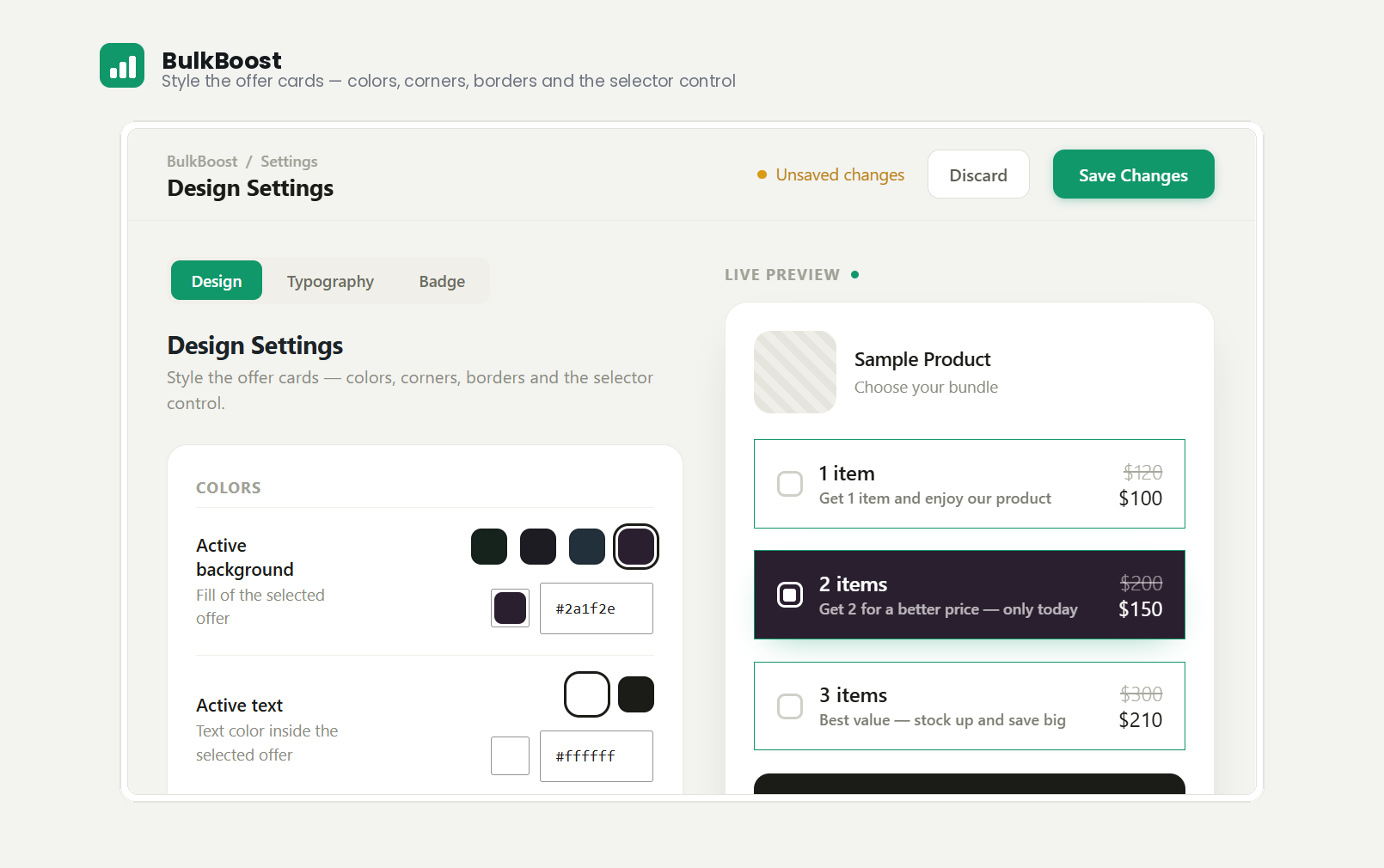
- Fully customizable design — control the colors, borders, corner radius, and spacing of the offer cards.
- Selector style — show a radio, a checkbox, or no selector on each offer.
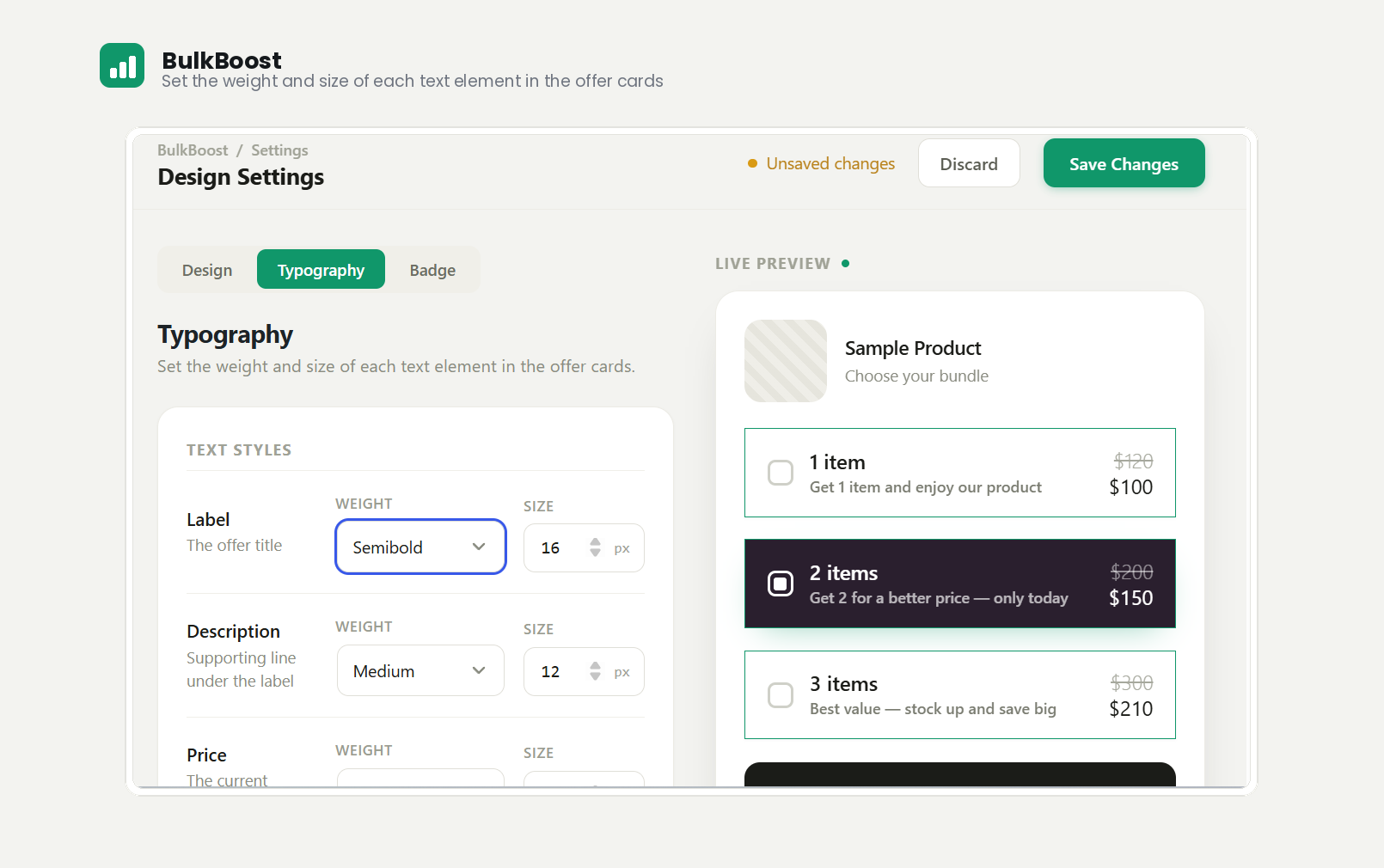
- Typography controls — set the weight and size of labels, descriptions, and prices, and toggle the strikethrough compare-at price.
- Real-time live preview — adjust any setting and see your storefront widget update instantly.
- Min / Max quantity selector — let customers choose a quantity within a range, with its own customizable button design.
- Theme friendly — designed to work with any WooCommerce-compatible theme.
BulkBoost Pro
Upgrade to unlock:
- Promotional badges — highlight offers with three label badges (HOT, MOST POPULAR, BEST DEAL), a “Save X%” savings badge, and a free-shipping badge — each with its own colors and a live preview.
- Sales analytics — a report of completed orders that used BulkBoost, grouped by product (sales, quantity, date of last order, and which solution was used), with a date filter and a total-earned figure.
- Cart & Checkout quantity lock — keep the quantity a customer chose on the product page; stop it from being changed in the cart or at checkout. Works on both the classic and block-based Cart & Checkout.
Learn more about BulkBoost Pro.
Privacy & Third-Party Services
BulkBoost itself does not track you, collect analytics, or send any data to external servers.
The plugin includes the Freemius SDK, which is used solely to handle licensing, payments, and upgrades for the optional Pro version.
- No data is sent anywhere without your explicit opt-in. On activation you will see an optional opt-in screen. Nothing is collected or transmitted unless you expressly click to allow it.
- Opting in is completely optional. You can skip the opt-in and every feature of the free plugin keeps working normally.
- If you do opt in, Freemius collects basic diagnostic data (such as your site URL, WordPress version, and plugin version) to provide license management, updates, and support, as described in the Freemius privacy policy.
- You can opt out at any time from the plugin’s Account page.
Screenshots
Installation
- Upload the plugin files to the
/wp-content/plugins/bulkboostdirectory, or install the plugin through the WordPress Plugins screen. - Activate the plugin through the Plugins screen in WordPress. WooCommerce must be installed and active.
- Open BulkBoost in the admin menu to style your offer cards.
- Edit any product, open the Product data BulkBoost tab, and add your quantity tiers.
FAQ
-
Does it require WooCommerce?
-
Yes. BulkBoost extends WooCommerce, so WooCommerce must be installed and active.
-
Will it work with my theme?
-
It is built to work with any theme that supports WooCommerce. If you run into a display issue, reach out and we will help.
-
How do I set up quantity breaks?
-
Edit a product, open the Product data BulkBoost tab, and define your quantity thresholds and prices. You can preview the result before saving.
-
Can I change how the offers look?
-
Yes. The BulkBoost Design Settings screen lets you customize colors, typography, borders, spacing, and the selector style, all with a live preview.
-
What does the Min / Max selector do?
-
Instead of fixed tiers, you can let customers pick any quantity within a range using styled quantity buttons. Enable it per product from the Product data BulkBoost tab.
-
Is there a Pro version?
-
Yes. BulkBoost Pro adds promotional badges, sales analytics, and the cart/checkout quantity lock. See the BulkBoost Pro section above.
-
Does BulkBoost collect any data or phone home?
-
No. The plugin makes no remote calls of its own. The bundled Freemius SDK (used for optional Pro licensing) only communicates with Freemius after you explicitly opt in on the activation screen — opting in is optional and the plugin works fully without it. See the Privacy & Third-Party Services section for details.
Reviews
There are no reviews for this plugin.
Contributors & Developers
“BulkBoost – Quantity Discounts & Bundles” is open source software. The following people have contributed to this plugin.
Contributors
Translate “BulkBoost – Quantity Discounts & Bundles” into your language.
Interested in development?
Browse the code, check out the SVN repository, or subscribe to the development log by RSS.
Changelog
1.0.0
- Initial release.
- Per-product quantity breaks with a fully customizable, live-previewed offer widget.
- Design controls: colors, borders, corner radius, spacing, selector style, and typography.
- Min / Max quantity selector with its own button design.
- Pro: promotional badges, sales analytics, and cart/checkout quantity lock.