

Description
BugPost adds a lightweight bug reporting button to your site’s frontend. When clicked, it opens a clean overlay panel where visitors or team members can describe an issue. Browser details, operating system, viewport size, page URL, page load time, and JavaScript console errors are captured automatically — no extra effort needed from the reporter.
Key Features:
- One-click reporting — A “Report” tab on the right side of every page opens a simple form.
- Auto-captured context — Browser name and version, OS, viewport dimensions, page URL, page load time, and console errors are sent along with every report.
- Console error capture — JavaScript errors and unhandled promise rejections are logged automatically and attached to the report.
- Reporter fields — Optional name and email fields let reporters identify themselves.
- Honeypot spam protection — A hidden field traps bots without annoying humans with CAPTCHAs.
- Rate limiting — 3 reports per IP per hour prevents abuse.
- “Me too” duplicate grouping — When multiple reports target the same page, earlier open reports get a +1 count so you can see which issues affect the most people.
- Visibility modes — Choose Beta (logged-in users only) or Public (everyone). Turn it off entirely when not needed.
- Admin dashboard — All reports in a familiar WordPress list table with status badges, reporter info, page URL, and date columns.
- Report detail view — Each report has a full meta box showing all captured context data.
- Status workflow — Mark reports as New, Acknowledged, In Progress, Resolved, or Closed.
- CSV export — Download all reports as a CSV file for use in spreadsheets or external tools.
- Customizable button color — Match the report button to your site’s brand via a color picker.
- Fully translatable — All strings use WordPress i18n functions with the
bugposttext domain.
What this plugin does NOT do (by design):
- No external API calls, no tracking, no phoning home.
- No CDN dependencies — all assets are bundled locally.
- No account required to use the plugin.
Screenshots
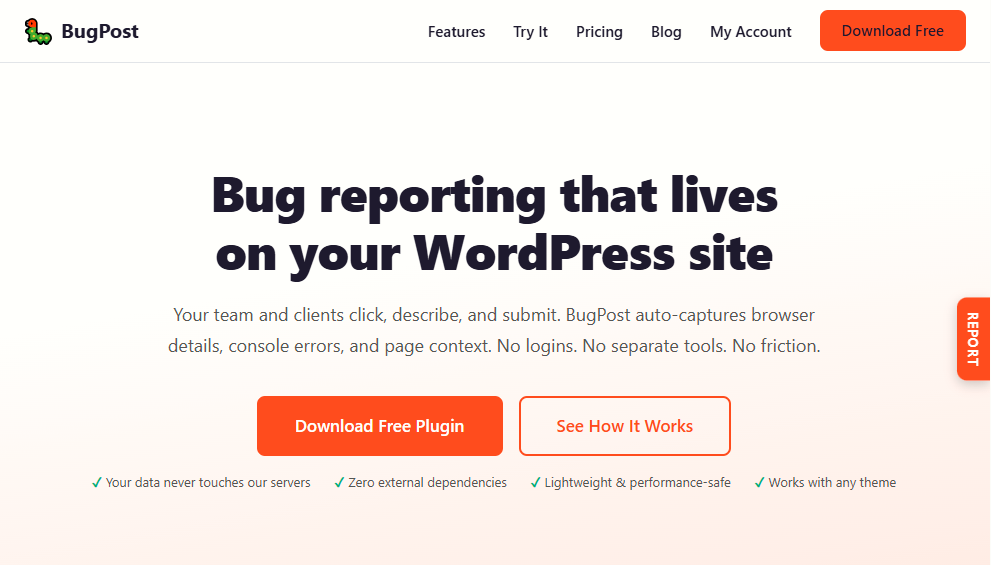
The “Report” tab on the frontend — always accessible on the right side of the page. 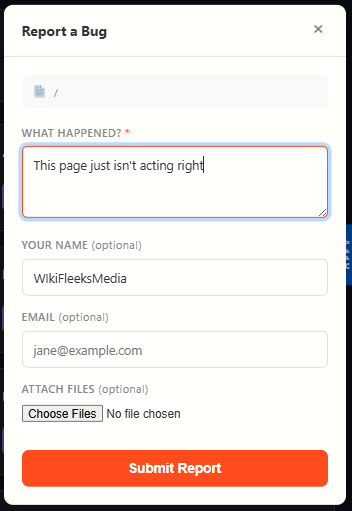
The bug report overlay panel with description field and optional reporter info. 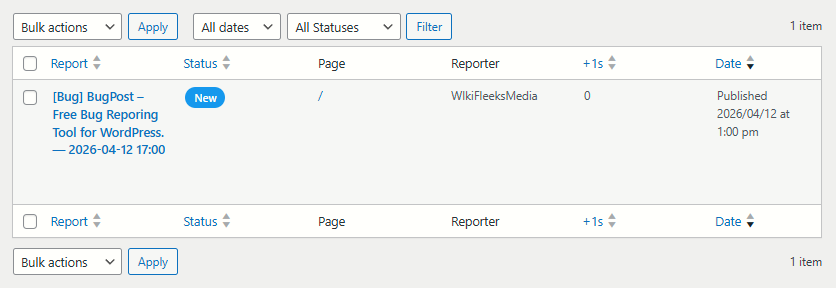
The admin reports list table showing status, page, reporter, and “me too” counts. 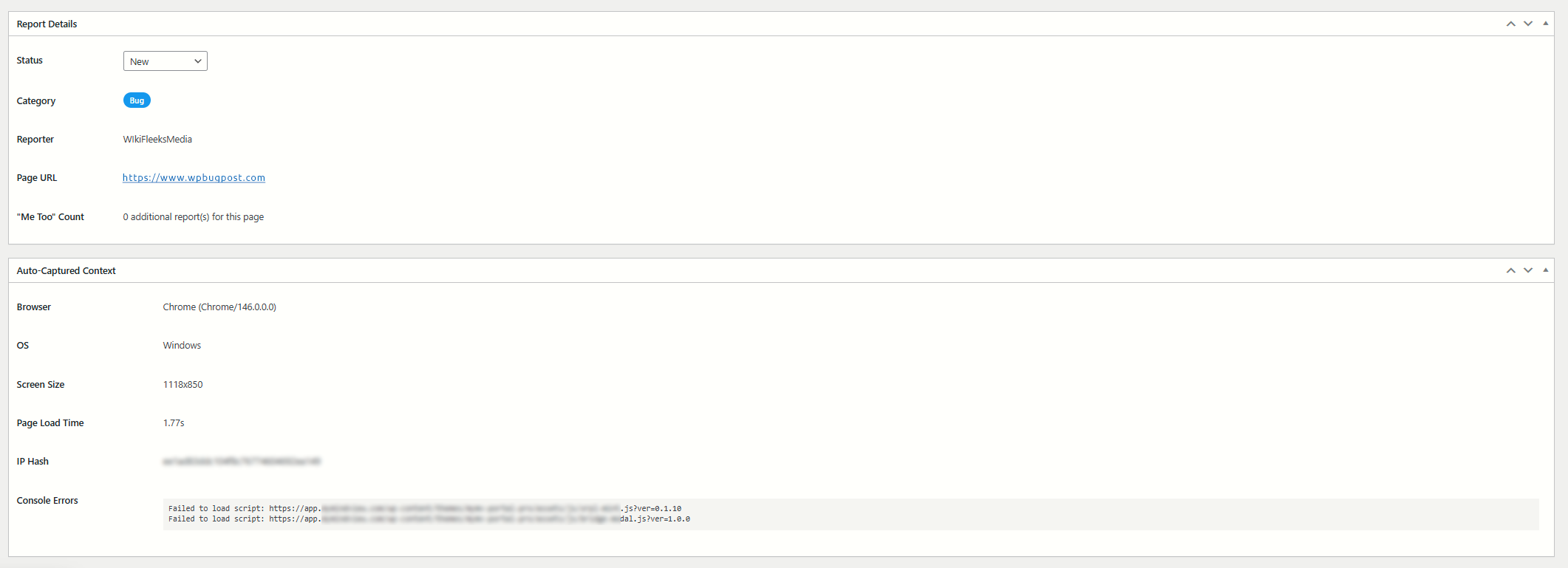
The report detail view with full auto-captured browser context. 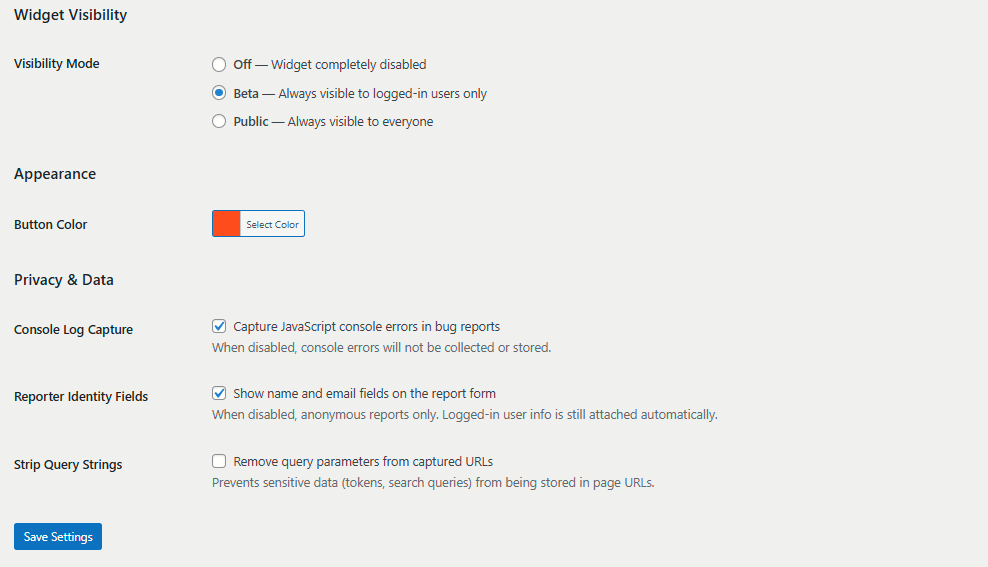
The settings page with visibility mode and button color options. 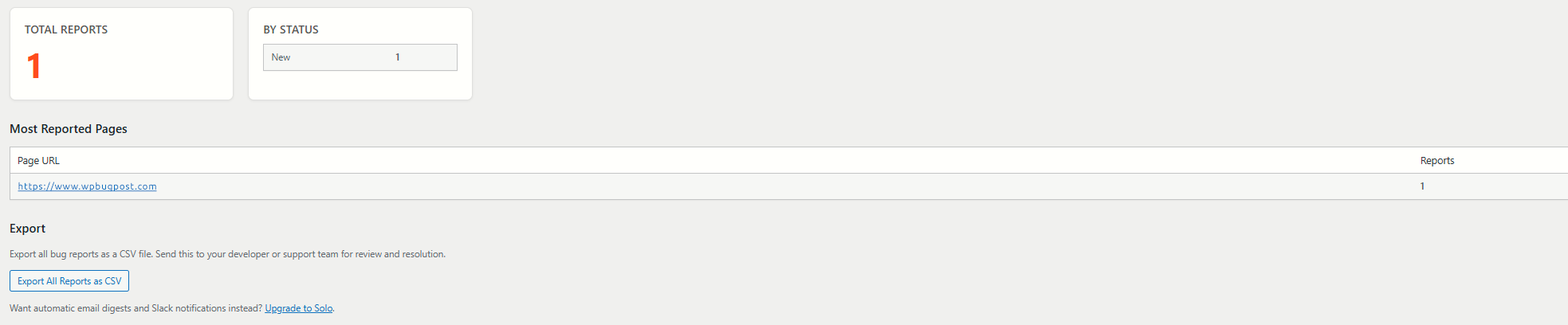
The summary page with total reports, status breakdown, and most-reported pages.
Installation
- Upload the
bugpostfolder to the/wp-content/plugins/directory, or install directly through the WordPress plugin screen. - Activate the plugin through the “Plugins” screen in WordPress.
- Go to BugPost > Settings to choose your visibility mode and button color.
- Visit your site’s frontend — you should see the “Report” tab on the right side of the page.
FAQ
-
How do visitors submit a bug report?
-
A “Report” button appears as a vertical tab on the right edge of every page (when the widget is enabled). Clicking it opens an overlay panel with a text area to describe the issue, plus optional name and email fields. Browser details and console errors are captured automatically.
-
What data is captured automatically?
-
Each report includes: the page URL, page title, browser name and version, operating system, viewport size (width x height), page load time, and any JavaScript console errors that occurred before the report was submitted.
-
How does spam protection work?
-
The plugin uses two mechanisms: a honeypot field (invisible to humans, filled by bots) and IP-based rate limiting (3 reports per hour per IP address). No CAPTCHA is needed.
-
Can I export the reports?
-
Yes. Go to BugPost > Summary and click “Export All Reports as CSV.” The export includes all report fields, context data, and status information.
-
What are the visibility modes?
-
- Off — The widget is completely hidden.
- Beta — The widget appears only for logged-in WordPress users. Great for internal QA testing.
- Public — The widget appears for all visitors.
-
Does this plugin make external requests?
-
No. BugPost does not load any external scripts, stylesheets, fonts, or make any API calls to outside servers. Everything is self-contained.
-
Is this plugin compatible with caching plugins?
-
Yes. The widget is loaded via standard WordPress script enqueueing and uses AJAX for submissions. It works with all popular caching plugins.
-
Where can I get more features?
-
The paid versions at wpbugpost.com add screenshot capture, annotation tools, custom categories and priorities, GitHub/Jira/Linear integrations, email digests, Slack notifications, and more.
Reviews
There are no reviews for this plugin.
Contributors & Developers
“BugPost” is open source software. The following people have contributed to this plugin.
Contributors
Translate “BugPost” into your language.
Interested in development?
Browse the code, check out the SVN repository, or subscribe to the development log by RSS.
Changelog
1.2.2
- Fixed inline CSS to use wp_add_inline_style() instead of echoing style tags.
- Improved input sanitization: POST data sanitized with map_deep() at access time.
- Improved file upload sanitization: each $_FILES field sanitized individually at access.
1.2.1
- Removed deprecated load_plugin_textdomain() call.
- Resolved plugin checker warnings for file upload handling and query performance.
1.2.0
- Renamed plugin from WPBugPost to BugPost.
- Updated slug, text domain, constants, and all prefixes to
bugpost.
1.1.2
- Security: Added server-side MIME type verification for file uploads via wp_check_filetype_and_ext().
- Security: Added filename sanitization before upload processing via sanitize_file_name().
1.1.1
- Fixed: Summary page heading now renders em dash correctly instead of showing raw HTML entity.
1.1.0
- New: File attachments — reporters can attach images, PDFs, and documents to bug reports.
- New: Configurable attachment settings (max files, max size, allowed types).
- Improved: Submission now uses FormData for reliable file upload support.
- Updated: Removed file attachments from paid-only features list.
1.0.0
- Initial release.
- Frontend bug reporting overlay widget.
- Auto-captured browser, OS, viewport, page URL, load time, and console errors.
- Reporter name and email fields.
- Honeypot spam protection.
- Rate limiting (3 per IP per hour).
- “Me too” duplicate grouping.
- Admin reports list table with status, page, reporter, and date columns.
- Report detail meta boxes.
- Status workflow: New, Acknowledged, In Progress, Resolved, Closed.
- CSV export of all reports.
- Visibility modes: Off, Beta (logged-in), Public.
- Customizable button color.
- Summary page with stats and most-reported pages.
- Full i18n support.