

Description
Brickhunt for WooCommerce helps LEGO retailers add independent LEGO price validation to WooCommerce product pages.
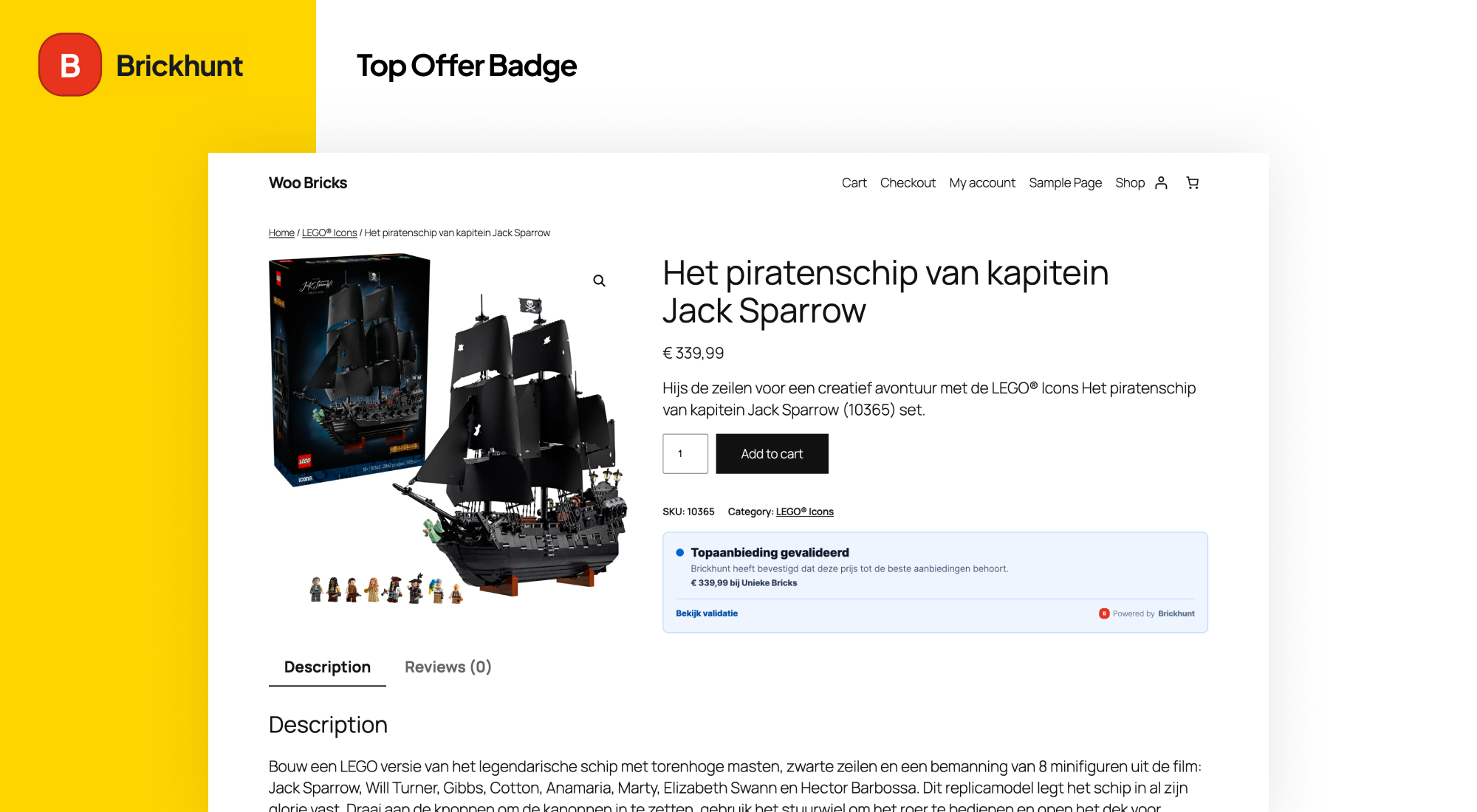
The plugin uses the existing WordPress-enqueued Brickhunt frontend widget to show whether a LEGO set price has been checked, is a top offer, or is currently the best validated price found by Brickhunt.
Depending on the current market position, Brickhunt can validate that a product price:
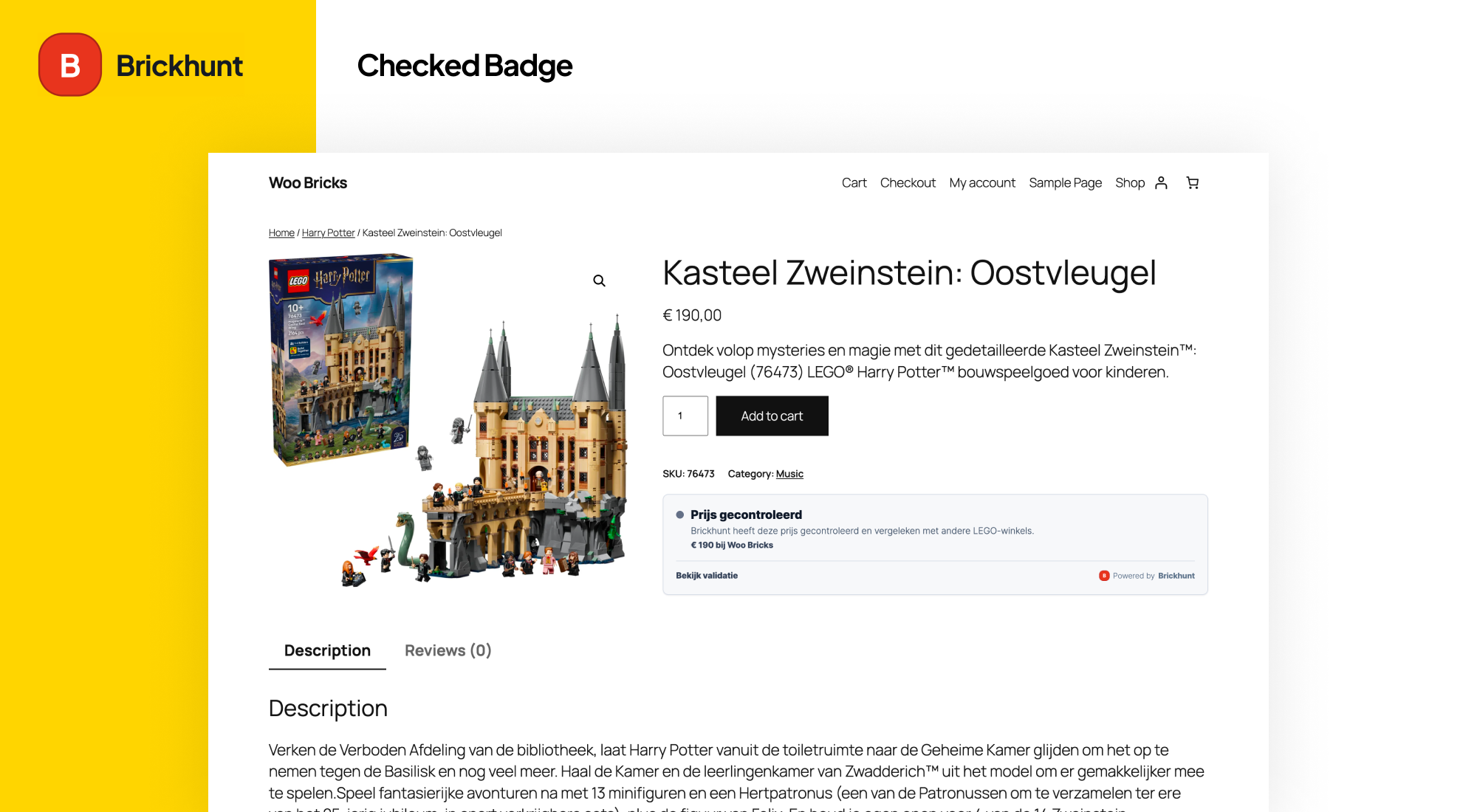
- Has been checked against other LEGO retailers
- Belongs to one of the best available offers
- Is currently the best price Brickhunt has found for that LEGO set
The validation badge is automatically rendered based on the LEGO set number and your Brickhunt merchant profile.
Supported validation states:
- Checked – Brickhunt has verified the price
- Top Offer – Brickhunt has confirmed the price belongs to the best available offers
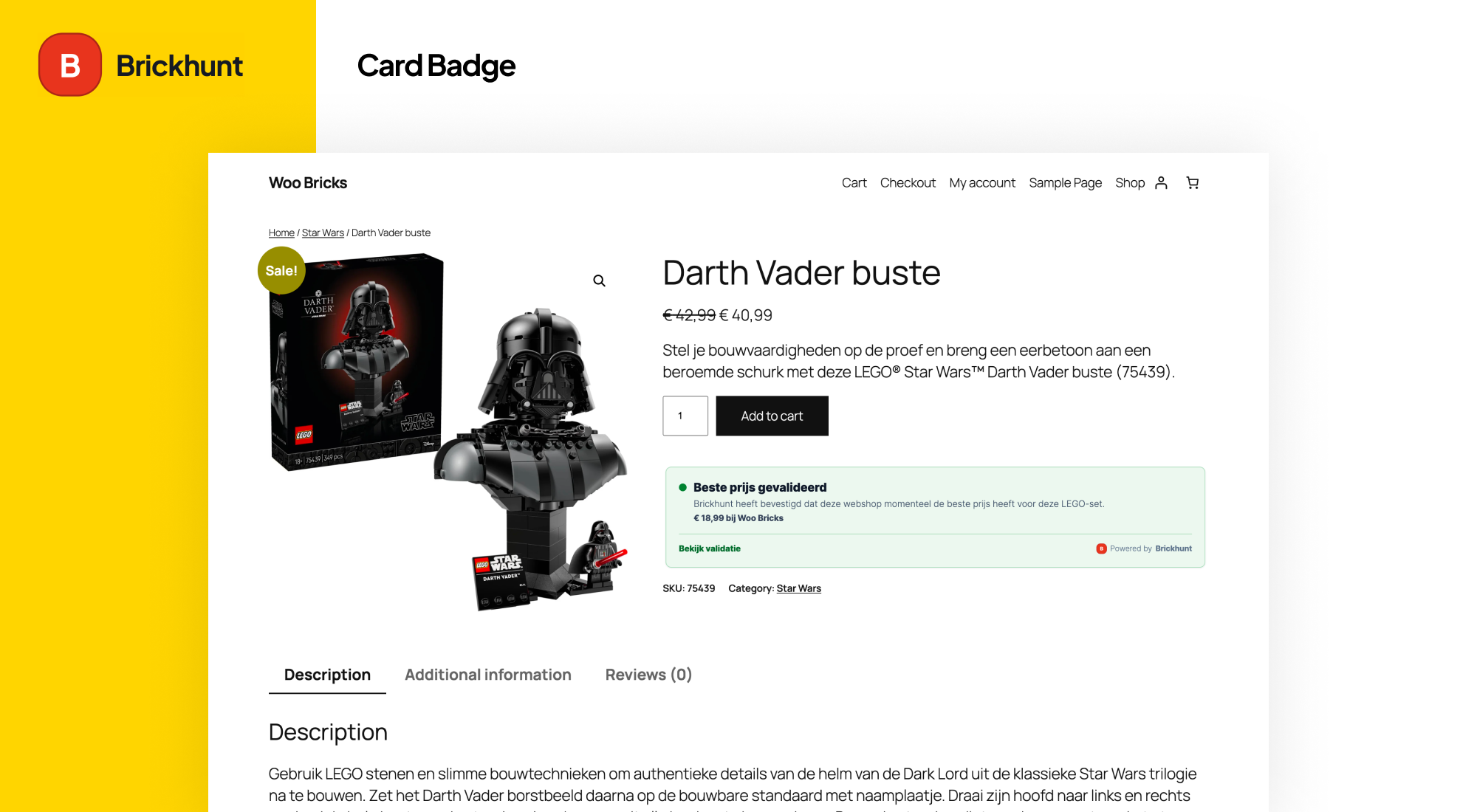
- Best Price Validated – Brickhunt has confirmed the lowest available price
Features:
- WooCommerce integration
- Automatic SKU-to-LEGO-set mapping
- Product-level Brickhunt Set ID override
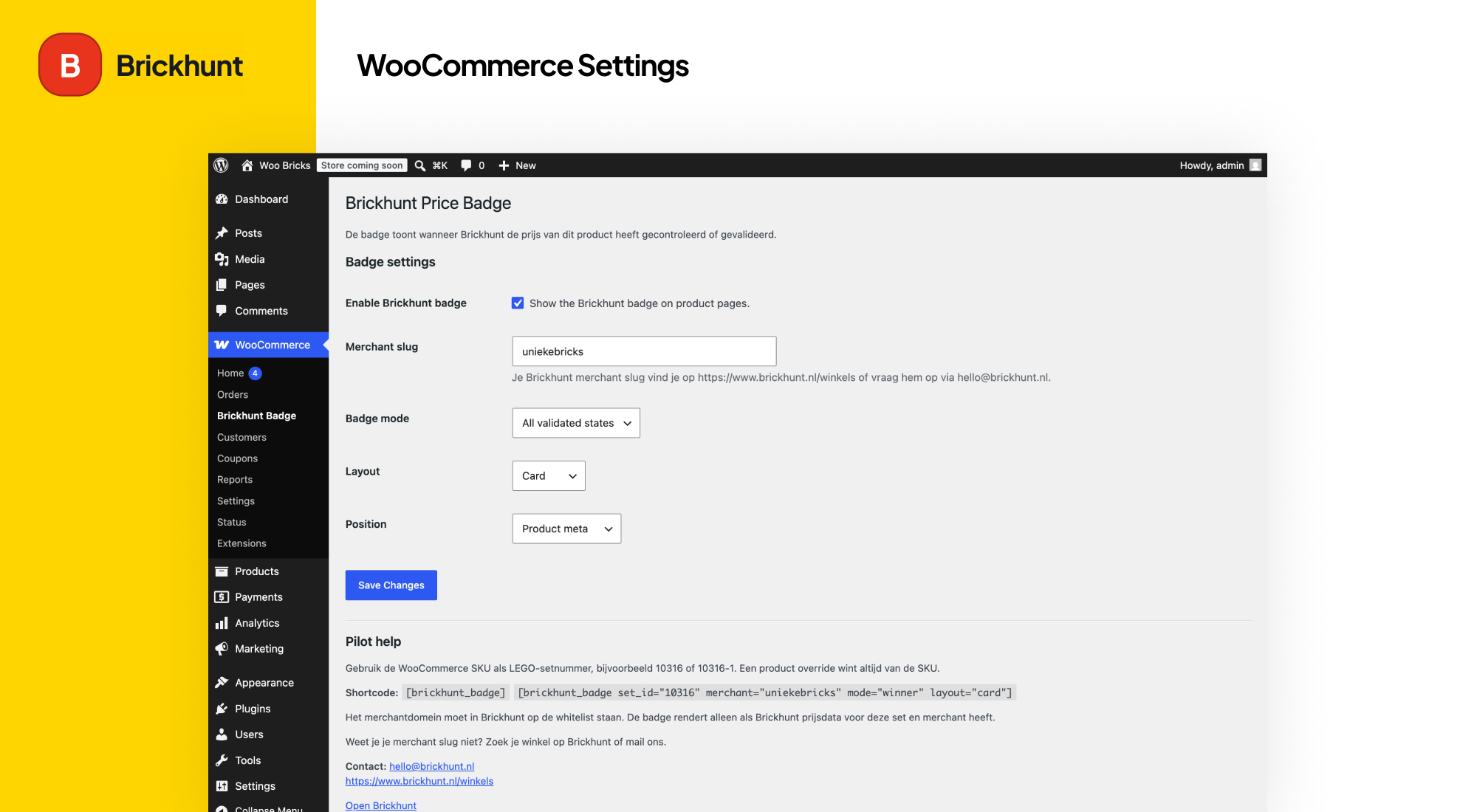
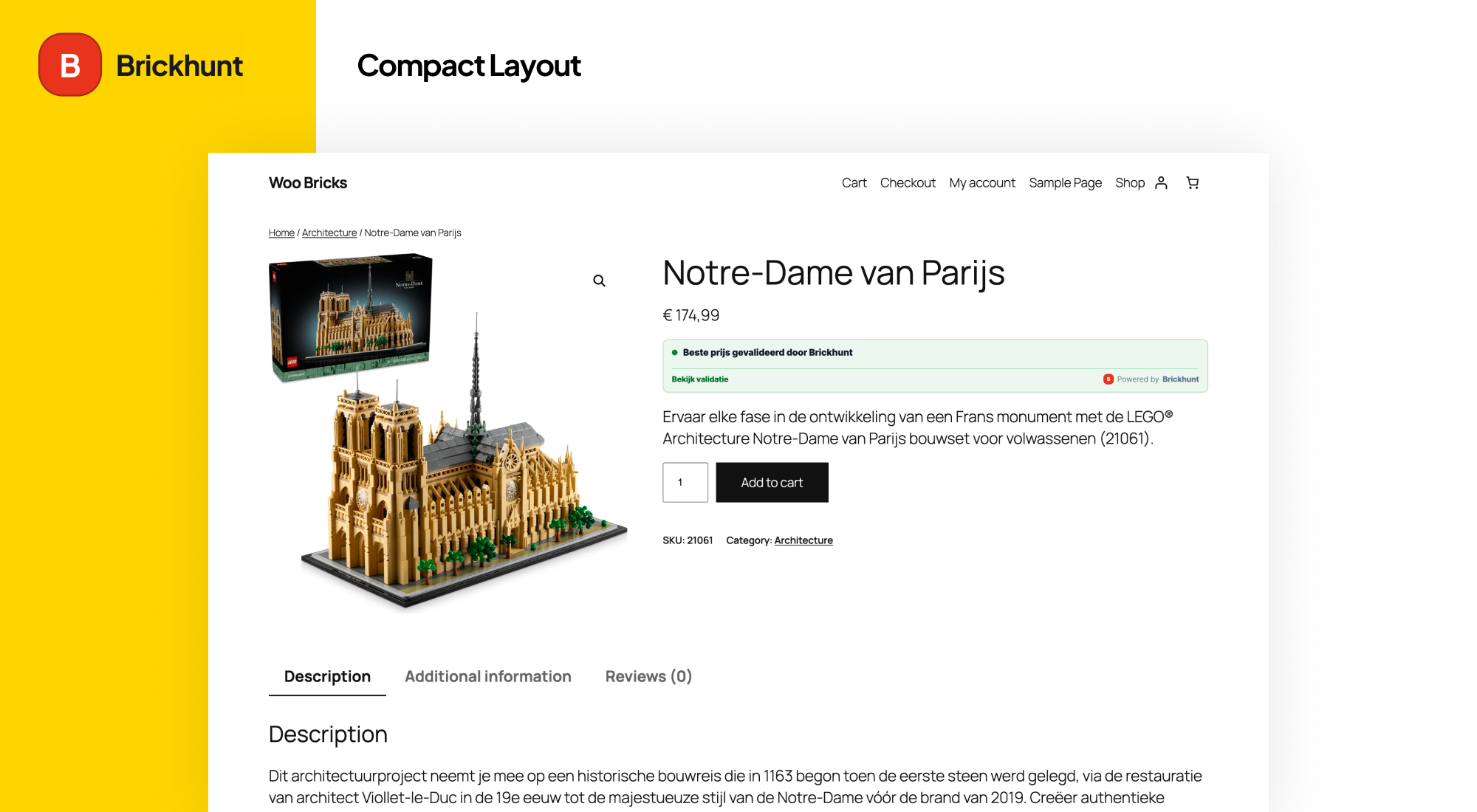
- Compact and card layouts
- Configurable display modes (all, top3, winner)
- Shortcode support
- Secure merchant domain validation
- No remote API calls from PHP
- Lightweight WordPress-enqueued frontend widget rendering
- HPOS/custom order tables compatible
Brickhunt for WooCommerce does not perform external requests from PHP. It enqueues the Brickhunt widget on the frontend using the configured merchant slug and LEGO set ID.
For security reasons, your store domain must be approved and linked to a Brickhunt merchant profile before validation data can display on live product pages.
Need help setting up the plugin?
Visit https://www.brickhunt.nl/winkels or contact hello@brickhunt.nl.
External services
This plugin connects to the Brickhunt service to load and display independent price validation badges on WooCommerce product pages.
The frontend loads the Brickhunt widget script from:
https://www.brickhunt.nl/widgets/partner-badge.js
When a product page displays a badge, the widget requests validation data from Brickhunt using the configured merchant slug, the LEGO set ID, the selected display mode and the current browser origin. This is required to determine whether the merchant’s price can be shown as checked, a top offer or the best validated price.
The plugin itself does not send customer data, order data, cart data or personal information from WooCommerce. The PHP plugin does not perform remote requests. Requests are made by the frontend widget when the badge is rendered.
The Brickhunt service is provided by Brickhunt.
Terms of service:
https://www.brickhunt.nl/voorwaarden
Privacy policy:
https://www.brickhunt.nl/privacy
Screenshots
Installation
- Upload the plugin ZIP file through the WordPress plugin installer.
- Activate Brickhunt for WooCommerce.
- Ensure WooCommerce is active.
- Navigate to WooCommerce Brickhunt.
- Enter your Brickhunt merchant slug.
- Enable validation badges.
- Verify that your WooCommerce product SKU contains the LEGO set number.
- Optionally use the Brickhunt Set ID Override field on individual products.
- Make sure your store domain has been approved by Brickhunt.
FAQ
-
Why does the validation badge not appear?
-
Check the following:
- Brickhunt for WooCommerce is enabled
- A merchant slug has been configured
- The product contains a valid LEGO set number in the SKU field
- A Brickhunt Set ID Override is configured when needed
- Brickhunt has price data available for the selected merchant and set
- The store domain has been approved by Brickhunt
- The selected mode matches the current ranking
The widget may intentionally render nothing when:
- The API returns 204 (no matching status)
- The API returns 403 (domain not approved)
-
Does my domain need approval?
-
Yes.
Your store domain must be linked to an approved Brickhunt merchant profile before live validation data can display.
Contact hello@brickhunt.nl if you would like to participate in a pilot.
-
Where do I find my merchant slug?
-
Find your store on:
https://www.brickhunt.nl/winkels
If you cannot find your slug, contact:
hello@brickhunt.nl
-
How does Brickhunt determine the LEGO set?
-
By default, Brickhunt for WooCommerce uses the WooCommerce SKU as the LEGO set number.
Examples:
- 10316
- 75313
- 42146
The plugin also supports common formats such as:
- 10316-1
- 75313-1
If your SKU uses a different format, use the Brickhunt Set ID Override field on the product page.
-
Does this send product data from WooCommerce to Brickhunt?
-
No.
Brickhunt for WooCommerce does not perform remote requests from PHP.
The frontend widget only requests the minimum information required to display validation:
- LEGO set ID
- Merchant slug
- Validation status
-
Can I use a custom LEGO set ID?
-
Yes.
Use the Brickhunt Set ID Override field on the product page.
When populated, it takes precedence over the WooCommerce SKU.
-
Which mode should I use?
-
For most pilot merchants we recommend:
- Mode: all
- Layout: compact
This provides the highest visibility and ensures validation can display whenever Brickhunt has data available.
-
Does this work with WordPress Playground?
-
Yes.
For testing purposes, Brickhunt can enable WordPress Playground support for https://playground.wordpress.net in development or pilot environments. Public production domains still need merchant approval.
Reviews
There are no reviews for this plugin.
Contributors & Developers
“Brickhunt for WooCommerce” is open source software. The following people have contributed to this plugin.
Contributors
Translate “Brickhunt for WooCommerce” into your language.
Interested in development?
Browse the code, check out the SVN repository, or subscribe to the development log by RSS.
Changelog
0.1.1
- Bump widget script version to refresh cached partner badge JavaScript in WordPress.
- Ensure enqueued widget scripts render into their configured target container.
0.1.0
- Initial pilot release of Brickhunt for WooCommerce.
- WooCommerce integration.
- Automatic SKU-to-set mapping.
- Product-level Brickhunt Set ID Override support.
- Compact and card layouts.
- Configurable display modes (all, top3, winner).
- Shortcode support.
- Secure merchant domain validation.
- Brickhunt partner widget integration.
- HPOS/custom order tables compatibility declaration.