

Description
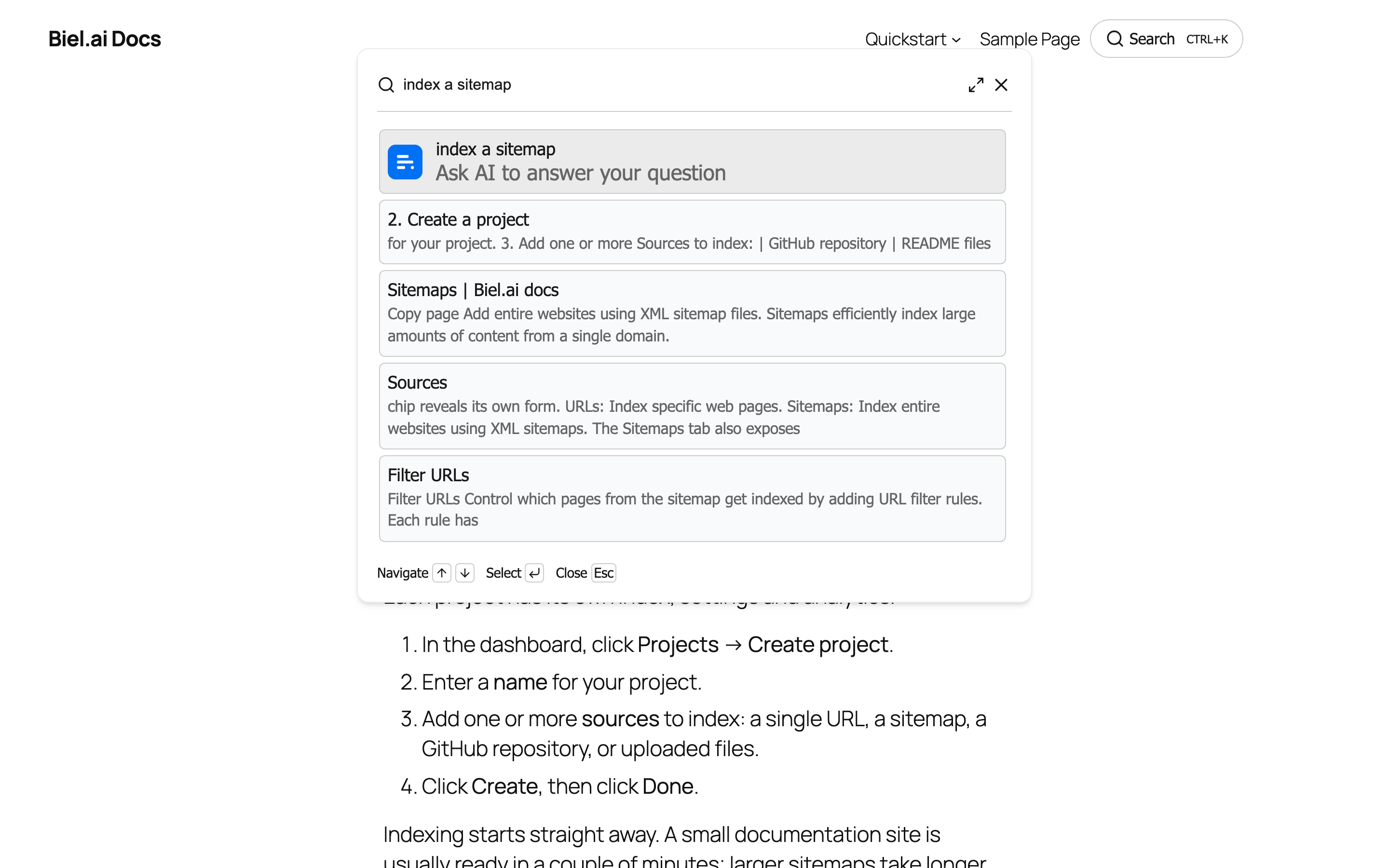
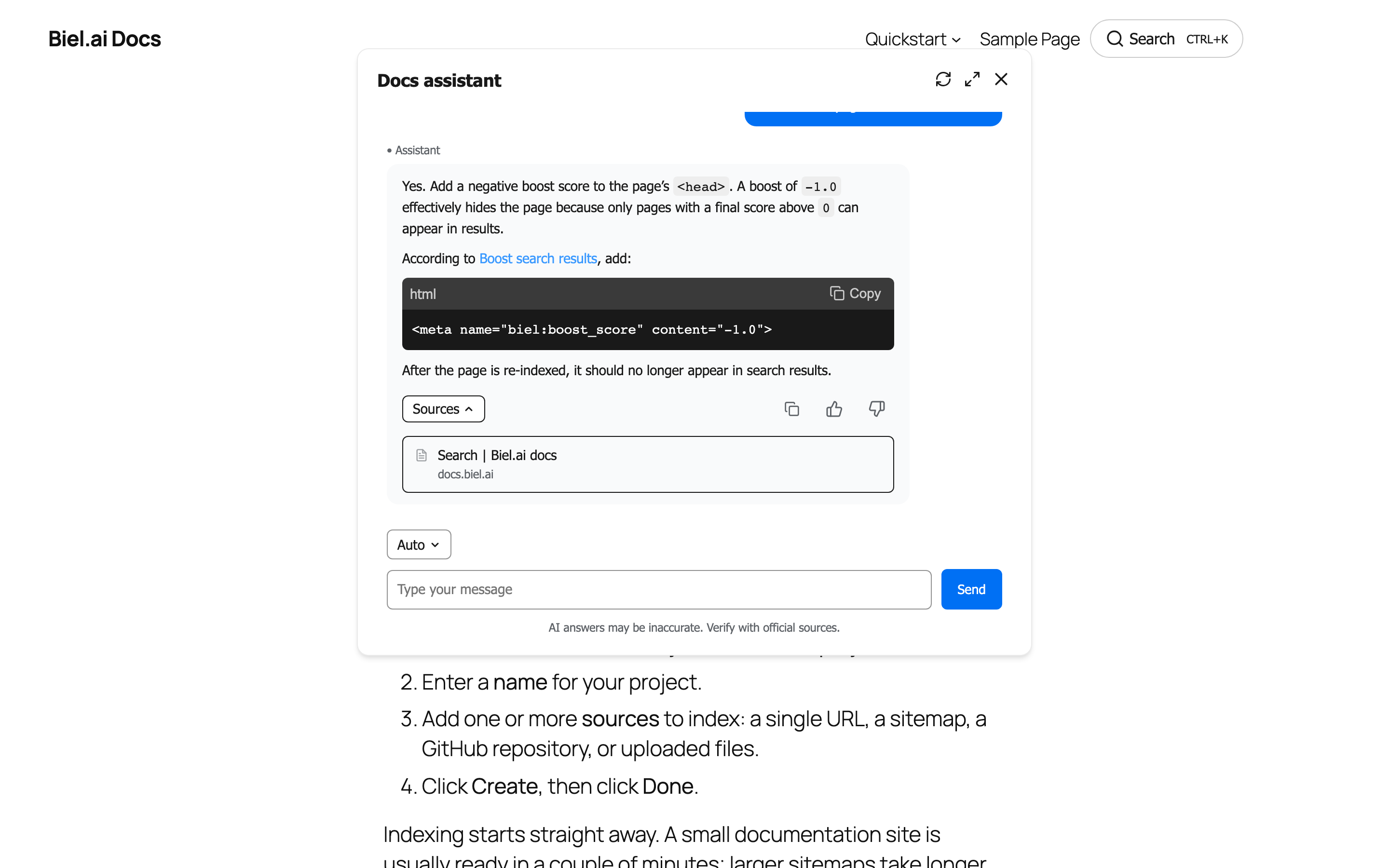
Biel.ai Search replaces the search box your theme already has with an AI search panel: a visitor starts typing, results appear as they type, and if none of them answers the question they hit Ask AI and get a written answer built only from your site’s pages, with links to the ones it came from.
That order matters. Search comes first and AI is the escalation, not the other way round: most questions are answered by a page you have already written, and the AI is there for the ones that are not.
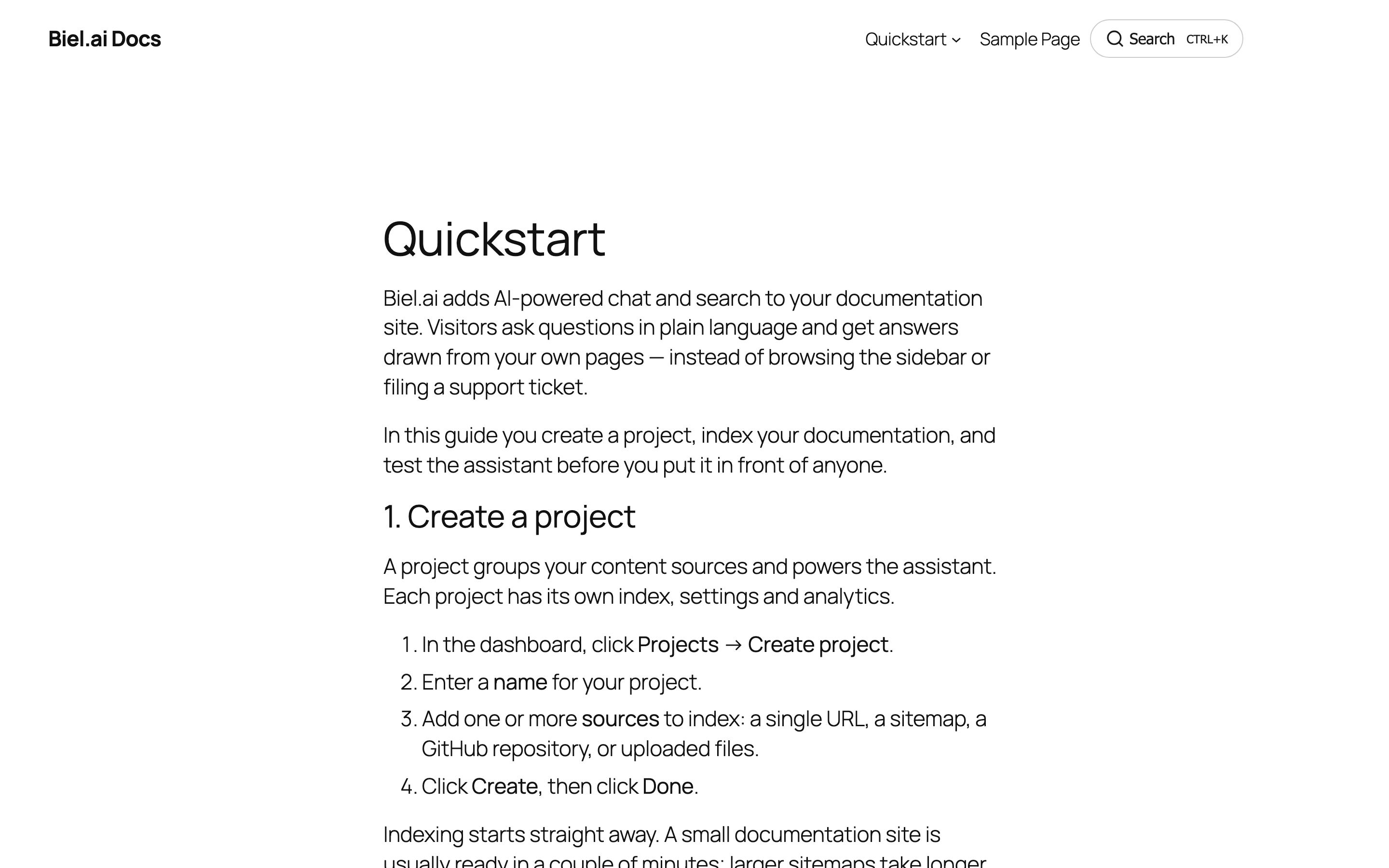
Works with documentation sites, blogs, knowledge bases, WooCommerce stores and membership sites. The search panel uses your own colors and font, so it matches your theme.
What you get
- Re-crawl whenever you want – Biel.ai re-crawls on your plan’s schedule, and a Recrawl now button in the settings picks up new content without waiting for it
- Replaces the search you already have – the theme’s search form and the search block both become AI search, with no template editing. One checkbox turns it off again
- Instant results as you type – live search results as visitors type, in a Ctrl+K panel over the page, instead of a round trip to a results page
- Ask AI when results don’t answer – a written answer built only from your own pages, with the sources listed
- Shortcode placement –
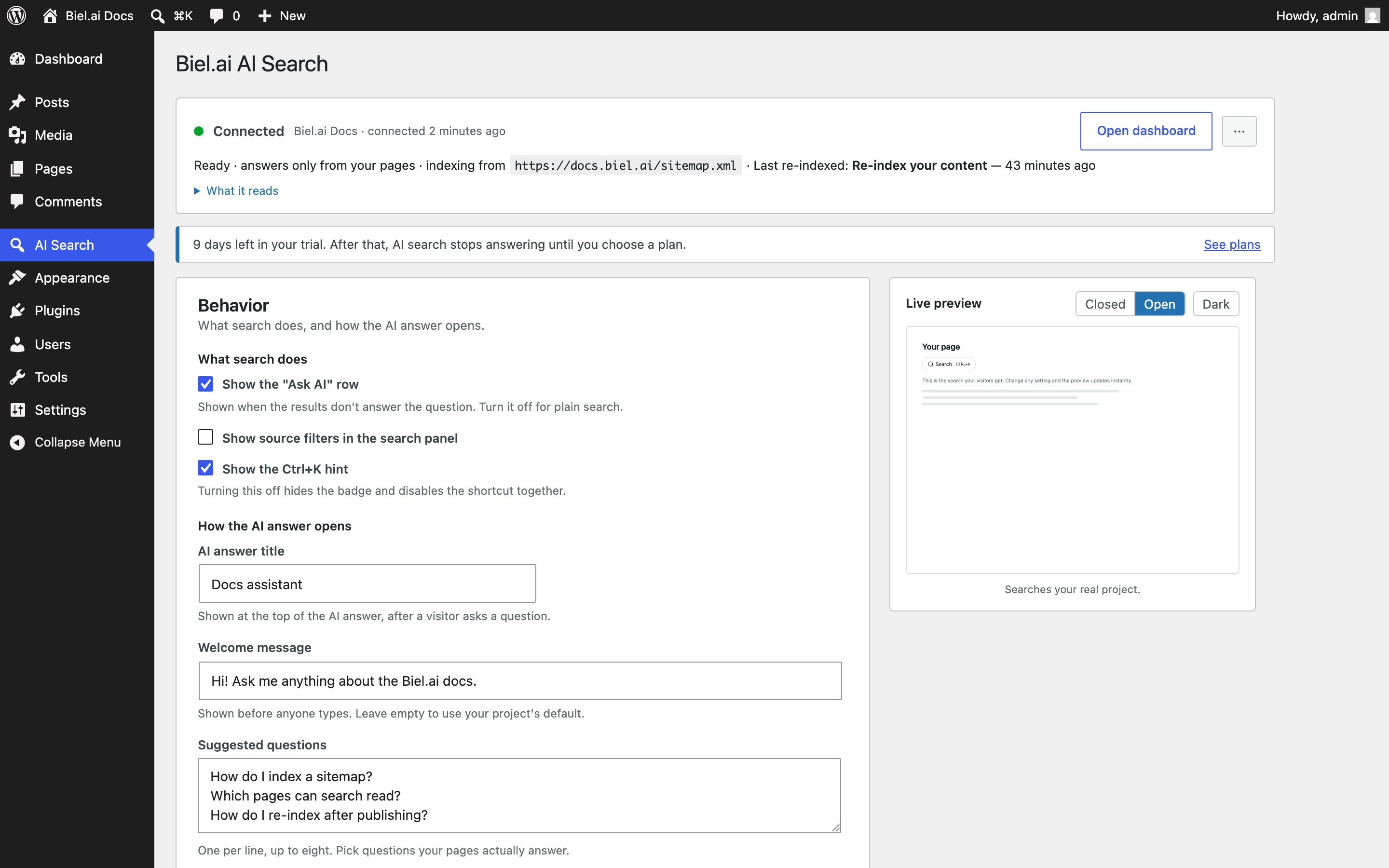
[biel_search]puts the search trigger anywhere: a page, a post, a widget area or a template - Customize everything – colors, font, button style, panel position, placeholders and every label, with a live preview that follows you down the page
- Show it only where it helps – include and exclude URL rules, so you can replace search in your docs and leave the shop alone
- Analytics in your dashboard – what people search for, what the AI answered, and the questions nothing on your site answers
Plans
Every site gets the same plugin. What you pay for is the service that indexes your content and answers questions.
- 14-day free trial – the full product, no credit card.
- When the trial ends – search pauses until you pick a paid plan, and resumes the moment you subscribe. There is no free tier.
- Paid plans differ in how many pages are indexed and how many questions are answered per month.
See the Biel.ai pricing page for current plans.
External services
This plugin is a connector for Biel.ai, a third-party service that indexes your site’s content and answers questions about it. A Biel.ai account is required. Visitors’ searches and questions, and the page they are made from, are sent to Biel.ai to produce results and answers. Your server connects to Biel.ai with an API key stored in your WordPress database.
By default the search panel uses your theme’s font and makes no other third-party requests. If you turn Use your theme font off, it loads the Inter font from Google Fonts in your visitors’ browsers, subject to the Google privacy policy.
The bundled search component is the biel-search npm package, MIT licensed. Its readable source ships with the plugin in assets/vendor/biel-search/collection/.
Screenshots
Installation
- Install and activate the plugin. Setup opens by itself.
- Pick what kind of site this is, so the AI answer is written the right way.
- Check What the AI reads: the sitemap address. It seeds the first crawl, so edit it if your sitemap lives somewhere else.
- Click Connect to Biel.ai and create an account (or log in). You are sent back to WordPress automatically. Already have a project? Use “I already have a project ID” instead.
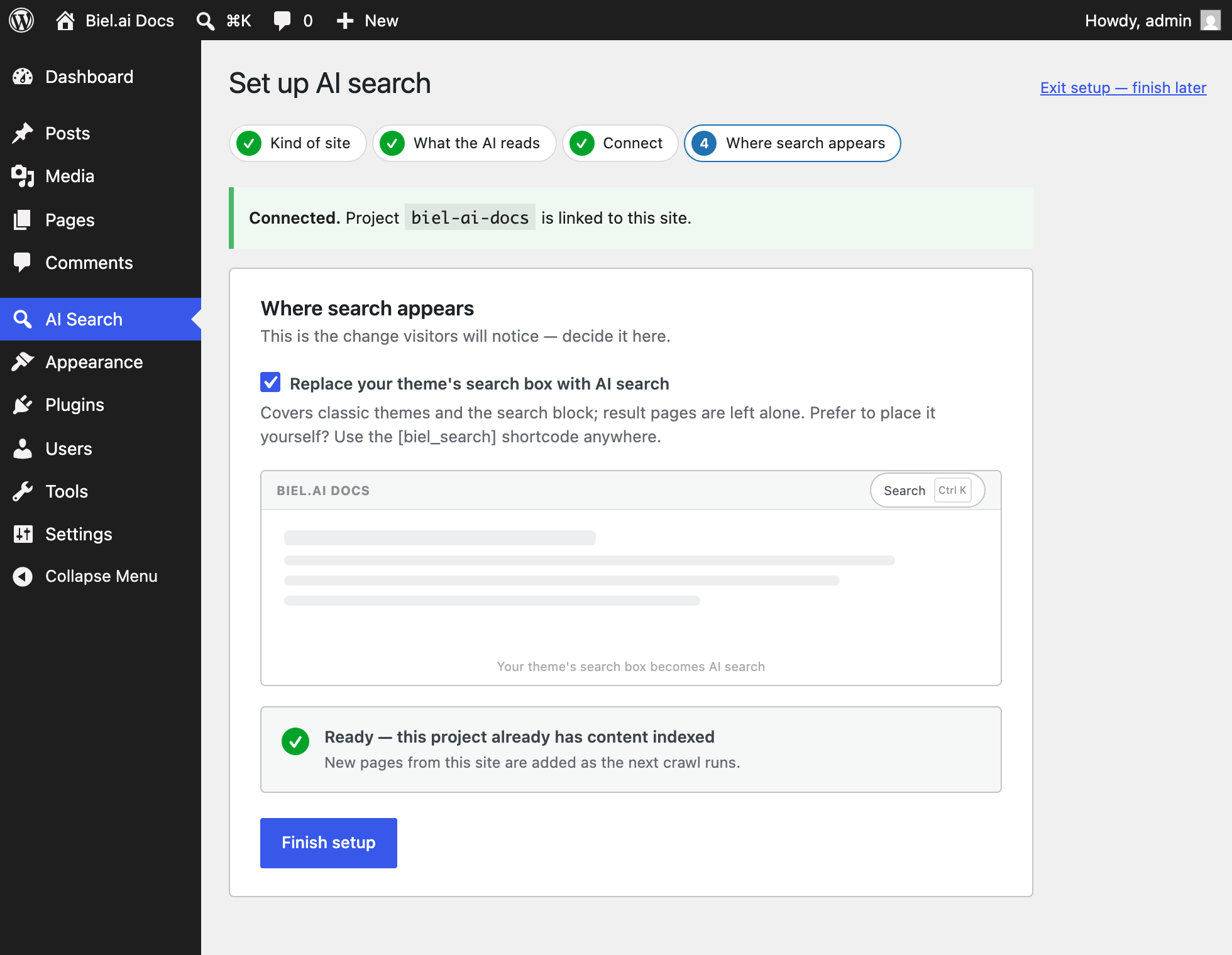
- Choose whether AI search replaces your theme’s search box, and you are done. Setup can be reopened at any time from Reconnect on the settings screen.
FAQ
-
How do I add AI search to WordPress?
-
Install the plugin and connect a Biel.ai project. The search form your theme already renders becomes AI search, so there is nothing to place and no template to edit. To put a second search trigger somewhere specific, use the
[biel_search]shortcode. -
Does it replace the WordPress search box automatically?
-
Yes, once you connect. It covers both ways a theme can produce a search form: classic themes that call
get_search_form()(including the search widget), and block themes that render a search block, including one inside a header template part.Search result pages are left alone. An old
?s=link, a bookmark or a search engine result still lands on your normal WordPress results page, so nothing that worked before stops working. -
Can I turn the replacement off?
-
Yes. Untick Use AI search wherever your theme shows a search form under Where it shows, and your theme’s own search comes straight back. Nothing about the theme was changed. You can also keep the replacement but limit it with URL rules, for example only on
/docs/. -
How is this different from a keyword or Ajax search plugin?
-
Keyword search plugins index your database and match words, and that is where this plugin starts too: results appear instantly as the visitor types. On top of that it does semantic search, matching meaning as well as words, so a visitor who types a question in their own words still finds the right page. And when no page answers it, Ask AI writes an answer from your own content instead of showing an empty results page. Your existing
?s=results page is left intact either way. -
Can I put the search box somewhere specific?
-
Yes.
[biel_search]works in any page, post or widget area. Any option can be overridden per instance, for example[biel_search button_text="Search the docs" modal_position="center"]. -
How does the AI answer questions?
-
Biel.ai indexes the pages listed in your sitemap and builds an answer from them when a visitor clicks Ask AI. It answers only from your site’s pages, never from general knowledge, and lists the pages it used so a reader can check it. When your pages do not cover a question, it says so rather than inventing an answer.
-
How does the search index stay up to date?
-
Biel.ai re-crawls your site on your plan’s schedule. You can also trigger a re-crawl any time from the plugin or your dashboard.
-
I am setting this up on localhost or a staging site. Will it index anything?
-
Not by itself. Biel.ai reads your pages by fetching them over the internet, so an install on
localhost, a.localor.testaddress, or a private network address is invisible to it. In What the AI reads, point the sitemap field at your live site’s sitemap and that is what gets crawled. Nothing about your WordPress address changes. If the live site is not published yet, skip the step and add sources in your Biel.ai dashboard when it is.Searching still works while you are developing – the queries go to the project, wherever it was crawled from.
-
Do visitors need an account?
-
No. Searching and asking questions need nothing from the visitor. The Biel.ai account is yours, and only the site owner ever signs in.
-
Is there a free plan?
-
No. There is a 14-day free trial of the full product with no credit card, and after that a paid plan is needed. When the trial ends, search on your site pauses until you pick one, and choosing a plan turns it back on.
-
I also want a chatbot on every page. Is that this plugin?
-
No, that is the separate Biel.ai Assistant plugin, which adds a floating Ask AI button and chat window. The two work together: install both, point them at the same project, and they share one index. This plugin covers search, and that one covers a chat assistant that is always on screen.
-
Does it work with page builders and block themes?
-
Yes. The replacement hooks the search form and the search block themselves, so it follows whatever the page builder or theme renders: block themes, classic themes, Elementor, Divi and Beaver Builder included. The shortcode works anywhere shortcodes do.
-
Can I change the colors and text?
-
Yes. The primary color, button style, panel position, search placeholder and every label in the panel are editable under Widget style, with a live preview beside them that updates as you type. By default the panel inherits your theme’s font.
-
Where is my content indexed, and what happens if I uninstall?
-
Your content is indexed in your Biel.ai project, not in the WordPress database. Uninstalling removes the plugin’s own options from WordPress and nothing else. The project and its index stay in your Biel.ai account until you delete them there.
-
Is it GDPR-friendly?
-
The plugin sends Biel.ai what a visitor typed into the search panel and the page they were on. It does not send names, email addresses or WordPress user accounts. By default no third-party fonts or scripts load in the visitor’s browser. See the Biel.ai privacy policy.
-
Can I use it without a Biel.ai account?
-
No. The plugin is a connector: the indexing and the answers happen on Biel.ai’s servers, which is work WordPress cannot do on its own.
Reviews
There are no reviews for this plugin.
Contributors & Developers
“Biel.ai Search – Instant AI Site Search That Answers From Your Website” is open source software. The following people have contributed to this plugin.
Contributors
Interested in development?
Browse the code, check out the SVN repository, or subscribe to the development log by RSS.
Changelog
1.0.0
- Initial release: a setup wizard that runs on activation, one-click connect with a paste-a-project-ID fallback, automatic replacement of the theme search form and the core search block, the
[biel_search]shortcode, URL include and exclude rules, full customization with a live preview, sitemap detection you can edit before connecting, and a Recrawl now button for picking up new content between scheduled crawls.