

Description
Automatic product sorting ranks category archives using observed net units
sold, catalog availability, and which products are new arrivals.
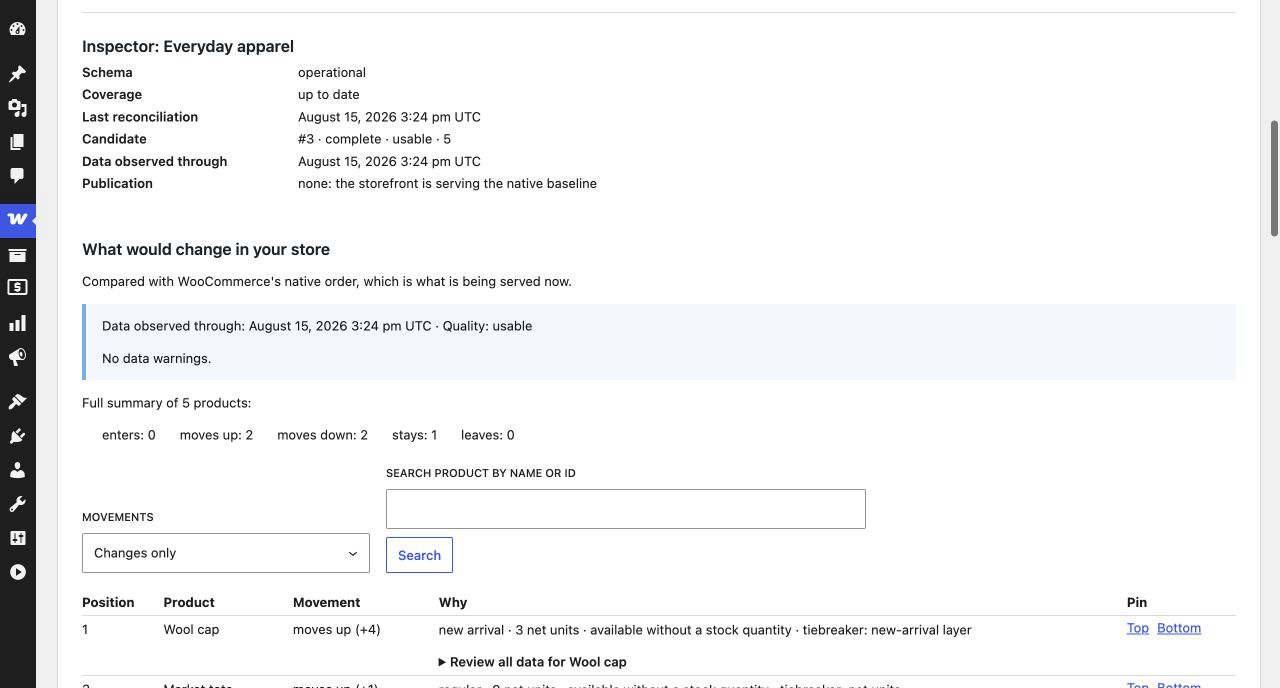
Before the first change, the plugin shows what would move. The first Apply for
a category approves the formula and policy and publishes the reviewed order.
Later candidates may publish automatically when only data changes under that
approval. A formula or policy change returns to Preview. Pause stops
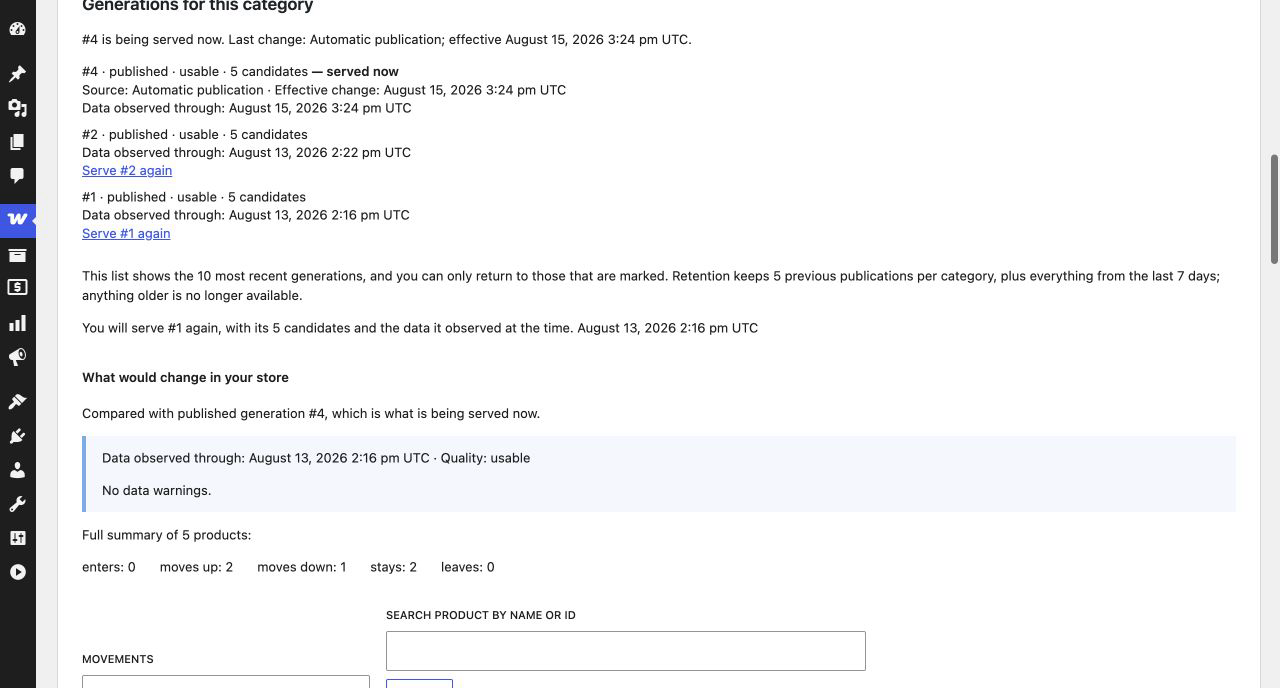
publications; Restore returns to the native order; Rollback serves a selected
earlier order until you publish again. The dashboard attributes and timestamps
each change.
What it measures exactly
- Observed net units over 30 days, adjusted for refunds with an
attributable quantity. It counts every order that WooCommerce exposes as
paid and in an eligible status and does not automatically exclude test
orders. Each run takes a complete U30 snapshot, and the population, coverage,
and cutoff are visible. - Catalog availability observed during the latest calculation. This is
what the catalog reported at that moment, not a checkout reservation or a
real-time promise. - New arrivals, with a window configurable per category.
What it does not do
- It does not promise to increase sales or improve conversion. It sorts by an
observed signal; what happens afterwards depends on your store. - There is no “smart score,” AI, per-visitor personalization, or random
exploration. - It does not know real-time stock or the units actually free at checkout.
- It does not collect impressions, clicks, or sessions.
Privacy
All calculations run on your server. The plugin sends no telemetry or store
data, depends on no external service, and makes no network request to sort
products. WordPress itself may still check WordPress.org for updates.
Where it sorts and where it does not
The plugin sorts only when it can identify one category unambiguously.
It serves the ranking in:
- The main category archive of a classic theme when WooCommerce uses its
default or manual order. - The Product Collection block in Default/inherit mode inside the category
template. - The Product Collection block in Custom+Manual mode when the category is
unambiguous and no other ordering criterion exists, including editor preview.
It keeps the native order for: an explicit order selected by the visitor,
search, the main shop archive, queries spanning several categories, the Store
API, external search engines, and custom SQL queries from other plugins.
Not claimed as supported: shortcodes, page builders, headless setups,
WPML/Polylang, and page or CDN caches. The dashboard is ready for translation
and supports RTL; multilingual catalog sorting has not been verified.
WordPress Multisite is not supported. The plugin detects it, explains the
limitation, and does nothing else: no tables, no scheduled work, and no
storefront intervention on any site in the network.
Development
Human-readable admin source is included in admin-ui/src/; WordPress runs the
compiled files in assets/admin/. With Node 20+ and npm 10+, rebuild them with
npm ci && npm run build:assets. package-lock.json pins the JavaScript
toolchain. composer install --no-dev --classmap-authoritative rebuilds a
functional PHP autoloader from composer.lock. The plugin already includes its
production assets and autoloader, so merchants do not run either build tool.
Screenshots
Installation
- Install and activate WooCommerce, which is a required dependency.
- Install and activate Atelier – Automatic Product Sorting for WooCommerce.
- Go to WooCommerce Product sorting and follow the guided first run.
Requirements: WordPress 6.9 or later, PHP 8.3 or later, WooCommerce 10.8 or later, MySQL or MariaDB with InnoDB, and a single-site installation.
Administrators and shop managers can view the dashboard. Publishing, restoring, or changing settings also requires permission to manage WooCommerce.
FAQ
-
Does activating it change anything in my store?
-
No. Activation prepares the plugin’s tables; the native order remains until
you publish. Calculation is read-only for WooCommerce orders and products. -
Do I have to confirm every update?
-
No. The first Apply approves the reviewed formula and policy. A complete
candidate caused only by later data changes may publish under that contract.Formula or policy changes return to Preview. Pause keeps the served order;
Restore reveals the native baseline; Rollback keeps a selected earlier order.
Status and history show what changed, how, and when. -
What does each category status mean, and what should I do?
-
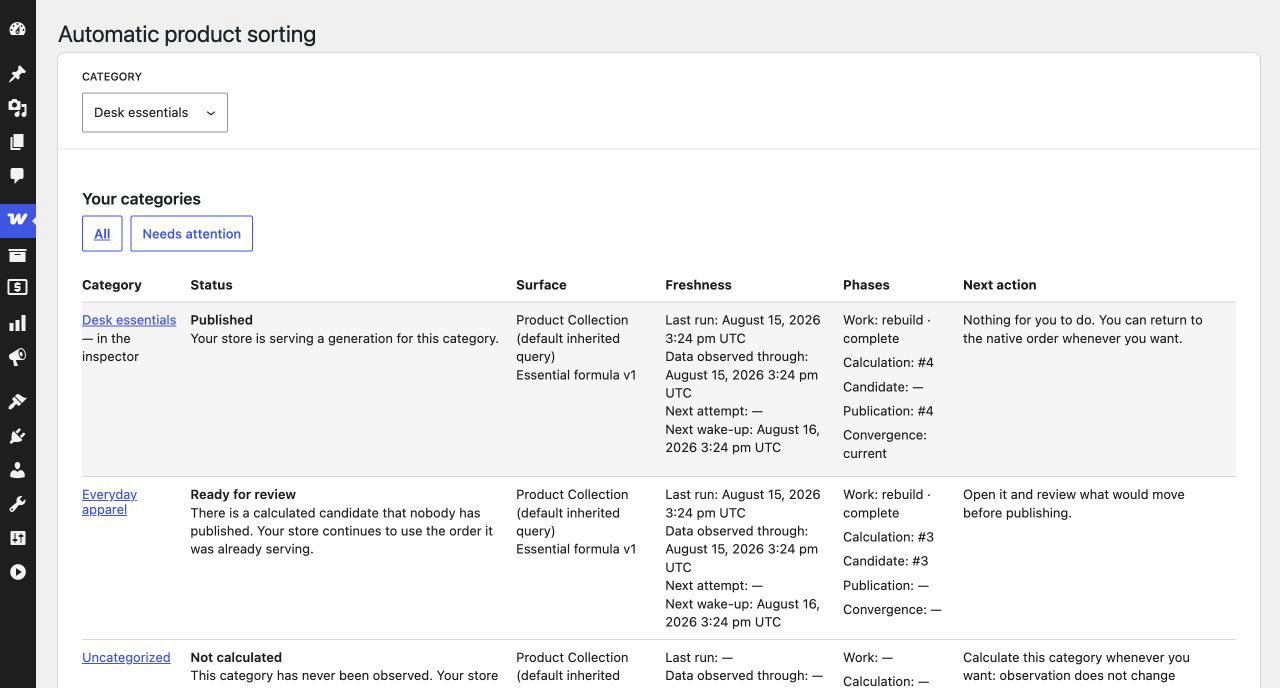
The dashboard explains every status and its next action. Not calculated,
Calculating, and Ready for review cover the first publication;
Published is serving an order; Outdated, Degraded coverage, and
Blocked require a new run or diagnostic review; Paused keeps the
current order; Restored serves WooCommerce’s native order. -
How do I go back if I do not like the order?
-
Restore immediately returns the category to WooCommerce’s native order. It
deletes nothing; history remains available.Rollback restores an earlier retained order after showing its diff. An order
containing a product that no longer exists is rejected rather than partially
published. It remains fixed until you publish again.If calculation is failing, Run now resumes blocked or outdated work instead.
-
What is stored, and for how long?
-
In its own tables, the plugin keeps calculated generations, positions,
explanations, pending work, and command log. Per category it retains the served
generation, latest candidate, and five previous published generations; other
generations are pruned after seven days. It neither modifies nor copies orders
or products and stores no per-order demand contribution.Diagnostics are calculated from live state and have no history in Free.
-
What happens with custom order statuses?
-
The plugin uses WooCommerce’s public APIs. Diagnostics report correctly
registered custom statuses as unclassified, with their observed order count.An incompletely registered status may be invisible, especially under HPOS.
The plugin cannot count or report orders WooCommerce does not return and does
not invent a zero; the dashboard and export declare this limitation.Fix that integration and recalculate. The plugin does not read internal order
tables as a workaround. -
What is removed on uninstall?
-
Its tables, options, caches, scheduled tasks, and capability. WooCommerce data
is not touched.Deactivation removes storefront ordering and scheduled work but keeps
configuration and history. Reactivation starts in native order until another
review and publication. -
What information can I send to support?
-
The downloadable JSON diagnostic contains allowlisted versions, statuses,
counts, and category identifiers—not secrets, personal data, order content,
category names, or store URL.It is generated only on request and never sent automatically.
-
How do I get help?
-
Email support@pluginsatelier.com and attach the exportable diagnostic.
The WordPress.org forum is not a promised support channel. Email is.
Phone, chat, store access, consulting, and custom development are outside Free.
Reviews
There are no reviews for this plugin.
Contributors & Developers
“Atelier – Automatic Product Sorting for WooCommerce” is open source software. The following people have contributed to this plugin.
Contributors
Translate “Atelier – Automatic Product Sorting for WooCommerce” into your language.
Interested in development?
Browse the code, check out the SVN repository, or subscribe to the development log by RSS.
Changelog
1.0.0
- First release.