

Description
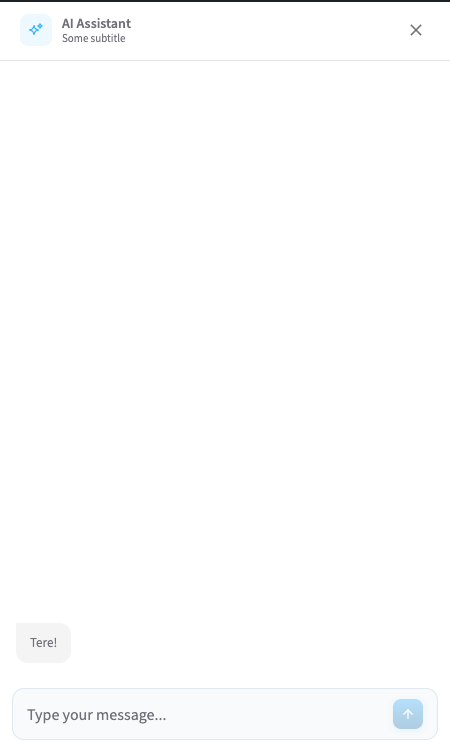
Appinio Chat adds a customizable AI assistant widget (<app-in-chat> web component) to every page of your WordPress site. The widget answers visitor questions, recommends products, and can be fully themed to match your brand.
The plugin is a thin integration layer: all AI, indexing, and chat logic runs on the Appinio cloud service. You need an Appinio account and a Web Channel ID to use it.
Features
- Floating chat widget — light or dark theme, bottom-left or bottom-right position.
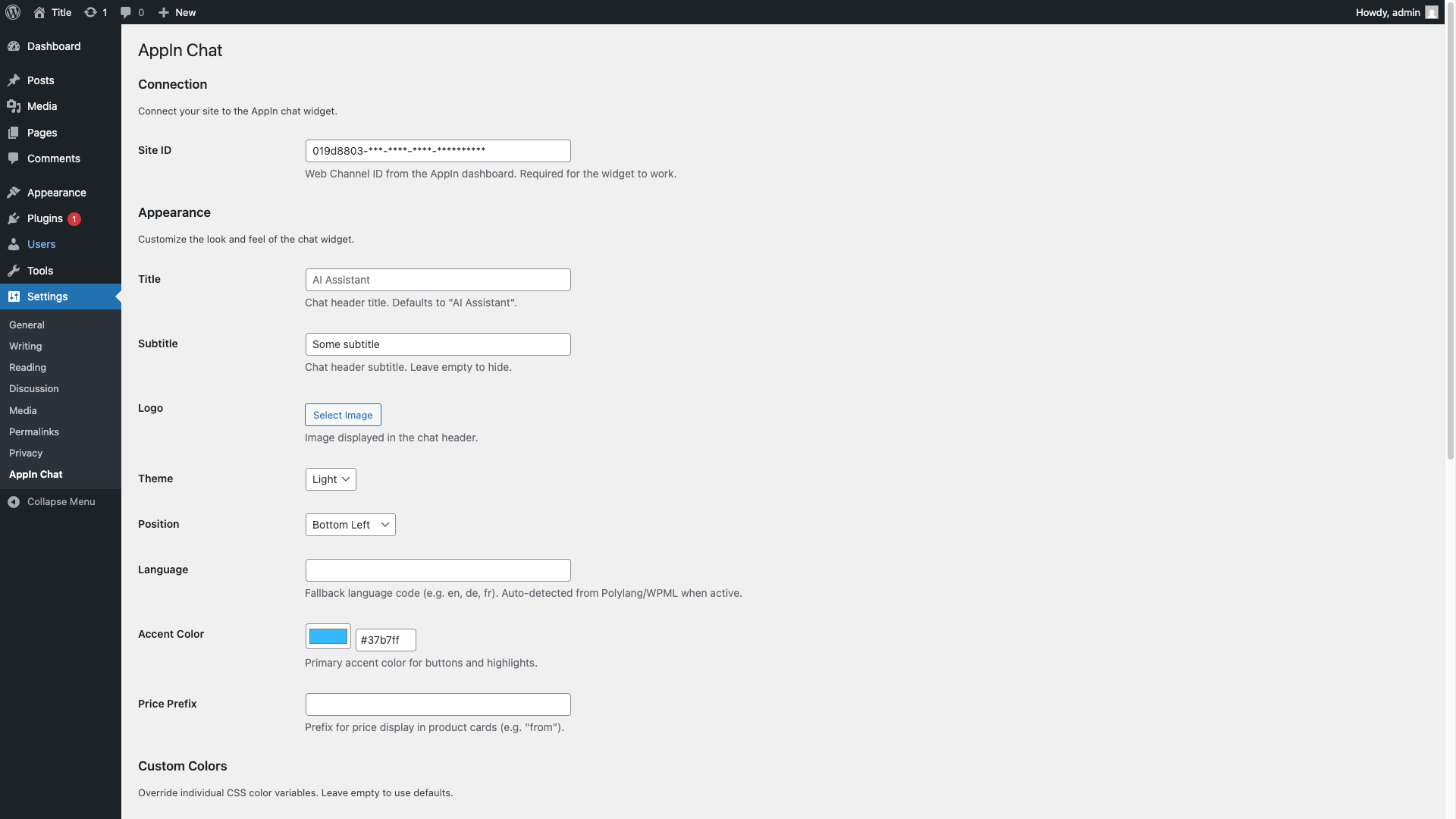
- Full visual customization — title, subtitle, logo, accent color, and 8 CSS color variables + body/heading fonts.
- Multilingual — auto-detects language via Polylang, WPML, or the WordPress locale.
- Translatable strings (title, subtitle, price prefix) via Polylang String Translation or WPML.
- Loads as a deferred ES module from the Appinio CDN — zero performance impact on your site.
Requirements
- WordPress 6.3+
- PHP 8.1+
- An active Appinio account — sign up at app-in.io.
External services
This plugin relies on the Appinio cloud service to provide the AI chat functionality. It is not self-hosted.
What is sent and when:
- On every front-end page load, the plugin outputs a
<script>tag that loads the Appinio chat widget JavaScript fromhttps://cdn.app-in.io/v1/chat.js. The visitor’s browser fetches this file directly from Appinio’s CDN. Appinio receives standard HTTP request metadata (IP address, user agent, referrer). - When a visitor opens the chat and sends a message, the widget sends the message text, the configured Web Channel ID (Site ID), and the session identifier to Appinio’s API (
https://api.app-in.io). Appinio processes the message with an LLM and returns a response. - No data is sent to Appinio from the WordPress admin — configuration is stored locally in the site’s options table.
Terms and privacy:
- Terms of Service: https://app-in.io/terms
- Privacy Policy: https://app-in.io/privacy
Using this plugin means the chat widget script runs in visitors’ browsers and end-user chat messages are transmitted to Appinio. Please update your own site’s privacy notice accordingly.
Support
- Bug reports and feature requests: github.com/app-in-io/appin-chat/issues
Screenshots
Installation
- Upload the plugin zip via Plugins Add New Upload Plugin, or install from the WordPress.org plugin directory.
- Activate the plugin.
- Go to Settings Appinio Chat.
- Enter your Appinio Web Channel ID (Site ID) and save.
- Optionally customize title, subtitle, logo, theme, position, colors, and fonts.
- Optionally enable Auto-open under Behavior to have the chat open by itself a few seconds after the page loads.
The widget appears on the front end as soon as a Site ID is set.
FAQ
-
Do I need an Appinio account?
-
Yes. The plugin is a front-end integration for the Appinio cloud service. Get a free Web Channel ID at app-in.io.
-
Does this work without WooCommerce?
-
Yes. Appinio Chat has no WooCommerce dependency.
-
Can I translate the chat title and subtitle?
-
Yes. With Polylang, the plugin auto-registers
appinio_chat_title,appinio_chat_subtitle, andappinio_chat_price_prefixviapll_register_string()— translate them in Languages String Translations. With WPML, the same strings are registered viawpml-config.xml— translate them in WPML String Translation. -
How is the widget language chosen?
-
In this order: Polylang current language WPML current language manual setting in Settings Appinio Chat the WordPress site locale (first two characters, e.g.
de_DEde). -
Can I change the colors?
-
Yes. The Custom Colors section in Settings Appinio Chat lets you override 8 CSS custom properties (primary, surface, text, border, message backgrounds, etc.) and the body/heading fonts.
-
Where is the widget rendered?
-
In the site footer (
wp_footerhook), as an<app-in-chat>web component. The widget script is loaded as a deferred ES module from the Appinio CDN. -
Can the chat open automatically?
-
Yes. Under Behavior in Settings Appinio Chat, set Auto-open to “Once per session” (opens only the first time per visit) or “Every page load”, and set the delay in seconds. It is off (“Never”) by default. If the visitor opens or closes the chat before the delay elapses, the automatic open is cancelled.
Reviews
There are no reviews for this plugin.
Contributors & Developers
“Appinio Chat” is open source software. The following people have contributed to this plugin.
Contributors
“Appinio Chat” has been translated into 1 locale. Thank you to the translators for their contributions.
Translate “Appinio Chat” into your language.
Interested in development?
Browse the code, check out the SVN repository, or subscribe to the development log by RSS.
Changelog
1.4.0
- The plugin is now called Appinio Chat. The name, the settings page address and the download link all move from “appin-chat” to “appinio-chat”, as required by the WordPress.org plugin directory’s rule that a plugin use one distinct prefix throughout. Your settings, the chat widget and its behavior are unchanged. Bookmarks to the old settings page address stop working — reach it at Settings Appinio Chat.
- Upgrading from 1.2.1 or older? Your Site ID and colours are not carried over and must be entered once more. Upgrading from 1.3.0 keeps everything.
- Translations (English, German, Estonian, Dutch, Ukrainian) continue to work.
1.3.0
- Internal rename required by the WordPress.org plugin directory: every setting the plugin stores is now named
appinio_chat_*instead ofappin_chat_*. Your settings are migrated automatically on upgrade — nothing to re-enter. - WPML only: the chat title, subtitle, and price prefix are registered as admin texts under their new names, so their existing translations do not carry over — re-translate them once in WPML String Translation. Polylang translations are unaffected.
- Uninstalling the plugin now removes every setting it created, including the two auto-open settings, which were previously left behind. On a multisite network, settings are now removed from every site.
1.2.1
- Maintenance: smaller plugin package — internal development files are no longer bundled.
1.2.0
- Updated the plugin author and WordPress.org contributor to appinio.
- Synced this changelog with all released versions.
1.1.4
- Maintenance: hardened the release notification tooling.
1.1.3
- Removed the duplicate Author URI from the plugin header (WordPress.org directory requirement).
1.1.2
- Confirmed compatibility with WordPress 7.0 (“Tested up to” bumped).
1.1.1
- Maintenance: new plugin zip distribution channel; WordPress.org deploy paused until directory approval.
1.1.0
- Added Auto-open: optionally open the chat window a few seconds after the page loads — never (default), once per session, or on every page load — configurable in a new Behavior section. Translations updated (de, et, nl, uk).
1.0.0
- Initial release.
- Settings page with Connection, Appearance, and Custom Colors sections.
- Front-end widget rendering via
<app-in-chat>web component. - CDN-loaded chat widget as a deferred ES module.
- Multilingual support: Polylang, WPML, and WordPress locale fallback.
- CSS custom properties for full color and font theming.