

Description
Answyr is AI-powered customer support for WordPress, end to end — from
self-serve AI chat that deflects common questions to AI-assisted replies that help
your agents respond faster. It all runs on one shared AI core, grounded in a
knowledge base you own and control.
- AI Chat — a front-end deflection widget that answers visitors from your knowledge base (with source links) and escalates into a ticket when a human is needed.
- Knowledge Base — a built-in, customizable knowledge base that grounds every AI answer. Keep it internal for the AI and your agents, or publish it for customers with a shortcode.
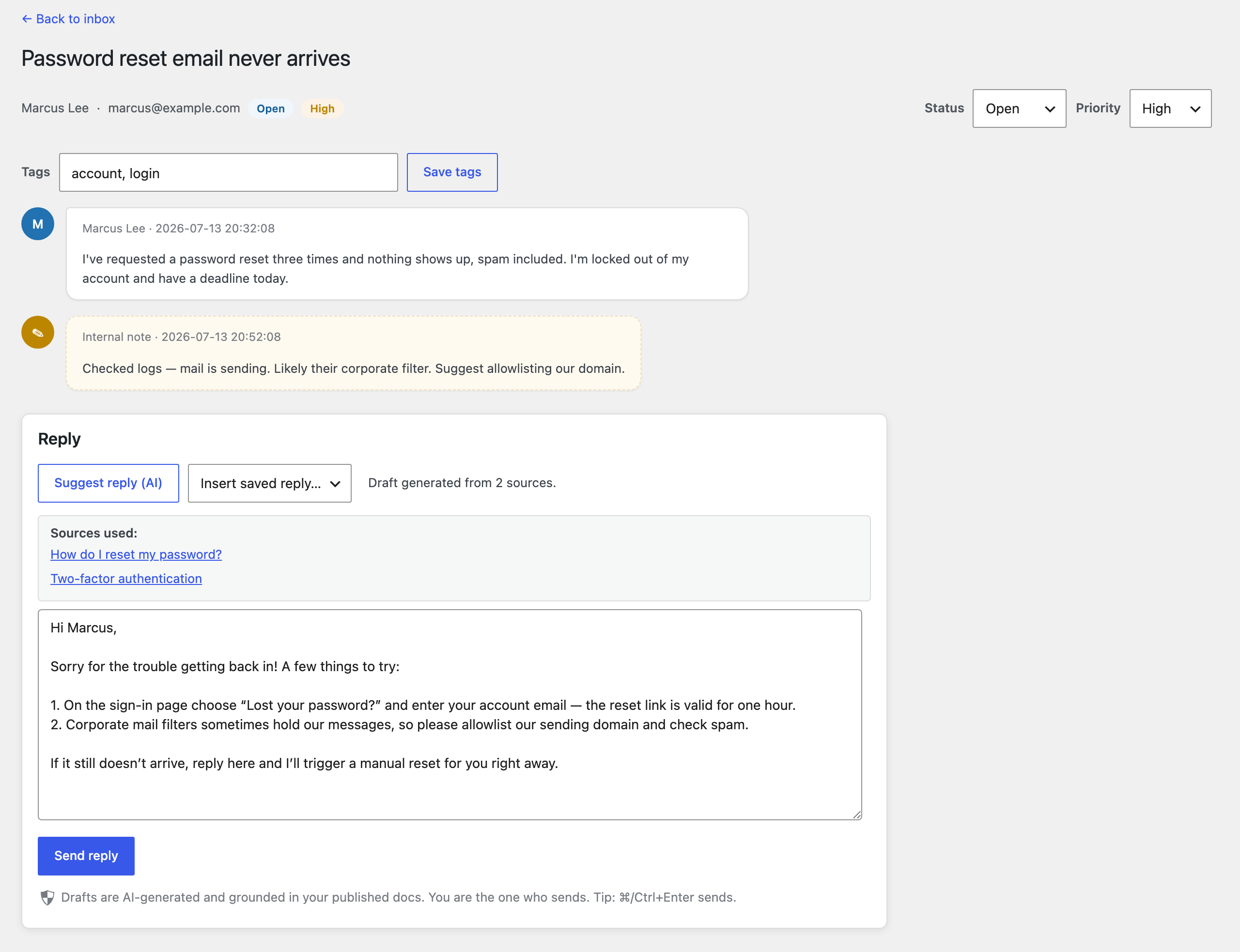
- AI-assisted agent replies — an AI ticket inbox (Desk) that drafts replies grounded in your knowledge base, with a full ticket lifecycle and a customer portal.
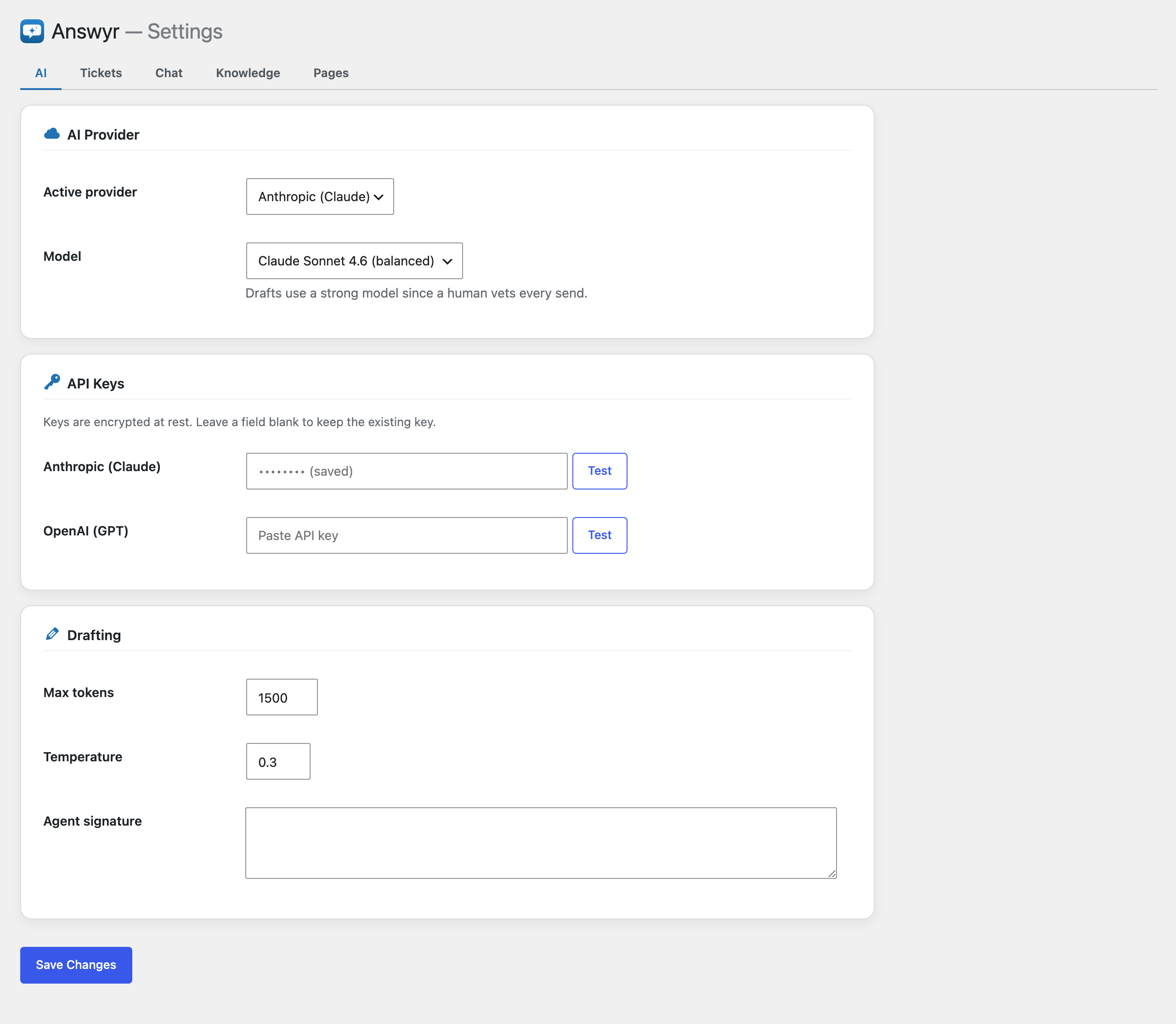
Bring your own AI provider key (Anthropic or OpenAI). Keys are encrypted at rest.
Features
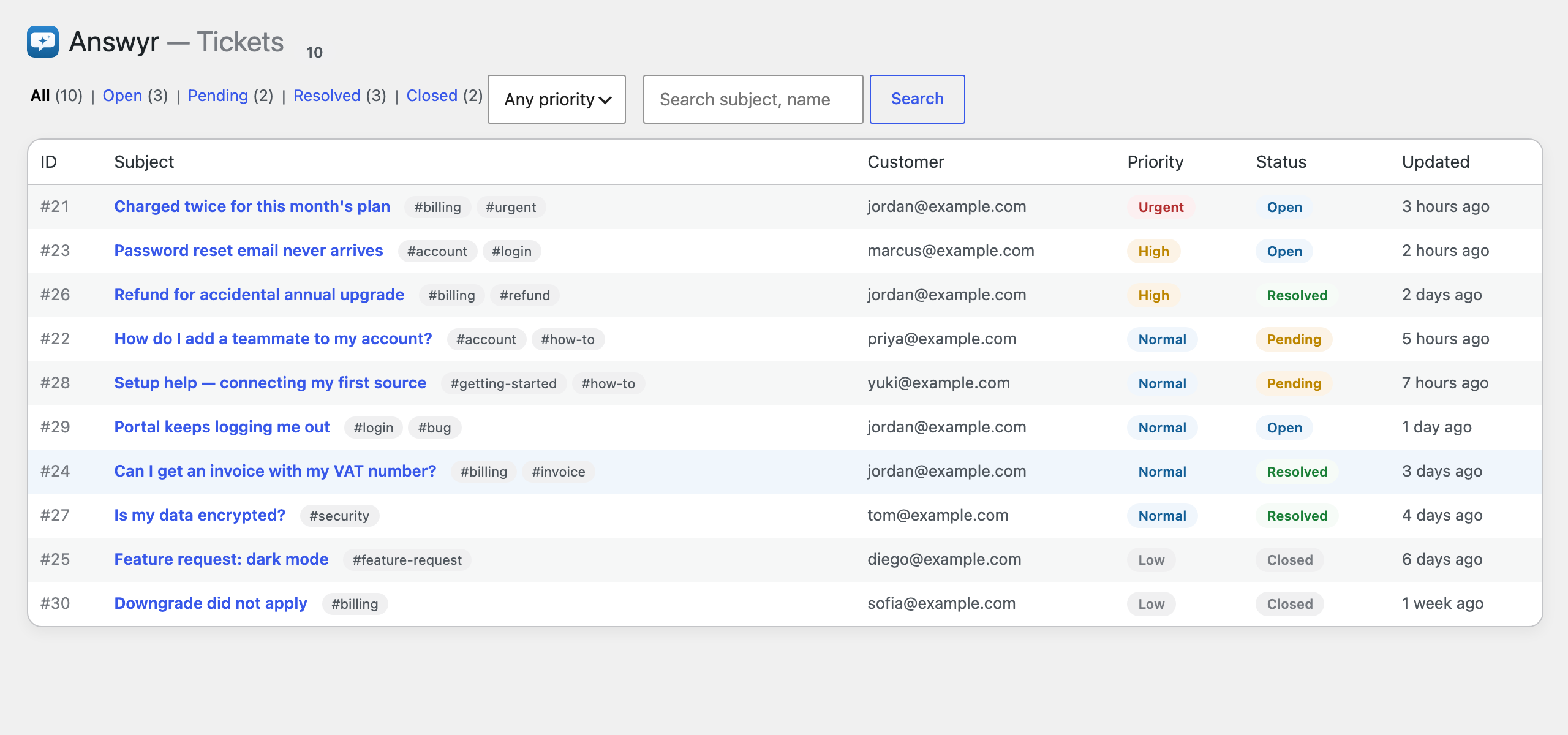
- Ticket lifecycle — open pending resolved closed. Agent replies auto-set pending; customer replies reopen; customers can resolve or reopen from the portal.
- Triage — priority (low/normal/high/urgent), free-form tags, status/priority/tag filters, keyword search, pagination. The inbox is ordered urgent-first.
- Productivity — AI draft-and-vet, saved (canned) replies, internal team-only notes, ⌘/Ctrl+Enter to send.
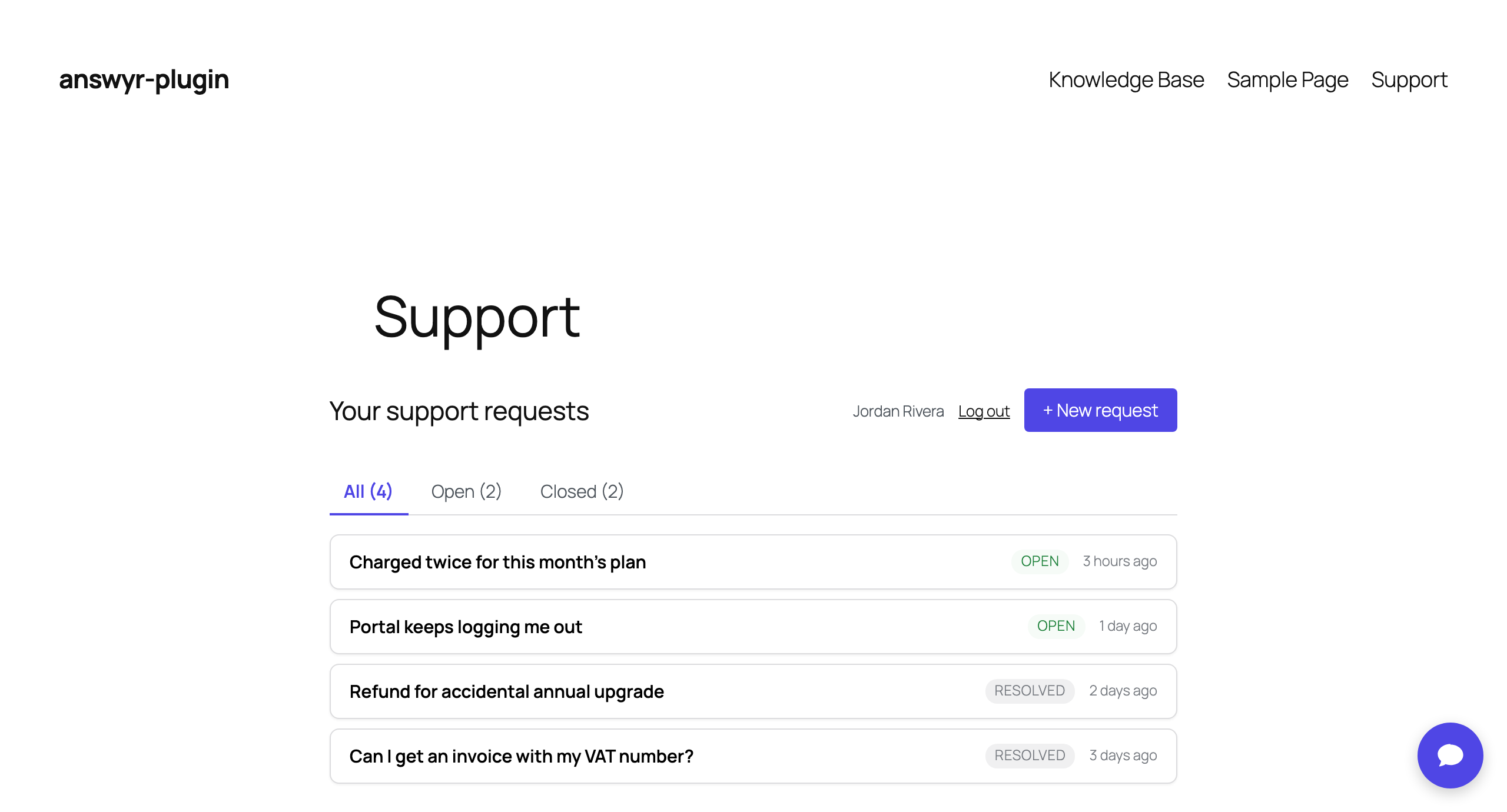
- Customer portal — inline sign-in, create/see/reply to tickets, Open/Closed filter, 👍/👎 satisfaction (CSAT) on resolved tickets.
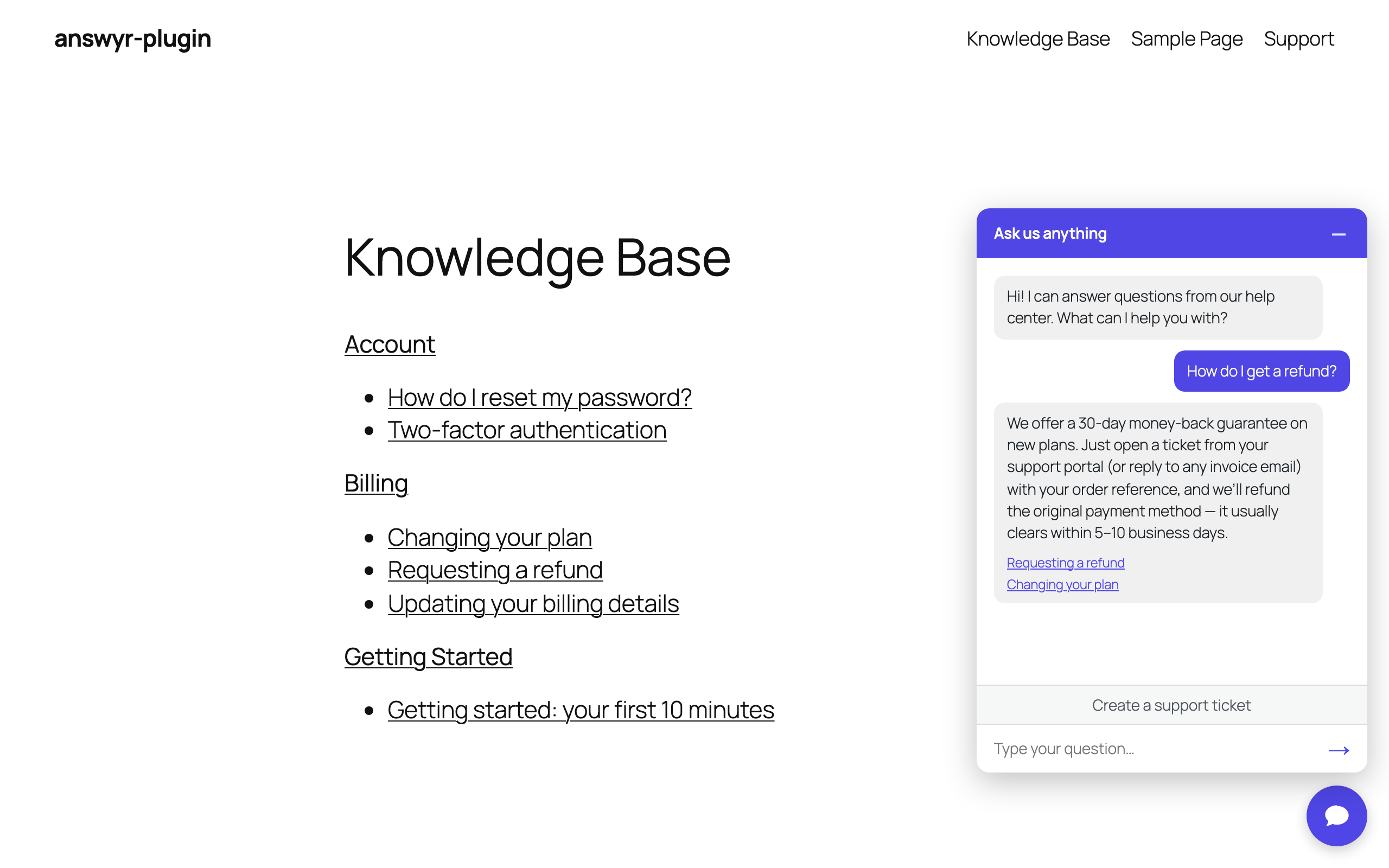
- Chat deflection widget — answers from your knowledge base with source links, and escalates to a ticket (with transcript) when needed. Customizable title, welcome copy, placeholder, accent color, and display mode (sitewide or shortcode).
- Brand theming — an accent color themes the chat widget and the customer portal; admin screens stay native.
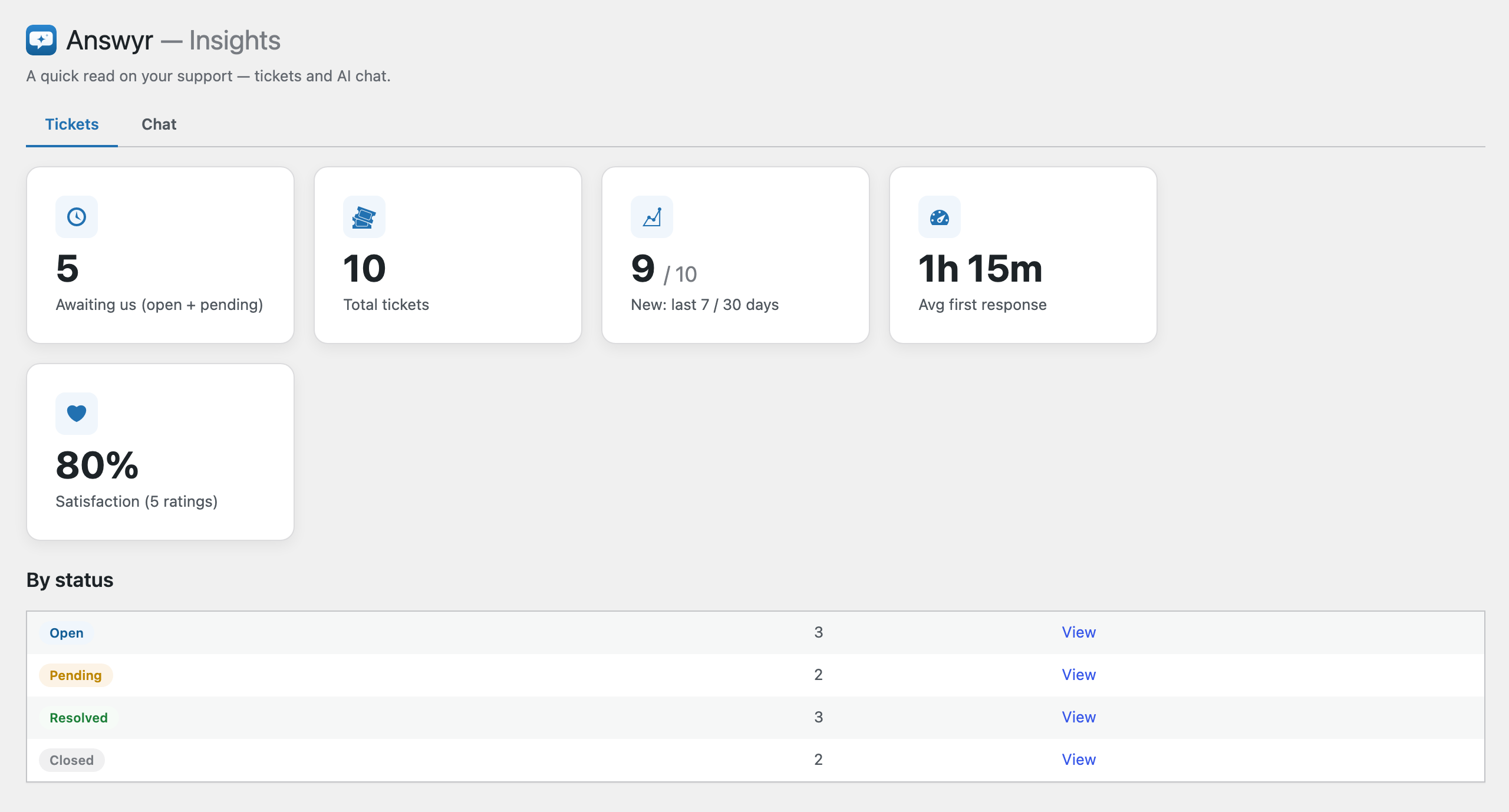
- Insights — read-only metrics: volume, new tickets (7/30 days), average first-response time, satisfaction, and a by-status breakdown.
- Customizable knowledge base — a native knowledge base grounds every AI draft and chat answer; internal by default, publishable to customers. You can also point the AI at existing content (any post types you choose).
AI providers
Anthropic and OpenAI ship built-in. You configure your own API key per provider
and choose the active provider/model in settings. The architecture is
multi-provider by design, so additional providers can be registered.
External services
Answyr sends data to a third-party AI provider only when you have
enabled an AI feature (draft-and-vet or the Chat widget) and configured that
provider’s API key. It is “bring your own key” — no AI calls are made until you
add a key, and only the provider you select as active is contacted.
What is sent, and when:
- When an agent requests an AI draft, or a visitor asks the Chat widget a question, the plugin sends the relevant ticket/conversation text and excerpts of your own published content used for grounding to the active AI provider, and receives a generated reply.
Which service: the provider you configure as active —
- Anthropic (Claude) — used when Anthropic is the active provider. Requests go to api.anthropic.com.
Terms: https://www.anthropic.com/legal/commercial-terms
Privacy policy: https://www.anthropic.com/legal/privacy - OpenAI — used when OpenAI is the active provider. Requests go to api.openai.com.
Terms: https://openai.com/policies/terms-of-use
Privacy policy: https://openai.com/policies/privacy-policy
No data is sent to these services unless you enable an AI feature and provide a key.
Screenshots
Installation
- Upload the
answyrfolder to/wp-content/plugins/, or install via the Plugins screen. - Activate the plugin. This creates the ticket tables and seeds defaults.
- Go to Answyr Settings, choose an AI provider, and paste your API key.
- Enable the surfaces you want (Desk is on by default; Chat is off until configured).
- Add the
[answyr_portal]shortcode to a page for the customer portal, and[answyr_chat]if you use shortcode display for the chat widget.
Requires WordPress 6.0+ and PHP 8.0+.
FAQ
-
Does the AI send replies automatically?
-
No. Every AI-generated reply is a draft that a human reviews and sends. Nothing is sent to a customer automatically.
-
Do I need an AI provider account?
-
Yes — Answyr is bring-your-own-key. You add your own Anthropic or OpenAI API key. No AI calls are made until a key is configured.
-
Where are my API keys stored?
-
Keys are stored per-provider and encrypted at rest in your site’s database.
-
What data leaves my site?
-
Only when you use an AI feature: the ticket/conversation text and excerpts of your own published content used for grounding are sent to your chosen AI provider. See the “External services” section above.
-
Will uninstalling remove my data?
-
Deleting the plugin removes its tables, settings, and stored keys. Your authored knowledge-base posts are left intact.
Reviews
There are no reviews for this plugin.
Contributors & Developers
“Answyr” is open source software. The following people have contributed to this plugin.
Contributors
Translate “Answyr” into your language.
Interested in development?
Browse the code, check out the SVN repository, or subscribe to the development log by RSS.
Changelog
1.0.0
Initial public release.
- AI Chat — a front-end deflection widget that answers visitors from your knowledge base with source links, and escalates into a ticket (with transcript) when a human is needed. Customizable title, welcome copy, placeholder, accent color, and display mode.
- Knowledge Base — a native, customizable knowledge base that grounds every AI answer. Internal by default; publish it for customers with the
[answyr_kb]shortcode. You can also ground the AI on existing content (post types you choose). - Desk — an AI ticket inbox with AI draft-and-vet replies, a full lifecycle (open pending resolved closed), triage (priority, tags, filters, keyword search), saved replies, internal notes, and an Insights dashboard.
- Customer portal — inline sign-in; create, view, and reply to tickets; Open/Closed filter; 👍/👎 satisfaction on resolved tickets. Themed by your accent color.
- Bring your own AI provider key — Anthropic or OpenAI, encrypted at rest. No AI calls are made until you add a key.