

Description
By default, WooCommerce shows one card per product on your shop page, no matter how many color/size/material variations it has. Customers have to click in and use a dropdown to see if their preferred color is even available.
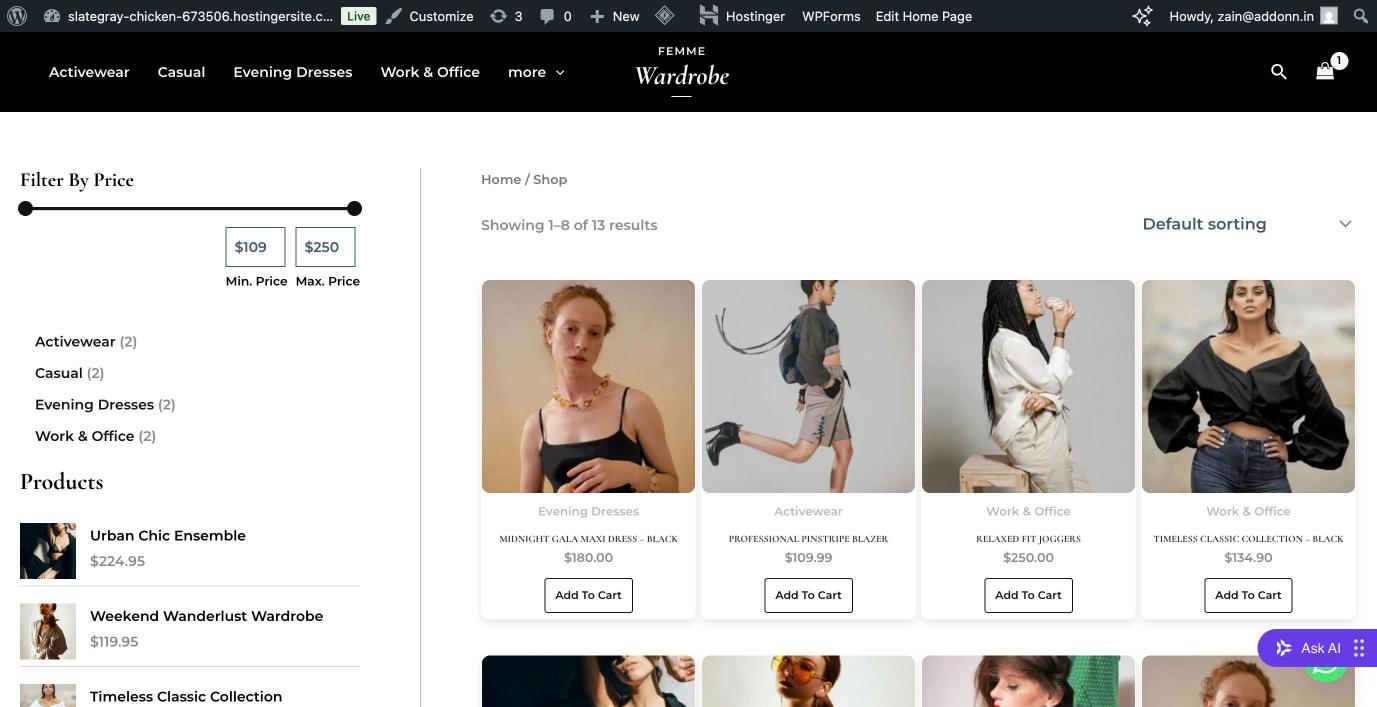
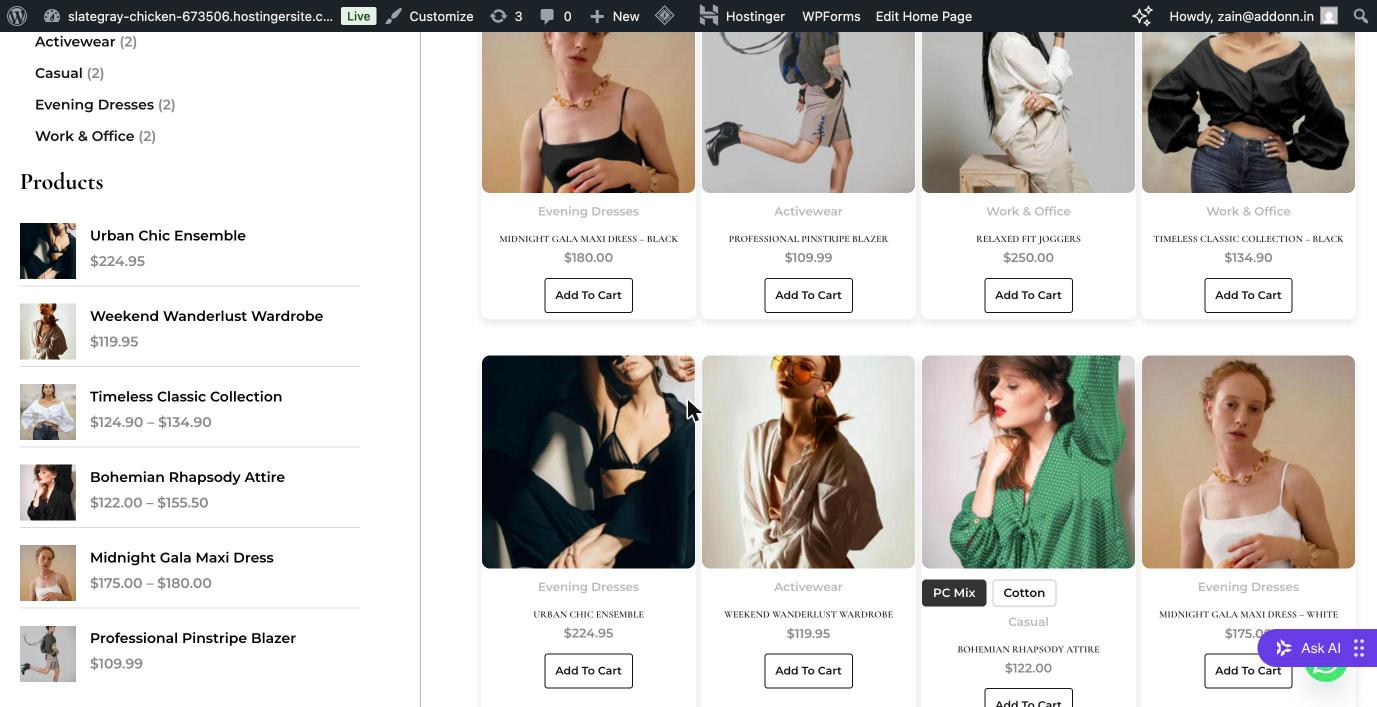
Addonn Variant Grid changes this: it shows one card per variation group (e.g. per color) directly on the shop and category pages — with the correct image, price, and stock for that specific color. Any other attributes (size, material, etc.) become simple buttons right inside the card, so customers can pick their exact variant without leaving the grid.
How it works
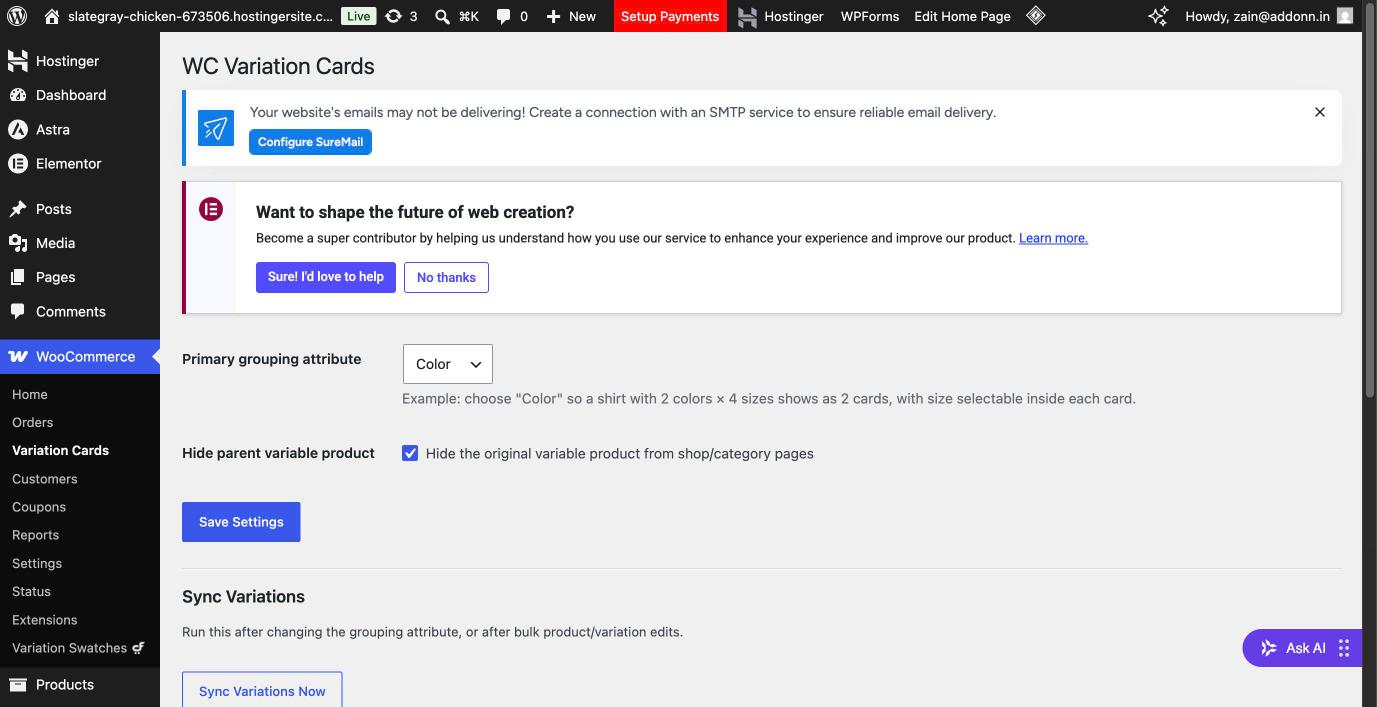
- Choose a primary attribute to group by (usually Color).
- A product with 2 colors × 4 sizes shows as 2 cards, not 8 — one per color.
- Size, material, or any other attribute becomes a button selector inside each card.
- Price, stock, and the Add to Cart target update live as the customer clicks between options — no page reload.
- Out-of-stock combinations are automatically disabled.
Features
- Group by any product attribute (Color, Material, Style, etc.)
- Supports multiple secondary attributes per card (Size and Material, for example)
- Live price and stock updates on selection
- Automatic sync when a product is saved, plus a manual “Sync Now” button for bulk changes
- Works with WooCommerce’s High-Performance Order Storage (HPOS) and Cart/Checkout blocks
- Lightweight — no external API calls, no tracking
Who this is for
Any WooCommerce store using color/size/material variations — especially fashion, apparel, and accessories stores where customers shop by color first.
Screenshots
Installation
- Upload the plugin files to
/wp-content/plugins/addonn-variant-grid, or install directly through the WordPress plugins screen. - Activate the plugin through the ‘Plugins’ screen in WordPress.
- Go to WooCommerce Variant Grid and choose your primary grouping attribute (e.g. Color).
- Click Sync Variations Now to apply it to your existing products.
- Visit your shop page — variations now appear as individual cards.
FAQ
-
Does this create duplicate products?
-
No. It doesn’t change your product data at all — it only changes how variations are displayed on shop/category archive pages.
-
What happens to the original variable product listing?
-
You can choose to hide the original parent product from the shop page (recommended, to avoid a duplicate listing) via the plugin settings — the toggle is on by default.
-
Why don’t I see a Size selector on some of my product cards?
-
This means that specific variation’s Size attribute is set to “Any Size” in WooCommerce rather than a specific size — i.e. that product doesn’t actually have separate size-specific variations yet. Add proper size-specific variations via Generate Variations in the product’s Variations tab, then run Sync again.
-
Does this work with my theme?
-
It’s built on WooCommerce’s standard hooks and should work with most themes. If your theme has a heavily custom product-card template, some visual polish may be needed — please open a support thread if you run into issues.
-
Does this affect performance?
-
No extra database queries are added to the main shop loop beyond what WooCommerce already runs. Syncing (which computes the groupings) happens once per product save, not on every page load.
Reviews
There are no reviews for this plugin.
Contributors & Developers
“Addonn Variant Grid for WooCommerce” is open source software. The following people have contributed to this plugin.
Contributors
Translate “Addonn Variant Grid for WooCommerce” into your language.
Interested in development?
Browse the code, check out the SVN repository, or subscribe to the development log by RSS.
Changelog
0.2.7
- Fixed remaining scanner ignore-comment placement (covers both the isset check and the value read).
0.2.6
- Fixed button text being invisible on themes that set a global button text color, by explicitly setting text color instead of relying on inheritance.
0.2.5
- Fixed placement of security scanner ignore-comments so they correctly cover the exact lines they justify.
0.2.4
- Added nonce verification and stricter input sanitization to the AJAX add-to-cart endpoint.
0.2.3
- Sanitized filtered output before rendering (KSES) so extension hooks cannot introduce unsafe markup.
0.2.2
- Renamed plugin (was “WC Variation Cards”) and applied unique prefixes to all functions, classes, options, and hooks per WordPress.org guidelines.
0.2.1
- Improved compatibility with themes that render more than one Add to Cart control per product card.
0.2.0
- Added support for multiple secondary attributes per card (e.g. Size and Material together).
- Added WooCommerce HPOS / Cart-Checkout-Blocks compatibility declaration.
- Improved compatibility with themes that use different WooCommerce loop hooks.
0.1.0
- Initial release: color-grouped cards, single secondary attribute selector, manual + automatic sync.