

Description
Ad Click Tracking for Gravity Forms records which ad click brought each lead to your site, so you can connect Gravity Forms entries back to your paid campaigns. When a visitor arrives from a paid ad, the plugin captures the click identifier and stores it for 30 days in a first-party cookie. The next time that visitor submits one of your forms, the captured values are saved with the entry.
It detects the major ad networks automatically:
- Google Ads —
gclid,gbraid,wbraid, plus thegad_sourceandgad_campaignidmarkers Google adds to every ad click (and Google Ads landing-page referrers) - Microsoft Advertising —
msclkid - Meta (Facebook/Instagram) Ads —
fbclid, once the visit is also marked as paid
Campaigns tagged by hand are recognised too: a paid utm_medium such as cpc, ppc or paid, alongside a utm_source naming Google, Bing/Microsoft or Facebook/Instagram. That matters because gclid and msclkid only exist when auto-tagging is switched on.
A visit that cannot be shown to come from a paid ad is recorded as Unknown rather than credited to a network. Facebook adds fbclid to organic links as well as ads, so it never counts as paid on its own.
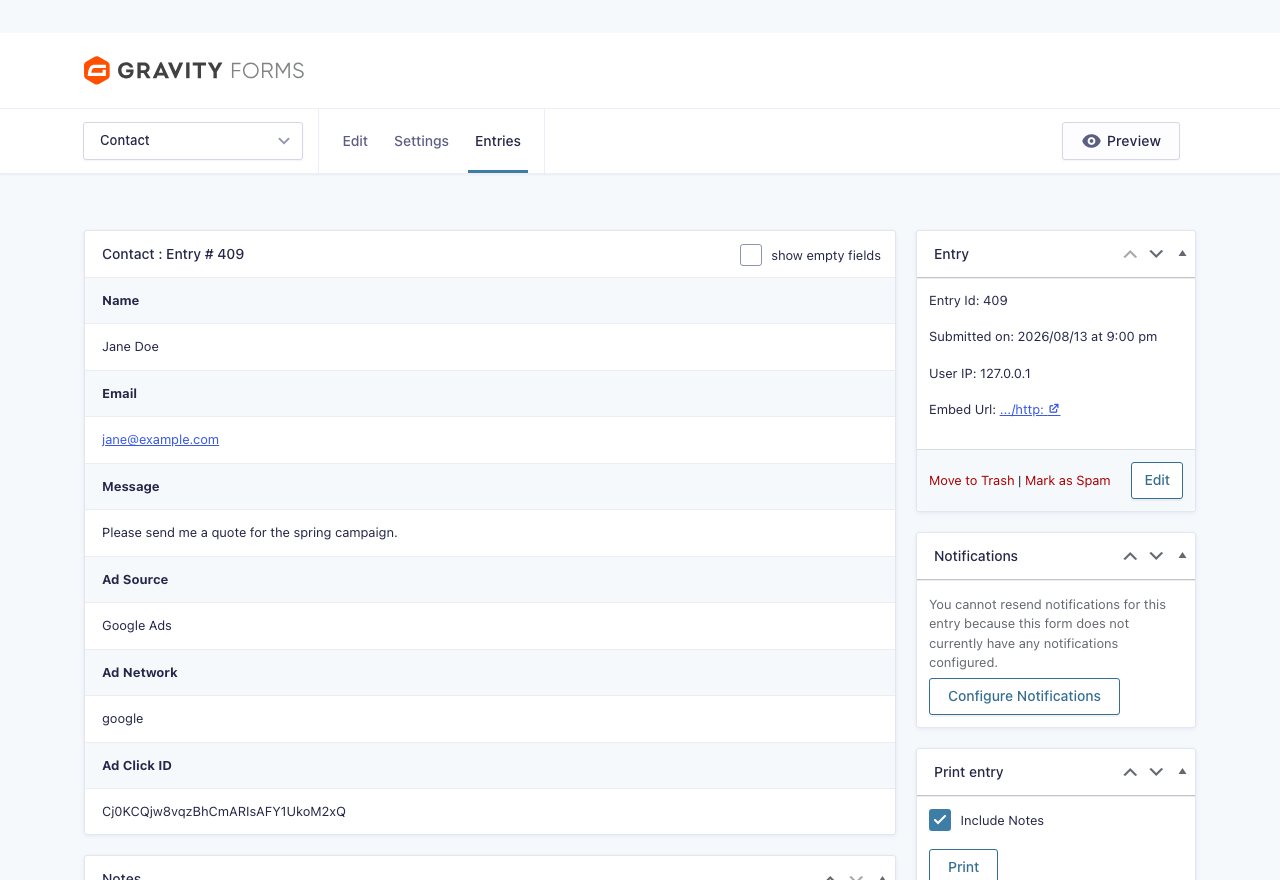
Three values are stored on every entry:
- Ad Source — a friendly label such as
Google Ads,Microsoft Ads,Meta Ads, orUnknown. - Ad Network — a machine-friendly slug (
google,microsoft,meta). - Ad Click ID — the captured click identifier.
Built for Gravity Forms
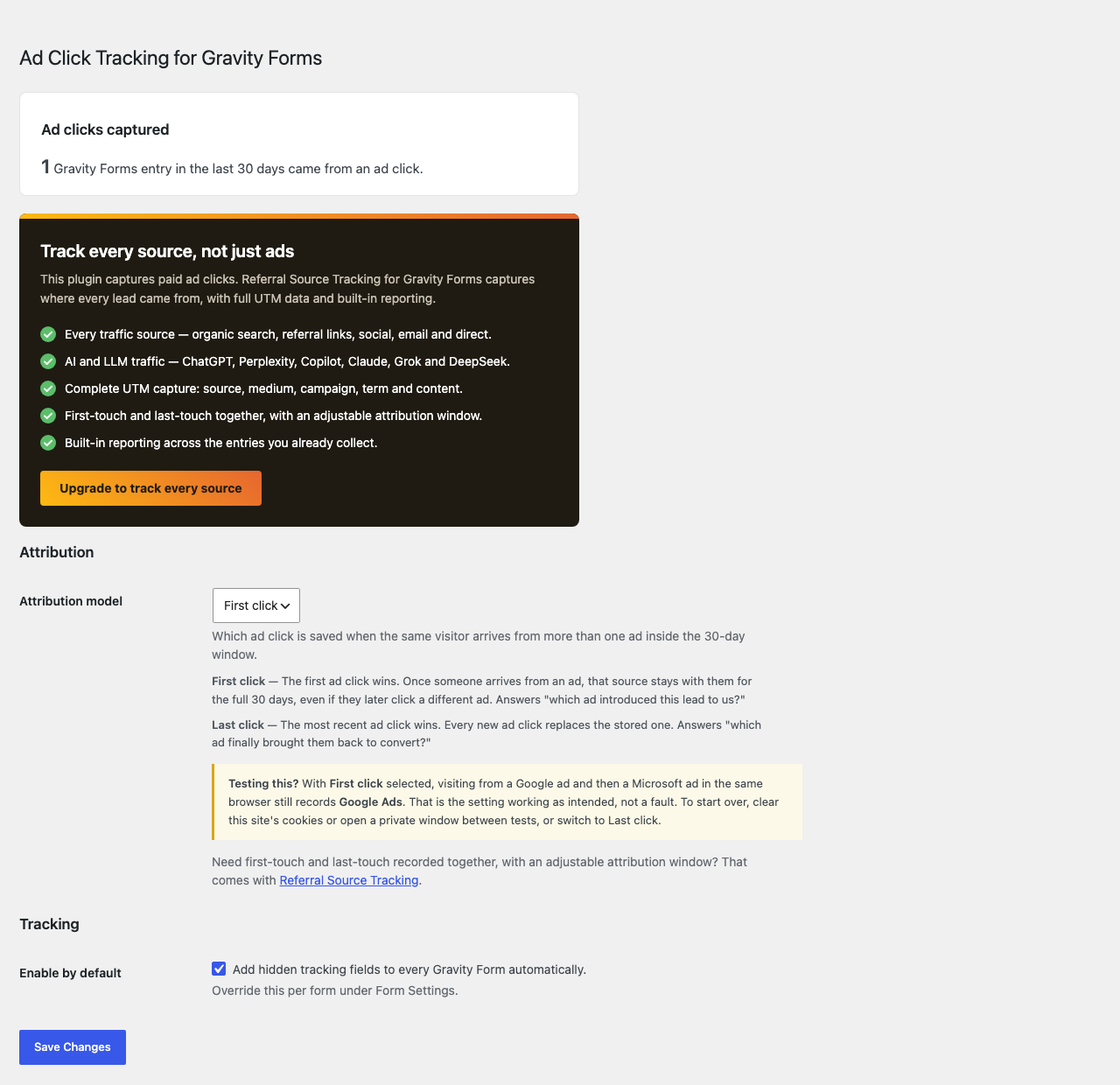
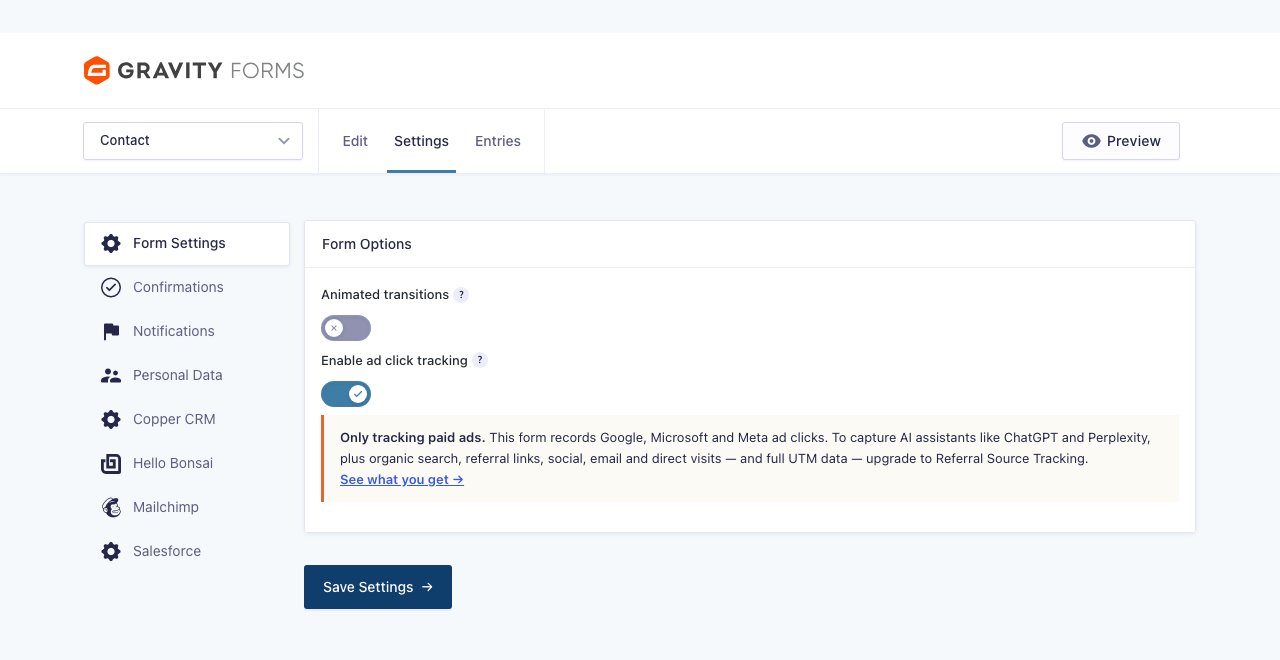
Hidden tracking fields are added to your forms automatically and saved with every entry — no form editing required. Turn tracking on for all forms at once under Settings Ad Click Tracking, or per form under Form Settings. The captured values appear on each entry like any other field, so they flow into entry exports and notifications automatically.
Lightweight by design
- No external requests — everything happens in a small front-end script and first-party cookies.
- No custom database tables.
- Choose first-click or last-click attribution, so multi-page visits resolve correctly.
Upgrade to full attribution
Ad Click Tracking captures paid ad clicks. When you need to know where every lead came from, upgrade to Referral Source Tracking for Gravity Forms:
- Every traffic source — organic search, referral links, social, email and direct, not just paid ads.
- AI and LLM traffic — ChatGPT, Perplexity, Copilot, Claude, Grok and DeepSeek, with Gemini attributed under Google.
- Complete UTM capture: source, medium, campaign, term and content.
- First-touch and last-touch together, with an adjustable attribution window.
- Built-in reporting across the entries you already collect.
See Referral Source Tracking for Gravity Forms
Third-party libraries
This plugin bundles js-cookie v3.0.5 (MIT licence) to read and write the first-party cookie. The unminified, human-readable source for the bundled build is available at https://github.com/js-cookie/js-cookie/blob/v3.0.5/dist/js.cookie.js
Screenshots
Installation
- Upload the plugin files to
/wp-content/plugins/ad-click-tracking-for-gravity-forms, or install it through the Plugins screen in WordPress. - Activate the plugin through the Plugins screen.
- Go to Settings Ad Click Tracking to enable tracking for all forms by default, or enable it per form under Form Settings.
FAQ
-
Does this send data to Google, Microsoft, or Meta?
-
No. The plugin only stores the captured values with your Gravity Forms entries. It makes no external requests.
-
How long is the click ID stored?
-
The click identifier is stored in a first-party cookie for 30 days. You can choose whether the first or the most recent ad click within that window is captured, under Settings Ad Click Tracking.
-
I tested two different ads and only the first one was recorded
-
That is first-click attribution working as intended. With First click selected, the first ad click is kept for the full 30 days, so clicking a different ad later will not replace it. Clear this site’s cookies or use a private window between tests, or switch to Last click under Settings Ad Click Tracking.
-
Traffic from a Facebook or Instagram link shows as Unknown
-
Facebook adds
fbclidto every outbound link, organic posts included, so on its own it cannot prove the visit came from an ad. It is recorded as Meta Ads once the link is also tagged as paid — for exampleutm_medium=paid— which you can set under URL parameters in Ads Manager. This is deliberate: it keeps organic Facebook and Instagram traffic from being counted as paid. -
Can I use the captured values in notifications and confirmations?
-
Yes. The three tracking fields are real Gravity Forms fields, so they work as standard merge tags — for example
{Ad Source:2185230}— and appear in the merge tag drop-down wherever Gravity Forms offers one. -
Do I need to add anything to my forms?
-
No. Hidden tracking fields are added automatically when tracking is enabled, and the values are saved with each entry.
-
Where do I see the captured values?
-
On each entry, alongside your regular form fields — they also come along in entry exports and can be used in notifications like any other field.
Reviews
There are no reviews for this plugin.
Contributors & Developers
“Ad Click Tracking for Gravity Forms” is open source software. The following people have contributed to this plugin.
Contributors
Translate “Ad Click Tracking for Gravity Forms” into your language.
Interested in development?
Browse the code, check out the SVN repository, or subscribe to the development log by RSS.
Changelog
1.0.0 Aug 13, 2026
- Initial release