
Description
Requires PHP 8.2 or later. Passkeys also need PHP’s OpenSSL extension; if it is missing, passkeys switch themselves off and everything else keeps working. Tested on WordPress 6.6, 6.9 and 7.1.
If PHP is older than 8.2 or the bundled libraries cannot load, new logins are refused rather than quietly dropping your second-factor policy. Restore the supported runtime and the complete plugin package through your hosting account. Existing sessions and public pages remain available where WordPress itself supports that runtime.
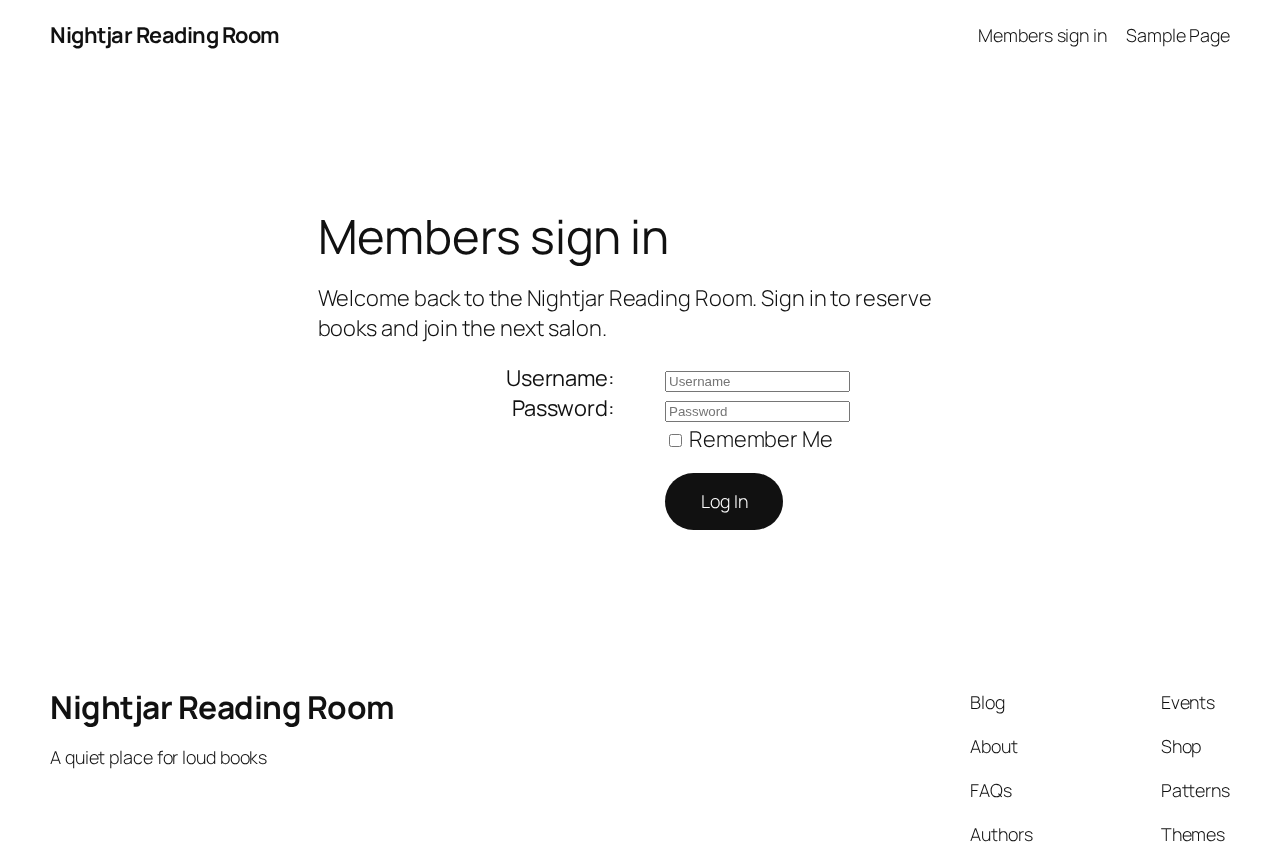
Ace Login Block allows you to replace the default WordPress login page with a custom page of your choosing, all designed and managed within the block editor. This lets you create a branded login experience for your users while leveraging the flexibility and ease of Gutenberg.
Features include:
- Replace the default WordPress login page with a custom block-based design.
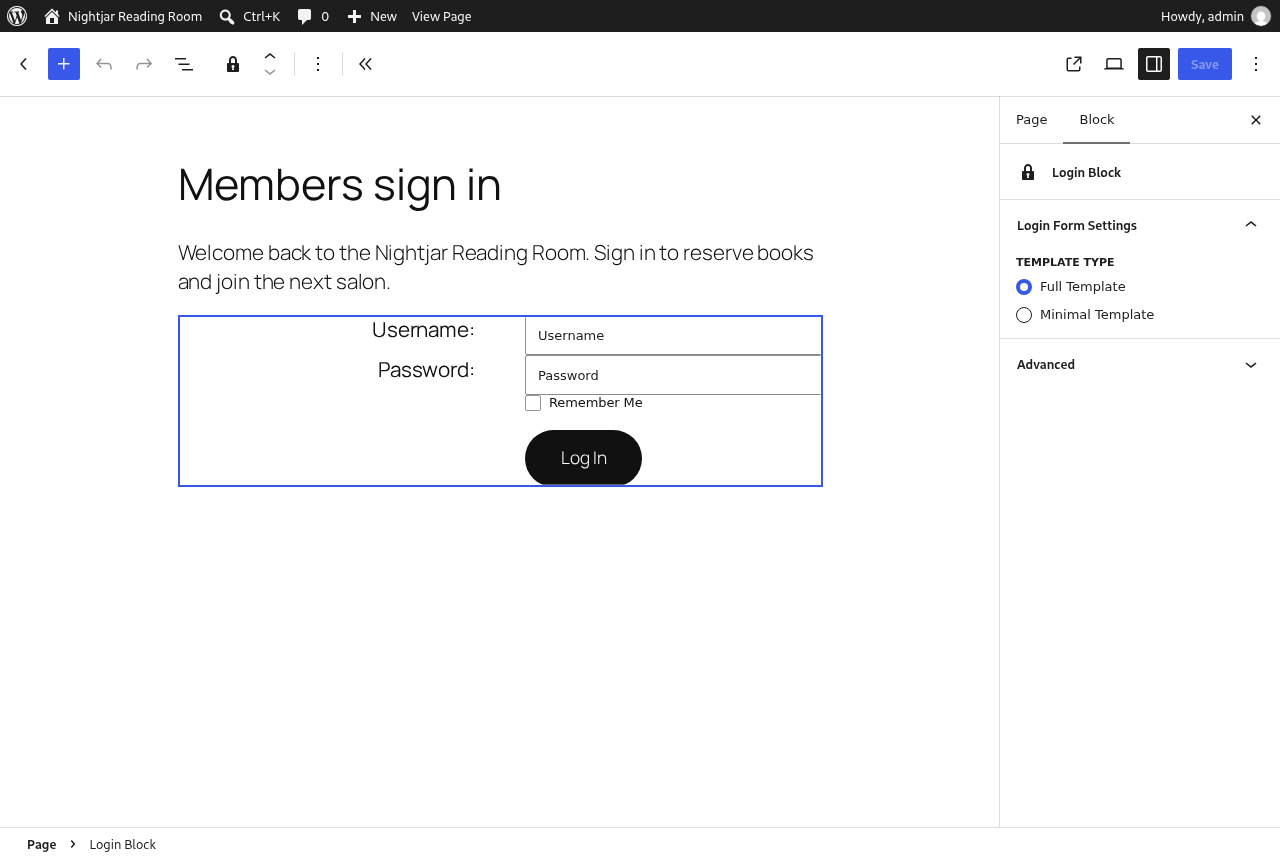
- Full integration with the block editor, giving you complete control over the login page layout.
- Allow the default WordPress login functionality for POST requests to ensure smooth login submissions.
- Customise redirects and add additional fields or branding elements to the login page.
- Preserve core password reset and recovery screens when using a custom login page.
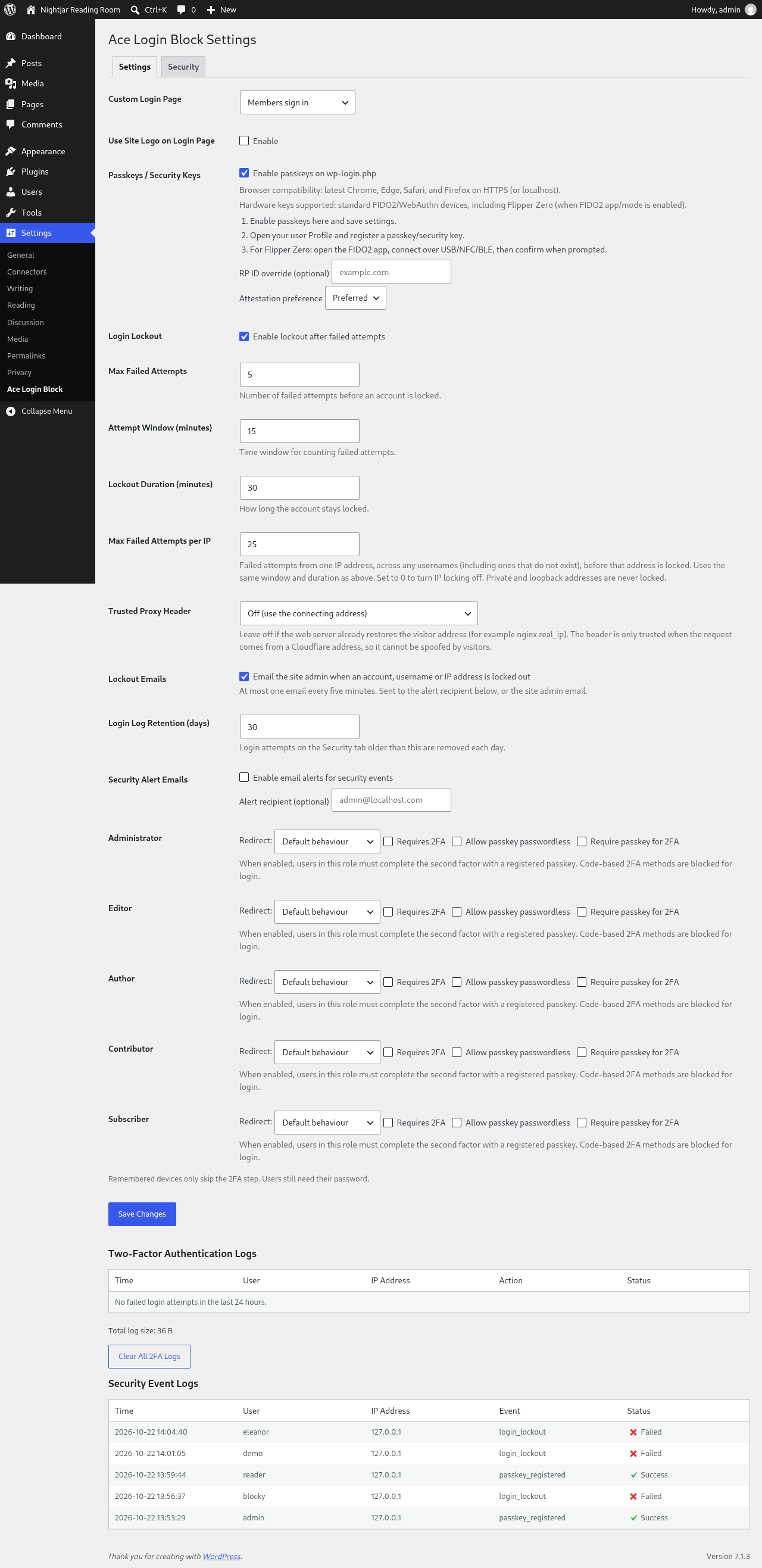
- Role-based redirects and per-role 2FA requirements.
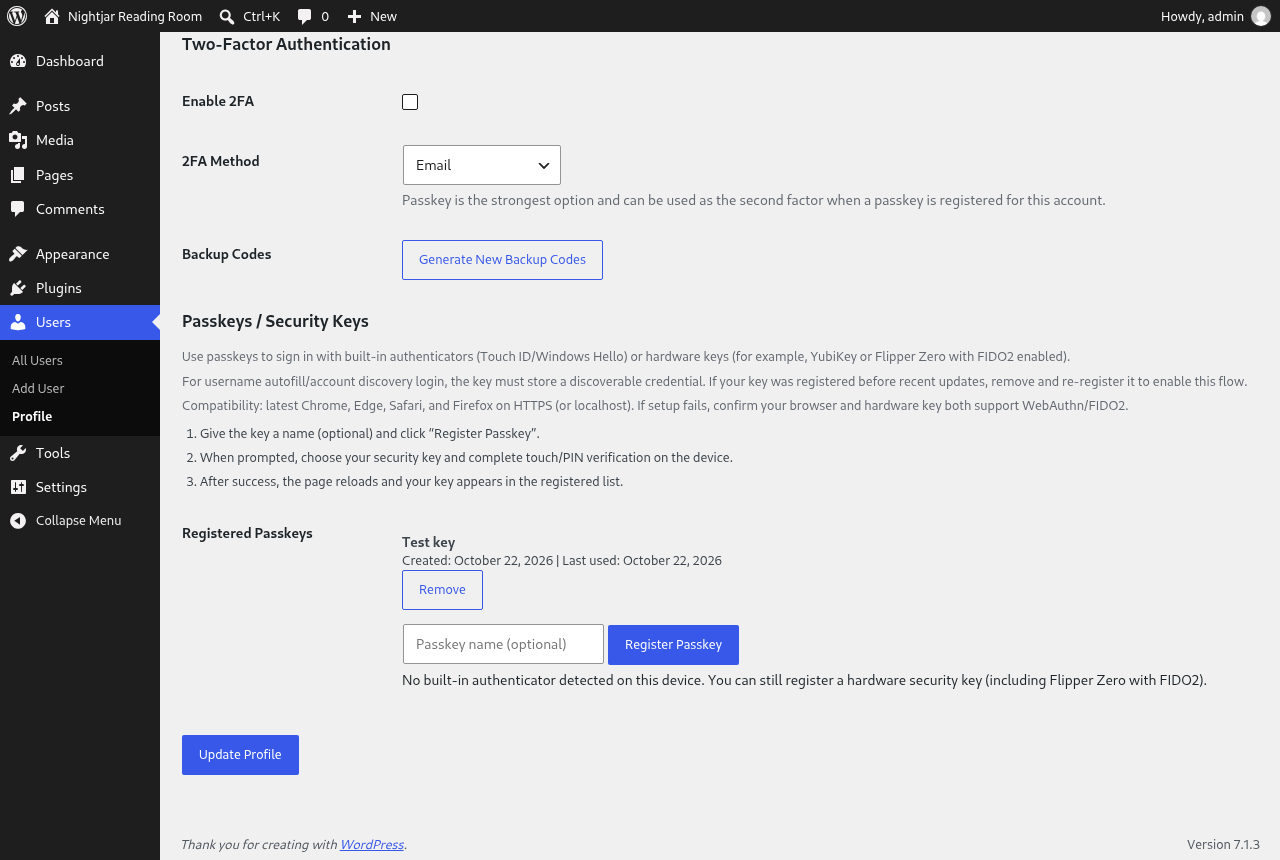
- Passkeys (security keys) for passwordless login and as a second factor.
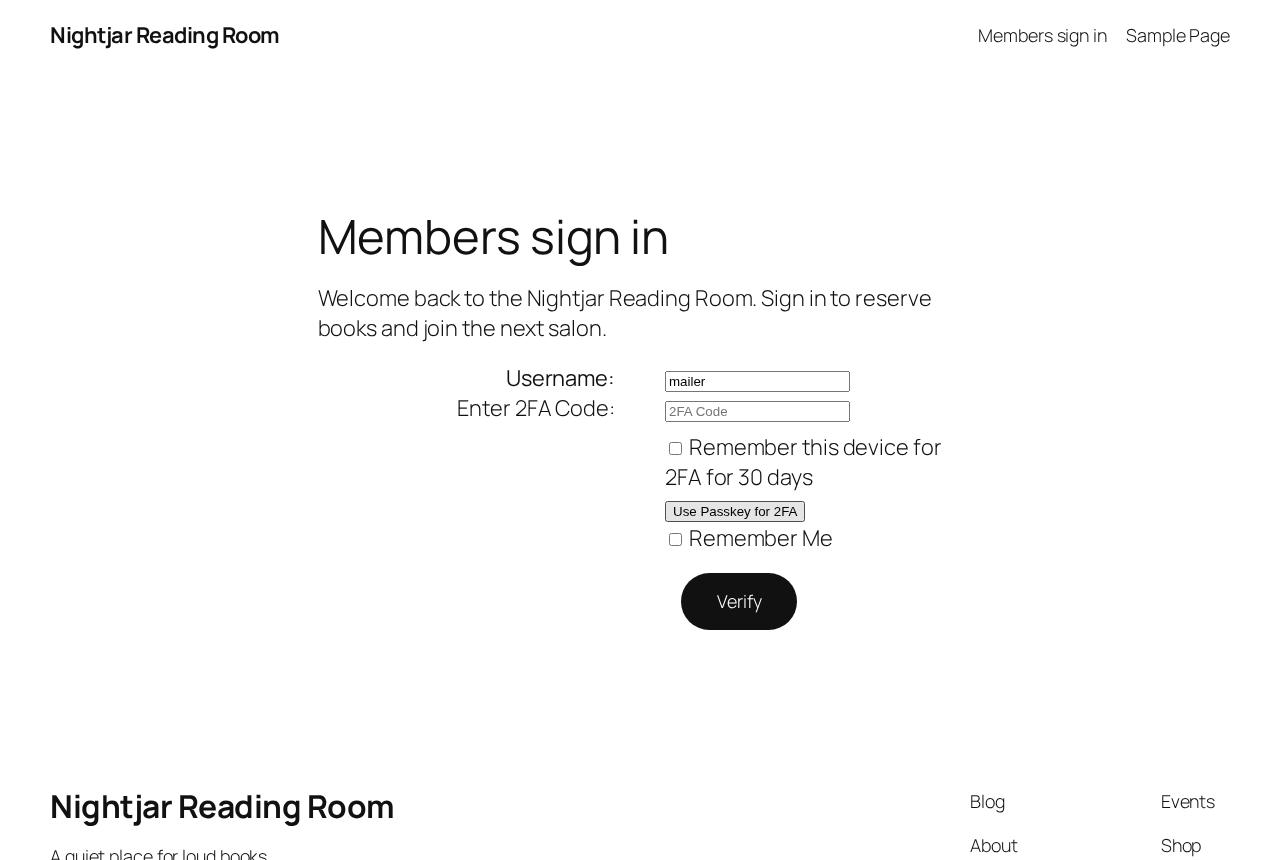
- Email and authenticator app 2FA, plus backup codes.
- Remembered devices that skip 2FA only (password still required).
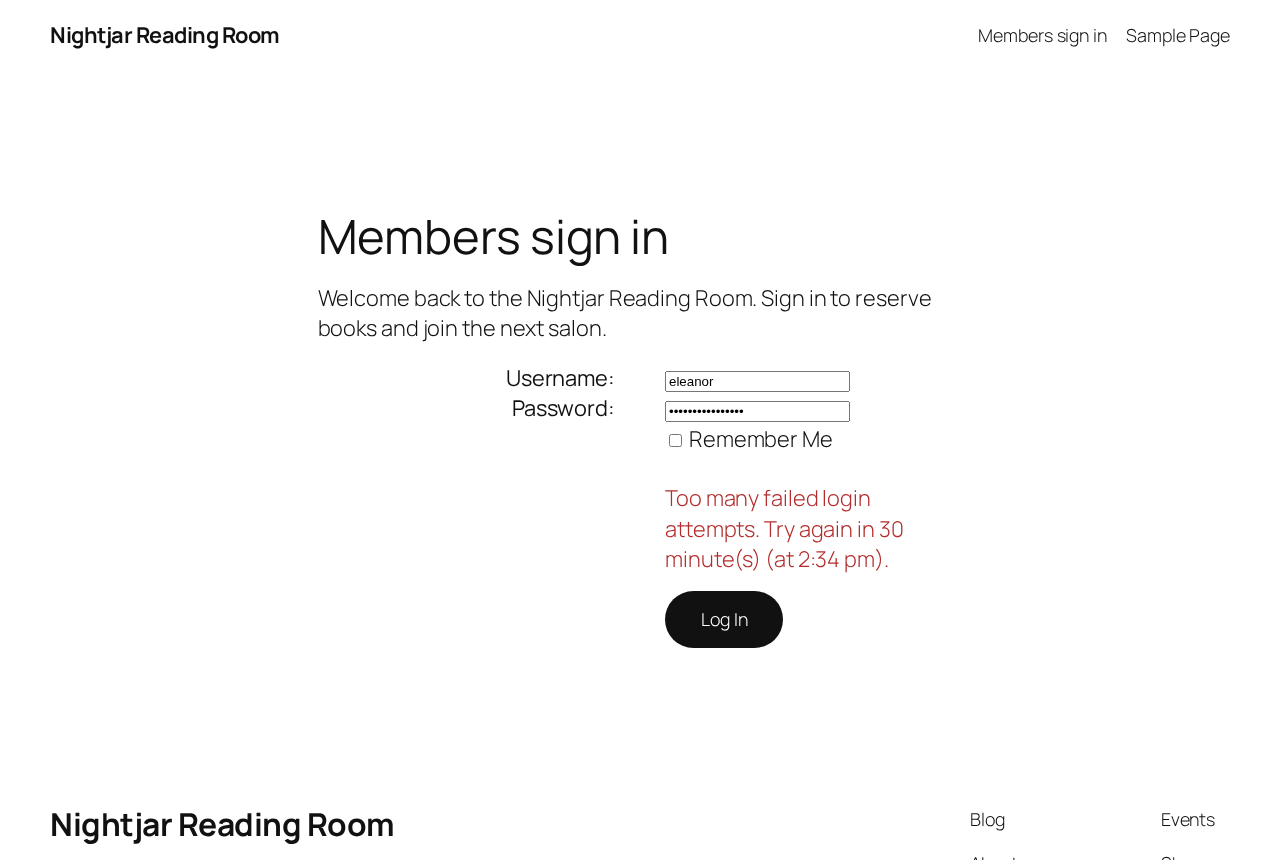
- Login lockout after repeated failed attempts. By default, 5 failures within 15 minutes locks the account for 30 minutes. Repeated failures from one IP address, or against a username that does not exist, are limited too.
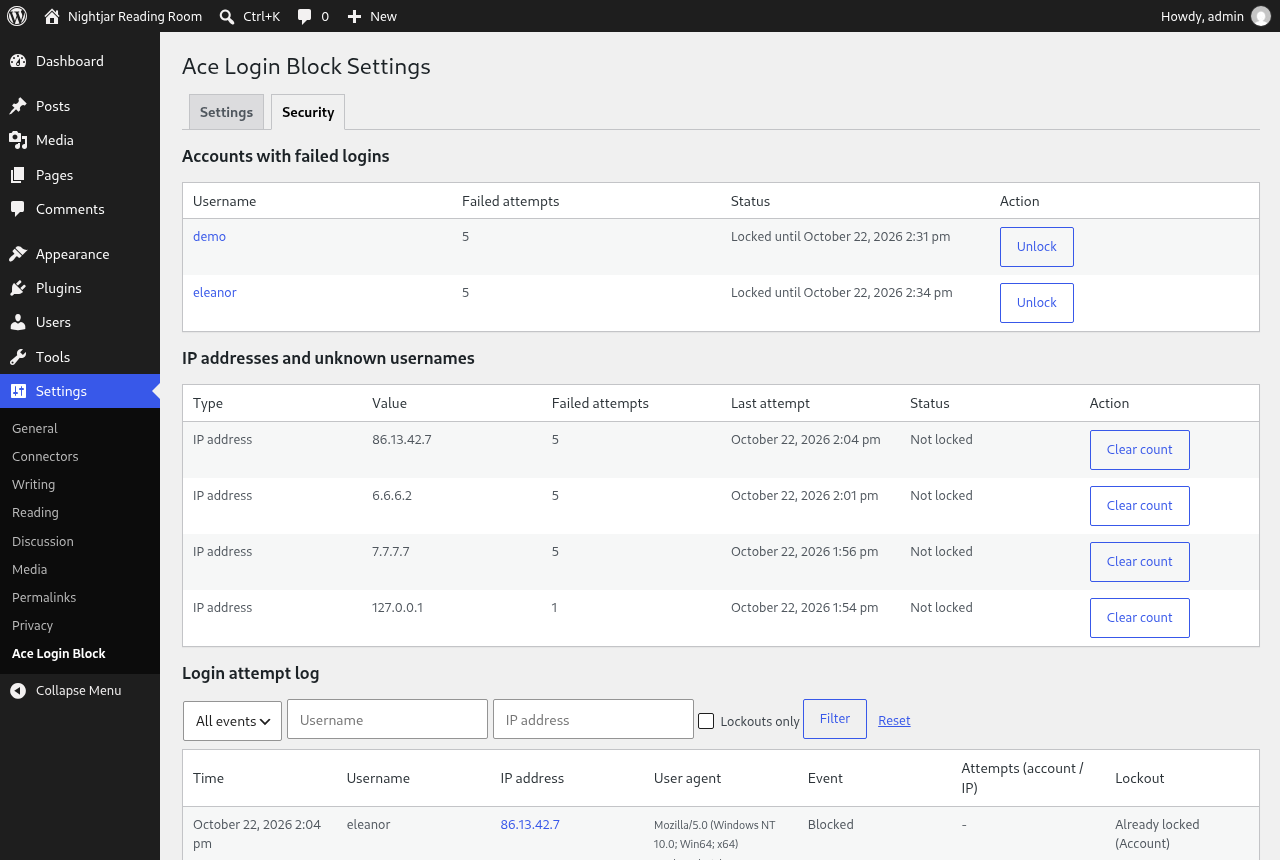
- A Security tab with a log of failed and blocked logins, filters, one-click unlocking and an optional email when a lockout happens.
- Passkey policy settings: RP ID override, attestation preference, and per-role passwordless control.
Security:
- Email codes expire after five minutes and can only be used once.
- Second-factor codes are checked in constant time, with a low hourly attempt limit.
- Authenticator app secrets are encrypted at rest with libsodium.
- The 2FA endpoints do not reveal whether a username exists.
- A passkey used instead of a password has to pass user verification.
- If a factor an account depends on cannot be used, that account is refused with a clear message. The policy is never quietly dropped.
Ace Login Block provides a seamless way to craft unique, branded login experiences while ensuring compatibility with WordPress’s login handling.
Source
The source code for this plugin, including unminified JavaScript and CSS, is available on GitHub:
GitHub Repository
License
This plugin is licensed under the GPLv2 (or later) as it is required to follow WordPress.org repository rules.
Source and contributions
Source and build instructions: https://github.com/AceMedia/WordPress-Login-Block-and-Page
Public bug reports and feature requests are welcome in GitHub Issues. Ace Media maintains the upstream project and invites code contributors; please discuss changes before submitting a pull request. The GPL-2.0-or-later licence preserves your rights to use, study, modify and redistribute the code.
Screenshots
Blocks
This plugin provides 1 block.
- Ace Login Block Custom login block for WordPress with username, password, and a show/hide password feature.
Installation
This section describes how to install the plugin and get it working.
- Upload the plugin files to the
/wp-content/plugins/acemedia-login-blockdirectory, or install the plugin through the WordPress plugin screen directly. - Activate the plugin through the ‘Plugins’ screen in WordPress.
- Navigate to the “Ace Login Block” settings and select the page to use for your custom login page.
FAQ
-
How do I customise my login page?
-
Once the plugin is activated, go to the “Ace Login Block” settings in your WordPress dashboard and select the page you want to use as your custom login page. You can then use the block editor to design the page.
-
Will WordPress still handle logins?
-
Yes, WordPress will continue to handle all login submissions via POST requests, ensuring that authentication continues to work normally. Ace Login Block simply replaces the display of the login page with your custom page design for GET requests.
-
Can I add custom fields to my login page?
-
Yes, you can add custom blocks, text, images, or any other elements within the block editor to fully customise the layout of your login page.
-
What happens if I disable the plugin?
-
If you disable Ace Login Block, WordPress will revert to the default
wp-login.phppage for login access. -
Do remembered devices bypass my password?
-
No. Remembered devices only skip the 2FA step. Password entry is still required.
-
What happens after too many failed logins?
-
By default, 5 failed attempts within 15 minutes locks that account for 30 minutes, and 20 failures from one IP address locks that address. The person sees how long is left, worded the same way for every lock so it does not reveal whether a username exists. All of these numbers can be changed in the settings, and an administrator can unlock an account or address early from the Security tab.
-
Not if you set Trusted Proxy Header to auto. The visitor’s real address is then read from Cloudflare’s header, but only when the request genuinely comes from a Cloudflare address, so the header cannot be faked from anywhere else. Private and local addresses are never IP locked.
-
Can I try it before installing?
-
Yes. Use the Live Preview button on this page to open a demo members site in WordPress Playground, right in your browser. Sign in as admin / password, or get the password wrong five times to see the lockout (shortened to one minute in the demo).
-
Do passkeys require HTTPS?
-
Yes. Passkeys require a secure context (HTTPS or
http://localhost).
Reviews
There are no reviews for this plugin.
Contributors & Developers
“Ace Login Block” is open source software. The following people have contributed to this plugin.
Contributors
Translate “Ace Login Block” into your language.
Interested in development?
Browse the code, check out the SVN repository, or subscribe to the development log by RSS.
Changelog
0.431.0
Release Date: 2026-10-22
* New Security tab: a log of failed and blocked logins with filters and paging, plus one-click unlocking for accounts, IP addresses and unknown usernames.
* Failed logins are now also counted per IP address (IPv6 by /64 network) and per unknown username, so guessing across many accounts is slowed down too. Set the IP limit to 0 to turn IP locking off.
* A correct password from an address the account has signed in from before is not held back by someone else’s failures on that account.
* Optional email when a lockout happens, a daily clean-up of old log entries, and a warning when one address is behind most of the failures.
* Trusted Proxy Header setting for sites behind Cloudflare.
* The block login page now tells people when they are locked out and for how long, instead of showing a generic error.
* Uninstalling the plugin now removes the login log, counters and lockout data.
0.430.0
Release Date: 2026-10-20
* Passkeys now switch themselves off when PHP’s OpenSSL extension is missing, instead of blocking every login. Email codes, authenticator apps, backup codes and lockout keep working, and an admin notice explains what is off.
* An account that needs a passkey for its second factor is refused with a clear message while OpenSSL is missing. No second factor is quietly dropped.
* Sodium is no longer a separate requirement. WordPress provides a fallback, and the plugin loads it if it is not already there.
* A clearer description of the security features.
0.429.0
Release Date: 2026-10-20
* Correct PHP requirements and fail closed when authentication dependencies are unavailable.
* Preserve core login actions and other integrations’ authentication callbacks.
* Require user verification for passkeys used in place of a password.
* Correct single-use second-factor verification and personal enrolment policy.
* Tested with WordPress 7.1.
0.428.0
Release Date: 2026-07-01
Security release — hardening of the two-factor and REST layer:
* Email 2FA codes now expire after 5 minutes and are single-use (previously never expired).
* Two-factor code verification now uses constant-time comparison (hash_equals).
* Reduced the 2FA attempt rate limit from 1000 to 5 per hour (filterable) to prevent brute-forcing.
* TOTP secrets are now encrypted at rest with libsodium (legacy plaintext secrets remain readable and are upgraded on next save).
* REST 2FA endpoints no longer disclose whether a username exists (prevents user enumeration).
* Sanitised all 2FA code inputs; set an explicit TOTP verification window (±30s).
* Backup-code endpoint no longer returns hash-derived placeholders after generation.
* Renamed internal encryption helpers off the reserved wp_ prefix for WordPress.org compliance.
0.427.0
Release Date: 2026-02-24
* Fixed inconsistent 2FA form state handling that could show false authentication popups during successful login.
* Replaced disruptive login alerts with inline status messages across custom login and wp-login flows.
* Improved browser compatibility and secure-context messaging for passkeys.
* Added admin guidance for security key setup, including Flipper Zero/FIDO2 usage notes.
* Improved passkey registration feedback and request handling reliability in user profile screens.
0.426.0
Release Date: 2024-12-05
* Fixed the selector for the form submission button.
0.425.0
Release Date: 2024-11-11
* Allows users to be redirected based on role-specific settings, even if no custom login page is set.
0.424.0
Release Date: 2024-11-11
* Ensures login block functionality is only active when a custom login page override is set.
* Prevents interference with the default WordPress login process when no override page is configured.
0.423
Release Date: 2024-10-12
* New Feature: Implemented dynamic login redirects based on user roles, allowing specific redirect URLs for each role within the settings.
* Enhancement: Updated ace-login-block.php to handle dynamic redirects, ensuring users are sent to the appropriate page after logging in based on their role.
* Enhancement: Modified package-lock.json and package.json to include new dependencies required for the updated functionality.
* Enhancement: Enhanced src/block.json to support role-based page listings, making it easier to manage page options for each role.
* Enhancement: Updated src/login-block.js to dynamically list available pages per role, improving the settings interface for selecting redirect URLs.
* Important Note: Ensure that roles are properly configured in the WordPress admin to utilize the dynamic redirect feature effectively.
0.422
Release Date: 2024-10-12
* New Feature: Introduced a custom login block structure to fully control the layout of the form using native block interactions.
* New Feature: Added new blocks for the username and password input fields.
* Enhancement: Dynamic form action URL is now set using localized data from PHP.
* Enhancement: Added nonce handling to the login form for improved security.
* Enhancement: Improved reliability of redirect handling after login.
* Bug Fix: Resolved an issue with form submission not being detected as a POST request.
* Bug Fix: Fixed redirection issues caused by interception from the custom page template.
* Bug Fix: Improved logout handling to ensure users are correctly redirected after logging out.
* Important Note: Ensure the logout link includes the correct action=logout parameter and nonce.
0.421
Release Date: 2024-10-11
* Bug Fix: Resolved issues with form redirection that affected login functionality in v0.420.
* Enhancement: Added a new option to allow users to show the “Show Password” toggle in the login block.
0.420
Release Date: 2024-10-11 (Pre-Release)
* Initial Release: First release of the Ace Login Block plugin.
* Key Features:
– Custom Login Page: Replace the default wp-login.php form with a page created in the block editor.
– Post Request Handling: Securely handles login form submissions.
– Seamless Template Loading: Automatically loads the selected custom page template.
– Block Editor Integration: Customise your login page using blocks.
– Debugging: Debug messages included to assist with development.
* Important Note: Known issues with form redirection in this version, recommended to use v0.421 for better performance.