

Description
Maximize convenience and savings for your customers with Wallet for WooCommerce (TeraWallet). This all-in-one digital wallet and store credit system is specifically designed to streamline the checkout process and boost customer loyalty.
TeraWallet empowers your customers to deposit funds into their personal accounts, transfer money to other users, and make purchases effortlessly using their wallet balance. By reducing the need for repeated payment detail entries, you provide a frictionless shopping experience that encourages repeat business.
Beyond core wallet functionality, TeraWallet features a robust Cashback Rewards System. Incentivize purchases by offering rewards based on cart totals, specific products, or categories. You can even convert WooCommerce coupons into wallet rewards, providing a unique way to drive engagement.
👉 Try the live demo: https://demo.standalonetech.com/
👉 Read full documentation: https://docs.standalonetech.com/
👉 Upgrade to Pro — unlock withdrawals, expiry, coupons, importer & AffiliateWP integration.
✨ Why choose Wallet for WooCommerce?
- 🚀 Frictionless Checkout: One-click payments via wallet balance reduce cart abandonment.
- 💰 Automated Cashback: Automated rewards keep customers coming back for more.
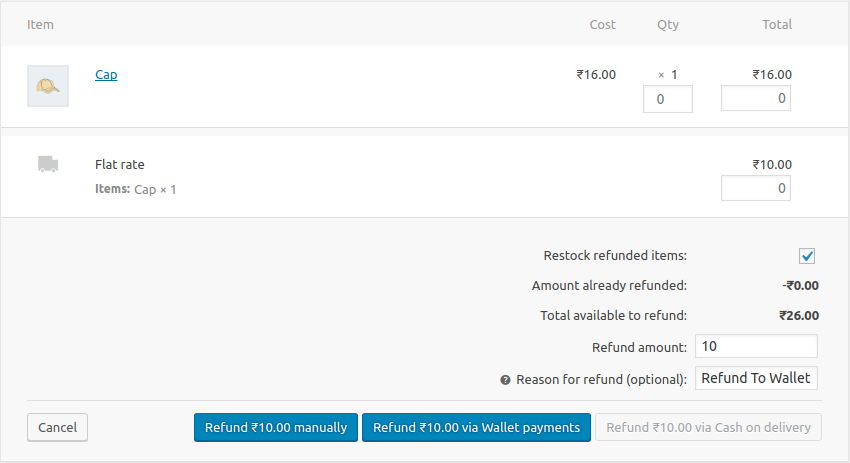
- 🏦 Store Credit System: Easily handle refunds by crediting the user’s wallet instantly.
- 🔄 Wallet Transfers: Allow customers to share funds with friends and family.
🛠 Features
- 🏦 Core Wallet Management: A centralized ledger system that tracks every credit and debit with 100% accuracy using SQL-level locking to prevent race conditions.
- 💰 Dynamic Cashback System:
- Cart-Wise: Rewards based on the total order value.
- Product-Wise: Granular control over rewards for individual items.
- Category-Wise: Rewards based on product taxonomies.
- 💳 Smart Checkout Options:
- Full Payment: Pay for the entire order using the wallet gateway.
- Partial Payment: Use wallet balance for part of the total and pay the rest via other gateways (Stripe, PayPal, etc.).
- Auto-Deduct: Automatically apply available balance as a discount at checkout.
- 🔄 User Empowerment:
- Wallet Top-ups: Customers can add funds via their dashboard using any supported payment method.
- Peer-to-Peer Transfers: Securely send wallet balance to other registered users via email.
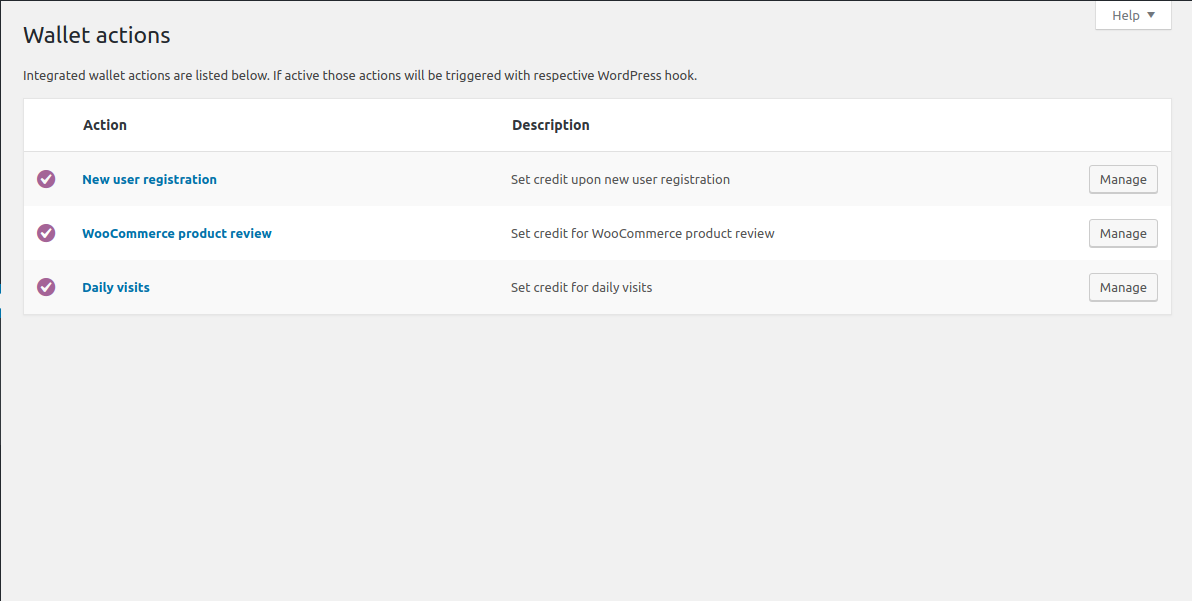
- 🎁 Engagement Rewards: Credit users for specific actions:
- New user registration bonus.
- Daily login rewards.
- Product review rewards.
- 🛠 Admin Control Center:
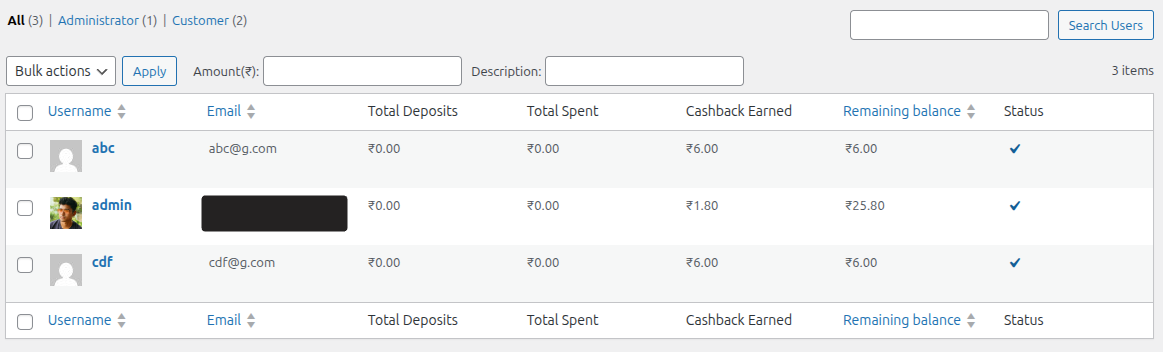
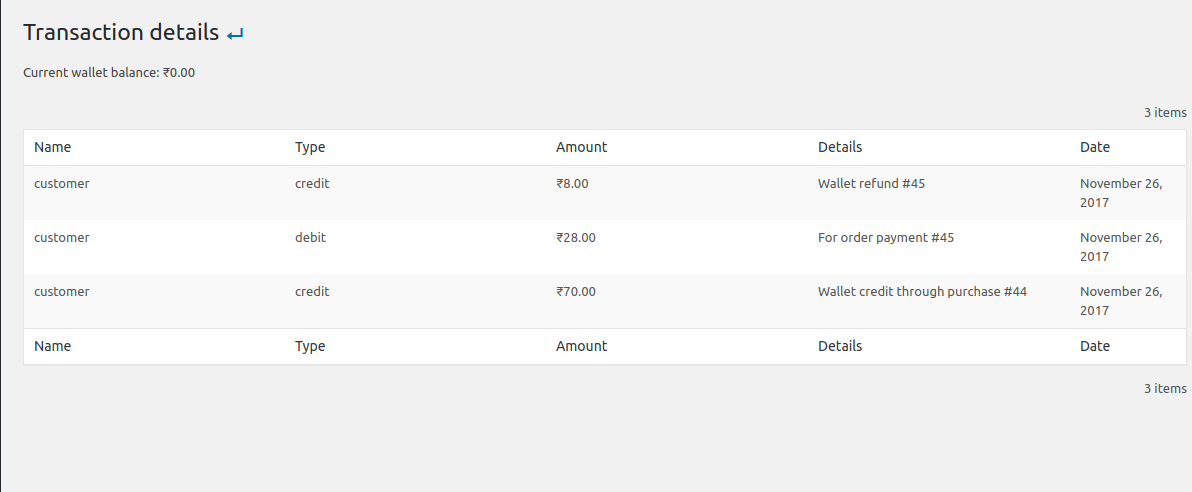
- View all user balances and transaction history.
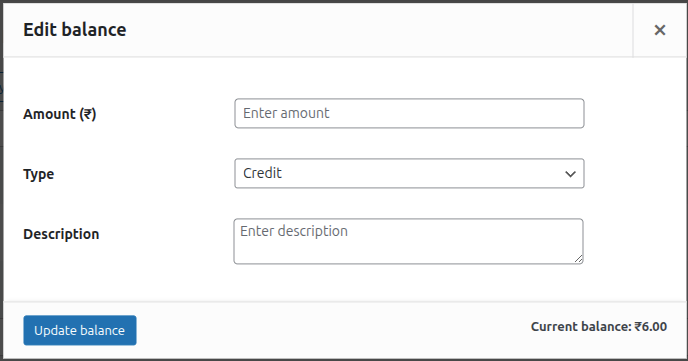
- Manually adjust (credit/debit) any user’s balance with detailed notes.
- Lock/Unlock user wallets for security and fraud prevention.
-
🔗 Seamless Integrations:
- Full support for WooCommerce Blocks checkout.
- Compatible with WPML and WooCommerce Subscriptions.
- Built-in support for Dokan, WCFM, and WCMarketplace.
-
🌍 Multi-Currency Support: First-class integrations with the most-used WooCommerce currency switchers. Wallet balances, top-ups, transfers, and cashback are all converted through the active provider’s live rates.
- YayCurrency – Multi-Currency Switcher
- WOOCS – WooCommerce Currency Switcher (FOX)
- WPML Multilingual & Multi-Currency (WCML)
- CURCY – Multi Currency for WooCommerce (VillaTheme)
- Aelia Currency Switcher
- Generic fallback for any other plugin that filters
woocommerce_currency— active-currency detection still works, conversion falls open to the stored amount with an audit-log warning.
🚀 Pro Features
⭐ Upgrade to Pro to unlock advanced wallet features and specialized integrations:
- 💸 Wallet Withdrawal: Allow customers to request withdrawals from their wallet balance to their bank or other payment methods.
- ⌛ Wallet Expiry: Set expiration dates for wallet balance or cashback to encourage timely spending.
- 🎟️ Wallet Coupons: Create exclusive coupons that can only be redeemed into the user’s wallet.
- 📥 Wallet Importer: Easily bulk import wallet balances and transaction history from CSV files.
- 🤝 AffiliateWP Integration: Automatically credit affiliate commissions directly to the user’s wallet.
- 🎂 Milestone & Birthday Bonuses: Credit the wallet when a customer’s lifetime spend crosses a threshold you set, and once a year on their birthday.
- 📊 Breakage & Aging Reports: See how much wallet credit is about to expire, how much never will be spent, plus withdrawal and coupon reporting on the Wallet Dashboard.
Screenshots
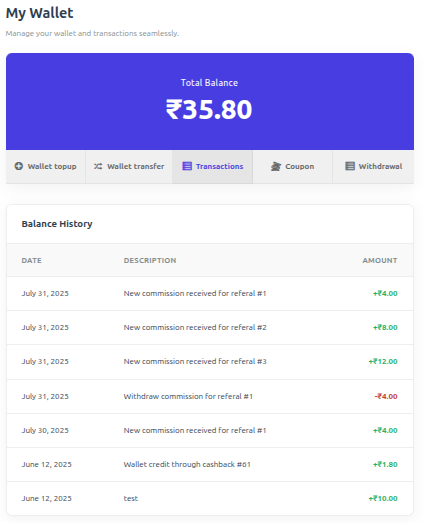
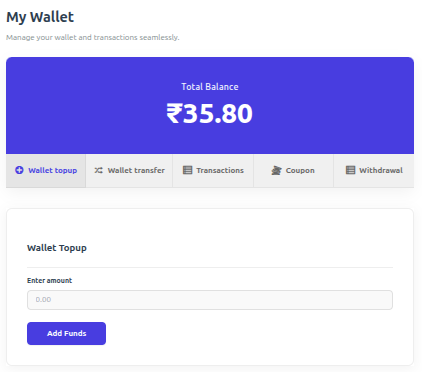
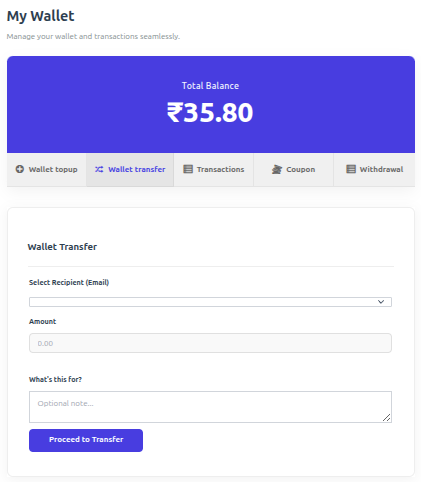
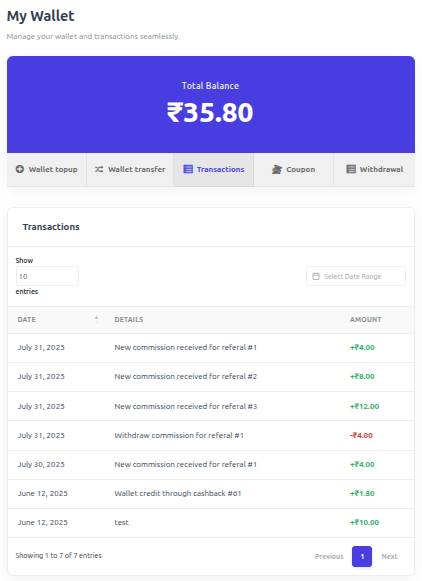
Blocks
This plugin provides 1 block.
- Mini-Wallet Display the current user's wallet balance with a customizable icon.
Installation
Minimum Requirements
- PHP 7.4 or greater is required (PHP 8.0 or greater is recommended)
- MySQL 5.6 or greater, OR MariaDB version 10.1 or greater, is required
- WordPress 6.0 or greater is required
- WooCommerce 7.2 or greater is required
Automatic installation
Automatic installation is the easiest option as WordPress handles the file transfers itself and you don’t need to leave your web browser. To do an automatic install of WooCommerce Wallet Payment, log in to your WordPress dashboard, navigate to the Plugins menu and click Add New.
In the search field type “Wallet for WooCommerce” and click Search Plugins. Once you’ve found the plugin you can view details about it such as the point release, rating and description. Most importantly of course, you can install it by simply clicking “Install Now”.
Manual installation
The manual installation method involves downloading our plugin and uploading it to your webserver via your favourite FTP application. The WordPress codex contains instructions on how to do this here.
Updating
Automatic updates should work like a charm; as always though, ensure you backup your site just in case.
If on the off-chance you do encounter issues with the wallet endpoints pages after an update you simply need to flush the permalinks by going to WordPress > Settings > Permalinks and hitting ‘save’. That should return things to normal.
Important
A hidden “Wallet Topup” product is automatically created upon activation. Ensure it remains Published and Private.
FAQ
-
How does wallet payment work?
-
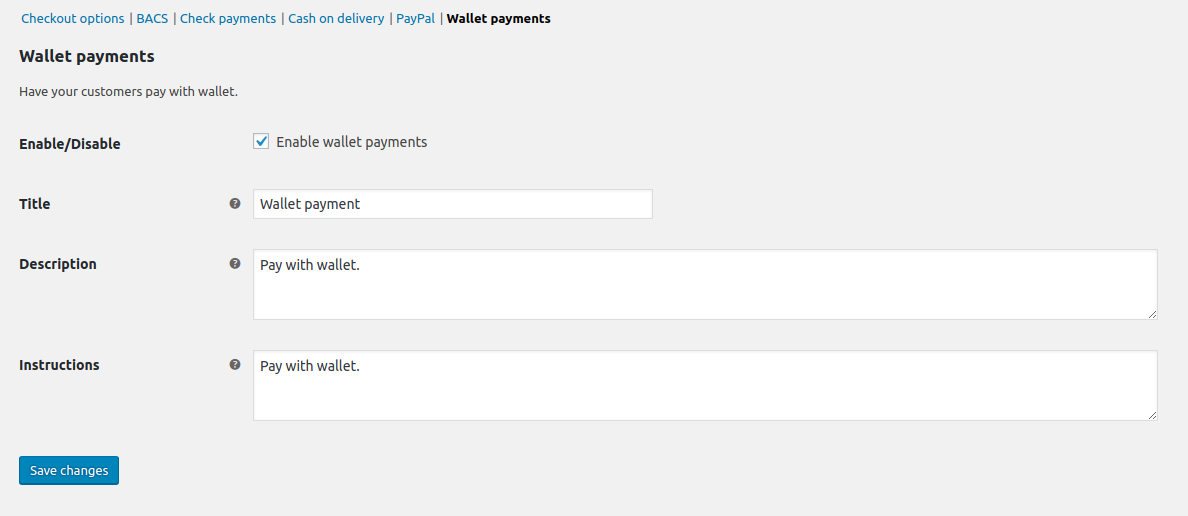
Wallet payment acts as a native WooCommerce gateway. Customers with sufficient balance can select “Wallet” at checkout to pay for their order instantly.
-
Does it support partial payment?
-
Yes! If enabled in settings, customers can use their wallet balance to pay for a portion of the order and cover the remainder with another gateway like Stripe or PayPal.
-
When is cashback applied?
-
Cashback is triggered by order status changes. You can configure which status (e.g., ‘Completed’ or ‘Processing’) triggers the reward in the plugin settings.
-
Why is the wallet not visible at checkout?
-
Ensure the Wallet gateway is enabled in WooCommerce > Settings > Payments. Also, check if “Hide if empty” is enabled in TeraWallet settings if the user has a zero balance.
-
Where can I get support?
-
You can ask for help in the WordPress Plugin Forum or email us at support@standalonetech.com.
-
Where is the REST API documentation?
-
You can find the documentation for our Wallet REST API here.
Reviews


Contributors & Developers
“Wallet for WooCommerce” is open source software. The following people have contributed to this plugin.
Contributors


“Wallet for WooCommerce” has been translated into 12 locales. Thank you to the translators for their contributions.
Translate “Wallet for WooCommerce” into your language.
Interested in development?
Browse the code, check out the SVN repository, or subscribe to the development log by RSS.
Changelog
v1.6.11 (August 15, 2026)
– Notice:- The “Upgrade to Pro” promo no longer appears on admin screens that do not belong to TeraWallet. Until now it was attached to the global admin notice hook, so it rendered on every screen in wp-admin — including other plugins’ pages, Posts and Settings. It is now confined to the TeraWallet menu and its subpages.
– Notice:- The same promo is shown again on the Wallet Dashboard and the Settings screen, where it had been invisible since 1.6.6. Version 1.6.6 made the Wallet Dashboard the default TeraWallet landing screen and, in the same release, began stripping every admin notice from the Dashboard and Settings screens to keep third-party nags out of their layout — which removed TeraWallet’s own promo from the two screens an administrator sees first. That side effect was not documented at the time. Third-party notices are still suppressed on those two screens; only TeraWallet’s own surfaces are exempt.
– Notice:- Dismissing the promo is now recorded per administrator instead of per site. Dismissal remains permanent and the promo never reappears for anyone who has dismissed it — this only stops one administrator’s dismissal from silencing it for colleagues who have never seen it. Sites upgrading with an existing dismissal have it applied to every current administrator account, so nobody who already dismissed it sees it again. For the record, 1.6.7 changed dismissal from a 14-day reminder to permanent (required by the WordPress.org plugin review team) without a changelog entry.
– New:- Pro-only features are now visible in the interface instead of simply absent, so it is possible to tell what the free plugin does and does not include. A Withdrawals page under the TeraWallet menu, a Credit Expiry row in Credit Options, and a Bulk Import button on Wallet Users each explain the feature and are clearly marked as locked. They are display-only, cannot be submitted or triggered, and disappear entirely when TeraWallet Pro is active. No existing feature was changed, disabled or restricted.
– New:- The Wallet Dashboard’s locked report slots — Breakage, Aging, Expiry trend, Withdrawals and Coupons — now show a blurred sample of the report and open a panel explaining what it does. Previously they were inert grey boxes and a single line of text. The sample figures are illustrative and are not calculated from your store’s data.
– New:- When outstanding wallet liability is substantial, the Dashboard now explains beneath the figure how Pro’s credit expiry applies to it. Hidden on stores below a threshold, and filterable via woo_wallet_pro_liability_nudge_threshold.
– New:- The Upgrade to Pro page has been rewritten. It now states the price ($79 per year, one site) instead of sending you to the website to find it, describes what each Pro feature does for the store rather than what it is, and answers the questions people actually ask before buying — what the licence covers, the 30-day refund policy, whether Pro replaces the free plugin (it does not — it requires it), what happens if the licence is not renewed, and what updates and support include. On stores already carrying meaningful wallet liability, the page shows that figure and your funded-wallet count so the case is made with your own numbers; stores below the threshold see nothing rather than a row of zeroes.
– New:- The Upgrade page’s Free vs Pro table now lists the free plugin’s full feature set — ledger, top-ups, partial payments, cashback, signup, daily visit, review and referral rewards, peer-to-peer transfers, multi-currency, Blocks checkout, the Wallet Dashboard, Dokan/WCFM/WC Marketplace support and the REST API — grouped into sections alongside every Pro addition. Previously it showed six rows, five of which were things the free plugin does not do.
– New:- The Upgrade page now covers Pro features that shipped after it was last written: the spend milestone and birthday bonus earning actions, the breakage, aging, expiry-trend, withdrawal and coupon reports, per-category credit expiry with pre-expiry reminder emails, and per-gateway withdrawal fees.
– Fix:- Currency amounts on the Wallet Dashboard could display as ₹4,820.00 instead of ₹4,820.00 on stores whose currency symbol is not a plain ASCII character (rupee, shekel, riyal and others). Affected the displayed figures only; no stored amount was ever wrong.
– Fix:- The Wallet Dashboard’s liability breakdown no longer reports misleading percentages. The shares were calculated against total credit issued while the card sat beneath the net liability figure, so a store with a single credit source read “100%” of a number it did not owe — most visibly as “Other … 100%” next to negative Purchases and Partial payments. The card now states what the percentages are a share of, lists debits separately under “Reduced by” instead of mixing them into the same list, and ends with a “Net outstanding” line that reconciles to the headline figure. No stored data changed.
– Fix:- Wallet credit returned when an order paid partly from the wallet is cancelled is now recorded as a partial payment refund instead of “Other”, so it is categorised correctly in reports and transaction lists. Existing transactions are not reclassified.
– Fix:- Cashback refunds, cashback adjustments and vendor commissions showed a raw slug rather than their proper name in the Dashboard’s liability breakdown.
– Tweak:- Corrected an inaccurate claim on the Upgrade to Pro page about the number of stores using TeraWallet Pro.
– Tweak:- Every “Upgrade to Pro” link now identifies which screen it was clicked from, so it is possible to tell which parts of the plugin actually lead to upgrades. No information about your site is added to these links beyond what was already sent before this release.