
Description
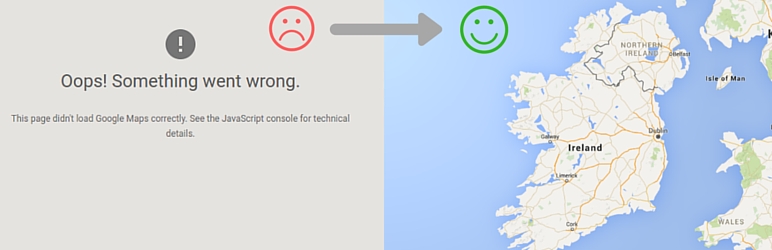
Many themes and plugins load Google Maps without an API key, or without a setting to enter one. Google requires an API key for every Maps JavaScript API request, so these maps fail with “This page can’t load Google Maps correctly” or show a “For development purposes only” watermark.
API KEY for Google Maps fixes this without touching theme or plugin code. Enter your key once and the plugin adds it to every Google Maps JavaScript API script enqueued on the site.
Features
- Adds your API key to Google Maps JavaScript API scripts enqueued by any theme or plugin.
- Replaces an outdated or different key already present in the script URL with your own.
- Adds the callback parameter Google has required since January 2023, fixing the JavaScript error Loading the Google Maps JavaScript API without a callback is not supported.
- Works on the front end of your site and in the WordPress admin.
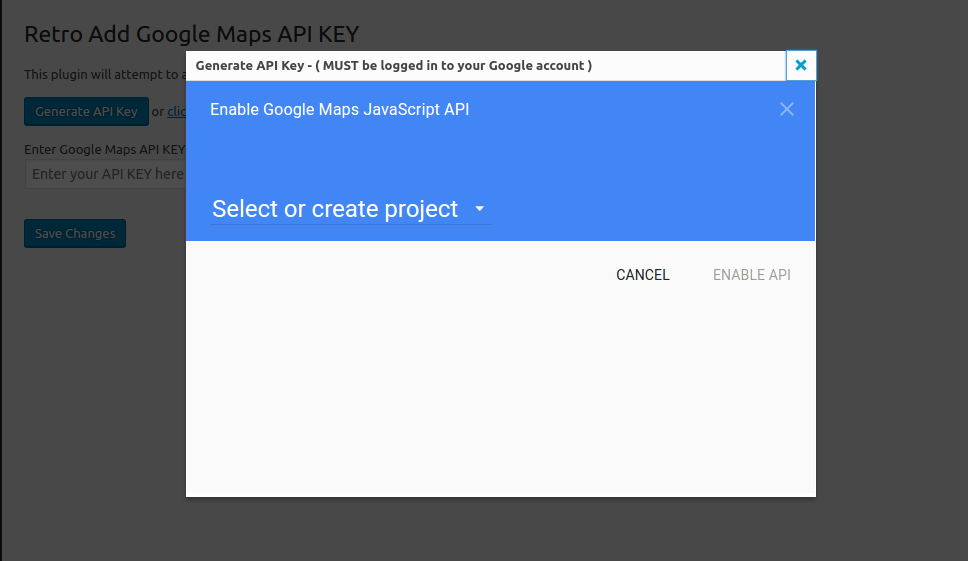
- One-click Generate API Key button that opens the Google Cloud Console with the Maps APIs selected.
- Quick link to a free tool that checks your site for Google Maps API key errors.
- Lightweight: a single settings field and a tiny inline script. The saved key is removed when you delete the plugin.
How to use
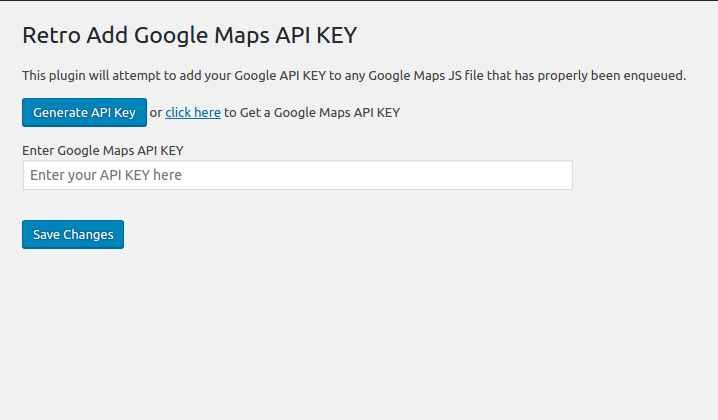
- Activate the plugin and go to Settings > Google API KEY.
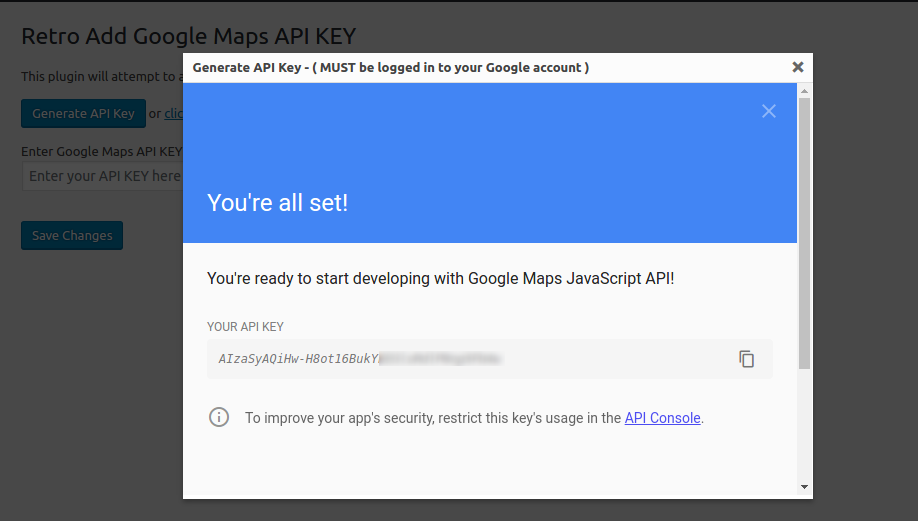
- Click Generate API Key (you must be signed in to your Google account), or paste a key you already have.
- Click Save Changes. Your maps now load with your key.
Requirements and tips
- The theme or plugin must load Google Maps the standard WordPress way (with
wp_enqueue_script()). Scripts that are hard-coded into templates or injected by JavaScript can not be changed. - Browser API keys are visible in your page source. In the Google Cloud Console, restrict your key to your website’s domain (HTTP referrers) and to the Maps APIs you use.
For developers
When the Google Maps API has loaded, the plugin sets window.rgmkGoogleMapsCallback to true and triggers the jQuery event rgmkGoogleMapsLoad on document. Use the rgmk_google_map_callback_script filter to change the callback script.
The plugin was created by the GeoDirectory team.
Security
To report a security vulnerability, please review our vulnerability disclosure policy.
Screenshots
Installation
Minimum Requirements
- WordPress 6.0 or greater
- PHP version 7.4 or greater
- MySQL version 8.0 or greater
Automatic installation
Automatic installation is the easiest option. To do an automatic install log in to your WordPress dashboard, navigate to the Plugins menu and click Add New.
In the search field type Google Maps API KEY and click Search Plugins. Once you’ve found the plugin you install it by simply clicking Install Now.
Manual installation
The manual installation method involves downloading the plugin and uploading it to your webserver via your favourite FTP application. The WordPress codex will tell you more here.
Updating
Automatic updates should seamlessly work. We always suggest you backup up your website before performing any automated update to avoid unforeseen problems.
FAQ
Ask and they shall be answered
Reviews


Contributors & Developers
“API KEY for Google Maps” is open source software. The following people have contributed to this plugin.
Contributors

Translate “API KEY for Google Maps” into your language.
Interested in development?
Browse the code, check out the SVN repository, or subscribe to the development log by RSS.
Changelog
1.2.16 – 2026-09-30
- Enhanced data sanitization and output escaping – CHANGED/SECURITY
- Remove saved API key when the plugin is deleted – CHANGED
1.2.15 – 2026-04-09
- WordPress v7.0 compatibility check – COMPATIBILITY
1.2.14 – 2025-12-03
- WordPress v6.9 compatibility check – CHANGED
1.2.13 – 2024-11-28
- WordPress v6.7 compatibility check – CHANGED
1.2.12 – 2024-08-21
- WordPress v6.6 compatibility check – CHANGED
1.2.11 – 2024-04-11
- WordPress v6.5 compatibility check – CHANGED
1.2.10 – 2023-12-06
- WordPress v6.4 compatibility check – CHANGED
1.2.9 – 2023-08-10
- WordPress v6.3 compatibility – CHANGED
1.2.8 – 2023-03-30
- WordPress v6.2 compatibility – CHANGED
1.2.7 – 2023-02-02
- Add .gitattributes file – ADDED
- Generate Google API Key is no longer working – FIXED
- Loading the Google Maps JavaScript API without a callback is not supported – CHANGED
1.2.3
- Plugin version update – CHANGED
1.2.2
- Compatibility checked with WordPress 6.0 – CHECKED
- Now tries to add api key even if no key param is found – CHANGED
- Now only users with “manage_options” ability can update the API key – SECURITY
1.2.1
- Compatibility checked with WordPress 5.9
1.2.0
- frame api generation broken (by Google iframe restrictions) changed to new window popup – FIXED
- Updated Generate API KEY button to add access for all APIs – CHANGED
1.1.0
- Added a Generate API KEY button for easier generation of API KEY – ADDED
1.0.0
- Initial release