
Description
Broken Link Fixer finds links and images that no longer work and helps you repair them, instead of just handing you a long list.
It reads your published posts, pages, menus and block-theme navigation, then checks each address in small, slow batches in the background. Your site stays fast, your database stays small, and nothing is sent to a cloud service.
Fix, don’t just find
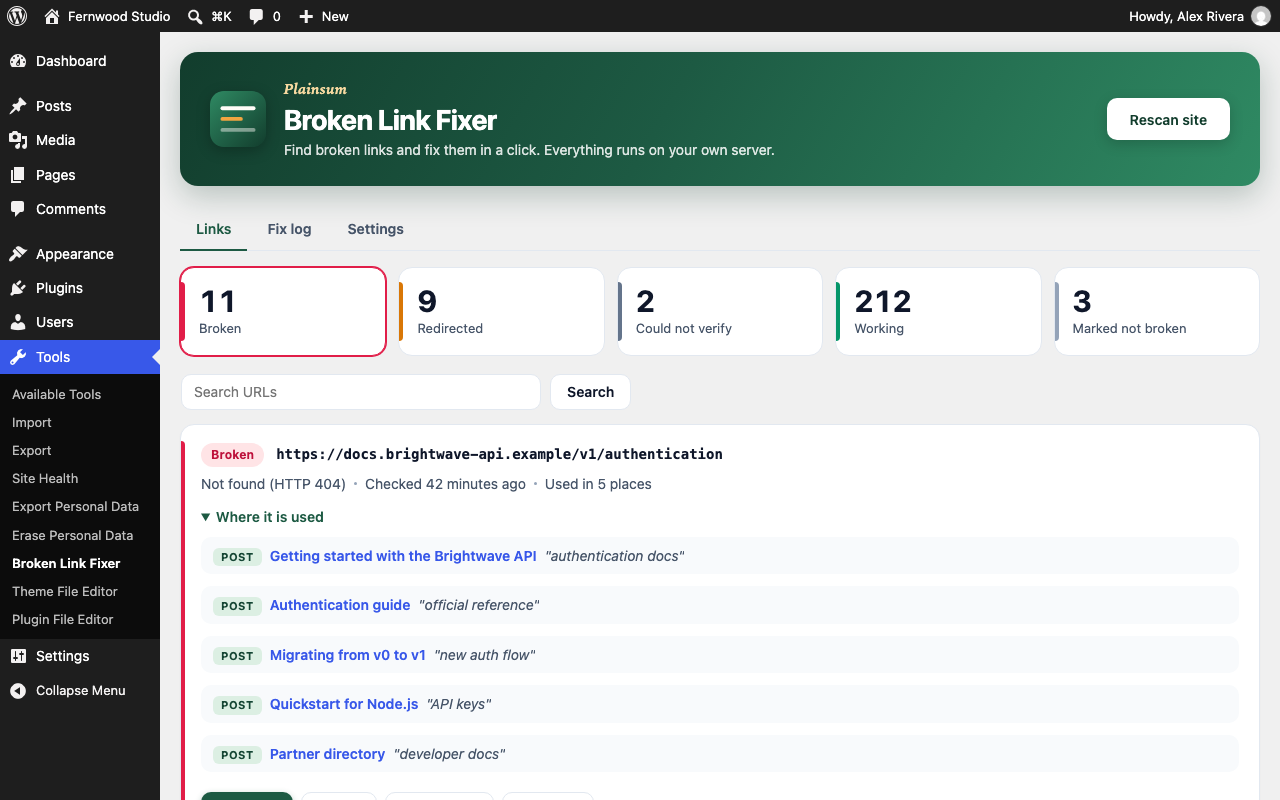
Broken links are grouped by URL. Each group shows every post and menu item that uses it, with one-click fixes:
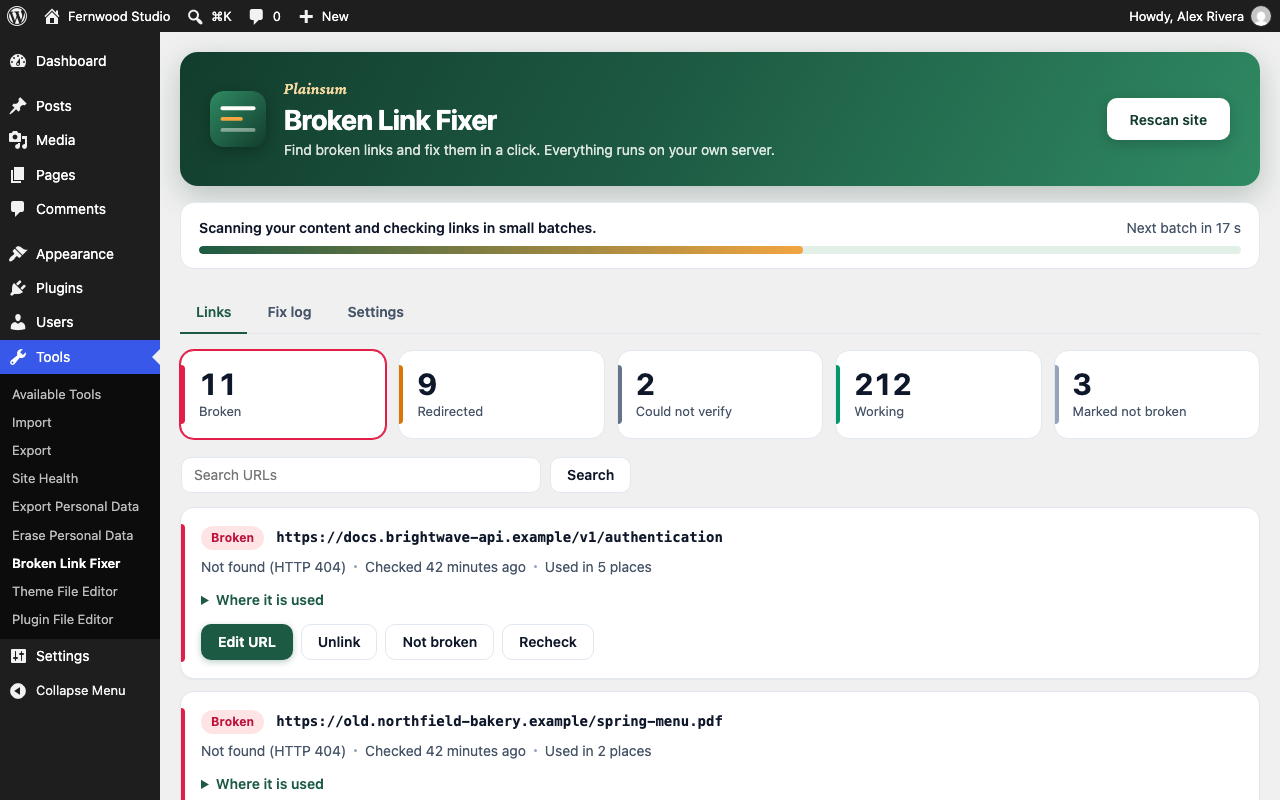
- Edit URL: change the address everywhere it is used, in one step.
- Unlink: remove the link but keep the text (or remove a broken image).
- Not broken: mark a false alarm so Broken Link Fixer stops reporting it.
- Recheck: test the link again right now.
- Update URL on redirected links: switch to the final address and skip the extra hop.
- Undo: every edit and unlink is recorded in the Fix log, with a restore button.
Built to be gentle
- Checks run in background batches through WP-Cron. You choose how many links per batch and how long to wait between batches. The default is 10 links every 30 seconds.
- At most two requests per website per batch, so linked sites are not hammered.
- One database row per distinct URL, never one per occurrence. A cap on stored URLs, a capped fix log, and automatic clean-up of links that no longer appear in any post.
- Links on your own site are checked without a web request when possible: posts are looked up directly and uploaded files are checked on disk.
Fewer false alarms
- “Broken” means a real 404 or 410, a domain that does not exist, or a link that keeps failing across several checks.
- Sites that block automated checks (401, 403, 429 and similar) are listed as “Could not verify”, not broken.
- Temporary server errors and timeouts are retried before they are reported.
- HEAD requests that a server refuses are confirmed with a tiny GET before judging.
- You can skip domains that always block bots, such as social networks.
Private by design
- No account, no license key, no external service run by the plugin author.
- The only network requests are the checks themselves, sent from your server to the addresses already in your content.
For developers
Broken Link Fixer exposes neutral hooks so other plugins can build on it. Examples: the nblf_link_status_changed, nblf_scan_finished, nblf_after_fix and nblf_after_undo actions; the nblf_link_actions action (add buttons to a link card); and the nblf_check_result, nblf_should_check_url, nblf_request_args, nblf_post_types, nblf_post_statuses, nblf_max_links and nblf_capability filters.
External services
Broken Link Fixer does not connect to any service operated by its author or anyone else.
To do its job it sends HTTP requests (HEAD, and a small GET when needed) from your server to the URLs that appear in your own content, to find out whether they work. Those requests include a User-Agent that names the plugin and your site address (for example Mozilla/5.0 (compatible; PlainsumBrokenLinkFixer/1.0.0; +https://example.com/)), so the owners of linked sites can see who is checking. Nothing else about your site, your users or your content is sent. Requests to private or internal addresses are blocked.
You control the speed in Tools > Broken Link Fixer > Settings, and you can add any domain to the skip list so it is never requested.
Screenshots


Installation
- Upload the
plainsum-broken-link-fixerfolder to/wp-content/plugins/, or install the plugin from the Plugins screen. - Activate it.
- Go to Tools > Broken Link Fixer and click Scan site.
FAQ
-
Does it need an account or an API key?
-
No. Everything runs on your own server.
-
Will it slow down my site or fill my database?
-
Checks run in the background in small batches, with a cap on requests per batch. Broken Link Fixer stores one row per distinct URL, caps the number of stored URLs, and trims its own log. Visitors never wait for a check.
-
How do the background checks run?
-
Through WP-Cron. If WP-Cron is disabled on your site, keep the Broken Link Fixer screen open: it advances the scan while you watch. A real server cron that calls wp-cron.php works too.
-
Why is a link marked “Could not verify”?
-
Many sites answer automated requests with 403 or 429 even though the page works in a browser. Broken Link Fixer does not call those links broken. You can recheck them, mark them as not broken, or add the domain to the skip list.
-
Can I undo a fix?
-
Yes. Open the Fix log tab and click Undo. Broken Link Fixer restores the exact earlier content. If a post was edited after the fix, an Edit URL fix reverses just that URL; for other cases it leaves the post alone and tells you.
-
What does Unlink do to images?
-
For a broken image it removes the image tag. For a broken link it removes the link and keeps the text. Menu items can only be edited, not unlinked.
-
Which content is scanned?
-
Published, scheduled and private content of every public post type, reusable blocks, block-theme navigation, and custom links in classic menus. You can narrow the post types in Settings.
-
What happens when I delete the plugin?
-
Broken Link Fixer removes its three database tables and its settings.
-
Can other plugins extend it?
-
Yes. See the hooks listed under “For developers”.
Reviews
There are no reviews for this plugin.
Contributors & Developers
“Plainsum Broken Link Fixer” is open source software. The following people have contributed to this plugin.
Contributors
Translate “Plainsum Broken Link Fixer” into your language.
Interested in development?
Browse the code, check out the SVN repository, or subscribe to the development log by RSS.
Changelog
1.0.0
- First release.