
Description
Skubl helps stores show the right thing to the right visitor, and prove what works.
- Experiences: change banners, messages and offers for an audience, with no code.
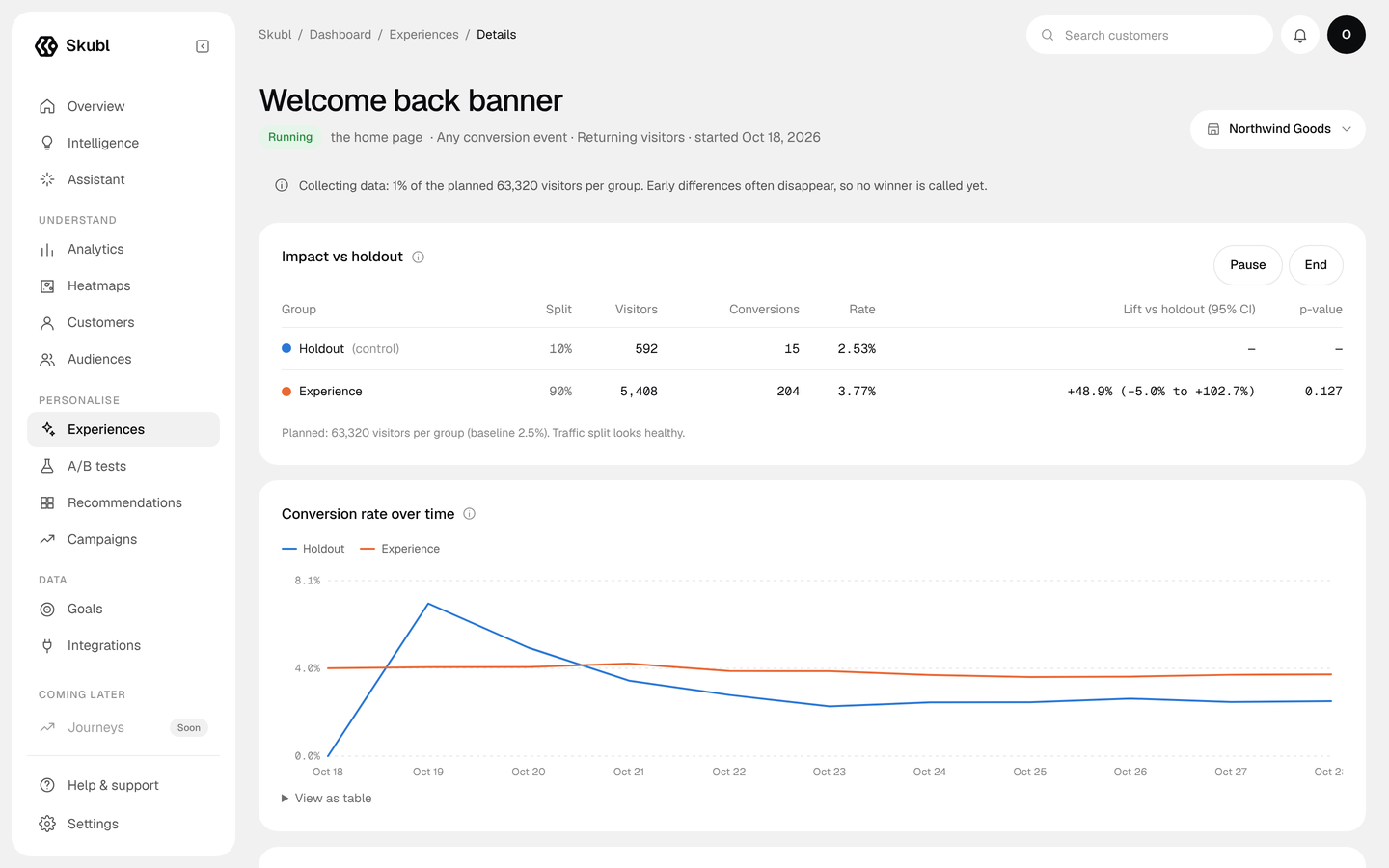
- A/B tests with honest statistics: a planned sample size, significance and checks for broken splits. Reports say “not measured” rather than guess when there isn’t enough data.
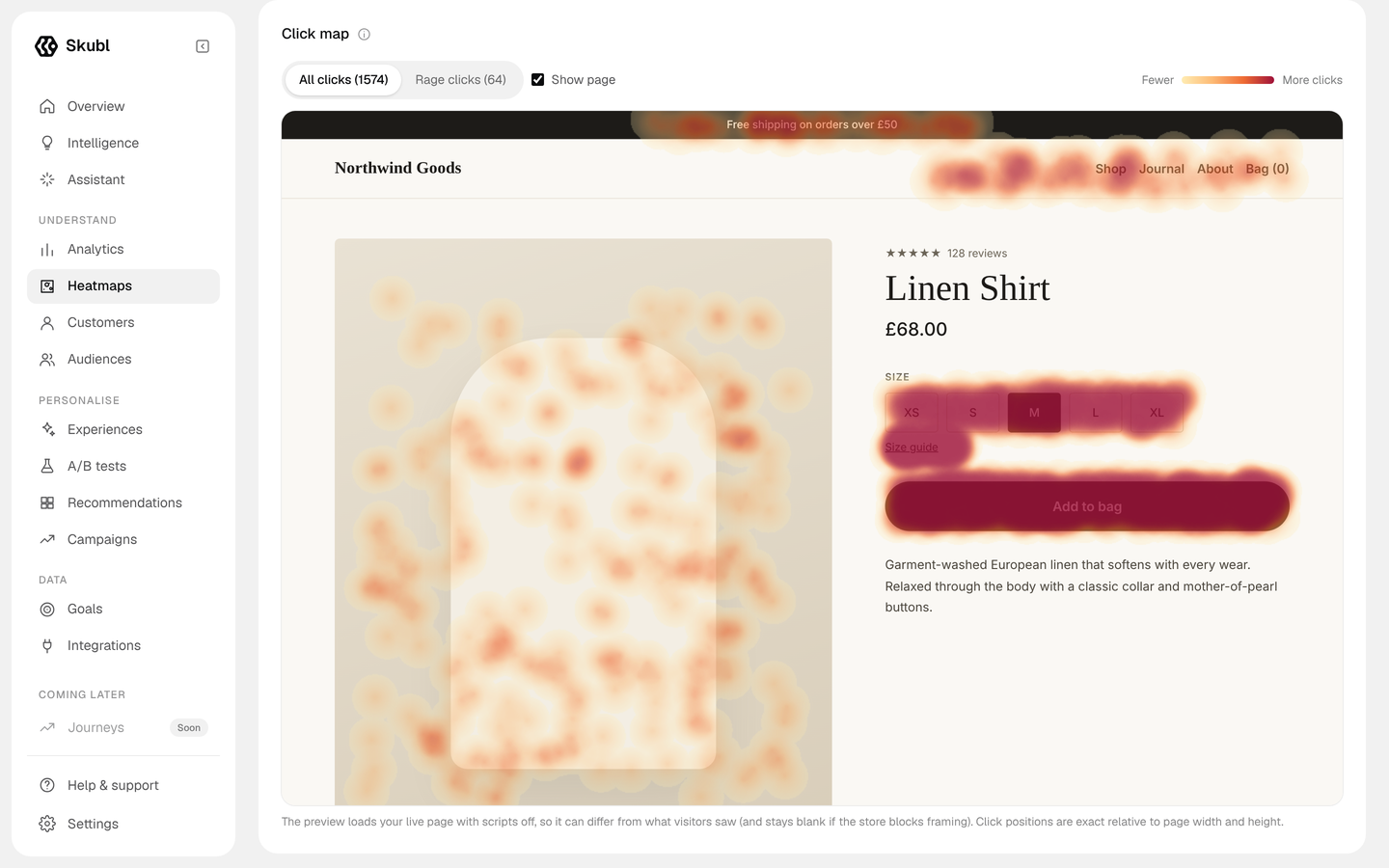
- Heatmaps: where people click and how far they scroll.
- Product recommendations from your own orders (best sellers, frequently bought together), shown with your theme’s product cards, as a block, a shortcode or automatically on product pages.
- Form conversions with no setup: successful submissions of Contact Form 7, Gravity Forms, WPForms, Ninja Forms, Formidable, Elementor Pro, Fluent Forms and plain HTML forms count as conversions, with form starts and steps for multi-step forms.
- WooCommerce order sync (new, updated and historic orders) for revenue reporting, repeat rate and audiences built from order history.
Skubl is a hosted service: this plugin connects your site to your Skubl workspace, and you manage experiences, tests and reports in the Skubl dashboard at skubl.com.
Pricing
Skubl has a free plan for small sites (500 eligible shoppers a month, one live experience). Paid plans for larger stores start at $99 a month. See https://skubl.com/pricing. The plugin itself is free and doesn’t limit any feature; limits come from your Skubl plan.
How connecting works
Click Connect to Skubl, sign in or create a free account on skubl.com, choose a workspace and approve. You come straight back to WordPress and the plugin sets itself up. Keys are exchanged server-to-server; nothing is copied by hand.
External services
This plugin connects to Skubl (https://skubl.com), a hosted personalization and analytics service run by Skubl. Nothing is sent to Skubl until a site administrator clicks Connect to Skubl and approves the connection. After that:
- Connecting and disconnecting. When you click Connect, your browser goes to https://skubl.com/connect with your site’s address, so you can choose a Skubl workspace. The plugin then sends a one-time code and your site address to https://skubl.com/api/connect/exchange and receives the workspace’s keys. Disconnecting sends a request to https://skubl.com/api/connect/disconnect to revoke the site’s key.
- The Skubl pixel (https://skubl.com/skubl.js) loads on your site’s pages while the “Load the Skubl pixel” setting is on. It sends page views (page address, referring page and campaign UTM tags), clicks, scroll depth, device type and screen width, the experiences and test variants a visitor saw, and a random visitor id to https://skubl.com/api/track, and reads which experiences to show from https://skubl.com/api/pixel-config. On the WooCommerce order-received page it also sends the order total as a purchase. It doesn’t send visitors’ names or email addresses, and Skubl doesn’t store their IP addresses.
- WooCommerce orders (only with WooCommerce, while “Send WooCommerce orders to Skubl” is on) are sent to https://skubl.com/api/ingest/orders when they are created or updated, and once for your order history: order number, date, status, totals, currency, line items, and the customer’s billing name and email. They are used for reporting and audiences in your workspace only.
- Form submissions (while “Count form submissions as conversions” is on) are sent through the pixel as events: that a form was started, reached a new step or was submitted, with the form’s id or name, the form plugin and the page. What visitors type into forms is never read or sent.
- Product recommendations (only with WooCommerce, where you add the block, shortcode or product-page option) request product ids from https://skubl.com/api/recs, sending your site’s Skubl key, the type of recommendation and the current product id. Results are cached on your site for ten minutes.
Skubl terms of service: https://skubl.com/terms. Privacy policy: https://skubl.com/privacy.
If your site asks visitors for cookie or tracking consent, you are responsible for including Skubl in it. You can switch the pixel off at any time under Skubl Settings.
Screenshots




Blocks
This plugin provides 1 block.
- Skubl recommendations
Installation
- Install and activate the plugin from Plugins Add New, or upload the zip.
- Go to Skubl in the admin menu and click Connect to Skubl.
- Sign in to Skubl (or create a free account), choose a workspace and approve. You’re brought back to WordPress, connected.
Your site must use https to connect (local development sites are allowed).
FAQ
-
Do I need a Skubl account?
-
Yes. Skubl is a hosted service, and the plugin connects your site to a Skubl workspace. Creating an account is free and happens during Connect.
-
Does it slow my site down?
-
The pixel loads asynchronously and never blocks rendering. Order sync runs in the background with Action Scheduler (or WP-Cron). Recommendations are cached for ten minutes.
-
Do I need WooCommerce?
-
No. Without WooCommerce you get experiences, A/B tests, heatmaps and analytics. Order sync and recommendations need WooCommerce.
-
Does it work with the block checkout and HPOS?
-
Yes. The plugin declares compatibility with WooCommerce’s High-Performance Order Storage and the Cart and Checkout blocks.
-
What happens when I disconnect or delete the plugin?
-
Disconnecting removes the pixel, stops order sync and revokes the site’s key. Deleting the plugin also removes its settings. Data already sent stays in your Skubl workspace until you delete it there.
Reviews
There are no reviews for this plugin.
Contributors & Developers
“Skubl: Personalization, A/B Testing & Recommendations” is open source software. The following people have contributed to this plugin.
Contributors
Translate “Skubl: Personalization, A/B Testing & Recommendations” into your language.
Interested in development?
Browse the code, check out the SVN repository, or subscribe to the development log by RSS.
Changelog
1.2.0
- Form submissions count as conversions automatically (Contact Form 7, Gravity Forms, WPForms, Ninja Forms, Formidable, Elementor Pro, Fluent Forms and plain HTML forms), with form starts and steps.
- Page caches (W3 Total Cache, WP Super Cache, WP Rocket, LiteSpeed, SiteGround, Autoptimize) are cleared when Skubl is connected, disconnected or its settings change.
- Redesigned Skubl screen: connection status at a glance, quick links into your workspace and clearer settings.
- The pixel records screen width and new vs returning visits, so test results can be broken down by device and visit type.
1.1.1
- Plugin Check fixes: output and input handling, plugin name matches the readme.
1.1.0
- The pixel, purchase and recommendation scripts and the admin styles now load through WordPress’s script and style queues (the pixel stays async in the head).
- Requires WordPress 6.3 or later. Tested with WordPress 7.1 and WooCommerce 11.2.
- Clearer description of the external services the plugin uses.
1.0.0
- First release.