

Description
Place a simple or variable product inside a page or post using its product ID.
WooCommerce supplies product details, availability, variation choices and cart behavior.
Multiple buy boxes, including repeated products, keep their own selection and media state.
- Native selects and purchase forms work without JavaScript.
- AJAX purchasing adds in place; ajax_cart=”no” uses native POST and a cart redirect.
- Optional Media Library video replaces the image inside the box, preserving the featured image.
- Media, merchandising text and appearance settings use the classic WooCommerce product editor.
- No EVO account, license activation, telemetry or remote font service.
Initial launch integration is WordPress’s built-in Shortcode block, not a custom block.
Jupiter X/WPBakery compatibility and Elementor widgets are deferred updates.
Shortcode reference
Start with [through_evo_product_spotlight id=”123″] in a WordPress Shortcode block. Replace 123 with your product ID.
Combine options inside the closing bracket using straight quotes. Omit an option to use its default.
- id: required published, visible simple or variable product ID.
- ajax_cart=”yes|no”: defaults to yes. yes adds in place; no uses a native form and opens the cart. Neither skips to checkout.
- image=”yes|no”: defaults to yes. no hides all media, including video. Legacy false/0/off values also hide media.
- quantity=”yes|no”: defaults to yes. no hides quantity and submits the product minimum, normally 1. Native stock and sold-individually limits still apply.
- description=”short|full|none”: defaults to short; chooses the native product description or hides it.
- eyebrow=”Text”: sets Badge/Tagline for this placement. Omitted uses the product setting; an empty value hides it. The existing option name remains for compatibility.
- assurance=”One,Two”: overrides purchase assurances for this placement. Omitted uses product settings; an empty value hides them. Escape a literal comma as backslash-comma.
Examples:
[through_evo_product_spotlight id=”123″ ajax_cart=”no” image=”no”]
[through_evo_product_spotlight id=”123″ quantity=”no” description=”none” eyebrow=”Limited edition” assurance=”Free returns,Fast dispatch”]
Video, poster, captions, accent and media height are product-editor settings, not shortcode options.
Price, stock and variation choices come from WooCommerce. size_guide is retained for compatibility but does not render a link.
The product editor includes the same option reference beside Copy shortcode. Unknown options and direct-to-checkout actions are not available.
Support and security
Report potential vulnerabilities privately to hello@throughevo.com. Do not post exploit details publicly.
Existing EVO Buy Box installations
Deactivate the earlier EVO Buy Box plugin before activating Product Spotlight. Existing product settings and the through_evo_buy_box and healincomfort_product_buy_box shortcode aliases are retained.
The new canonical shortcode is through_evo_product_spotlight. Neither plugin automatically deletes or migrates your merchandising metadata.
Screenshots


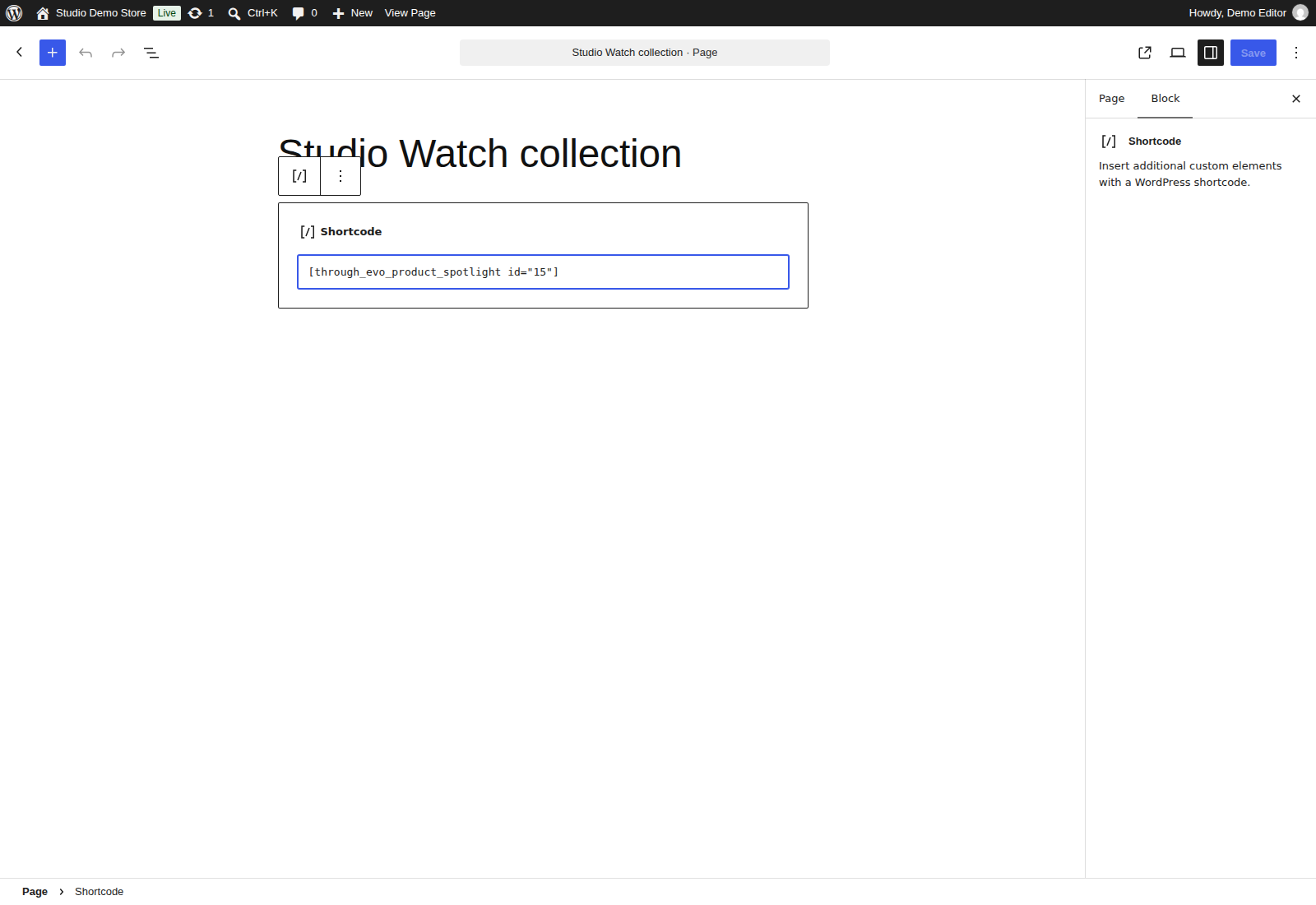
Installation
- Use WordPress 7.1+, WooCommerce 11.2.1+ and PHP 8.3+. Back up and test on staging.
- Upload the ZIP through Plugins > Add New Plugin > Upload Plugin. Activate with WooCommerce active.
- Find a published simple or variable product’s ID in Products. Verify visibility, stock and variation settings.
- Insert WordPress’s Shortcode block in a page or post. Enter [through_evo_product_spotlight id=”123″], replacing 123 with that ID.
- Save/publish and view the front end. Select options, choose quantity and verify the cart after one deliberate add.
- Optional: edit Product data > General > Product Spotlight in the classic product editor; save the product after changes.
Do not activate Healincomfort and EVO together during a switch-over. EVO withholds purchase handlers when it detects the original plugin or a conflicting legacy shortcode.
FAQ
-
What shortcode options are available?
-
[through_evo_product_spotlight id=”123″]
Optional: ajax_cart=”no”, quantity=”no”, image=”no”, description=”short|full|none”, eyebrow=”Text”, assurance=”One,Two”.
image=”no” hides all buy-box media, including video. Product assurances use one statement per line.
Placement assurance overrides use commas; backslash-comma preserves a literal comma.
The retained size_guide attribute does not render a link. -
Does the editor show a live purchase form?
-
No custom editor preview is supplied. Use the native Shortcode block and check the saved front end.
Classic WooCommerce product editing is supported; the newer product editor is not certified. -
Which products and integrations are supported?
-
Published visible purchasable simple and variable products. Other types offer a product-page link.
Maximum 20 variation attributes. Embedded variation data follows the native threshold capped at 50; larger sets use WooCommerce AJAX lookup.
Subscriptions, bundles, composites, bookings, product add-ons and third-party swatch/quantity extensions are outside launch certification.
Multisite/network activation and page-cache combinations are outside launch certification. -
What happens if an add-to-cart request times out?
-
The item may already have been added. Check the cart link before reloading or adding again.
Uncertain requests are locked and are not automatically retried. Server validation remains authoritative. -
How does video work?
-
Select an existing approved Media Library MP4, WebM or Ogg attachment. Browser/codec support varies.
Video uses controls, inline playback, no autoplay/loop and metadata preload. It preserves frame ratio and falls back to product imagery on playback failure.
Poster is optional. One site-approved WebVTT attachment can provide captions with language, label and default state.
The plugin does not enable upload types, transcode media or fetch remote captions.
Offloaded captions need a retained readable local copy, at most 1 MiB with a WEBVTT header.
Merchants remain responsible for captions, transcripts and media rights. -
Is legacy content preserved?
-
[healincomfort_product_buy_box id=”123″] remains an alias. EVO reads legacy metadata when canonical metadata is absent.
An explicitly cleared canonical value suppresses fallback. No bulk migration is performed.
Deactivation and uninstall preserve merchandising metadata, featured images and uploaded media.
Back up and compare staging before switching plugins. The repository includes a rollback runbook. -
What data does EVO send?
-
This plugin adds no EVO telemetry or external service. It uses Media Library URLs and WooCommerce cart/session facilities.
Those host systems and merchant-configured media URLs may have their own privacy behavior.
Uninstalling EVO does not delete their data.
Reviews
There are no reviews for this plugin.
Contributors & Developers
“Through EVO Product Spotlight for WooCommerce” is open source software. The following people have contributed to this plugin.
Contributors
Translate “Through EVO Product Spotlight for WooCommerce” into your language.
Interested in development?
Browse the code, check out the SVN repository, or subscribe to the development log by RSS.
Changelog
1.0.0
- Initial stable package for native WordPress Shortcode blocks, simple and variable products, optional video and captions.
- Include the accepted Product Spotlight editor layout, Badge/Tagline label, character limits and shortcode documentation.
- Preserve both prior shortcode aliases and product settings; show administrator notices only when a dependency or conflict needs attention.
1.0.0-beta.4
- Rename the plugin to Through EVO Product Spotlight for WooCommerce; package as Product-Spotlight.zip.
- Add the through_evo_product_spotlight shortcode and retain both prior aliases and saved product settings.
- Withhold the new runtime while the earlier EVO Buy Box plugin remains active; no silent deactivation or destructive migration.
1.0.0-beta.3
- Align editor fields, help text and action spacing, including narrow screens.
- Rename the visible Eyebrow label to Badge/Tagline while preserving existing shortcode and metadata names.
- Validate assurance limits as Unicode characters rather than UTF-8 bytes.
- Simplify the caption note and add an in-editor shortcode reference with product-specific examples.
1.0.0-beta.2
- Prepare native Shortcode-block setup, boundaries, privacy and rollback documentation.
- Align minimum-version guidance with the verified boundary.
- Retain staging status pending publisher details and manual release checks.
1.0.0-beta.1
- Stage simple/variable purchasing, multiple instances, media settings and legacy read-through.
- Verify native Shortcode-block fixtures on WordPress 7.1.4, WooCommerce 11.2.1 and PHP 8.3 with reference themes and HPOS on/off.