

Description
PeppolKit turns every paid WooCommerce order into a correct invoice, and sends it over Peppol when your customer is a Belgian business. Free for up to 10 invoices a month, no credit card. Sending over Peppol is free too, through your own free Peppyrus account.
Since 1 January 2026 Belgian businesses must send and receive B2B invoices as structured e-invoices over the Peppol network. A PDF is no longer enough for a Belgian business customer. PeppolKit does this for you, for shops established in the Netherlands or Belgium: you install the plugin, connect your shop and fill in your company details once. From then on every paid order gets its invoice automatically.
What you get
- PDF plus Peppol BIS Billing 3.0 UBL, validated against EN 16931 and the Peppol rules
- Optional VAT number field at checkout (classic and block checkout), checked live with the EU VIES service, reverse charge where required
- Credit notes automatically when you refund an order
- Invoices to business customers sent over the Peppol network when they have a Peppol ID (mandatory for Belgian B2B since 2026)
- Invoices in Dutch, French or English, in six designs, with your logo and brand colour; gapless numbering
- VAT done right for EU sales: reverse charge for EU businesses, OSS or the €10,000 threshold for EU consumers, export rules outside the EU
- Invoice download in the order screen, on the thank-you page, in the order e-mails and in the customer’s account
- Overview screen: setup checklist, usage this month, the latest invoices with Peppol and e-mail status
- Resend the invoice e-mail or (re)send over Peppol straight from the order
- One click to the PeppolKit dashboard: all invoices, monthly export for your accountant, sample invoice, logo and brand colour
- Orders that wait for an invoice (plan limit, missing company details) are kept and created later with one click
- Create invoices for paid orders of the last 60 days
What you need
PeppolKit is a service: the plugin sends paid orders to PeppolKit, which creates, checks, stores and delivers the invoices. Connecting your shop creates a free PeppolKit account from within WordPress, no separate sign-up.
- Free plan: 10 invoices a month, with VAT rules, credit notes, PDF and UBL file. Peppol sending runs through your own free Peppyrus account (a Belgian Peppol access point), which you connect in the PeppolKit dashboard. Peppyrus decides its own terms, so check them before you rely on them.
- Paid plans start at €9 a month and include Peppol sends through PeppolKit itself. They are billed by PeppolKit, not through WordPress.
PeppolKit only sends Peppol invoices. It does not receive them; for incoming invoices keep using your bookkeeping package or access point.
About the name
Kadeworks EU Invoices is made by Kadeworks, a Dutch software company (KvK 42214201). It connects your shop to PeppolKit, the invoicing service of Kadeworks, which also serves Shopify and PrestaShop shops. Peppol is the name of the open European e-invoicing network and standard, governed by OpenPeppol AISBL. The plugin sends invoices over that network through certified access points; it is not affiliated with, endorsed by or certified by OpenPeppol.
External service
This plugin sends order data (customer name, address, e-mail, VAT number, order lines and amounts) to the PeppolKit service at https://app.peppolkit.com to create, store and deliver invoices. Privacy policy: https://peppolkit.com/privacy · Terms: https://peppolkit.com/voorwaarden
Screenshots


Installation
- Install and activate the plugin (WooCommerce 8.0 or newer is required).
- Go to PeppolKit > Overview, check your e-mail address and click “Connect to PeppolKit”.
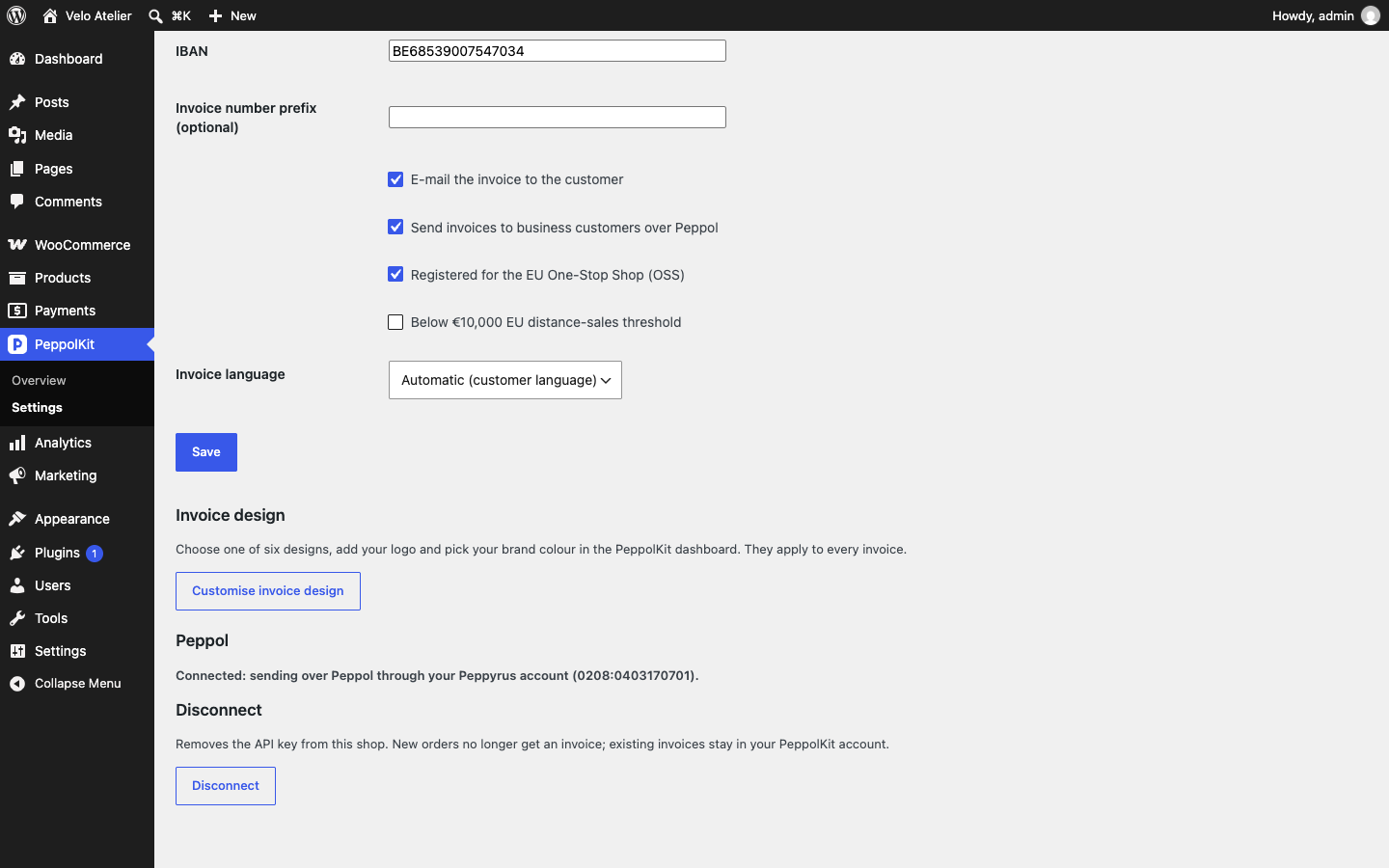
- Fill in your company details under PeppolKit > Settings: name, address, VAT number and Chamber of Commerce or enterprise number. Choose your options and save.
- Optional, to send invoices to business customers over Peppol: on the free plan create a free account at Peppyrus (customer.peppyrus.be) and paste its API key in the PeppolKit dashboard (Settings > Peppol); on a paid plan click “Activate Peppol” under PeppolKit > Settings.
From then on every paid order gets an invoice automatically. A test order is a real invoice: it gets a number from the running series and counts towards your monthly invoices.
FAQ
-
Do I have to create a separate PeppolKit account?
-
No. You connect your shop from WordPress, under PeppolKit in your menu, and that creates a free PeppolKit account automatically. You choose a paid plan in the PeppolKit dashboard, not through WordPress.
-
When is the invoice created?
-
As soon as an order reaches the status processing or completed. The invoice is created in the background, so checkout is never slowed down; it is usually ready within a minute.
-
Is it really free?
-
The free plan covers 10 invoices a month, with VAT rules, credit notes, PDF and UBL file, and needs no credit card. Peppol sending on the free plan runs through your own free Peppyrus account. Paid plans start at €9 a month; see peppolkit.com/peppol-kosten for the current plans.
-
Do I need Peppol?
-
Belgian businesses must send and receive B2B invoices over Peppol since 1 January 2026. If you sell to Belgian business customers from a shop in the Netherlands or Belgium, you need a Peppol connection. On the free plan, connect your own free Peppyrus account in the PeppolKit dashboard; on a paid plan, click “Activate Peppol” under PeppolKit > Settings. Invoices to consumers never go over Peppol.
-
What if my customer is not on Peppol?
-
PeppolKit looks the customer up in the Peppol network. If there is no Peppol address, the invoice is e-mailed as a PDF with the UBL file attached, and the order shows “Customer not on Peppol (e-mailed)”.
-
Can PeppolKit receive invoices from my suppliers?
-
No. PeppolKit only sends. Keep receiving incoming Peppol invoices where you already do, for example in your bookkeeping package or with your access point.
-
How does the VAT number field work?
-
The plugin adds an optional VAT number field to the checkout. PeppolKit checks the number live with the EU VIES service. If your customer is in another EU country than your shop and the number is valid, the order is reverse-charged at 0% VAT and the invoice says so. A customer from your own country pays normal VAT. Without a number a business is invoiced as a consumer.
-
What happens when I reach my monthly invoice limit?
-
The order is marked as waiting. PeppolKit shows a notice with the number of waiting orders and a button to create their invoices once you have upgraded your plan or filled in your company details.
-
I already had orders before installing PeppolKit.
-
Go to PeppolKit > Overview and click “Create invoices for paid orders of the last 60 days” (up to 250 orders at a time). These orders are handled like new ones: if e-mailing is on, customers receive their invoice by e-mail, so switch e-mailing off first if you do not want that.
-
Does it work for shops outside the Netherlands and Belgium?
-
The seller must be established in the Netherlands or Belgium. Customers can be anywhere: PeppolKit applies reverse charge for EU businesses, OSS or the €10,000 threshold for EU consumers, and export rules outside the EU.
-
Does it work with the block checkout and HPOS?
-
Yes. The VAT number field is added to both the classic and the block checkout, and the plugin works with High-Performance Order Storage.
-
Can I use it next to another invoice plugin?
-
Yes, but turn off the invoice e-mails of the other plugin, otherwise your customer gets two invoices. PeppolKit uses its own gapless number series.
-
Where do I give my accountant the invoices?
-
Click “Monthly export” on the overview screen to open the export in the PeppolKit dashboard.
-
What data does the plugin send to PeppolKit?
-
The plugin sends the data of paid and refunded orders to app.peppolkit.com: the customer’s name, address, e-mail and VAT number, the order lines and the amounts. PeppolKit uses it to create, check, store and deliver the invoice. You remain the controller of that customer data; PeppolKit is the processor.
-
What happens when I disconnect or delete the plugin?
-
Disconnecting removes the API key from your shop. Deleting the plugin also removes its settings and scheduled tasks. Your invoices stay available in your PeppolKit account for 30 days; connect again within that time and everything is kept.
-
Is the plugin available in Dutch and French?
-
Invoices can be made in Dutch, French or English. Dutch and French translations of the admin screens are submitted to translate.wordpress.org.
Reviews
There are no reviews for this plugin.
Contributors & Developers
“Kadeworks EU Invoices with Peppol for WooCommerce” is open source software. The following people have contributed to this plugin.
Contributors
Translate “Kadeworks EU Invoices with Peppol for WooCommerce” into your language.
Interested in development?
Browse the code, check out the SVN repository, or subscribe to the development log by RSS.
Changelog
0.1.0
- First version: invoices and credit notes for paid and refunded orders, VIES-checked reverse charge, Peppol sending.
- PeppolKit menu with an overview (setup checklist, usage bars, latest invoices) and settings.
- Order box: e-mail status, resend e-mail, send via Peppol / retry.
- Invoice link on the thank-you page and in the processing / completed e-mails.
- Waiting orders on plan limit or missing details, with automatic retry after saving settings; backfill for the last 60 days.
- Retry for credit notes on temporary errors.
- Disconnect button and clean uninstall.
- Setting for the EU distance-sales threshold.