

Description
Shopcrier puts your store’s news where shoppers look first: a bar at the top or bottom of the page. Free delivery thresholds, sales, new collections, holiday opening hours, delivery cut-off dates, anything worth saying before the shopper starts browsing.
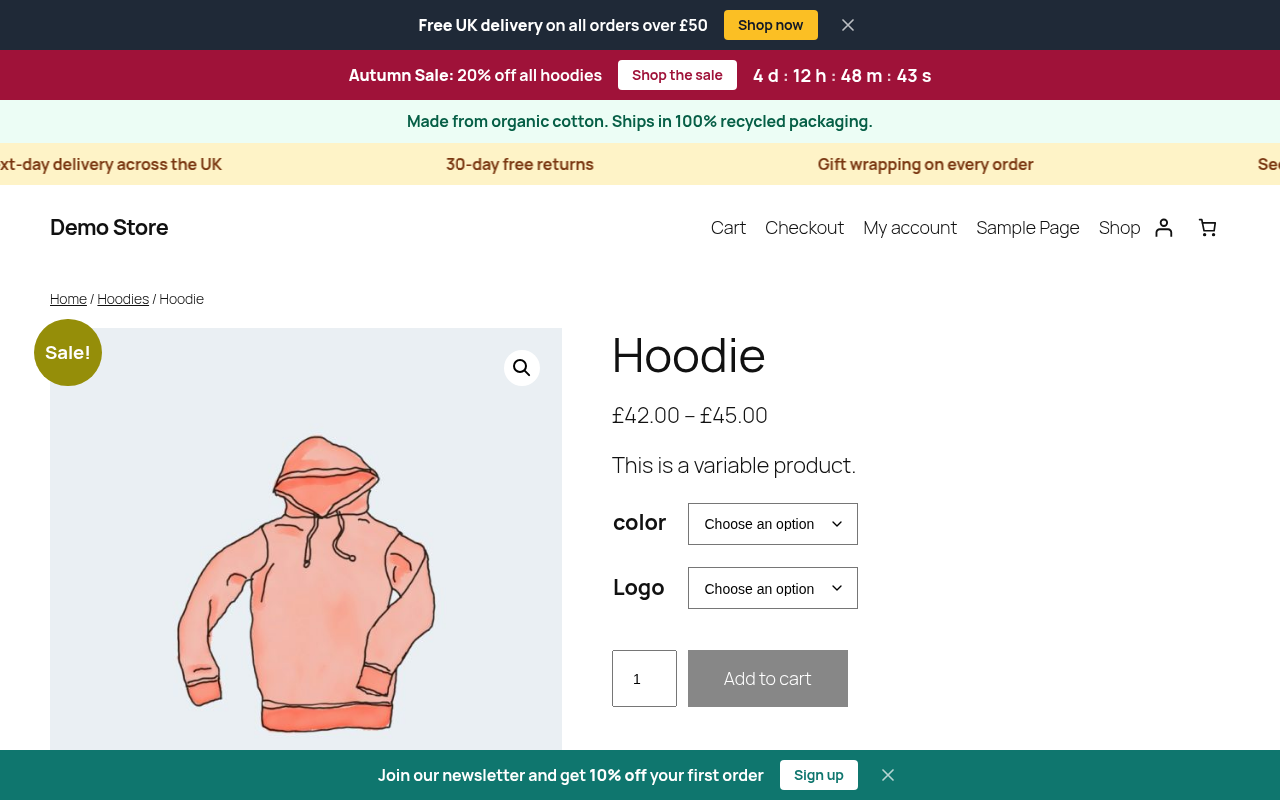
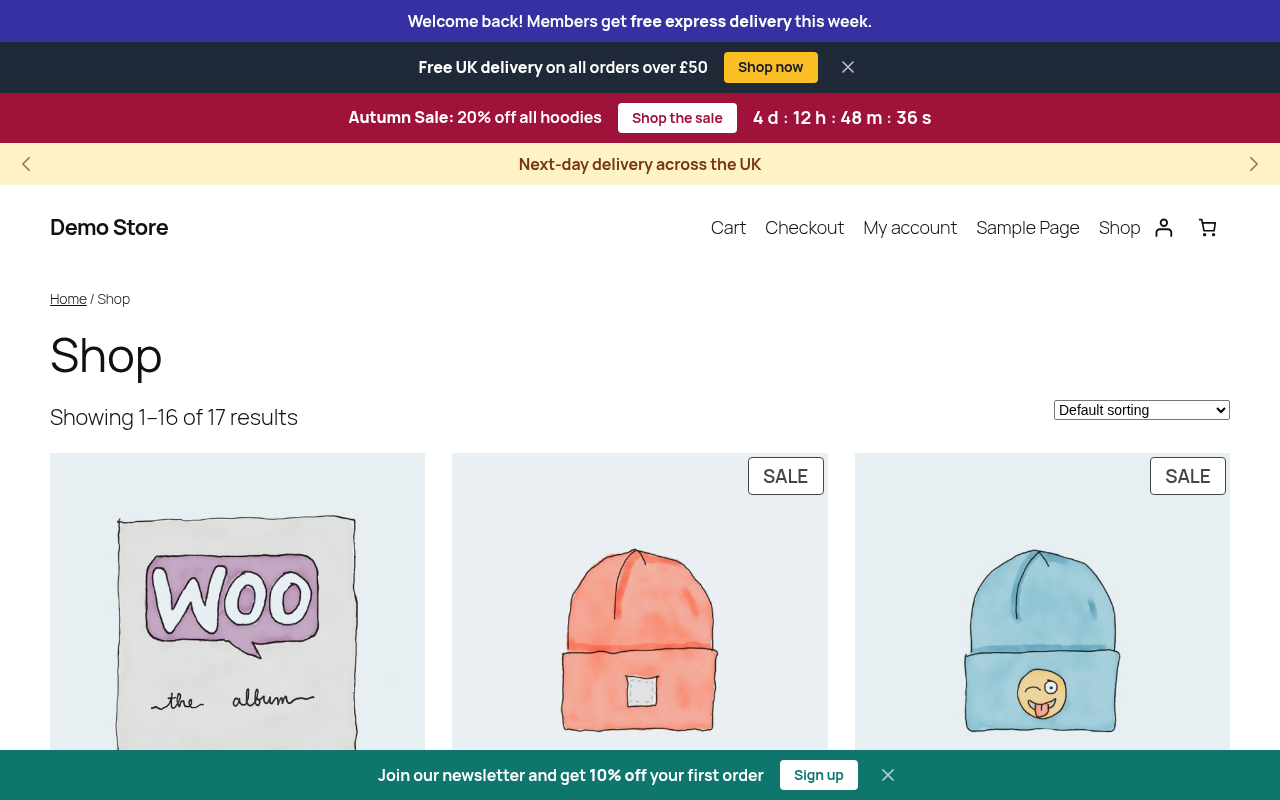
Create as many announcements as you like, schedule them ahead of time and let each one decide where it appears. A sale bar can count down to its last hour on the shop and category pages, a delivery notice can run in a ticker on every page, and a welcome message can greet logged-in customers only.
Bars and tickers
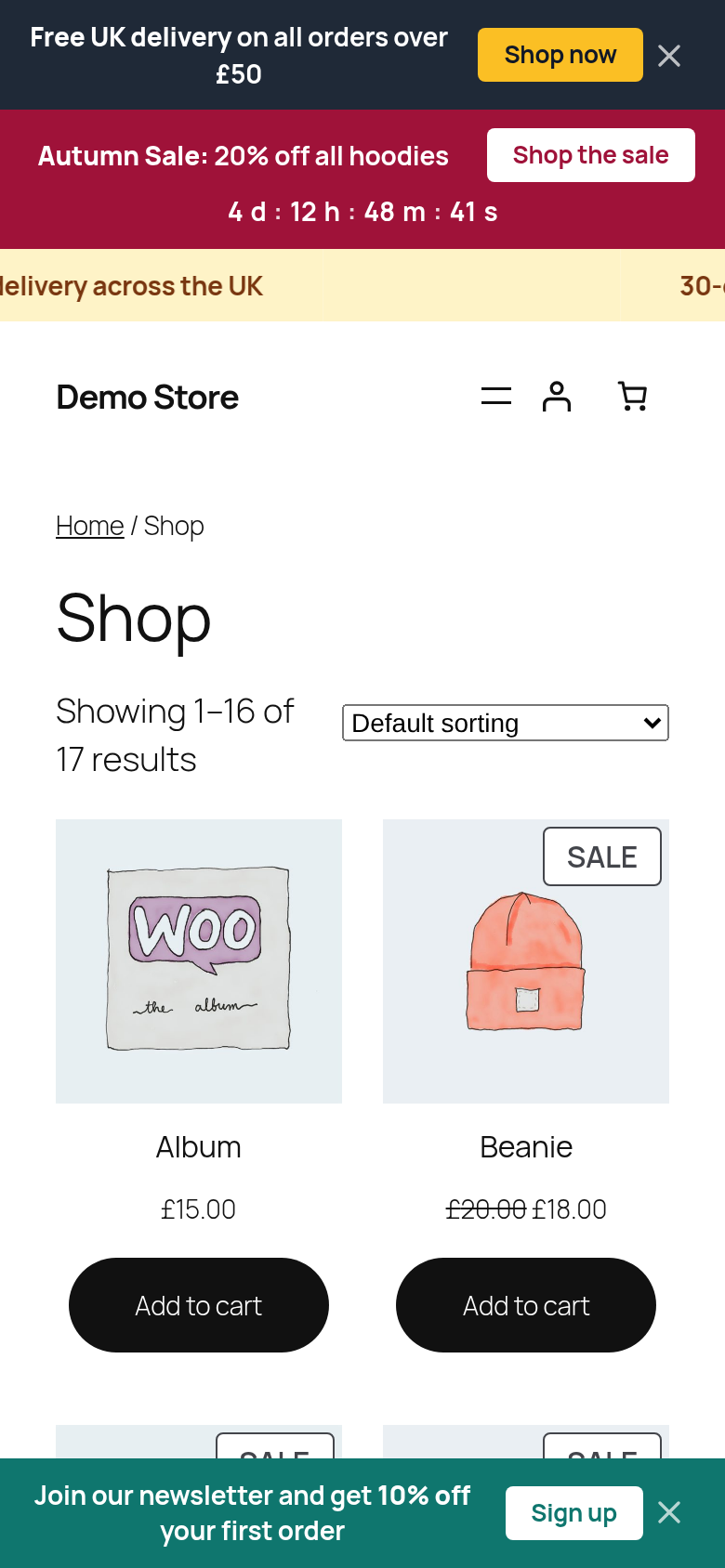
- Show each announcement as its own bar, or group several into one horizontal ticker that scrolls continuously (marquee) or slides with arrow controls.
- Place bars at the top of the page (before the theme header), at the bottom, or both.
- Keep the top or bottom bars sticky while the shopper scrolls.
- Add a call-to-action button, or make the whole bar a link to a product, category, page or custom URL.
- Choose the colours for each bar and button. A contrast checker tells you when text would be hard to read.
- Let shoppers dismiss a bar, for a number of days or for good. Dismissed bars do not flash back on the next page load.
Scheduling
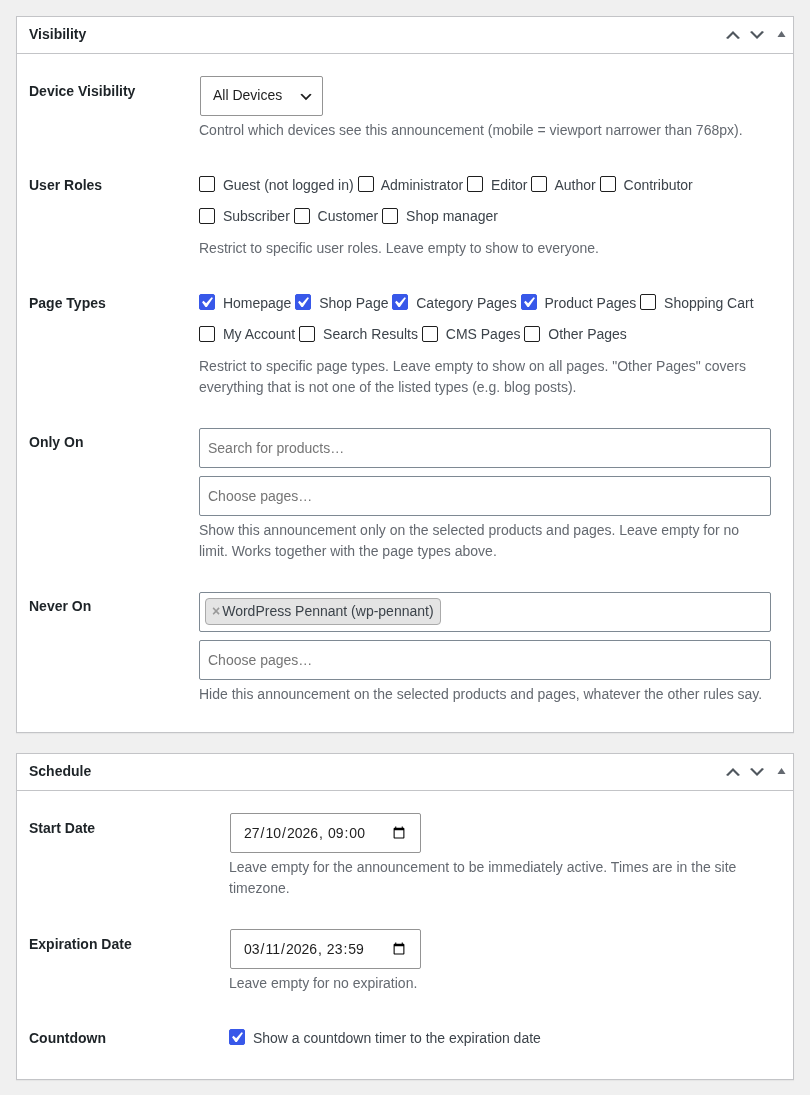
- Set a start and an expiration date and time for each announcement, in your site’s timezone.
- Show a live countdown to the expiration date. When it reaches zero the bar disappears, even on cached pages.
Targeting
- Page types: homepage, shop, category pages, product pages, cart, My Account, search results, other pages.
- Only on or never on specific products and pages.
- User roles, including logged-out visitors.
- Devices: everywhere, desktop only or mobile only.
- The checkout page always stays free of announcements, so nothing distracts from paying.
For developers
- Shortcode
[shopcrier_bar position="top"]and template tagshopcrier_bar( 'top' )for manual placement. - Templates you can override in your theme, plus filters for the page type, the list of bars and their content.
- WP-CLI commands under
wp shopcrierto create, update, list and toggle announcements. - The full reference of every setting, hook, template and command is in the README.md file inside the plugin.
Shopcrier stores everything in your own WordPress database and does not contact any external service. It is compatible with High-Performance Order Storage (HPOS) and the cart and checkout blocks.
Requires WooCommerce 9.0 or later, WordPress 6.6 or later and PHP 8.1 or later.
Screenshots



Installation
- Install and activate WooCommerce.
- Upload the
shopcrier-announcement-bar-for-woocommercefolder to/wp-content/plugins/, or install Shopcrier through the Plugins screen. - Activate Shopcrier through the Plugins screen.
- Go to Announcements Add New Announcement, write your message and publish it. It appears on your storefront straight away.
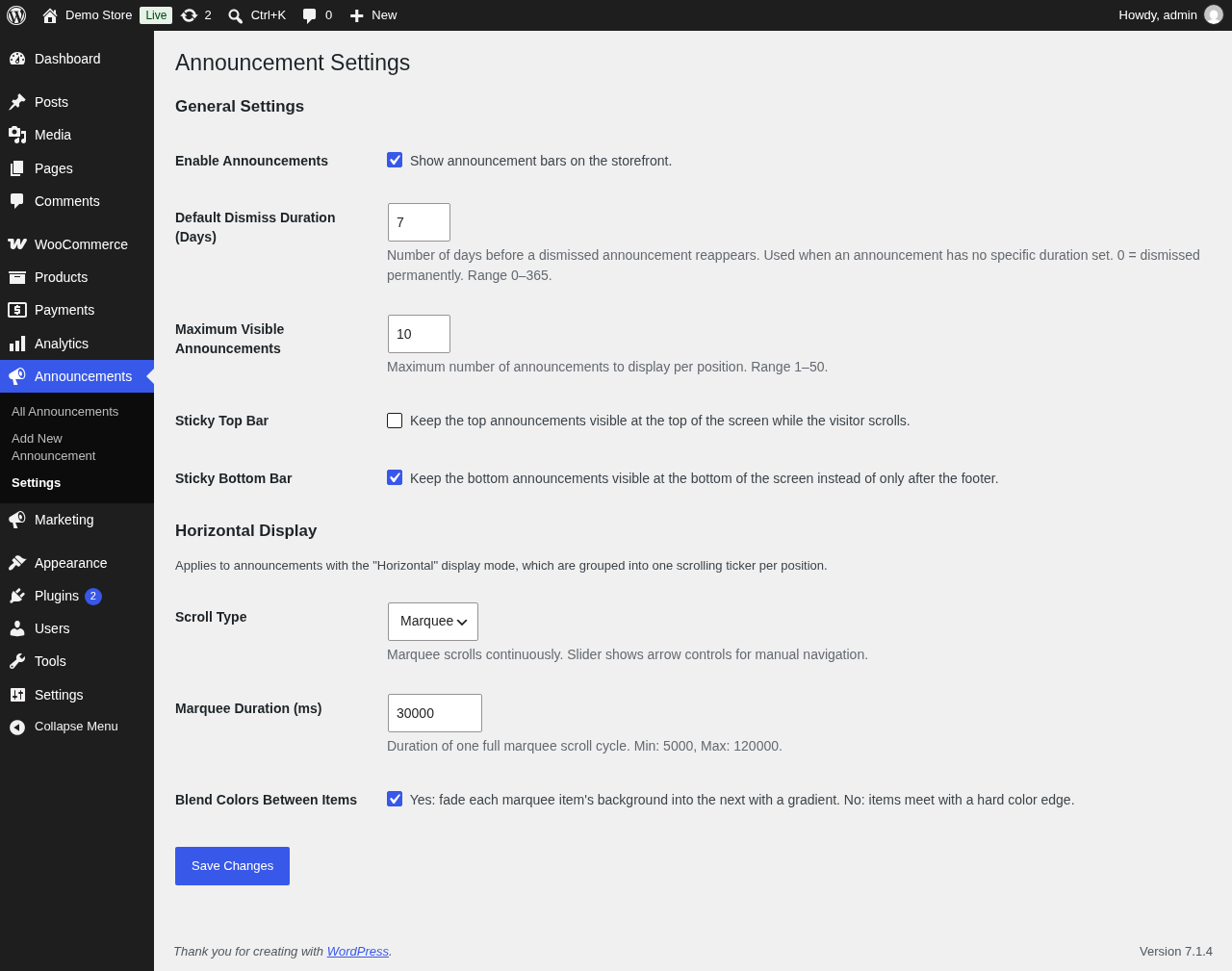
- Adjust the defaults (dismiss duration, sticky bars, ticker style) under Announcements Settings.
FAQ
-
Where are the settings?
-
Each announcement has its own options on its edit screen. Settings that apply to all announcements are under Announcements Settings.
-
Can I show more than one bar at a time?
-
Yes. Every enabled announcement that matches the current page appears, ordered by its sort order. You can limit how many appear per position under Announcements Settings.
-
How do I put several messages in one scrolling bar?
-
Set the Display Mode of those announcements to Horizontal. All horizontal announcements in the same position are grouped into one ticker. Choose between a continuous marquee and a slider under Announcements Settings.
-
How do I schedule a bar for a sale?
-
Set a Start Date and an Expiration Date in the Schedule box. The bar appears and disappears on its own. Tick Countdown to show the time left.
-
Does it work with page caching?
-
Yes. Dismissals are stored in the shopper’s browser and expired bars are hidden in the browser, so a cached page never shows a bar that has ended or one the shopper closed. Role targeting depends on who is logged in, so it needs a cache that does not serve the same page to logged-in and logged-out visitors (most caching plugins already work this way).
-
Why is there no bar on the checkout page?
-
On purpose. Announcements are never shown on the checkout and order-received pages, so nothing pulls shoppers away while they pay.
-
Can I place a bar somewhere else in my theme?
-
Yes. Use the shortcode
[shopcrier_bar position="top"]in a page or block, or callshopcrier_bar( 'top' )in a theme template. -
Does the plugin send data to external services?
-
No. Announcements are stored in your WordPress database, and dismissals are stored in the shopper’s browser (
localStorage). No cookies are set and nothing is sent anywhere. -
Is Shopcrier compatible with HPOS and the block checkout?
-
Yes. Shopcrier declares compatibility with High-Performance Order Storage and the cart and checkout blocks.
Reviews
There are no reviews for this plugin.
Contributors & Developers
“Shopcrier – Announcement Bar for WooCommerce” is open source software. The following people have contributed to this plugin.
Contributors
Translate “Shopcrier – Announcement Bar for WooCommerce” into your language.
Interested in development?
Browse the code, check out the SVN repository, or subscribe to the development log by RSS.
Changelog
1.0.0
- Initial release.