

Description
DROVNE Price Insight for WooCommerce is an independent plugin. It is not affiliated with or endorsed by Automattic, WooCommerce or the WordPress Foundation.
It shows what happened to your prices, sales and margins. It reports figures and does not suggest prices: the decisions stay with you.
Features:
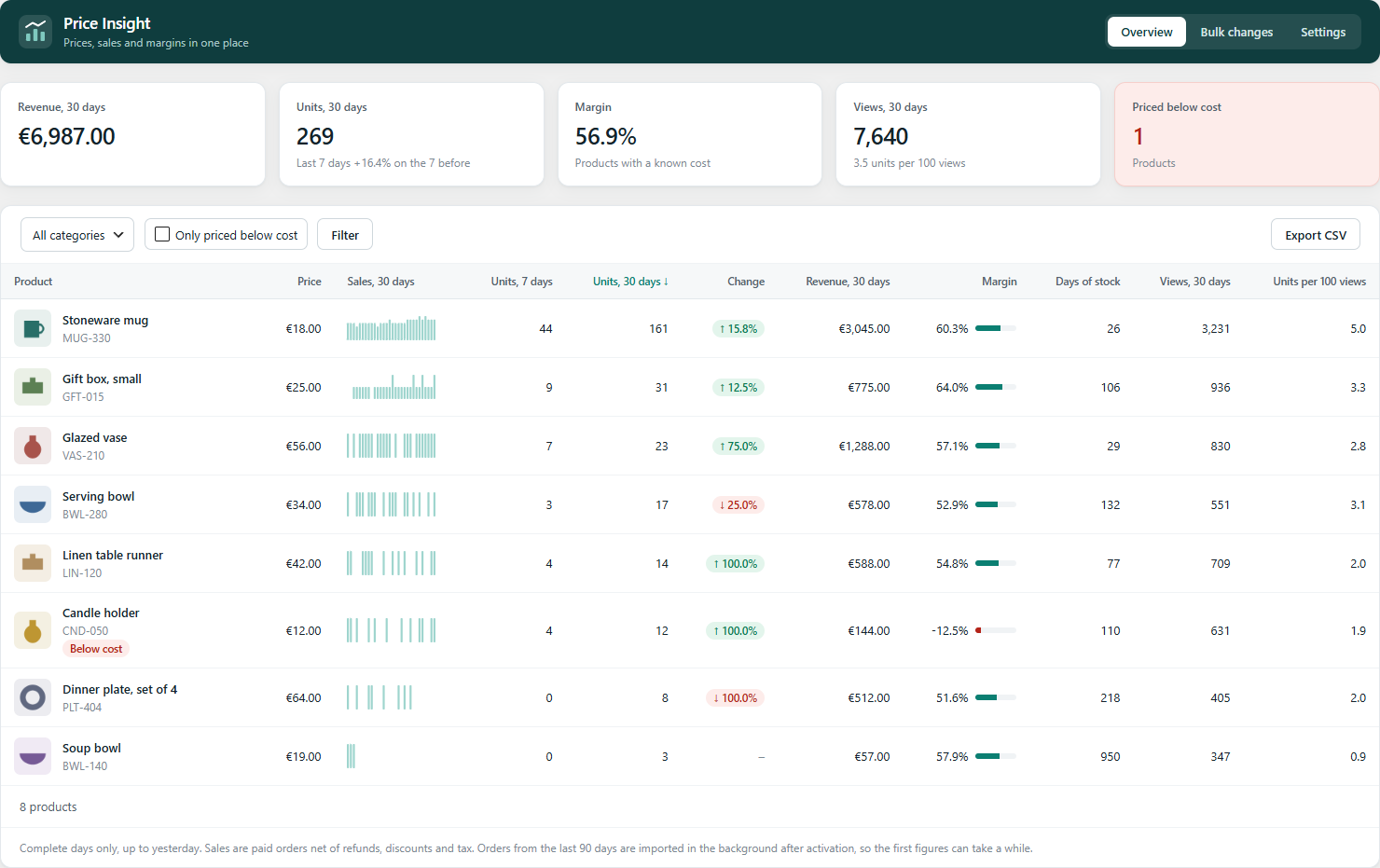
- Overview of every product: units over 7 and 30 days, change against the previous week, revenue, margin, days of stock, views and units per 100 views. Sort, filter by category and export to CSV.
- Price history for each product and variation, recording edits, scheduled sales and bulk changes.
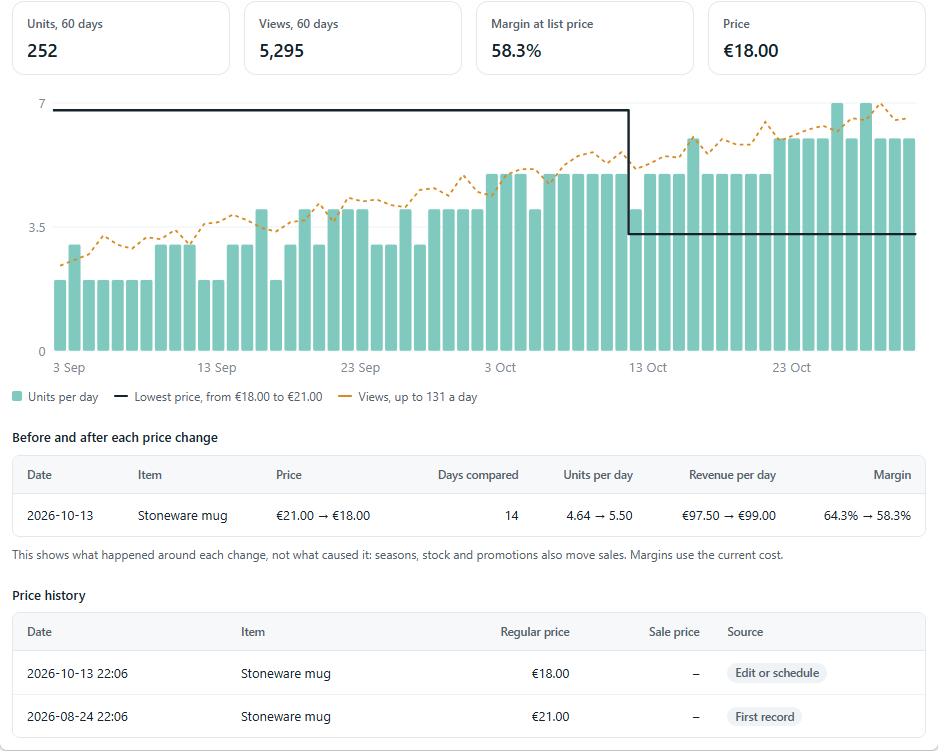
- A panel on the product editor with a sales and price chart, and a comparison of sales before and after each price change.
- Product cost, from the WooCommerce cost of goods feature when it is on, or from a field added by this plugin.
- A filter for products priced below cost, and a warning on the product editor.
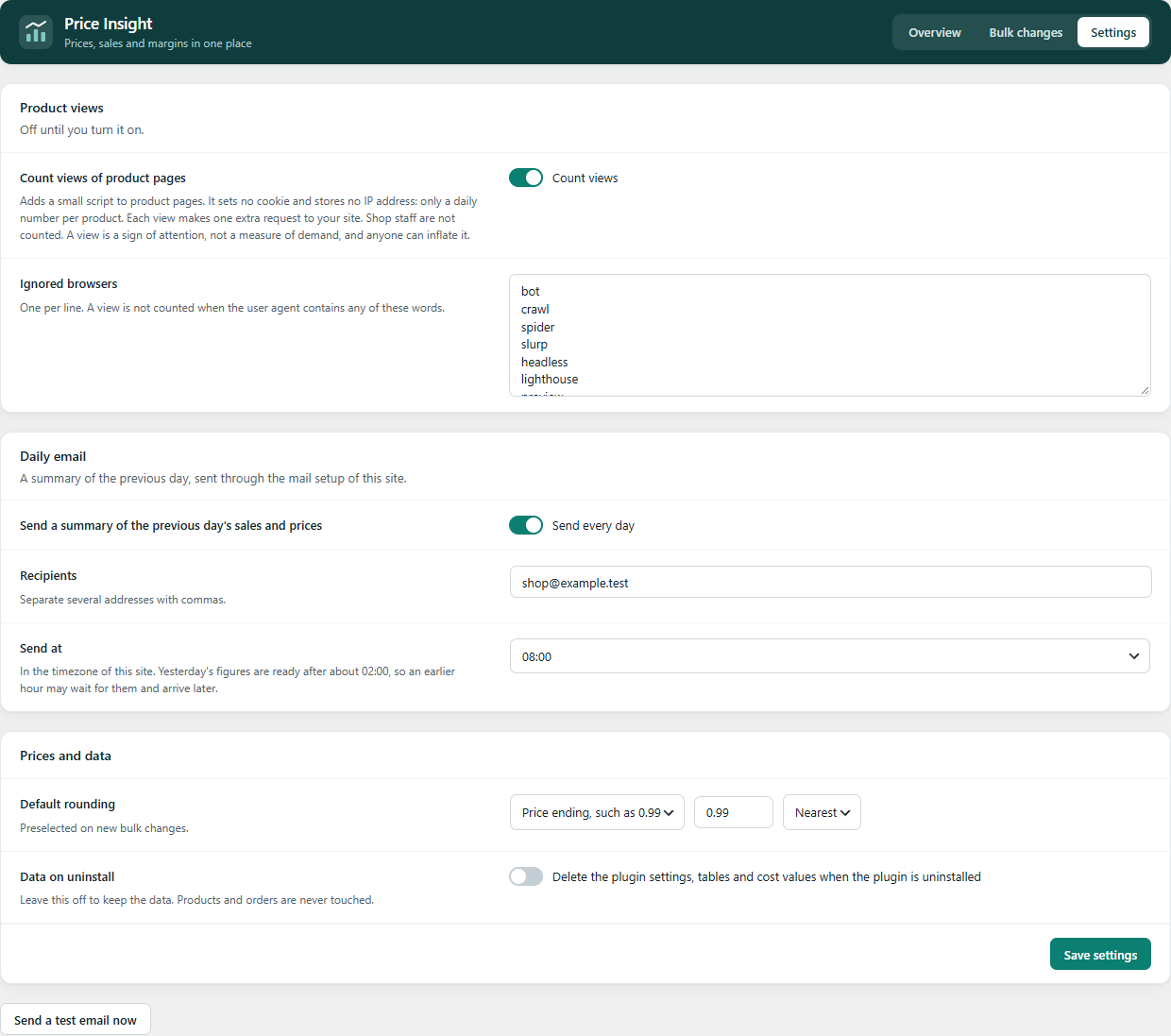
- Optional counting of product views, with no cookies and no IP addresses.
- Bulk changes to regular prices and sales, with price endings or multiples, a preview before anything is saved, and undo.
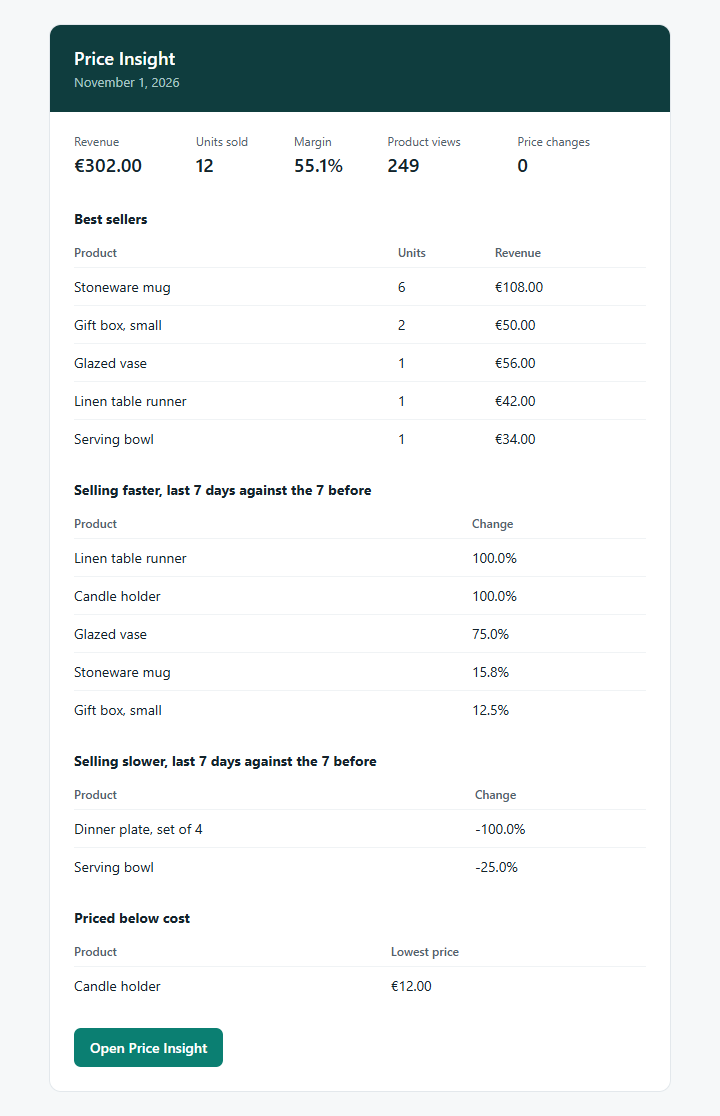
- Optional daily summary email.
- Sales from the last 90 days are imported in the background when the plugin first runs.
- Works with High-Performance Order Storage and with the legacy order tables.
- The whole plugin is free. There is no paid version.
Simple and variable products are covered. Other product types are left out.
This plugin does not contact any external service. If you turn on the daily email, it goes through your site’s own mail setup to the addresses you enter.
Screenshots

Installation
- Install and activate WooCommerce.
- Install and activate this plugin from Plugins > Add New.
- Open WooCommerce > Price Insight. Older sales appear as the background import runs.
- Enter product costs to see margins, and review the Settings tab to turn on view counting or the daily email.
FAQ
-
What exactly is counted as a product view?
-
Each time a visitor’s browser shows a product page and runs the small script. The same visitor opening a page twice counts twice. Shop staff and the browsers listed in the settings are not counted. Anyone can send that request, so read views as a sign of attention and not as an exact figure.
-
Does counting views store personal data?
-
It stores a number per product and day. It sets no cookie and stores no IP address or account. The plugin suggests text for your privacy policy. Whether you need consent depends on your law and on how you run your shop.
-
Does this plugin make my shop legally compliant?
-
No. Displaying discounts and prior prices has legal rules in many countries, and those remain your responsibility.
-
Can I reverse a bulk change?
-
Yes, from the list of recent changes in the Bulk changes tab. A product whose prices changed again after the bulk change is left alone and counted as not restored.
-
Why is the margin empty?
-
A margin needs a cost for every item sold in the period. Margins always use the current cost, including on past sales.
-
Does the comparison before and after a price change prove the effect of the price?
-
No. It shows what happened around the change. Seasons, stock and promotions also move sales.
-
Why does today not appear?
-
Figures cover complete days, up to yesterday. The nightly job also refreshes the last 7 days to catch refunds and status changes.
-
Why does price history start only now?
-
WooCommerce keeps no history of prices, so it starts when this plugin first records each product. Past sales are imported from orders.
-
What happens to my data when I uninstall the plugin?
-
By default it is kept. Turn on “Data on uninstall” in the settings to delete the settings, tables and the plugin’s cost values on uninstall. Products and orders are never touched. Daily totals older than 2 years are removed automatically.
Reviews
There are no reviews for this plugin.
Contributors & Developers
“DROVNE Price Insight for WooCommerce” is open source software. The following people have contributed to this plugin.
Contributors
Translate “DROVNE Price Insight for WooCommerce” into your language.
Interested in development?
Browse the code, check out the SVN repository, or subscribe to the development log by RSS.
Changelog
0.1.0
- First version.