

Description
Zervixo ERP is a cloud business management platform (ERP) for accounting, inventory, sales, purchasing and point of sale. Zervixo ERP for WooCommerce links your WooCommerce store to your Zervixo company, so the orders your store takes, the products it sells and the stock it has are managed in one place.
The plugin itself is light: it pairs your store with Zervixo using a one-time code, shows the connection status and lets you disconnect. All synchronisation runs inside Zervixo, through the WooCommerce REST API keys you approve on WooCommerce’s own authorization screen. No passwords are shared.
What Zervixo does with your store once it is connected
- Products and variations – each variation is imported as its own ERP item, with SKU, price and category.
- Orders – arrive in near real time through WooCommerce webhooks, with a scheduled sweep that catches anything missed. Paid, cash on delivery, on-hold, cancelled and refunded states are kept.
- Customers – registered customers and guest buyers are matched to ERP customers.
- Inventory and stock sync – choose who owns stock. Zervixo can own it and send your store the quantity you can really sell (after reservations for open orders and an optional safety stock), or WooCommerce can stay the stock owner.
- Several stores, shared warehouses – connect more than one WooCommerce store to one Zervixo company, with dedicated or shared warehouses.
Why merchants connect their store
- One inventory for the online store, the shop counter (POS) and purchasing, so stock is not oversold.
- Orders flow into sales, stock and accounting without retyping.
- Accounting, purchasing and reports in the same system as your store data.
Also in the Zervixo platform
These are features of the Zervixo ERP service (included according to your Zervixo plan), not of this plugin:
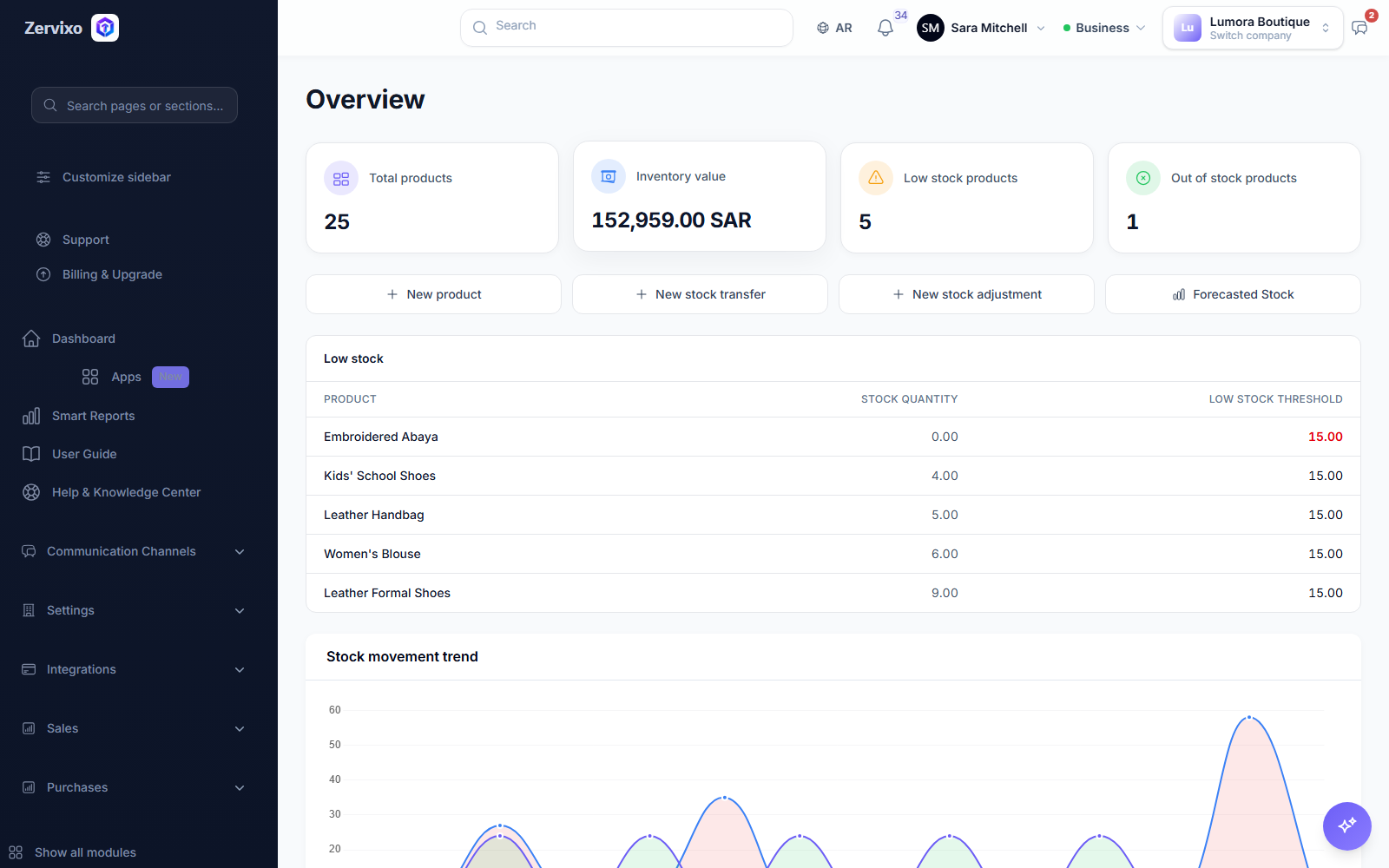
- ERP modules – sales, purchasing, inventory, accounting and invoicing, CRM with a sales pipeline, HR with attendance and leave, projects with task boards, manufacturing and fixed assets, each with its own overview dashboard.
- Communication Hub – WhatsApp Business channels, marketing campaigns with sent, delivered and read figures, approved message templates, and automations that send a message when a customer or order is created or an invoice falls due.
- Zervixo AI Assistant – ask questions about your company’s data inside Zervixo.
- E-commerce integrations – WooCommerce, Shopify, Zid and Salla.
- Arabic and English – the whole application works in both, including right-to-left layouts.
Requirements
- WooCommerce 8.9 or later, and a site reachable over public HTTPS (Zervixo calls the WooCommerce REST API).
- A Zervixo ERP account and an eligible subscription plan. See Pricing & Subscription below.
Pricing & Subscription
Zervixo ERP for WooCommerce is free to download and install.
A Zervixo ERP account and an eligible subscription plan are required to use the connected ERP services.
A 14-day free trial may be available for eligible new accounts.
View our latest plans, pricing, and included features at: https://zervixo.com/pricing
There are no separate WordPress plugin license fees.
External service (Zervixo) and privacy
This plugin connects your site to Zervixo, an external service operated by Zervixo (https://zervixo.com). It only works with a Zervixo account. The plugin contacts Zervixo in these cases only:
- When you click Connect – it sends the one-time connection code you created in Zervixo, this site’s address and the address of this plugin’s admin page to
https://zervixo.com/integrations/woocommerce/plugin/pair. Zervixo answers with the WooCommerce authorization link and a link token, which is stored in this site’s database. - When you open the plugin page or click Refresh status – it calls
https://zervixo.com/integrations/woocommerce/plugin/statuswith the link token, to show the connection status (cached for five minutes). - When you disconnect or uninstall the plugin – it calls
https://zervixo.com/integrations/woocommerce/plugin/disconnectwith the link token, so Zervixo removes its webhooks from your store.
After you approve access on WooCommerce’s authorization screen, Zervixo reads your products, orders and customers and updates stock quantities through the WooCommerce REST API, and receives order webhooks from your store. That data goes directly between your store and Zervixo; it does not pass through this plugin. The plugin adds no tracking, analytics or code to your storefront.
- Terms of service: https://zervixo.com/terms
- Privacy policy: https://zervixo.com/privacy-policy
Screenshots



Installation
- Install and activate WooCommerce, then install and activate Zervixo ERP for WooCommerce (Plugins > Add New, search for “Zervixo”).
- Go to WooCommerce > Zervixo ERP.
- Sign in to your Zervixo company at https://zervixo.com, or create an account (a 14-day free trial may be available for eligible new accounts).
- In Zervixo, open Settings > Integrations > WooCommerce and click Create plugin connection code.
- Paste the code on the WooCommerce > Zervixo ERP page and click Connect.
- WooCommerce shows its own authorization screen: approve read/write access for Zervixo.
- Back in Zervixo, choose the order warehouse, the stock warehouses and who owns stock for this store. The first import of products, customers and orders then starts.
The plugin page shows the connection status, the last successful sync, whether webhooks are registered and the last error, if any.
FAQ
-
Do I need a Zervixo account?
-
Yes. The plugin connects your store to Zervixo, an external ERP service. Without a Zervixo account it does nothing.
-
Is the plugin free?
-
Yes. The plugin is free to download and install, with no separate WordPress plugin license fees. Using the connected ERP services needs a Zervixo ERP account and an eligible subscription plan; a 14-day free trial may be available for eligible new accounts. Current plans, pricing and included features: https://zervixo.com/pricing
-
What data is sent to Zervixo?
-
The plugin itself only sends the connection code, your site address and the plugin’s admin page address when you connect, and its link token for status checks and disconnecting. After you approve access, Zervixo reads products, orders and customers and updates stock through the WooCommerce REST API. See “External service (Zervixo) and privacy” above.
-
Does it work with High-Performance Order Storage (HPOS)?
-
Yes. The plugin declares HPOS compatibility and never reads or writes orders itself; Zervixo uses the WooCommerce REST API, which works with both HPOS and the legacy order tables.
-
Does it work with the Cart and Checkout blocks?
-
Yes. The plugin does not change the storefront, cart or checkout.
-
Which side owns stock?
-
You choose in Zervixo, per store. Zervixo can own stock and push the sellable quantity to WooCommerce, or WooCommerce can stay the stock owner and Zervixo follows it.
-
Can I connect more than one store?
-
Yes. Several WooCommerce stores can connect to one Zervixo company, with their own or shared warehouses.
-
What happens when I disconnect or uninstall?
-
Zervixo removes its webhooks from your store and stops syncing. Data already imported into Zervixo stays there. Uninstalling also deletes the plugin’s own settings from your site. You can revoke the API key in WooCommerce > Settings > Advanced > REST API at any time.
-
My site is on localhost or behind a login. Can I connect it?
-
No. Zervixo needs to reach the WooCommerce REST API and send webhooks over public HTTPS.
-
Can I change the Zervixo server address?
-
The plugin page has an Advanced Settings section for the Zervixo server address. Leave it empty unless Zervixo support asks you to change it.
-
Where do I get help?
-
Contact Zervixo support from your Zervixo account or through https://zervixo.com.
Reviews
There are no reviews for this plugin.
Contributors & Developers
“Zervixo ERP for WooCommerce” is open source software. The following people have contributed to this plugin.
Contributors
Translate “Zervixo ERP for WooCommerce” into your language.
Interested in development?
Browse the code, check out the SVN repository, or subscribe to the development log by RSS.
Changelog
1.1.1
- Fix: uninstalling now disconnects from the server set in Advanced Settings and removes that setting too.
- Tweak: stricter sanitizing of the Advanced Settings server address.
- Readme: clearer setup, pricing, external service and privacy information.
1.1.0
- Added Advanced Settings: configurable Zervixo server address (overrides the default; the wp-config.php constant still takes priority).
1.0.0
- First release: connect with a one-time code, WooCommerce key approval, connection status, disconnect.