

Description
WooCommerce only completes an order automatically when every item in it is both virtual and downloadable. Everything else waits in Processing until someone marks it Completed by hand, including event tickets, class registrations, memberships, services and bookings that never need to be shipped.
This plugin completes those orders for you. Set your rules under WooCommerce MCW Auto Complete Orders, grouped into Products, Fulfillment, Payments and General tabs. When a paid order reaches Processing and any rule matches, the order is marked Completed and a note on the order records which rule matched.
Order rules
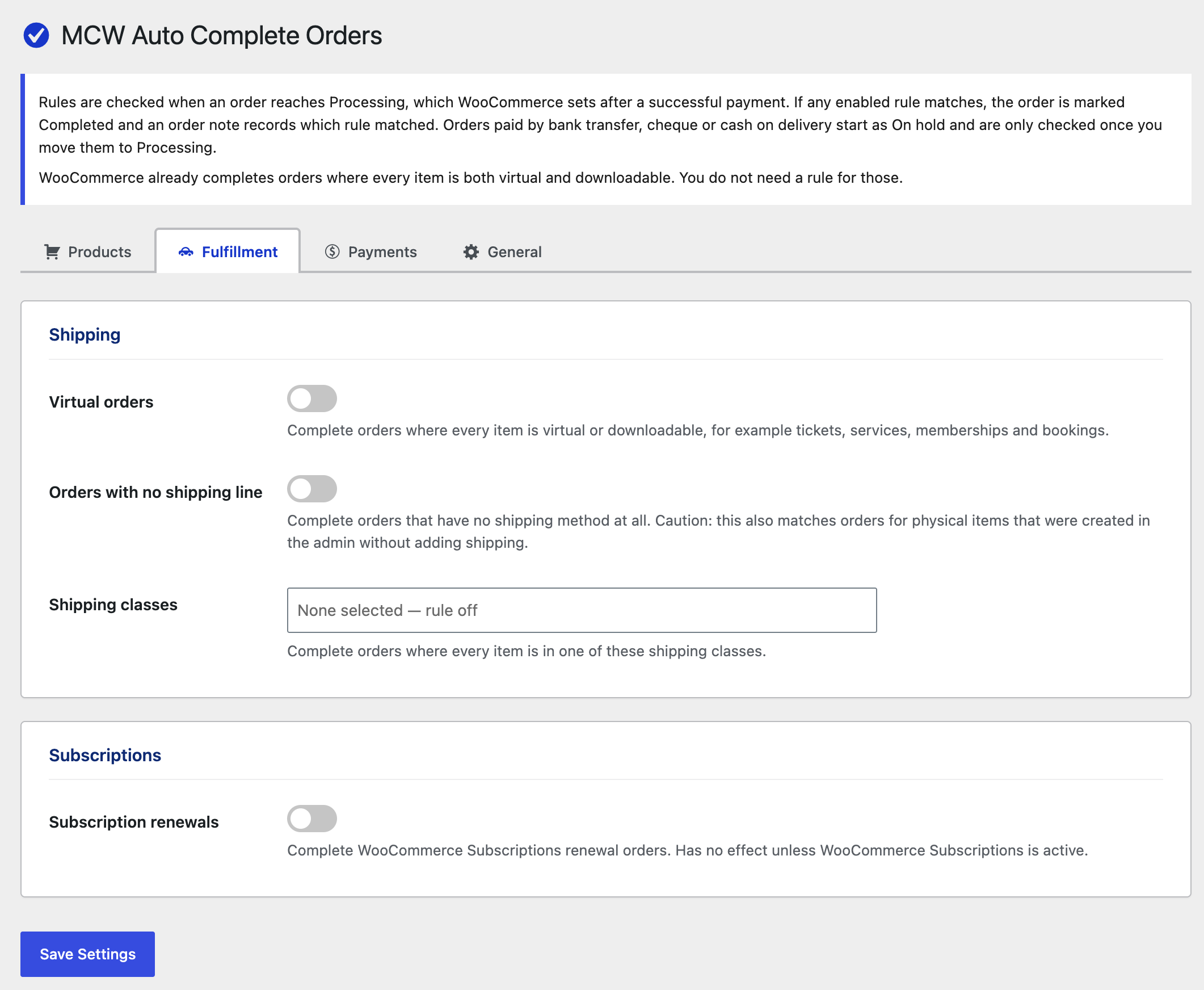
- Virtual orders — every item is virtual or downloadable.
- Orders with no shipping line — the order has no shipping method.
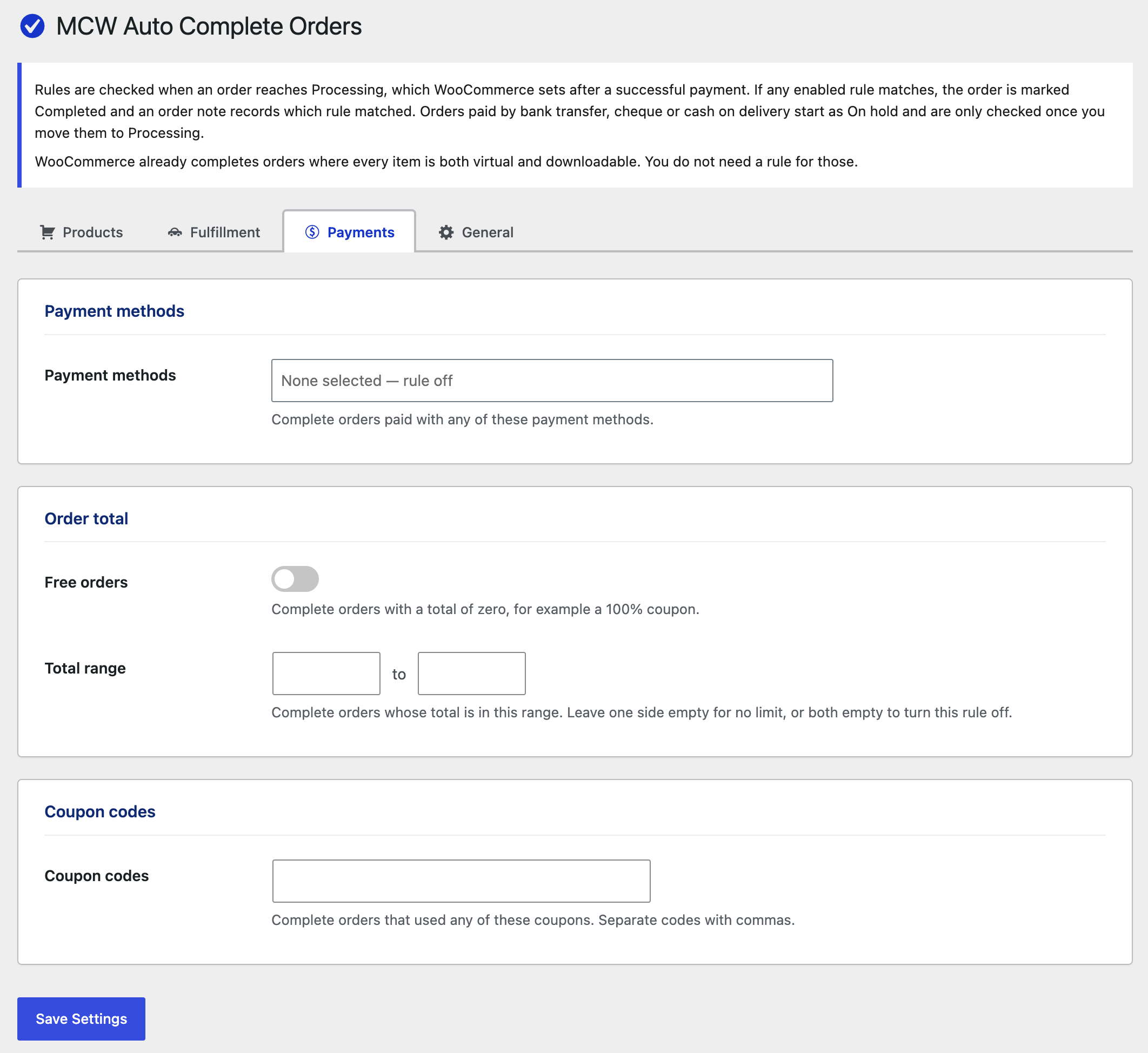
- Free orders — the order total is zero.
- Subscription renewals — renewal orders from WooCommerce Subscriptions.
- Order total — the total falls within a range you set.
- Coupon codes — the order used one of your coupons.
- Payment methods — the order was paid with one of your chosen gateways.
- Shipping classes — every item is in one of your chosen shipping classes.
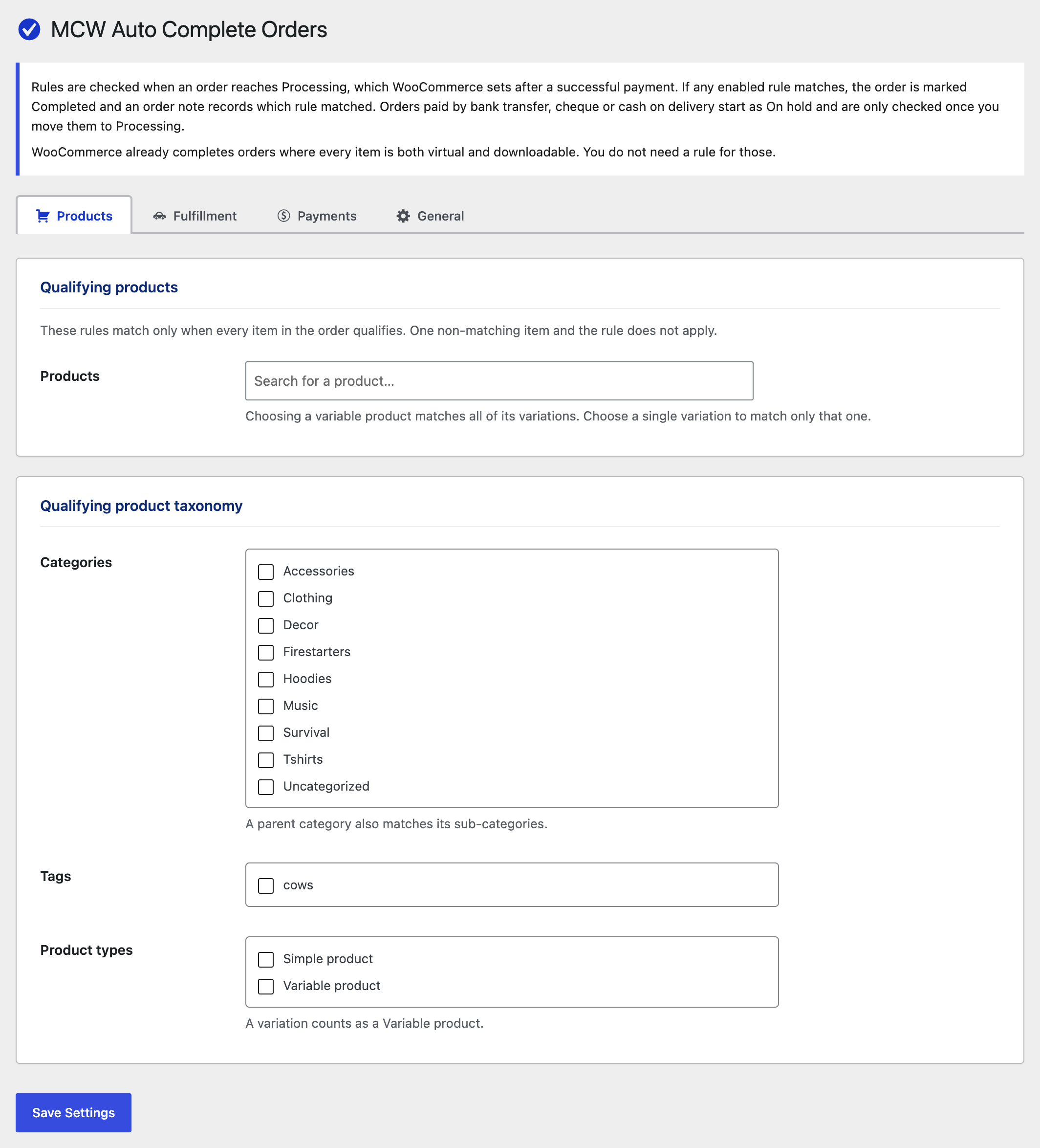
Product rules (every item in the order must match)
- Products — specific products or individual variations.
- Categories — a parent category also matches its sub-categories.
- Tags
- Product types — for example Simple, Variable or Subscription.
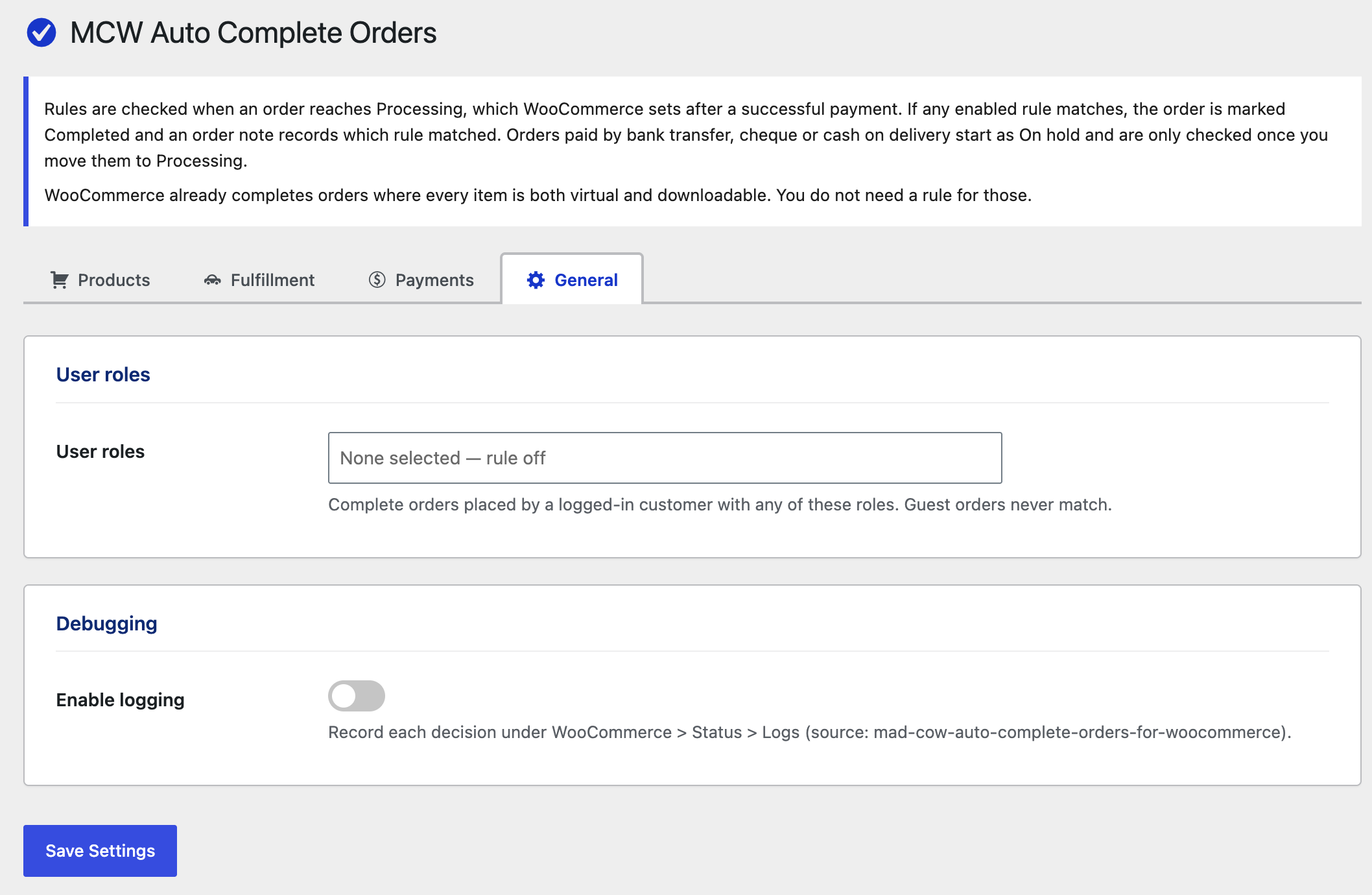
Customer rules
- User roles — for example wholesale customers whose orders you fulfil separately.
Built for WooCommerce
- Declares High-Performance Order Storage (HPOS) compatibility.
- Optional logging to WooCommerce Status Logs, so you can see why each order was or was not completed.
- Every rule can be changed in code with a filter.
- No external requests, no tracking, no ads.
Screenshots
Installation
- Install and activate WooCommerce.
- Upload the plugin through Plugins Add New Upload Plugin, or install it from the WordPress plugin directory.
- Activate it.
- Go to WooCommerce MCW Auto Complete Orders, turn on the rules you want and save.
FAQ
-
When are the rules checked?
-
When an order changes to Processing. WooCommerce sets that status once payment succeeds. Orders that are already Processing when you change your rules are not checked again until their status changes.
-
Why are my bank transfer, cheque or cash on delivery orders not completed?
-
Those payment methods put new orders On hold, because payment has not been received yet. The rules run when you move the order to Processing after the money arrives.
-
What happens if several rules match?
-
Rules are combined with OR: the first rule that matches completes the order. A rule you leave empty or switched off is ignored. With no rules set, the plugin does nothing.
-
Do product rules need every item to match?
-
Yes. If an order contains one product from a selected category and one from another category, the category rule does not apply. Other rules can still complete the order.
-
Will customers get the “Order complete” email?
-
Yes, if that email is enabled under WooCommerce Settings Emails. Customers receive the usual “Processing” email first, then “Completed”.
-
Can this plugin cancel orders?
-
No, and that is deliberate. The plugin only acts on orders that reach Processing, and those have already been paid. Cancelling a paid order in WooCommerce does not refund the customer. WooCommerce puts the stock back and emails the customer that the order is cancelled, but the payment stays captured.
If you want to clear out orders that were never paid:
- For Pending payment orders, WooCommerce can cancel them itself. Set WooCommerce Settings Products Inventory Hold stock (minutes). Stock management has to be enabled.
- For On hold orders from bank transfer, cheque or cash on delivery, WooCommerce never cancels them on its own. Use a plugin made to expire unpaid on-hold orders after a set time.
-
Is the “Orders with no shipping line” rule safe for stores that ship physical products?
-
Be careful with it. It matches any order without a shipping method, including orders for physical items that you created in the admin without adding shipping. If every item that needs no shipping is marked virtual in your store, use “Virtual orders” instead.
-
I used the earlier self-hosted “Auto Complete Orders” plugin from Mad Cow Web. Will my rules carry over?
-
Yes. This plugin reads the earlier plugin’s settings until you save settings of your own. The earlier “No shipping required” option is split here into “Virtual orders” and “Orders with no shipping line”, and both start with its value. Deactivate the earlier plugin first, otherwise both plugins will check the same orders.
-
Can developers change the rules in code?
-
Yes. Each rule has a filter:
mcwaco_no_shipping_required,mcwaco_no_shipping_lines,mcwaco_free_orders,mcwaco_subscription_renewals,mcwaco_order_total_range,mcwaco_coupon_codes,mcwaco_shipping_classes,mcwaco_payment_gateways,mcwaco_user_roles,mcwaco_product_ids,mcwaco_categories,mcwaco_product_tagsandmcwaco_product_types.mcwaco_complete_order_reason receives the matching reason and the order. Return an empty string to stop the order being completed. -
Does deleting the plugin remove its data?
-
Yes. Deleting it from the Plugins screen removes its settings. Orders that were already completed stay completed.
Reviews
There are no reviews for this plugin.
Contributors & Developers
“Mad Cow Auto Complete Orders for WooCommerce” is open source software. The following people have contributed to this plugin.
Contributors
Translate “Mad Cow Auto Complete Orders for WooCommerce” into your language.
Interested in development?
Browse the code, check out the SVN repository, or subscribe to the development log by RSS.
Changelog
1.1.0
- Renamed to Mad Cow Auto Complete Orders for WooCommerce for the WordPress plugin directory. Existing settings carry over.
- Changed: “No shipping required” is now two separate rules, “Virtual orders” and “Orders with no shipping line”, so stores that ship physical products can use one without the other.
- Added: the Products rule can match individual variations.
- Fixed: a parent category now also matches products that are only in its sub-categories.
- Fixed: the settings page no longer loads every product and coupon at once. Products use search-as-you-type and coupons are entered as text.
- Fixed: an order is only completed if it is still Processing when the rules run.
- Added: the
mcwaco_complete_order_reasonfilter. - Removed the self-hosted update checker.
- Admin script rewritten without jQuery. Product, category, tag, role and payment method fields use WooCommerce’s own searchable selects.
1.0.8
- Renamed plugin.
1.0.0
- Initial release.