

Description
Author: Nikolaus77 · Website: nikolay.moscow
This plugin creates and regularly updates a YML feed for the Yandex Merchants service. It does one job — and does it right: exports your WooCommerce catalog to Yandex exactly as required, without overloading your server and without trying to be a “do-everything” tool.
Features:
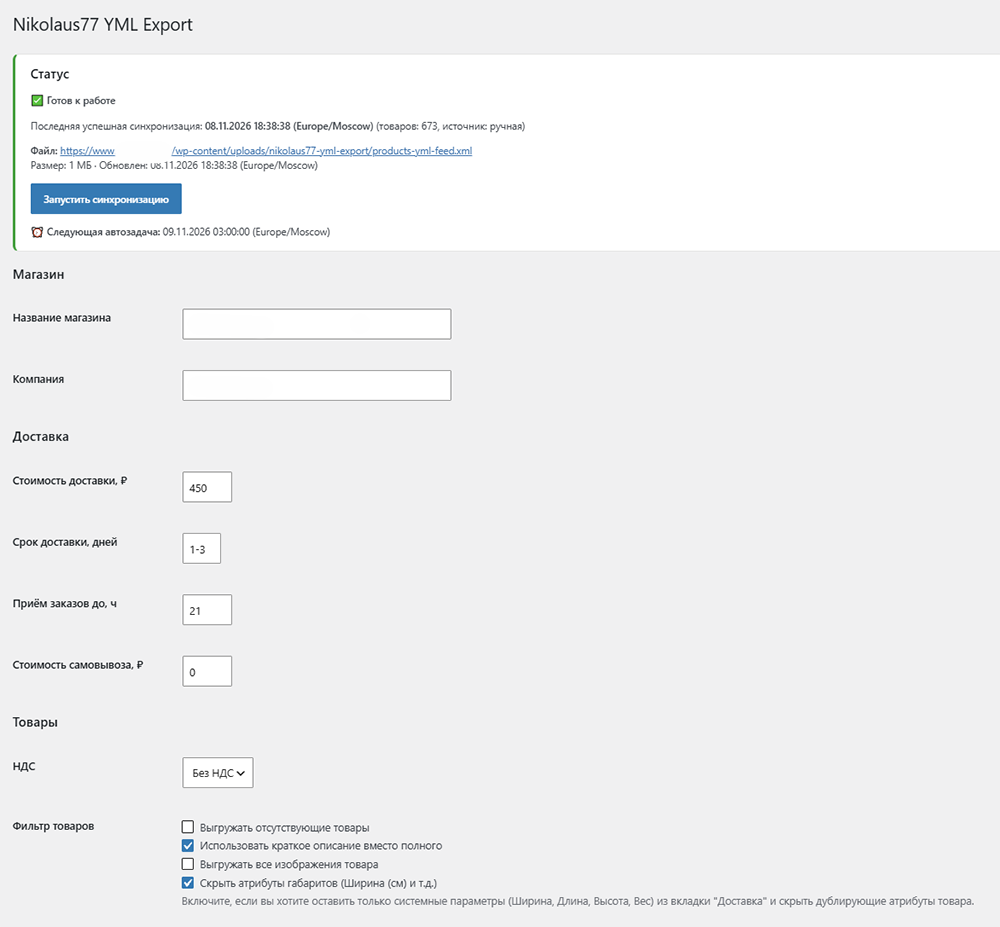
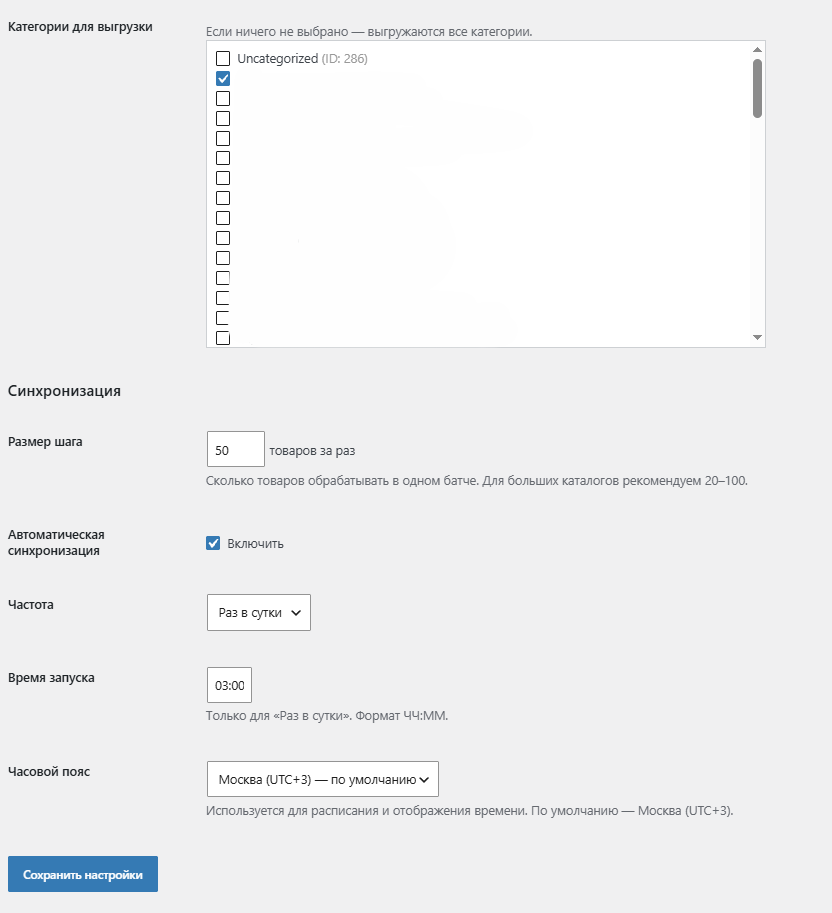
- Flexible Filtering: Select specific product categories for export.
- Step-by-Step Synchronization: Process products in batches (configurable step size) to safely export large catalogs without timeouts.
- Automatic Scheduling: Run synchronization daily or hourly in a selected timezone (default: Moscow, UTC+3).
- Manual Run: Start a full synchronization or cancel the current one at any time.
- Live Progress Bar: See how many products have been processed and how many remain.
- Variable Product Support: Each variation is exported as a separate offer with a correct
group_id. - Image Export Options: Choose whether to export only the main product image or all gallery images (up to 10).
- Custom File Extension: Choose between .yml and .xml for the generated feed.
- Duplicate Attribute Control: Option to hide custom dimension attributes (e.g., “Width (cm)”) if they duplicate standard Delivery dimensions.
- Full YML Compliance: Generates
<param>,<dimensions>,<weight>, and other tags according to Yandex requirements. - Event Log: View the latest 100 actions and synchronization errors.
Screenshots

Installation
- Upload the
nikolaus77-yml-export-for-yandexfolder to the/wp-content/plugins/directory. - Activate the plugin through the ‘Plugins’ menu in WordPress.
- Go to WooCommerce Nikolaus77 YML Export to configure settings and run the first synchronization.
FAQ
-
Is an API required for the plugin to work?
-
No, the plugin generates a YML file, and you simply provide its URL in your Yandex Merchants account.
-
Where can I find the link to the YML file?
-
The link is displayed on the plugin settings page in the “Status” section after the first successful synchronization. It is located in a dedicated folder:
/wp-content/uploads/nikolaus77-yml-export/. -
Does the plugin work with variable products?
-
Yes, each variation is exported as a separate offer with a
group_id. -
Why are there duplicate dimension parameters in my feed?
-
If you manually filled in “Width”, “Length”, and “Weight” in product attributes, and also filled them in the “Delivery” tab, the plugin will export both by default. To fix this, enable the option “Hide dimension attributes” in the plugin settings.
Reviews
There are no reviews for this plugin.
Contributors & Developers
“Nikolaus77 YML Export for Yandex” is open source software. The following people have contributed to this plugin.
Contributors
Translate “Nikolaus77 YML Export for Yandex” into your language.
Interested in development?
Browse the code, check out the SVN repository, or subscribe to the development log by RSS.
Changelog
1.4
- Fixed: Removed “T” from the date in the
<yml_catalog>tag for better Yandex validation compatibility. - Added: Option to choose the feed file extension (.yml or .xml).
- Added: Option to hide custom dimension attributes (e.g., “Width (cm)”) to prevent duplicate parameters if dimensions are already set in the “Delivery” tab.
1.3
- Added: Option to choose the feed file extension.
- Fixed: Date format in the feed header.
1.2
- Added: Option to disable duplicate dimension and weight parameters.
1.1
- Changed: Plugin name and slug to respect trademarks.
- Changed: Inline JS enqueued properly via
wp_add_inline_script. - Changed: Files saved to a dedicated subfolder inside the uploads directory.
1.0
- Initial public release.