

Description
ForgeStudio Lead Delivery for Lasso CRM sends every Contact Form 7 submission to your Lasso CRM project, and shows you what happened to each one. Leads are saved on your site first, retried when Lasso is unavailable, and listed in a delivery log with a clear status.
ForgeStudio Lead Delivery is an independent integration. It is not made, affiliated with or endorsed by Lasso Data Systems or ECI Software Solutions.
Selling homes in more than one community, or using Gravity Forms? Check out Lead Delivery Pro.
🏡 Built for home builders
Lasso CRM is where new-home sales teams follow up on every enquiry. Lead Delivery connects your website’s contact form to it, so web leads arrive in the right Lasso project with your source, rating and rep rotation, and nobody has to wonder whether a lead came through.
🔌 Set up in minutes
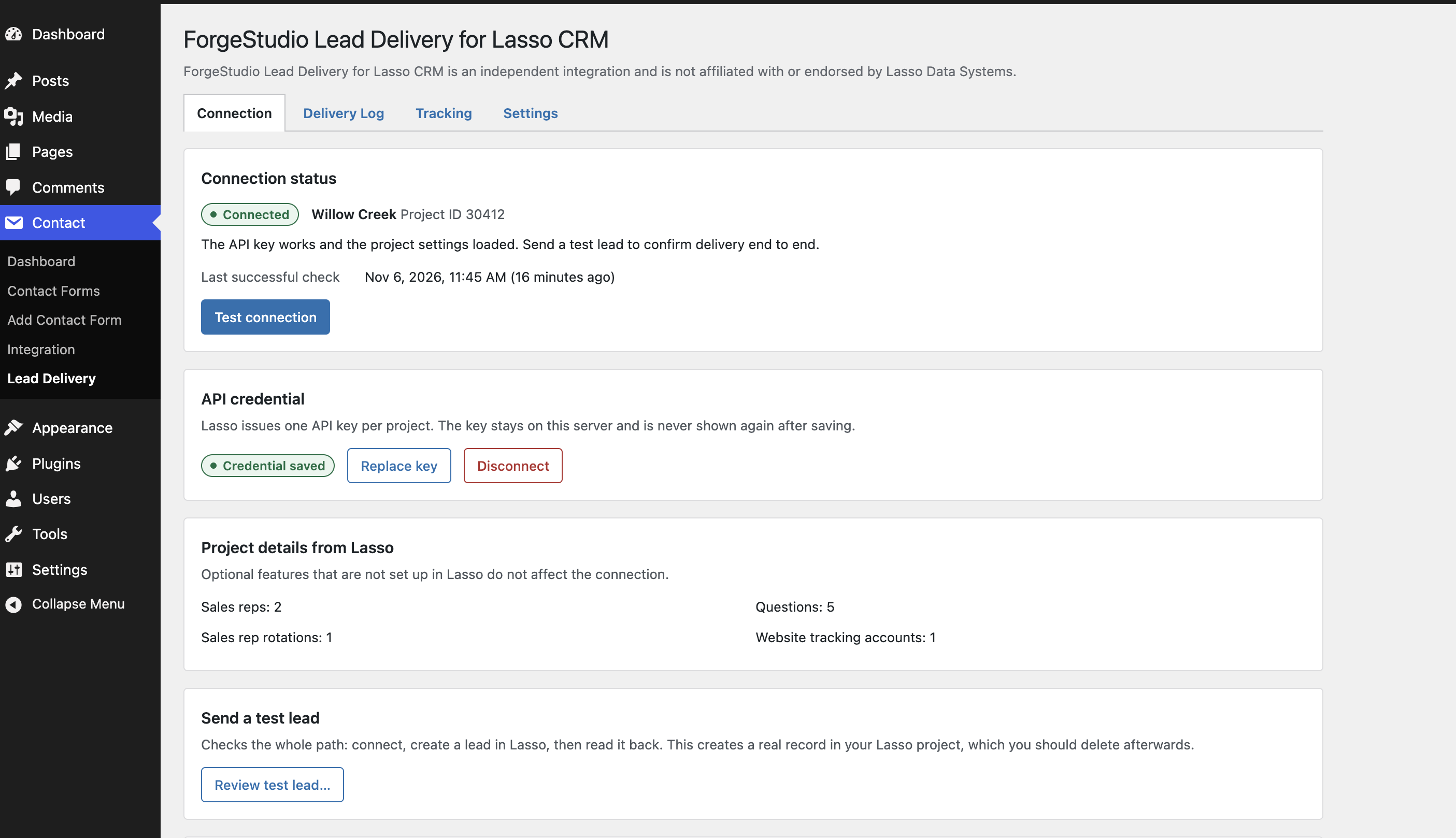
- Paste your Lasso project’s API key. Lead Delivery checks it with Lasso before saving it.
- Open a contact form’s Lasso CRM tab, turn sending on and confirm the field matches. Lead Delivery suggests matches for common fields.
- Send a test lead you review first, then check it in Lasso.
Everything lives under Contact Lead Delivery.
🛡️ Built so leads are not lost quietly
- Saved first. Every lead is stored on your site before it is sent, so it waits in the queue while Lasso is unavailable.
- Retried safely. Lead Delivery retries with growing gaps and emails you if it gives up.
- No blind resends. When a request ends without an answer, Lasso may already have the lead. If your API key can search Lasso, Lead Delivery checks for the email or phone first; if not, the lead is marked “Outcome unknown” and you are asked to check it in Lasso.
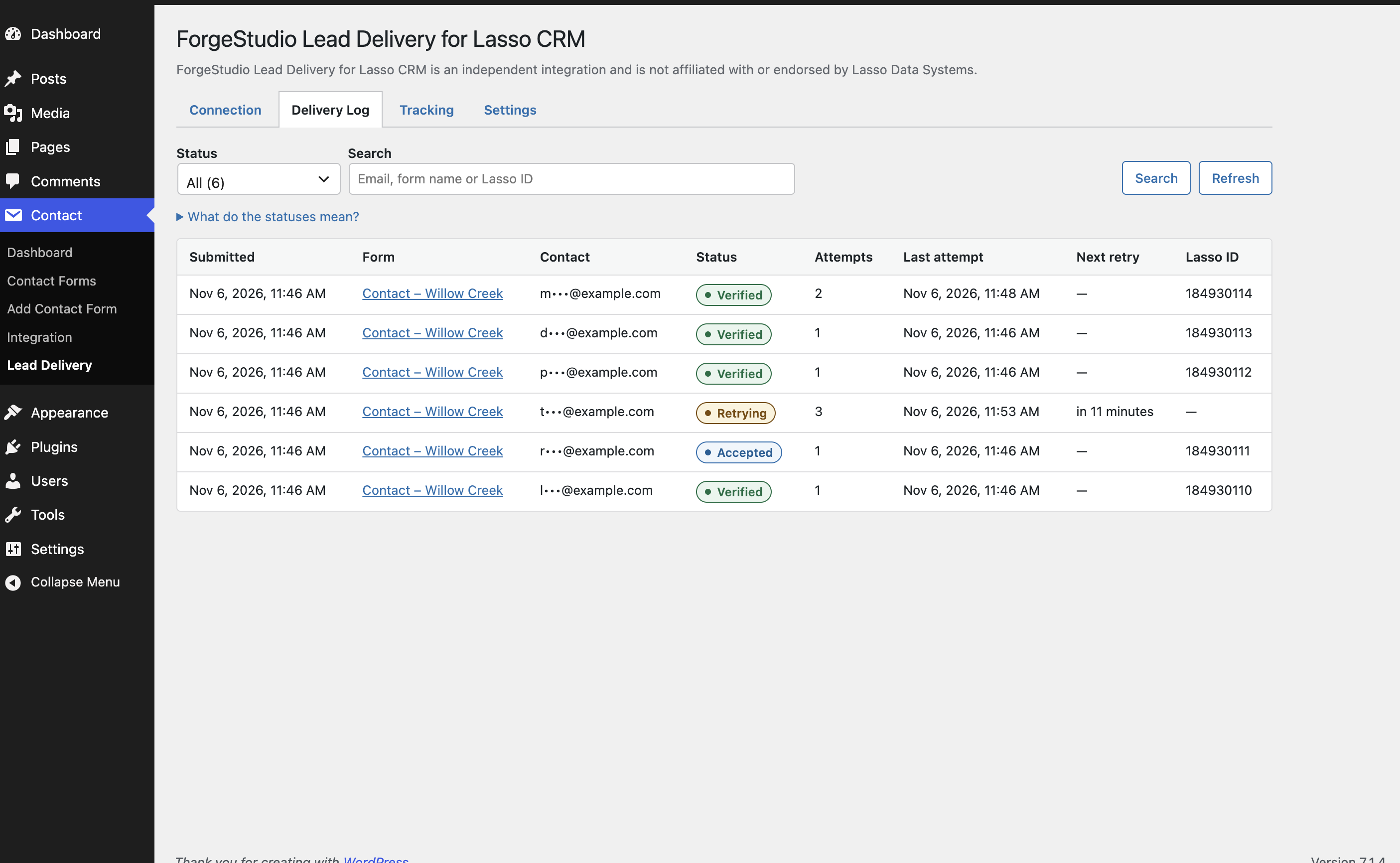
- Clear statuses. “Verified” means Lead Delivery read the lead back from Lasso. “Accepted” means Lasso took it but it could not be read back. Neither is ever sent again.
✨ Features
✔️ Lasso CRM tab on every Contact Form 7 form, saved with the form’s own Save button
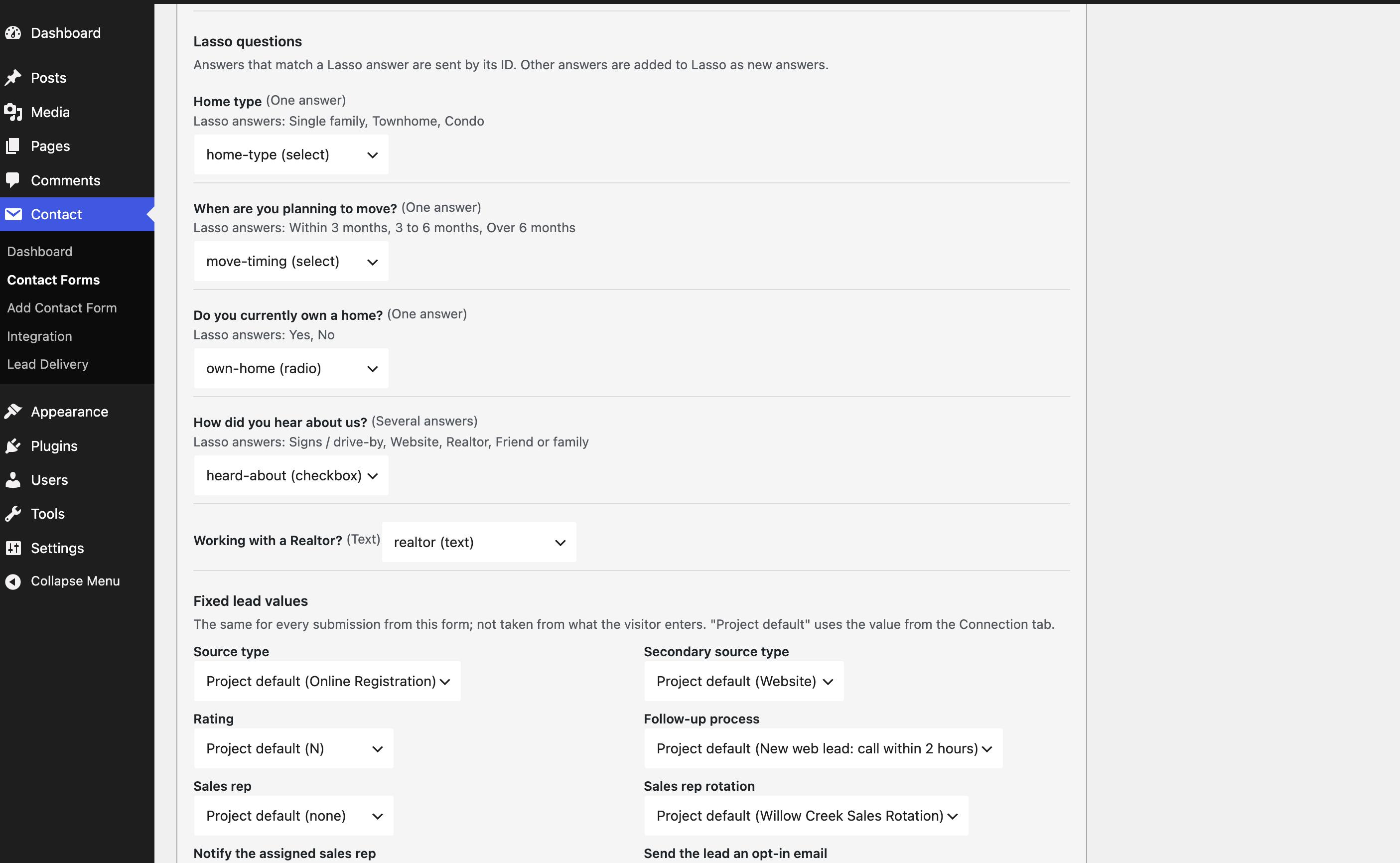
✔️ Match form fields to Lasso contact fields and to your project’s questions
✔️ Choice questions sent as Lasso’s own answers, with text answers kept as text
✔️ Fixed lead values per form: source, secondary source, rating, follow-up process, sales rep or rotation
✔️ Lasso’s opt-in email, thank-you email template and rep-assignment email, set per form
✔️ Delivery Log with a timeline for every lead, partly hidden personal details and safe retry actions
✔️ Email alerts when a lead needs attention
✔️ Optional Lasso website tracking, off by default, with WP Consent API support and page exclusions
✔️ Log retention, delivery diagnostics and privacy tools (personal data export and erasure)
✔️ Imports the saved key and defaults from the Lasso Bridge plugin
✔️ Hooks and filters for developers
⚡ Lead Delivery Pro
Lead Delivery Pro is a paid add-on for builders and agencies who send leads to more than one Lasso project, or who use Gravity Forms. It runs alongside this free plugin, which it needs.
✔️ Multiple Lasso projects on one site, each with its own key and default values
✔️ Route leads by answer: send each lead to the right project based on what the visitor chose, such as the community they are interested in
✔️ Gravity Forms support with native feeds: one feed per project, using Gravity Forms’ own conditional logic
✔️ Your choice for unmatched leads: send them to a fallback project you name, or hold them for review
✔️ Held for review: check a held lead, pick its project and send it, matched to that project’s questions
✔️ Setup wizard to add projects, connect forms and send a reviewed test lead
✔️ Fallback alerts and an optional daily summary of leads that used the fallback
✔️ Duplicate feeds to set up the next project on the same form in seconds
⚡ Get Lead Delivery Pro: plans for 1, 5 or 20 sites, with a 14-day money-back guarantee.
📃 Help
- Questions and bug reports: post in this plugin’s support forum on WordPress.org. Please search existing threads first.
- Lead Delivery Pro customers: email support@byforgestudio.com.
- Learn more, including how routing works: Lead Delivery Pro.
External services
This plugin connects to the Lasso CRM API (https://api.lassocrm.com) to send leads to your Lasso project.
- When you save an API key or test the connection, it requests your project’s settings (sales reps, source types, questions and similar).
- When a visitor submits a form you connected, it sends the values that form collects (such as name, email, phone and message) to create a lead, then reads that lead back to confirm it arrived. After an unanswered request it may search Lasso for the visitor’s email or phone to avoid a duplicate.
- When you send a test lead, it creates a lead with made-up details that you review first.
If you turn on website tracking, visitors’ browsers load Lasso’s tracking script from https://app.lassocrm.com/analytics.js. By default this waits for the visitor’s consent through the WP Consent API. The script records page visits and sets a cookie; when the visitor submits a form, Lead Delivery sends that tracking ID with the lead so Lasso can link the visits.
Lasso CRM and its API and tracking script are provided by ECI Software Solutions, Inc.
- Lasso CRM: https://www.ecisolutions.com/products/lasso-crm/
- Terms of use: https://www.ecisolutions.com/legal/terms-of-use/
- Privacy policy: https://www.ecisolutions.com/legal/privacy-policy/
Source code
The admin screens are built with React. The readable source is included in the admin/src folder, and package.json lists the build tools. To rebuild: npm install, then npm run build.
Screenshots



Installation
- Install and activate Contact Form 7. (Using Gravity Forms instead? You need Lead Delivery Pro.)
- Install and activate ForgeStudio Lead Delivery for Lasso CRM.
- Go to Contact Lead Delivery, paste your Lasso API key and click Check and save.
- Click Review test lead…, check the details, and create it. Delete it in Lasso afterwards.
- Edit a contact form, open its Lasso CRM tab, turn on sending, confirm the field matches and click Save.
If the Lasso Bridge plugin is active, deactivate it after setting up Lead Delivery, or leads will be sent twice. Lead Delivery can import Lasso Bridge’s saved key and defaults.
FAQ
-
Where do I get an API key?
-
Lasso issues one key per project. Ask your Lasso account contact.
-
Does Lasso have a test environment?
-
Not publicly. Ask Lasso for a separate test project with its own key.
-
Why do my leads say “Accepted” instead of “Verified”?
-
Lasso took the lead, but your API key is not allowed to read leads back, so Lead Delivery cannot double-check it. Lasso’s standard (free) API keys can only create leads; reading them back needs what Lasso calls a Pro API key. Accepted leads are never sent again.
-
Should I choose a sales rep or a rotation?
-
Usually a rotation. If you choose one sales rep and Lasso cannot assign that person in the project, the lead arrives with no rep, and Lasso does not fall back to the rotation. Leave the sales rep empty to let the rotation pick one.
-
What does “Outcome unknown” mean?
-
An attempt ended without an answer, so Lasso may or may not have the lead. Retrying first checks Lasso for the email or phone and sends only if the lead is not there.
-
Does it work with Gravity Forms?
-
Yes, with Lead Delivery Pro. The free plugin sends Contact Form 7 forms. Lead Delivery Pro adds Gravity Forms feeds and sends to more than one Lasso project.
-
Can I send leads to more than one Lasso project?
-
The free plugin sends to one project. Lead Delivery Pro sends to several and can pick the project from the visitor’s answers.
-
What happens if Contact Form 7 is deactivated?
-
New submissions cannot be captured, but leads already queued are still delivered, the delivery log stays under Settings Lead Delivery, and all settings are kept.
Reviews
There are no reviews for this plugin.
Contributors & Developers
“ForgeStudio Lead Delivery for Lasso CRM” is open source software. The following people have contributed to this plugin.
Contributors
Translate “ForgeStudio Lead Delivery for Lasso CRM” into your language.
Interested in development?
Browse the code, check out the SVN repository, or subscribe to the development log by RSS.
Changelog
1.0.0
- First public release.
- Contact Lead Delivery: Connection, Delivery Log, Tracking and Settings.
- Lasso CRM tab in the Contact Form 7 editor: field matching, Lasso questions and fixed values per form.
- Leads are saved first and retried safely; duplicates are checked before resending.
- Optional, consent-aware Lasso website tracking.