

Description
🌐 Official Website | 📖 Documentation | 🧑💻 Support | 📺 Video Tutorial
FormFlow for Elementor Forms and GoHighLevel connects Elementor Pro Forms to GoHighLevel. Every Elementor form submission creates or updates a contact in GoHighLevel (GHL) CRM the moment it is sent, with the location and tags you choose, so your GHL workflows start on time.
Setup is handled natively in the Elementor visual builder. Add FormFlow to “Actions After Submit”, choose your GoHighLevel location and tags, and save. No Zapier, Make, or custom webhook scripts required.
Requires Elementor Pro (Form widget) to be installed and active.
Watch: how to connect Elementor forms to GoHighLevel
Why use this Elementor GoHighLevel integration?
- Native Elementor Integration: Set up GoHighLevel directly in the Elementor page editor under “Actions After Submit”.
- No Middleman Tools: Elementor connects to GoHighLevel directly. No task limits, no extra Zapier or Make subscriptions.
- No Lost Leads: Every submission goes to your CRM immediately, not just to an email notification.
- Built for Agencies: Send each Elementor form to a different GoHighLevel location (sub-account) from one WordPress site.
- Built-in Activity Log: See every Elementor sync to GoHighLevel with connection status and logs for fast troubleshooting.
Free Features
☑️ Secure GoHighLevel Connection – connect your GHL account once from the WordPress admin. No API keys to copy into every form.
☑️ Elementor Submissions to GoHighLevel Contacts – every submission creates a GHL contact or updates existing contacts by email. Syncs name, email, and phone automatically.
☑️ Native Elementor Actions – configure GoHighLevel under “Actions After Submit” in any Elementor Form widget.
☑️ Multi-Location Routing – connect multiple GoHighLevel sub-accounts under one primary account and choose which location each form sends to.
☑️ Global and Form-Specific Tags – apply global tags to every lead, or set custom tags per form in Elementor to trigger specific GHL automations.
☑️ Activity Log – view real-time sync events and API logs to troubleshoot issues without guessing.
FormFlow GHL Pro: The Complete Elementor GoHighLevel Integration
The free plugin syncs name, email, and phone. FormFlow For GHL Pro adds an advanced Feeds engine that gives you full control:
☑️ Custom Field Mapping – map any Elementor form field to standard GoHighLevel fields (company, address, city, website) or your own GHL custom fields.
☑️ Pipelines and Opportunities – turn an Elementor form submission into a GoHighLevel opportunity in the pipeline and stage you choose.
☑️ Conditional Routing – route leads to different locations or workflows based on form answers (equals, contains, greater than).
☑️ Multiple Feeds per Form – send one Elementor form submission to multiple GoHighLevel locations simultaneously.
☑️ Feed-Specific Tags – tag leads dynamically based on the conditions that fired.
Every Pro plan includes all features. See plans and pricing.
External services
This plugin connects to external services to authenticate with GoHighLevel and sync Elementor form submissions. No data is sent in the background or without the actions described below.
1. NexPlugs API (api.nexplugs.com)
Used for secure GoHighLevel OAuth2 authentication, location connection management, and processing Elementor form submissions to create or update contacts in GoHighLevel.
What is sent and when:
* On account connection: Website URL / domain.
* On account disconnect: Website URL / domain and connected location identifier.
* On form submission: Contact name, email, phone, form source identifier, configured tags, and selected GoHighLevel location ID.
- Privacy Policy: https://www.nexplugs.com/privacy-policy/
- Terms of Service: https://www.nexplugs.com/terms-of-services/
2. GoHighLevel API
Contact data from each form submission is sent to the GoHighLevel CRM API through the NexPlugs API to create or update the contact in the selected sub-account. This happens only when a visitor submits an Elementor form.
- Privacy Policy: https://www.gohighlevel.com/privacy-policy
- Terms of Service: https://www.gohighlevel.com/terms
Screenshots



Installation
- Upload the plugin folder to
/wp-content/plugins/, or install through the WordPress ‘Plugins’ screen. - Activate the plugin through the ‘Plugins’ screen in WordPress.
- Navigate to FormFlow Elementor Ext in your WordPress admin menu.
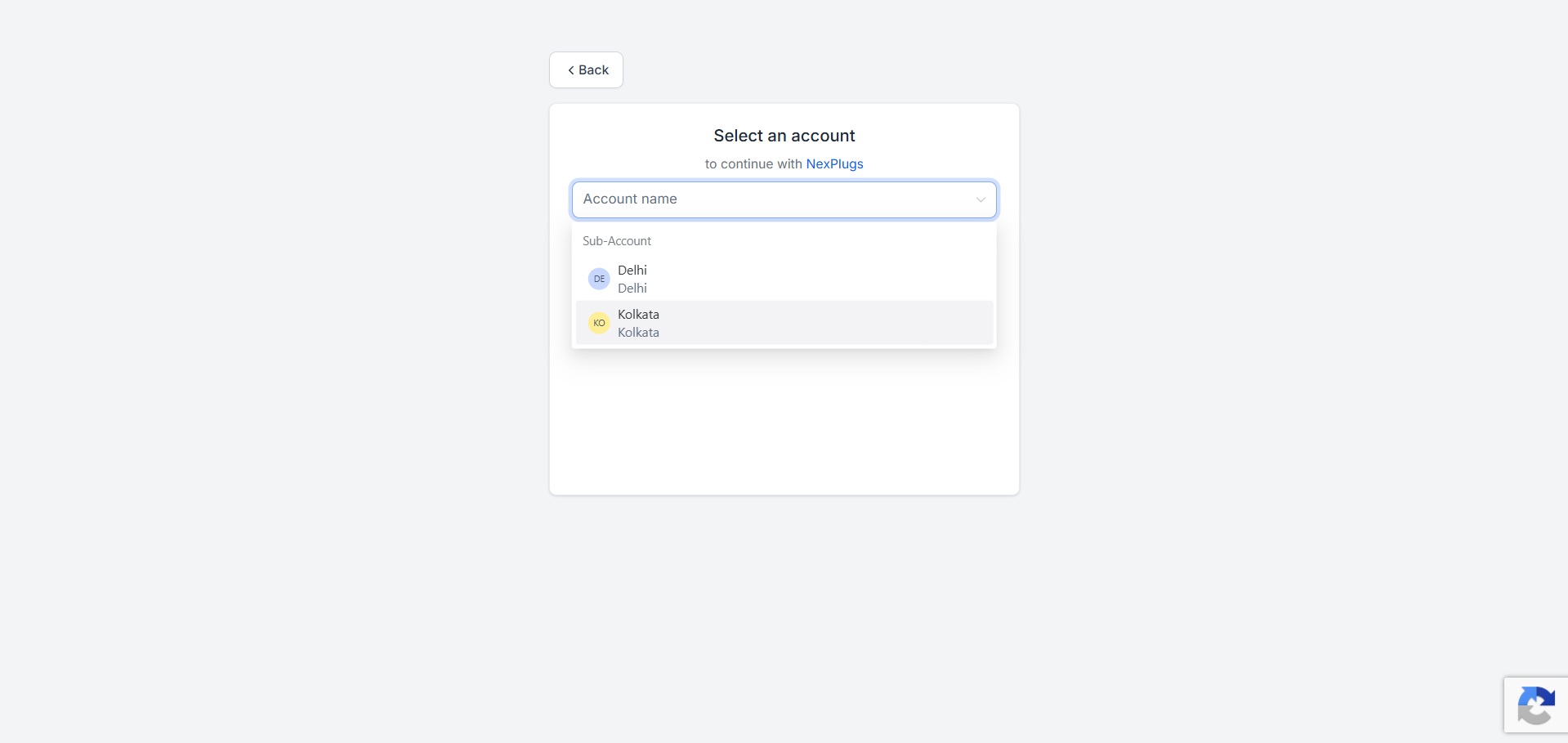
- Click + ADD SUBACCOUNT and authorize your GoHighLevel account and location.
- Edit your page in Elementor, click your Form widget, and open Actions After Submit.
- Add FormFlow for GoHighLevel.
- In the FormFlow for GoHighLevel Settings section that appears below, select your Target Location and add any tags.
- Update/Publish your page.
Setup video: https://www.youtube.com/watch?v=U_EttoWJt9g
FAQ
-
Does this require Elementor Pro?
-
Yes. Native WordPress form widgets are provided by Elementor Pro.
-
Where do I configure each form’s settings?
-
Unlike other form builders that configure mappings in the WordPress admin dashboard, Elementor Form mappings are configured directly inside the Elementor Visual Builder. Click your Form widget, go to Actions After Submit, and add FormFlow for GoHighLevel. The setup video shows each step.
-
Why isn’t a form submission showing in GoHighLevel?
-
- Make sure you selected at least one Target Location inside the form’s “FormFlow for GoHighLevel Settings” section in Elementor.
- Verify your form has an Email field and that the field type is set to Email.
- Check the FormFlow Elementor Ext > Logs page in WordPress to view the sync response.
-
Can I connect multiple GoHighLevel locations?
-
Yes. You can connect multiple GoHighLevel sub-accounts and select which sub-account receives submissions on a per-form basis.
-
Can I map custom fields or create opportunities in GoHighLevel?
-
Yes, with FormFlow GHL Pro. The free version syncs standard fields (name, email, phone). Pro maps any Elementor form field to standard or custom GHL fields and creates pipeline opportunities.
-
Is FormFlow an official GoHighLevel or Elementor product?
-
No. FormFlow is developed independently by NexPlugs and connects through official APIs.
Reviews
There are no reviews for this plugin.
Contributors & Developers
“FormFlow for Elementor Forms and GoHighLevel (GHL) – Send Form Leads to GHL CRM” is open source software. The following people have contributed to this plugin.
Contributors
Interested in development?
Browse the code, check out the SVN repository, or subscribe to the development log by RSS.
Changelog
1.0.0
- Initial release of FormFlow for Elementor Forms and GoHighLevel.
- Direct Elementor Pro Form widget integration via Actions After Submit.
- Multi-location GoHighLevel routing.
- Global and form-specific tagging.
- Built-in activity logging and troubleshooting.