
Description
Shoppers leave when they can’t find the right product or get a quick answer about a size, stock or delivery — and most questions come when nobody is there to reply. Seyaq – AI Shopping Assistant answers every shopper on your WooCommerce store, day and night, in Arabic or English, by text or in a live voice conversation. It finds the right products, answers from your own catalog and policies, and fills the cart, so more visits become orders.
See it live: talk to the assistant on our demo store, no sign-up needed: https://try.seyaq.ai
For your shoppers
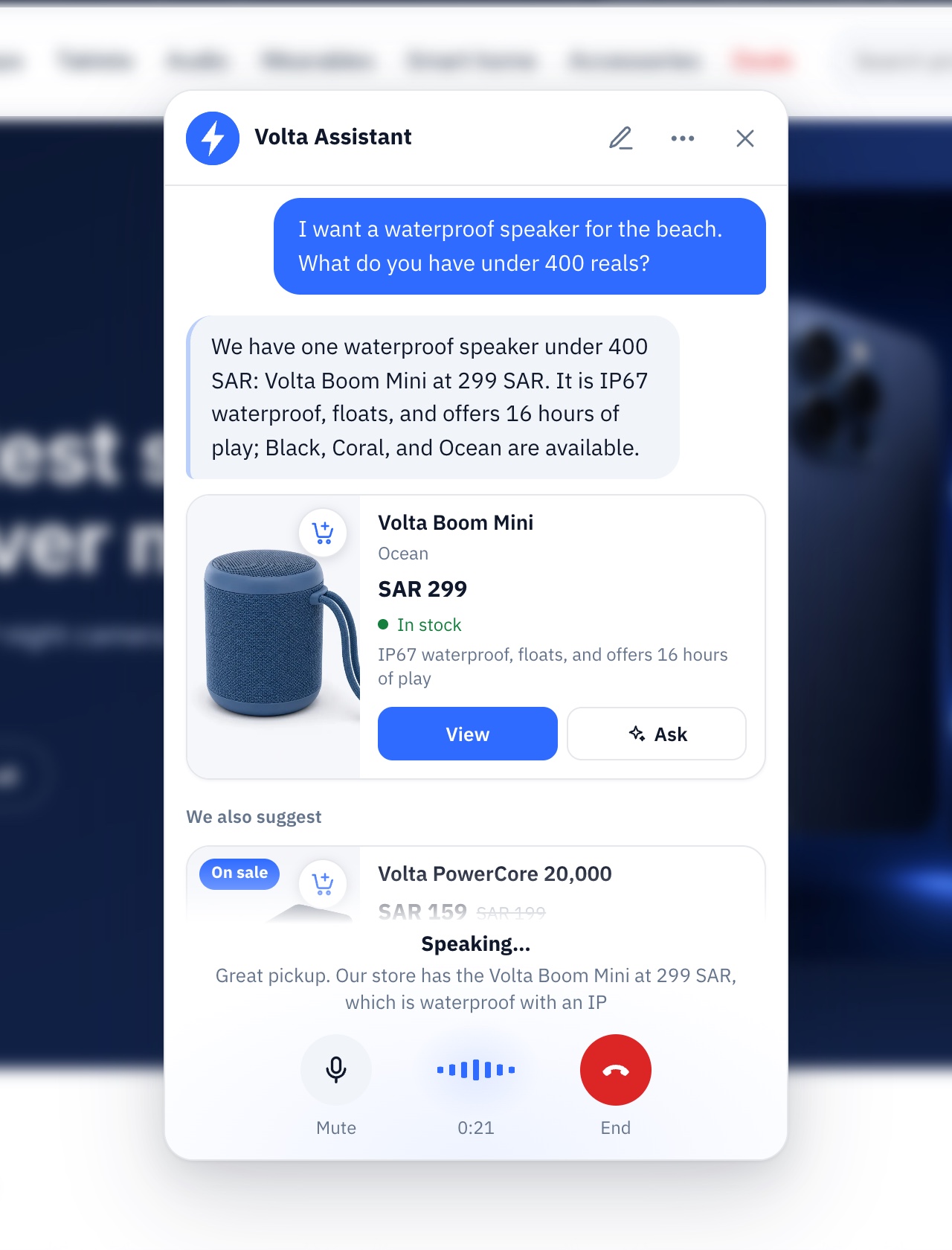
- Live voice conversations — one tap and shoppers talk with the assistant out loud, in Arabic or English, as in a phone call; products and cart cards appear on screen as it talks.
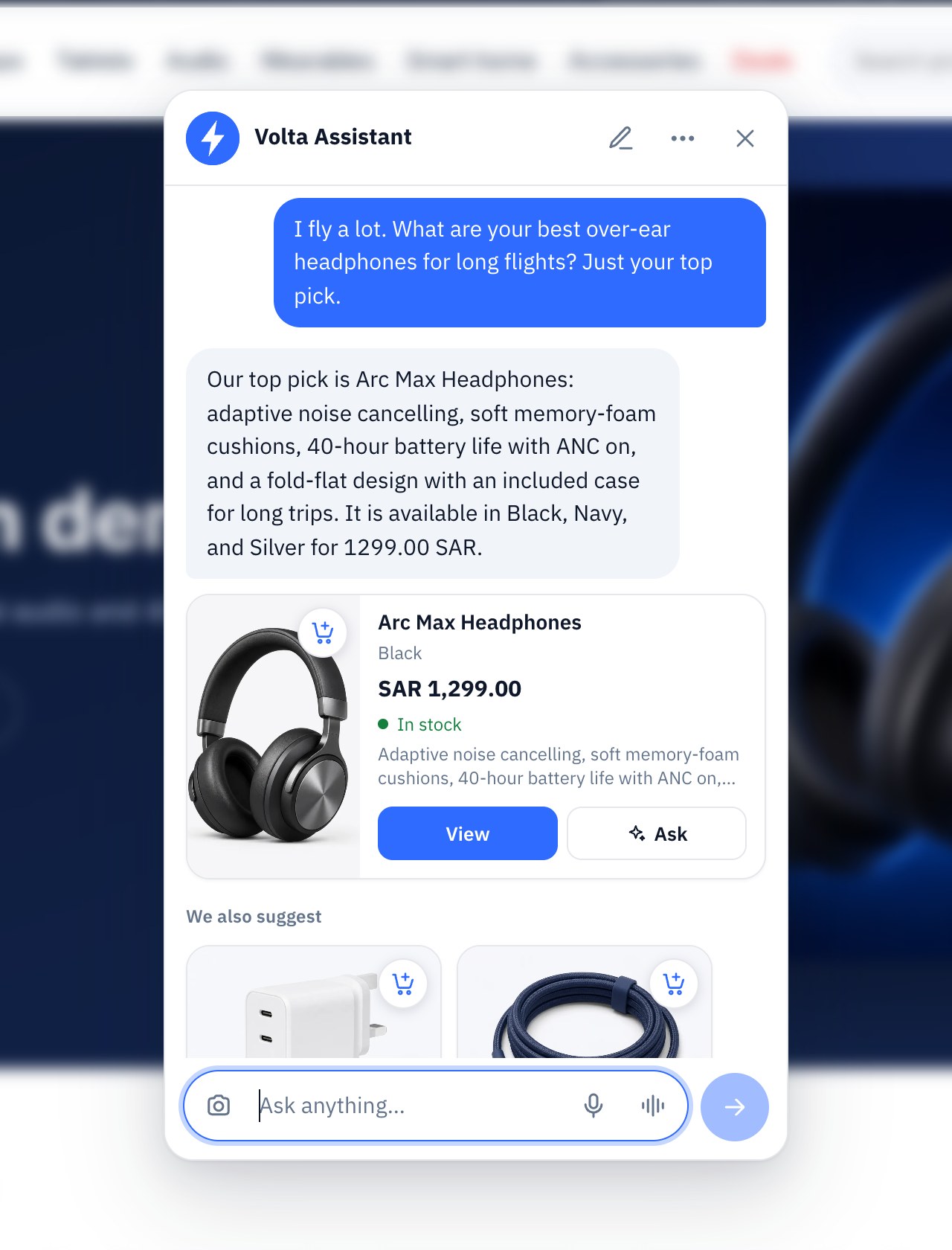
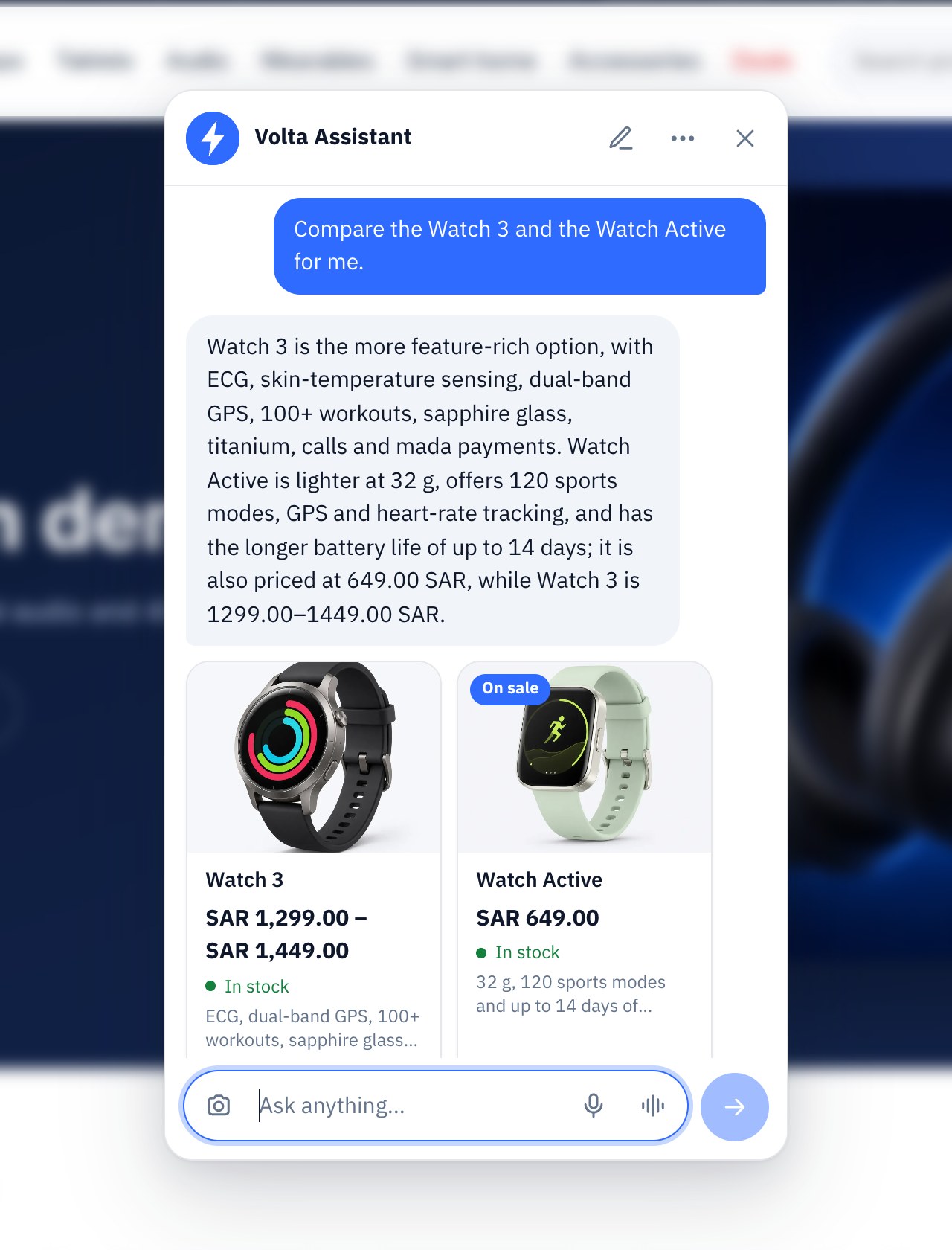
- Finds the right product — understands budgets, sizes and colours, compares products side by side and suggests gift ideas.
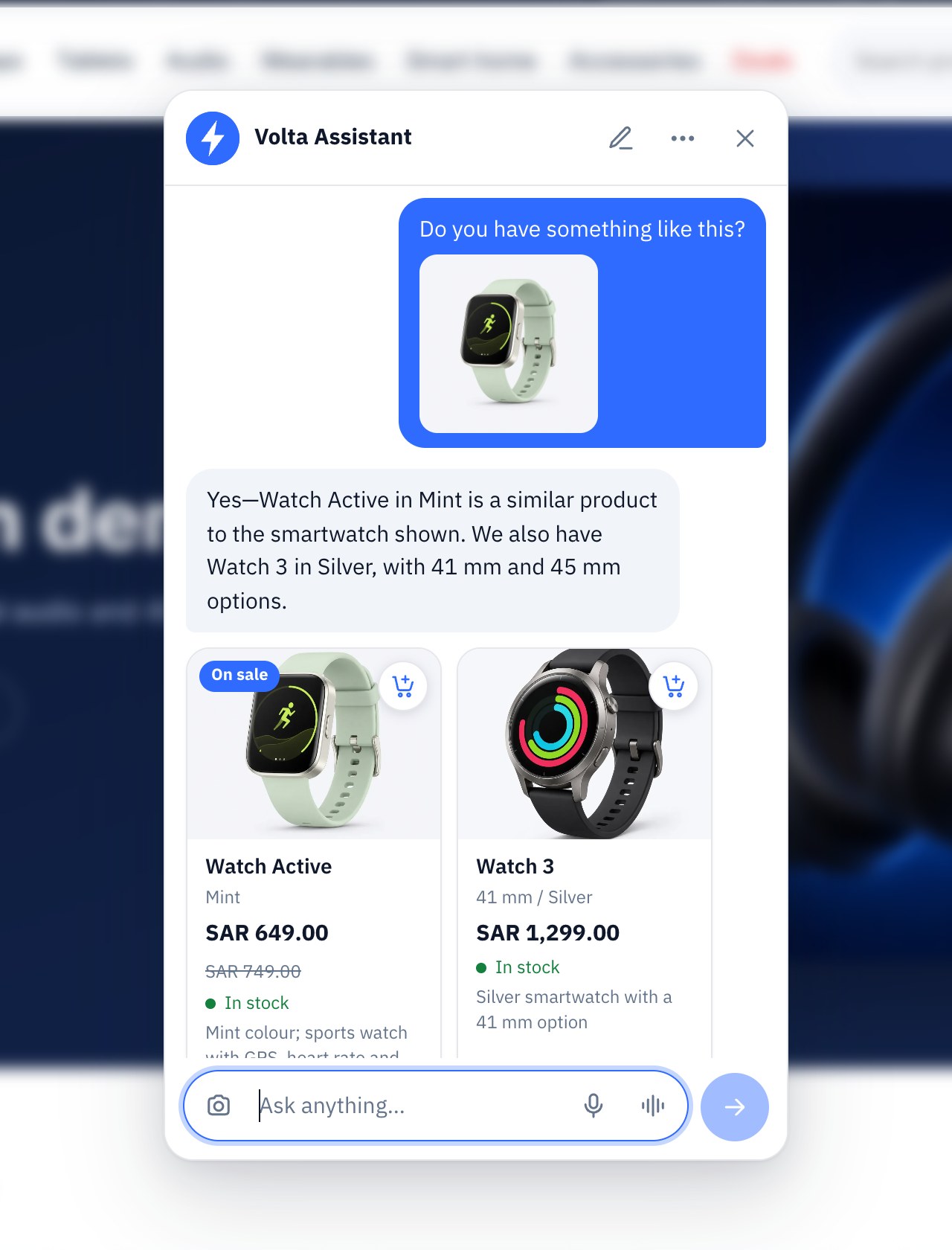
- Photo and voice search — shoppers can send a photo of what they want, or just speak.
- Answers from your store — products, prices, stock, shipping and returns, from your catalog and the store information you publish.
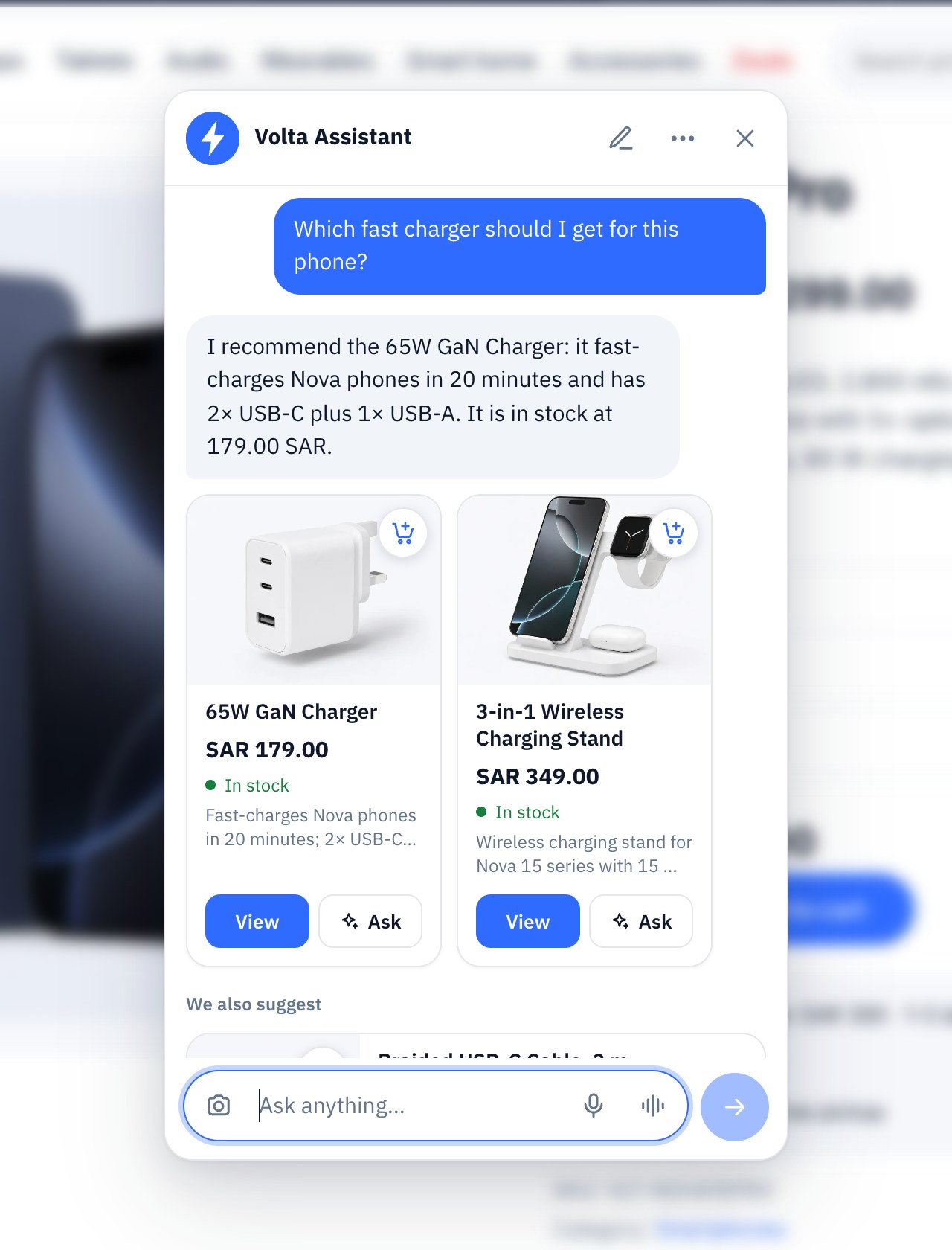
- Fills the cart — product cards with one-tap Add; the assistant adds items, changes quantities and applies coupons once the shopper confirms.
- Straight to checkout — hands over to your own checkout with the cart ready, with your own payment methods.
- Help with orders — signed-in shoppers see their orders, tracking and downloads; guests confirm an order with a one-time code.
- Arabic and English — replies in the shopper’s language, right to left included.
For you
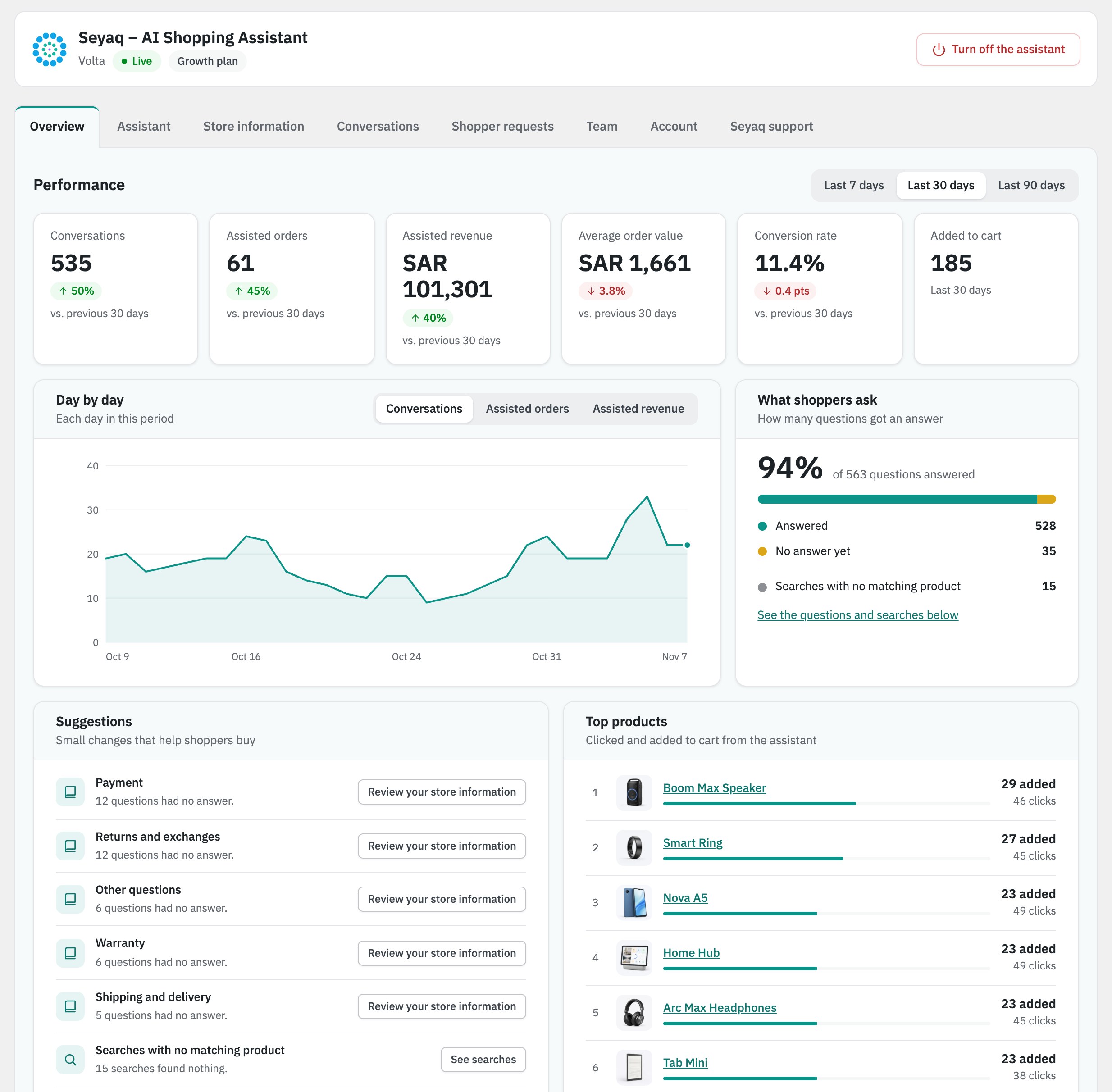
- Track assisted orders and revenue — with average order value and conversion, day by day.
- Recover lost sales — see interested shoppers who did not order, where they stopped, the possible reasons and what to do next.
- Learn what’s missing — questions your store information doesn’t answer yet and products shoppers looked for but couldn’t find, with a button to add the missing information.
- Save time — product, order and delivery questions are answered around the clock; returns, order issues and anything else reach your team as requests in WordPress.
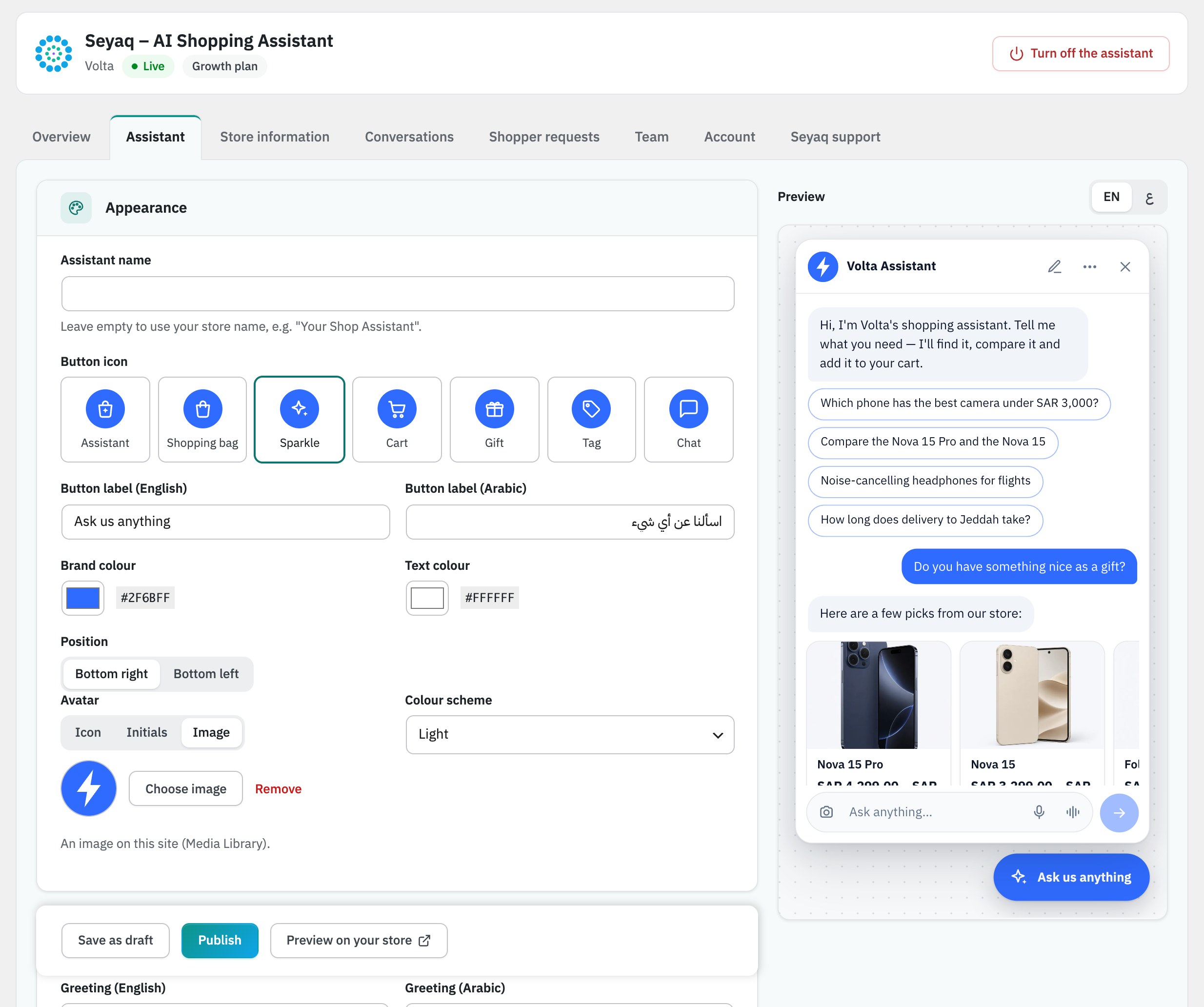
- Make it yours — the assistant’s name, avatar, colours, greeting and starter questions, with a live preview before you publish.
- Choose how it sounds — a female or male voice for voice conversations, each with a sample to hear, and a daily voice limit per visitor.
- Stay in control — draft, preview and publish changes, switch features on or off, pause the assistant at any time, and give your team access by role.
- Simple to manage — manage your assistant inside WordPress and your subscription on Seyaq.
Fast and safe for your store
- The assistant’s launcher loads after your page, and the full chat panel loads only when a shopper opens it.
- Checkout and payments stay on your store. The assistant never asks for card details and hides them if a shopper types them.
- Every cart change is confirmed by the shopper.
External services
This plugin connects your store to Seyaq (https://seyaq.ai), a service of Seyaq LLC that runs the assistant. Nothing is sent before you click Connect, and Seyaq never receives card details, passwords or WordPress cookies.
- When you connect: your site’s address and name, your WordPress user id and login name, the plugin version, an installation id and whether the site is live or staging.
- While connected (to api.seyaq.ai): your published products (titles, descriptions, prices, stock, images, categories and variations), the store information you publish, and a status each day and after relevant changes (software versions, language, currency, time zone, shipping countries, payment methods and extensions found). For orders the assistant helped with: order id, status and totals, plus the store’s daily order count and revenue. Never customer names, addresses or contact details.
- When a shopper uses the assistant (to api.seyaq.ai): their messages, photos or voice messages, cart lines, delivery country and anonymous usage events, and their IP address as with any web request. Seyaq uses AI providers to write the answers.
- In a live voice conversation: the shopper’s browser connects directly to Seyaq’s AI provider through a call Seyaq opens with its own key, and their voice streams there for the length of the call only; the assistant’s voice comes back the same way. Seyaq keeps what was asked and answered, like typed messages, never the audio.
- Team, support and privacy: a linked WordPress user’s id and login name, the support requests you write, one-time tokens for subscription links, and export or erase requests. Deleting the plugin tells Seyaq to stop accepting this site’s key.
Terms of Service: https://seyaq.ai/en/shopping-assistant/terms
Data Processing Agreement: https://seyaq.ai/en/shopping-assistant/dpa
Privacy Policy: https://seyaq.ai/en/privacy
Screenshots



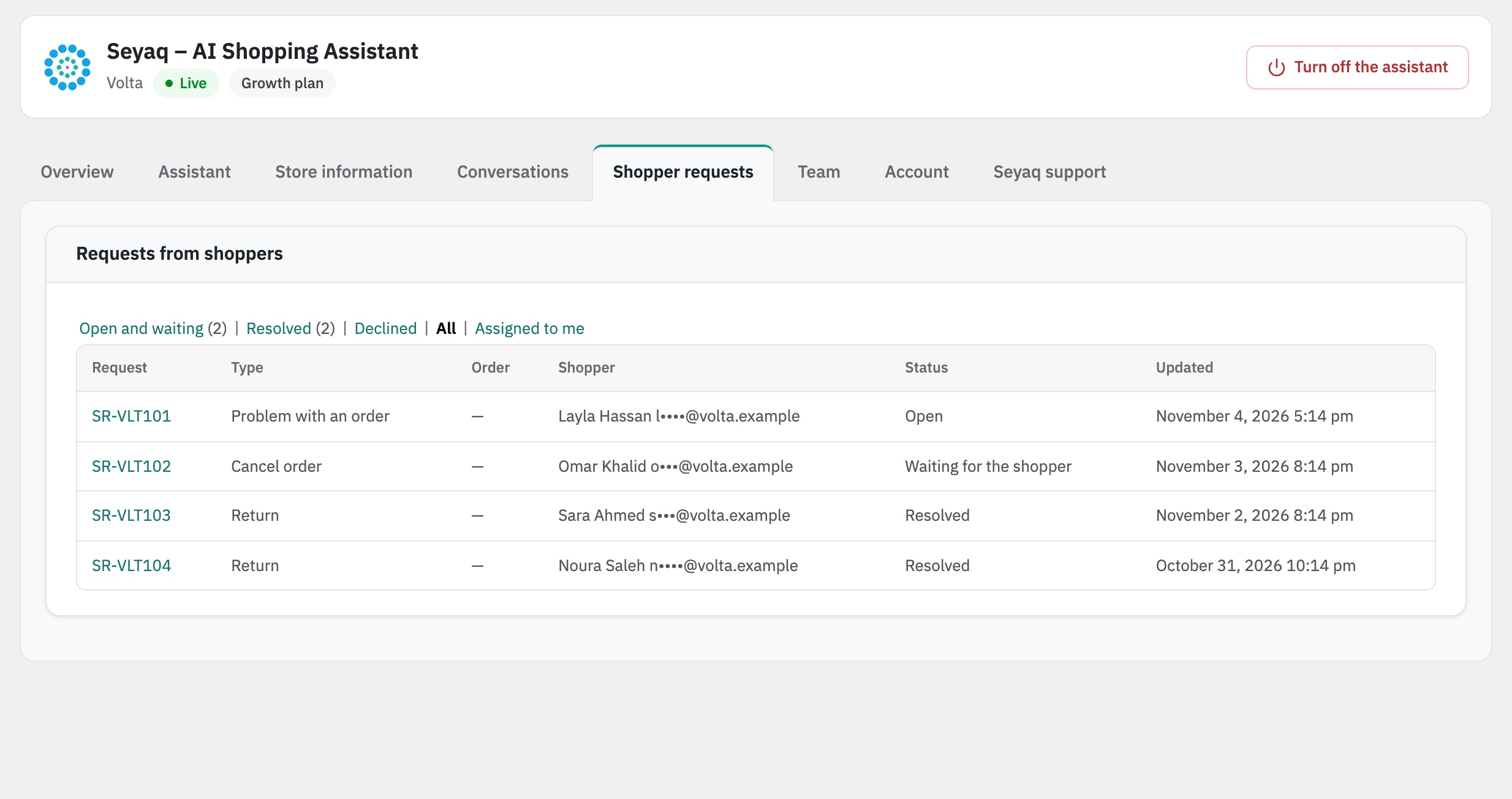
Installation
- Install and activate the plugin (WooCommerce must be active). On a multisite network, activate it on each site or for the whole network; each site connects as its own store.
- Open Seyaq Assistant in WordPress, click Connect store, and sign in or create your Seyaq account.
- Follow the setup steps: your products sync on their own; add your store information, customize the assistant, then start your free trial and turn it on.
FAQ
-
Do I need a Seyaq account?
-
Yes. Each store connects to a Seyaq account. Your store gets the Free plan once its products sync, and can start a free trial at any time.
-
Will it slow down my store?
-
The assistant’s launcher loads after your page, and the full chat panel loads only when a shopper opens it.
-
Does it work in Arabic?
-
Yes. The assistant and every plugin screen work in Arabic and English, right to left included, and the assistant replies in the shopper’s language.
-
Where do the answers come from?
-
From your catalog and the store information you publish, with checks to catch and minimize unsupported claims. Questions it can’t answer from them are passed to your team as requests.
-
Does it see my customers’ payment details?
-
No. Shoppers pay on your own checkout. The assistant never asks for card details and hides them if a shopper types them.
-
What happens when an allowance runs out?
-
That feature pauses until the allowance resets on your monthly date. Shopping and checkout keep working. There are no automatic overage charges. Your subscription renews as scheduled.
-
How long are conversations kept?
-
You choose, up to your plan’s limit: 7 days on Free, and 30, 90 or 180 days on the paid plans. They are deleted automatically after that.
-
I have more than one store. How does billing work?
-
Each store has its own subscription, usage and invoices, all managed from one Seyaq account.
-
What happens if I remove the plugin?
-
The assistant leaves your storefront and the plugin removes its own settings and data from WordPress. WooCommerce products, orders and customers stay as they are. Your subscription and the store’s data at Seyaq are managed from your Seyaq account.
Reviews
There are no reviews for this plugin.
Contributors & Developers
“Seyaq – AI Shopping Assistant” is open source software. The following people have contributed to this plugin.
Contributors
Translate “Seyaq – AI Shopping Assistant” into your language.
Interested in development?
Browse the code, check out the SVN repository, or subscribe to the development log by RSS.
Changelog
1.2.8
- The hard-to-read hint on the text colour shows only when the text is really hard to read, not on white over a mid-tone brand colour.
1.2.7
- The suggested privacy text covers live voice conversations.
- The photo button’s menu works with the arrow keys, and Tab stays inside the camera view until it closes.
- Product cards in a conversation keep their picture size, so the name and View link stay in view.
- New filter
seyaq_sa_product_options: a variation’s options per language, for stores that keep both.
1.2.6
- The Seyaq logo in the plugin’s page header and in the WordPress menu.
- A clearer workspace: folder tabs, an Account tab for plan, usage, products, connection, ownership and the store’s data, and the off switch at the top of every screen.
- New button style and Seyaq colours across the workspace.
- Pick the text colour on your brand colour (set automatically when the brand colour changes); new stores start on Seyaq’s deep teal.
- The settings preview updates without flickering.
- Assistant settings: Save as draft, Publish and Preview on your store in one bar; preview any published version on your store.
- Store information: Add a page and Questions & Answers open in a window; Publish now, or untick it to choose the day it takes effect.
- Conversations in numbered pages, a tidier shopper request page and easier-to-read Overview and Account cards.
- Six short setup steps; Suggestions list every topic shoppers asked about that your store information does not answer yet.
- The menu item is called Seyaq Assistant.
- Products are unlimited on every plan, Free included.
- Sales analytics on the Overview come with the free trial and every paid plan; on Free they show locked, with the next step.
- Conversation history: up to 7 days on Free, and 30, 90 or 180 days on the paid plans.
- The Free plan: 100 AI replies and 25 photo searches a month.
- Open the assistant from your own buttons: add data-seyaq-sa-open (and data-seyaq-sa-prefill for a starting question).
- Bilingual stores: the assistant shows each product’s name in the shopper’s language (from your translation plugin, or the seyaq_sa_product_titles filter).
- Store information: a page’s title with “&” or quotes shows as written.
- The assistant, its settings preview and the plugin’s screens in WordPress use Seyaq’s font, in Arabic and English.
- The page header shows your plan next to the assistant’s status.
- Answers no longer show a “Sources” list.
- Overview: Lost sales — interested shoppers who did not order, where they stopped, the possible reasons and what to do.
- A note at the top shows while your products sync after connecting (or after Sync now), and goes away when it’s done.
- Choose the assistant’s voice for voice conversations: a female or a male voice, each with a sample to listen to.
- Voice conversations count only talk time, and you can limit each visitor’s voice time a day.
- Listen reads replies aloud in your assistant’s voice.
- Shoppers can send a voice message or start a voice conversation, and take a photo with the camera.
- On a product page the assistant knows the options the shopper chose, and the product’s card adds that one to the cart.
1.2.5
- Multisite: the plugin can be activated for the whole network; each site connects as its own store.
- The settings preview loads its files through WordPress.
1.2.4
- The plugin is now called Seyaq – AI Shopping Assistant.
1.2.3
- Database queries on the plugin’s own tables pass their table names as prepared identifiers.
1.2.2
- Runs on WordPress 6.5 or newer and WooCommerce 8.0 or newer.
1.2.1
- After a card is saved for the plan that follows the free trial, the Subscription card says which plan starts when the trial ends.
1.2.0
- The Free plan: a store with up to 200 products keeps the assistant on with a monthly allowance, and WordPress shows the plan and what it includes.
- When a store isn’t on Free, the Subscription card says why: more than 200 products, or the account’s Free plan is on another store.
- Requests to Seyaq support come with the free trial or a paid plan; on Free, the Seyaq support tab links the help center.
- The photo button says how long a photo is kept: deleted after use or within 10 minutes.
- Longer conversation history: up to 30 days on Free, and 90, 180 or 365 days on the paid plans.
1.1.0
- A new look for the assistant on your store: a bigger window (full screen on phones), product cards with View, Ask and one-tap Add (showing how many are in the cart), starter questions, a typing indicator, and photo and voice inside the message field.
- One Overview for everything the assistant does: assisted orders, revenue and average order value, conversion, a daily chart, top products, suggestions, the shopper journey, questions to answer, and Diagnostics on the Seyaq support tab.
- Settings grouped into cards with a live preview of the assistant itself, product and category pickers, a media-library avatar and seven launcher icons (Sparkle by default).
- Conversations read like a chat, with the products the shopper saw.
- Only the store owner can disconnect the store or change its plan.
1.0.0
- First release.