
Description
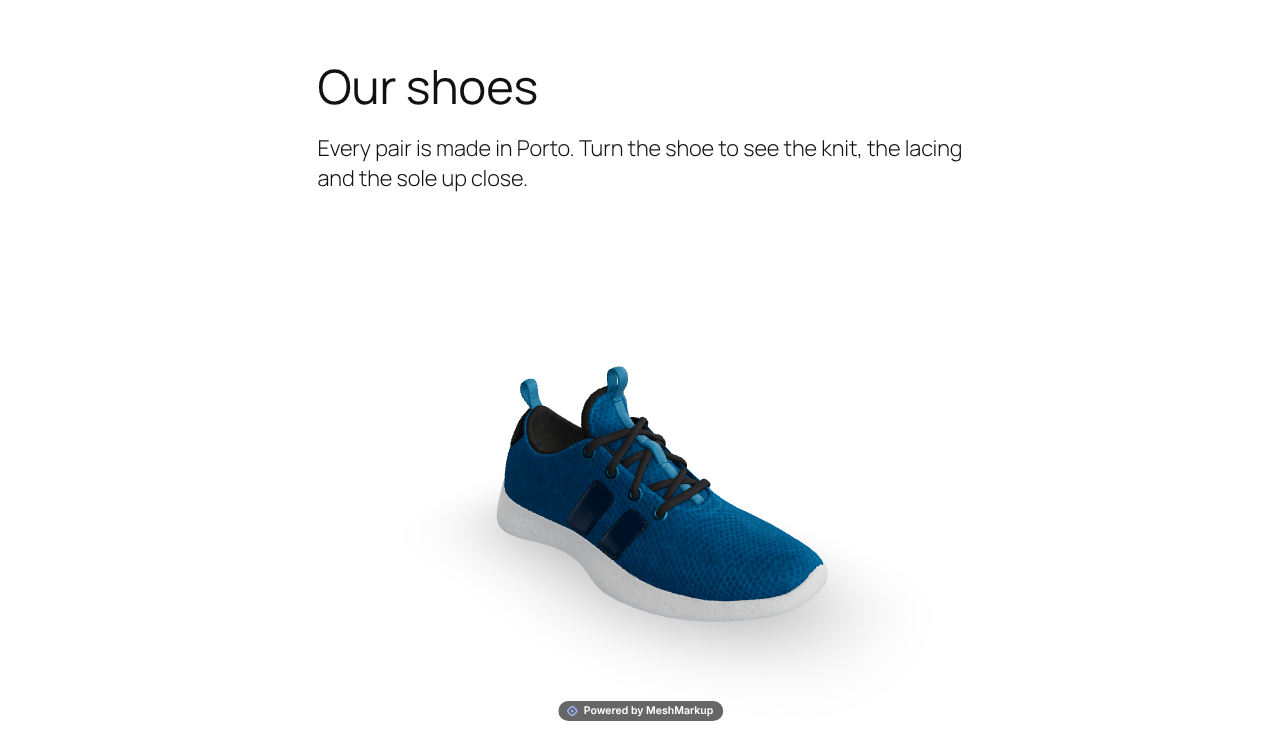
MeshMarkup 3D puts an interactive 3D model on your site. Visitors turn it, zoom in and look at it from every side.
- Upload from your dashboard. Drop in a 3D file. CAD files (STEP, IGES, Rhino) and other formats are converted to a web-ready GLB, which is saved in your own Media Library.
- Anywhere on your site. Use the 3D model block, the
[meshmarkup model="…"]shortcode, or the 3D model box on a WooCommerce product (first in the gallery, its own “3D view” tab, or below the images). - No account needed to start.
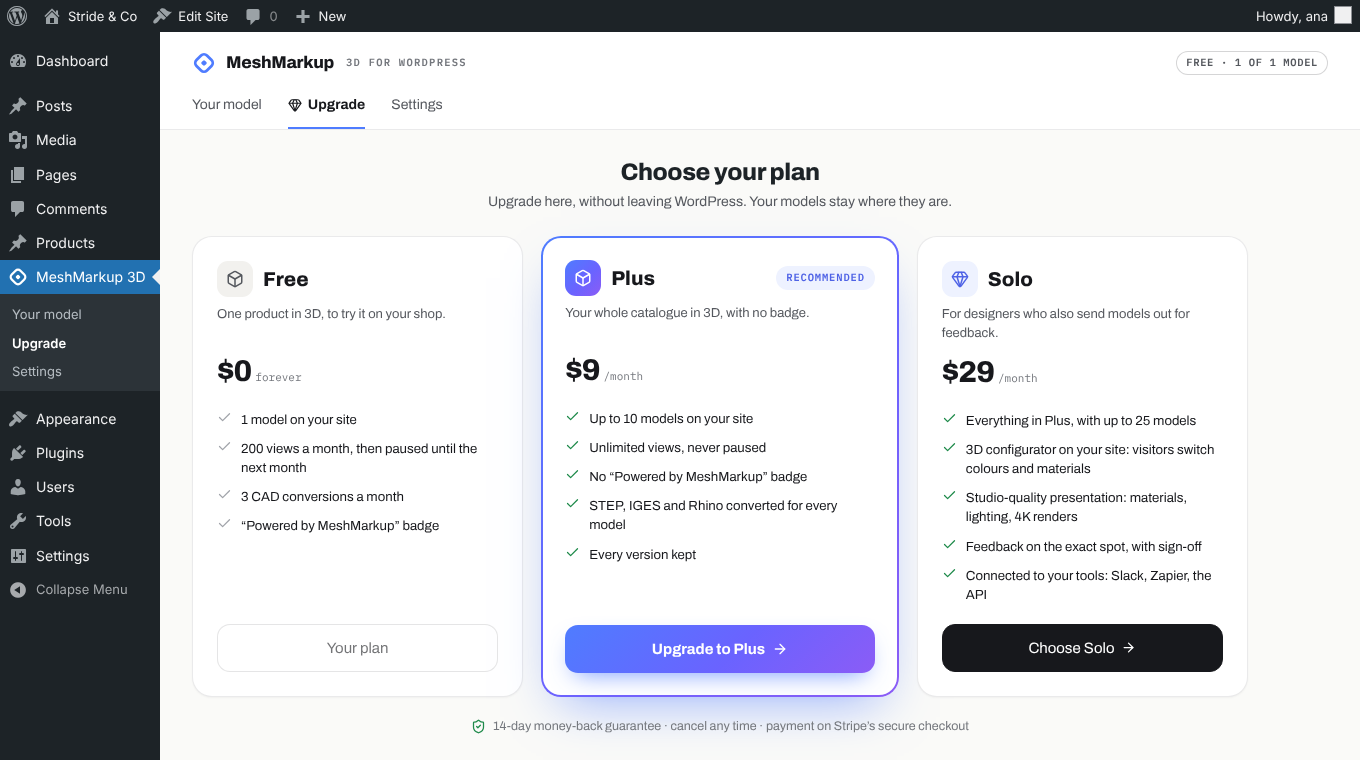
Free
- 1 model on your site, on as many pages and products as you like
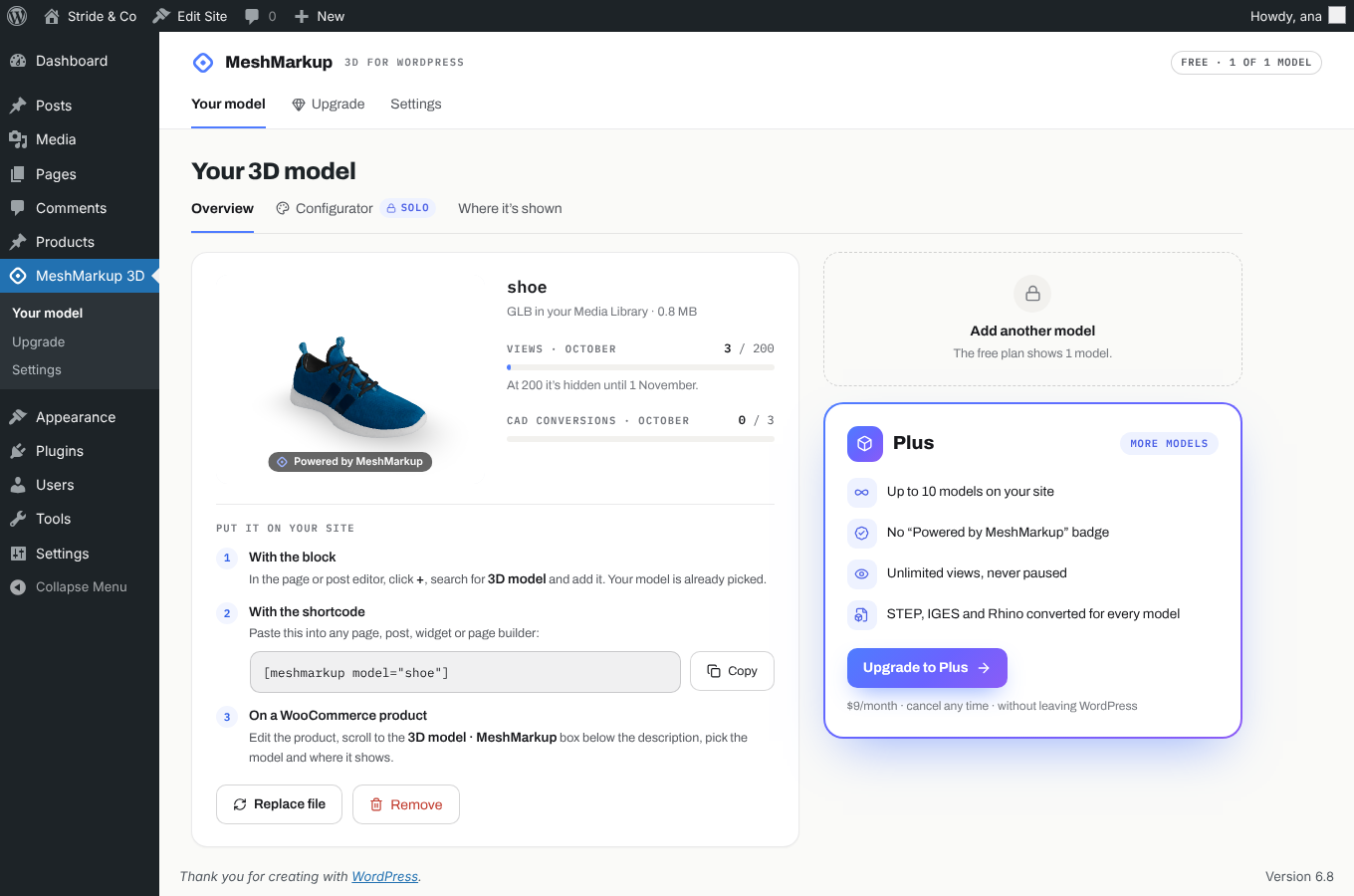
- 200 views a month. After that the model is hidden until the next month, and your product images show as usual.
- 3 CAD conversions (STEP, IGES, Rhino) a month
- A small “Powered by MeshMarkup” badge on the model. The badge is part of MeshMarkup’s viewer (the frame loaded from meshmarkup.com); the plugin adds no links or credits to your pages. The plugin’s page shows the badge before you connect.
Plus and Solo
Upgrade from the plugin’s Upgrade tab, without leaving WordPress:
- Plus — up to 10 models, unlimited views, no badge, CAD conversion for every model.
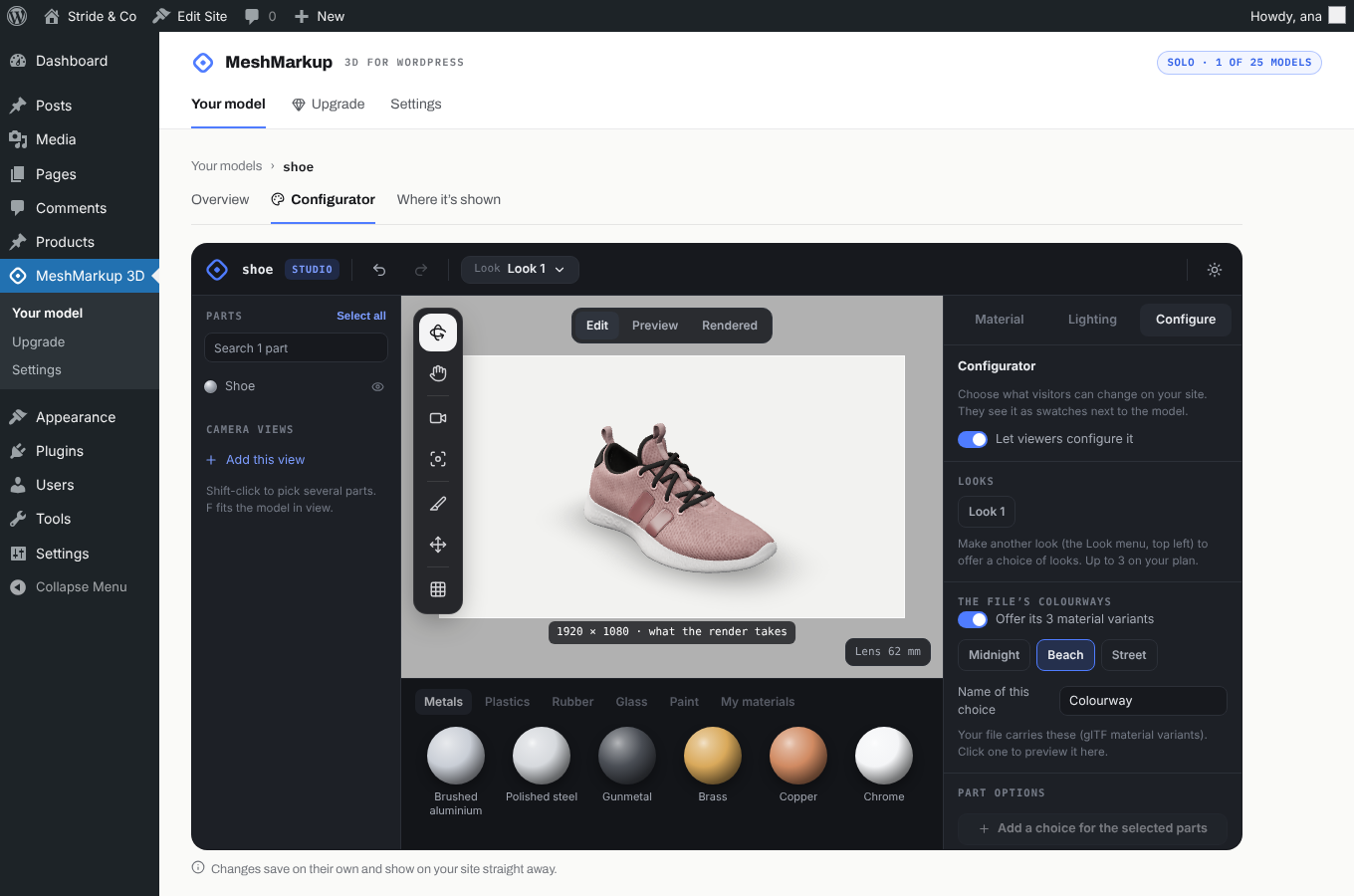
- Solo — everything in Plus with up to 25 models, and a 3D configurator: visitors switch colours and materials on your product page. You set it up in the plugin’s Configurator tab.
Payment is taken on Stripe’s secure checkout. 14-day money-back guarantee; cancel any time.
External services
This plugin relies on MeshMarkup (https://www.meshmarkup.com), a 3D viewing service run by MeshMarkup. Nothing is sent to it until a site administrator clicks Get started on the plugin’s page.
What is sent, and when:
- When you click Get started: your site’s address. If you tick “Email me a monthly report”, also the email address shown next to that box. MeshMarkup returns a site key, which is stored in your site’s database and only used by your server.
- When you add or replace a model: the model’s name, its file size, its original format, and the address on your site the file is served from. The 3D file itself stays in your Media Library. MeshMarkup’s viewer loads it from your site each time the model is shown.
- When a file needs converting: it is handed to MeshMarkup’s converter, a page from meshmarkup.com loaded invisibly in your dashboard. Most files are converted there, in your own browser; large files (big CAD, Rhino or OBJ files) are uploaded to MeshMarkup’s converter server. The converted GLB is saved in your Media Library. MeshMarkup doesn’t keep your original file. Converting a STEP, IGES or Rhino file also counts towards your month’s conversions.
- When a visitor views a model: the viewer is a frame loaded from meshmarkup.com. The visitor’s browser loads it, which tells MeshMarkup the visitor’s IP address and browser, as with any web page. Each view is counted for your monthly total; no cookies are set and no visitor is identified.
- When you upgrade: the email address you type, to send you a 6-digit code and to create or find your MeshMarkup account. Payment details go to Stripe, never to your site or to the plugin.
- When you configure a model (Solo): the configurator is a frame loaded from meshmarkup.com, and your settings are saved there.
MeshMarkup Terms: https://www.meshmarkup.com/legal/terms
MeshMarkup Privacy Policy: https://www.meshmarkup.com/legal/privacy
Stripe Privacy Policy: https://stripe.com/privacy
Source code
Everything in this plugin is the source: plain PHP, JavaScript and CSS, written by hand and not minified or compiled. There is no build step and no build tools are needed.
assets/admin.js— the plugin’s screens in the dashboardassets/block.js— the 3D model block, using WordPress’s own block scriptsassets/admin.css,assets/front.css— styles
Third-party parts included:
- Icons in
assets/admin.js(theICONSlist): Lucide, https://lucide.dev, ISC licence. https://github.com/lucide-icons/lucide - Fonts in
assets/fonts: Archivo and IBM Plex Mono, SIL Open Font License 1.1 (licence files included), as packaged by Fontsource, https://fontsource.org. https://github.com/fontsource/font-files
The 3D viewer and converter are part of the MeshMarkup service (see External services) and are loaded from meshmarkup.com; they are not part of this plugin.
Screenshots



Blocks
This plugin provides 1 block.
- 3D model
Installation
- In your dashboard, go to Plugins Add New, search for MeshMarkup 3D, then click Install Now and Activate.
- Open MeshMarkup 3D in your dashboard and click Get started.
- Drop in a 3D file.
- Add the 3D model block to a page, use the shortcode, or pick the model in a WooCommerce product’s 3D model box.
FAQ
-
Which formats can I upload?
-
STEP (.step, .stp), IGES (.iges, .igs), Rhino (.3dm), OBJ, STL, FBX, PLY, DAE, 3MF, 3DS, glTF, GLB, or a .zip with a model and its textures.
-
Where are my files kept?
-
In your own Media Library, as GLB files. MeshMarkup’s viewer loads them from your site.
-
What happens after 200 views on the free plan?
-
The model is hidden until the 1st of the next month, so your pages look as they did without it. On Plus and Solo views aren’t limited.
-
How do I put the model on a page?
-
Three ways:
- Block: in the editor, click +, search for 3D model and add it.
- Shortcode: paste
[meshmarkup model="your-model"]into any page, post, widget or page builder. The plugin shows your model’s shortcode with a Copy button. - WooCommerce: edit the product and pick the model in the 3D model · MeshMarkup box.
-
Do I need a MeshMarkup account?
-
No. Click Get started and upload. An account is only made if you upgrade, from the plugin’s Upgrade tab.
-
Does it slow down my pages?
-
The viewer loads in a frame, only where you put a model, and it doesn’t add scripts to the rest of your site.
-
The upload stops with “This site accepts uploads up to…”
-
Your host limits the size of uploads. Ask them to raise
upload_max_filesizeandpost_max_size, or use a lighter model.
Reviews
There are no reviews for this plugin.
Contributors & Developers
“MeshMarkup 3D” is open source software. The following people have contributed to this plugin.
Contributors
Translate “MeshMarkup 3D” into your language.
Interested in development?
Browse the code, check out the SVN repository, or subscribe to the development log by RSS.
Changelog
1.0.0
- First release.