
Description
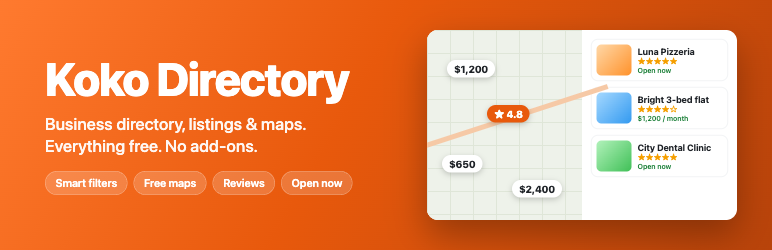
Koko Directory turns your WordPress site into a business directory, local listings site, job board, real estate portal or event guide. Everything is in the free plugin: maps without an API key, smart search filters, reviews, opening hours, front-end submission, claim listing, analytics, login with two-step security, and schema markup for search engines.
Most directory plugins sell maps, reviews, claims or search filters as paid extensions. Koko does not. One plugin, one setup screen, and your directory is live in a minute.
Who uses Koko Directory
- Local business directories – city guides, chamber of commerce member lists, “best of” lists.
- Restaurant and café guides – cuisine, price range, delivery and “open now” filters.
- Real estate listings – price, bedrooms, area and amenities filters, rent or sale.
- Job boards – job type, salary, remote and deadline.
- Event listings – dates, venue, tickets and online events.
- Doctor and clinic finders – specialty, fee, video visits and opening hours.
- Store locators – “near me” search, distance sort and directions.
Run several of them on one site. Each directory type has its own fields, filters, categories and search engine schema.
Smart search and filters
- Search by keyword, category, location, distance and rating.
- Filters with live counts. Pick “Italian” and still see how many Thai places there are.
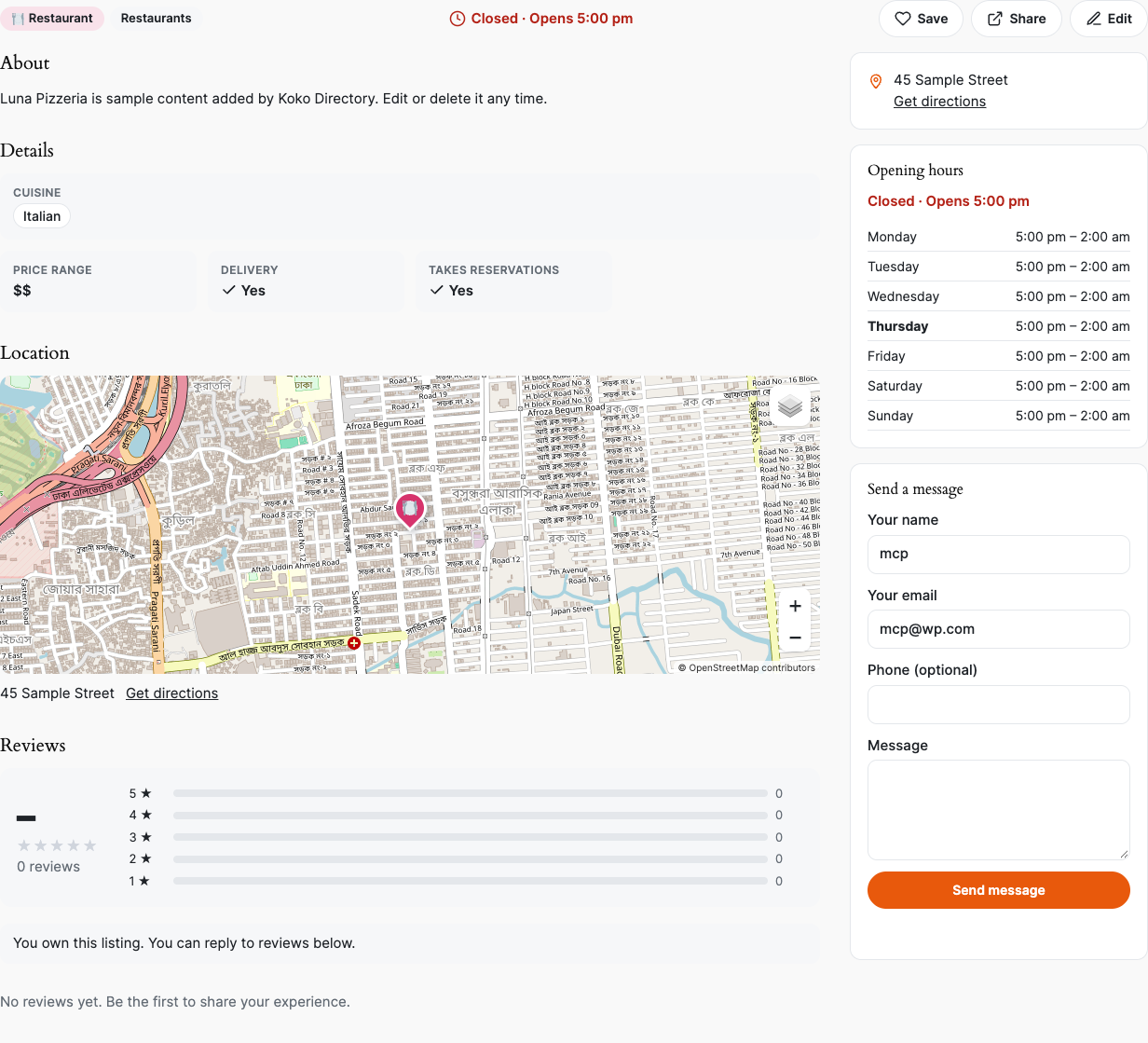
- Open now filter based on real opening hours, split shifts and overnight hours.
- Price and number ranges, checkboxes, yes/no filters, sort by distance, rating, price or name.
- Results update instantly without reloading the page. Every search has a shareable link and the back button works.
- Built for large directories: Koko keeps its own search index, so filtering stays fast with tens of thousands of listings.
Free maps, no API key
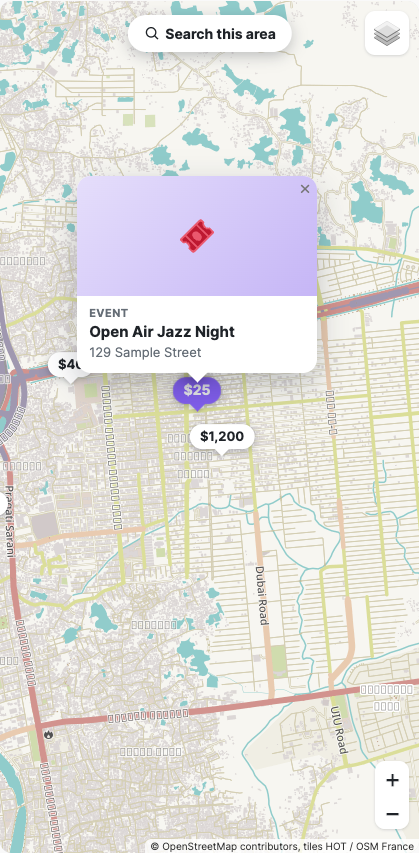
- OpenStreetMap maps with listing pins, price and rating pins, pin clusters and photo popups.
- Search this area: move the map and show only the listings you can see.
- Near me search with radius and distance sort.
- Map styles that need no API key: soft color, light gray, dark, classic and terrain. Or use your own tile provider.
- Owners place their pin by address search or by clicking the map.
Reviews, claims and leads
- Star ratings with a rating breakdown, one review per member, owner replies and moderation.
- Claim listing: owners claim their business, you approve it in one click, and they get a “Verified owner” badge.
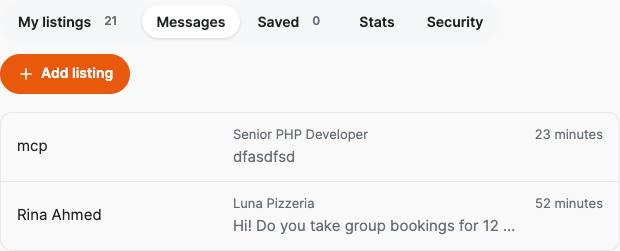
- Contact form with an inbox: messages are saved on your site and emailed to the owner. Owners read and answer them in their dashboard. Export all leads to CSV.
- Saved listings (favorites) for members.
Front-end submission and member dashboard
- Members add and edit listings with photos, a map pin and opening hours.
- Moderation, spam traps and rate limits.
- Dashboard tabs: My listings, Messages, Saved, Stats and Security.
Analytics for you and your listing owners
- Views, phone, website, email and direction clicks, messages, saves and reviews per listing.
- Owners see the stats of their own listings.
- You see the top listings, what people search for, and searches that found nothing – ideas for new listings and categories.
- Privacy friendly: only daily totals are stored. No IP addresses, no cookies, and bots are not counted.
Login, social login and two-step security
- Front-end login and sign-up page with login throttling.
- “Continue with Google” and “Continue with Facebook”.
- Two-step login (2FA) with any authenticator app and one-time backup codes. Works on wp-login.php, the Koko login page and social login.
SEO for directory sites
- Results are rendered on the server, so search engines can read every listing and every page of results.
- Schema.org JSON-LD for LocalBusiness, Restaurant, MedicalBusiness, JobPosting, Event, RealEstateListing and more, with ratings, opening hours, geo coordinates and breadcrumbs. This helps listings show rich results.
- Category and location archive pages (“Restaurants in Downtown”).
- Clean listing URLs that you can rename. Works alongside Yoast SEO, Rank Math, All in One SEO and SEOPress.
Make it yours
- Accent and text colors, corner roundness, card style, image shape, button shape, spacing and font.
- Your own name for listings (“Places”, “Shops”, “Homes”) and your own URL words.
- Template files you can copy to your theme. For small style changes, use the WordPress CSS editor (Additional CSS).
- Works with block themes and classic themes, the block editor and page builders.
Blocks and shortcodes
- Directory –
[koko_directory type="restaurant" map="yes" map_style="light"] - Directory Search –
[koko_search] - Listings Grid –
[koko_listings featured="yes" count="6"] - Directory Categories –
[koko_categories] - Add Listing Form –
[koko_submit] - Listing Dashboard –
[koko_dashboard] - Login & Register –
[koko_account]
Import and tools
- CSV import with column mapping (images by URL).
- One-click demo listings that you can remove later.
- WP-CLI:
wp koko reindex,wp koko add-type restaurant,wp koko demo,wp koko search. - REST API and many actions and filters for developers.
Accessible and secure
- Keyboard friendly forms and filters, screen reader labels and live result announcements.
- Nonces, capability checks, escaped output and prepared database queries throughout. Tested with PHPUnit and the WordPress Coding Standards.
External services
Koko connects to these services only when a map is shown, an address is searched, or a visitor uses social login.
- OpenStreetMap France / Humanitarian (HOT) tiles (https://tile.openstreetmap.fr) show the map for the “Soft color” and “Light gray” styles. OpenStreetMap (https://tile.openstreetmap.org) for “Dark” and “Classic”. OpenTopoMap (https://opentopomap.org) for “Terrain”. The visitor’s browser requests map images (IP address and the map area). Policies: https://operations.osmfoundation.org/policies/tiles/, https://openstreetmap.fr/mentions-legales/, https://opentopomap.org/about. Privacy: https://osmfoundation.org/wiki/Privacy_Policy. Pick another style or your own provider in Settings Maps.
- OpenStreetMap Nominatim (https://nominatim.openstreetmap.org) turns an address into map coordinates when a logged-in user clicks “Find on map”. The site server sends the typed address. Results are cached. Usage policy: https://operations.osmfoundation.org/policies/nominatim/. Privacy: https://osmfoundation.org/wiki/Privacy_Policy. Turn it off in Settings Maps.
- Google Sign-In (accounts.google.com, oauth2.googleapis.com, openidconnect.googleapis.com) is used only when you add Google keys and a visitor clicks “Continue with Google”. The site server receives the visitor’s name, email and Google account ID. Terms: https://policies.google.com/terms. Privacy: https://policies.google.com/privacy.
- Facebook Login (facebook.com, graph.facebook.com) is used only when you add Facebook keys and a visitor clicks “Continue with Facebook”. The site server receives the visitor’s name, email and Facebook user ID. Terms: https://www.facebook.com/terms.php. Privacy: https://www.facebook.com/privacy/policy/.
Credits
Koko Directory bundles these open-source libraries:
- Leaflet 1.9.4 – BSD 2-Clause – https://leafletjs.com/
- Leaflet.markercluster 1.5.3 – MIT – https://github.com/Leaflet/Leaflet.markercluster
- qrcode-generator 1.4.4 by Kazuhiko Arase – MIT – https://github.com/kazuhikoarase/qrcode-generator
Screenshots




Blocks
This plugin provides 7 blocks.
- Koko Directory
- Koko Search
- Koko Listings
- Koko Categories
- Koko Submit
- Koko Account
- Koko Dashboard
Installation
- In your dashboard go to Plugins Add New, search for “Koko Directory” and click Install Now, then Activate.
- The setup screen opens. Pick what you want to list (businesses, restaurants, properties, jobs, events or clinics), set your city on the map, and click Build my directory.
- Koko creates the Directory, Add Listing, My Listings and Account pages. Visit the Directory page to see it.
- Optional: go to Koko Directory Directory Types to change fields and filters, or Settings to change the design, map style and login options.
FAQ
-
How do I create a business directory in WordPress?
-
Install and activate Koko Directory, run the one-minute setup and pick “Businesses”. You get a directory page with search, filters and a map, a form where owners add their business, and a dashboard for them. Add your own fields in Directory Types.
-
Do I need a Google Maps API key?
-
No. Koko uses free OpenStreetMap maps. You can switch to any tile provider with your own key in Settings Maps.
-
Can I run a job board, real estate site or event guide with it?
-
Yes. Each directory type has its own fields, filters and schema. Starter templates exist for jobs, properties, events, restaurants, clinics and businesses, and you can build your own from zero.
-
Can visitors add listings from the front end?
-
Yes. Members add and edit listings with photos, a map pin and opening hours. You can review new listings first or publish them right away.
-
How does the “Open now” filter work?
-
Owners set opening hours per day, with split shifts and hours after midnight. Koko compares them with the current time in your site’s time zone.
-
Where do messages from the contact form go?
-
Every message is saved on your site and emailed to the listing owner. Owners read them in the Messages tab of their dashboard; admins see all messages under Koko Directory Messages and can export them.
-
Is it fast with many listings?
-
Yes. Search uses Koko’s own index tables instead of slow meta queries, with indexes for type, location, rating, price and opening hours.
-
Is it GDPR friendly?
-
Analytics stores only daily totals, with no IP addresses or cookies. Contact messages work with the WordPress privacy tools (export and erase personal data). Map tiles load from the map provider you choose; see “External services” below.
-
Does it work with my theme and SEO plugin?
-
Koko works with block themes and classic themes. When an SEO plugin like Yoast SEO or Rank Math is active, Koko leaves the meta tags to it and still adds the listing schema.
-
Can I change how listing cards and pages look?
-
Yes. Use Settings Design for colors, card style and spacing. For full control, copy a file from
koko-directory/templates/toyour-theme/koko-directory/and edit it.
Reviews
There are no reviews for this plugin.
Contributors & Developers
“Koko Directory – Business Directory, Listings & Maps” is open source software. The following people have contributed to this plugin.
Contributors
Translate “Koko Directory – Business Directory, Listings & Maps” into your language.
Interested in development?
Browse the code, check out the SVN repository, or subscribe to the development log by RSS.
Changelog
1.0.0
- First release: directory types and field builder, smart filters with live counts, instant search, free maps with clusters and “Search this area”, reviews, claims, contact inbox, front-end submission, member dashboard, analytics, login and social login, two-step login, design settings, schema markup, CSV import, blocks, shortcodes, REST API and WP-CLI.