

Description
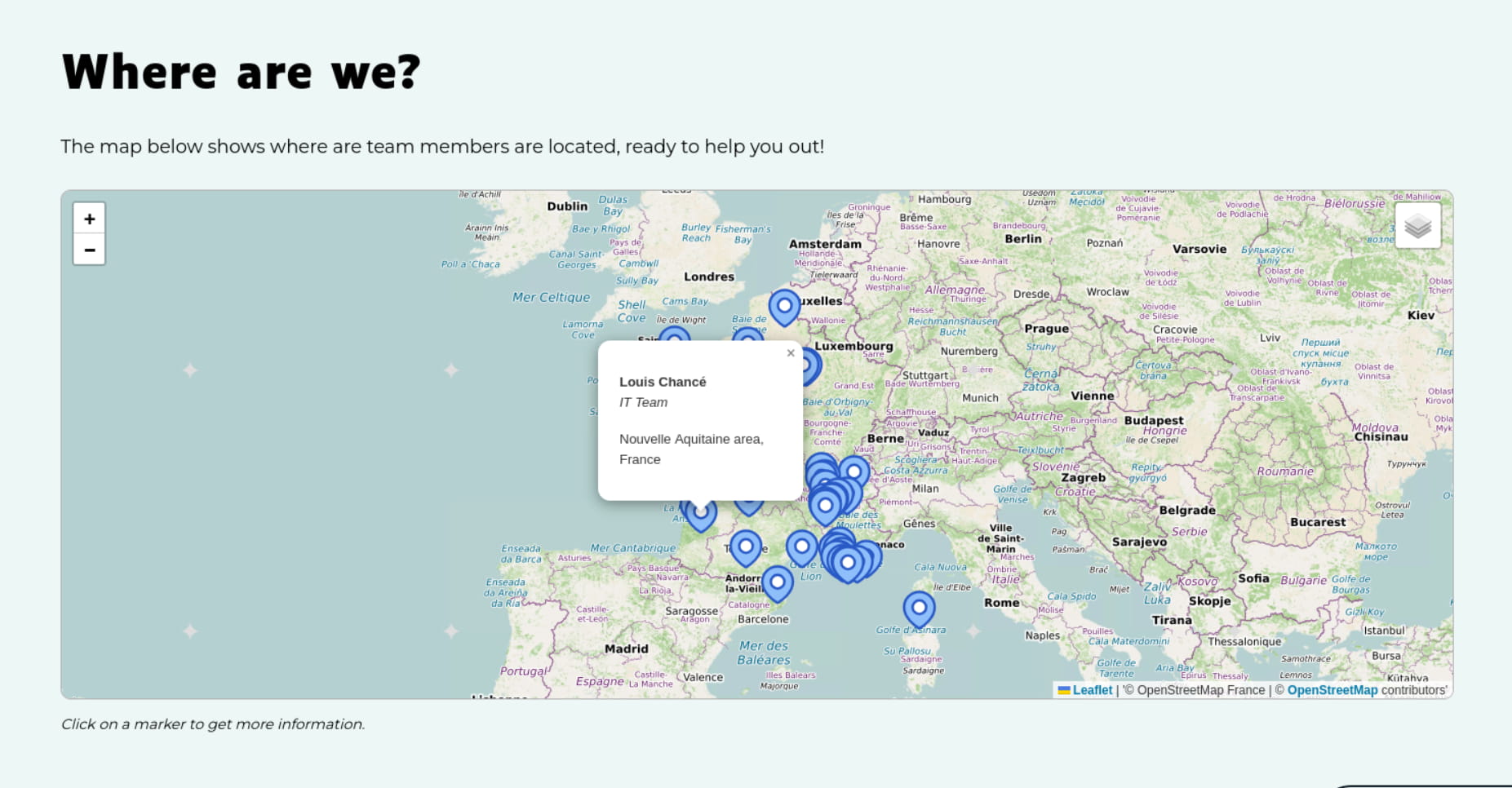
The Map (Leaflet) element of the Bricks theme (2.1+) has no query loop option, unlike its Google Map element. This plugin adds a “Query markers” panel to the Map (Leaflet) element: the first marker you set is used as a template and duplicated for every post of the query, with all dynamic data tags rendered in the context of each post.
Features:
- Location from the ACF OpenStreetMap Field plugin (any return format) or from two latitude / longitude custom fields (ACF, Meta Box, JetEngine, native custom fields…).
- Any Bricks dynamic data tag in the marker popup (title, link, ACF fields…).
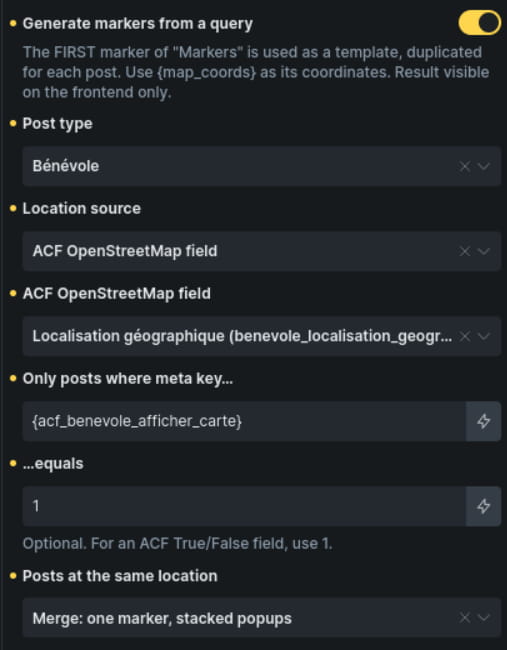
- Optional filter on a custom field, e.g. a “show on map” True/False field.
- Posts sharing the same location: merged into one marker with stacked popups, or spread on a small circle.
- Map automatically centered on all markers.
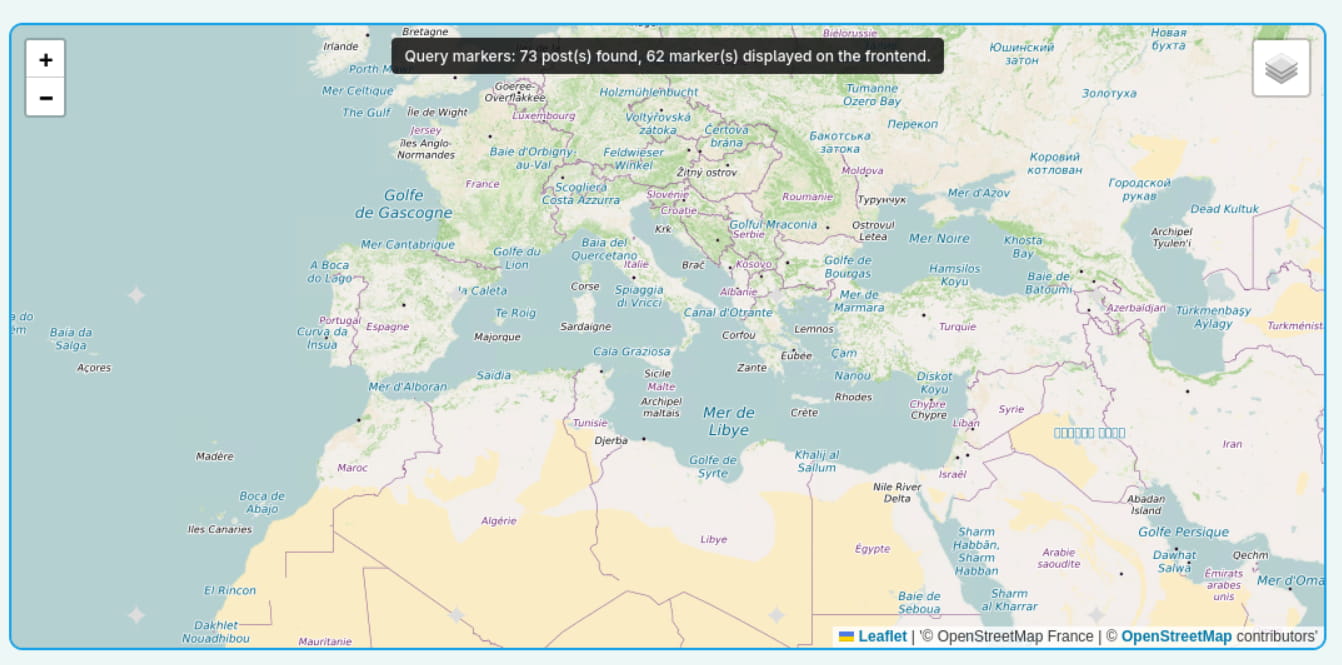
- Builder notice showing how many markers were found.
This plugin requires the Bricks theme, which is a commercial product. It is not affiliated with or endorsed by Bricks Builder.
Screenshots

Installation
- Install and activate the plugin.
- In Bricks, add a Map (Leaflet) element (not inside a query loop).
- In “Markers”, add ONE marker. It is the template used for every post. Set its Coordinates to {map_coords} (required).
The popup is optional and accepts any Bricks dynamic tag, for example:
{post_title}
Read more - Open the “Query markers” panel, enable “Generate markers from a query” and choose the post type, the location source and the field names.
- Leave “Map center” empty: the map is centered on all markers.
FAQ
-
Why are the markers not visible in the builder?
-
Markers are generated when the page is rendered and are displayed on the frontend. In the builder, a notice over the map shows how many markers were found.
-
{map_coords} returns “lat,lng” for the current post. It is the value to use in the marker Coordinates.
{map_address} is only useful with the ACF OpenStreetMap Field source. It returns the label of the marker stored by that field: the address found when the editor searched for a place or clicked on the map, which they can edit. With latitude/longitude fields it is always empty: display your own address field in the popup instead (e.g. {acf_address}).
Outside a query map (e.g. in a single template), these tags use an ACF OpenStreetMap field named “location”. Change it with the brxlm/default_context filter.
-
Does it work on multilingual sites?
-
Yes. With WPML or Polylang, the technical settings of the plugin (post type, field names…) are excluded from translation, so a translated page uses the same query as the original.
-
Can I customize the query?
-
Yes, with the brxlm/query_args filter:
add_filter( 'brxlm/query_args', function ( $args, $settings, $element ) {
    $args['orderby'] = 'title';
    return $args;
}, 10, 3 );
Reviews
There are no reviews for this plugin.
Contributors & Developers
“Query Markers for Bricks Leaflet Map” is open source software. The following people have contributed to this plugin.
Contributors
Translate “Query Markers for Bricks Leaflet Map” into your language.
Interested in development?
Browse the code, check out the SVN repository, or subscribe to the development log by RSS.
Changelog
1.0.0
- Initial release.