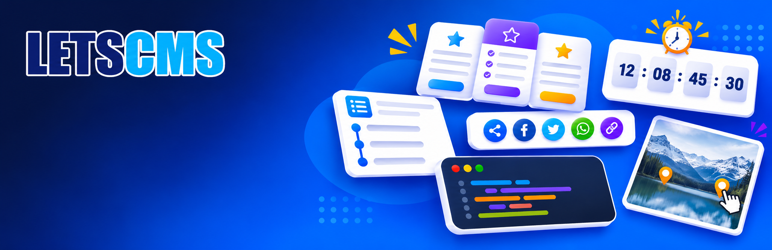

Description
LetsCMS Addons for Elementor adds free, fully designable widgets to the Elementor page builder. Every widget and every option is free: no locked features, no “Pro” badges, no license keys and no upsell notices.
Each widget was built around problems people commonly report with similar widgets, and tested in real browsers on desktop, tablet and phone.
What makes it different
- Fast: each widget loads its files only on pages that use it. Heavy libraries (code highlighting, Lottie) load only when needed, and nothing shifts the layout while the page loads.
- Private: no tracking, no cookies and no third-party scripts. Share buttons are plain links.
- Accessible: keyboard support, screen reader labels, reduced-motion support, and colors checked for WCAG contrast.
- Yours to style: start from a ready-made design and change anything; your style settings always win.
Widgets
- Price Table: five designs, sale price, feature list, ribbon and a highlighted plan, with one accent color restyling everything.
- Animated Headline: rotating words with 12 animations, or a hand-drawn highlight with 9 shapes. No layout shift, pauses off screen.
- Flip Box: six flip effects on hover, click or tap, with keyboard support and automatic height.
- Call to Action: banners and promo boxes with layout per device, a separate phone image, fast-loading images and an accessible clickable box.
- Countdown: until a date, per visitor (evergreen) or every day or weekday. Correct in every time zone, works with page caching, and can hide itself, show a message or redirect when it ends.
- Blockquote: six designs, author, source and photo, plus share buttons that fit each network’s length limit.
- Price List: restaurant menus and price lists with sections, sizes, dietary tags, spice levels, allergen notes and optional menu markup for search engines.
- Hotspot: markers on an image with popups that stay on screen. Drag markers into place in the editor; a bottom panel on phones.
- Share Buttons: 18 networks plus email, copy link, print and the phone’s share menu. Inline or as a floating bar, with UTM tags and Google Analytics share events.
- Progress Tracker: a reading progress bar that measures only the article (not the comments and footer), a back-to-top ring, and reading time left.
- Table of Contents: built on the server (no pop-in), jumps that never hide headings under a sticky header, current-section highlight and a sticky sidebar.
- Code Highlight: 26 languages, code kept exactly as typed, line numbers that are never copied, marked lines, and accessible light and dark themes.
- Lottie: Lottie animations that load only when needed, play on view, hover, click or scroll, and can never run code. Lottie .json files can be uploaded safely.
- Template: show any saved Elementor template anywhere, always styled, with loop protection, visibility by login state, role or date, and translation support.
Built to be light and safe
- Works with classic and block themes, and respects visitors’ “reduce motion” setting.
- All output is escaped, and the plugin stores no personal data.
- Bundled libraries are unmodified, readable and listed under Third-party libraries.
The widgets appear in the Elementor editor under the “LetsCMS Addons” category.
This plugin requires the free Elementor plugin. It is not affiliated with or endorsed by Elementor Ltd.
Third-party libraries
- Prism 1.30.0 (https://prismjs.com/) by Lea Verou and contributors, MIT License. Used by the Code Highlight widget. The unmodified, readable source files are included in assets/vendor/prism/.
- lottie-web 5.13.0 (https://github.com/airbnb/lottie-web) by Airbnb, MIT License. Used by the Lottie widget. The unmodified readable (lottie_light.js) and minified (lottie_light.min.js) files are included in assets/vendor/lottie/.
Installation
- Install and activate Elementor.
- Install LetsCMS Addons for Elementor from Plugins > Add New, or upload the
letscms-addons-for-elementorfolder to/wp-content/plugins/. - Activate the plugin.
- Edit a page with Elementor, search for “Price Table” in the widget panel, and drag it onto the page.
FAQ
-
Does it need Elementor Pro?
-
No. It works with the free Elementor plugin.
-
Will the widget slow down my site?
-
No. Its stylesheet loads only on pages where the widget is used.
-
How do I show several plans side by side?
-
Add a container with its direction set to row, then place one Price Table per plan inside it. Turn on “Highlight This Plan” on the plan you recommend.
-
Does the countdown show the same time to visitors in other countries?
-
Yes. The end time is set in your site’s time zone (Settings > General) and every visitor counts down to that same moment.
-
Why can I upload .json files now?
-
Only for Lottie animations, used by the Lottie widget. Each .json upload is checked: only valid Lottie animations up to 5 MB are accepted, and only by users who are allowed to upload files. Developers can turn this off with the lcafe_allow_lottie_uploads filter.
-
Can I change a design after choosing it?
-
Yes. Switch the design at any time. Your own style settings always take priority over the design.
Reviews
There are no reviews for this plugin.
Contributors & Developers
“LetsCMS Addons for Elementor” is open source software. The following people have contributed to this plugin.
Contributors
Translate “LetsCMS Addons for Elementor” into your language.
Interested in development?
Browse the code, check out the SVN repository, or subscribe to the development log by RSS.
Changelog
1.2.0
- New: translations for 12 languages: Spanish, French, German, Italian, Portuguese (Brazil), Dutch, Arabic, Hindi, Russian, Japanese, Chinese (Simplified) and Turkish.
- Improved: the Mastodon server prompt of the Share Buttons widget can now be translated.
1.1.0
- New: Countdown widget with date, evergreen and daily or weekday timers, end actions, and boxes, circles or one-line layouts.
- New: Blockquote widget with six designs, author, source and photo, and share buttons for seven networks plus copy.
- New: Price List widget for menus and price lists, with sections, sizes, dietary tags, spice levels, allergen notes and schema.org menu markup.
- New: Hotspot widget with drag-to-place markers, popups that stay on screen, a bottom panel on phones and keyboard support.
- New: Share Buttons widget with 22 networks and actions, a floating bar, the phone’s share menu, UTM tags and Google Analytics events, without tracking.
- New: Progress Tracker widget: reading progress bar, back-to-top ring and reading time left, measuring only the article.
- New: Table of Contents widget, built on the server, with sticky-header-safe jumps, current-section highlight, sticky sidebar and folding.
- New: Code Highlight widget with 26 languages, exact code, line numbers that are never copied, marked lines and accessible themes (bundles Prism 1.30.0, MIT).
- New: Lottie widget with safe .json uploads, on-demand loading, view, hover, click and scroll playback, reduced-motion still frame and pause button (bundles lottie-web 5.13.0 light, MIT).
- New: Template widget to show any saved Elementor template, with loop protection, inline styles and visibility conditions.
1.0.0
- First release with four widgets.
- Price Table: five designs, accent color, plan highlight and full style controls.
- Animated Headline: rotating words (12 animations) or a hand-drawn highlight (9 shapes), with full timing and style controls.
- Flip Box: six effects, hover, click and touch flipping, automatic height and full styling of both sides.
- Call to Action: three layouts, layout per device, phone image, responsive image loading, accessible clickable box and two buttons.