

Description
CaseLens turns a set of before and after photos into a browsable gallery of cases.
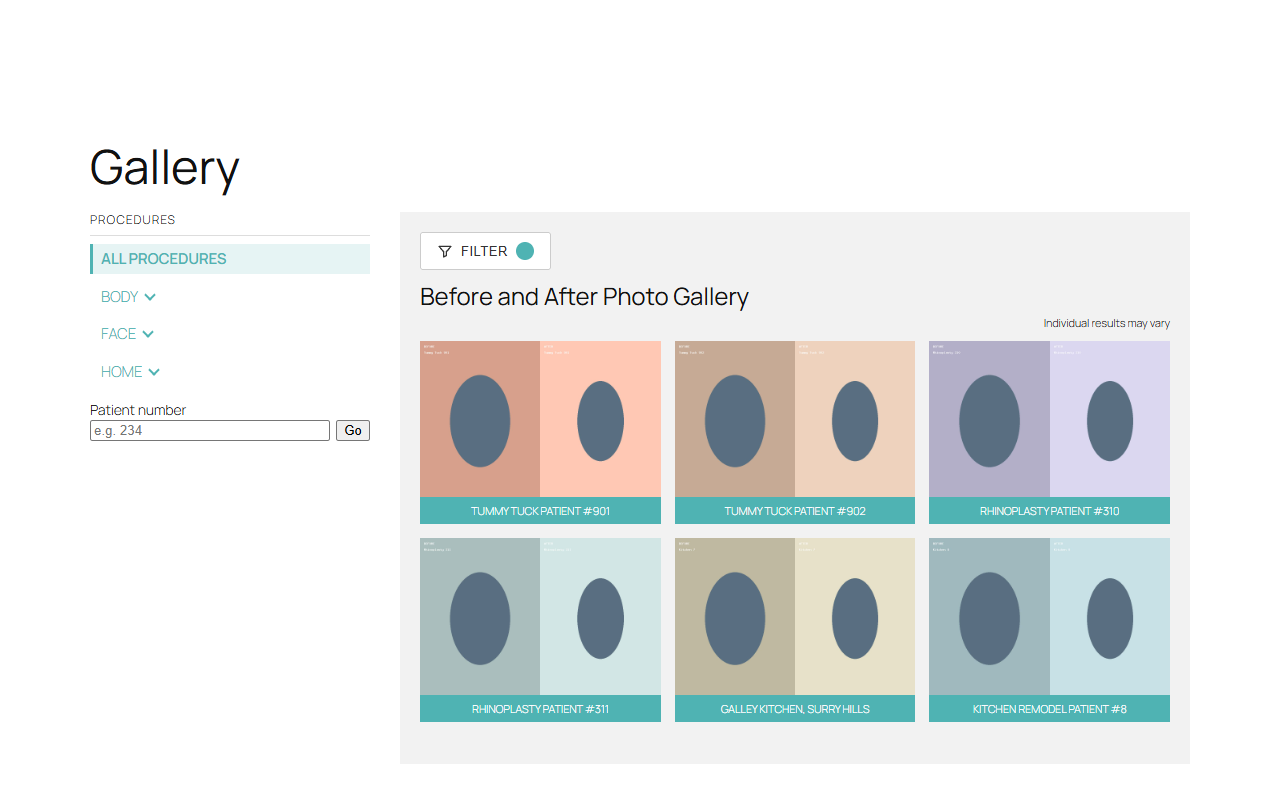
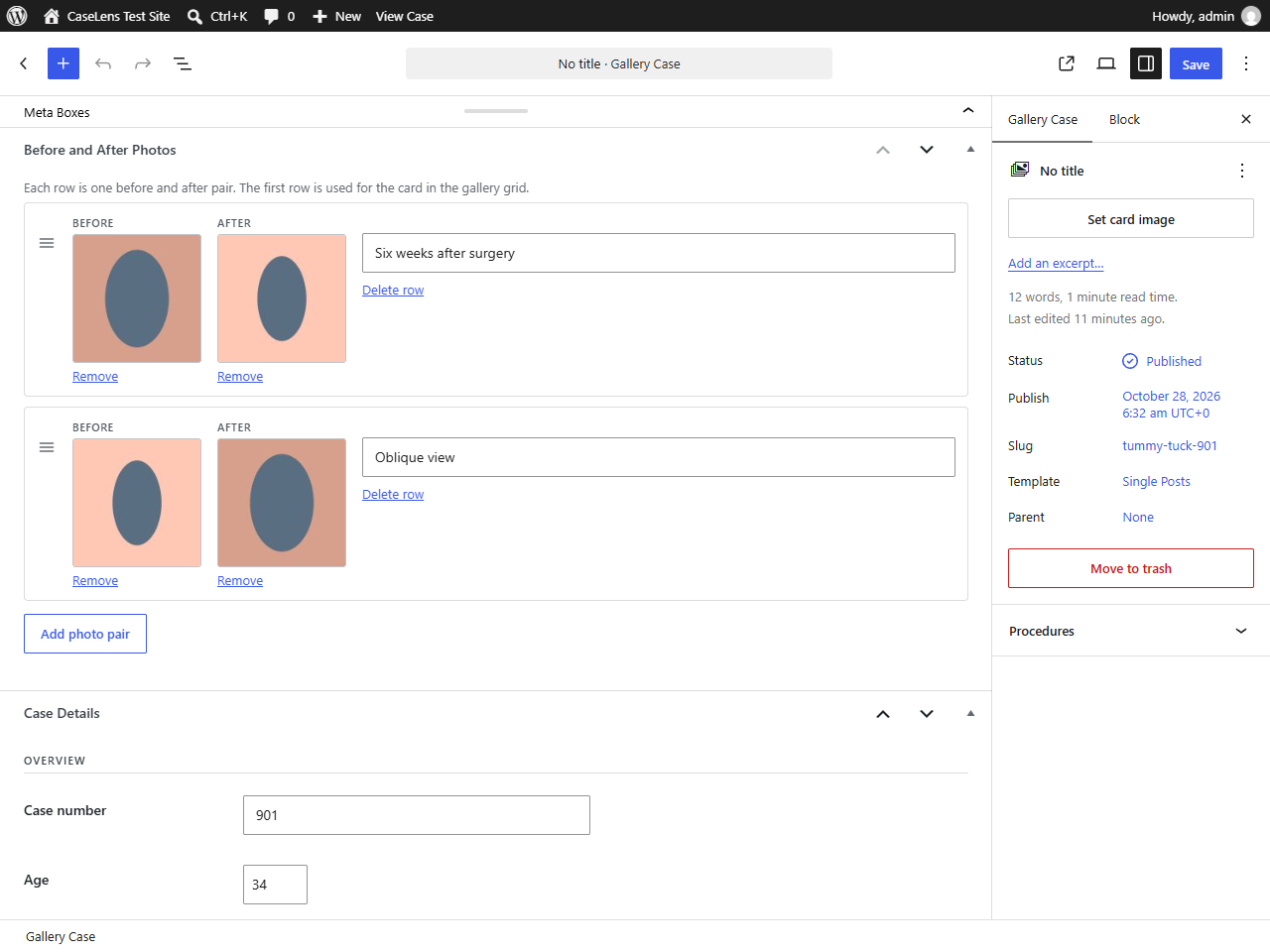
It adds its own Gallery Cases post type and a hierarchical Procedures taxonomy, so your cases stay separate from posts and pages. Each case holds any number of before/after photo pairs plus the detail fields you define, and visitors can narrow the gallery down by procedure, by those details, or by case number.
Nothing else is needed: no page builder, no custom field plugin and no particular theme.
What you get
- A Gallery Cases post type with its own admin menu, list columns and editor.
- A hierarchical Procedures taxonomy for grouping cases, with parents and children.
- Before and after photo pairs on each case, chosen from the media library, reorderable by drag.
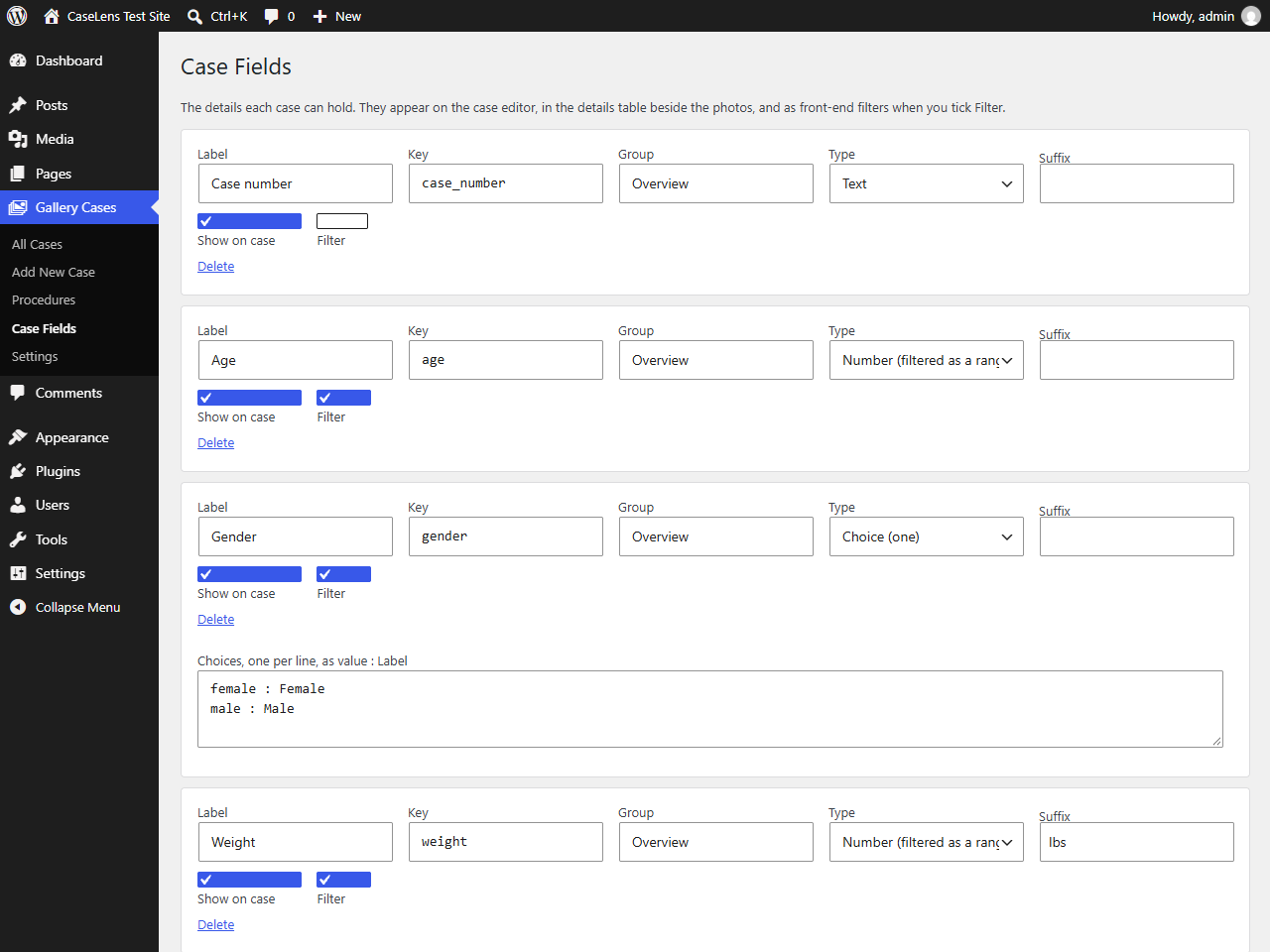
- Case fields you define yourself — text, number, single choice and multiple choice — grouped however you like.
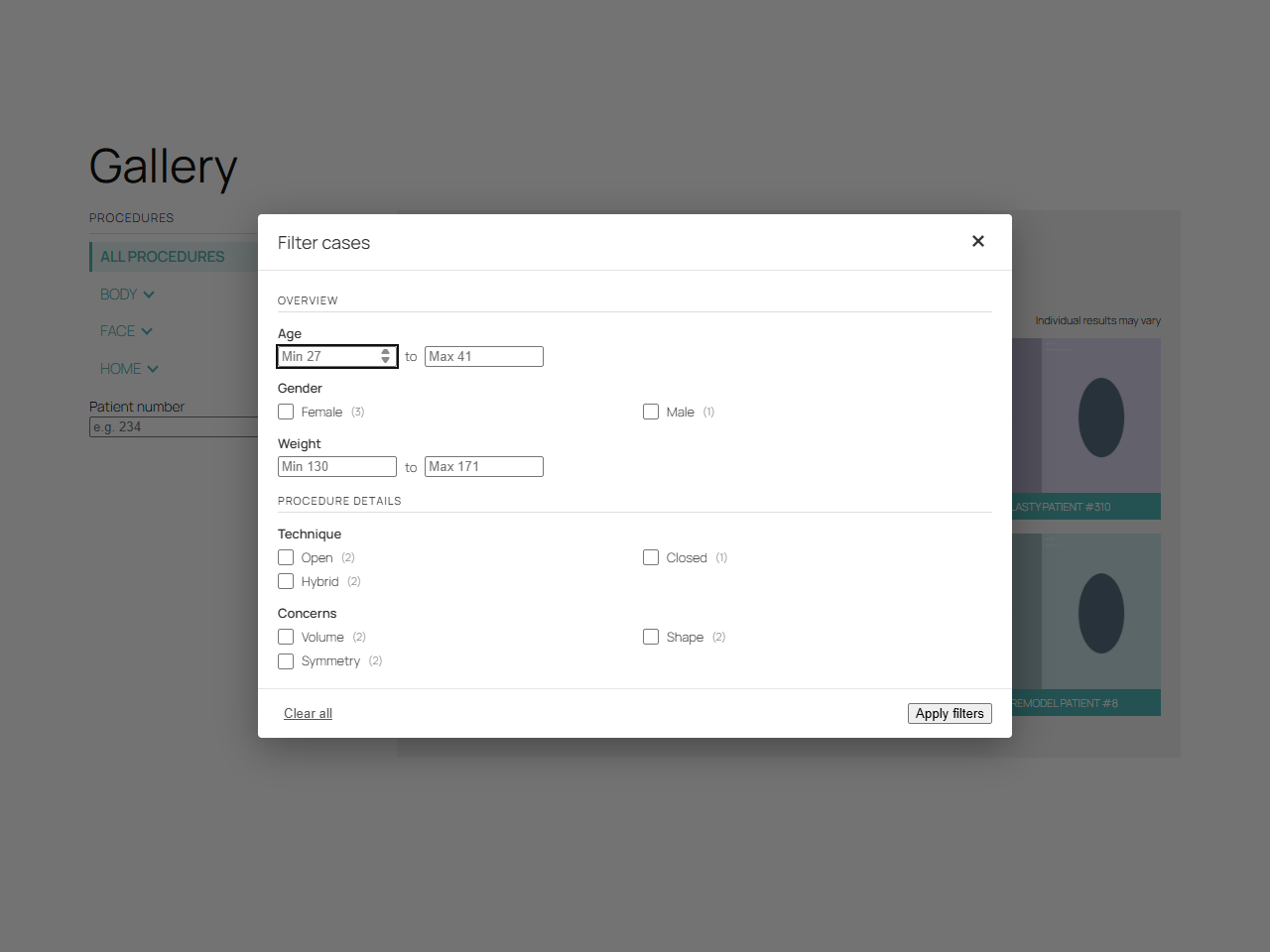
- A front-end gallery with a procedure menu, a filter dialog built from your own fields, a case-number search and “Load more”.
- Clean URLs:
/gallery/,/gallery/procedure/and/gallery/procedure/case/, with 301 redirects from older query-string links. - Titles, descriptions and canonical tags for procedure pages, on plain WordPress and through Yoast SEO when it is active.
- Templates you can override from your theme, and filters for the generated meta.
How it works
The first page of cases is rendered by PHP, so the gallery is visible to visitors and to search engines without JavaScript. The script then adds procedure switching without a page reload, the filter dialog and the “Load more” button, all through the plugin’s own REST routes under caselens/v1.
Shortcode
Place the gallery on any page:
[caselens_gallery]
Attributes:
procedure— show only one procedure, by slug.per_page— cases per page (3 to 60).columns— grid columns (1 to 6).sidebar—yesorno, for the procedure menu.filters—yesorno, for the filter button.search—yesorno, for the case-number search.
For example: [caselens_gallery procedure="breast" columns="2" sidebar="no"]
Who it suits
Any site that shows paired results: clinics and practices, dentists, hair and beauty studios, renovation and landscaping firms, detailers, restorers, cleaning companies, trainers — anywhere a before and a after picture tell the story.
Screenshots

Installation
- Upload the plugin folder to
/wp-content/plugins/, or install it from the Plugins screen. - Activate it. A page called Gallery is created for you, holding the
[caselens_gallery]shortcode. - Go to Gallery Cases > Procedures and add the groups your cases belong to.
- Go to Gallery Cases > Case Fields and set the details each case should hold.
- Add your first case: give it procedures, add before/after pairs, fill in the details and publish.
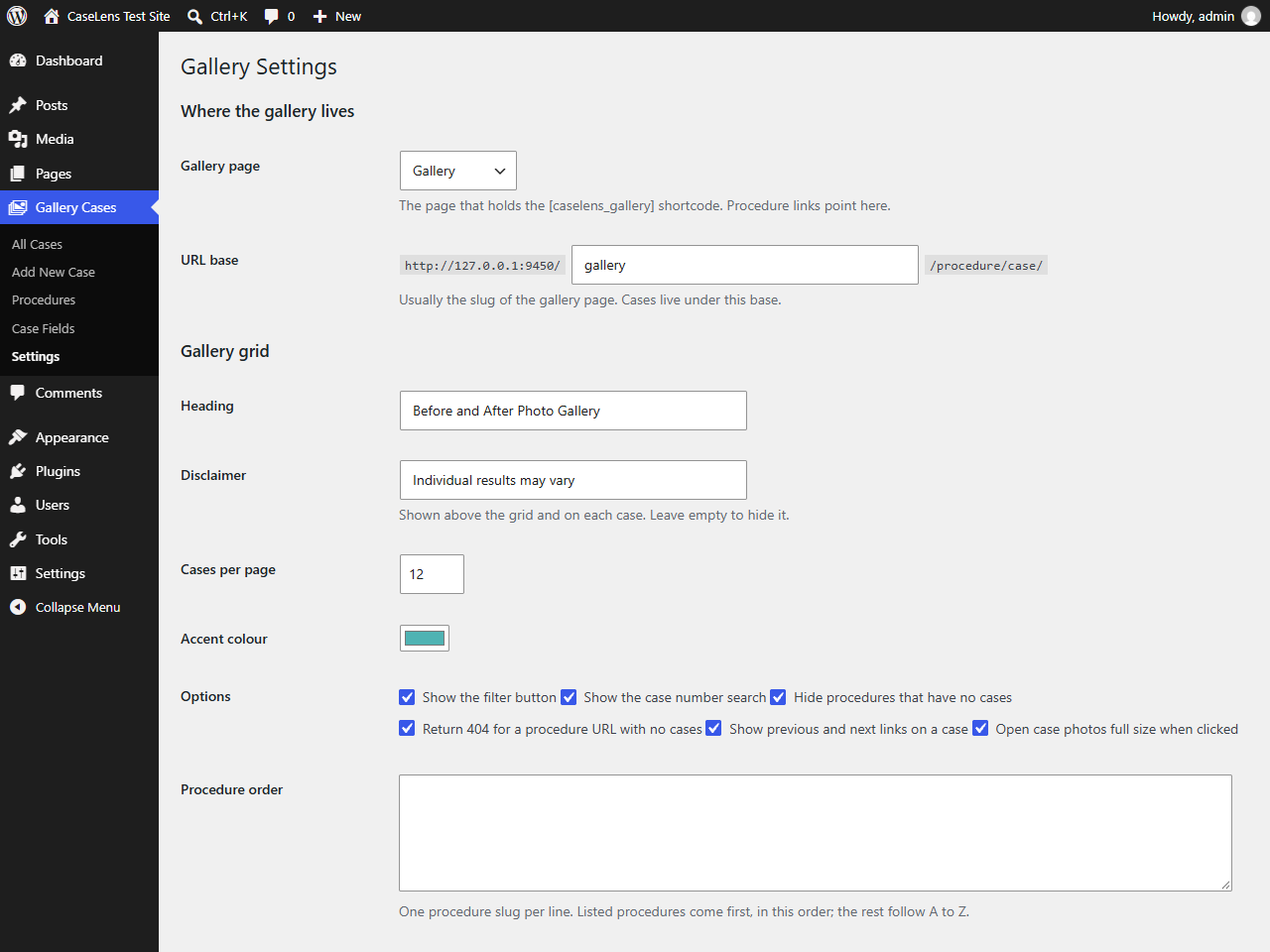
- Check Gallery Cases > Settings for the URL base, wording, colour and grid options.
If a gallery URL shows a 404 after you change the URL base, open Settings > Permalinks and click Save Changes.
FAQ
-
Do I need Advanced Custom Fields or a page builder?
-
No. The plugin is self-contained. Case fields, photo pairs, the gallery and the case layout are all its own.
-
Can I change the layout?
-
Yes. Copy
templates/gallery.phportemplates/single-case.phpfrom the plugin into acaselensfolder inside your theme — for examplewp-content/themes/your-theme/caselens/single-case.php— and edit your copy. Your copy is used instead of the plugin’s.If your theme provides its own
single-caselens_case.php, that takes over entirely. -
What are the case fields for?
-
They are the rows in the details table beside the photos, and they are what the filter dialog is built from. Tick Filter on a field and it becomes a filter: choice fields become checkbox lists with counts, number fields become a minimum and maximum. Only values that cases actually have are offered.
-
Does the gallery work without JavaScript?
-
Yes. The first page of cases and the whole procedure menu are rendered by PHP as ordinary links. JavaScript adds the filter dialog, “Load more” and switching procedures without a reload.
-
Will deleting the plugin delete my cases?
-
No, not unless you ask it to. There is a tick box under Gallery Cases > Settings > Uninstalling; leave it off and deleting the plugin removes only its settings.
-
Does it work with an SEO plugin?
-
Yes. Procedure pages get a generated title, description and canonical URL. When Yoast SEO is active these go through its own filters, so there is no duplication. The
caselens_procedure_metafilter lets you change the generated wording. -
Can I use it on a multisite network?
-
Yes. Activate it per site. Uninstalling cleans up each site in the network.
Reviews
There are no reviews for this plugin.
Contributors & Developers
“CaseLens Before and After Gallery” is open source software. The following people have contributed to this plugin.
Contributors
Translate “CaseLens Before and After Gallery” into your language.
Interested in development?
Browse the code, check out the SVN repository, or subscribe to the development log by RSS.
Changelog
1.0.0
- First release.