

Description
Malsift checks a WordPress site the way an incident responder would after a hack, and puts every result on one dashboard.
Files
- Compares WordPress core files with the official WordPress.org checksums.
- Compares plugins from WordPress.org with their official releases and flags modified or extra files.
- Scans everything that cannot be verified (themes, premium and custom plugins, uploads, the site root) for malicious code: encoded loaders, code run from web requests, webshells, droppers and obfuscation.
- Finds hidden loader files, suspicious must-use plugins, look-alike plugin folders, PHP files in uploads, and injected .htaccess / .user.ini rules.
Access
- Lists administrator accounts created in the last 30 days.
- Reviews application passwords (API keys), flags names used by attackers, and lets you approve or revoke each key.
Database
- Finds casino and betting spam: betting brand names in titles, text or links, and bursts of posts created within minutes of each other.
- Finds obfuscated scripts and hidden iframes in settings, widgets and content, and a changed site address.
- Flags suspicious scheduled tasks.
Hardening
- Checks that PHP has the fixes for PHP2Shell (CVE-2026-109618, CVE-2026-109619).
- Shows whether the theme/plugin code editor is enabled (and can disable it), two-factor coverage for administrators, and pending updates.
Firewall and login protection
- Request firewall that blocks SQL injection, script injection (XSS), path traversal, PHP and shell command injection, and known attack tools. It checks requests while plugins are still loading, before WordPress runs its hooks, so it also protects other plugins. Requests too large to inspect are treated as suspicious.
- Learning mode logs attacks without blocking them, so you can check for false alarms before switching to Protect. Logged-in editors and administrators are never blocked.
- Limits failed logins on wp-login.php and XML-RPC, and locks out password-guessing bots.
- Blocks XML-RPC multi-call password guessing and pingback abuse, or turns XML-RPC off completely.
- Stops visitors from listing usernames through author scans, the users REST endpoint and the users sitemap.
- Optionally blocks PHP from running in the uploads folder (Apache and LiteSpeed), so an uploaded webshell cannot be used.
- Allow and block lists for IP addresses and ranges, and correct visitor IPs behind Cloudflare and proxies on your own network.
- Event log with one-click “Not an attack”, “Block IP” and “Unlock” buttons.
Clean-up
- Restore modified core and WordPress.org plugin files with verified official copies.
- Quarantine suspicious files and folders. Quarantined files are stored compressed in a protected folder, cannot run, and can be restored.
- Reinstall WordPress core, and plugins and themes from WordPress.org, in one click. Changed and extra files are backed up to quarantine first.
- Revoke API keys, move spam posts to the trash or delete them permanently (large batches are processed in steps), remove suspicious scheduled tasks.
- “Fix all threats” applies only safe automatic fixes; anything that could break a plugin or theme is left for you to review.
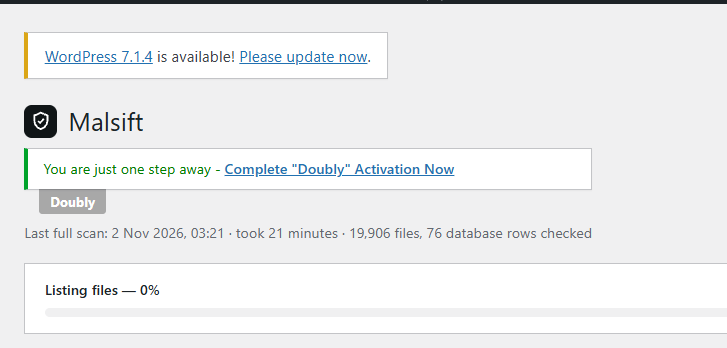
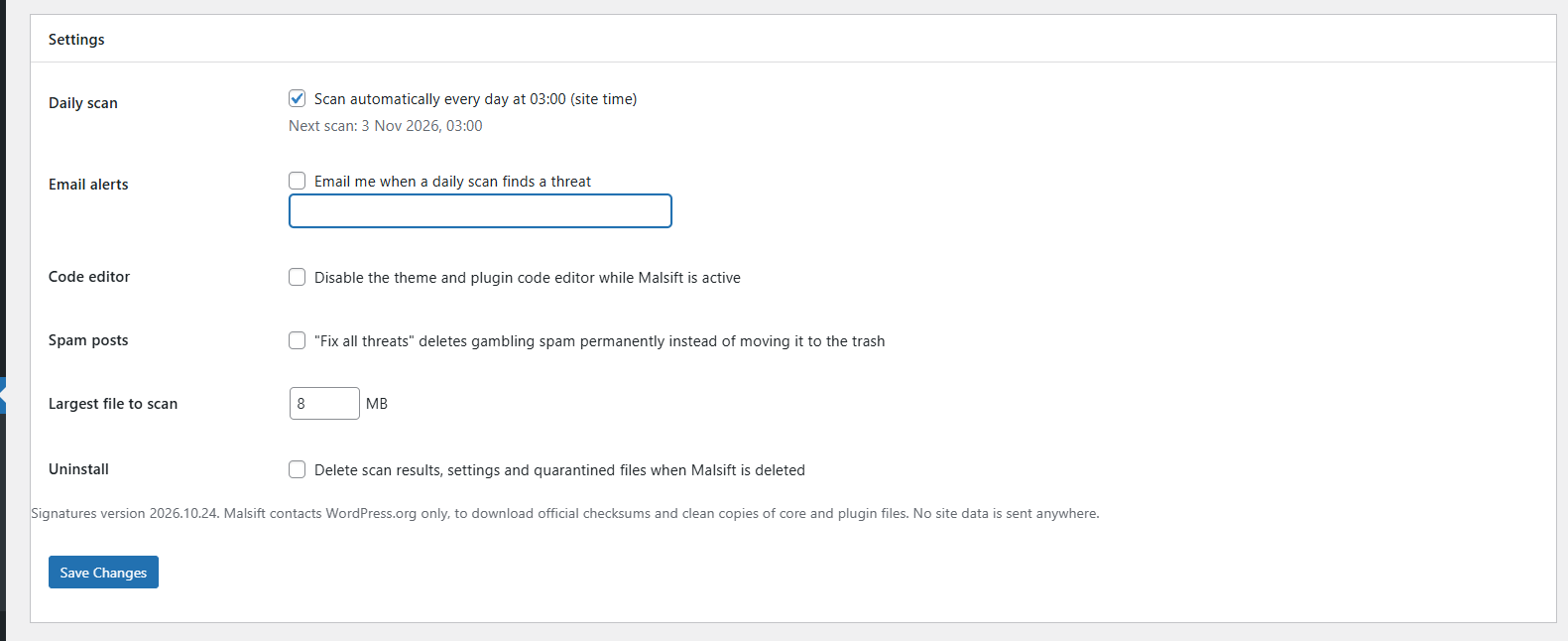
- Daily automatic scan, optional email alerts, scan history and a printable report.
Every scan runs in short steps, so it works on shared hosting without timeouts.
External services
Malsift connects to WordPress.org only:
api.wordpress.org– official checksums for your WordPress version (the same service WordPress core uses).downloads.wordpress.org– official checksums for plugins hosted on WordPress.org.core.svn.wordpress.organdplugins.svn.wordpress.org– clean copies of individual files, downloaded only when you choose to restore a file. Every download is verified against the official checksum before it is written.downloads.wordpress.org– WordPress, plugin and theme packages, downloaded only when you choose to reinstall them, through WordPress’s own updater.
Only your WordPress version, locale, and the slug and version of installed plugins are sent, as part of the request URL. No other site data, personal data or file contents are sent anywhere. WordPress.org terms: https://wordpress.org/about/privacy/
Screenshots

Installation
- Install and activate Malsift.
- Open Malsift in the admin menu and click Run full scan.
- Review threats and warnings. Use Fix all threats for the safe automatic fixes, then run a new scan to confirm the site is clean.
On multisite, Malsift is managed from the Network Admin.
FAQ
-
Will the firewall block my visitors or my own work?
-
Logged-in editors and administrators are never blocked. New installs start in learning mode, which only logs suspicious requests. Check the log on the Firewall screen for a few days; if anything legitimate shows up, click “Not an attack” to switch that rule off, then switch to Protect.
-
I locked myself out after too many failed logins
-
Wait for the lockout to end (30 minutes by default), or log in from another network and click “Unlock & allow” next to your IP address in the firewall log. You can also add your IP address to the allow list.
-
My site is behind Cloudflare or a proxy. Are visitor IPs correct?
-
Usually, yes. The automatic setting only reads proxy headers when the request comes from Cloudflare or from a proxy on your own network, and it uses the address your proxy added, not one a visitor typed into the header. The Firewall screen shows your IP address as Malsift sees it. If it is wrong, choose the header your host uses; if your proxy does not add X-Forwarded-For at all, choose Direct connection.
-
I blocked myself. How do I turn the firewall off?
-
Add
define( 'MALSIFT_FIREWALL_DISABLE', true );to wp-config.php. This switches off the firewall, the IP lists and login lockouts until you remove the line. -
Will it delete my files?
-
No file is deleted outright. Replaced and removed files go to quarantine, where you can restore them or delete them permanently.
-
Can a scan break my site?
-
Scanning only reads files. Fixes that could break a plugin or theme (for example quarantining a file that belongs to it) ask for confirmation first and are never part of “Fix all threats”.
-
Why are some plugins “not verified”?
-
Premium, custom and outdated plugins have no official checksums. Malsift scans their files for malicious code instead.
-
Does Malsift clean the database?
-
It moves spam posts to the trash or deletes them permanently, and revokes API keys. Injected scripts in settings or content are shown for you to remove, because automatic edits to stored settings can break a site.
-
Only plugins and themes hosted on WordPress.org can be reinstalled automatically. For premium ones, reinstall from the vendor’s zip file.
-
Reinstall is disabled on my site
-
Reinstalling needs file changes. If wp-config.php contains DISALLOW_FILE_MODS, remove it temporarily, reinstall, then add it back.
Reviews
There are no reviews for this plugin.
Contributors & Developers
“Malsift – Malware Scanner & Cleanup” is open source software. The following people have contributed to this plugin.
Contributors
Translate “Malsift – Malware Scanner & Cleanup” into your language.
Interested in development?
Browse the code, check out the SVN repository, or subscribe to the development log by RSS.
Changelog
1.3.1
- New: request a manual clean-up by the Malsift team from the dashboard.
- Fixed: updated styles now load straight away instead of an older cached copy.
1.3.0
- New: redesigned screens. One tab bar replaces the long menu, the dashboard shows your score, what to fix next and on/off switches for each protection, and findings open in place with their fix.
- New: firewall mode switch (Protect, Learning, Off) at the top of the Firewall screen, with a 7-day chart of blocked attacks.
- New: recent activity on the dashboard (scans, blocked attacks, lockouts).
- Improved: works better on phones and small screens.
1.2.0
- New: request firewall with learning mode, blocking SQL injection, XSS, path traversal, code and shell injection, and attack tools.
- New: login protection: failed-login limits and lockouts (including XML-RPC), the same error for wrong usernames and passwords, and blocking XML-RPC multi-call abuse.
- New: hide usernames from author scans, the users REST endpoint and the users sitemap.
- New: option to block PHP from running in the uploads folder.
- New: IP allow and block lists, correct visitor IPs behind Cloudflare and proxies, and a firewall event log.
- New: dashboard checks for the firewall, login limits and PHP in uploads, with one-click fixes.
- New: link to professional clean-up when threats are found.
- Security: quarantining a folder never follows symbolic links, and a flagged symbolic link is removed itself instead of the file it points to. Earlier versions could delete files outside the site if a folder planted by an attacker contained a link. Update recommended.
- Fixed: an edited readme, translation or image file in a plugin or core is no longer reported as a modified file. These files cannot run, and WordPress.org rebuilds a version’s file list when its readme changes.
- Developers: hooks for add-ons (malsift_loaded, malsift_firewall_rules, malsift_signature_rules, malsift_admin_menu, malsift_render_page).
1.1.0
- New: Reinstall screen for WordPress core, plugins and themes from WordPress.org, with automatic backups of changed files.
- New: spam detection looks at post text and links, not just titles, and flags bursts of posts created within minutes.
- New: delete spam permanently, and an option for “Fix all threats” to do so.
- Large spam batches are removed in steps to avoid timeouts.
1.0.0
- First release.