

Description
Give your Discord community three free tools, right on your own site:
- Check an account’s age before trusting a DM
- Decode any Discord ID to see when it was created
- Make timestamps that show in everyone’s own time zone
Add it as a block, a widget or a shortcode. It’s free, and nothing visitors type leaves their browser.
Private by design
Everything runs in the visitor’s browser. Nothing they type is sent to Discord, to Redact or to your server. The plugin makes no network requests, loads no outside scripts or fonts, sets no cookies and tracks nobody. It doesn’t even add a link to your pages.
Account age checker
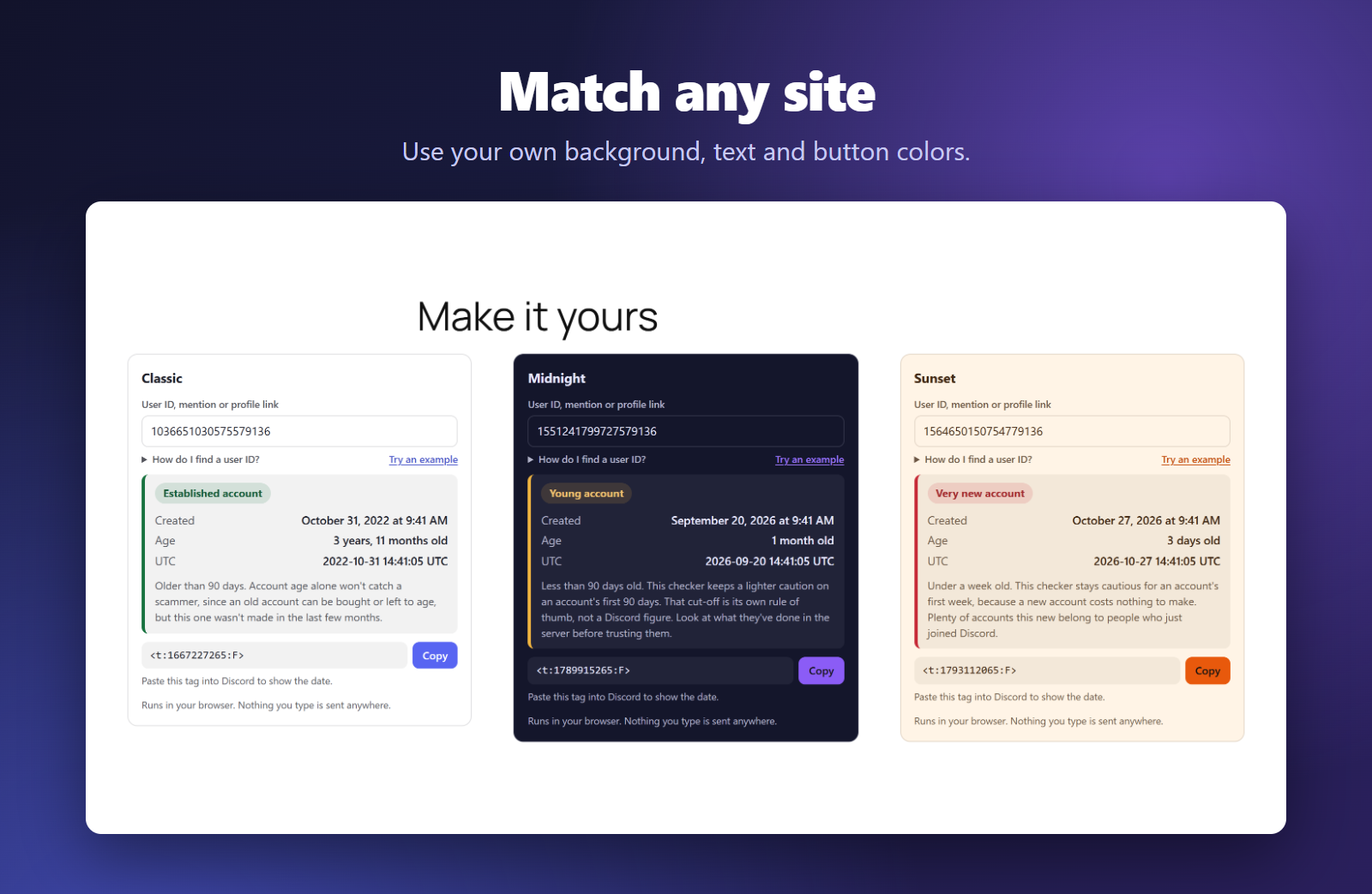
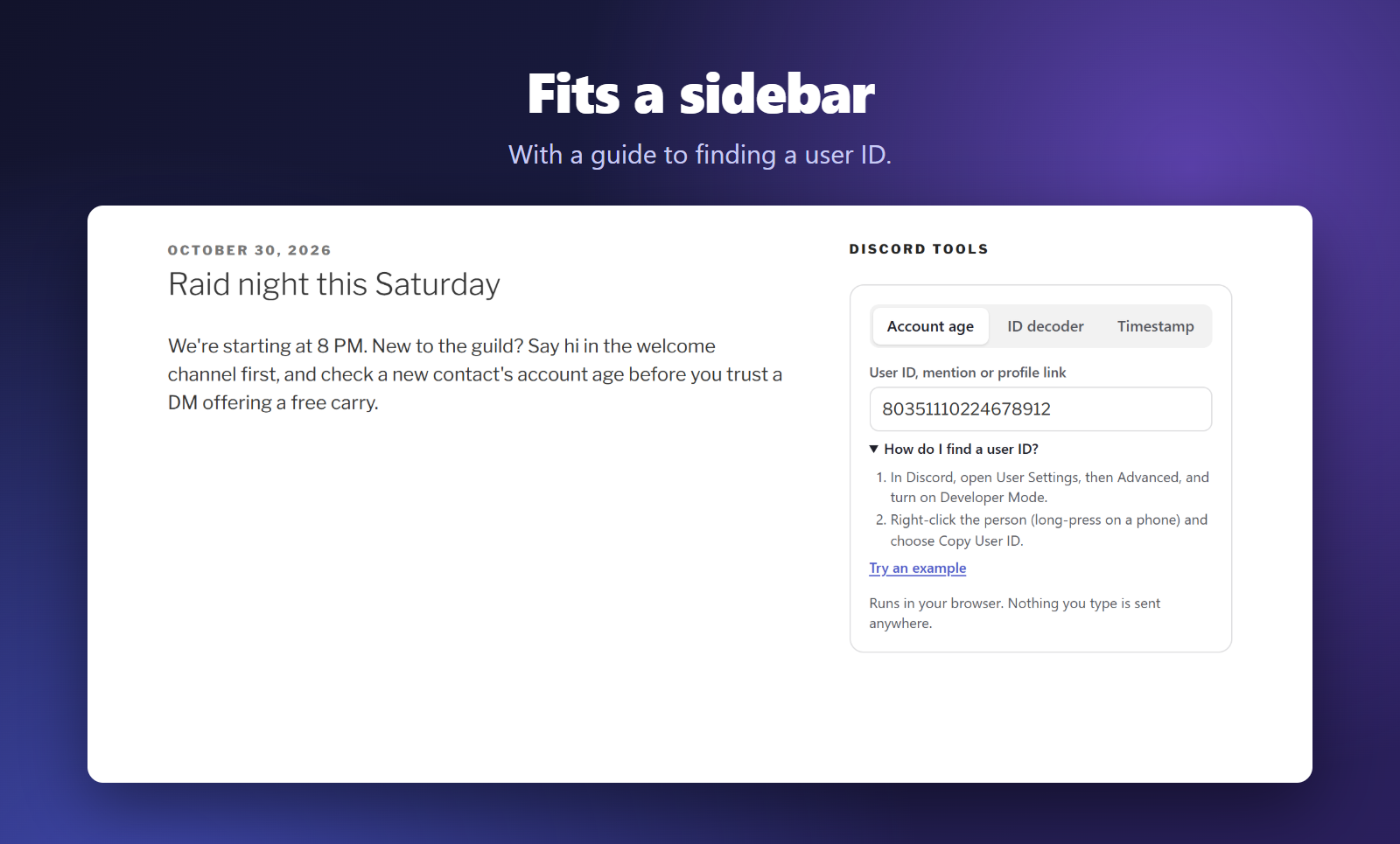
Paste a user ID, an @mention or a profile link and see the day the account was made and exactly how old it is. Not sure where to find an ID? A short guide right under the box walks visitors through it. Brand new, very new and young accounts get a clear red or amber label, so members can think twice before trusting a DM offering a free trade, a giveaway or a “carry”.
Discord ID decoder
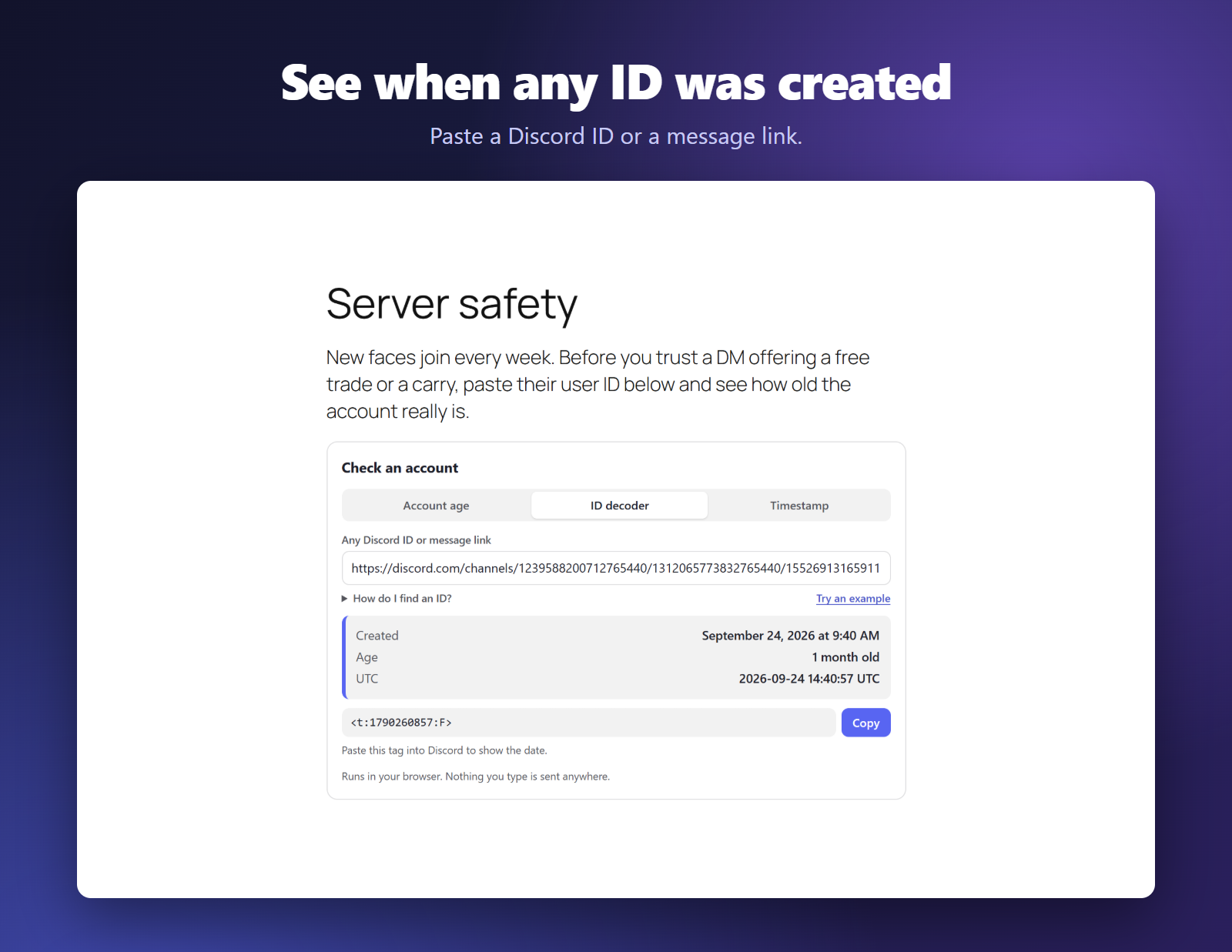
Every Discord ID has its creation time built in. Paste any ID, or a message link, and see when that user, server, channel or message was created, down to the second.
Timestamp generator
Pick a date and time and copy a Discord timestamp tag like <t:1794708000:F>. Paste it into Discord and everyone sees your event in their own time zone. All seven Discord styles are there, from “8:00 PM” to “in 2 weeks”, with a preview of how it will look.
Fits your site
- Choose your own background, text and button colors. The block offers your theme’s palette and warns you if text would be hard to read.
- Or let it follow each visitor’s light or dark mode.
- Surfaces, borders and secondary text are mixed from your colors, and button text turns black or white to stay readable. The green, amber and red account age labels keep their own shades so they always mean the same thing.
- Tested with Twenty Sixteen through Twenty Twenty-One, and with the default theme of the latest WordPress.
Three ways to add it
- Block: add the “Discord Tools” block to any post, page or block widget area.
- Widget: Appearance > Widgets, add “Redact Tools for Discord” to a sidebar or footer.
- Shortcode:
[redact_discord_tools]anywhere shortcodes work.
Shortcode options
title– heading text. Empty hides it. Default “Discord Tools”.tools– which panels to show, in order:age,snowflake,timestamp. Defaultage,timestamp.theme–auto(follows the visitor’s light or dark setting),lightordark.bg,text,accent– your own background, text and button colors as hex codes, such asbg="#fdf6e3". Abgdecides light or dark by itself, so a dark one switches the rest of the widget to its dark style. Without abg, an explicitlightordarktheme is kept, whileautopicks the style that suits yourtextcolor, or light when onlyaccentis set.
Examples:
[redact_discord_tools tools="timestamp" theme="dark"][redact_discord_tools bg="#fdf6e3" text="#3b2f1e" accent="#e07a1f"]
Translation ready
Every label and message can be translated, and dates, ages and times are written in your site’s language.
More free tools
Made by Redact. Find more free tools on our tools page.
Screenshots



Blocks
This plugin provides 1 block.
- Discord Tools
Installation
- In your WordPress dashboard, go to Plugins > Add New and search for “Redact Tools for Discord”.
- Click Install Now, then Activate.
- Add the “Discord Tools” block to a page, add the widget under Appearance > Widgets, or paste
[redact_discord_tools]where you want the tools.
FAQ
-
Does it send anything to Discord, Redact or my server?
-
No. Everything happens in the visitor’s browser. The plugin makes no network requests at all.
-
How do I find someone’s Discord user ID?
-
In Discord, open User Settings > Advanced and turn on Developer Mode. Then right-click a user (or long-press on mobile) and choose Copy User ID. Pasting an @mention or a profile link works too.
-
Can it look up usernames or profiles?
-
No. The creation date is stored inside the ID itself, so the plugin reads it without contacting Discord. It never sees names, profiles or messages.
-
Does a young account mean a scammer?
-
Not by itself. Plenty of new accounts belong to people who just joined Discord, and an old account can be bought. The 90 day line is this plugin’s rule of thumb, not a Discord figure. Treat account age as one sign among many.
-
Can I show just one tool?
-
Yes. Pick the tools in the block or widget settings, or use the shortcode’s
toolsoption, such as[redact_discord_tools tools="timestamp"]. -
Will it match my theme?
-
By default it follows each visitor’s light or dark mode. You can also set your own background, text and button colors in the block, the widget or the shortcode.
-
Is it really free?
-
Yes. Every feature is in this plugin, with no pro version, account or license key.
Reviews
There are no reviews for this plugin.
Contributors & Developers
“Redact Tools for Discord – Timestamp Generator & Account Age Checker” is open source software. The following people have contributed to this plugin.
Contributors
Translate “Redact Tools for Discord – Timestamp Generator & Account Age Checker” into your language.
Interested in development?
Browse the code, check out the SVN repository, or subscribe to the development log by RSS.
Changelog
1.0.2
- Adds a “Try an example” link, shows the account age verdict as a colored tag, and shortens the hint under the copy box.
1.0.1
- Adds a “How do I find a user ID?” guide under the account age and ID decoder boxes, since Discord only shows IDs once Developer Mode is on.
1.0.0
- First release: account age checker, ID decoder and timestamp generator as a widget, block and shortcode, with your own background, text and button colors.