
Description
Test the publication and account-approval workflow with your own
DigitalOwnership account before relying on it for a production publishing
process.
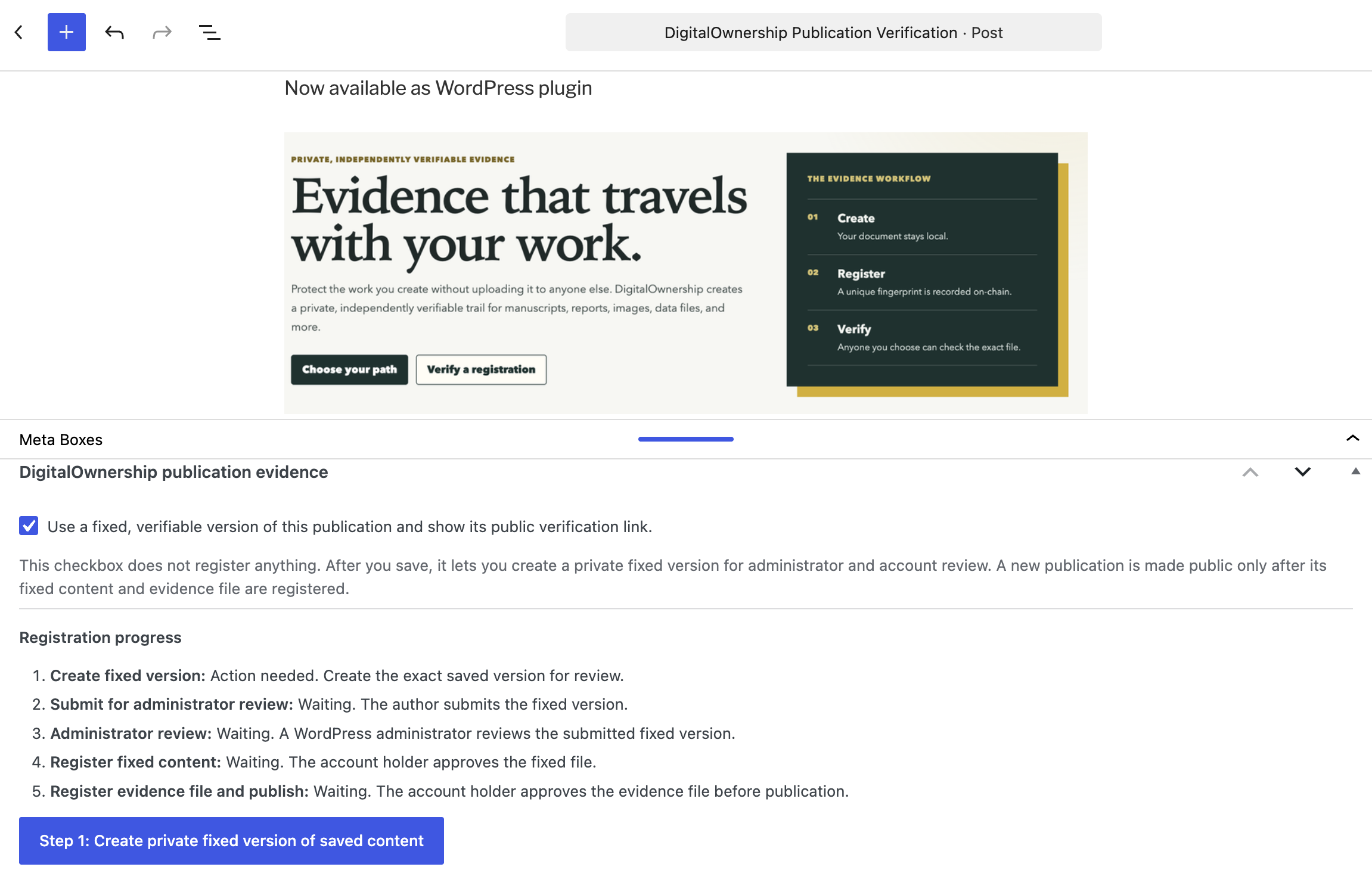
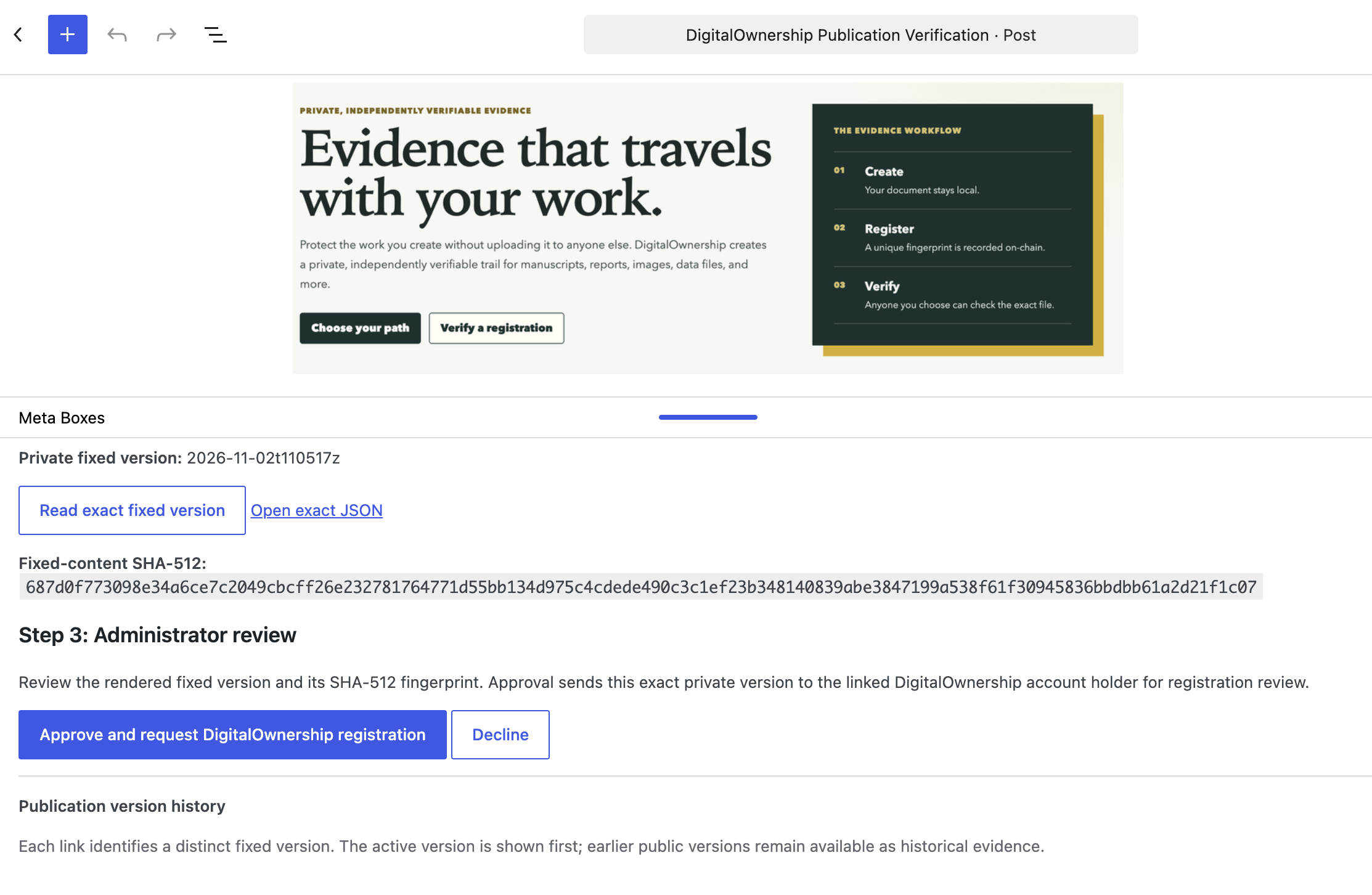
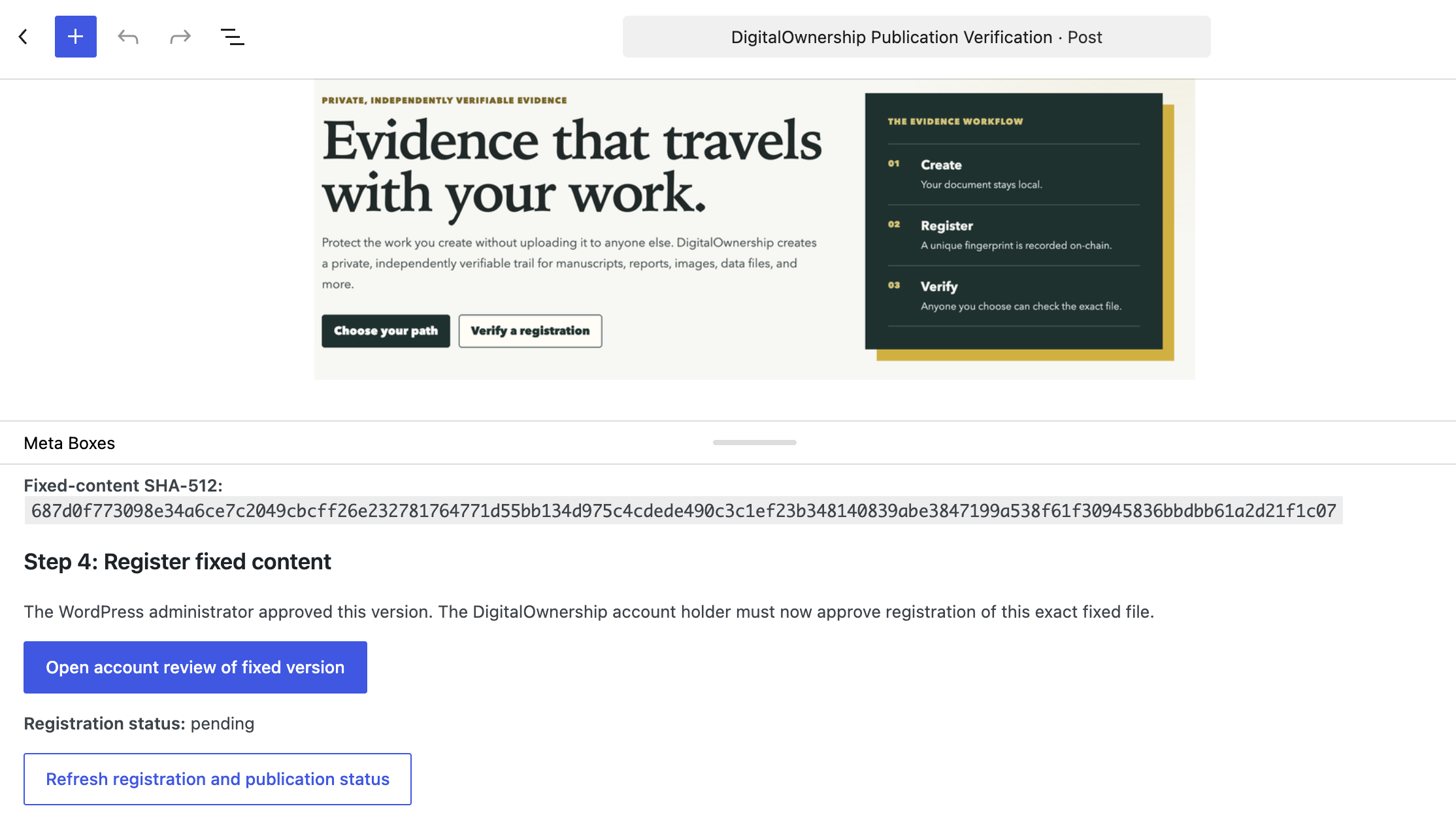
DigitalOwnership Publication Verification creates a private fixed JSON version of a selected WordPress post or page before it is released. An Editor submits that exact version for review, a WordPress Administrator approves or declines it, and the linked DigitalOwnership account holder approves the two registrations that spend credits. Only after both registrations complete does WordPress publish the exact approved version with its public verification link.
For a revision to an already public article, the existing registered version remains live while the replacement is reviewed. The author can choose earlier public versions to disclose and add an optional public revision note when submitting the replacement.
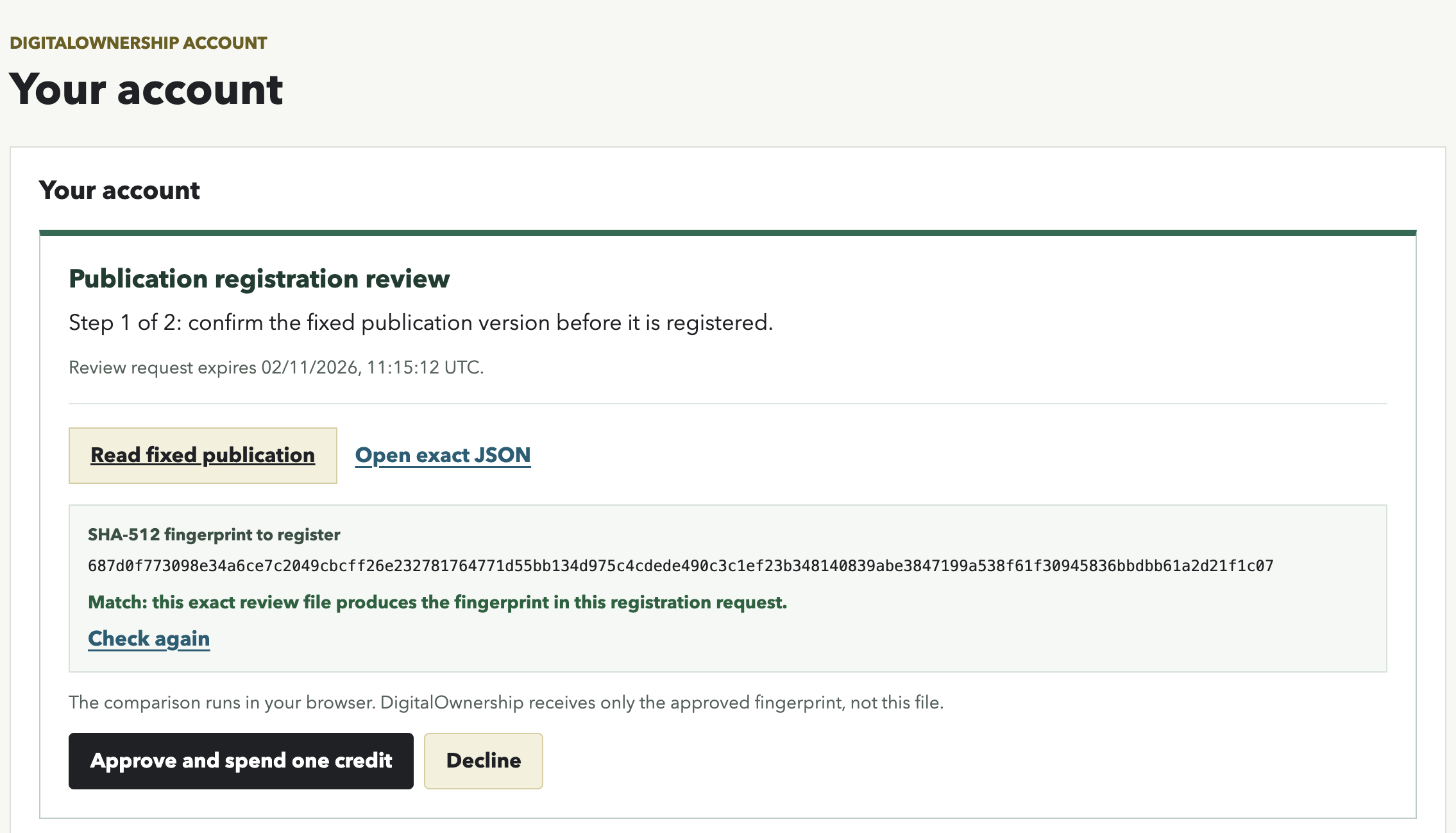
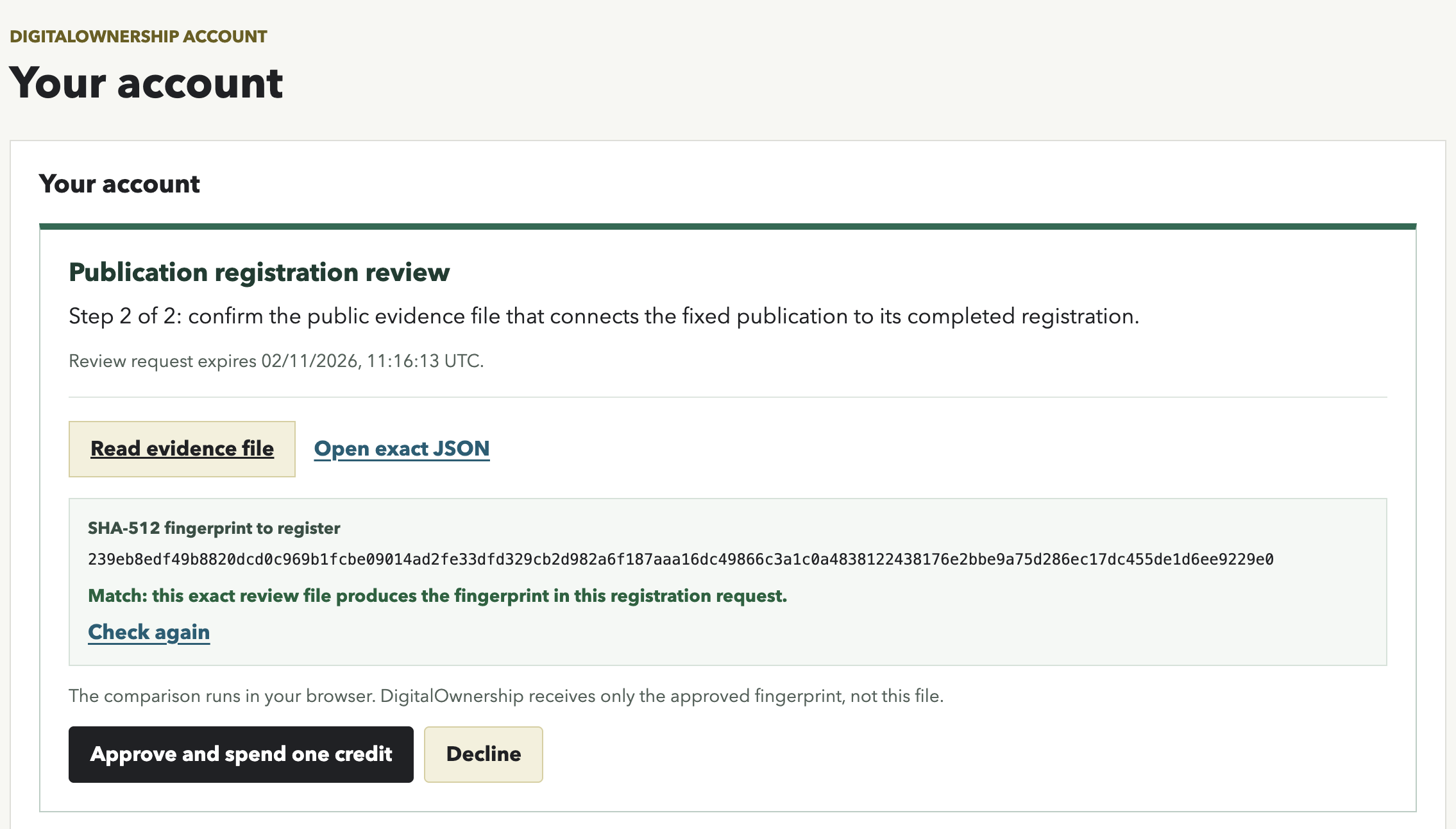
Use an organisation-owned publishing account, such as publications@company.example, for the linked DigitalOwnership account. The account holder reviews a version-specific rendered preview and exact JSON file before deciding whether to approve each registration; no credit is spent when an account review is declined.
The plugin does not upload your content to DigitalOwnership. It stores a site-local connection token in WordPress so approved registration requests can be made without placing a reusable DigitalOwnership credential in post metadata or browser code.
External service and privacy
This plugin uses the DigitalOwnership service at https://digitalownership.squaredant.com/ only after a WordPress Administrator connects the site to a DigitalOwnership account, approves a submitted fixed version, and the DigitalOwnership account holder approves registration.
For an approved registration, the plugin sends DigitalOwnership the SHA-512 fingerprint of the fixed JSON file, its hash scope, blockchain registry details, and a request identifier. It does not send the post body, local image bytes, attachments, or other original file bytes for registration.
The plugin can publish a public evidence manifest for a completed version. That manifest contains the DigitalOwnership account registration email, the public fixed-content URL, its SHA-512 fingerprint, and public blockchain references. The email address is public by design because independent verifiers use it to derive the account-linked registration key. Use an organisation-owned publishing address instead of a personal email address, and do not use the plugin for content where this disclosure is unsuitable.
DigitalOwnership’s Terms of Service and Privacy Notice apply to the external service. The plugin also adds suggested text under Settings > Privacy in WordPress for site administrators to review and include in their own privacy policy.
Screenshots


Installation
- Upload the plugin ZIP through Plugins > Add New > Upload Plugin, then activate it. Alternatively, upload the extracted folder to
/wp-content/plugins/. - As a WordPress Administrator, open Settings > DigitalOwnership Verification and select Connect DigitalOwnership account. Use the organisation-owned publishing account.
- Write and save a draft post or page. Creating a fixed version always uses the last saved content; unsaved editor changes are not included.
- In the DigitalOwnership publication evidence box, select Use a fixed, verifiable version of this publication and show its public verification link, then save the post. This enables the workflow; it does not register or publish content.
- Select Fix saved content for review, inspect the rendered preview, and submit the exact version for administrator review. For an already verified publication, the original author first selects Start private revision, saves the replacement, then selects Fix revision for review. Choose any earlier public versions to disclose and optionally add a public revision note before submitting.
- A WordPress Administrator reviews the rendered fixed version and SHA-512 fingerprint, then approves or declines it. Declining does not register or publish anything; the author can continue editing the draft.
- After administrative approval, the DigitalOwnership account holder reviews and approves the fixed-content registration. Once it completes, the plugin automatically prepares the separate public evidence file for the account holder to review and approve.
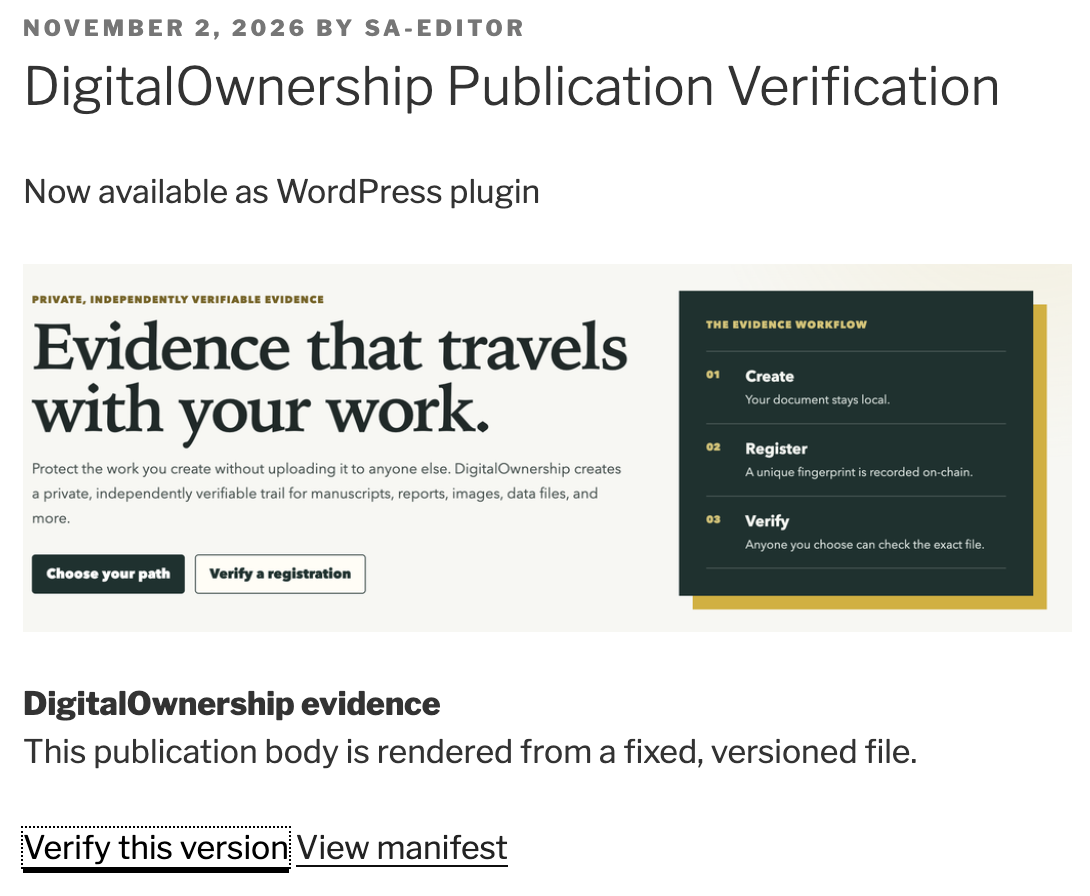
- When both registrations complete, WordPress publishes the exact approved version. For a revision, the earlier registered version remains live until the replacement completes. Return to or reload the editor to see workflow changes completed in another browser tab or account-review session.
If a fixed-content or evidence-file account-review link expires or is declined before registration, a WordPress Administrator can request a new review. This creates a new review link for the unchanged file and its existing SHA-512; it does not repeat administrator approval or spend a credit.
Private fixed versions are not served publicly. The account-holder review uses an unguessable, version-specific review link for the rendered preview, exact JSON, and declared local images. The public fixed-content JSON, evidence file, image routes, and verification link become available only after registration completes and the version is released.
Activating, upgrading, saving, or changing a post status never removes or archives evidence automatically. Withdrawal remains a separate administrator-confirmed action.
Restoring a post or backup
The plugin keeps its publication index in WordPress post metadata. If restoring a post revision or database backup removes that metadata but the matching final content.json and manifest.json still remain under the uploads directory, the plugin can rebuild the public index automatically. It does so only for a public post whose current saved body and local images reproduce the exact fixed JSON and whose manifest matches that JSON’s SHA-512 fingerprint. It never recovers private review records or draft files. If a full restore also removed the generated files, restore them from the same backup or retain the downloaded fixed JSON and manifest as evidence.
An active verified publication must be withdrawn before it can be moved to Trash or permanently deleted. The separate administrator-only Withdraw public verification action requires confirmation before removing its public fixed-content and evidence files. Exact bytes are retained in a private WordPress archive that only administrators can download. Archived or withdrawn evidence cannot be selected or republished as a public historical version. Permanent deletion after withdrawal removes that archive too.
FAQ
-
Does the plugin upload my post or page to DigitalOwnership?
-
No. WordPress creates the fixed JSON file on your site. For registration, it
sends only that file’s SHA-512 fingerprint, hash scope, blockchain target, and
request ID. The post body and local image bytes remain on your site. -
Who can approve a publication registration?
-
An Editor prepares and submits a fixed version. A WordPress Administrator
approves or declines it. The linked DigitalOwnership account holder separately
approves the fixed-content and evidence-file registrations. -
What does visitor verification prove?
-
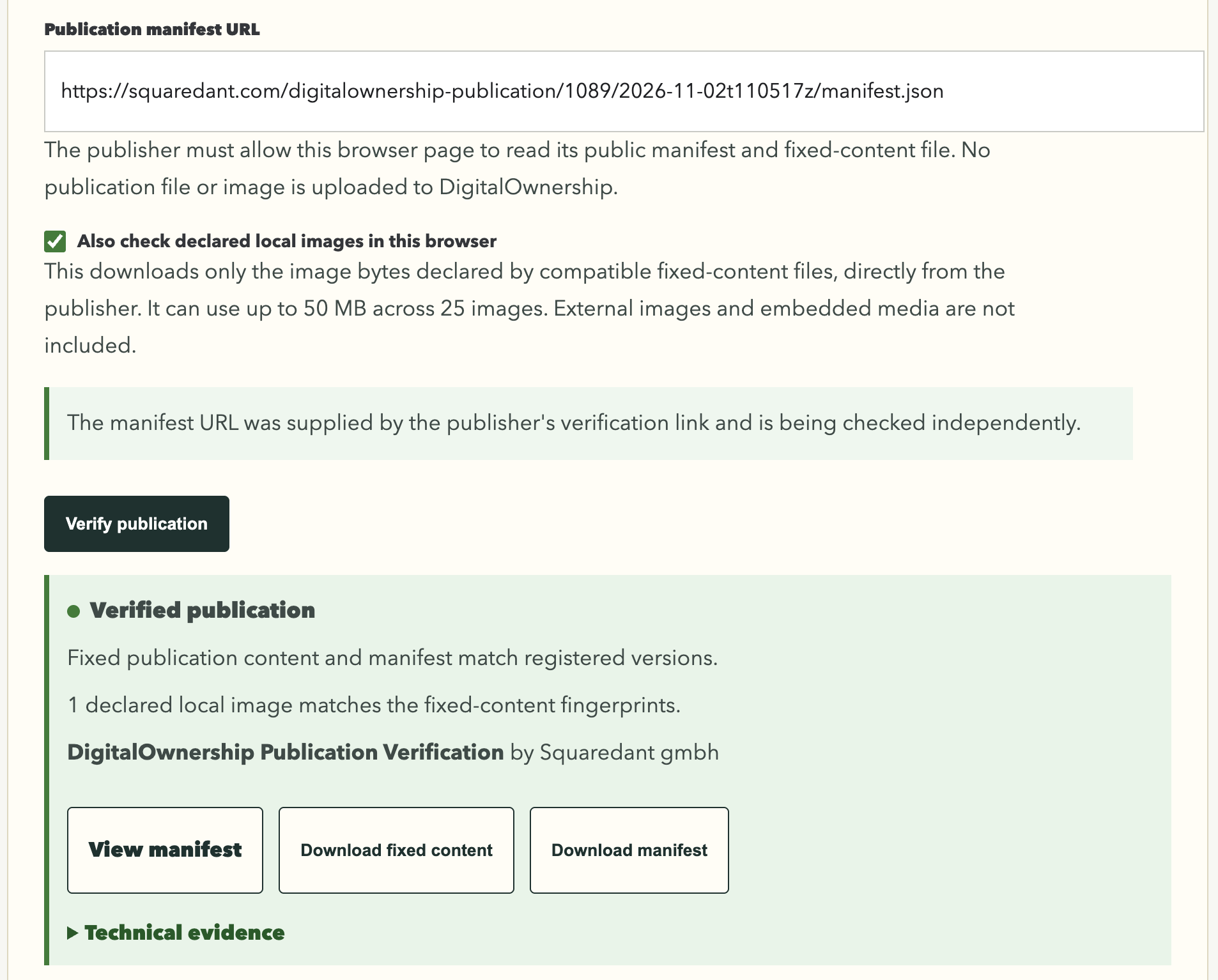
It confirms that the public fixed-content file and evidence file match their
registered fingerprints, and that matching registrations existed no later than
their recorded blockchain times. It does not prove authorship, legal ownership,
or that the content is true. -
Why do readers not see my latest saved edit?
-
For an already public publication, readers continue to see the last registered
fixed version while a replacement is reviewed and registered. The original
author selects Start private revision, saves the edits, creates a new
private fixed version, submits it for review, and completes both account
approvals to publish the replacement. -
When should I save my post or page?
-
Save before creating a private fixed version: it always uses the last saved
title and content. Once a version is publicly verified, ordinary saves are
locked until the original author selects Start private revision. A changed
saved post requires a new fixed version and a new approval workflow. -
Can I turn off verification for a publication?
-
Yes, but do so deliberately. A WordPress Administrator selects Withdraw
public verification and confirms the action. This removes the site-hosted
fixed files and verification link while retaining the exact bytes in the
administrator-only archive. It does not erase an existing blockchain
registration.
Reviews
There are no reviews for this plugin.
Contributors & Developers
“DigitalOwnership Publication Verification” is open source software. The following people have contributed to this plugin.
Contributors
Translate “DigitalOwnership Publication Verification” into your language.
Interested in development?
Browse the code, check out the SVN repository, or subscribe to the development log by RSS.
Changelog
1.0.0
- First stable WordPress.org release, replacing the 0.9.0 beta workflow.
- Adds private fixed-version review, administrator approval, and separate account-holder approval for fixed content and its public evidence file before publication.
- Keeps the active public version visible while the original author prepares and registers a revision.
- Locks ordinary saves during review and registration; only the original author can save an explicitly opened private revision.
- Preserves public evidence through ordinary saves, status changes, activation, and upgrades; withdrawal is an explicit administrator-confirmed action.
- Prevents WordPress autosaves while a fixed version is under review or registration, and requires withdrawal before an active verified publication can be trashed.
- Restores valid public evidence metadata from matching final JSON and manifest files after a metadata-only recovery.
- Clarifies revision actions, requires a saved editor state before fixing or pausing a revision, and omits a publication date until WordPress has one.
0.9.0
- Add private fixed-version review before first publication.
- Require WordPress administrator approval before a DigitalOwnership registration request is created.
- Publish a new article only after the account holder approves both the fixed-content and evidence-file registrations.
- Keep the existing registered version live while a replacement is reviewed and registered.
- Remove the former Markdown, manual-manifest, and public-first workflows. Versions created by earlier pre-1.0 releases are not supported after this upgrade.
0.8.1
- Load standalone fixed-content and evidence-file preview styles through the WordPress stylesheet queue.
0.8.0
- Refresh the editor evidence panel from an authenticated WordPress status endpoint, independent of Gutenberg save-event timing.
- Add a clear completion state with reader-verification and evidence links.
0.7.5
- Detect the confirmed saved post timestamp in Gutenberg before refreshing the publication evidence panel.
0.7.4
- Refresh the publication evidence panel reliably after a successful manual Gutenberg save so changed content is flagged without a browser refresh.
0.7.3
- Document the activation-time evidence metadata cleanup query for Plugin Check.
0.7.2
- Document intentional public-route and administrator-only Plugin Check exceptions.
0.7.1
- Address WordPress Plugin Check filesystem, output escaping, and translation annotations.
0.7.0
- Relicense the plugin package as GPLv2 or later and include a license notice.
0.6.12
- Remove pre-release wording from the active documentation.
0.6.11
- Clarify that archived or withdrawn evidence remains administrator-only and cannot later be republished as public version history.
0.6.10
- Show the optional public revision note only when an earlier public registered version can be disclosed.
0.6.9
- Let writers choose earlier public registered versions and an optional public revision note before the public evidence file is reviewed.
- Show the selected version history and revision note to readers from the approved evidence file.
0.6.8
- Show an editor-only history of the fixed public versions, including timestamps and links to each fixed-content file and evidence manifest.
0.6.7
- Clarify that the per-publication checkbox enables public verification but does not start a registration.
- Show the first fixed-version action only after a public post has been enabled and saved.
0.6.6
- Show an explicit warning after a previously verified publication is made non-public and later republished.
- Refresh the publication-evidence box after an explicit Gutenberg save so changed-content warnings appear without a manual browser refresh.
0.6.5
- Retain unpublished fixed JSON and evidence files in a private administrator-only archive while removing public copies.
- Let new public manifests declare and independently verify which earlier registered version they replace.
0.6.4
- Remove stale local evidence for non-public publications when the plugin is activated or upgraded.
0.6.3
- Allow publication evidence only for publicly published, non-password-protected posts and pages.
- Remove local evidence files and disable their public routes when a publication is unpublished, made private, trashed, or deleted.
0.6.2
- Make the per-publication opt-in explicit: enabling a fixed version also enables its public verification link.
0.6.1
- Serve local images in newly created fixed versions through versioned publisher URLs that verify the recorded SHA-512 before returning bytes.
- Provide browser-verification CORS headers from the plugin route, without requiring web-server configuration for standard WordPress uploads.
0.6.0
- Prepare the public evidence-file review automatically after fixed-content registration.
- Use one consistent account-review layout for fixed content and public evidence files, including rendered previews and browser-side SHA-512 comparison.
0.5.9
- Separate writer review requests from account-holder approval or decline decisions.
- Use an immutable rendered preview of the fixed JSON file during account review.
0.5.8
- Let account holders read the fixed publication and compare its SHA-512 fingerprint before approving its registration.
0.5.7
- Hide obsolete approval and evidence controls when saved WordPress content has changed; prompt the editor to create a new fixed version instead.
0.5.6
- Clarify installation, account linking, saved-content snapshots, and the two registration approvals.
0.5.5
- Recommend an organisation-owned publishing account because its registration email is public in completed evidence manifests.
0.5.4
- Add WordPress privacy-policy suggested text and clear external-service disclosure.
- Prepare a lean review ZIP and documented Plugin Check workflow for WordPress.org submission.
0.5.3
- Add in-dashboard guidance for editorial, WordPress-administrator, and account-holder responsibilities.
0.5.2
- Clarify that a fixed version always captures the last saved WordPress content.
0.5.1
- Present fixed-content and public-evidence registration as two explicit steps.
- Keep the new-version action out of an active registration workflow.
0.5.0
- Record SHA-512 fingerprints for local WordPress upload images in new fixed JSON versions.
- Let visitors optionally check declared image bytes independently in their browser.
0.4.2
- Simplify the editor to one account-reviewed registration path and fixed JSON content.
- Remove the legacy manifest-upload route from the normal editor interface.
0.4.1
- Submit evidence actions through a dedicated WordPress admin form so they work reliably in the block editor.
0.4.0
- Generate a private manifest draft from a completed canonical registration.
- Require a separate account approval before publishing and registering the manifest.
- Publish the unchanged manifest bytes and enable verification automatically after completion.
0.3.4
- Make status refresh independent of the WordPress editor form.
0.3.3
- Submit evidence-box actions as protected POST requests through the WordPress editor form.
0.3.2
- Fix evidence-box registration actions inside the WordPress post editor.
0.3.1
- Fix a PHP parse error in the account-approval request workflow.
0.3.0
- Add linked-account canonical-file registration from the WordPress evidence box.
- Offer an explicit immediate-registration option and a stricter account-owner approval option.
- Keep manifest generation and its separate registration manual at this stage.
0.2.1
- Send account-link requests to the independent DigitalOwnership account page instead of falling back to the WordPress dashboard.
0.2.0
- Add a revocable DigitalOwnership account-connection flow for this WordPress installation. Registration from the WordPress editor is planned for a later pre-1.0 update.
0.1.9
- Add release-package checks and clarify whether a canonical version is awaiting registration or has an attached manifest.
0.1.8
- Preserve the exact uploaded manifest bytes so an exact-file registration remains verifiable after attachment.
0.1.7
- Fix canonical JSON, Markdown, and page metadata output to use real line breaks rather than literal backslash-n characters.
0.1.6
- Add an administrator-only diagnostic query mode for integration troubleshooting.
0.1.5
- Resolve the canonical publication from the singular page query rather than a mutable content-filter context.
0.1.4
- Render active canonical content independently of theme loop and query-state checks.
0.1.3
- Serve canonical artifact URLs directly without a WordPress trailing-slash redirect.
0.1.2
- Render the canonical body and visible verification panel after other content filters.
0.1.1
- Fix public artifact lookup for canonical versions generated by the initial implementation.
0.1.0
- Initial implementation: versioned JSON and Markdown canonical artifacts, manifest attachment, CORS-enabled artifact delivery, visible verification links, and provenance discovery metadata.