

Description
Insight Popup & Fly-out adds a panel you edit with normal WordPress blocks. A CSS class or ID anywhere on the site — a button, a link, or a menu item — opens that panel.
The panel has no fixed content. Put headings, images, buttons, forms, or any other blocks inside it.
Features
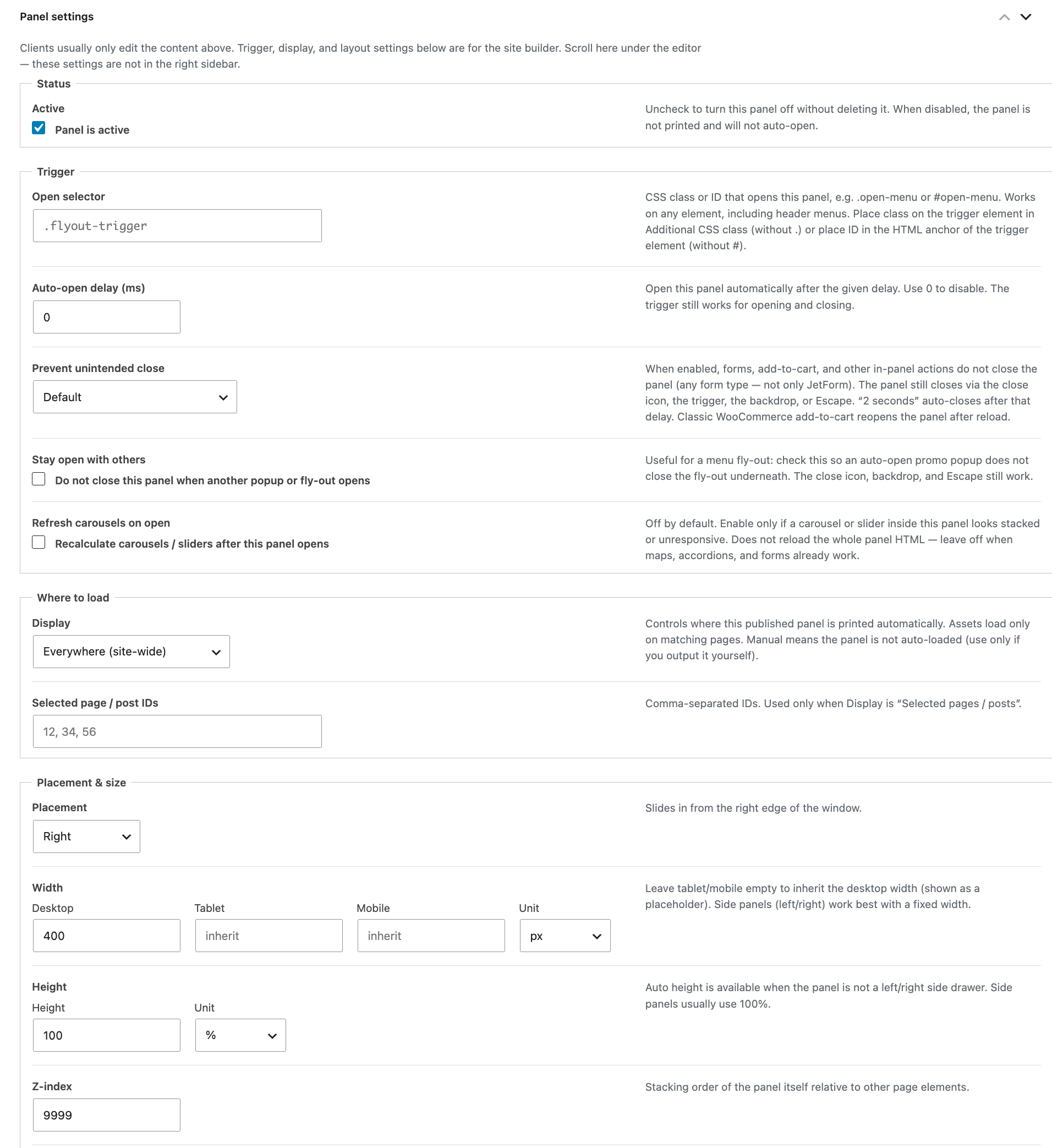
- Popups & Fly-outs admin menu for editing panel content like a page
- Turn a panel on or off without deleting it
- Optional auto-output: everywhere, the front page only, or not at all (manual)
- Inner blocks support
- Trigger via a CSS class or ID
- Optional auto-open delay in milliseconds
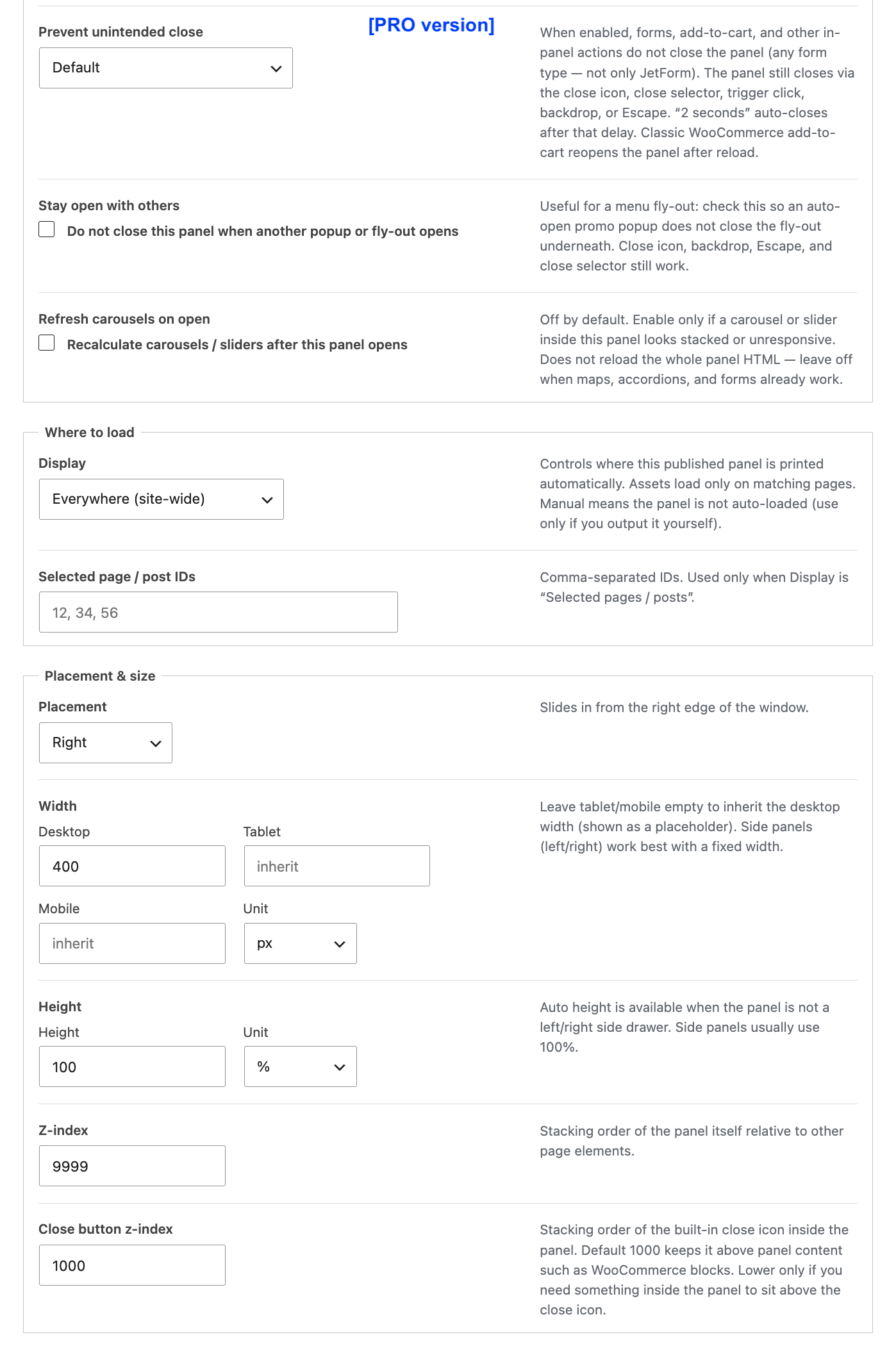
- Prevent a form or add-to-cart inside the panel from closing it
- Keep one panel open when another panel opens
- Placement: right, left, top, bottom, top center, bottom center, or center
- Responsive width: desktop, tablet, and mobile (with inherit)
- Width and height in px, %, or auto (auto when the panel is not a left/right drawer)
- Z-index for the panel and for the close button
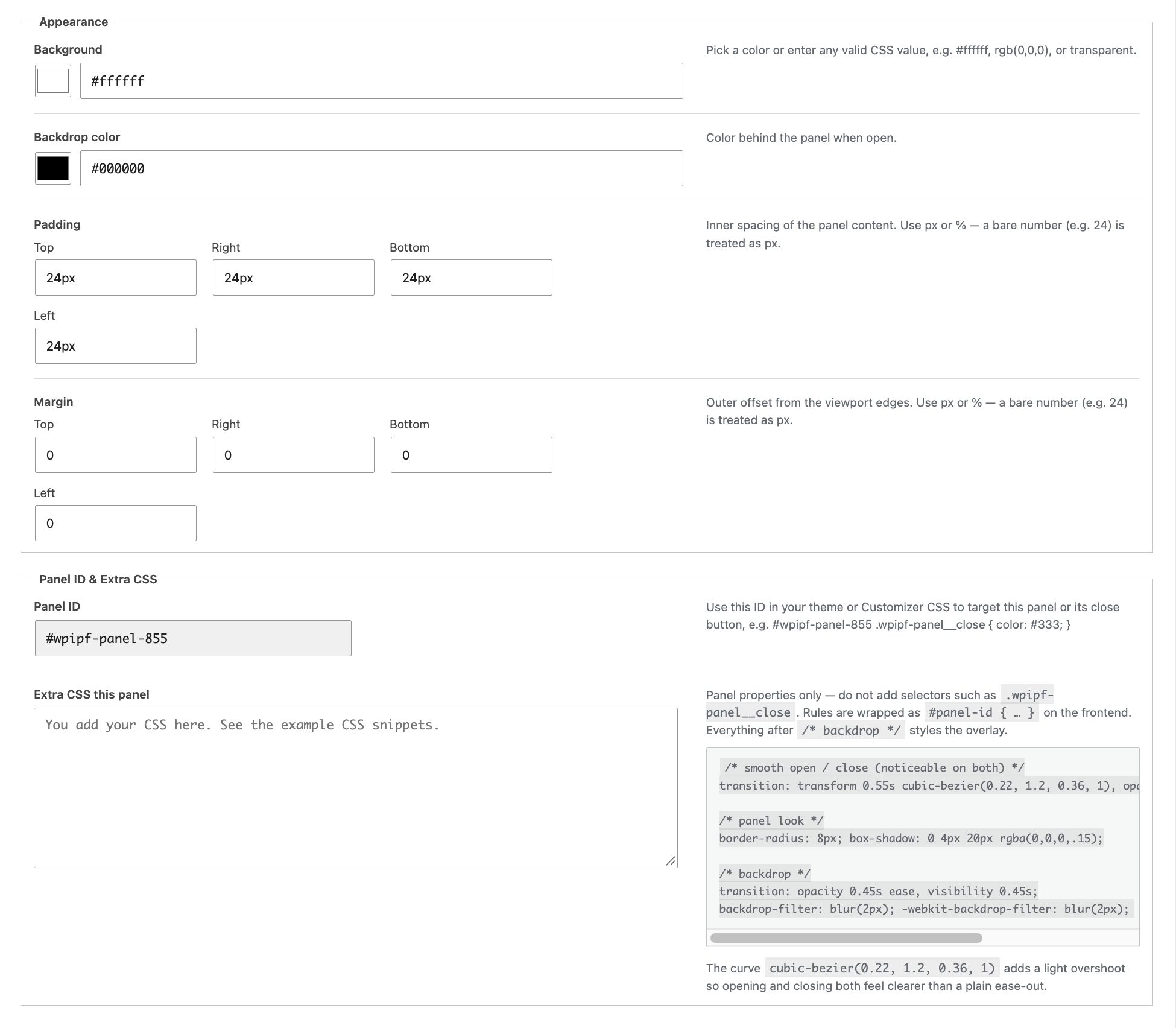
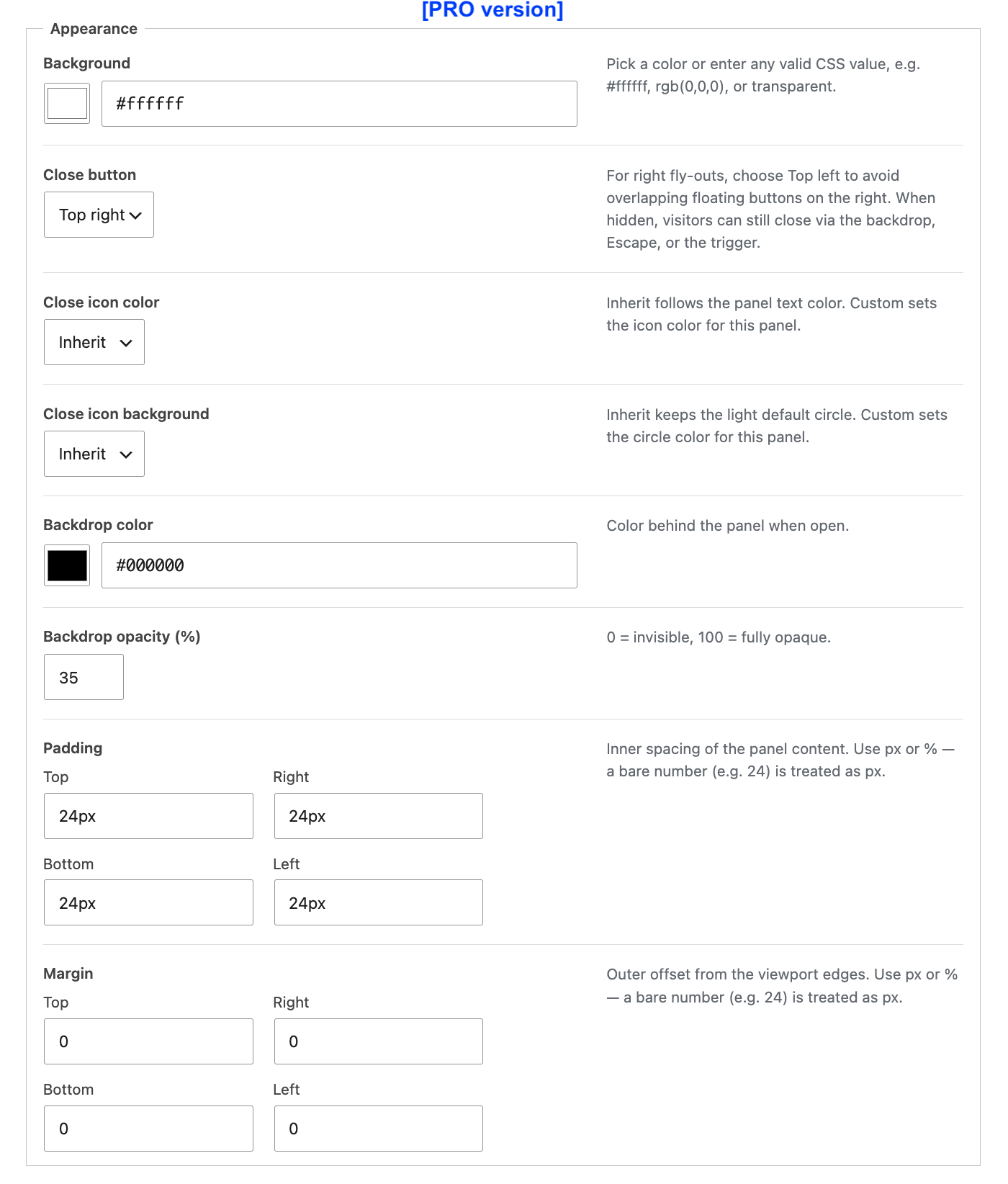
- Background color, backdrop color, padding, and margin
- Border radius per corner (0–64px in steps of 8)
- Light open/close motion built in (always on)
- Close button at the top right, plus backdrop click and Escape
- Gutenberg block for a panel that belongs to one page or template part
- Frontend CSS and JavaScript load only when a panel is present
Pro add-on
Need more? See Insight Popup & Flyout PRO.
* Close by custom class
* Popup / Fly-out link for use in a query
* Auto-open delay (can be combined with a trigger)
* Show pop-up for a specific period
* Limit pop-ups per hour, day, or session.
* Limit # popups within cookie lifetime (1-5)
* Floating button with URL and Pulse / breathing effect
* Show WooCommerce product details
* Adjustable backdrop opacity
* Flyout and popup effects (smooth motion, blur, rounded corners)
* Export (backup) and import
Screenshots



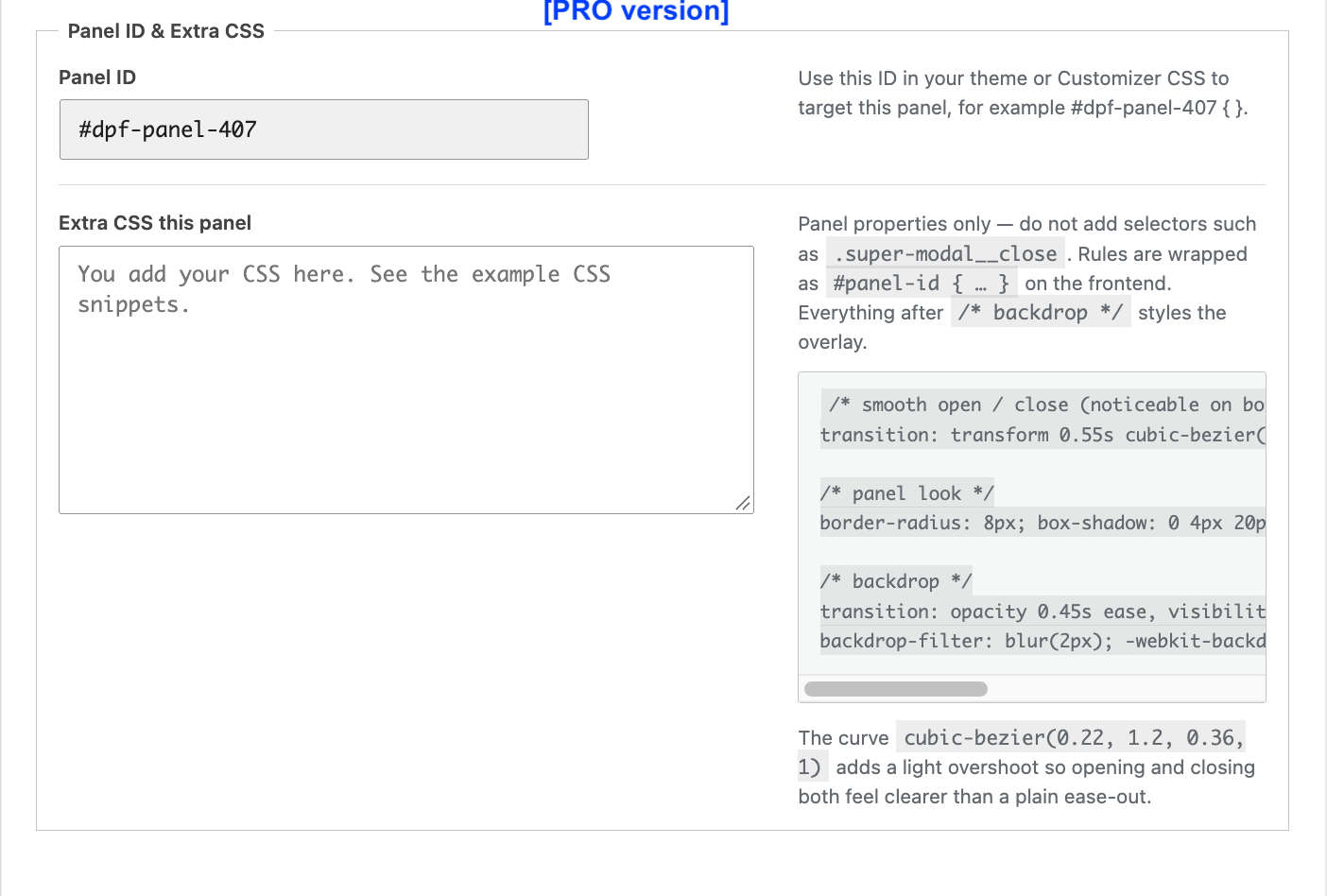

Blocks
This plugin provides 1 block.
- Insight Popup & Fly-out Popups and fly-out panels that open from any element via a CSS class or ID selector.
Installation
- Upload the
insight-popup-flyoutfolder to/wp-content/plugins/ - Activate the plugin through the Plugins menu in WordPress
- Open Popups & Fly-outs Add New (or insert the Insight Popup & Fly-out block on a page)
- Set an open selector and where the panel should load
- Add that class or ID to any element that should open the panel
FAQ
-
How do I edit a popup without the Site Editor?
-
Use Popups & Fly-outs in the admin menu. Create a panel, edit its content like a page, and set the open selector and display under Panel settings. Matching published panels are printed automatically.
-
Yes. Add a CSS class to the menu item in Appearance Menus, then use that class as the open selector. The panel is moved to the end of the page, so header and menu triggers work.
-
How does the panel close?
-
Use the close button at the top right, click the backdrop, press Escape, or click the trigger again.
-
Can the panel open automatically?
-
Yes. Set Auto-open delay (ms) above 0. Use 0 to disable auto-open. A delay above 0 opens the panel on each page view. The trigger still opens and closes the panel.
-
Why does a form success message disappear inside the panel?
-
Set Prevent unintended close to Stay open until dismissed (or 2 seconds). Forms and add-to-cart inside the panel do not close it. The panel still closes via the close icon, the trigger, the backdrop, or Escape.
-
Does the plugin load scripts on every page?
-
No. Frontend CSS and JavaScript load only when at least one panel is rendered on that request.
-
How do I style a panel?
-
Use the Panel settings fields (colors, padding, margin, border radius). A light open/close motion is always applied. For further styling — such as the close icon — use Appearance Customize Additional CSS or your theme with the class
.wpipf-panel. The close button uses.wpipf-panel__close. -
Is there a Pro version?
-
Yes. Insight Popup & Fly-out Pro is a separate plugin.
Reviews
There are no reviews for this plugin.
Contributors & Developers
“Insight Popup & Fly-out” is open source software. The following people have contributed to this plugin.
Contributors
Translate “Insight Popup & Fly-out” into your language.
Interested in development?
Browse the code, check out the SVN repository, or subscribe to the development log by RSS.
Changelog
1.0.9
- Appearance and spacing settings use strict allowlists (hex colors; length units px/%/rem/em; numeric width/height) before writing inline styles.
1.0.8
- Removed .gitignore and other hidden files from the release package (Plugin Check).
1.0.7
- Removed Refresh carousels on open (setting and related frontend behavior).
1.0.6
- Removed Display “Selected pages/posts” and the Selected page/post IDs field.
- Hid Panel ID from admin and block UI (IDs still generated for the frontend).
- Guide and readme updated for the simpler Display and styling guidance.
1.0.5
- Help text: backdrop notes fixed 35% transparency; height help clarifies Auto for popups.
1.0.4
- Removed the Extra CSS field (WordPress.org: no arbitrary CSS/JS/PHP insertion).
- Added per-corner border radius in steps of 8px (0–64).
- Light open/close transition is always on (no settings).
- Guide and readme point styling to Panel settings and Customizer Additional CSS.
1.0.3
- Panel settings script is loaded with the WordPress enqueue functions.
- Text domain matches the plugin slug. Pro still recognizes this plugin.
- The guide page loads its stylesheet.
1.0.2
- Editor sidebar: a note under the popup or fly-out name points to the settings metabox.
- Readme: Pro add-on feature list and updated screenshots.
1.0.1
- Open/close transition timing when the panel opens.
1.0.0
- Initial release.