
Description
WPBakery Page Builder can copy and paste one element at a time. Shift SnapCopy adds what is missing when you build pages for real:
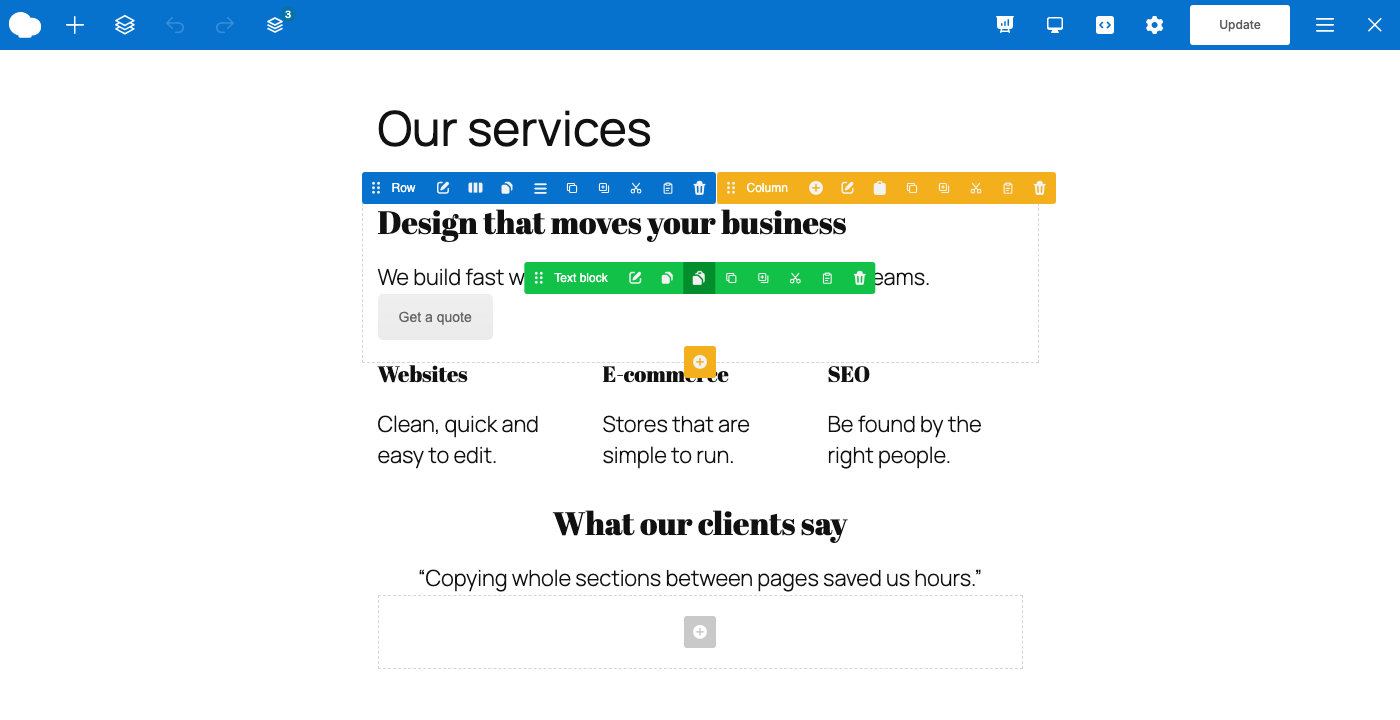
- Cut sections, rows, columns and elements, not only copy them.
- A clipboard stack: copy several pieces, then paste them all together.
- Copy the content of a column, or of a section, without the container itself.
- Export and import the clipboard as a JSON file. Strings exported by some older clipboard add-ons can be imported too.
- The same buttons in the backend and in the frontend editor.
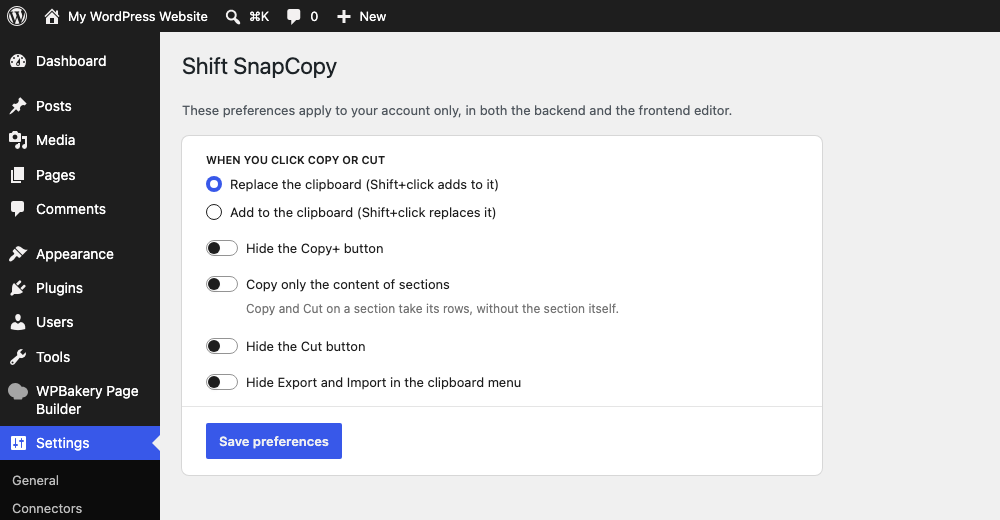
- Your own preferences: choose whether Copy replaces or adds to the clipboard, and hide the buttons you do not use (Settings Shift SnapCopy).
Shift SnapCopy is an add-on: it needs WPBakery Page Builder 6.11 or later, which is sold separately. Translated into Italian, German, Spanish and French.
Screenshots


Installation
- Make sure WPBakery Page Builder 6.11 or later is installed and active.
- Upload the plugin to
/wp-content/plugins/shift-snapcopy, or install it from the Plugins screen. - Activate it. The toolbar appears in the WPBakery editor.
FAQ
-
I used another clipboard add-on before. Can I keep my clipboard?
-
Often, yes. If your previous add-on stored its clipboard in the browser under
vcc_keys, the first time you open the page builder its items and its “hide Cut” and “hide Export/Import” preferences are copied to Shift SnapCopy. Strings exported from it can be imported from the clipboard menu. Shift SnapCopy only reads that data: it never changes or removes it, so the other add-on keeps working if you still use it.
Reviews
There are no reviews for this plugin.
Contributors & Developers
“Shift SnapCopy for WPBakery” is open source software. The following people have contributed to this plugin.
Contributors
Translate “Shift SnapCopy for WPBakery” into your language.
Interested in development?
Browse the code, check out the SVN repository, or subscribe to the development log by RSS.
Changelog
1.0.1
- Data of other clipboard add-ons is now only read, never changed or removed.
- Clearer wording about importing from other clipboard add-ons.
1.0.0
- First release.
- Copy, Copy+, Cut and Paste on every section, row, column and element, in the backend and the frontend editor.
- Clipboard stack with a navbar menu: paste at the end of the page, remove single items, clear.
- Copy the content of a column, and optionally of a section.
- Export and import the clipboard as a JSON file.
- Per-user preferences in Settings Shift SnapCopy.
- Copies the clipboard and preferences of an older clipboard add-on on first use.
- Translations: Italian, German, Spanish, French.