

Description
Sanestly Lightweight Wishlist for WooCommerce adds a focused wishlist to your store without turning it into a large feature suite. Shoppers can save products for later, review them on a dedicated wishlist page, and come back to buy when they are ready. Guests get a working wishlist too – no account required – and their saved products merge into their account automatically when they log in.
The plugin is deliberately lean: a shortcode for the wishlist page, an optional button on product loops, a My Account endpoint, and nothing else on the storefront. All wishlist data stays on your site in dedicated tables. There is no external service, no tracking, and no telemetry.
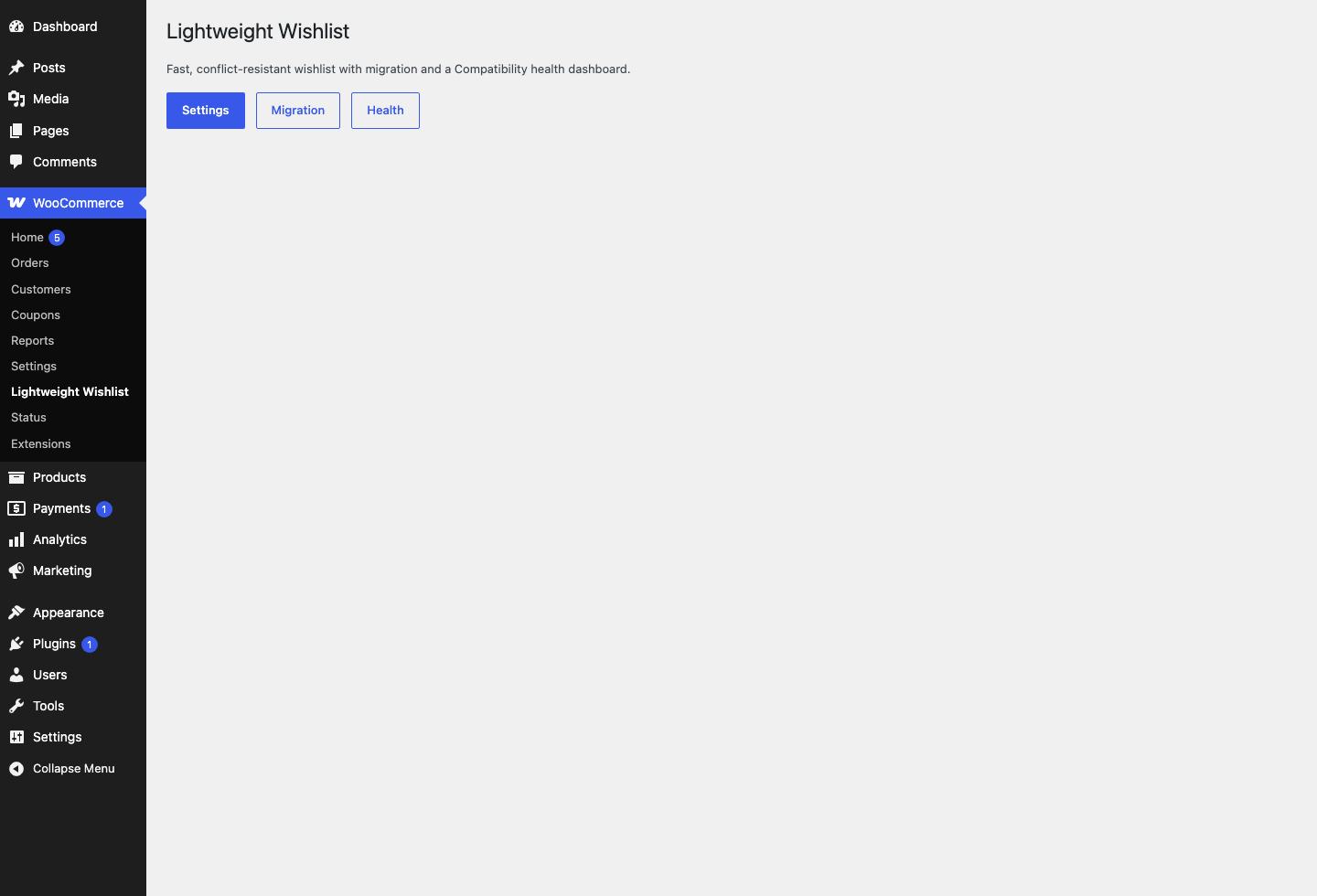
It is also built to be a good neighbor: add and remove actions run through namespaced POST-only AJAX instead of crawlable ?add_to_wishlist= links, and a built-in Wishlist Health dashboard checks your install for common integration problems.
What shoppers can do
- Save a product to their wishlist from the product page or the shop loop – works for guests and logged-in customers.
- Save specific variations of variable products.
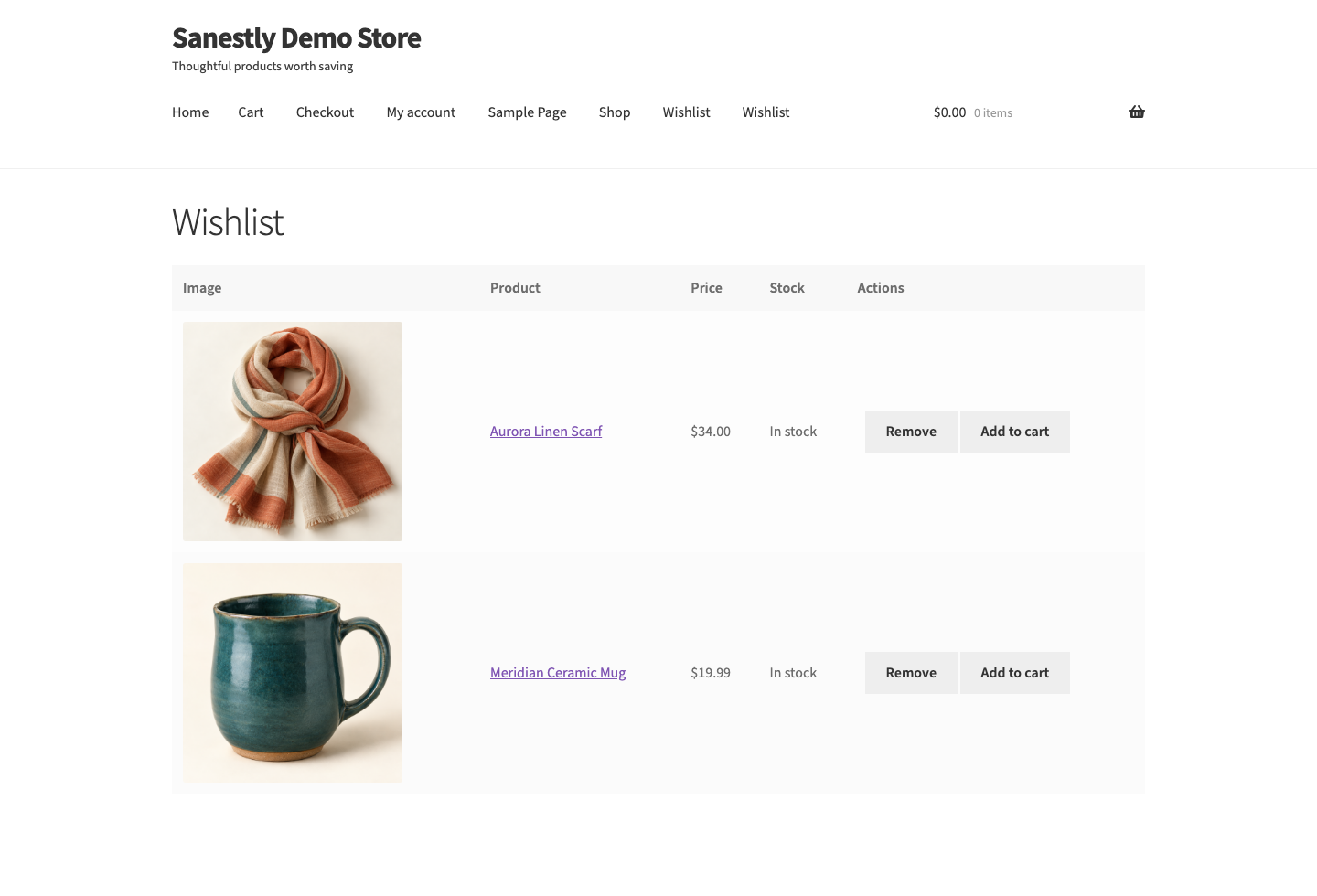
- Review saved items on a wishlist page with image, price, stock status, remove, and add-to-cart actions.
- Find their list again under My Account Wishlist.
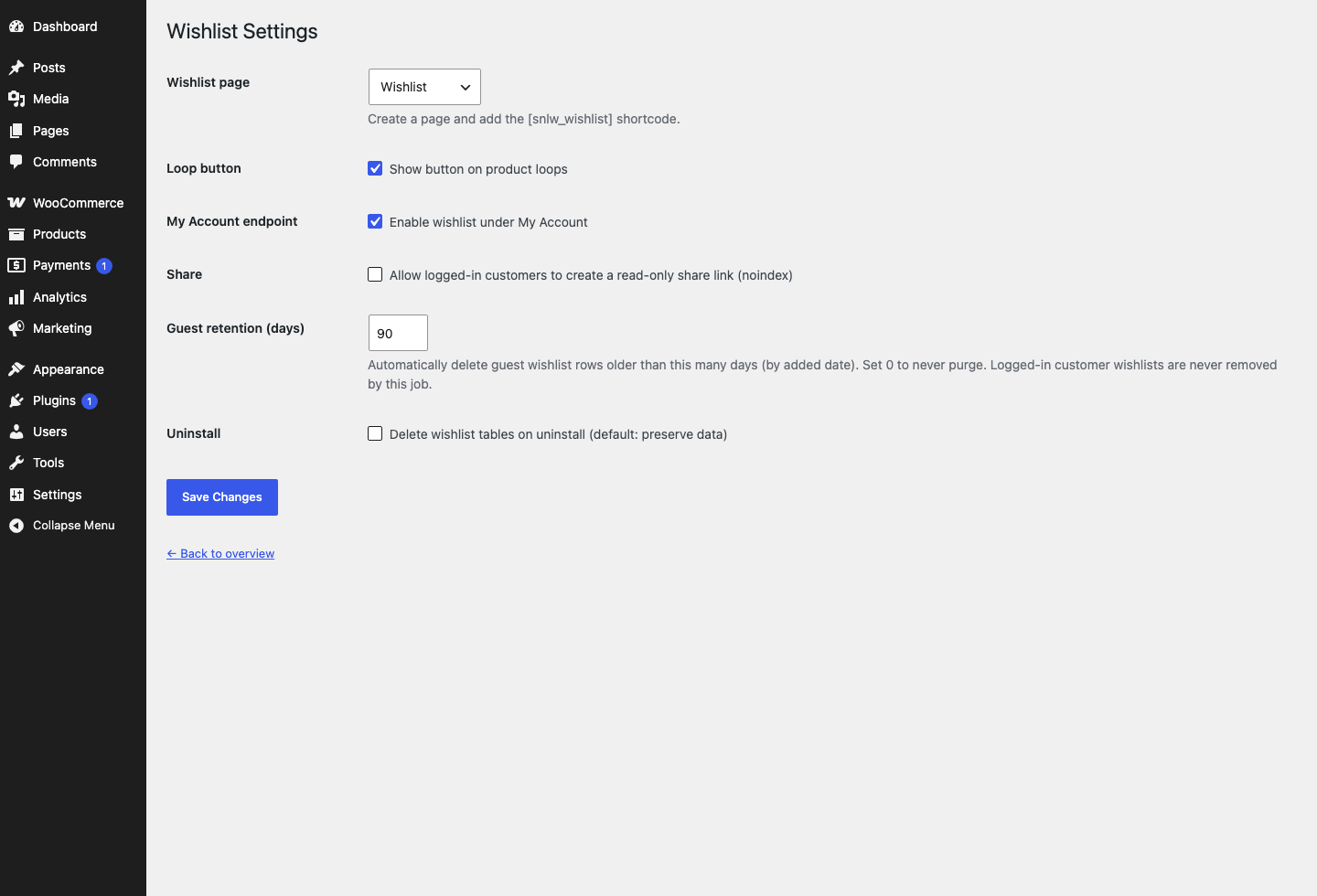
- Optionally create a read-only share link for their list (off by default, noindexed, revocable).
Why this wishlist?
- Guest-first: shoppers can build a wishlist without creating an account. A signed, HttpOnly first-party cookie remembers them; the database stores only a hash of it.
- Clean integration: mutations are POST-only and namespaced, so crawlers and prefetchers cannot accidentally add items. Assets are isolated and do not patch global cart or checkout scripts.
- Privacy-conscious: personal data export and erasure are supported, guest wishlists are automatically purged after a configurable retention period (90 days by default), and nothing leaves your server.
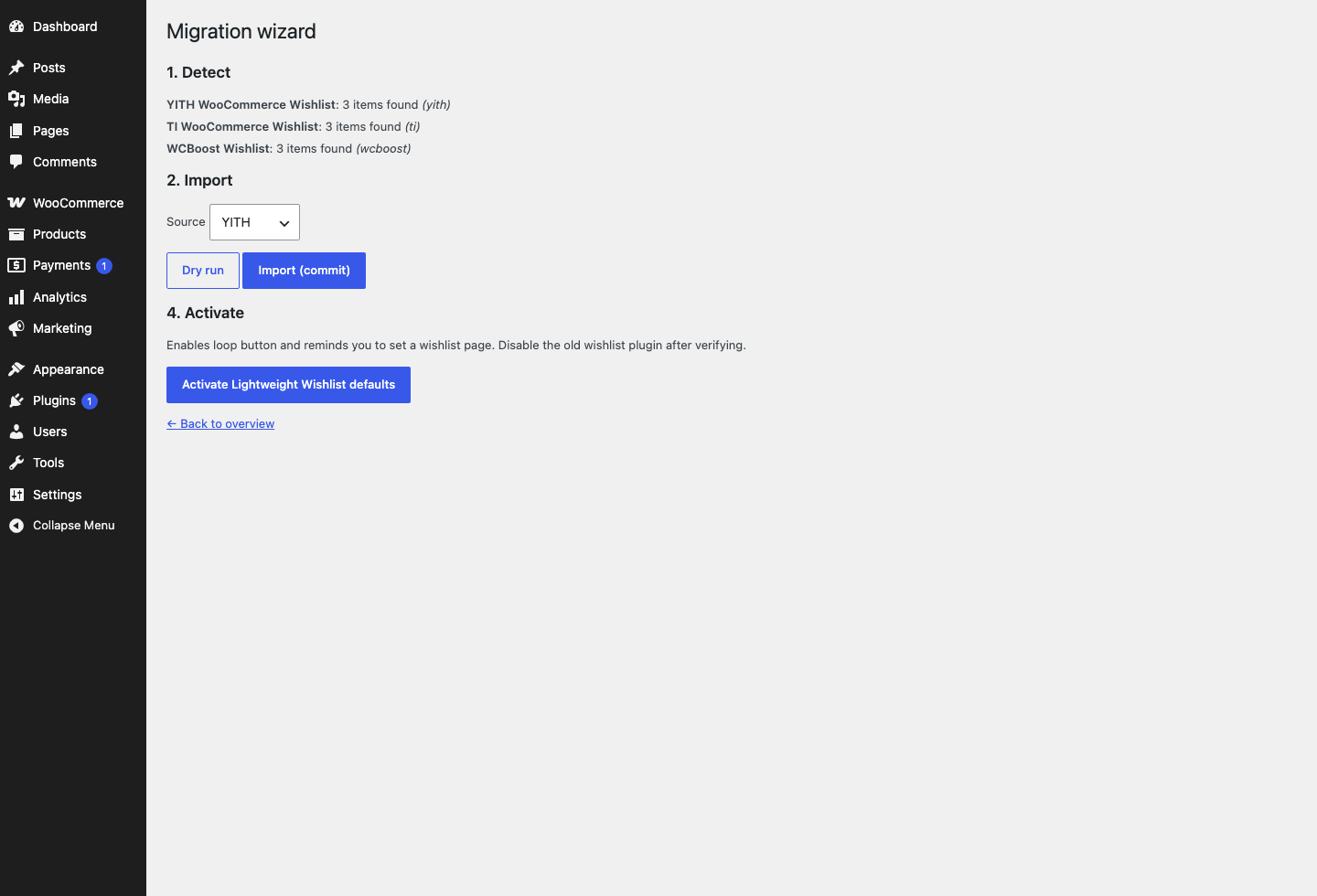
- Migration-ready: already using another wishlist? The wizard imports existing lists from YITH, TI, and WCBoost plugins with a dry-run and post-import comparison before you commit. Competitor tables are never dropped.
- Honest uninstall: your data stays unless you explicitly opt in to removing the wishlist tables.
Requires WooCommerce 9.8 or later. Compatible with High-Performance Order Storage (HPOS) and the Cart and Checkout blocks.
Screenshots

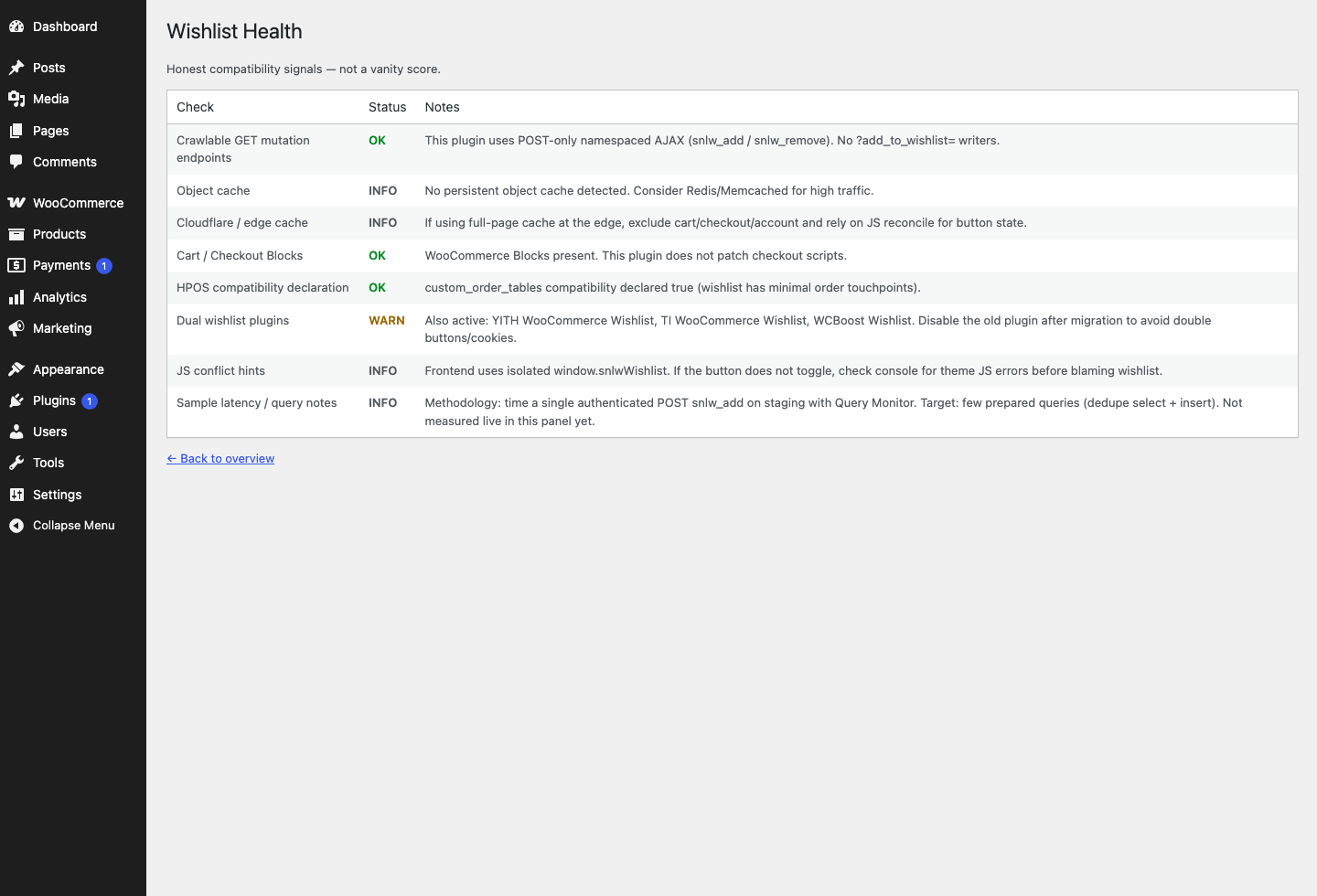
Installation
- Install and activate WooCommerce 9.8 or later.
- Upload the plugin folder to
/wp-content/plugins/or install the ZIP via Plugins Add New. - Activate Sanestly Lightweight Wishlist for WooCommerce.
- Create a page, add the
[snlw_wishlist]shortcode, and select it under WooCommerce Lightweight Wishlist Settings. - Optionally open Migration to import an existing wishlist, then Health to review the compatibility checks.
FAQ
-
Can customers use the wishlist without logging in?
-
Yes. Guest wishlists work out of the box using a signed, opaque first-party cookie (HttpOnly, Secure on HTTPS, SameSite=Lax). No account is required to save or review products.
-
What happens to a guest wishlist after the shopper logs in?
-
It merges automatically into their account wishlist on login, so nothing they saved is lost.
-
Does it support variable products and variations?
-
Yes. The specific variation a shopper picks is stored, so the wishlist links back to the exact product variation they saved.
-
Where is wishlist data stored?
-
In two dedicated tables inside your own WordPress database. The plugin does not send data to any external service and includes no tracking or telemetry.
-
Can shoppers move wishlist products to the cart?
-
Yes. In-stock purchasable products show an add-to-cart button on the wishlist page; other items link to the product page.
-
Can I place the wishlist anywhere?
-
Yes. The
[snlw_wishlist]shortcode renders the wishlist on any page you choose, and a Wishlist endpoint is added to the My Account area automatically. -
Sharing is off by default. When enabled, logged-in customers can create a read-only share link that emits a robots noindex tag and can be revoked.
-
Can I migrate from another wishlist plugin?
-
Yes. A migration wizard detects existing wishlist data from YITH, TI, and WCBoost wishlist plugins, lets you dry-run the import, compares results, and only then activates. The original plugin’s tables are left untouched.
-
How long are guest wishlists kept?
-
Guest items are purged after 90 days by default. You can change the retention period in Settings, or set it to 0 to keep guest wishlists indefinitely. Logged-in customers’ lists are never purged by this job.
-
What happens when the plugin is uninstalled?
-
Options and transients are removed, but the wishlist tables are preserved so no customer data is lost. If you enable “Delete wishlist tables on uninstall” first, the tables are dropped too.
Reviews
There are no reviews for this plugin.
Contributors & Developers
“Sanestly Lightweight Wishlist for WooCommerce” is open source software. The following people have contributed to this plugin.
Contributors
Translate “Sanestly Lightweight Wishlist for WooCommerce” into your language.
Interested in development?
Browse the code, check out the SVN repository, or subscribe to the development log by RSS.
Changelog
1.0.0
- Initial Free release: wishlist storage, guest tokens, AJAX add/remove/count, shortcode, My Account endpoint, share links, migration wizard, health dashboard, settings, uninstall.
- Privacy exporter/eraser for wishlist items and share tokens; configurable guest retention purge (default 90 days).
- Fixed a rewrite conflict where a page named “wishlist” could be masked by the My Account endpoint.