

Description
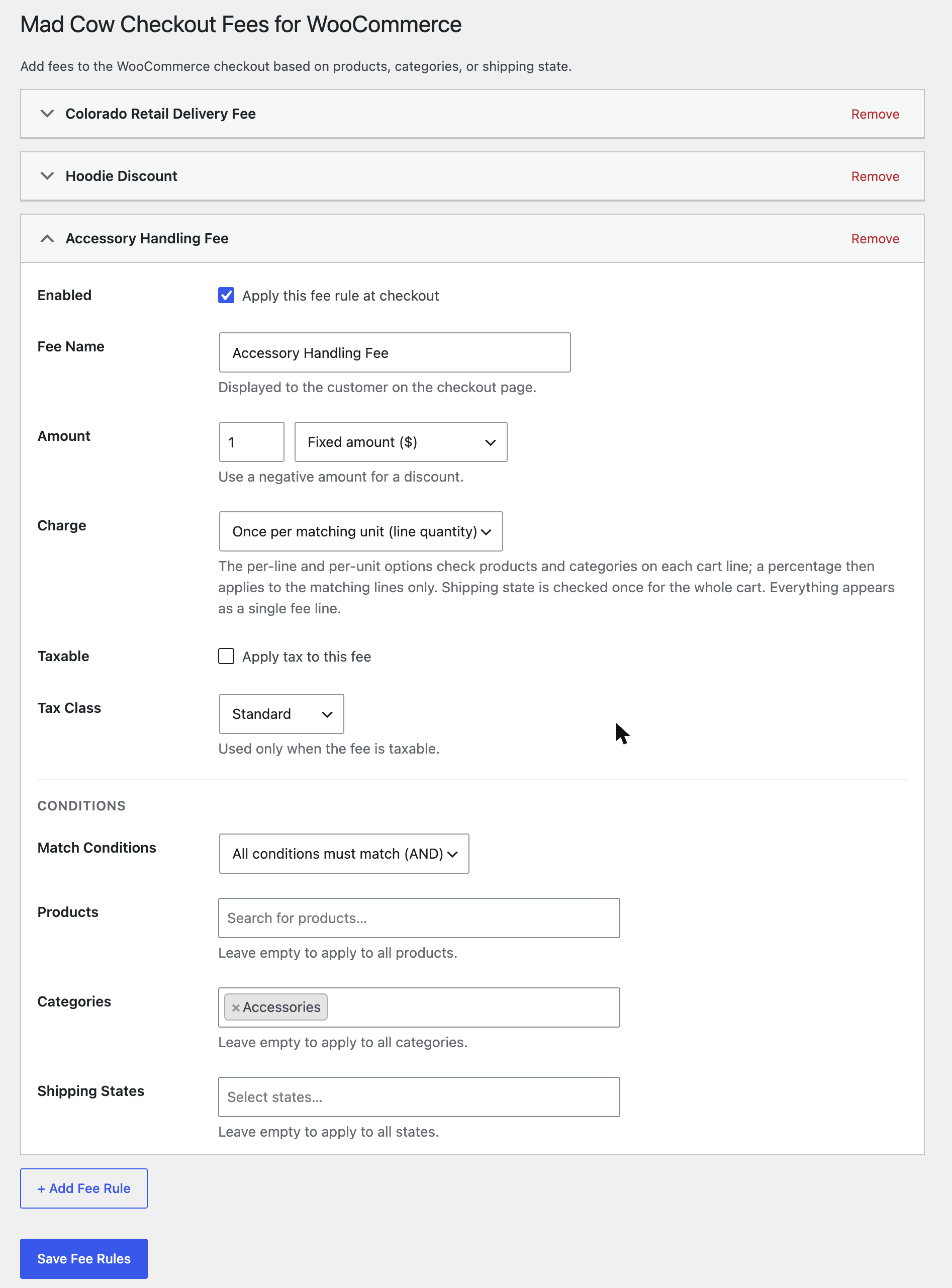
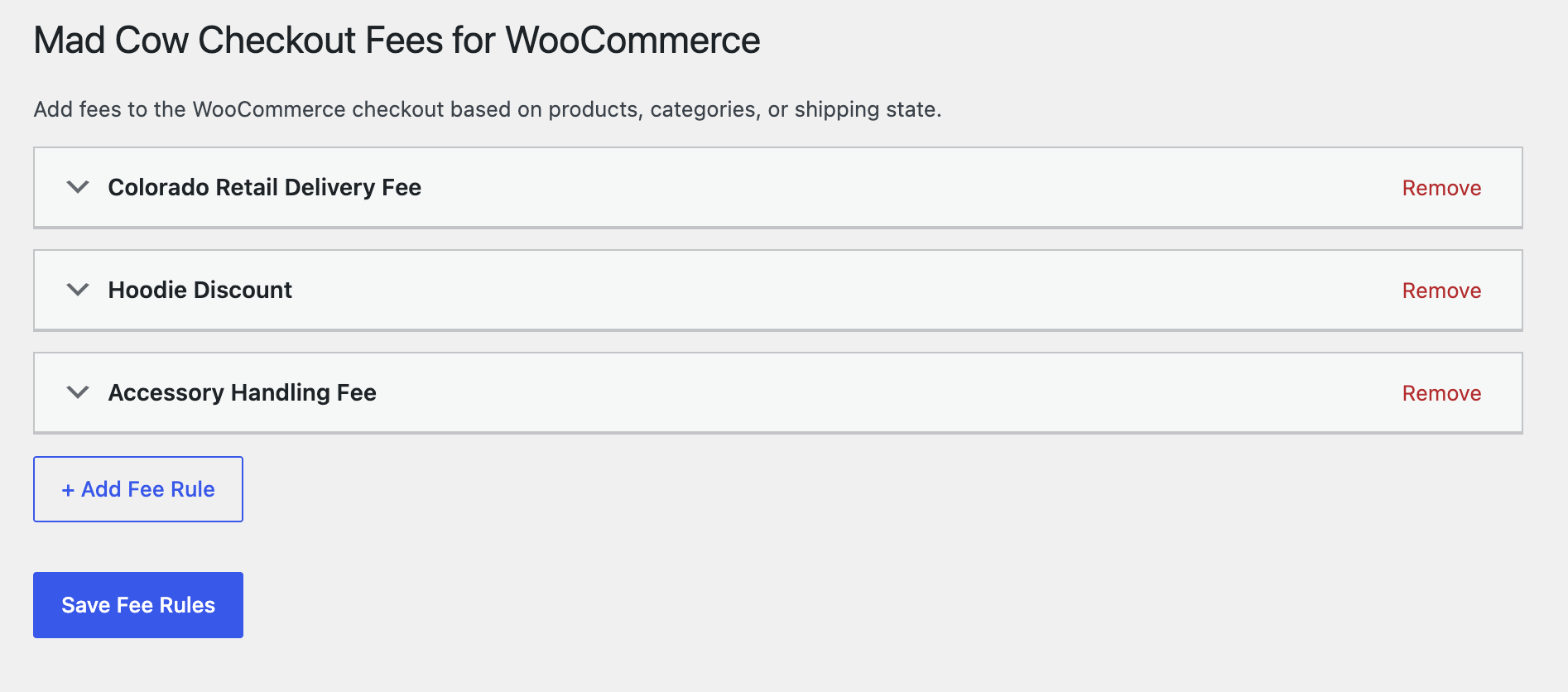
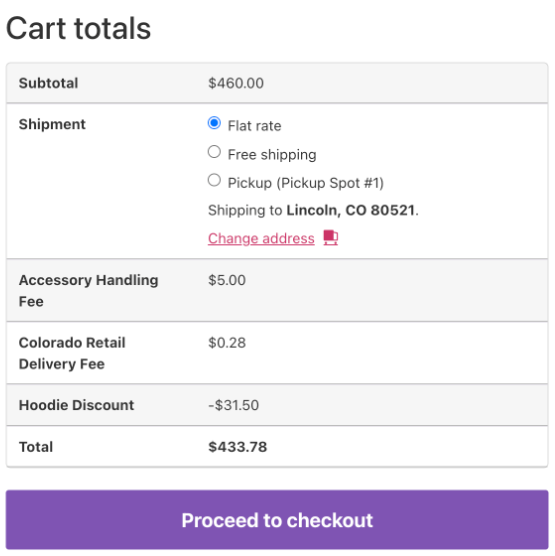
Create as many fee rules as you need under WooCommerce MCW Checkout Fees. Each rule adds one line to the cart and checkout totals when its conditions match the customer’s cart.
What a rule can do
- Fixed or percentage amounts. A percentage is calculated on the cart subtotal.
- Negative amounts for discounts.
- Once per order, per matching cart line, or per matching unit. A per-line or per-unit percentage applies only to the matching lines. The result is always one fee line.
- Taxable or not, with your choice of tax class when it is taxable.
- Enable or disable a rule without deleting it.
Conditions
- Products — match specific products or variations in the cart.
- Categories — match products in particular product categories. A parent category also matches its sub-categories.
- Shipping states — match the customer’s shipping state, grouped by country.
- AND or OR logic — require every condition to match, or just one.
A rule with no conditions applies to every cart.
Examples
- A flat $0.28 delivery fee on orders shipping to Colorado.
- A $2.00 handling fee when the cart contains anything from a “Fragile” category.
- A 5% discount for a “Wholesale” category.
- A $15.00 surcharge when a specific product is shipped to a specific state.
Built for WooCommerce
- Declares High-Performance Order Storage (HPOS) compatibility.
- Fees use WooCommerce’s own cart fees API, so they appear in the cart, at checkout, on the order, and in emails.
- No external requests, no tracking, no ads.
Screenshots
Installation
- Install and activate WooCommerce.
- Upload the plugin through Plugins Add New Upload Plugin, or install it from the WordPress plugin directory.
- Activate it.
- Go to WooCommerce MCW Checkout Fees and click “+ Add Fee Rule”.
FAQ
-
Is a percentage fee based on the total or the subtotal?
-
The cart subtotal — the sum of the product prices before shipping, taxes and other fees.
-
Is the fee charged once, or for each matching item?
-
Your choice, per rule. “Once per order” adds the fee once when the cart matches. “Once per matching cart line” adds it for every cart line whose product or category matches. “Once per matching unit” multiplies that by the line quantity. A percentage on the per-line and per-unit options is taken from the matching lines only, not the whole cart. The customer always sees one fee line.
-
Can I add a discount instead of a fee?
-
Yes. Enter a negative amount.
-
How do I charge tax on a fee?
-
Tick “Taxable” on the rule and choose the tax class. The fee is taxed the same way a product in that class would be.
-
What happens if I use more than one condition?
-
With “All conditions must match (AND)”, every condition you filled in has to be true. With “Any condition matches (OR)”, one is enough. Conditions you leave empty are ignored.
-
I used the earlier “Mad Cow Store Checkout Fees” plugin. Will my rules carry over?
-
Yes. This plugin reads the rules saved by the earlier plugin until you save rules of its own. Deactivate the earlier plugin first, otherwise both will add their fees.
-
Does deleting the plugin remove its data?
-
Yes. Deleting it from the Plugins screen removes the saved fee rules.
Reviews
There are no reviews for this plugin.
Contributors & Developers
“Mad Cow Checkout Fees for WooCommerce” is open source software. The following people have contributed to this plugin.
Contributors
Translate “Mad Cow Checkout Fees for WooCommerce” into your language.
Interested in development?
Browse the code, check out the SVN repository, or subscribe to the development log by RSS.
Changelog
1.1.0
- Fixed: a rule set to a parent category (for example Clothing) now also matches products that are only in its sub-categories (Hoodies, Tshirts).
- Renamed to Mad Cow Checkout Fees for WooCommerce for the WordPress plugin directory. Existing rules carry over.
- Fixed: removing a saved rule could delete a different rule after rules had been added or removed on the same page. Rules now have a stable ID.
- Added: choose whether a fee is charged once per order, per matching cart line, or per matching unit.
- Added: choose a tax class for taxable fees.
- Fixed: two rules with the same name no longer cancel each other out; the second gets a numeric suffix.
- Fixed: rule titles containing special characters were double-escaped.
- Fixed: the empty-state message showed the wrong text after the last rule was removed.
- Removed the self-hosted update checker.
- Admin script rewritten without jQuery.
1.0.3
- Updated admin menu and page heading for consistency across Mad Cow plugins.
1.0.0
- Initial release.