
Description
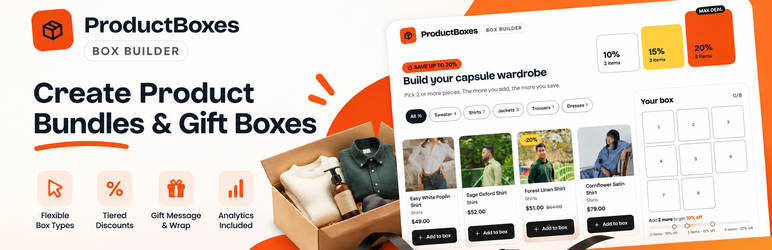
ProductBoxes – Mix & Match Box Builder for WooCommerce is a free WooCommerce build your own box plugin. Let customers create personalized product bundles, fill a gift box with their favorite items, or choose a fixed-price box from products you select.
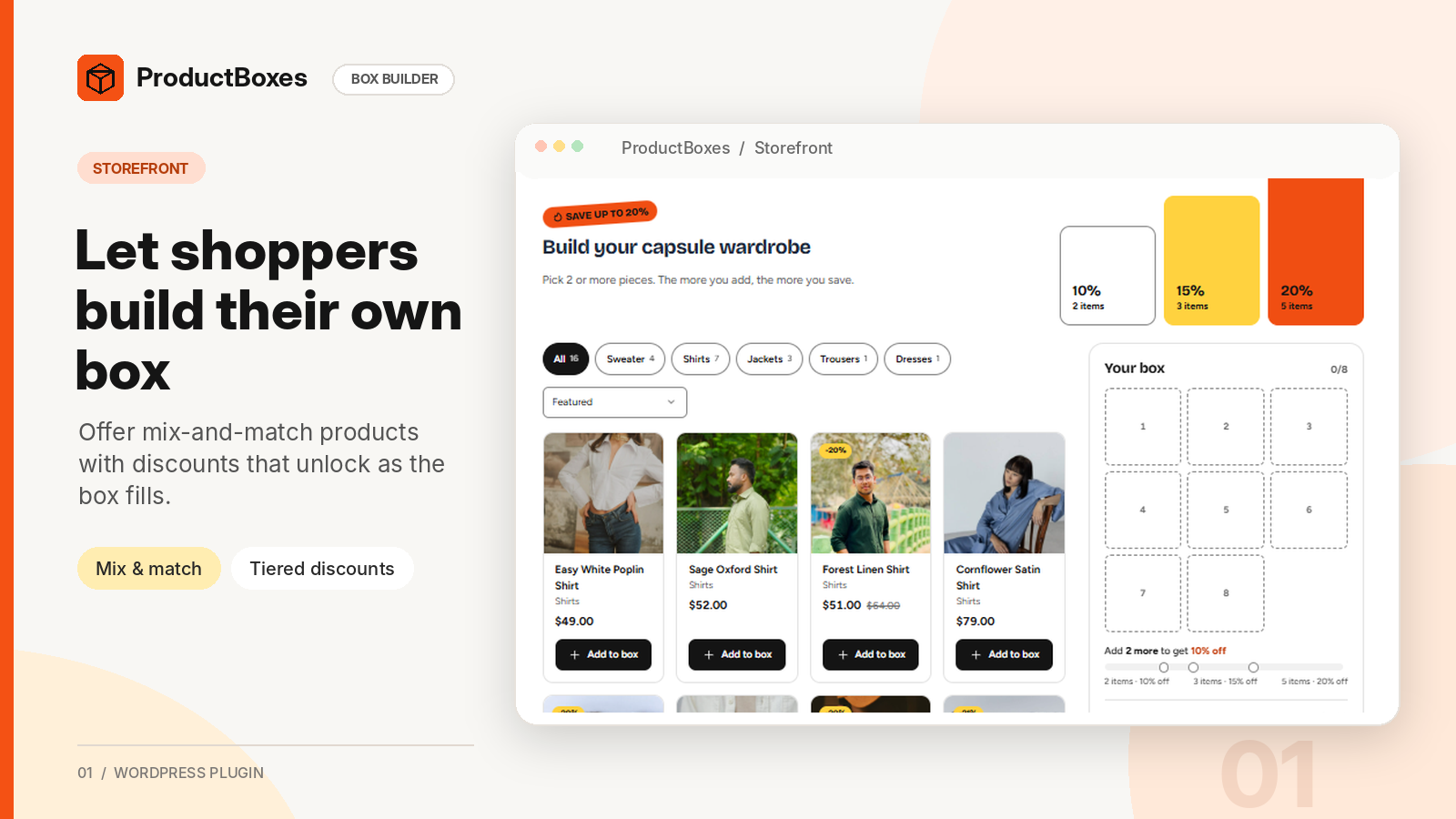
Shoppers mix and match eligible products and variations, fill box slots, and add the box to their cart in one click. A live summary shows price, savings, and the next bundle discount. Prices are calculated on the server.
Create snack boxes, bakery boxes, coffee samplers, beauty kits, or “pick any 6” offers. All features are free, with no premium upgrade, locked features, or external account.
Build your own box with three campaign types
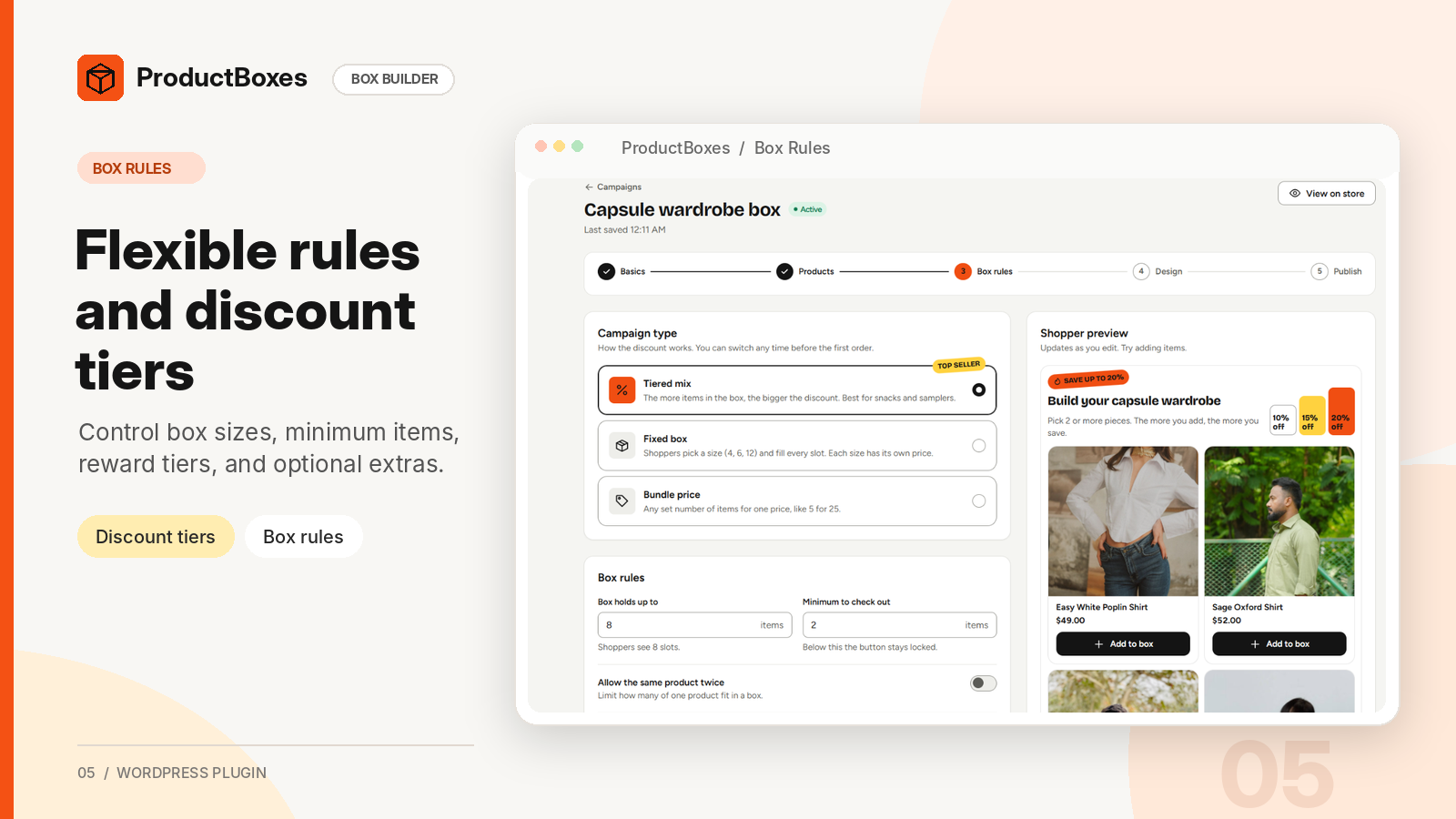
- Tiered discount: 10% off 3 items, 15% off 5, or 25% off 12, with the next tier shown live.
- Fixed box size: Offer boxes of 6, 12, or 24 items, each with its own discount or price.
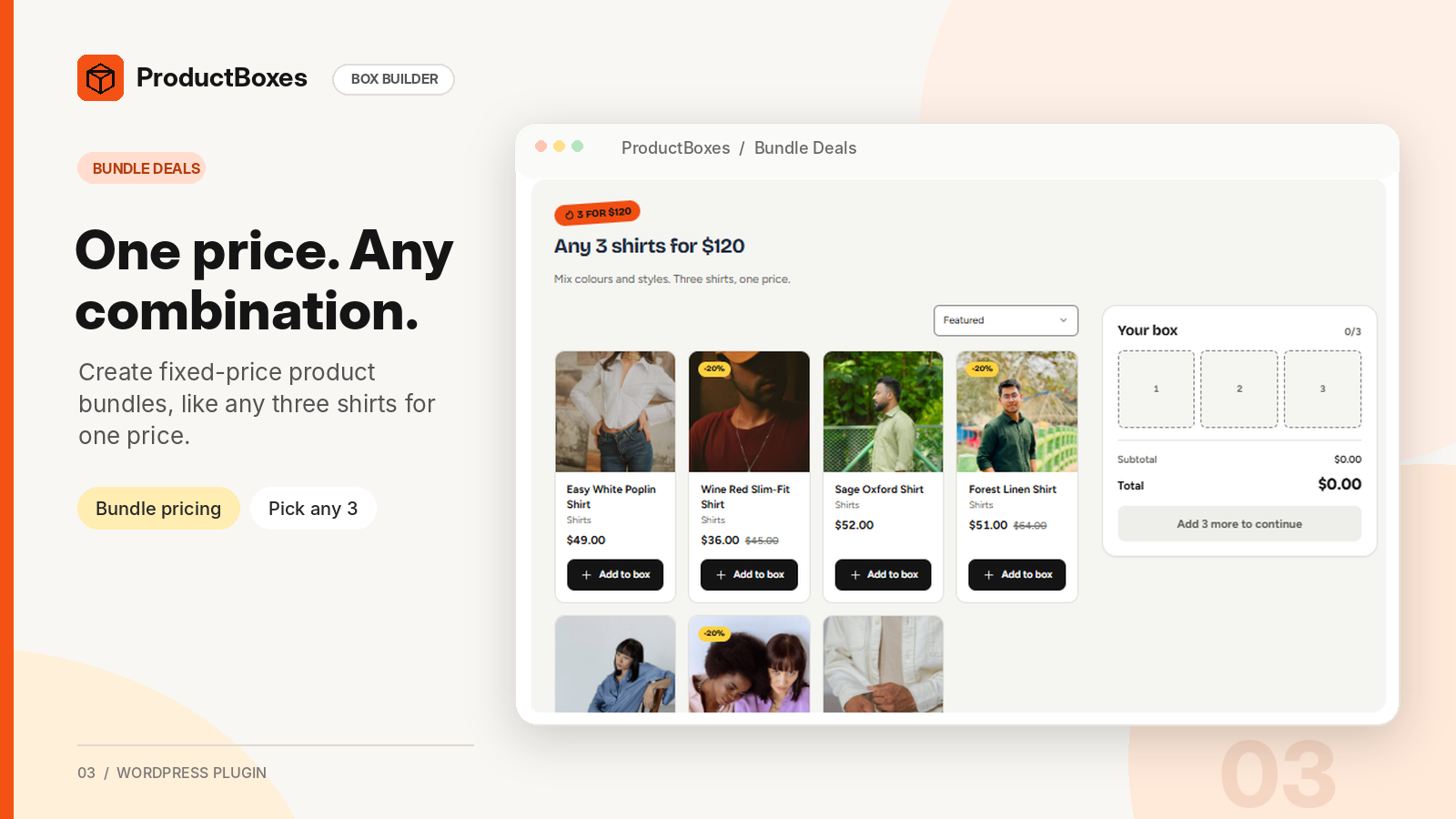
- Bundle price: Set one fixed price for an exact number of products, such as “choose any 3 for 18.”
Mix and match box builder features
- Select eligible products manually, by category, or by product tag.
- Support WooCommerce simple products and individual product variations.
- Limit how many times a product may appear in the same box.
- Add an optional gift wrap fee and customer gift message.
- Set campaign start and end dates. A countdown appears only when a real end date is set.
- Show unavailable products as sold out or hide them from selection.
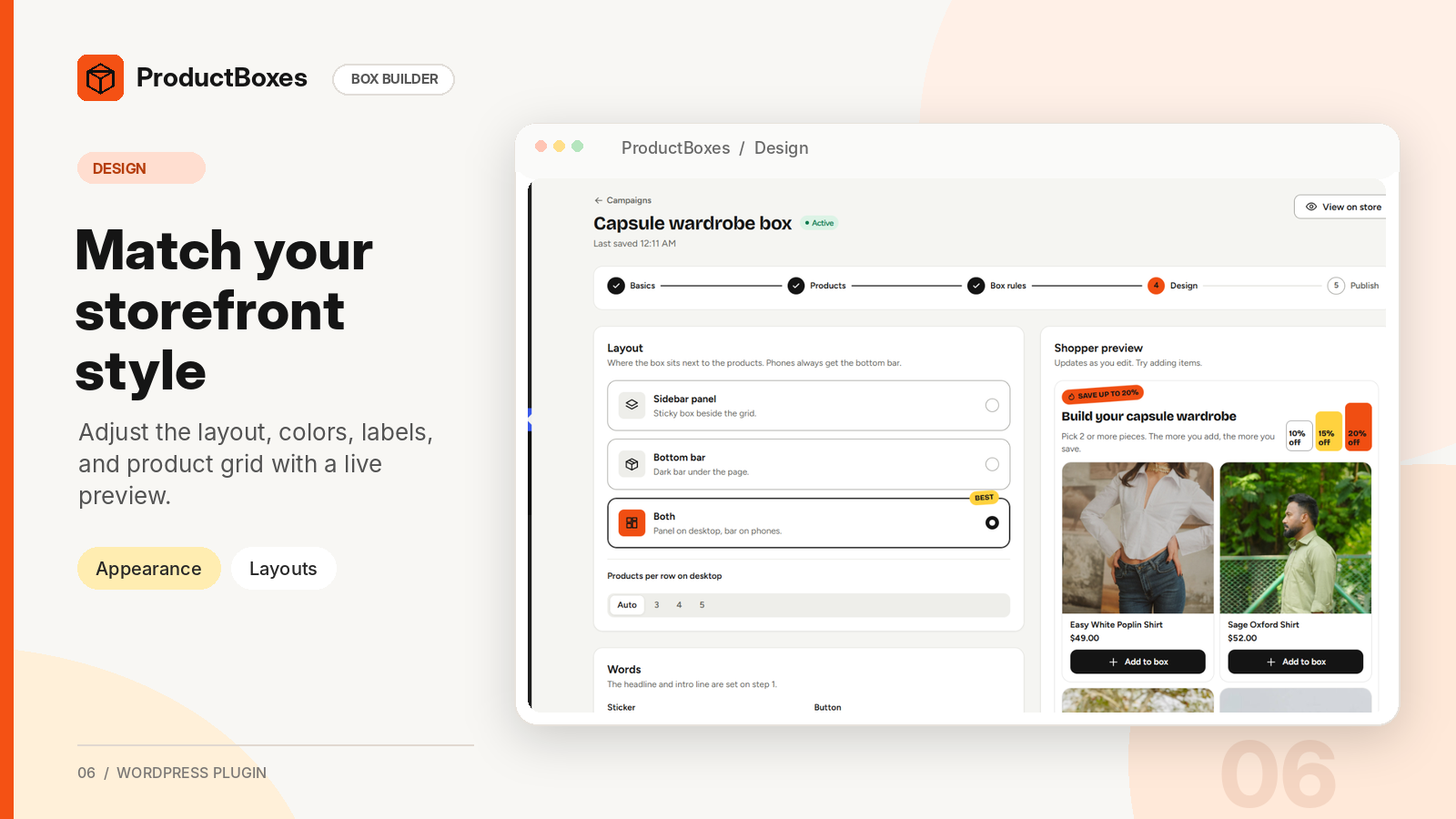
- Display a product grid with category filters, sorting, and a box panel or sticky summary bar.
- Show a mobile-friendly bottom sheet.
- Let shoppers edit their boxes from the cart.
- Support classic cart and checkout, plus WooCommerce Cart and Checkout blocks.
Manage product bundles and bundle discounts
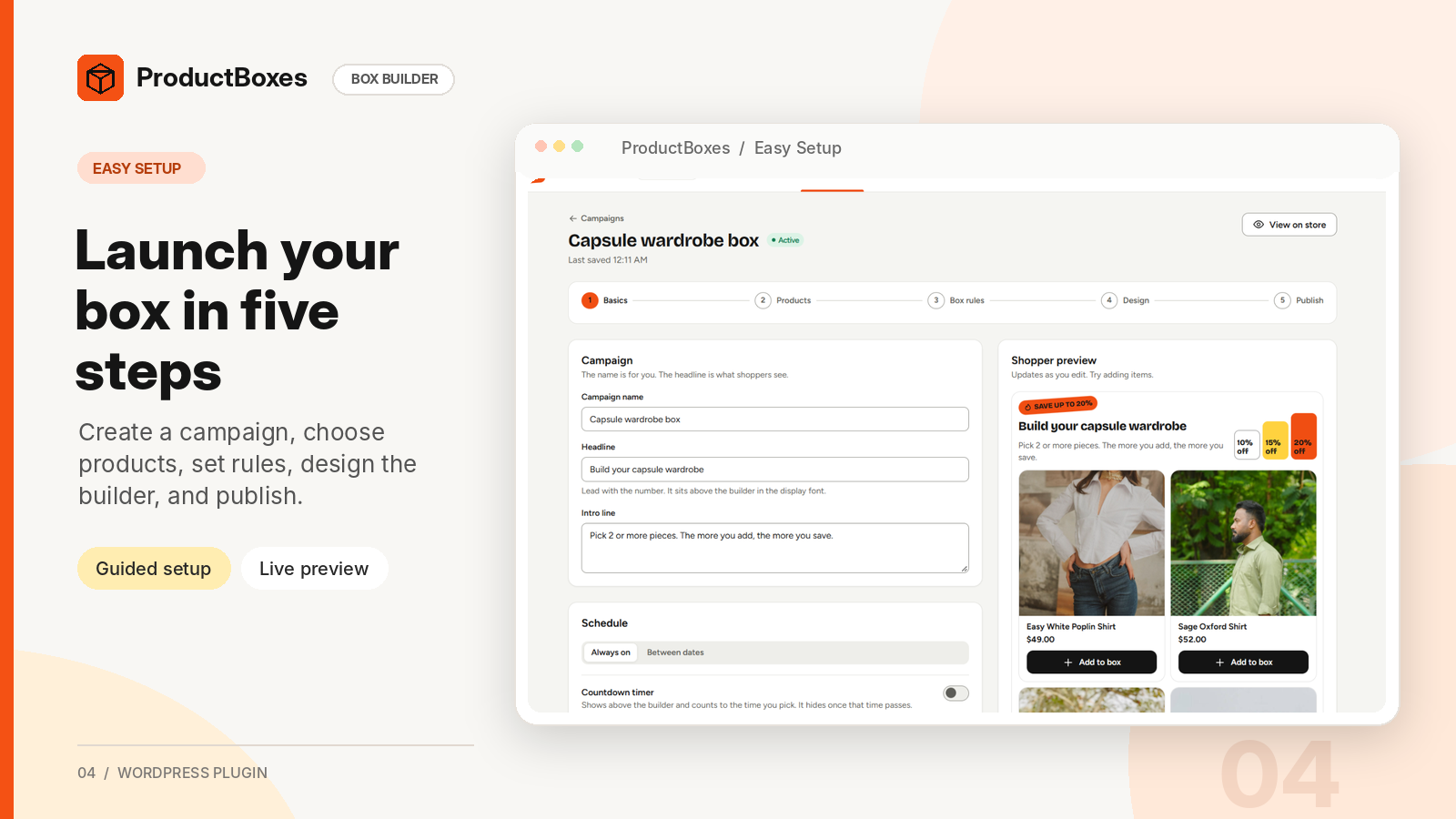
- Create campaigns using a guided editor with a live shopper preview.
- Add a box builder with a WordPress block or the
[mmbb_box id="12"]shortcode. - Customize storefront layout, labels, colors, and appearance.
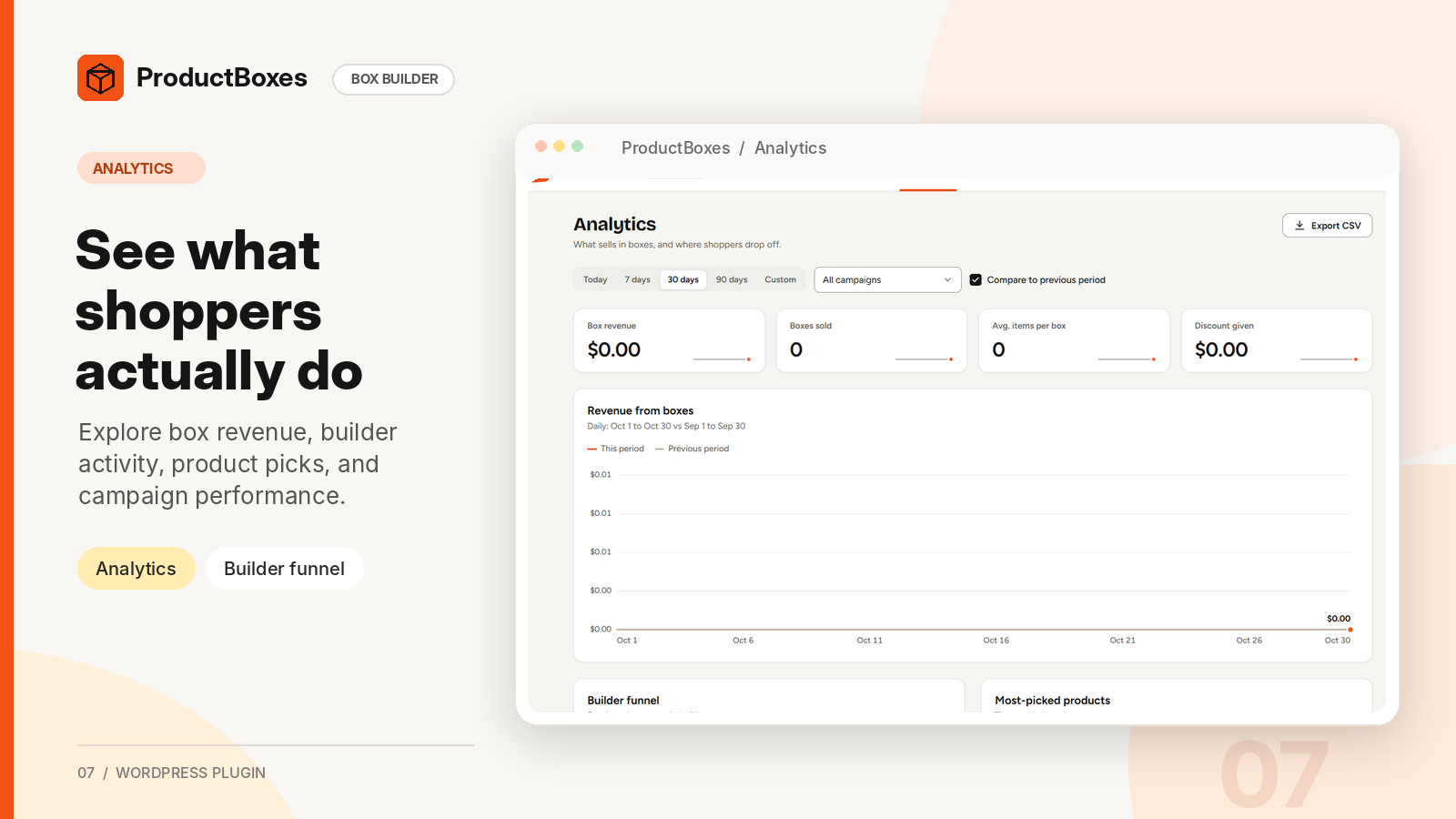
- View analytics for views, picks, conversions, revenue, discounts, and top products.
- Save box contents, discounts, and gift messages with WooCommerce orders and emails.
- Reduce stock for each item inside a purchased box when the order is paid.
- Support High-Performance Order Storage (HPOS).
- Keep optional analytics in your own WordPress database, without an external analytics service.
Watch the ProductBoxes video
Requirements
- WordPress 6.6 or later
- WooCommerce 9.0 or later
- PHP 7.4 or later
External services
The plugin does not contact external services or use a CDN, remote fonts, telemetry, license checks, or update checks. Scripts, styles, and fonts are local. The YouTube video is embedded on the WordPress.org listing, not in the installed plugin.
Privacy
Optional builder analytics are stored in this site’s database and record views, product picks, tier milestones, cart additions, and box purchases.
- A random session ID is stored in browser sessionStorage; no tracking cookie is set.
- Only a daily salted hash is stored; no IP or user agent is recorded. The changing daily salt prevents linking sessions across days.
- Settings and
mmbb_track_eventsdisable collection, including new purchases. Refund and cancellation corrections still apply. - Raw events are deleted after the retention period (90 days by default). Daily totals and order-line sales records remain for reporting and late refunds.
Gift messages are saved with WooCommerce order items. WordPress personal data tools export them and erase them when WooCommerce’s order data removal setting permits.
Source code and build
JavaScript and CSS sources are in src/, with build configuration in package.json and webpack.config.js. React and @wordpress packages are provided by WordPress and are not bundled.
Build with Node.js 20.19 or later:
npm install
npm run build
Production assets are written to build/. Composer is used only for development tools (coding standards and PHPUnit), not to run the plugin.
Public repository: https://github.com/Razibul-Hasan/productboxes-mix-and-match-box-builder
Credits
The Figtree and Bricolage Grotesque fonts are bundled locally under the SIL Open Font License 1.1. License files: assets/fonts/Figtree-OFL.txt and assets/fonts/BricolageGrotesque-OFL.txt.
Screenshots


Blocks
This plugin provides 1 block.
- ProductBoxes Box Builder Shows a box campaign: products, slots, tiers and the add-to-cart bar.
Installation
- Install and activate WooCommerce 9.0 or later.
- Go to Plugins > Add New, search for “ProductBoxes”, and install it. Or upload
productboxes-mix-and-match-box-builderto/wp-content/plugins/. - Activate ProductBoxes – Mix & Match Box Builder for WooCommerce. Each multisite site receives its own defaults.
- Open ProductBoxes in the admin menu and select Create campaign.
- Publish a campaign on a page using the Box Builder block or
[mmbb_box id="12"]shortcode.
FAQ
-
How do I create a build your own box page in WooCommerce?
-
Publish a campaign on a page with the Box Builder block or
[mmbb_box id="12"]. Shortcode options:layout(panel, bar, both),columns(3, 4, 5), andhero(true, false). -
Can customers mix and match products in the same box?
-
Yes. Shoppers can mix and match eligible simple products or variations, with optional per-product limits.
-
What product bundle and bundle discount types are supported?
-
Tiered discount, fixed box size, and fixed bundle price. Choose quantity-based discounts, selectable box sizes, or one price for an exact item count.
-
Can I sell a gift box with wrapping and a message?
-
Yes. Campaigns can offer an optional gift wrap fee and gift message. The message appears with order details and emails.
-
Can I sell a fixed-price mix and match box, such as any 3 for 18?
-
Yes. Choose the bundle price campaign, set the item count and box price, and select eligible products.
-
Does ProductBoxes work with my WooCommerce theme?
-
The builder uses scoped styles and was tested with Twenty Twenty-Five and Storefront. On mobile, it uses two columns, a sticky summary bar, and a bottom sheet.
-
Does it support WooCommerce Cart and Checkout blocks?
-
Yes. Contents, discounts, messages, next-discount hints, and the Edit box link work in classic and block carts, with details saved on orders. Locked quantities in “Box plus each item” mode are fully supported in the classic cart.
-
Does the box builder load on every page?
-
By default, scripts and styles load only where a box builder is displayed. This can be changed under “Load assets only on pages with a builder” in Settings.
-
How are mixed tax classes handled?
-
By default, a box is one cart line taxed using the hidden box product’s tax class (Standard unless changed). Choose “Box plus each item” under Cart settings when items need separate cart lines and their own tax classes.
-
Each published campaign has a hidden box product for the cart. ProductBoxes manages its name and price. Edit the campaign instead; deleting it also trashes the container product.
-
What happens if WooCommerce is inactive?
-
ProductBoxes remains inactive without breaking the site. Users with plugin activation permissions see a dismissible admin notice.
-
Does uninstalling delete campaigns or orders?
-
Data remains after deactivation or uninstall unless “Delete all plugin data” is enabled in Settings. WooCommerce orders are never deleted. Multisite installations use separate settings per site, disabled by default.
-
Does ProductBoxes contact external services or track personal data?
-
No. Optional analytics stay in your database, record no IP addresses, and can be disabled. See Privacy below.
-
Is source code available for developers?
-
Yes. See Source code and build below. Developer hooks use the
mmbb_prefix:mmbb_campaign_config_defaults(filter): default configuration for a blank campaign; sanitized again.mmbb_templates(filter): campaign-picker templates with id, title, type_label, description, art, and partial config.mmbb_pricing_quote(filter): calculated quote, campaign config, items, and options; amounts use integer minor units.mmbb_campaign_saved(action): runs after save with campaign ID and sanitized config.mmbb_ensure_container_product(filter): return a container product ID,WP_Errorto stop publishing, or null; receives current value and campaign ID.mmbb_track_events(filter): return false to disable analytics collection.
Reviews
There are no reviews for this plugin.
Contributors & Developers
“ProductBoxes – Mix & Match Box Builder for WooCommerce” is open source software. The following people have contributed to this plugin.
Contributors
Translate “ProductBoxes – Mix & Match Box Builder for WooCommerce” into your language.
Interested in development?
Browse the code, check out the SVN repository, or subscribe to the development log by RSS.
Changelog
1.0.0
- Initial release: tiered, fixed-size, and bundle-price campaigns; builder block and shortcode; classic and block cart/checkout support; order details, emails, analytics, and settings.