
Description
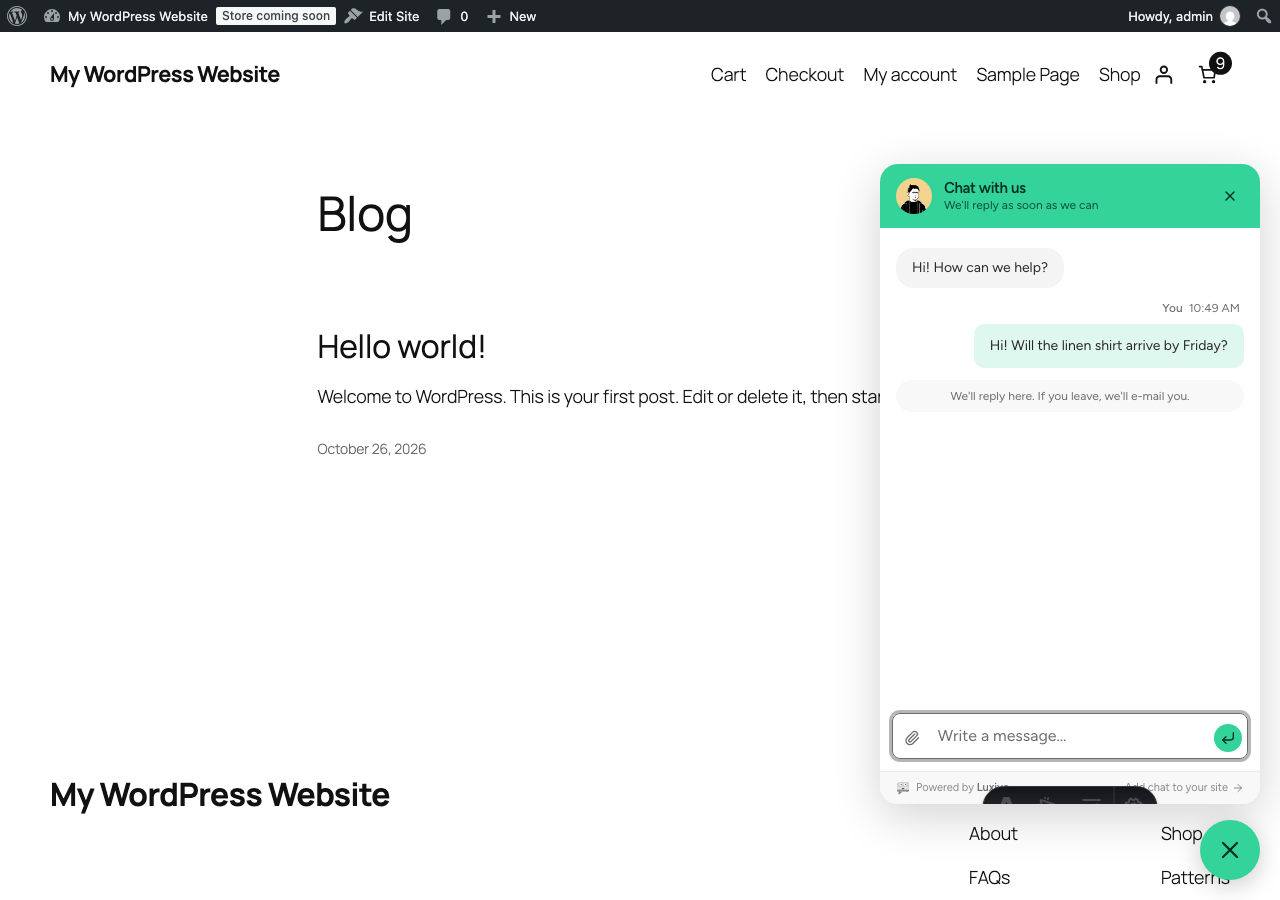
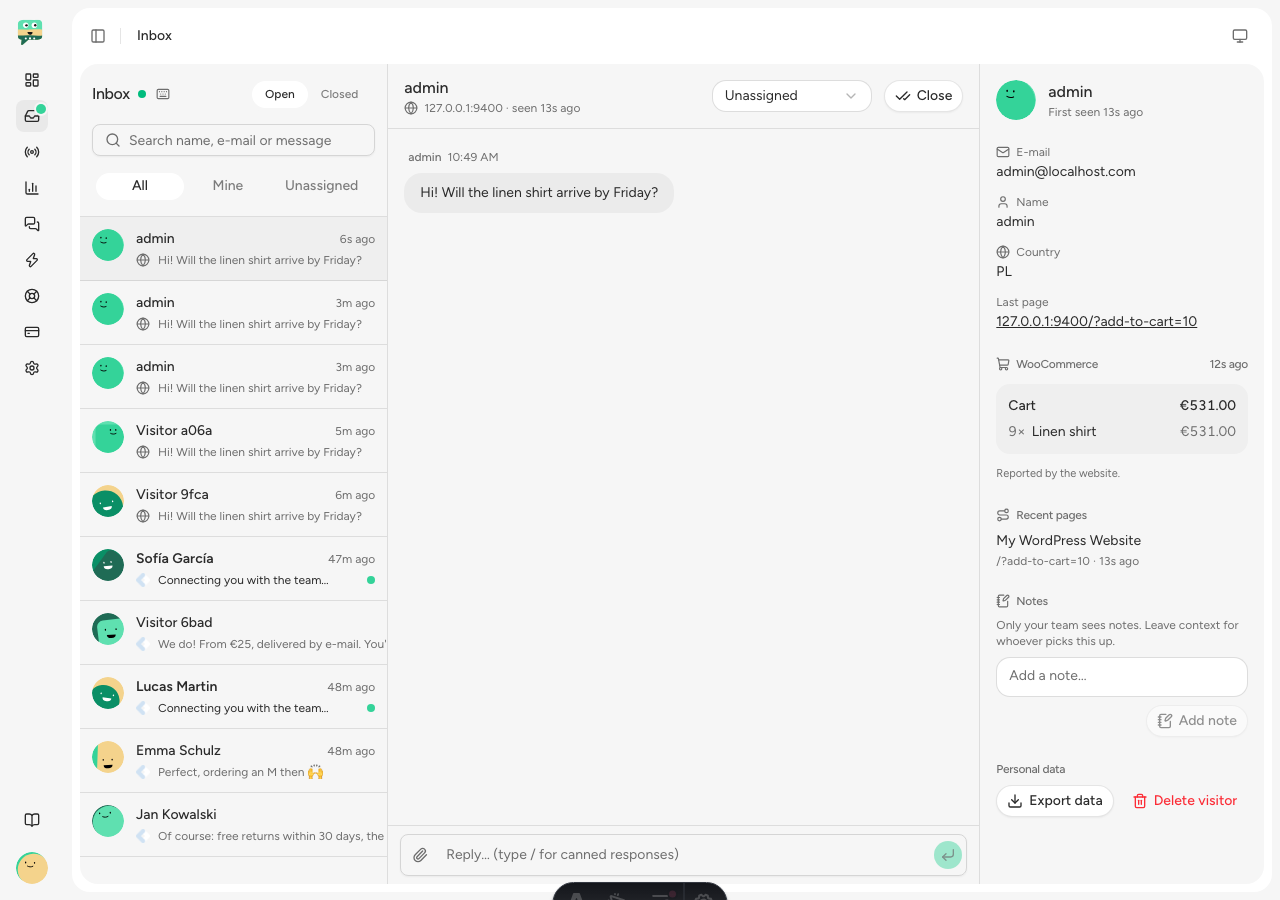
Luxivo puts a chat on every page of your site. Answer live from a shared inbox, or let the AI agent answer the easy questions from your help center. When a visitor closes the tab before you reply, your answer goes to their e-mail, and their reply comes back into the same chat.
Set up in a minute
- Install and activate the plugin.
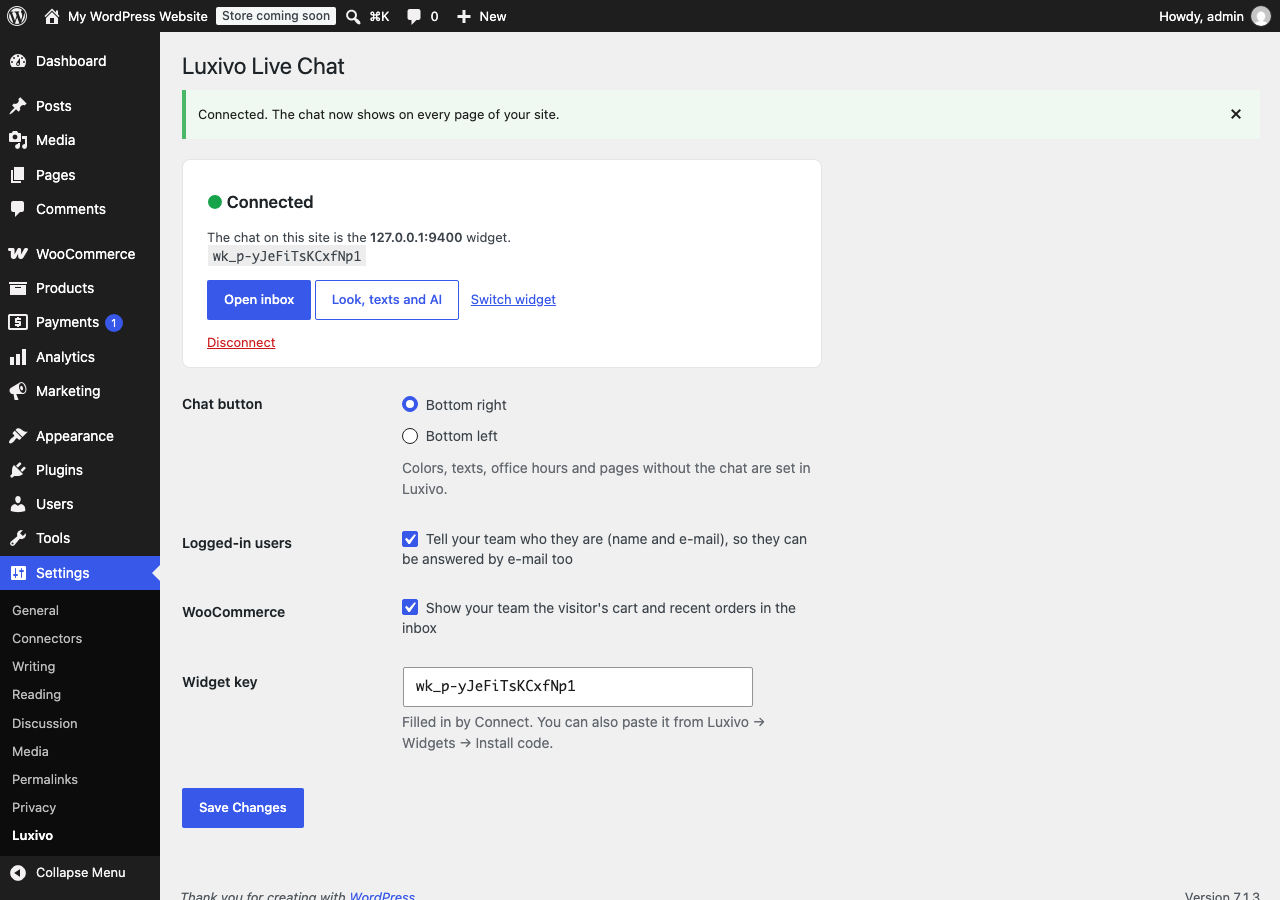
- Go to Settings Luxivo and click Connect with Luxivo.
- Sign in (or start a free trial), pick the chat for this site. Done: no code to paste.
What you get
- A chat button on every page, in your colors, light or dark to match your theme.
- Replies by e-mail when the visitor has left, back into the same conversation.
- An AI agent that answers from your help center and hands over to your team when it isn’t sure.
- Proactive messages on chosen pages (“Questions about sizes?”), with six ready-made templates.
- Live visitors: see who’s on your site and on which page, and start the chat yourself.
- Logged-in users are recognized: your team sees their name and e-mail.
- Speaks 21 languages, including Arabic and Hebrew right to left, following your site’s language (works with WPML and Polylang).
WooCommerce
With WooCommerce active, your team sees the visitor’s cart (items with photos, and the total) and, for logged-in customers, their last five orders with links to each order in your admin. It is never written into your pages, so page caches can’t mix visitors up.
Light on your site
The chat script loads asynchronously, in the footer, and the chat lives in its own iframe: it can’t slow down or restyle your theme.
External services
This plugin connects your site to Luxivo (https://luxivo.app), the live chat service it adds to your site. A Luxivo account is required (14-day free trial, then a paid plan).
- On every front-end page, visitors’ browsers load the chat from https://luxivo.app/widget.js. The chat sends the messages visitors write, the page they are on and their browser language to Luxivo, so your team can answer them.
- If “Logged-in users” is on, the name and e-mail of the logged-in WordPress user are sent to Luxivo when they use your site.
- If WooCommerce is active and its option is on, the visitor’s cart (product names, quantities, prices, and links to the products and their images) and, for logged-in customers, their last five orders (number, status, total, date and an admin link) are sent to Luxivo.
- Settings Luxivo Connect opens https://luxivo.app/app/connect in your browser. Luxivo sends back only your widget’s public key.
Luxivo Terms of Service and Privacy Policy.
Screenshots
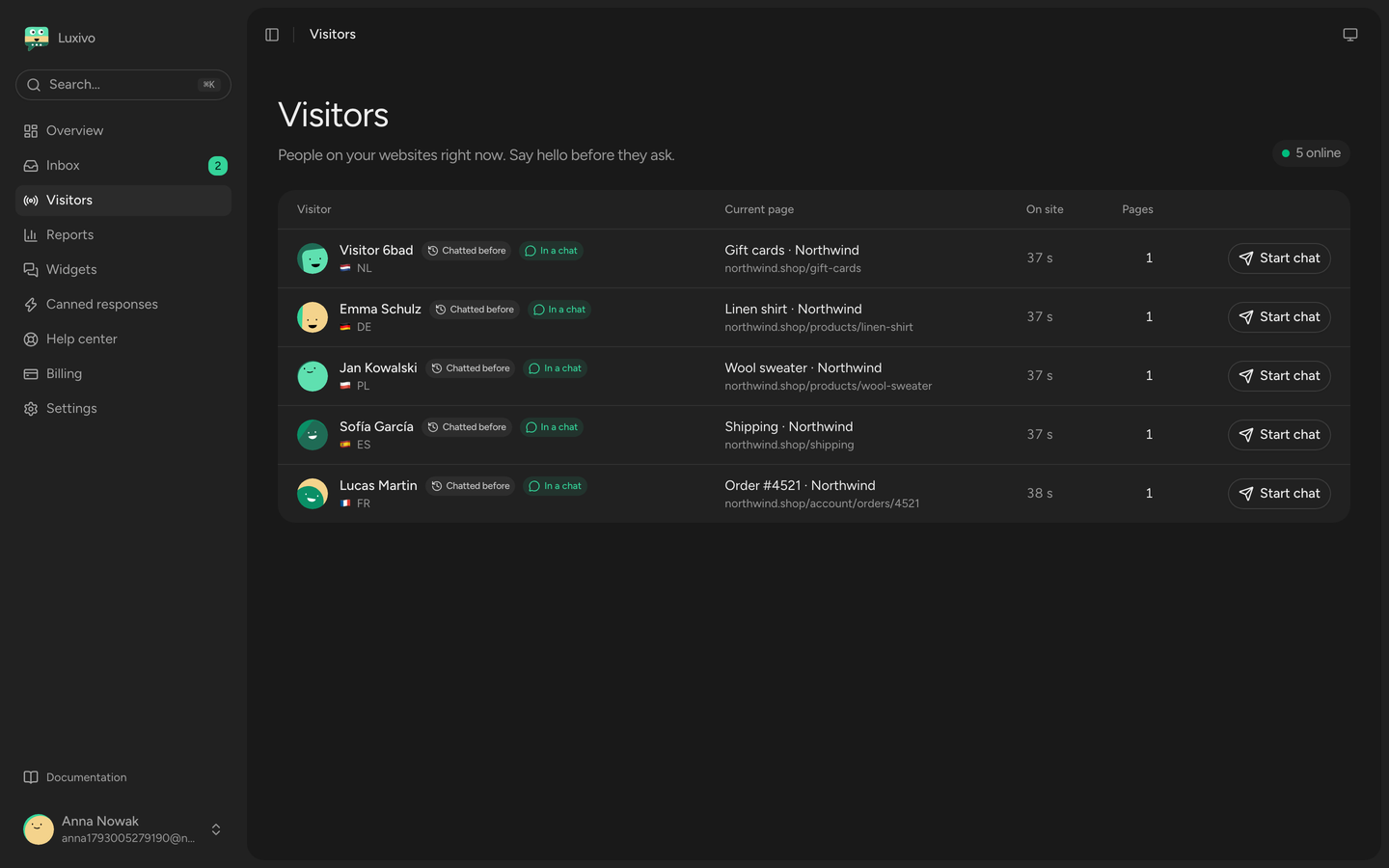
Installation
- Install from Plugins Add New (search for “Luxivo”), or upload the zip and activate it.
- Settings Luxivo Connect with Luxivo.
You can also paste a widget key from Luxivo Chat your brand Install.
FAQ
-
Do I need a Luxivo account?
-
Yes. Connect creates one if you don’t have it yet. Every account starts with a 14-day free trial, no card needed.
-
Will it slow down my site?
-
No. The script loads asynchronously in the footer and the chat runs in its own iframe.
-
Where do I change the colors, texts and office hours?
-
In your Luxivo dashboard, under Chat. Changes show up on your site on the next page load, no plugin update needed.
-
Can I hide the chat on some pages?
-
Yes: in Luxivo, Chat your brand Behavior Hide on pages (for example /checkout or /my-account/*). Developers can also use the
luxivo_enabledfilter. -
Does it work with caching plugins?
-
Yes. Nothing visitor-specific is written into your pages. The WooCommerce cart is fetched separately, uncached.
Reviews
There are no reviews for this plugin.
Contributors & Developers
“Luxivo Live Chat” is open source software. The following people have contributed to this plugin.
Contributors
Translate “Luxivo Live Chat” into your language.
Interested in development?
Browse the code, check out the SVN repository, or subscribe to the development log by RSS.
Changelog
1.0.2
- The chat now speaks 21 languages, including Arabic and Hebrew right to left. Nothing to change in the plugin: it follows your site’s language as before.
1.0.1
- Links and help text point to the Chat section of the Luxivo dashboard.
1.0.0
- First release: connect with Luxivo, chat on every page, logged-in users, WooCommerce cart and orders.