
Description
WP Task Monitor helps WordPress administrators understand what scheduled tasks are running on their website.
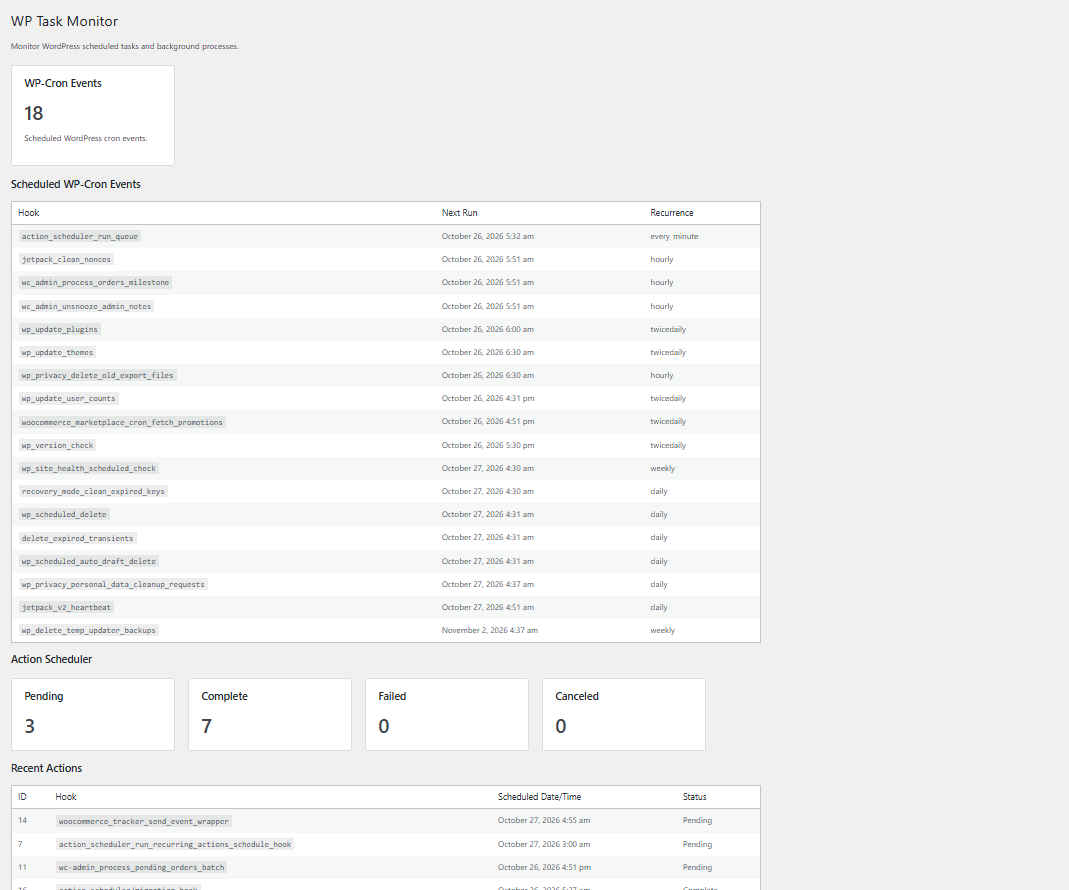
The first version provides a simple dashboard for viewing scheduled WP-Cron events.
More monitoring features will be added over time.
Features
- View scheduled WP-Cron events.
- View the next scheduled execution time.
- View event recurrence.
- Simple WordPress admin dashboard.
- Designed to work alongside WooCommerce and other plugins.
- No external service required.
Requirements
- WordPress 6.0 or later.
- PHP 7.4 or later.
Privacy
WP Task Monitor does not collect or transmit personal data to an external service.
Screenshots
Installation
- Upload the
taskbeaconfolder to the/wp-content/plugins/directory. - Activate the plugin through the WordPress Plugins screen.
- Open Task Monitor from the WordPress admin menu.
FAQ
-
Does WP Task Monitor require WooCommerce?
-
No. WP Task Monitor does not require WooCommerce.
-
Does WP Task Monitor replace WP-Cron?
-
No. WP Task Monitor monitors scheduled tasks. It does not replace WordPress’s scheduling system.
-
Does WP Task Monitor send data to an external service?
-
No. The plugin does not send website data to an external service.
Reviews
There are no reviews for this plugin.
Contributors & Developers
“TaskBeacon” is open source software. The following people have contributed to this plugin.
Contributors
Translate “TaskBeacon” into your language.
Interested in development?
Browse the code, check out the SVN repository, or subscribe to the development log by RSS.
Changelog
1.0.0
- Initial release.