
Description
Let customers see how your product could fit in their backyard.
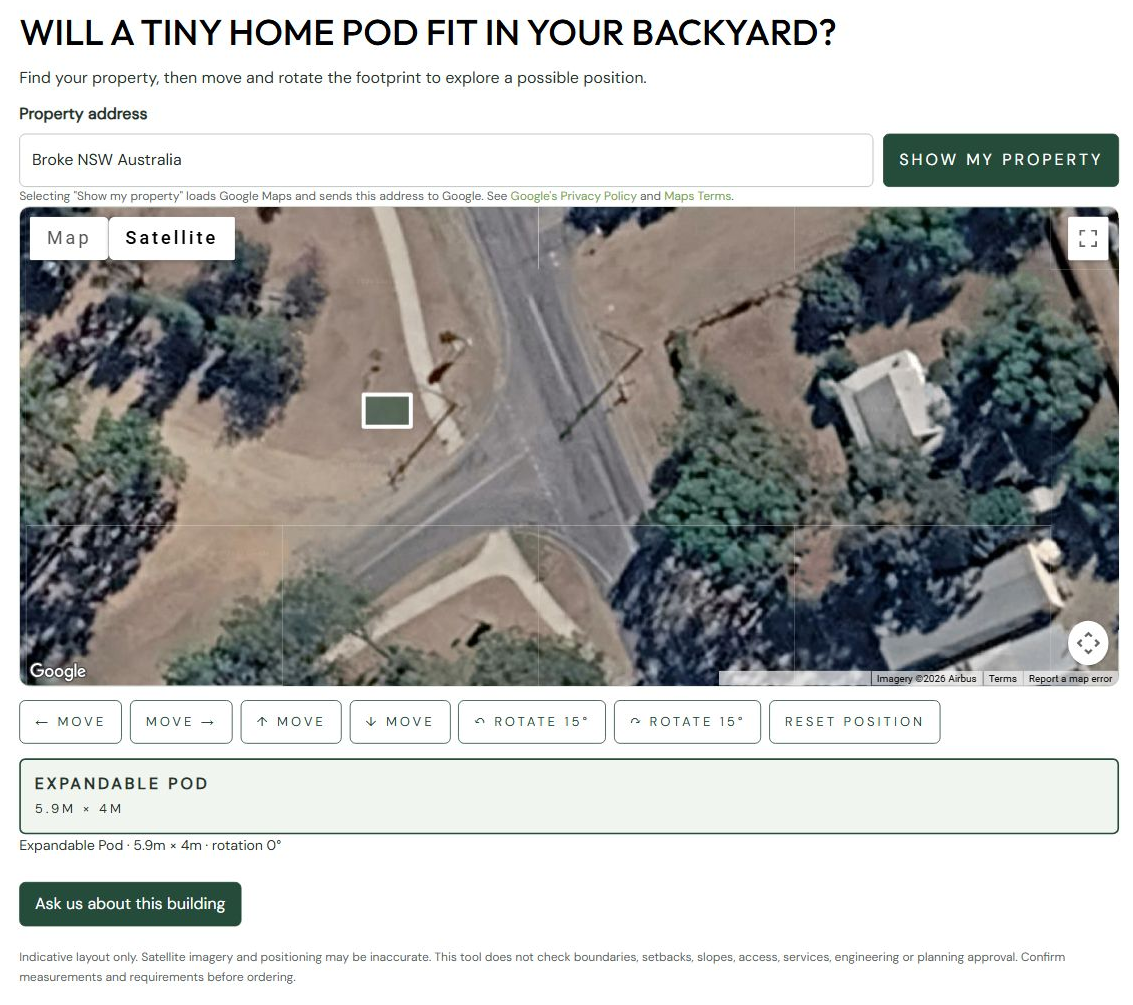
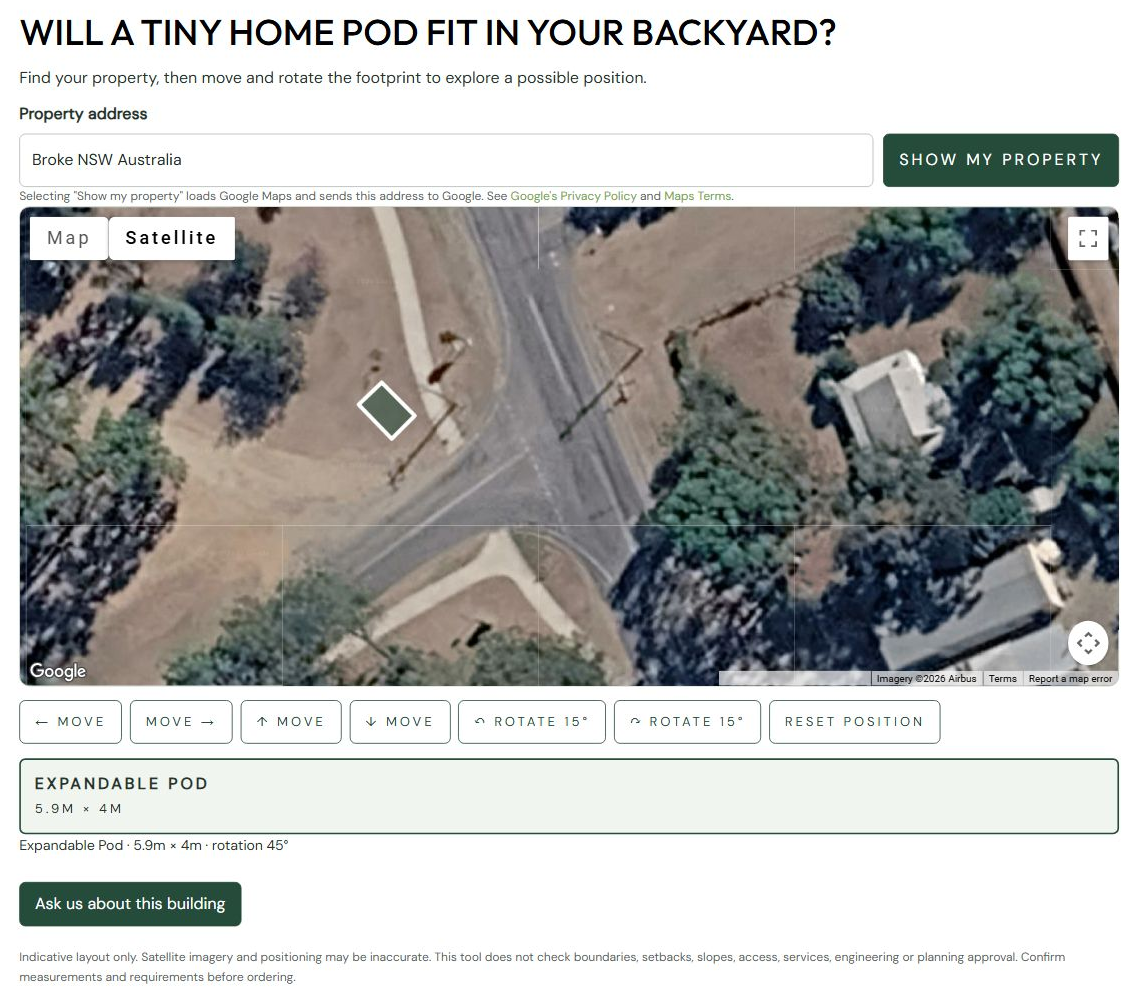
Yardluma – Backyard Layout Visualiser adds an interactive satellite-map tool to your WordPress
website. Visitors enter a property address, then move and rotate a scaled rectangular
footprint to explore where a tiny home, shed, garden studio, garage or swimming pool
could go.
Free includes:
* One rectangular model with a name, length and width you set.
* Dragging, directional movement buttons, rotation and position reset.
* Your choice of button and footprint colours, heading and introductory text.
* An enquiry button linking to your contact or enquiry page.
* A shortcode for pages, posts and Elementor Shortcode widgets.
Dimensions are entered in metres. The free version remains useful indefinitely;
no plugin licence key or Freemius account connection is required for Free features.
There are no customer-facing upgrade adverts.
The separately distributed Premium add-on supports multiple models, several buildings
in one layout, product photos, business branding, optional customer-entered dimensions,
and enquiries containing a saved layout link. Premium is not included in this download.
Upgrade information is limited to the plugin’s WordPress administration area.
Your own Google Maps API key and billing account are required. Google currently
includes 10,000 map loads and 10,000 address lookups per month at no charge under its
global pay-as-you-go pricing. These are separate allowances shared with other usage
on the same billing account. Charges apply above those allowances. Google can change
its pricing; check the current pricing linked below.
This is an early planning guide, not a 3D renderer, survey or approval assessment.
It does not check property boundaries, setbacks, council requirements or site access.
External services and costs
Google Maps loads only after a visitor selects Show my property. The visitor’s
browser connects to Google and the typed address is sent to its geocoder.
Normal connection metadata, such as IP address, is also visible to Google.
Freemius provides optional account connection for Free and required licensing for Premium.
A Google billing account is required. Under Google’s current global pay-as-you-go
pricing, 10,000 Dynamic Maps loads and 10,000 Geocoding requests per month are
included at no charge. The two allowances are counted separately and shared across
projects on the same billing account. Other applications can consume these allowances.
Charges apply above the free allowances; Google’s pricing may change.
A free plugin licence does not mean unlimited free Google Maps usage.
Browser keys are intentionally public: domain/API restrictions are essential.
No API key is included in this distribution.
Setup: https://developers.google.com/maps/documentation/javascript/get-api-key
Pricing: https://developers.google.com/maps/billing-and-pricing/pricing
Terms: https://maps.google.com/help/terms_maps/
Privacy: https://www.google.com/intl/en/policies/privacy/
Accuracy and privacy
This is an indicative layout, not a survey or approval assessment. Imagery,
address positions and dimensions must be checked. No setbacks, slopes, boundary
checks, collision checks, planning permissions or service/access checks occur.
Update your privacy notice for your business and its configured services.
Google’s attribution remains on the map; do not hide it with theme styles.
Data and deactivation
Settings are stored in yardluma_settings. Deactivation does not delete settings.
No visitor accounts or PHP sessions are required. Freemius stores connected account and licensing data. Remove retained settings manually if desired.
Assets are enqueued only when the shortcode renders; the map is never loaded
just because someone views a page without interacting with it.
Comparing editions
Use [yardluma_visualiser edition=”free”] to show only Free features
while the Premium add-on remains active. The normal shortcode uses Premium
when the add-on is active. This does not change page visibility: use WordPress
Private or Draft status to restrict development previews.
Freemius licensing and updates
The plugin includes the official Freemius WordPress SDK. Free features do not
require a licence key; the free account connection may be skipped. Premium
requires a licence. Connected account/licensing requests can include the admin’s
name/email, website URL, plugin version and WordPress/PHP versions. Optional
usage/diagnostic permissions are managed through Freemius consent controls.
Customer property addresses, enquiry messages and saved layouts are not included
in our Freemius integration. The plugin contains only product public keys;
no seller secret key, customer licence key or Google Maps key is bundled.
Privacy: https://freemius.com/privacy/
Terms: https://freemius.com/terms/
Upgrading from Backyard Layout Visualiser
Deactivate the old base and Premium add-on before installing the renamed base.
Do not delete their settings. Activate Yardluma, then Yardluma Premium 0.3.0 or later.
Existing settings are copied once and the old [backyard_layout_visualiser] shortcode
continues to work. New pages can use [yardluma_visualiser]. Existing private layout
links remain valid for their original retention period when Premium is licensed.
Original option records are retained for rollback.
Screenshots
Installation
- Install the plugin using Plugins > Add New, or upload its ZIP.
- Activate Yardluma – Backyard Layout Visualiser.
- Open Settings > Yardluma.
- Set your model dimensions, appearance and enquiry page URL. Dimensions are the full footprint in metres, including any expanded sections.
- Supply your OWN Google Maps browser key. Enable Maps JavaScript API and Geocoding API, enable Google billing, and restrict the key by website/API.
- Review the Google service/privacy information and enable the map setting.
- Add [yardluma_visualiser] to a page or Elementor Shortcode widget.
Reviews
There are no reviews for this plugin.
Contributors & Developers
“Yardluma – Backyard Layout Visualiser” is open source software. The following people have contributed to this plugin.
Contributors
Translate “Yardluma – Backyard Layout Visualiser” into your language.
Interested in development?
Browse the code, check out the SVN repository, or subscribe to the development log by RSS.
Changelog
0.3.0
- Renamed to Yardluma with a distinctive plugin slug.
- Added unique Yardluma prefixes to declarations, settings, hooks and assets.
- Preserved existing settings, shortcode embeds and private saved layout links.
0.2.2
- Prepared the Free package for WordPress.org review.
- Moved Premium map controls into the separately distributed add-on.
- Escaped numeric input attributes and updated setup documentation.
0.2.1
- Added Freemius account, Premium activation and update integration.
- Free remains usable without a licence; Premium settings survive expiry.