

Description
Layout Foundry Gang Sheets adds a gang sheet builder to the WooCommerce products you choose. It is for shops that print DTF transfers, UV DTF or stickers and charge by the length of film.
The shopper adds PNG or JPG designs, sets the width and number of copies for each one, and checks the layout. The builder packs the designs across your film width in an efficient layout, shows the length, the film left without ink and every position as text beside the preview, and makes a print-ready file. When the shopper approves the sheet, the file is saved on your own server and the basket quantity is set from the sheet length.
What the plugin does
- Builds the sheet in the shopper’s browser. Designs are read, packed and turned into a print file on the shopper’s device.
- Saves the approved print file and a small preview in
wp-content/uploads/layout-foundry/on your server, with random file names. The folder cannot be listed. - Works out the quantity on your server from the length of the print file, the minimum length and your pricing unit. Shoppers cannot change it in the basket.
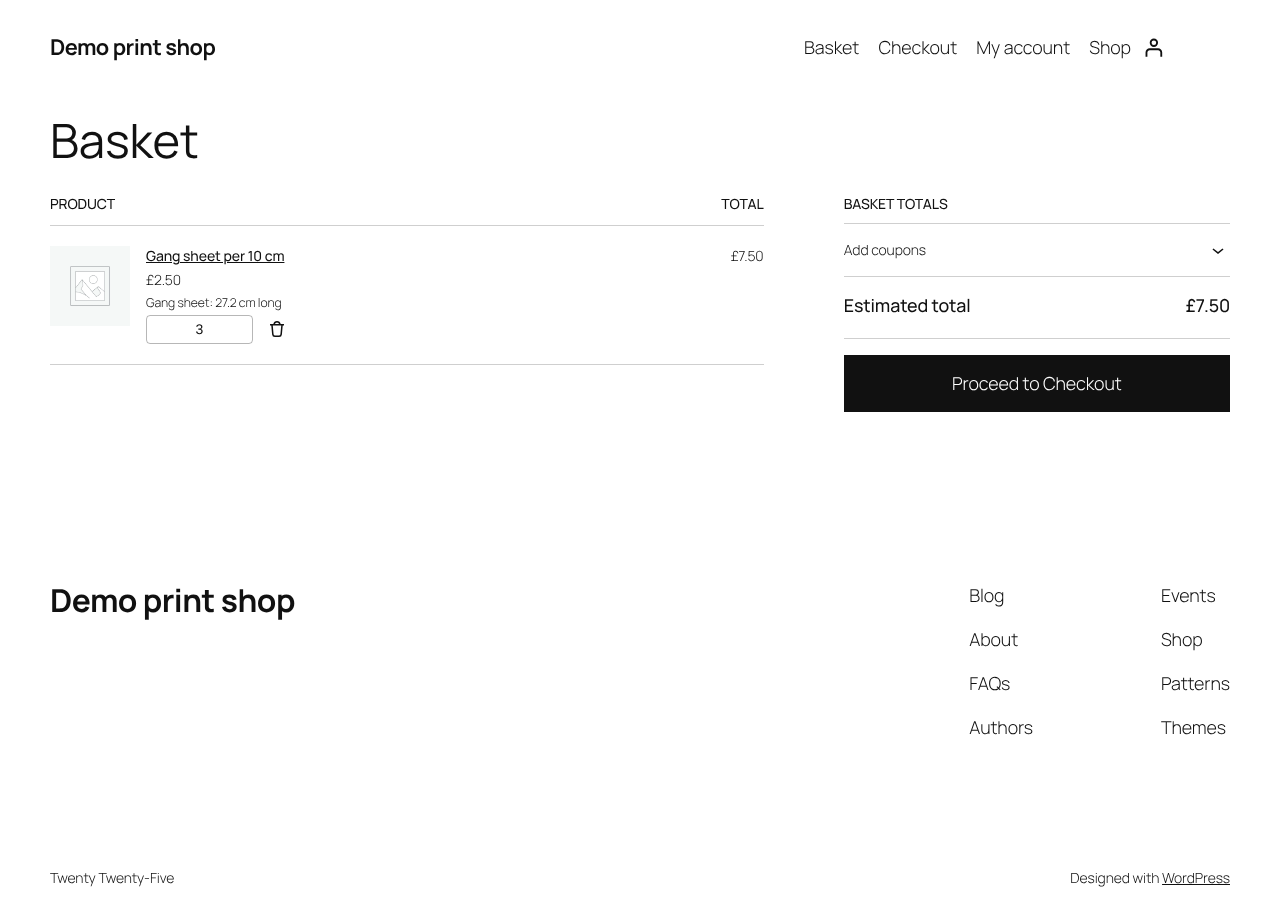
- Shows the sheet length in the basket, checkout, order emails and the customer’s account.
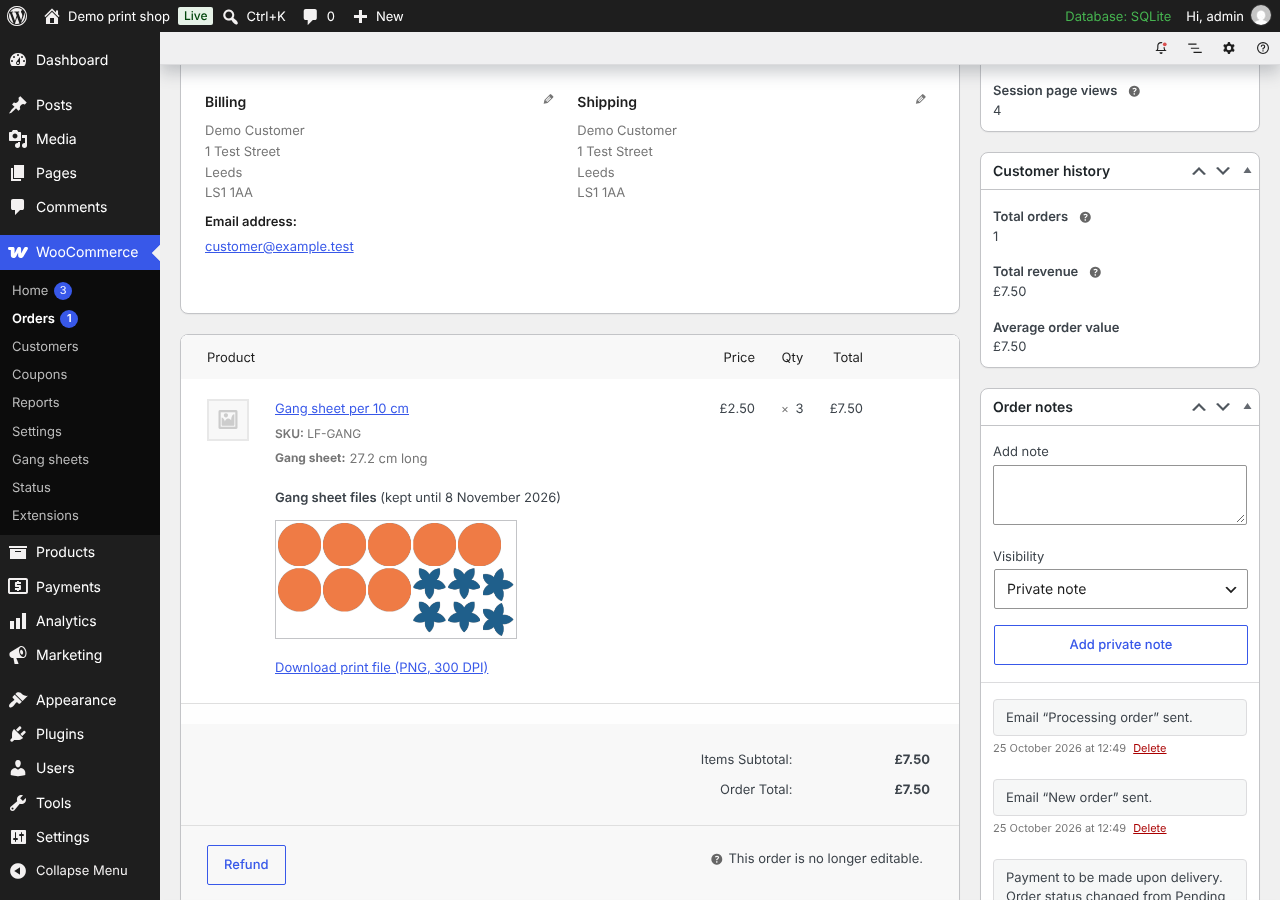
- Shows the preview and the download links on the order screen, to shop managers only.
- Deletes every print file 14 days after it was saved, with a daily WP-Cron task.
- Warns about low-resolution designs, designs with no transparency and designs wider than the film. Warnings never stop an order.
- Sticker sheets: give a product a cut line margin and each design gets a cut line that far outside its outline. A PDF holds the cut lines in the CutContour spot colour. With PNG print files, an SVG file of the cut lines is saved beside the print file and listed on the order screen.
- Finished sheet uploads: let shoppers upload a gang sheet they made themselves, beside the builder or instead of it. The sheet is one PNG with its DPI saved; the plugin reads its length from the file and prices it per pricing unit, as a built sheet of that length.
Settings
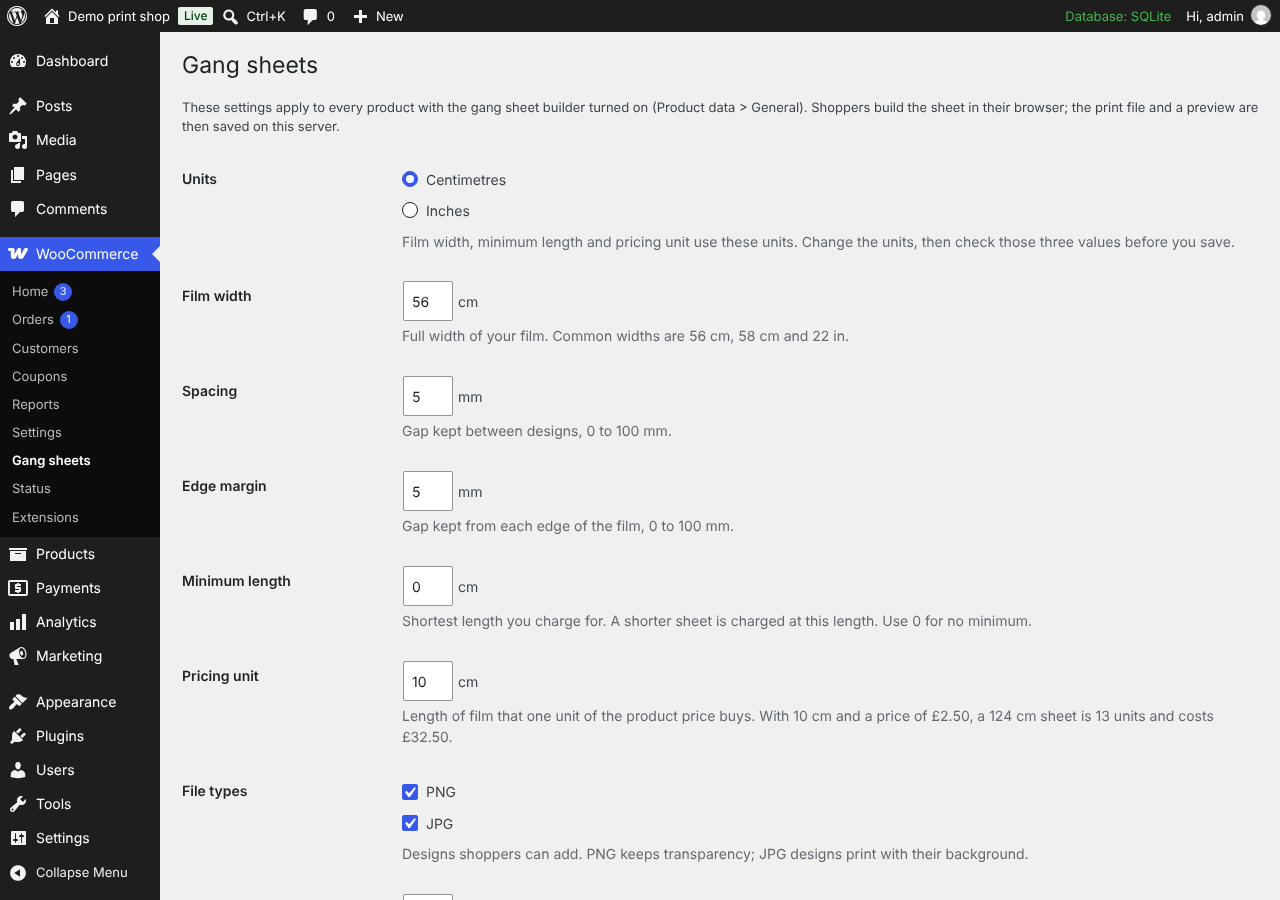
WooCommerce > Gang sheets:
- Units: centimetres or inches.
- Film width, spacing between designs and edge margin.
- Minimum length and pricing unit (for example, a price per 10 cm).
- File types shoppers can add: PNG, JPG or both.
- Low resolution warning in DPI.
- Print file: PNG at 300 DPI, split into panels on very long sheets, or PDF.
- Storage limit, so saved files cannot fill your server disk.
Turn the builder on for a simple product under Product data > General > Gang sheet builder. Set the product price to the price of one pricing unit. For stickers, set Cut line margin (mm) on the same tab, from 0 to 5 mm. Leave it blank for gang sheets without cut lines.
Privacy
- The plugin makes no requests to Layout Foundry or any other outside service. It sets no cookies and adds no tracking.
- Designs stay on the shopper’s device until they approve the sheet. Only the finished print file and its preview are sent, and only to your own site.
- A shopper can save an unfinished sheet as a draft. The draft stays in their browser on that device and never reaches your site. They can delete it from the builder, and it is deleted automatically after 30 days.
- The daily task deletes the files after 14 days. Deleting the plugin removes its settings and every saved file.
The plugin adds suggested text to Settings > Privacy that you can copy into your privacy policy.
Free
Every feature on this page is free and has no usage limit.
Source code
The builder is written in TypeScript. The files in assets/embed/ are built from the TypeScript in the source/ folder of this plugin with esbuild. The build steps are in source/BUILD.md.
The PDF print file uses pdf-lib 1.17.1 (MIT licence), source at https://github.com/Hopding/pdf-lib.
Screenshots


Installation
- Install and activate WooCommerce 8.5 or later.
- Install Layout Foundry Gang Sheets from Plugins > Add New, or upload the plugin folder to
wp-content/plugins/, then activate it. - Open WooCommerce > Gang sheets and set your film width, spacing, minimum length and pricing unit.
- Edit a simple product, tick Product data > General > Gang sheet builder, and set the price of one pricing unit.
- Open the product page and build a test sheet.
FAQ
-
Where are the print files?
-
In
wp-content/uploads/layout-foundry/on your server. Open the order in WooCommerce > Orders to see the preview and download the files. The links work only for users who can manage WooCommerce. -
How long are files kept?
-
14 days from the moment the shopper approves the sheet. Download the files you need before then. A sheet that is still in a basket after 14 days is removed from that basket with a notice.
-
Why does a large sheet fail to save?
-
A long PNG sheet at 300 DPI can be tens of megabytes. Your server’s upload limits (
upload_max_filesizeandpost_max_sizein PHP) must be larger than the print file. Your host can raise them. The PDF print file is usually smaller. -
Does it work with a CDN or a script optimisation plugin?
-
The builder starts a background worker from the file beside its script, and browsers only allow that from your own domain. If a CDN or optimisation plugin moves scripts to another domain, exclude
wp-content/plugins/layout-foundry-gang-sheets/assets/embed/from it. -
Which products can use the builder?
-
Simple products. The price you set is the price of one pricing unit, and the quantity is the number of pricing units in the sheet.
-
Can shoppers upload a finished gang sheet?
-
Yes, product by product. In Product data > General, with “Gang sheet builder” ticked, set “Customers can” to “Build a sheet or upload a finished one” or “Upload a finished sheet only”. The default is “Build a sheet”. A finished sheet is one PNG made at its print size, with its DPI saved in the file, no wider than your film (2 mm is allowed for rounding). The shopper’s browser reads its size and shows the length, the rounding and the quantity they pay for before they approve it; your server reads the length from the file again and sets the quantity, as for a built sheet. A file with no DPI saved is refused, because its length cannot be read. The file is stored, listed on the order screen and deleted after 14 days like any other sheet. Sticker products build only: their sheets need the builder’s cut lines.
-
Is the layout the shortest possible?
-
The builder tries a rectangle layout and a shape-aware layout and keeps the shorter one. It is an efficient layout; it is not proven to be the shortest possible.
Reviews
There are no reviews for this plugin.
Contributors & Developers
“Layout Foundry Gang Sheets” is open source software. The following people have contributed to this plugin.
Contributors
Translate “Layout Foundry Gang Sheets” into your language.
Interested in development?
Browse the code, check out the SVN repository, or subscribe to the development log by RSS.
Changelog
0.1.0
- First release: product page builder, print files stored on your server, 14-day deletion, basket quantity from sheet length, order file links for shop managers, and the settings page.