

Description
Let visitors start a WhatsApp chat with your business in one tap. The button is free, works entirely on your site and needs no account.
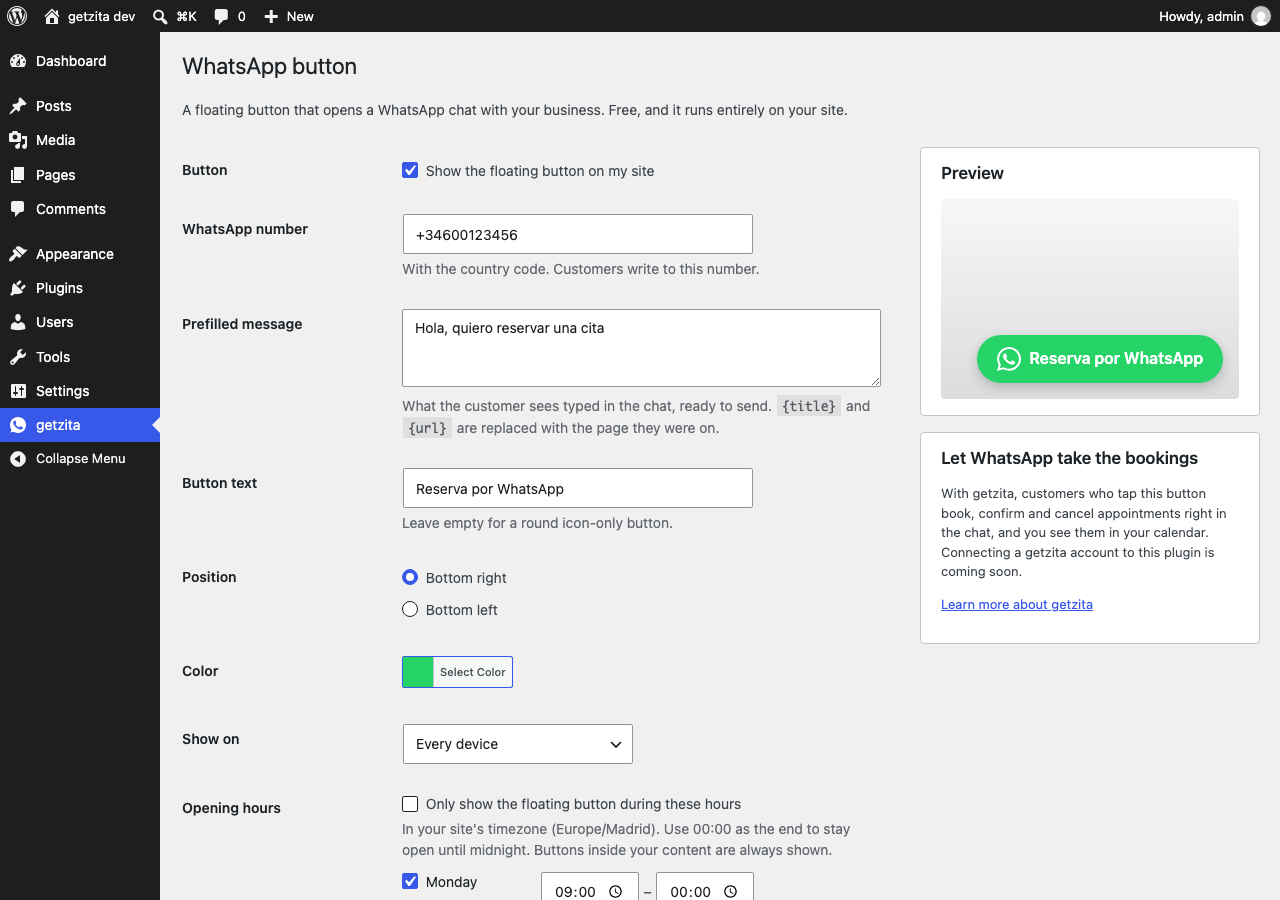
Floating button
- Your WhatsApp number and a prefilled message, ready to send.
{title}and{url}in the message are replaced with the page the visitor is on, so you know what they were looking at.- Bottom right or bottom left, round icon or a button with text, in your brand color.
- Show it on every device, only on phones, or only on computers.
- Opening hours: show the button only while you are available, on your site’s timezone. Use 00:00 as the closing time to stay open until midnight.
Inside your content
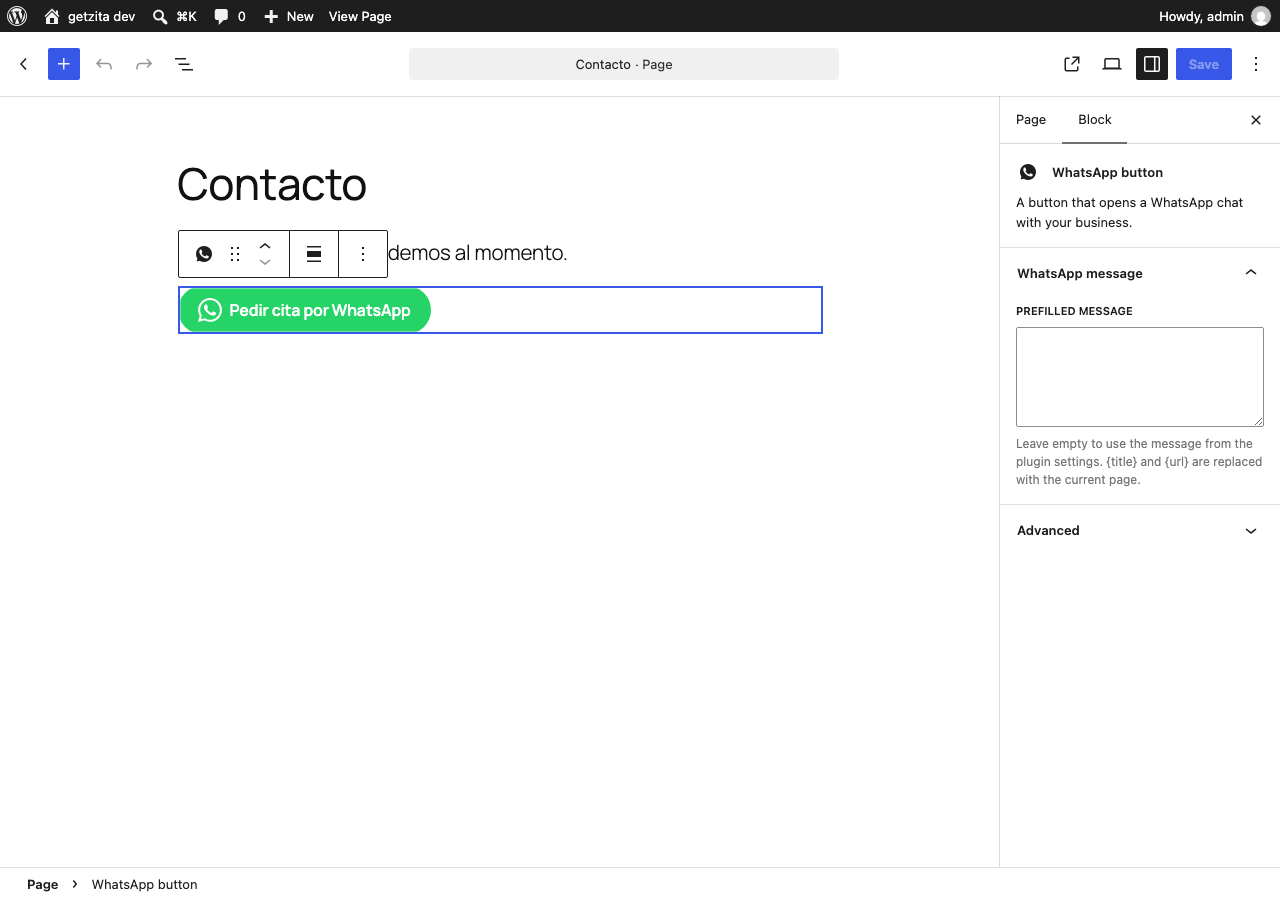
- A “WhatsApp button” block for the block editor.
- The
[getzita_whatsapp]shortcode for classic themes and page builders:
[getzita_whatsapp label=”Book on WhatsApp” message=”Hi! I’d like an appointment”]
Optionalphone="+34600123456"sends that button to another number.
Bookings in the chat, with getzita (optional)
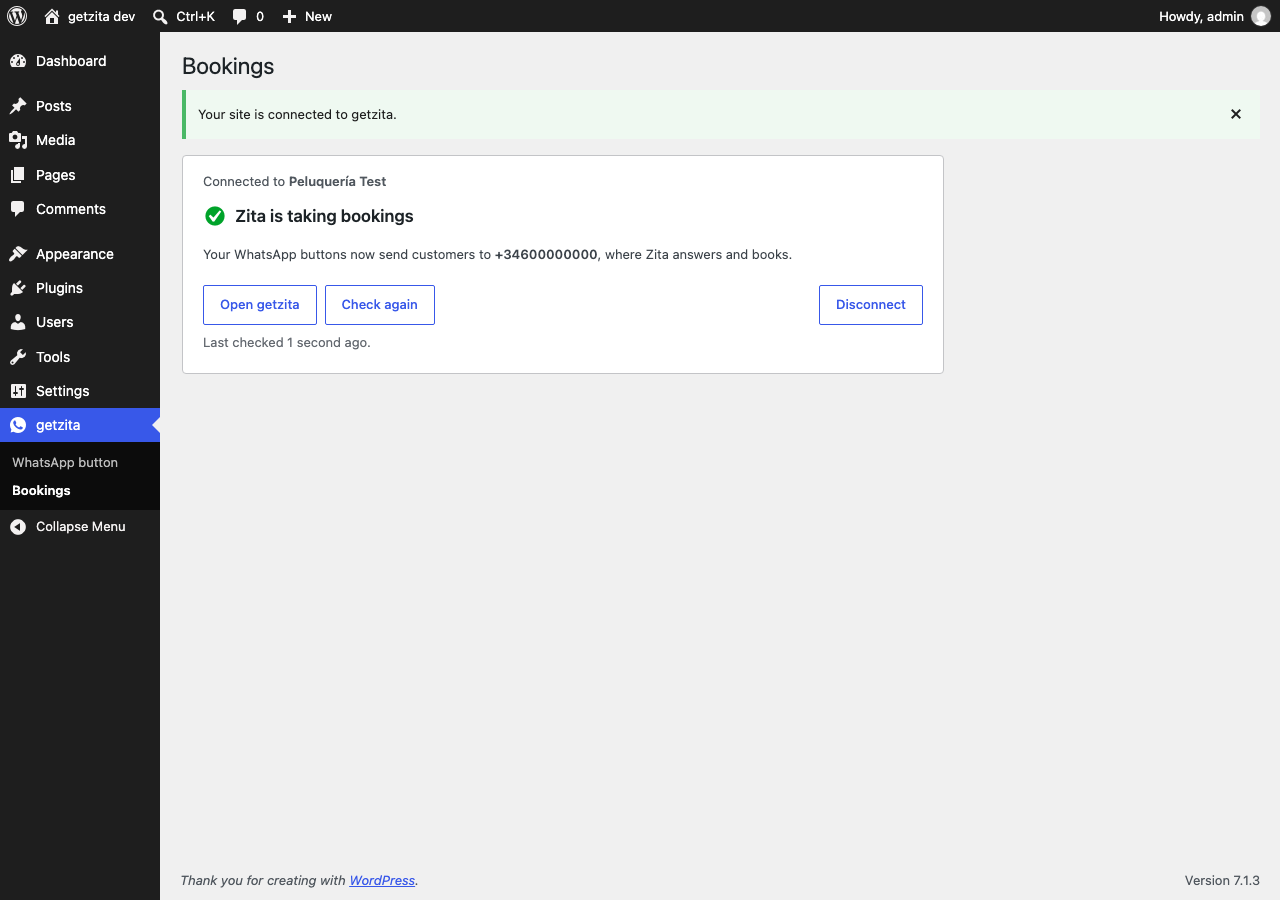
getzita is a booking assistant for salons, barbershops, clinics and other service businesses. Connect your getzita account from getzita Bookings and the customers who tap your button are answered by Zita: they pick a service, a day and a time, and confirm or cancel, all inside WhatsApp. Appointments land in your getzita calendar.
- One click to connect: you sign in to getzita (or create an account) and approve the site.
- The Bookings screen shows what is left to set up, with a link to each step.
- While Zita is active your buttons use your getzita WhatsApp number; if it stops for any reason they go back to your own number, so no customer writes to a number nobody answers.
- getzita is a paid service with a 14-day free trial. The button, the block and the shortcode stay free and work without an account.
Private by design
The button is a plain link to WhatsApp (wa.me). The plugin loads nothing from other servers on your visitors’ pages, sets no cookies and collects no data about your visitors. Without a getzita connection it never contacts any server. See “External services” below for what the optional connection sends.
External services
This plugin can connect to getzita (https://www.getzita.app), a booking service run by getzita, to let customers book appointments through WhatsApp. The connection is optional and off until a site administrator clicks “Turn on bookings” on the plugin’s Bookings screen. Without it the plugin contacts no external service.
What is sent, and when:
- When you click “Turn on bookings”, your browser opens getzita’s consent page with this site’s address (
home_url), the address getzita sends you back to, and two one-time security values (an OAuth state and a PKCE challenge). Nothing is sent if you do not click. - When you approve, your site’s server sends getzita the one-time code from that page, the PKCE verifier and the return address, and receives an access token stored in your WordPress database.
- When an administrator opens the Bookings screen, and once a day while connected, your site’s server sends that token to getzita and receives your business name, your WhatsApp number, whether the booking assistant is active and what setup step is left. Nothing about your visitors is sent.
- When you click “Disconnect” or delete the plugin, your site’s server sends the token to getzita so it is revoked.
Your visitors’ browsers never contact getzita through this plugin. When a visitor taps a button, WhatsApp opens; the conversation then happens between the visitor, WhatsApp and, if connected, your getzita booking assistant.
getzita terms of service: https://www.getzita.app/legal/terms
getzita privacy policy: https://www.getzita.app/legal/privacy
Screenshots

Blocks
This plugin provides 1 block.
- WhatsApp button A button that opens a WhatsApp chat with your business.
Installation
- Install the plugin from Plugins Add New, or upload the
getzita-chat-bookingfolder to/wp-content/plugins/. - Activate it.
- Go to getzita WhatsApp button, enter your number with its country code and tick “Show the floating button on my site”.
- Optional: go to getzita Bookings and click “Turn on bookings” to let the chat book appointments.
FAQ
-
Do I need a getzita account?
-
No. The button, the block and the shortcode are free and work without an account. An account is only needed if you want the chat to book appointments for you.
-
While your getzita booking assistant is active, the buttons use the WhatsApp number connected in getzita, where the assistant answers. If the assistant stops (no plan, number disconnected, paused), the buttons go back to the number in the WhatsApp button settings by themselves. A button with its own
phonein the shortcode always keeps that number. -
How do I disconnect getzita?
-
From getzita Bookings Disconnect in WordPress, or from the Zita page in your getzita dashboard. Deleting the plugin disconnects it too.
-
Which number format should I use?
-
The full international number with its country code, for example +34 600 123 456. Spaces, dashes and a leading + or 00 are fine.
-
Does it work with WhatsApp Business?
-
Yes. The button opens a chat with whatever number you enter, on WhatsApp or WhatsApp Business.
-
That is the “Only show the floating button during these hours” option. The hours follow the timezone in Settings General. Buttons placed inside your content with the block or the shortcode are always shown.
-
Does it slow down my site?
-
No. It adds one small stylesheet, and a tiny script only when opening hours are switched on. There are no external requests.
-
Is it GDPR friendly?
-
The plugin itself stores no visitor data and loads nothing from third parties. When a visitor taps the button, WhatsApp opens and WhatsApp’s own terms apply from then on.
Reviews
There are no reviews for this plugin.
Contributors & Developers
“getzita – Chat Button & Bookings” is open source software. The following people have contributed to this plugin.
Contributors
Translate “getzita – Chat Button & Bookings” into your language.
Interested in development?
Browse the code, check out the SVN repository, or subscribe to the development log by RSS.
Changelog
0.2.0
- Bookings: connect a getzita account so the WhatsApp chat books appointments.
- New Bookings screen with the setup steps left and a link to each.
- While the booking assistant is active, buttons use the getzita WhatsApp number, and fall back to your own number otherwise.
- Administrators now see a hint where a button has no number yet, instead of nothing.
0.1.0
- First release: floating WhatsApp button with opening hours, block and shortcode.