

Description
ATH Vouchers for Courier Center connects your WooCommerce store to your Courier Center account. You create the voucher from the order, print the label and hand the parcel over, without typing the address again in the courier’s own program.
What it does
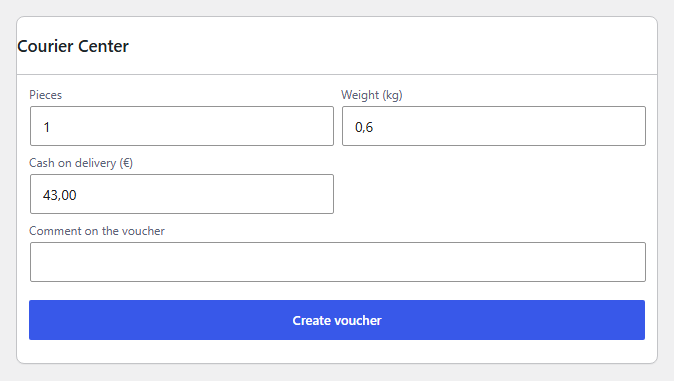
- A voucher box on every order: create the voucher, print the label, cancel it, or add a second parcel.
- A column in the orders list that shows the voucher number, with a one-click “Create voucher” button.
- Bulk actions in the orders list: create vouchers for many orders and print all their labels together.
- Cash on delivery is filled in from the order’s payment method.
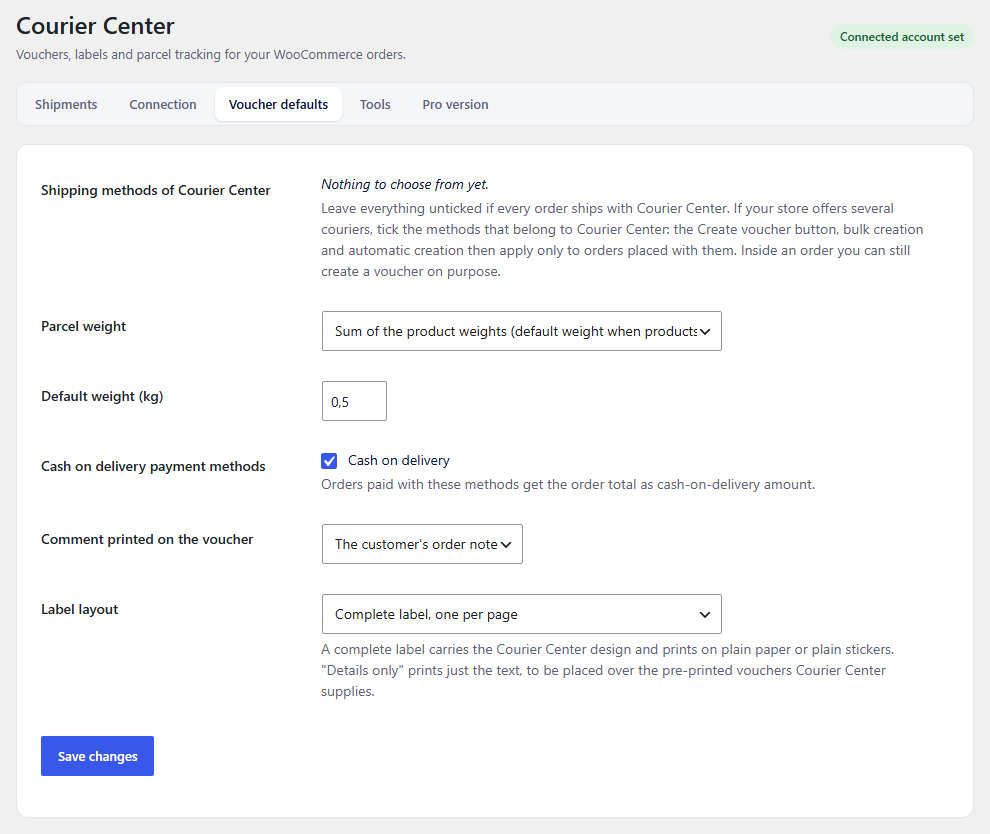
- Voucher defaults you set once: weight, services, comments and label format, where the courier supports them.
- A list of every voucher the plugin created, with its status.
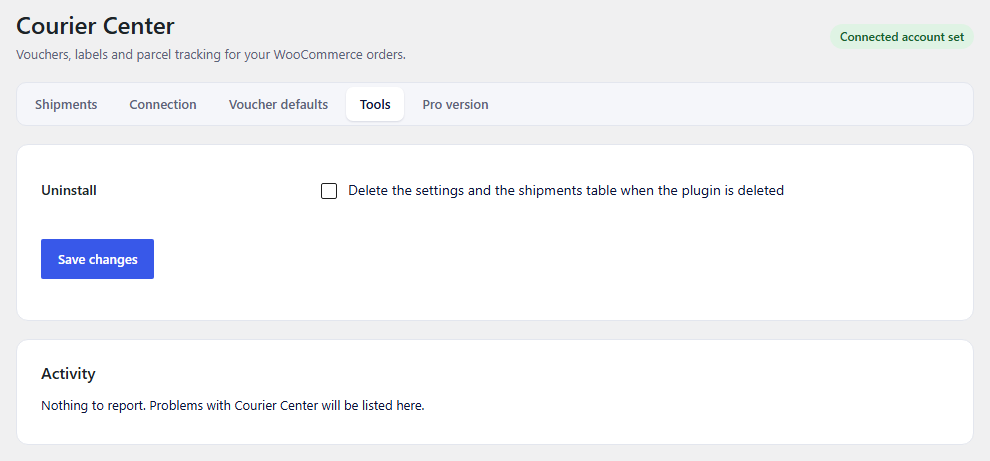
- A connection test, tools and an activity log for when something does not work.
- English and Greek built in. Compatible with WooCommerce High-Performance Order Storage.
What you need
A business account with Courier Center and the web service (API) credentials they issue for it. The plugin does not work without them.
Pro version
A separate paid plugin, Courier Center for WooCommerce, adds automation (vouchers created by order status, parcels followed in the background, order statuses updated on delivery), tracking for your customers in emails and in their account, and support by email. It uses the same settings and vouchers as this plugin. Details: athplugins.com/plugins/courier-center
Everything described under “What it does” is in the free plugin and stays in it.
Who makes it
ATHPlugins is the plugin studio of ATH Development, a web agency in Greece that builds and looks after WooCommerce stores. The plugins come out of that everyday work with real shops.
Trademark
Courier Center is a trademark of its owner. This plugin is made by ATHPlugins.com and is not affiliated with, endorsed by or sponsored by Courier Center.
External services
This plugin sends data to Courier Center’s web service in order to do its job. It contacts the service only when you create, print, cancel or check a voucher, or test the connection. What is sent: your Courier Center account credentials, and for each voucher the recipient’s name, address, phone number and email, the parcel weight, the cash on delivery amount and the order number. No data is sent anywhere else.
The service is provided by Courier Center: www.courier.gr
Terms of service: www.courier.gr/terms-and-conditions
Privacy policy: www.courier.gr/privacy-policy
Addresses the plugin calls: https://platform.courier.gr.
Nothing is sent while the plugin is only installed and activated: a call happens only after you enter your account details and use one of the actions above.
Screenshots

Installation
- Install the plugin from the Plugins screen and activate it. WooCommerce must be active.
- Open WooCommerce > Courier Center > Connection, enter the credentials Courier Center gave you and save.
- Press the connection test on the same tab.
- Open Voucher defaults and set the weight and the options you use most.
- Open an order and press “Create voucher” in the Courier Center box.
FAQ
-
Where do I get the credentials?
-
From Courier Center. Ask your account manager or your local branch for web service (API) access for your business account.
-
Can I create vouchers for many orders at once?
-
Yes. Select the orders in the WooCommerce orders list and choose the bulk action.
-
Does it create vouchers automatically?
-
Not in this plugin. Automatic vouchers, automatic tracking and customer tracking are in the separate Pro plugin.
-
Does it work with the block checkout and with High-Performance Order Storage?
-
Yes.
-
Something failed. Where do I look?
-
Open the Tools tab. The activity log shows the last calls that failed and what Courier Center answered.
Reviews
There are no reviews for this plugin.
Contributors & Developers
“ATH Vouchers for Courier Center – Shipping Labels” is open source software. The following people have contributed to this plugin.
Contributors
Translate “ATH Vouchers for Courier Center – Shipping Labels” into your language.
Interested in development?
Browse the code, check out the SVN repository, or subscribe to the development log by RSS.
Changelog
1.0.0
- First release.