
Description
SyncNet Patch Radar collects security alerts automatically and shows only what really matters: critical vulnerabilities in widely used products such as Windows, Exchange, NetScaler, FortiGate, Cisco, VMware, Java, Chrome or PHP.
An alert is shown when it
- is rated critical by the German Federal Office for Information Security (BSI / CERT-Bund), or
- is listed by the US agency CISA as actively exploited (Known Exploited Vulnerabilities), or
- is rated CVSS 9.0 or higher (adjustable), exploitable over the network without authentication, and was reported by the vendor itself (NVD),
and concerns one of the products in your list (fully editable).
Features
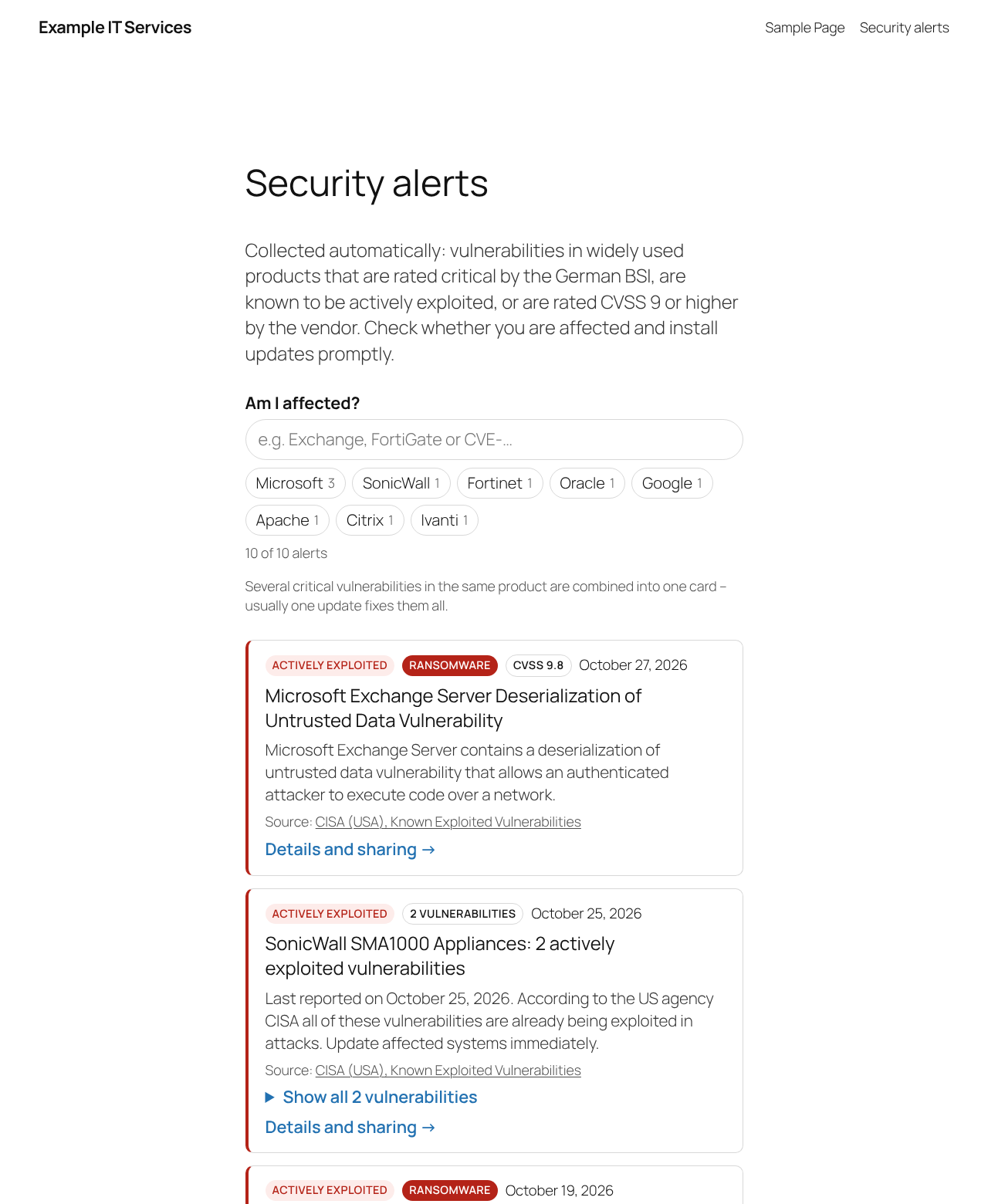
- Clean list with search (“Am I affected?”) and vendor filters
- Several critical vulnerabilities in the same product are combined into one card (“Google Chrome: 12 critical vulnerabilities”) – one update usually fixes them all
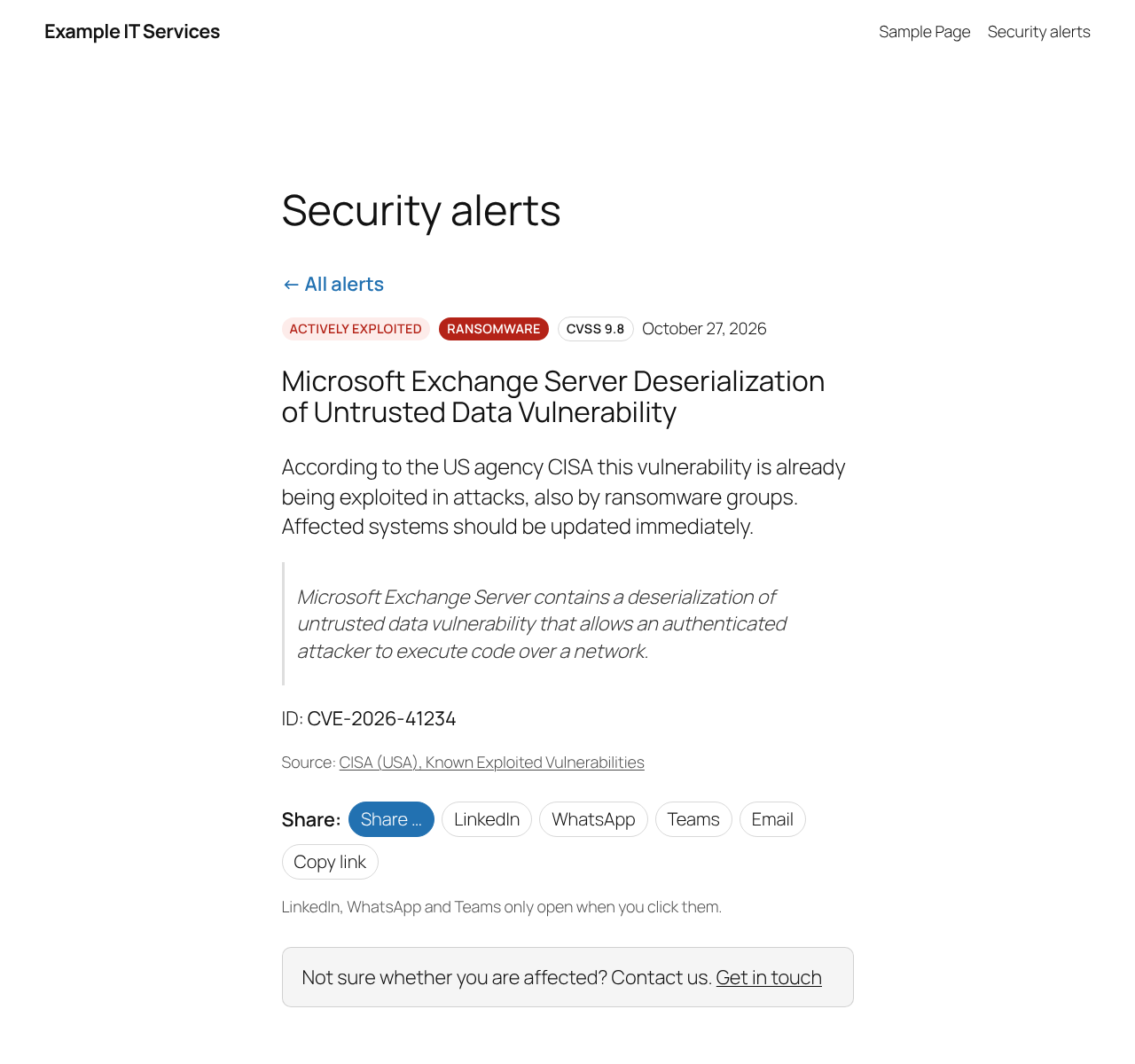
- Every alert and product group has its own page to share (LinkedIn, WhatsApp, Teams, email, copy link, native share on phones) – shared links always point to your site
- RSS feed for all alerts and one feed per vendor
- You choose where the subscription box and the share buttons appear: above, below or both
- Source and link to the original record on every card
- Optional small red dot on your menu item for the alerts page while a fresh, actively exploited vulnerability is listed (off by default)
- Optional one-line “latest critical alert” for your front page and a compact box for any page
- Optional call to action (“Not sure whether you are affected? Contact us”)
- Check tool in the settings: enter a CVE ID and see which condition is met
- No tracking, no cookies, no external scripts or fonts – visitors never connect to third parties
- Nothing is fetched until you switch fetching on in the settings
- Translation ready
Shortcodes
[syncnet_patch_radar]– the list (a draft page with it is created on activation)[syncnet_patch_radar_latest]– one discreet line with the newest alert[syncnet_patch_radar_box count="3"]– compact cards with a link to the list
Disclaimer
The list is compiled automatically from public sources. It is no substitute for your own vulnerability management and comes without any guarantee of completeness or correctness.
External services
This plugin relies on the following third-party services. Nothing is sent on activation. Your server only connects to them after an administrator has ticked “Fetch alerts” in Settings SyncNet Patch Radar and saved; it can be switched off there at any time.
Vulnerability data (retrieved by your server)
Once fetching is switched on, your server downloads public vulnerability data hourly via WP-Cron, after saving the settings and when you click “Fetch now” – only from the sources you have selected. The requests contain no data about your visitors, users or site; the user agent only names the plugin and its version. Requests to the NVD contain your NVD API key if you have entered one.
- BSI / CERT-Bund Warn- und Informationsdienst (WID), Federal Office for Information Security, Germany. Used to show security advisories rated “critical”. Endpoint:
https://wid.cert-bund.de/content/public/securityAdvisory/rss(only if the BSI source is selected). Service: https://wid.cert-bund.de/ – Privacy policy: https://www.bsi.bund.de/EN/Service/Datenschutz/datenschutz_node.html - CISA Known Exploited Vulnerabilities Catalog, Cybersecurity and Infrastructure Security Agency, USA. Used to show vulnerabilities known to be exploited. Endpoint:
https://www.cisa.gov/sites/default/files/feeds/known_exploited_vulnerabilities.json(only if the CISA source is selected). Privacy policy: https://www.cisa.gov/privacy-policy - NIST National Vulnerability Database (NVD) API 2.0, USA. Used to show critical vulnerabilities reported by the vendor, and by the CVE check tool on the settings page (only when you click “Check”). Endpoint:
https://services.nvd.nist.gov/rest/json/cves/2.0(only if the NVD source is selected). Terms of use: https://nvd.nist.gov/developers/terms-of-use – Privacy policy: https://www.nist.gov/privacy-policy
This product uses data from the NVD API but is not endorsed or certified by the NVD.
Share buttons (opened by the visitor)
Alert pages show share buttons. They are plain links; nothing is loaded from these services when the page is displayed. Only when a visitor clicks a button does their browser open the respective service, sending the title and address of the alert page so it can be shared:
- LinkedIn (LinkedIn Corporation / LinkedIn Ireland) –
https://www.linkedin.com/sharing/share-offsite/. User agreement: https://www.linkedin.com/legal/user-agreement – Privacy policy: https://www.linkedin.com/legal/privacy-policy - WhatsApp (WhatsApp LLC / WhatsApp Ireland) –
https://api.whatsapp.com/send. Terms of service: https://www.whatsapp.com/legal/terms-of-service – Privacy policy: https://www.whatsapp.com/legal/privacy-policy - Microsoft Teams (Microsoft Corporation) –
https://teams.microsoft.com/share. Services agreement: https://www.microsoft.com/servicesagreement – Privacy statement: https://privacy.microsoft.com/privacystatement
E-mail and “copy link” use the visitor’s own mail program and clipboard; no service is contacted.
Screenshots
Installation
- Install and activate the plugin. A draft page “Security alerts” with the shortcode
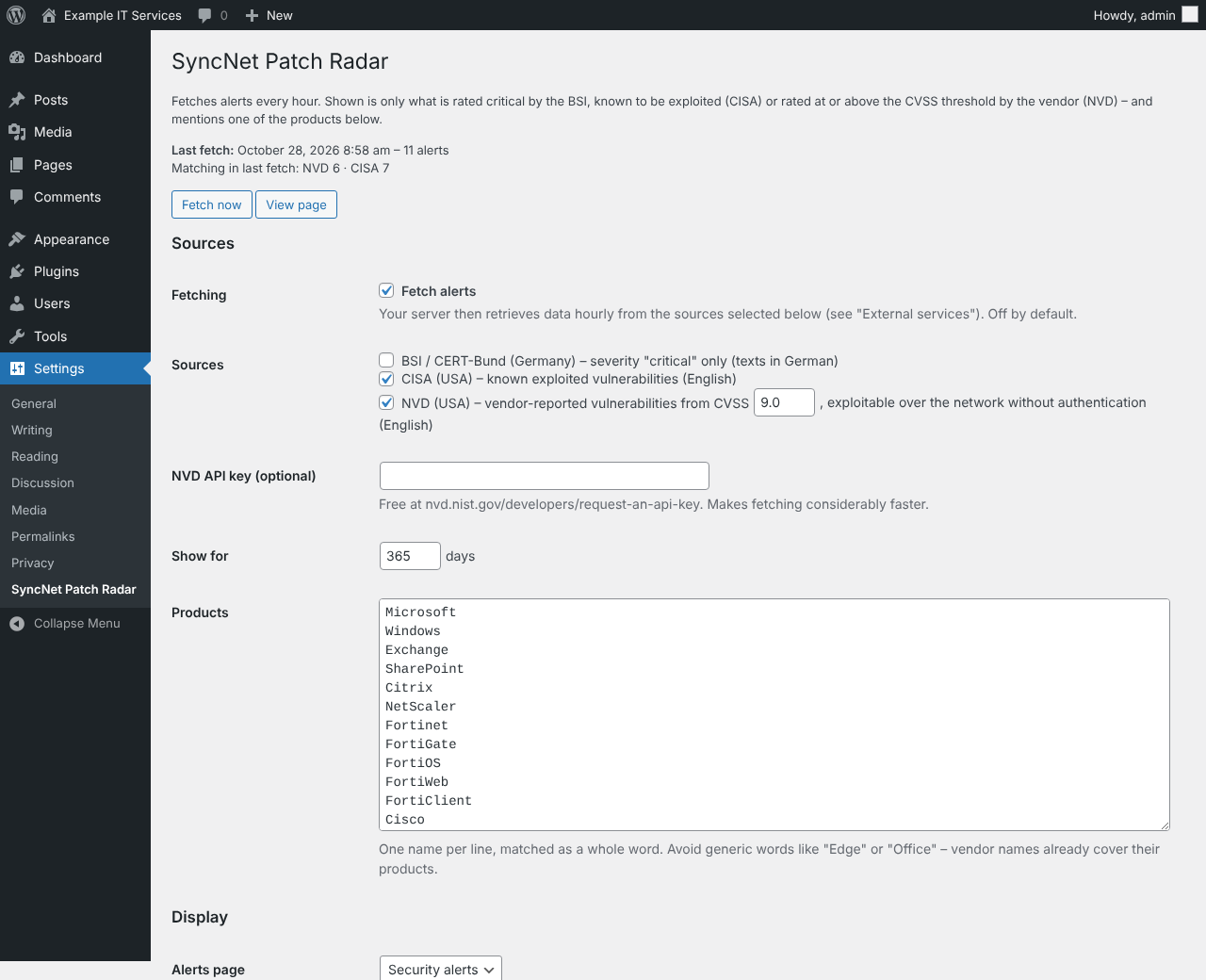
[syncnet_patch_radar]is created. Nothing is fetched yet and the plugin never adds menu items itself. - Go to Settings SyncNet Patch Radar, choose sources, CVSS threshold and product list, tick Fetch alerts and save. The first fetch starts.
- Rename and publish the page when you are ready.
- Optional but recommended: request a free NVD API key and enter it – fetching becomes much faster.
- Recommended: set up a real cron job calling
https://your-site.example/wp-cron.php?doing_wp_cronevery hour, so fetching runs reliably even with page caching.
The first NVD load covers the last 30 days and runs in several passes (progress is shown in the settings).
FAQ
-
Why is the list empty after activation?
-
Nothing is fetched until you switch fetching on: go to Settings SyncNet Patch Radar, tick “Fetch alerts” and save.
-
Why are some vulnerabilities missing?
-
Only critical ones in products from your list are shown – this is intentional. Use the check tool in the settings to see why a specific CVE is not listed.
-
Why are some texts in English or German?
-
BSI advisories are published in German, CISA and NVD descriptions in English. The plugin’s own texts follow your site language.
-
Does the plugin slow down my site?
-
No. Data is fetched in the background and stored; pages only read the stored list. Search and filters run in the visitor’s browser.
-
Yes, there is an option in the settings. It is off by default.
Reviews
There are no reviews for this plugin.
Contributors & Developers
“SyncNet Patch Radar” is open source software. The following people have contributed to this plugin.
Contributors
Translate “SyncNet Patch Radar” into your language.
Interested in development?
Browse the code, check out the SVN repository, or subscribe to the development log by RSS.
Changelog
1.4.0
- New settings: show the RSS subscription box above and/or below the list (or not at all), and the share buttons above and/or below a single alert.
1.3.0
- First public release.